All Emperor2011's Software in one thread !! (updated daily)

0af6b2248fc2c5e2a9d05729579a99b5.jpg


AMS Software PhotoWorks 24.0 Multilingual | Size: 474.14 MB
Language: English
​
Not quite happy with your photos? Tricky weather and lighting conditions or a stranger in the background have ruined a priceless shot? Vacation pictures don't look as vibrant as you hoped they would? With PhotoWorks in hand, you'll get the tools that let you save a spoiled shot or turn an average picture into a photography masterpiece. This seemingly simple photo editing software for PC has the latest image processing technology under the hood - for you, this means perfect pictures with a couple of mouse clicks!

Retouch portrait photos with pro-level tools
Need to touch up a portrait or make a shiny avatar? The intelligent photo retouching tools inside PhotoWorks will hide any imperfections and add a glam finish to your picture. Get rid of pimples, freckles, and spots; smooth out wrinkles and create an even skin tone - all of that with a few mouse clicks, no brushes involved! Whiten your teeth for a luminous smile and fix red eyes in photos. Feel like experimenting with your looks? Try changing the eye color - just one mouse click, and your grey eyes will turn green! Make sure to try the built-in photo filters, too - that's the easiest way to turn an ordinary shot into a studio-quality picture.

Create striking landscapes in a few clicks
Some of your valuable vacation photos were taken in gloomy weather? You can't go back to that place, but you can add some sunshine with an easy image editor for computer! Discover the power of the graduated filter - this tool can work wonders for your landscapes, turning the grey sky blue and breathing life into a dull photo. Straighten your picture if it suffers from tilted or crooked lines. Erase unwanted objects such as power lines, road signs, or passersby. Do some magic with artistic effects - there's an array of presets like morning mist, winter frost, summer glow etc., ready to give your pics a rad new look.

Experiment with colors like a true artist
Have immense fun playing with hues and tones right on your laptop! One quick movement, and your red dress turns pink or orange; another one - and day becomes dusk. Play with the color hue, saturation and luminance to change the atmosphere of the shot. PhotoWorks uses intelligent technology that lets you work with each color on the photo one by one, without you having to do any manual selection - it's likely the best solution for non-professionals who still want stunning results.

Change your digital look with a single slider drag
Want to look like a movie star but you're unsatisfied with the length of your nose or the shape of your mouth? Now it's possible to improve your facial features without plastic surgery. Get started with this intelligent photo editing software for PC and you will see yourself from a new perspective! Meet the Face Sculpt tool that can do wonders to your portrait shots. This feature lets you make your face leaner, get plumper lips, fix your turned-up nose and accentuate eyes for a more glamorous look.

Play with dozens of one-click effects
Looking for instant photo effects? We've got you covered! PhotoWorks comes with a huge variety of artistic filters - color toning, details enhancement, HDR, vignetting, retro, black & white photo, color splash, seasonal effects, and a lot more. Download the program and play with all of these effects for free! A single click will create a certain mood, add some drama or a romantic vintage flair to your shot. Even if you are completely new to post-processing, our simple photo editing app for PC will give your images a polished look in mere seconds.

More cool features of PhotoWorks:

Captions & Watermarks
Add stylish captions, or watermark images to protect your work. Rotate text or make it semi-transparent if necessary.

Perspective Correction
Level out a wonky horizon, eliminate the "falling building" effect, correct lens distortions in a few clicks.

Magical Brushes
Use an array of brushes to work with any object on the photo - for example, fix small blemishes or accentuate a detail.

Convenient Crop
Improve the photo composition with crop presets - the Rule of Thirds, the Golden Ratio and other grids are there to help.

Instant Enhancement
Apply auto enhancement to fix the exposure and improve the color balance. Make your image awesome in one click!

Free Learning Resources
Discover professional secrets and master new image editing techniques with our series of online tutorials.

HOMEPAGE:
Код:
https://photo-works.net/

FREE DOWNLOAD LINKS:​

Код:
https://rapidgator.net/file/8c995d5a192e889cd1cc0162ff3d5443/AMS_Software_PhotoWorks_24.0_Multilingual.rar
 
917e9195cef3a696777f4de152166506.jpg


Adobe Acrobat Pro DC 2026.003.22110 (x86) Multilingual | Size: 1.52 GB
Language: English
​
Adobe Acrobat Pro DC is the leading PDF converter and much more. Adobe Acrobat Pro DC software lets you deliver professional PDF communications. It's packed with smart tools that give you even more power to communicate. Create and edit PDF files with rich media included, share information more securely, and gather feedback more efficiently.

Adobe Acrobat Pro DC software is the advanced way for business professionals to create, combine, control, and deliver more secure, high-quality Adobe PDF documents for easy, more secure distribution, collaboration, and data collection.

Assemble electronic or paper files into reliable PDF documents that are easy to share with others using free Adobe Reader. You can assemble even Web sites, engineering drawings, and e-mail.

With Adobe Acrobat Pro DC you can manage document reviews, synthesizing feedback from multiple reviewers while preserving document format and integrity. Extend commenting capabilities to anyone using Adobe Reader. Windows users can design intelligent Adobe PDF forms that include business logic, such as calculations and data validations, to help increase the accuracy of data collection while reducing the costs of manual data entry.

Use Adobe Acrobat Pro DC to create high-impact PDF communications, collaborate more easily, and streamline reviews. Adobe Acrobat Dynamic PDF helps you get more done - easier, faster, better.

Edit PDF files
With Adobe Acrobat Pro DC, you can make minor edits to text and images right in your PDF file without requiring the original document or graphic. Edit text in a PDF. Fix a typo, change a font, or add a paragraph to your PDF as easily as you do in other applications using a new point-and-click interface. Edit images in a PDF. Resize, replace, and adjust images in your PDF with no need to track down the original file or graphic.

Export from PDF files
Reduce the time you spend retyping information stuck in PDF files. Convert PDF files to editable Microsoft Office documents. And save fonts, formatting, and effort.
Convert PDF files to Word. Save your PDF as a Microsoft Word document and take your fonts, formatting, and layouts with you. Convert PDF files to Excel. Turn your PDF or just part of it into an editable Excel spreadsheet you can use for data analysis right away. Convert PDF files to PowerPoint. Get a head start on new projects by saving a PDF file as a fully editable PowerPoint presentation.

Create PDF files
Stop worrying about whether the files you send will look right on other people's screens. Turn documents into PDF files anyone can reliably view with free Adobe Reader.
Convert Word, Excel, or PowerPoint to PDF. Right from your Office application in Windows, you can create PDFs, start a shared review, restrict PDF edits, and more. Print to PDF. Convert files to PDF from virtually any application that prints simply by selecting Adobe PDF as your printer. Scan to PDF. When you need to turn a paper document or form into a digital file, just scan it to create a searchable PDF file you can edit. Convert HTML pages to PDF. Save web pages as PDF files to archive web content, review the pages offline, or print them more reliably.

Create and analyze forms
Cut the time you spend creating forms, rekeying data, and correcting errors. Distribute forms online, and then collect responses and analyze results in real time.
Create new PDF and web forms. Customize professional templates or design from scratch with the Adobe FormsCentral desktop app included in Adobe Acrobat Pro DC. Collect form responses with FormsCentral. Easily collect responses by moving your PDF or web forms online with the Adobe FormsCentral online service. Convert existing forms to fillable PDFs. Type less, gather more. Quickly convert your paper, Word, or Excel forms to fillable PDF forms. Collect form responses using Adobe Acrobat tools. Compile returned forms into one PDF, or host forms using a network folder or Microsoft SharePoint server.

System Requirements:
x86:
Intel® or AMD processor; 1.5GHz or faster processor
Windows 11 (64 bit), Windows 10 version 1810 or later (32 bit and 64 bit), Windows 8, 8.1 (32 bit and 64 bit)†, Windows 7 SP1 (32 bit and 64 bit), or Windows Server - 2008 R2 (64 bit), 2012 (64 bit), 2012 R2 (64 bit)†, 2016 (64 bit), or 2019 (64 bit)
2GB of RAM
4.5GB of available hard-disk space
1024x768 screen resolution
Video hardware acceleration (optional)

HOMEPAGE:
Код:
http://www.adobe.com/

FREE DOWNLOAD LINKS:​

Код:
https://rapidgator.net/file/2eb66dfe6c45e2595b2a85f53ebd18d5/x86_Multilingual_03.22110.rar
 
e1482ba598b15c3b514238fa63fcabbb.jpg


Ashampoo Backup Pro 28.0.19 Beta Multilingual | Size: 217.55 MB
Language: English
​
Ashampoo Backup Pro 28 takes the fear out of viruses, ransomware, and hardware errors! Experience an easy to use well-designed but powerful backup solution. The new Ashampoo Backup Pro offers you all possible storage options: Back up single files or entire partitions to local drives or online storage providers. Backup software couldn't get any easier. Just plug in a storage device and you're good to go! In addition, the program is light on resources, gets out of your way and does all the heavy lifting in the background. Restoring your backups is super easy! Ashampoo Backup Pro even comes with a bootable rescue system to restore your system in the event of major system failure!

Malware infections
Hard disk failure
Accidentally deleted files
Operating system issues
Troublesome updates
Device theft

Helps with
Faster backups-local or cloud
Improved performance no matter the storage location
Ashampoo Backup Pro stands for maximum security-and now also speed. Cloud backups are up to 30% faster than before, and file-based backups also benefit from noticeably improved performance.

Instant access to all popular providers and storage methods
Cloud storage has long been a secure way of backing up your data. As cloud providers keep advancing their services and storage methods, so do we: Ashampoo Backup Pro has been fully updated to support the latest and most secure online data transfer methods! Back up your data to Dropbox, OneDrive, Google Drive, OneDrive Business / Office 365, Owncloud, Telekom MagentaCLOUD, Strato, 1&1 and many others.

Real-time check & repair
Scan and unlock multiple drives effortlessly
The new repair tool allows you to perform live checks on your drives with just one click, eliminating the need for a wizard. Any errors detected are logged and can be fixed immediately. Multiple drives are processed automatically in sequence. The enhanced BitLocker support now includes all unlock methods (such as Smartcard, TPM, etc.) and is available directly within the drive check.

Plug & Play backups
Hook it up and you're good to go!
With plug & play, backing up external devices is a joy: Once set up, Ashampoo Backup Pro will run your plans automatically as soon as the affected drives are connected to your PC. This means, you can instantly back up the files of your flash drive simply by plugging it in-no need to run the program, no additional clicks! With Ashampoo Backup Pro makes backing up your files a smooth, seamless, fun experience!

Robust and reliable when you need it most
A completely new rescue system for emergencies
When disaster strikes, Ashampoo Backup Pro is ready. The new rescue system interface guides you step by step through data recovery and provides helpful assistance. Whether you need to restore individual files, full partitions, or an entire system, the new rescue environment can handle it. With improved driver management, recoveries are now more reliable than ever.

Bitlocker support
Unlock and use BitLocker-encrypted drives
Windows encrypts drives via BitLocker to protect them against unauthorized access. This makes it harder, sometimes even impossible, for backup software to access your files. Ashampoo Backup Pro not only sees your BitLocker-encrypted drives but can also access them to store your file archives. Naturally, the drives are not only accessible during normal operation but also through the rescue system!

Off to a great start with Ashampoo Backup Pro
1-Click access to all vital sections!
Our backup solution works for everyone, from beginner to data security specialist. That's why we've made our backup plans as flexible and versatile as possible! The new presets save your data in just a few clicks. Would you like to back up your documents only or your entire system? Do you want to save your emails, contacts or browser data? Or do you prefer a more refined approach with custom plans specifically tailored to your needs? Even highly sophisticated backup plans only take a few clicks. Simple or sophisticated, creating backup plans is a breeze with the new Ashampoo Backup Pro!

Your lifesaver when all else fails
Rescue system to recover corrupted operating systems
Once your PC becomes infected, e.g. through malware, or your hard disks crash or malfunction, your operating system is done for-with reinstalling Windows plus all of your programs being the only path to go forward, unless you have a clean backup! Ashampoo® Backup Pro will save hours of time and effort. The built-in rescue system will boot your PC either from DVD or flash drive and help you restore your system so that your PC works normally again. It's the end of data loss!

Superior malware protection
No chance for ransomware, viruses, and worms
Your PC is under constant threat from all kinds of malware. A single wrong click, a security hole in your system, or an infected email is all it takes to trigger disaster! Antivirus programs can never detect and neutralize all malware. Experts believe 300,000 new threats are created and distributed every day. Ransomware that targets your wallet in return for access to your files is particularly prevalent. Do you really want to negotiate with online criminals? Backups are the only solution that offers 100% security. Once your system becomes infected, simply restore your backup, and you're in the clear again!

Professional technology for everyone
Use the techniques of professional system administrators
The security strategies incorporated into this backup solution was designed with business use in mind and comply with the strict standards required in professional environments. Because only the highest standards are good enough to protect your files! Professional administrators appreciate the solid backup engine, constant file verification, and strong encryption, which is why Ashampoo® Backup Pro is also used by major companies. Get industry-grade file protection for your PC!

Simply restore your system to its prior state when it was working fine!
Updates are essential for every PC. Unfortunately, updates can introduce security issues or malfunctions that can cause data loss. At worst, Windows updates can prevent your system from working at all or starting up. These are the painful "but everything was working fine yesterday" moments. Ashampoo® Backup Pro takes your system back to that moment when everything was working perfectly! Face future Windows or security software updates calmly in the knowledge that nothing can harm your PC anymore!

Space-efficient file storage where and how you want it
External hard drive, USB stick, NAS, or cloud: Ashampoo® Backup offers flexible storage options!
Ashampoo® Backup Pro saves your backups to any hard disk, USB stick, network drive or cloud service. The advanced disk image feature uses powerful "infinite reverse incremental" technology that takes up little space but offers maximum security. The program supports four different compression methods. And best of all: Backups created with Ashampoo® Backup Pro require up to 50% less space than other backup solutions!

All-round protection with hard disk checkups
The backup solution that even checks output locations
A backup is only as safe as the hard disk its stored on! That's why Ashampoo® Backup Pro monitors your hard disk's SMART parameters during backups to detect future issues before they happen! This allows you time to react and avoid data loss. The program also features an additional drive / partition check that analyzes and repairs individual sectors. Whether internal or external, Ashampoo® Backup Pro takes extra good care of your hard disks!

No strain on your system
Ashampoo® Backup Pro strategic benefits
Our solution is not only fast but also smart. Most backup solutions will stop your work as soon as backups are created. Once underway your PC is practically paralyzed with slow, if any, response times. With Ashampoo® Backup Pro, this is a non-issue! You won't even notice when backups are created but your archives will still always be up-to-date. Backup Pro does all the heavy lifting in the background and analyzes your system load, only becoming active when enough resources are available without getting in your way. So you can continue to work while Backup Pro works its magic.

Full clarity with Backup Viewer
View archive contents without opening them
While backups are primarily meant for storing and restoring data, sometimes you just want to peek into them. Ashampoo® Backup Pro's Backup Viewer let's you do just that. Access archived files directly without restoring them first. The files are opened in a secure space to avoid modifying or damaging the original archives!

Operating System: Windows® 11, Windows® 10 (x64)

HOMEPAGE:
Код:
https://www.ashampoo.com/

FREE DOWNLOAD LINKS:​

Код:
https://rapidgator.net/file/5f08e88508ad65314c76e51fb0bd8737/Ashampoo_Backup_Pro_28.0.19_Beta_Multilingual.rar

 
7eb69216716d1eba0cf6b99cf5a053ec.jpg


Burp Suite Professional 2026.11.1 | Size: 733.09 MB
Language: English
​
Burp Suite is an integrated platform for performing security testing of web applications. Its various tools work seamlessly together to support the entire testing process, from initial mapping and analysis of an application's attack surface, through to finding and exploiting security vulnerabilities.

Burp gives you full control, letting you combine advanced manual techniques with state-of-the-art automation, to make your work faster, more effective, and more fun.

Burp Suite contains the following key components:
- An intercepting Proxy, which lets you inspect and modify traffic between your browser and the target application.
- An application-aware Spider, for crawling content and functionality.
- An advanced web application Scanner, for automating the detection of numerous types of vulnerability.
- An Intruder tool, for performing powerful customized attacks to find and exploit unusual vulnerabilities.
- A Repeater tool, for manipulating and resending individual requests.
- A Sequencer tool, for testing the randomness of session tokens.
- The ability to save your work and resume working later.
- Extensibility, allowing you to easily write your own plugins, to perform complex and highly customized tasks within Burp.

Burp is easy to use and intuitive, allowing new users to begin working right away. Burp is also highly configurable, and contains numerous powerful features to assist the most experienced testers with their work.

Features of Professional Edition:
- Burp Proxy
- Burp Spider
- Burp Repeater
- Burp Sequencer
- Burp Decoder
- Burp Comparer
- Burp Intruder
- Burp Scanner
- Save and Restore
- Search
- Target Analyzer
- Content Discovery
- Task Scheduler
- Release Schedule

What operating systems does the software run on?
Burp requires a computer with the official Java Runtime Environment (64-bit edition, version 1.8 or later) installed. JREs are available for various popular operating systems, including Windows.

What are the system requirements for running the software?
Burp requires a minimum of 4Gb of memory. If you are performing large amounts of work, or testing large or complex applications, you may need more memory than this.

HOMEPAGE:
Код:
https://portswigger.net/

FREE DOWNLOAD LINKS:​

Код:
https://rapidgator.net/file/8f0c6c31b4a6cf1077d149a90b111807/Burp_Suite_Professional_2026.11.1.rar
 
00c23a2b409052e6e1e28d7e0de80ee6.jpg


Capture One Pro / Enterprise 16.9.1.3943 (x64) Multilingual | Size: 1.91 GB
Language: English
​
Capture One - powerful photo editing on desktop. Superior image quality and true-to-life colors thanks to tailored profiles for nearly 600 camera models and lenses. Lightning-fast tethered shooting and precise photo editing tools. An interface you can personalize for a faster workflow.

True-to-life colors and superb image quality
Get incredible color accuracy and image quality right from the start. Our powerful RAW converter is customized for nearly?600 camera profiles?and over 700 lenses. Thanks to this, our true-to-life color processing?gives you even more vibrant images - so you can spend less time tweaking and deliver even better results.

Lightning-fast tethered shooting
Shoot directly into your computer with lightning-fast tethering for a quick and more efficient workflow. Get a full screen view of your images within seconds, letting you quality control shots in the moment with teams or clients and make the changes you need on set right then and there. With Live View, you can see what your camera sees from your screen, have full control of your camera settings from your computer, and organize images immediately from the get-go.

Get even more space to create with no cords holding you back with Wireless Tethering - available for select Canon and Nikon cameras.

Work quicker with speedy tools
Cull quickly by browsing images with zero delay. Easily choose your top selects by getting an overview of similar shots that are automatically grouped together. Edit with tools that do the work for you. Features like Smart Adjustments let you cut down on editing time with AI-driven adjustments that give you a similar look across photos shot under different lighting conditions by auto adjusting Exposure and White Balance specific to each photo.

Make rapid changes and set your own shortcut keys with Speed Edit, meaning you never need to take your eyes off your image to adjust sliders, letting you edit a single image or make batch edits even faster.

Collaborate quickly with clients around the world
Remote collaboration is made easier with Capture One Live, our timesaving collab tool that lets you get instant feedback from teams and clients anywhere. By sharing images from your photoshoot with a simple link, they can view, comment, rate, and color tag photos directly on any device without needing to download a single file - no third-party software or emailing large files back and forth needed.

The power of Capture One for a studio photographer
Lagos-born, Atlanta-based photographer Daniella Almona works to highlight blackness in all forms in her work. Playing with highly saturated tones in backdrops, clothes, and make-up to bring out her subjects' features, Capture One Pro is key to Daniella's workflow, including her culling and editing processes, control of color, and more.

New in Capture One Pro 23

Faster Culling
Cull your images even faster. Rate and tag images directly in the importer or using the dedicated cull view once your images are already in Capture One Pro. Get an easier overview of similar images with automatic group view, letting you choose your top selects even quicker. Plus, instant browsing allows you to click through your images with zero delay.

Smart Adjustments
Reduce editing time massively with Smart Adjustments. Get a similar look across photos that are shot under different lighting conditions by automatically adjusting Exposure and White Balance - optimized for portraits, weddings, or other jobs featuring people.

Layers In Styles
Have more control over editing and full flexibility over your Style workflow with the ability to include Layers in Styles. Apply your edits to multiple Layers from a single Style, allowing for easy opacity control and versatility. Save your own Styles with Layers in them or get layered versions of Capture One Style Packs.

Change Capture Time
Ensure accurate order of photos for easier culling by changing capture time. When shooting with two or more cameras that are out of sync or capture time is set to the wrong time zone, easily adjust the time on each image so they appear chronologically. Culling is made easier by being presented with all images from certain moments or similar shots in the right order.

Variants in Albums
Easily sort different variants of the same image into separate albums, allowing for more efficient photo organization.

Microsoft Windows minimum requirements:
Intel Core i3 (1st generation) or AMD Jaguar Family
8 GB of RAM
10 GB of free hard disk space
Calibrated monitor with 1280x800, 24-bit resolution at 96dpi
Windows 10 64-bit (builds from 1607 to 22H2) or Windows 11

HOMEPAGE:
Код:
https://www.captureone.com/

FREE DOWNLOAD LINKS:​

Код:
https://rapidgator.net/file/0c69b73ec8700c70e89aedd7f9be2e78/Capture_One_Pro__Enterprise_16.9.1.3943_x64_Multilingual.rar
 
c67e1dd487583609fdbb89029d18e439.jpg


ChessBase Mega Database 2026.1 | Size: 1.64 GB
Language: English
​
The ChessBase Mega Database 2026 is the premiere chess database with over 11.7 million games from 1475 to 2025 in high quality. Packing more than 114,000 annotated games, Mega 2026 contains the world's largest collection of high-class analysed games. Train like a pro! Prepare for your opponents with ChessBase and the Mega Database 2026. Let grandmasters explain how to best handle your favorite variations, improve your repertoire and much more.

Mega Database 2026
- Includes Mega Update Service 2026: update your Mega with your ChessBase '26 (or 18/17/16) program every week with over 5,000 new games. That's about 250,000 new games by the end of 2026!
- Comfortable design with even more top-level tournaments than ever before!
- Direct access to All World Championship matches, Candidates tournaments, famous historical tournaments and all Olympiads!
- Player lexicon for download with over 1.4 million player names and more than 45,000 player photos (only with ChessBase '26/18/17)

System Requirements
Desktop PC or Notebook, 2 GB RAM, Windows 11, 10 or 8.1

HOMEPAGE:
Код:
https://shop.chessbase.com

FREE DOWNLOAD LINKS:​

Код:
https://rapidgator.net/file/4bb399dc7b03efa87d0cf8ebff6813cc/ChessBase_Mega_Database_2026.1.rar
 
9b2f3208b3e8d134d11431b875c61184.jpg


DVDFab 13.0.7.1 (x64) Multilingual | Size: 457.78 MB
Language: English
​
DVDFab is one of the top DVD copy and backup software applications available on the market. Highlights include DVD and video conversion, Blu-Ray decryption and DVD data recovery abilities. All of these, together with the DVD/Blu-Ray creation features make it one of the most versatile DVD management suites ever to meet its category.

DVDFab also has the ability to compress dual-layer discs to single-layer; it splits titles belonging to a dual-layer disc or to two single-layer DVDs and allows to burn the images to recordable discs.

The installation process completes in less than a minute and requires a system restart in order to function properly. The interface of DVDFab is easy to understand and to navigate; the main options are displayed on the left side, while the panel on the right is reserved for selecting the source and target and additional conversion/copying settings.

One of the most important and appreciated features of DVDFab is the DVD copy utility, which allows you to rip/copy/burn DVD content to blank discs, all the while preserving the quality of the original files.

DVDFab also provides you with the means to rip DVDs to popular video/audio formats, thus allowing you to ready your media content for devices such as iPod, iPad, PS3 or Xbox.

The application features quite a few for handling Blu-Ray files: one that allows to copy Blu-Rays to your hard drive (removing all the copy protections), a ripper that converts the files to formats playable on PS3/Xbox/iPhone/iPad (3D formats included), a Blu-Ray to DVD encoder and a Blu-Ray creator.

Aside from the DVD/Blu-Ray related capabilities, DVDFab also comes with an excellent and speedy video converter, which allows you to convert virtually all popular video formats to files playable on modern devices, such as the aforementioned ones.

In short, DVDFab's set of features includes impressive abilities, such as CSS decryption, region code removal, rich format support and DVD restoration. The quality of the output files is amazing, no compromises are made whatsoever.

Operating System: Windows 7, 8/8.1, 10, 11

HOMEPAGE:
Код:
https://www.dvdfab.cn/

FREE DOWNLOAD LINKS:​

Код:
https://rapidgator.net/file/5c9ec107f3a4c970f9ee937e6ec17f60/DVDFab_13.0.7.1_x64_Multilingual.rar
 
a3b26c64260fc1e5b070b99ed8b27d30.jpg


DxO PhotoLab 10.3.2.545 (x64) Elite Multilingual | Size: 307.04 MB
Language: English
​
Produce RAW and JPEG images with the best image quality, effortlessly: DxO PhotoLab provides a complete set of smart assisted corrections that you can manually fine-tune at any time. Take control on every aspect of your photos: effectively remove noise, get rid of light constraints, recover color details, apply sophisticated optical corrections, and enhance details.

Six reasons why DxO PhotoLab 6 is the RAW photo editing software for you:

Unparalleled image quality
DxO's unique DeepPRIME denoising and exceptional color science raise the bar for RAW processing.

Legendary optical corrections
Market-leading corrections built on 20 years of research, giving you sharper images, free of imperfections.

Innovative creative tools
Master color and tone with powerful, creative editing tools that you won't find anywhere else.

Intuitive local adjustments
With DxO's exclusive U Point™ technology you can make targeted edits without tricky masks.

Powerful photo management
Search and sort your photos with simple, effective tags, keywords, and project hierarchies.

Denoising and image enhancement like nothing else
DeepPRIME was a revolution for photographers and now DeepPRIME XD pushes it even further.
Powered by deep learning, it doesn't simply remove noise. Its next level demosaicing retrieves previously unseen detail, boosts colors, and more.
It's like nothing you've seen before - and all in just one click.

Lens corrections that set the standard
Built on 20 years of research in DxO's purpose-built laboratories, PhotoLab 6's optical corrections fix aberrations, softness, vignetting, and distortion.
With one click you can make even entry-level lenses look professional.

A wider color gamut for beautiful colors at every step
Improved color processing algorithms and a vast new working color space allow you to harness the full potential of modern monitors and printers. Ensure authentic reproduction for even the most saturated colors.

Intelligent, accurate color editing tools
With PhotoLab 6's ColorWheel, you get an innovative, intuitive tool that allows both quick fixes when you need them, and endless control when you want to dive deeper.

Local adjustments without the complications
Say goodbye to complex masks and imprecise brushes when making local adjustments.
PhotoLab's U Point™ interface allows you to target edits on color and tone, making your workflow faster and more intuitive.

Master dynamic range with a single slider
The Smart Lighting tool instantly gives you a natural balance between highlights and shadows - and without using masks.
Because it assesses the scene, auto mode gives you great results, but there's always the option to fine-tune to get the exact balance that you're looking for.

Add intensity in just a few clicks
In atmospheric shots, ClearView lets you cut through haze, mist, fog, and water, adding detail and impact with a simple slider - but that's not all.
It can also bring intensity to portraits, improving contrast for a richer and more characterful look.

Groundbreaking repair tools
Can you really perform precise and realistic cloning and healing in a RAW converter? With DxO PhotoLab 6 you can.
Thanks to the powerful new ReTouch tools, you can rotate and flip source points, as well as resize and edit selections for total control - all without other software slowing down your workflow.

Powerful image management
For fast and fluid file management, DxO PhotoLab 6 has you covered. Its PhotoLibrary is a fully-featured asset manager with simple tools to help you organize your files. There's no need to import images. Just browse your regular folders and start editing.
Color labels, ratings, projects, keywords, metadata, and powerful search functionality ensure that your files are always at your fingertips.

Minimum system configuration:
Any CPU supporting SSE 4.1
8 GB RAM
4 GB available disk space
Microsoft® Windows® 10 version 20H2 or higher (64-bit, and still supported by Microsoft®)

Recommended system configuration:
Intel® Core™? processor with 6+ cores or better, or AMD Ryzen™?
16 GB RAM
6 GB available disk space
NVIDIA RTX™? 2060, AMD Radeon™? RX 6600 or better with latest drivers

HOMEPAGE:
Код:
https://www.dxo.com/

FREE DOWNLOAD LINKS:​

Код:
https://rapidgator.net/file/3849480a8e4e303f2ce6cc5734894efc/DxO_PhotoLab_10.3.2.545_x64_Elite_Multilingual.rar
 
a45b6080c2ce1f67c1aeb5d83d70d151.jpg


FabulaTech USB for Remote Desktop 6.5.0.0 | Size: 71.6 MB
Language: English
​
USB for Remote Desktop. Access local USB devices in remote Windows session. When you work in a remote desktop environment, getting access to your locally plugged USB devices can be quite problematic. In some cases you still can use some workarounds like plugging the USB device into the remote machine directly but in the most cases it's not a solution.

Challenge of USB redirection to Remote Desktop
When you work in a remote desktop environment, getting access to your locally plugged USB devices can be quite problematic. In some cases you still can use some workarounds like plugging the USB device into the remote machine directly but in the most cases it's not a solution.

FabulaTech solution
USB for Remote Desktop is a software allowing redirection of locally plugged USB devices to you remote desktop session. It appears like the USB device is plugged directly to the remote side.

The program consists of Server and Workstation parts. The Workstation part is installed on the local computer or thin client where USB devices are physically plugged. The Server part is installed on the remote side you are connecting to via Microsoft RDP, Teradici PCoIP or Citrix ICA. The Server part makes redirected USB devices available for remotely logged users.
The program supports a wide range of USB hardware and does not require any special configuration.

Supports Windows and Linux as a remote desktop in different configurations
USB for Remote Desktop supports Windows and Linux remote desktops. It does not matter what protocol is used for accessing the remote side - Microsoft RDP, Teradici PCoIP, Citrix ICA. It does not matter what environment is used - Microsoft Azure, Microsoft Terminal Services, Hyper-V, Citrix XenApp, Citrix XenDesktop, VMware View, Amazon Workspaces and others.

Any compatible Windows and Linux Client software can be used for accessing remote Windows and Linux side. And there is no need to change firewall settings.

Works with any USB devices
The program is not limited to some specific models of USB devices. It is compatible with any of them. So, it is really universal solution for USB device redirection. Even the most exotic USB devices can be redirected to your remote desktop environment.

Auto-redirecting of hot-plugged USB devices
Using the Administrative Utility, USB for Remote Desktop can be configured to redirect any newly plugged USB device immediately and automatically. You don't have even to divert your attention away from the working process. The program will redirect the USB devices automatically every time you plug them in.

USB port redirection
In some cases it is really convenient to use some dedicated USB port for redirection. In such case any USB device being plugged to that port will be redirected to remote side. All other devices will be for local use only.

Ready for Enterprise
For large installations, it's possible to configure the program for local and domain users remotely. The configuration can be done via Active Directory allowing to pre-set needed settings or even disable USB redirection for specified users or just for specific types of USB devices.

HOMEPAGE:
Код:
https://www.fabulatech.com/

FREE DOWNLOAD LINKS:​

Код:
https://rapidgator.net/file/a5862c93075fe59a5127bc9e4cb080d2/FabulaTech_USB_for_Remote_Desktop_6.5.0.0.rar
 
3e3e99c544e7ffd80870e676cfd15794.jpg


FolderClone Professional Edition 4.0.2 | Size: 14.48 MB
Language: English
​
FolderClone is beneficial to individual users, small businesses (SOHO), and large corporations. Individual users will find it essential for backing up their data files and/or synchronizing their laptops to their desktops, to external drives, or to cloud storage providers. For large enterprises and small businesses alike, FolderClone is part of the network infrastructure needed to maintain high file availability, protect your files, and share files throughout your organization.

FolderClone arranges your backup jobs in sets of "tasks". A task is a set of specifications which tells FolderClone what files/folders you want to copy, where you want them copied, and how often you want this done. Once configured, the software compares the "source" folder against the "target" folder at the user-defined time intervals. Changes or additions to the source folder are copied to the target folder. Items which exist on the target folder but not on the source folder are deleted. (Optionally, you can turn off file deletions). This process runs automatically in the background with no further user interaction required.

FolderClone is not intended to back up complete systems, including operating system files and installed applications. Its primary use is to back up data files that would be irreplaceable should a disaster occur.

Key Features - standard
- Easy to use, Interface for simple creation and maintenance of synchronization tasks.
- Four file comparison methods: Date/Time, Size, Contents, and CRC32
- Uni-directional synchronization, replication, mirroring of data from Source folder to Target Folder
- One-to-many synchronization is supported. One Source folder may be synchronized with multiple Target folders.
- Uses native operating system APIs for scanning directories and copying files for optimum performance.
- Assembly Language routines are also utilized for blazingly fast execution.
- File copy only occurs if target files are actually different than the matching source file, reducing file transfer requirements.
- Multiple Copy Options: Including the ability to maintain the source file's create time stamp, and a Safe Copy option which ensures that the target file is not deleted unless the copy operation is successful.
- Four Delete Options: Delete Permanently, Send To Recycle Bin, Do Not Delete, and Secure Delete. The Secure Delete option wipes the data from the disk so that the file can not be restored by an undelete utility.
- Option to Include/Exclude Sub Folders
- Option to include "All Files and Folders" or "Only Selected Files and Folders"
- Loads at Windows Startup and resides in the System Tray
- Runs unattended in the background and checks folders at user defined intervals
- Interval options include: Manual, Every Few Minutes, Every Few Hours, Every Few Days, Only On Selected Days, First Day of Month, and Last Day of Month.
- Process Priority rules can be defined to allow control of CPU utilization during certain hours of the day.
- Can Ignore the FAT/NTFS time stamp issues of "2 second difference" and "daylight savings time difference"
- All synchronization activity and errors are logged. Or optionally, only errors are logged.
- Log size limit can be determined by user
- Scheduled synchronizations can be paused
- In-Progress synchronizations can be canceled
- Folders can be compared and an HTML-formatted report generated
- Lists of synchronization "Tasks" can be Created/Loaded/Saved
- Batch execution of multiple synchronization tasks in a user specified order
- UNC file path names supported
- International date format support
- Password protection is available for Administrators
- Very easy to use
- Extremely cost effective

Key Features - Professional Edition
FolderClone Professional Edition - includes all of the capabilities of FolderClone Standard Edition as well as these additional features

E-mail Notifications
Administrators can be notified when a task begin, ends, or is canceled. E-mail notifications can also be sent when errors occur.
No Email client is required. Requires the use of an SMTP (outgoing mail) server, everything else is built in.

Run a task when first connecting to network
Laptop users can come into the office, dock their computers, and automatically backup their laptop data to another machine on the network. FolderClone Pro will determine when a valid connection exists between the source and target computers and will initiate a task at that time. No user involvement is required.

Copy Open/Locked/In-Use Files
With FolderClone Professional's Open File Manager, there is no need to close applications during a backup. Most open, locked, and in-use files can be copied. SQL Server database files, Access databases, MS Word documents, Excel spreadsheets, and most system files can be copied with ease. (Outlook PST files are not currently supported) Files must be on local computer and user must have administrator privileges. Requires: Windows XP/2000/2003/Vista/Win7.

Define Custom Log File Size
Rather than being required to choose from a list of preset maximum Log sizes, a custom size may be defined.

Copy NTFS Security Attributes
When copying files between NTFS drives, security information such as file ownership and access privileges can be copied along with the file to the destination folder.

Application option settings can be overridden for each individual task
Options are ordinarily set at the application level and are global to all tasks. So, for example, if you choose the 'Do Not Delete' option, this rule is applied when running all tasks. FolderClone Professional gives you the ability to customize most options on an individual task level.

Scheduling option allows for FolderClone Pro to "Run On Windows Startup"
Tasks can be scheduled to run when Windows is started up. FolderClone must be set up to startup with Windows for this to work properly.

HOMEPAGE:
Код:
http://www.folderclone.com/

FREE DOWNLOAD LINKS:​

Код:
https://rapidgator.net/file/b12fd2a4c03ae90ddebc94769c17c5a0/FolderClone_Professional_Edition_4.0.2.rar
 
32fc0ccb103a9691f6e266c5ff07e138.jpg


Hex Editor Neo 8.30.00.9631 | Size: 17.31 MB
Language: English
​
Hex Editor Neo is a binary files editing software utility for Windows. It's rich and handy set of features will help all software and hardware developers working with ASCII, hex, decimal, float, double and binary data. Highly optimized performance, carefully tuned user interface among with new level of application stability will save a lot of your time, money and precious nerves while working with binary files.

Make patches with just two mouse clicks; manipulate your EXE, DLL, DAT, AVI, MP3, JPG files with unlimited undo/redo. Taste the visual operation history with branching.

Features: Editing Files of ANY Size; Built-In Explorer; Unlimited Undo/Redo; Multiple Selection; Selection Save and Load; Find All; Replace All; History Browsing; History Save and Load; Patch Creation; Clipboard Operations; Bytes, Words, Double Words, Quad Words, Floats and Doubles Edit Mode; Pattern Coloring; Data Inspector; Bookmarks; Base Converter; Advanced copy & export; Encodings.

Hexeditor is highly optimized to quickly perform the requested actions. It also allows you to continue working with a document while application is busy performing lengthy operation on another opened document. We take special care about extreme performance while developing tools for you and your convenience.

Opening and efficient handling of huge files
During hex editor program development we focused on its performance and reliability, so the product is based on the most advanced and efficient data processing algorithms. We have created an absolutely unique data editing software, which is able to successfully handle files of ANY size and has absolutely no analogues in this regard. Thus, any extra large file supported by the underlying file system (FAT, FAT32, NTFS) is automatically supported by our product.

Instant data processing regardless of size
Thanks to the use of highly efficient algorithms, hardware acceleration and extensive use of multi-threading technology, the product always remains responsive and quickly performs all binary data editing and file modification operations (including basic I/O, search, replace and clipboard operations) with data blocks of unlimited size. Thus, only using our hex editing software you avoid situations when you lose all modifications due to unpredictably long data processing operations.
Basic file editing features
Using this binary file editing software, you can perform most manipulations with the file data. You can type data, write data to file (direct hex file modification), select data, remove selections, insert data into file, delete binary data from file, insert another file, fill selection with raw hex data patterns, save/load files. It supports overwrite/insert writing modes and allows you to use clipboard: cut, copy/paste, merge data. Modified data is highlighted. You can use 'goto offset' command or make quick address bookmarks for easy navigation.

Operating System: Windows 7, 8/8.1, 10, 11

HOMEPAGE:
Код:
https://www.hhdsoftware.com/hex-editor

FREE DOWNLOAD LINKS:​

Код:
https://rapidgator.net/file/63566b3c487b8edde7a9fd588576bb7b/Hex_Editor_Neo_8.30.00.9631.rar
 
ef6cf88db3d4d035c2421f9326795196.png


IRISPowerscan 12.4.17.0 | Size: 393.95 MB
Language: English
​
IRISPowerscan™ is a powerful production scanning and document classification solution. It is able to process large volumes of documents coming from any high-speed scanner and MFP (multifunction peripheral). The documents you process with IRISPowerscan™ can be fully indexed, hyper-compressed, converted into a wide range of editable and text-searchable output formats, and sent to any DMS (document management system), ECM (enterprise content management) or Cloud system you might already use. In other words, IRISPowerscan™ turns paper documents into structured knowledge that is easily accessible.

IRISPowerscan
- A modular solution capable of fast scanning and processing of very large volumes of documents, up to 10,000 documents per computer per day
- Wide range of document output formats available simultaneously (PDF, Word.) including PDF/A-1b, ideal for long term archiving
- Hyper-compression: compresses your documents up to 50 times with the same legibility ! Facilitates document sharing and storage
- Fast and accurate classification of documents
- Advanced document type identification based on layout recognition (no separators or barcodes needed)

- Indexing of strategic data (text, numbers, barcodes, etc)
- Easy export to document management systems and business applications (Microsoft® SharePoint®, Therefore™, FTP, etc)
- Develop a connector to your own document management application thanks to an easy-to-use .NET wrapper
- Easy information retrieval: indexing of your documents allows you to easily find what you need using keywords or sections of text content
- Easy to install and to use
- No page limitation
- Interfaces with all types of scanner
- Database lookup: compare and/or match captured indexes with pre-existing databases

Text recognition (OCR)
IRISPowerscan uses the full potential of OCR. With just one click, you copy text to an index field. You can then automate the data extraction anywhere on the page, based on search criteria.

Data extraction
Users can teach the software to locate information with an indexing key in a document, remember its location, and extract the corresponding data in future documents, thereby reducing document processing time and making the indexing phase easier.

Intuitive interface
With IRISPowerscan, you can now create, open, or save your documents with a user-friendly menu. Simple navigation also lets you scan, view, and manage your documents. Finally, you can also use advanced options to customize your projects.

Connectivity
IRISPowerscan ensures connectivity with your files, email, printers, and document management software. Also available: IRISConnect dedicated connectors to SharePoint, Therefore, FTP, ODBC, CMIS, and cloud services (Box, Dropbox, Evernote, Google Drive, and OneDrive).

Document separation
IRISPowerscan files your documents in no time at all! The software uses a variety of techniques to automatically sort your incoming documents, such as with bar codes, patch codes, OCR/ICR areas, keywords, color detection, regulation expressions, and more.

Bar code recognition
IRISPowerscan guarantees the recognition of more than 60 types of bar codes, regardless of where they appear on the page. The presence of multiple bar codes on a single page is also supported. Bar code content can also be used to rename or separate documents.

System Requirements
- OS: Windows 10, 11 (64-bit)
- CPU: Processor Intel i7 or similar. 2.6 GHz or faster, with at least 4 cores
- RAM: 16 GB
- HDD: 50 GB free hard disk space preferably on a Solid State Disk drive

HOMEPAGE:
Код:
https://www.irislink.com/

FREE DOWNLOAD LINKS:​

Код:
https://rapidgator.net/file/a584b7a7f808f7967426f3177faca853/IRISPowerscan_12.4.17.0.rar
 
cb01287c7b1c3d60b227b1980e46e637.jpg


Java SE Development Kit 27.0.1.1 (x64) | Size: 187.59 MB
Language: English
​
Learn the many new features, enhancements, and updated technologies in the recent long-term support (LTS) release of Java Platform, Standard Edition (Java SE) 17. This video offers an overview of the JDK Release Process, differences between the more frequent non-LTS and the less frequent LTS releases, and various kinds of features such as preview, experimental, incubation and stable.

You will understand how to enable and use preview features, as well as the steps to download the latest Java Development Kit (JDK). You'll also gain insight into the deprecation plan of some unused or obsolete APIs which will streamline the future releases of Java SE platform.
What You Will Learn
Understand what you need to know before upgrading to Java 17
Get familiar with the Java release process
Explore the new features and capabilities of Java SE 17 in detail
Upgrade to Java SE 17
Enable and Evaluate Preview features of Java SE 17
Who This Video Is For
New programmers and software developers, or even some experienced programmers and developers in Java who are new to Java 17.

Buy Premium In Link Below To Support

HOMEPAGE:
Код:
N/A

FREE DOWNLOAD LINKS:​

Код:
https://rapidgator.net/file/07c1e67d18b51ac90939ded3ba4cd278/Java_SE_Development_Kit_27.0.1.1_x64.rar
 
aa7039a6ce25676661f7f2996c3017f8.jpg


Lucion FileCenter Suite 12.5.46 | Size: 337.5 MB
Language: English
​
FileCenter DMS is the most fully-featured and inexpensive document management software for small offices. It combines easy scanning and file organization with powerful PDF creation and editing. It also includes OCR, search, and integration with cloud services like Google Drive, OneDrive and Dropbox. Feature-for-feature, FileCenter DMS delivers at a price the competition can't touch.

Document management for small businesses
Professional offices and small businesses have been largely ignored in the document management and DMS arena. This includes financial planners, lawyers, accountants, insurance brokers, manufacturing facilities, warehouses - any small industry that has to process and organize high volumes of paper. Whether it's invoices or receipts, contracts or quality control documents, financial statements or medical records and estate plans. these industries have been forced to struggle under the weight and cost of full enterprise systems, or choose to go without.

FileCenter DMS fills this void with a fully-featured, highly-affordable DMS specifically designed for small businesses.

You can bring every one of your existing files into FileCenter DMS for organizing, without messy imports or conversions - then begin to enjoy FileCenter's powerful document management features, like naming options, folder templates, and easy document searching.

Manage & organize files from a single, unified interface
Powerful document management software need not be complex. Organize your files, scan your paper documents, edit your PDFs, and search your archives from one clean, simple interface in a way that makes sense: electronic filing cabinets. These cabinets use a familiar Cabinet/Drawer/Folder layout, in an easy left-to-right flow. Cabinets "overlay" regular Windows directories automatically, so you can view your existing files in cabinets without importing them. You can also store any kind of Windows file in a cabinet. (If you prefer a traditional Explorer layout, FileCenter also provides an Explorer View.)

Open & save any file type
FileCenter DMS can store any kind of Windows file. It also integrates cleanly with the Save and Open functions of most programs. This means you can (optionally) replace your standard Windows Save/Open dialogs with custom FileCenter versions. Save files directly into your file cabinets from most of your programs, as part of your usual workflow - no importing necessary. Then open them again from FileCenter in your favorite applications. This integration can be enabled/disabled on a program-by-program basis.

Save files with pre-defined naming rules
The most tedious part about saving a file is now the easiest: picking a name. Set up a list of your common file names. Include dynamic information if you'd like. When it's time to save or rename a file, name it with a mouse click. FileCenter DMS Professional and Pro Plus also add file naming rules known as Naming Options. These can contain dynamic information like dates, customer or patient names, and increments. You can even pull filename text from barcodes or the document's OCR text. Literally name and save your files or new scans with a couple of mouse clicks.

Manage incoming files with an inbox
If you receive a steady inflow of files to a specific folder, FileCenter DMS can show you a split view with this inbox on top, and your regular cabinets on the bottom. It's then easy to move the incoming files into your cabinets. Combine this feature with Naming Options and the Drop Renaming feature, and you can literally organize and rename dozens of incoming files with a simple drag-and-drop.

Ensure consistent folder layouts with templates
Make setting up standardized folder structures a piece of cake by turning folder layouts into reusable templates. You can define reusable folder layouts that are as simple or complex as you like, including nested folders many layers deep. You can then apply these layouts to any drawer or folder. They become especially useful when you add new drawers or folders - apply a folder layout at the same time. Consistent layouts are critical to an easy-to-use file organization system.

System Requirements:
OS: Windows 10 or newer. Full compatibility with 64-bit machines.
CPU: 4-core processor / 8-core recommended
Memory: 4 GB / 12-16 GB recommended
Scanner: TWAIN Compliant Scanner or a ScanSnap (if you plan to do scanning)

HOMEPAGE:
Код:
https://www.filecenter.com/

FREE DOWNLOAD LINKS:​

Код:
https://rapidgator.net/file/981f300e24dc3dca0f5e34d15df14aa7/Lucion_FileCenter_Suite_12.5.46.rar
 
f6ea6f952f23f5a7cc78dff4c5dd1228.jpg


MatchWare MindView 9.0.61114 | Size: 644.89 MB
Language: English
​
Since 1998 MindView has helped over five million users turn ideas into reality with our ever-evolving mind mapping software. With the powerful MS Office integration, comprehensive project management features and collaboration options MindView has become the industry leader in mind mapping software.

Brainstorm and Present with MindView
Improve your meetings by utilizing the Mind Mapping technique. Use Mind Maps to easily capture ideas and concepts, attach unlimited number of documents, link to SharePoint, Google Drive, Dropbox etc. Go beyond PowerPoint presentations by illustrating concepts and strategies using mind maps. Mind Maps make ideas easier to understand and overview for both clients and colleagues.

Using Mind Maps will increase your productivity.
The professionally designed Word, PowerPoint and Excel templates allow you to export your mind-maps into a polished document with just a single click. All without having to re-write any information.

Using Mind Mapping for Project Management
According to a study from the MindMappingSoftwareBlog.com, 75% of mind mapping users are using mind maps for project management at all levels. Whether you are looking to create a simple "to do list", a project timeline, a Work Breakdown Structure, or a Gantt Chart, MindView has got you covered.

Team Collaboration with MindView Drive
MindView Drive allows you to store files in the cloud, share files and collaborate in real time on files.

Whether you're working remotely on a project or a student that needs to continue working on files from home, MindView Drive has you covered.

- Store and access your files anywhere
- Share documents
- Real-Time Multi-User Editing
- Control User Access

Sub-Maps
Have you ever had issues with overviewing and handling big mind maps? How about overviewing multiple projects? MindView can create sub-maps by "detaching" branches and their sub-branches in different tabs, similar to the sheets of an Excel workbook. The main tab will still illustrate the entire mind map making it the master tab.

Calculation and Data
Let's keep it simple. Basically, we built a mini version of Excel in MindView. You can add numbers and equations on branches and roll-up data to the root. Export to Excel to impress your accounting department or visualize your yearly budget on a mind map.

Capture Tool
When gathering research information to your mind map you can use the Capture tool to "snip" text and images from websites and documents. The capture tool will even cite the source and transfer that information to your bibliography.

Conditional Formatting
Do you wake up late? Do you have overdue tasks? You're not alone. With MindView conditional formatting you can have your alarm go off before your boss figures out your tasks are overdue. You know, if it's this then that. You're welcome.

Project Reports
Having problem communicating your project plan to stakeholders? Need a better overview of your project plan? MindView's Project Reports has all kinds of reports from resource management, task management, and baselining reports.

Dictate
It is now possible to use the Dictate feature within MindView to dictate text into either branch or text notes. Simply go through the "Speech Recognition" in Windows to optimize your speaking and start "sweet talking" MindView.

System Requirements:
- Windows® 7 SP1, 8, 10 (64-bit)
- 400 MB disk space
- Product Languages: English, French, German, Danish

HOMEPAGE:
Код:
https://www.matchware.com/

FREE DOWNLOAD LINKS:​

Код:
https://rapidgator.net/file/afbdfcd03cf6509241b740b2bb302235/MatchWare_MindView_9.0.61114.rar
 
_1887d7786cc57b06c9b36ce98938bfe3.jpeg


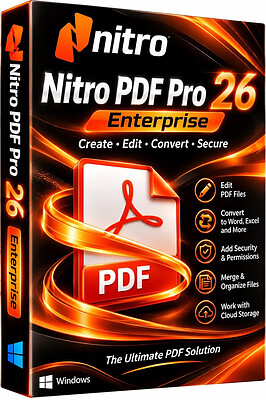
Nitro PDF Pro 26.4.3 (x64) Enterprise Multilingual | Size: 598.75 MB
Language: English
​
Nitro Pro gives you everything you need to create, convert, edit, sign, and share standard PDF files. It's simple, straightforward, and intuitive to use - so you can work more productively, your way. With Nitro Pro you can share your files with others, no matter what platform or device they are on, and Nitro Pro makes conversion easy. Convert one or more files to PDF with just a click or two. Reuse and repurpose PDF-based content with greater accuracy. With Nitro Pros industry-leading conversion technology and array of extraction tools you can easily repurpose text and images from reports, presentations, and more for reuse in any other application. Share files with the peace of mind, knowing almost anyone on almost any machine can open, view, and review - every time.

Directly edit your PDF files more easily. Just click, and edit. Nitro Pro enables you to edit entire paragraphs with ease, automatically reflowing text as you type - like you would in a word processor.

Nitro Pro gives you a powerful set of easy-to-use tools that make working with digital documents simple, straightforward, and more cost-effective. Nitro Pro, the complete Adobe Acrobat alternative, enables you to do more with PDF through powerful tools to create, convert, edit, combine, secure, annotate, form-fill, and save 100% industry-standard PDF files. Recipient of multiple best product awards, Nitro Pro is specifically designed for the business user and makes working with PDF faster and easier than ever before!

System Requirements:
Desktops: Windows 11, 10 and 8
Servers: Microsoft Windows Server 2012, 2012 R2 (64 bit), 2016 and 2019
Processor: 1.5 GHz or faster
RAM: 1GB
Available Hard Disk Space: 4.5 GB
Display screen resolution: 1024x768
Microsoft Office Integrated Features: MS Office 2013 (32bit or 64bit), MS Office 2016 (32bit or 64bit), Microsoft Office 2019 (32bit or 64bit)
Video hardware acceleration (optional)

HOMEPAGE:
Код:
https://www.gonitro.com/

FREE DOWNLOAD LINKS:​

Код:
https://rapidgator.net/file/0fa459120f051b3587810ed0632e5c91/Nitro_PDF_Pro_26.4.3_x64_Enterprise_Multilingual.rar
 
f788bb78ff13e70489ac648c4032a3cb.jpg


Summitsoft Creative Fonts Collection 2026 | Size: 627.74 MB
Language: English
​
Creative Fonts by SummitType™. The creative team at SummitType Foundry, a division of Summitsoft, is where we design and craft each font in our collection. Each font is unique and can not be found elsewhere, making Creative Fonts a great source for your one-of-a-kind projects.

Licensed. Royalty-Free. Ready for any project.
Each font in the Creative Font Collections is licensed for personal and commercial use. So rest easy knowing that you can use them where ever and whenever you like!

Traditional Fonts Collection
The Traditional Fonts Collection includes unique typefaces such as classic, cursive, creativity, designer, cool and handwriting fonts.

Wonderful Fonts Collection
The Wonderful Fonts Collection includes unique typefaces such as sci-fi, fun, sports, fantastic, games, and comic fonts.

Seasonal Fonts Collection
The Seasonal Fonts Collection includes unique typefaces & clip-art such as Christmas, Spring, Halloween, Classroom, Valentines and Wedding.

High Quality & Unique
All of our Creative Fonts are OpenType, the same industry standard used by Microsoft® and Adobe®. This means they stay sharp and clear at any size.

Commercially Licensed
All the fonts in the Creative Font collections are licensed for personal and commercial use. So rest easy knowing that you can use them royalty-free where ever and whenever you like!

Full Character Sets
Each and every creative font contains a full set of characters plus all of the international and foreign language symbols and special characters.

System Requirements:
- Operating System: Windows 11 (32 & 64-bit), Windows 10 (32 & 64-bit), Windows 8 (32 & 64-bit)
- 256Mb Ram
- 400Mb Hard Disk Space

HOMEPAGE:
Код:
http://summitsoft.com/

FREE DOWNLOAD LINKS:​

Код:
https://rapidgator.net/file/cdce2f40f319bee4e3b247af1fad34fd/Summitsoft_Creative_Fonts_Collection_2026.rar
 
4f0358e5060980ba518f93d610eba6a2.jpg


The Print Shop 23.1.2 Deluxe | Size: 8.04 GB
Language: English
​
Now compatible with Windows® 10 and Windows® 11 Operating System, it's easy to create impressive print projects. Design from scratch or choose from 15,000+ professionally designed templates for a wide variety of projects, including greeting cards, invitations, labels, matching stationery sets, signs, banners and more. Customize your design in seconds with the easiest design tools around.

You can add your own text, photos, graphics and word art. Comes with 250,000+ high-quality clip art images, photos, borders, frames and embellishments. Plus, EASY photo editing tools like red-eye removal, crop and flip to make your photos perfect. It's so easy to create and print your projects with everything you need for incredible design in the palm of your hands.

* Please note the address book function is not included in this version of The Print Shop 23.1

Everything You Need for Incredible Design in the Palm of Your Hands
It's easy to create impressive print projects. Design from scratch or choose from 15,000+ professionally designed templates for a wide variety of projects, including

- Greeting Cards
- Invitations
- Photo Projects

- Mailing Labels
- Matching Stationery Sets
- CD/DVD Labels
- Calendars
- Signs & Banners

Customize your design in seconds with the easiest design tools around. You can add your own text, photos, graphics, and word art
- Shape & Freehand Drawing Tools
- Customize Your Colors and Gradients
- Add Effects to Text and Images
- Advanced Text & Layout Tools
- Columns & Word Wrap Around Shapes
- Master Pages, Formatting & Alignment
- Kerning & Spacing Tools

Comes with 250,000+ high-quality images and advanced search tools to find just the right one
- Clip Art
- Vector Images
- Stock Photography
- Black & White Photography
- Borders
- Frames
- Embellishments

Plus, EASY photo editing tools like to make your photos perfect
- Quick Photo Editing
- Red-Eye Removal
- Flip & Crop
- Contrast & Color Correction
- Photo Workshop Slider Tool (For the Exact Degree of Effect)

System Requirements
Windows® 11, Windows® 10, Windows® 8, Windows® 7 and , Intel® processor (or equivalent AMD® processor) 2.0 GHz or faster, 4GB RAM, Hard Drive Space: 2GB², Display: 1024x768, 16-bit color or higher, Multimedia: DirectX® 9.0c or higher 32 MB video card, sound card, and speakers. Software: Microsoft® .NET Framework v4.0, Browser: Microsoft® Internet Explorer® 6.0 or higher, Windows® compatible printer (monochrome or color), Windows® compatible mouse & keyboard.

* Administrator privileges are required to properly install the program on Windows® 7, Windows® 8, and Windows® 10.

* System Configuration: The amount of hard-disk space required can vary if you already have one or more required components installed on your system. Adjustments to your system configuration and/or updates to the hardware component drivers may be required.

HOMEPAGE:
Код:
https://www.broderbund.com/the-print-shop-23-1-deluxe-with-image-collection-2-windows

FREE DOWNLOAD LINKS:​

Код:
https://rapidgator.net/file/73e17b75e148dd8283cfb31f5e0f9dc1/The.Print.Shop.23.1.2..part1.rar
https://rapidgator.net/file/09cf1e09a4c680fb47c20919bfe8a35a/The.Print.Shop.23.1.2..part2.rar
https://rapidgator.net/file/b2a5661acee5774a087735f2f832fb8e/The.Print.Shop.23.1.2..part3.rar
https://rapidgator.net/file/801348e3b43957fd7598cf23cc5be63a/The.Print.Shop.23.1.2..part4.rar
https://rapidgator.net/file/fb940a3603a2e1ef96873b2c1cab5ce2/The.Print.Shop.23.1.2..part5.rar
https://rapidgator.net/file/0087169216079c1856553072255f324f/The.Print.Shop.23.1.2..part6.rar
https://rapidgator.net/file/251cec9555dee0d7be43ad527563a5c8/The.Print.Shop.23.1.2..part7.rar
https://rapidgator.net/file/593706b5eaa3baed74b4e483e2b53d8a/The.Print.Shop.23.1.2..part8.rar
 

wMZWqr1o_o.png


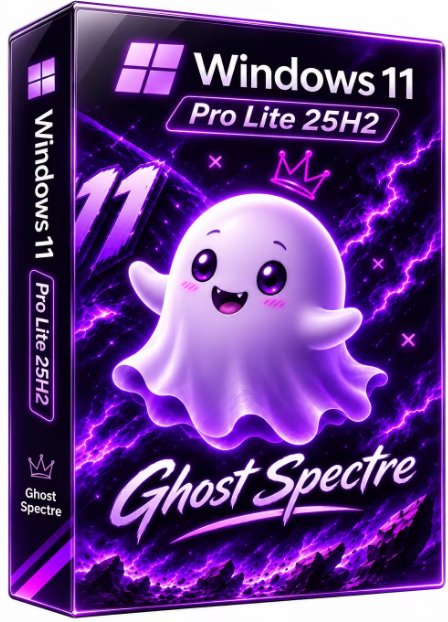
Windows 11 Pro Lite 25H2 Build 26200.9974 x64 Preactivated Ghost Spectre | Size: 5.65 GB
WPE+ Bootable | No TPM | Language: English
​
At a time when the PC is playing a more central role in our lives, Windows 11 is designed to bring you closer to what you love.
This is the latest version of Windows OS releases, with new interface and other new features like new Microsoft Store, a new personalized feed powered by AI and best-in-class browser performance from Microsoft Edge, Chat from Microsoft Teams integrated in the taskbar and many more!

Features
- Compact Integrated + LZX (algorithm)
- Bloatware FREE!!
- Optimized Pagefile/Services/Scheduled/Search Indexer
- Privacy Optimizations & Performance mode!
- Ghost Toolbox! (Add or Remove Windows Store and Much More!)
- Support any Other Language & Keyboard
- Support UWP Games / UWP Apps (ex. Forza/GOW/etc, etc)
- Updatable (can update to the latest build of Windows 11!)
- Window updates can be paused until 2077!
- With custom Icons, packs / Windows Themes pack!
- GHOST CUSTOM BOOTABLE! (WPE)

Removable Options
- Windows Apps And System Apps
- Windows Security/Defender/Smartscreen

- Remote Desktop/ Focus Assist/ NFC / Clipboard - (Superlite Only)
- Print Spooler
- OneDrive
- Action Centre/Notifications - (Superlite Only)
- Telemetry - (Superlite Only)
- Error Reports - (Superlite Only)
- UAC (Never Notify)
- WinSxS backup
- Winre

What's New
Update OS 26200.9974
Update Windows Recovery
Update .NET Framework
Improved for S/SE

System Requirements For Windows 11
- Processor: 1 gigahertz (GHz) or faster.
- RAM: 1 gigabyte (GB).
- Free space on hard disk: 16 gigabytes (GB).
- Graphics card: DirectX 9 graphics device or a newer version.
- Additional requirements to use certain features.
- To use touch you need a tablet or monitor that supports multitouch.
- To access the Windows store to download and run apps, you need an active Internet connection and a screen resolution of at least 1024 x 768 pixels

HOMEPAGE:
Код:
https://www.microsoft.com/

FREE DOWNLOAD LINKS:​

Код:
https://rapidgator.net/file/152d9124300b448ee76f4dcb72540fba/WIN11.PRO.25H2.U13.X64..part1.rar
https://rapidgator.net/file/814cace54409d07d5a5c2528807ec5c3/WIN11.PRO.25H2.U13.X64..part2.rar
https://rapidgator.net/file/1d3ccc1244efe58c1f46b2c70049fbc1/WIN11.PRO.25H2.U13.X64..part3.rar
https://rapidgator.net/file/23e19f4f677cab6acd3815aeec12c05b/WIN11.PRO.25H2.U13.X64..part4.rar
https://rapidgator.net/file/461e7c32f78006d081b356e818e665ac/WIN11.PRO.25H2.U13.X64..part5.rar
https://rapidgator.net/file/6c697211ea394db748955bacc5c35b56/WIN11.PRO.25H2.U13.X64..part6.rar
 
Назад
Сверху Снизу