







All Emperor2011's Software in one thread !! (updated daily)

893acd4f977e566bc6359313d6435d8d.png


Mozilla Firefox 160.0.1 | Size: 171.8 MB
Language: English
​
Mozilla Firefox - faster, more secure, easier to use and sporting a new look, this latest Firefox release sets a new standard for web browser innovation. Mozilla Firefox project (formerly Firebird, which was formerly Phoenix) is a redesign of Mozilla's browser component, written using the XUL user interface language and designed to be cross-platform. It is small, fast and easy to use, and offers many advantages over other web browsers, such as the tabbed browsing and the ability to block pop-up windows.

Mozilla Firefox is focused on improved memory handling, performance, and stability, improved XUL, and new core components such as application data stored in SQLite. Mozilla Firefox could break a few existing extensions and applications built on top of Firefox, and it will definitely include new optimizations if you like to build on the popular browser. Mozilla Firefox should have additional javascript and SVG features if you're into that sort of thing.

Features in Firefox include:
- Easy migration: Switching to Firefox has never been easier now that Firefox imports data like Favorites, history, settings, cookies and passwords from Internet Explorer. Firefox can also import settings from Mozilla 1.x, Netscape and Opera.

- Smaller Download: Continuing efforts to make this the most efficient browser, the Windows version of Firefox is now only a 4.7 MB download, making downloading Firefox a breeze for dial-up and broadband users alike.
- New Default Theme: A new default theme provides a bright new look for Windows and Linux users.
- SmartUpdate: A new SmartUpdate feature notifies users of new versions of Firefox to ensure that the browser is always up to date.
- Help: A new online help system makes this one powerful, friendly browser.
- Extension/Theme Manager: New Extension and Theme Managers provide a convenient and secure way to manage and update the hundreds of add-ons that set Firefox apart from other browsers.
Mozilla Firefox also includes numerous bug fixes and incremental improvements, including faster page load speed.
- Popup Blocking: Stop annoying popup ads in their tracks with Firefox's built in popup blocker.
- Tabbed Browsing: View more than one web page in a single window with this time saving feature. Open links in the background so that they're ready for viewing when you're ready to read them.
- Smarter Search: Google Search is built right into the toolbar, and there are a plethora of other search tools including Keywords (type "dict " in the Location Bar), and FastFind (start typing the first few letters of some text in the page and Firefox takes you there).
- Privacy and Security: Built with your Security in mind, Firefox keeps your computer safe from malicious spyware by not loading harmful ActiveX controls. A comprehensive set of privacy tools keep your online activity your business.
- Hassle-Free Downloading: Files you download are automatically saved to your Desktop so they're easy to find. Fewer prompts mean files download quicker.
- Fits Like a Glove: Simple and intuitive, yet fully featured, Firefox has all the functions you're used to - Bookmarks, History, Full Screen, Text Zooming to make pages with small text easier to read, etc.
- S M L XL XXL XXXL: Firefox is the most customizable browser on the planet. Customize your toolbars to add additional buttons, install new Extensions that add new features, add new Themes to browse with style, and use the adaptive search system to allow you to search an infinite number of engines. Firefox is as big or small as you want.
- Setup's a Snap: At only 4.7MB (Windows), Firefox only takes minutes to download over a fast connection. The installer gets you set up quickly, and the new Easy Transition system imports all of your settings - Favorites, passwords and other data from Internet Explorer and other browsers - so you can start surfing right away.
- A Developer's Best Friend: Firefox comes with a standard set of developer tools including a powerful javascript and CSS error/warning console, and an optional Document Inspector that gives unheard of insight into how your pages work.

OS : Win XP/2000/Vista/Win 7
Language : English

HOMEPAGE:
Код:
http://www.mozilla-europe.org/

FREE DOWNLOAD LINKS:​

Код:
https://rapidgator.net/file/710716d65f47bc24d65fc17aae478832/Mozilla_Firefox_160.0.1.rar
 
f969e5dfd1946f9d0f42268c9a450dda.jpg


Nevercenter CameraBag Pro 2027.0 | Size: 66.05 MB
Language: English
​
CameraBag is the ultimate tool for bringing both advanced adjustments and over 250 one-click filters to your photos (and videos with CameraBag Pro).

General Features
Photo and video* processing
32 bits-per-channel processing pipeline for unparalleled image quality
Non-destructive adjustments
Multi-threaded background render queue
RAW image editing support
Live image processing
Standalone (non-plugin)
Customizable interface with collapsible sections
Nest adjustment tiles
Pin adjustment tiles
Enable/disable adjustment tiles
Copy/paste adjustment tiles
Copy/paste adjustment tile curves
Full-screen quicklook filter previews
Hover previews for adjustments and filters
Quick video preview rendering*
Keyboard shortcut for toggling between filtered and original
Keyboard traversal of filters (arrow keys up and down)
Keyboard traversal of next and previous files (arrow keys left and right)
Streamlined, understandable video export settings*
Preset organization via files using Finder
Easy native filter import/export for sharing
250+ filter presets
Batch processing
Curve-based color correction
Custom filter preset creation
Single video frame saving*
Watermarking
Cropping
Video trimming*
Aspect ratio constraining
Rotation
Interactive zoom
Random preset function
Professional histograms and scopes
Luminance histogram
RGB histogram
Luminance waveform
RGB waveform
Chrominance chart
3D/1D LUT import (.cube format)*
3D LUT export (.cube format)*
Redcode RAW (R3D)
Supported file formats:
Image loading: Standard image files - jpeg, png, tiff; RAW files - crw, cr2, nef, nrw, dng, arw, sr2, raf, mrw, pef, rw2, orf, rwl (some may require additional OSX software from Apple or camera manufacturer)
Image saving: jpeg, png, tiff
Video Loading*: Any Quicktime-compatible mov, m4v, avi, mp4, or mpeg files
Video Saving*: h.264-encoded mov, mp4, or m4v; ProRes 422 mov; ProRes 4444 mov

Filter Preset Sets
B+W Essentials (9 filters)
B+W Films (14 filters)
Classic Photography (20 filters)
Color Correction (37 filters)
Color Essentials (12 filters)
Film Grain (33 filters)
Film Stock Motion (28 filters)
Film Stock Still (11 filters)
Film Techniques (9 filters)
Film Tone (10 filters)
Filtered B+W (7 filters)
Mattes (11 filters)
Monocolor (5 filters)
Pop Art (8 filters)
Vintage (10 filters)

System Requirements:
Windows 7, 8, or 10, 64-bit
1GB RAM, 100 MB hard drive space

HOMEPAGE:
Код:
https://nevercenter.com/

FREE DOWNLOAD LINKS:​

Код:
https://rapidgator.net/file/2d0386453dcf89ac51041018bbd1323e/Nevercenter_CameraBag_Pro_2027.0.rar
 

3fc8f1e00dc034f32c15023a04b73319.png


NovAtel Inertial Explorer 11.1.2318 | Size: 361.71 MB
Language: English
​
Inertial Explorer maximizes the performance of your GNSS/INS hardware by ensuring you get the position, velocity and attitude accuracy your application requires. The tightly coupled integration of GNSS and IMU data delivers precise results, even when lower grade inertial sensors are used. IE can produce results suitable for demanding applications such as mobile mapping, aerial and hydrographic surveying. IMU data from high end Fibre Optic Gyro (FOG) or Ring Laser Gyro (RLG) IMUs, and from lower grade sensor technology such as Micro Electrical Mechanical Systems (MEMS) can be processed.

Inertial Explorer has workflows to match your business and your expertise. A project wizard is available to allow new GNSS/INS users to become productive quickly. For more experienced users, a wealth of processing configuration options are available. Automated processing environment detection (aerial, ground vehicle, pedestrian and marine) allows appropriate GNSS + INS processing settings to be used automatically to simplify workflow and reduce the learning curve needed to start producing quality results.

Features
Full dual frequency GPS, GLONASS, BeiDou, Galileo and QZSS support.
Configurable support of L1+L2 (includes E5b, B2I) or L1+L5 (includes E5b, B2a) for different applications.
Support for up to 32 base stations.
Attitude corrections are automatically applied for the effect of the deflections of the vertical using a geopotential model of the Earth based on EGM2008.

Boresight module for solving angular offsets between IMU and camera frames.
Loosely and tightly coupled GNSS/INS processing.
Flexible ASCII Export Wizard included.
Direct output to Google Earth, RIEGL POF/POQ, DXF, and SBET format.
Build HTML QC reports.
Boresight computation between the IMU and vehicle frame for users that require attitude output relative to the vehicle frame.
Velocity constraints for best pedestrian and ground vehicle results in challenging GNSS signal conditions.

System Requirements
OS:Windows 11/ Windows 10

HOMEPAGE:
Код:
https://novatel.com/products/waypoint-post-processing-software/inertial-explorer

FREE DOWNLOAD LINKS:​

Код:
https://rapidgator.net/file/4cb5a92a76e63d789aad641d5c963102/NovAtel_Inertial_Explorer_11.1.2318.rar
 
612a21a224d92c7b799542701d92d6c4.png


Operant Peak Spectroscopy 4.00.575 | Size: 100.08 MB
Language: English
​
Power Tools for Optical Spectroscopy since 2006. Mid IR, Near IR, FTIR, Raman, fluorescence, LIBS, XRF, UV-VIS, Raman and EELS. Peak is the next generation of the popular Essential FTIR software.

Peak can read your Data
Peak can read data from over 70 spectral file types.

Spectral File Conversions
Batch-convert files from closed proprietary formats.

21 CFR Part 11
Peak is 21 CFR Part 11 Compliant

See who's using Peak
Peak is used world-wide in industry, education, government and military

Library Search
Peak has complete and powerful spectral library search

Turn Data Into Information
Smoothing, Baseline Correction, Line Out, Normalization, Subtraction and more.

HOMEPAGE:
Код:
https://www.peakspectroscopy.com/

FREE DOWNLOAD LINKS:​

Код:
https://rapidgator.net/file/62ea772c39fa1d6b0e81a57a07f8e426/Operant_Peak_Spectroscopy_4.00.575.rar
 
9809c775ba37ec6bd753bd804bbbecd0.png


PaintFE v1.5.1 | Size: 45.47 MB
Language: English
​
This image editor employs a series of native raster editing features, offering GPU-accelerated processing, scripting, and local AI background removal.

A fast, lightweight raster image editor. Features layers, blend modes, GPU-accelerated filters, gradients, mesh warp, brushes, selection tools, adjustments, animated GIF/APNG/WebP support.

24 tools · 25 blend modes · RAW camera support · GIF/APNG/WebP animation.

AI background removal is also available, via ONNX, which ensures entirely local processing: Edit > Preferences > AI
and select an ONNX Runtime library and model file.

Features
24 tools: Brush, Pencil, Eraser, Lasso, Magic Wand, Gradient, Mesh Warp, Liquify, Clone Stamp, Text, and more
25 layer blend modes with per-layer opacity and locking
Live adjustment previews for Curves, HSL, Levels, Exposure, and Color Temperature
AI background removal with your own ONNX model (BiRefNet, U2-Net, IS-Net)
Animated GIF, APNG and WebP import/export with per-frame layer support
RAW camera file support (CR2, NEF, ARW, DNG)

Content-Aware Fill, Perspective Crop, and Perspective Distort
Drop Shadow, Outline, Glow, Halftone, Oil Painting, Glitch, and 20+ other effects
Color Range selection by hue and saturation

System requirements: Windows 10 (64-bit), Windows 11

HOMEPAGE:
Код:
https://paintfe.com/
HOMEPAGE:
Код:
N/A

FREE DOWNLOAD LINKS:​

Код:
https://rapidgator.net/file/b439a0357a552237662f70b03bf7dd49/PaintFE_v1.5.1.rar
 
484eeffaba8880585129c969d1ae41ba.jpg


Pazu All-In-One Music Converter 3.2.3 Multilingual | Size: 247.79 MB
Language: English
​
Pazu All-In-One Music Converter for Windows allows you to easily download Apple Music/Spotify/amzon Music/YouTube Music/TIDAL/Deezer/Pandora to MP3/M4A/AAC/FLAC/WAV/AIFF.

HOMEPAGE:
Код:
https://www.pazusoft.com/

FREE DOWNLOAD LINKS:​

Код:
https://rapidgator.net/file/8f00a6a91a595a970901ac5ebd677095/Pazu_All-In-One_Music_Converter_3.2.3_Multilingual.rar
 
31d83b9b44cb00b349ee8346b855d6df.jpg


PerfectIt Pro 6.8.10 | Size: 496.19 MB
Language: English
​
Proofreading Software for Professionals. Edit faster. Submit better documents. Make the best impression. PerfectIt is the leading software among professional proofreaders and editors. Professional writers and editors in 72 countries have been using PerfectIt since 2009.

How PerfectIt improves your documents:
- Check consistency
- Enforce style rules
- Locate undefined abbreviations
- Customizable for house style
- Works with all documents
- US, UK, CA and AU English

PerfectIt reduces time spent editing
If you're working on contracts, proposals, reports, technical documents, articles and books, PerfectIt saves time on copy-editing, so that authors can pay more attention to what matters most: the words and their meaning.

PerfectIt reduces errors
By helping to eliminate typos, it saves money on re-writes and changes, especially after documents have gone to press.

PerfectIt helps your words make the best impression
It increases the chance that proposals will be accepted and articles will be published.

PerfectIt helps build your brand
It can enforce the preferences of your house style and ensure that your business is presented the way you want it to be.

For the first time, you can control exactly what PerfectIt finds. Now you can turn PerfectIt into a custom checker designed (by you) to lift writing standards at your organization.

New features include:
- Add logos to PerfectIt styles.
- Control which checks are available in PerfectIt styles.
- Configure whether PerfectIt styles include consistency checking or just style preferences.
- Faster initial scan saves time on every document.
- New user interface with detailed previews and one-click fix.
- GPO Style added to built-in styles.
- Major updates to American Legal Style and WHO Style.
- Base new styles on existing styles.
- Combine styles to create new styles.

System Requirements:
PerfectIt requires a PC running MS Word and Windows. It works with:

- Windows XP, Windows Vista, Windows 7, Windows 8 or Windows 10; and
- Microsoft Word 2007, 2010, 2013, 2016 and 2019

HOMEPAGE:
Код:
https://intelligentediting.com

FREE DOWNLOAD LINKS:​

Код:
https://rapidgator.net/file/2943614d56ef4f63364b4079f8b79fff/PerfectIt_Pro_6.8.10.rar
 
387821fead781c1d38a221f3a32ab37e.jpg


ProfiCAD 14.1.6 Multilingual | Size: 20.46 MB
Language: English
​
ProfiCAD is designed for drawing of electrical and electronic diagrams, schematics, control circuit diagrams and can also be used for pneumatics, hydraulics and other types of technical diagrams.

Features:
The easiest CAD for electrical circuits. Maximum care was paid to ergonomics and ease of use. Just place electrical symbols into the drawing and attach the wires.
Ships with more than one thousand symbols. You can easily create your own symbols in the symbols editor or have them drawn for you for a fee.
Supports automatic numbering of symbols, generation of netlists, lists of wires, bills of material, drawing of striped wires and further advanced features.
The program supports cross references between wires and between symbols belonging to one component (e.g. relay coil + contacts). A linked symbol on a different page can be accessed by clicking on the cross reference.

HOMEPAGE:
Код:
https://www.proficad.com/

FREE DOWNLOAD LINKS:​

Код:
https://rapidgator.net/file/4e97233b44021c7af32ae10ff0ca35e6/ProfiCAD_14.1.6_Multilingual.rar
 
36e888df93035fb31d6d8dc6cda12c61.jpg


RAM Saver Professional 26.11.1 Multilingual | Size: 1.55 MB
Language: English
​
RAM Saver Pro is an easy-to-use RAM optimizer tool that will keep your computer running faster. It increases the operation system performance by making more memory available for your applications. Using these optimization tricks will help your favorite applications and games will run faster and more efficiently - even on old computers. "RAM Saver Pro" program consists of two basic parts: System Tray - module and Control Panel.

RAM Saver Pro will:
- defragment system memory for faster access time;
- increasing the efficiency of your CPU and Motherboard caches;
- recover memory leaks from poorly behaved applications;
- temporarily flush unused libraries out to disk and so on.

Using these optimization tricks will help your favorite applications and games run faster and more efficiently - even on old computers.

Main program features:
System Tray monitor of RAM optimizer
Desktop RAM monitor
specialized Control Panel

flexible memory optimization with complete statistics output
RAM benchmark test
monitoring and control over the processes which take place in the memory
possibility to create "boosted shortcuts"
common and advanced RAM optimizer options
automatic and intelligent RAM optimization
fast run of tools
forced cleaning of Clipboard
possibility to close all programs for full memory release by one click
control over Windows uptime
suppressing and fast running of screen saver
check the presence of disk in CD-ROM drive in the moment of computer shut down
hide all desktop icons
forced shut down and restart of computer

System requirements:
Windows 11/10/8.1/8/7/VISTA/XP/2000
Minimum screen resolution 800x600
Pentium processor and above

HOMEPAGE:
Код:
http://www.wintools.net/

FREE DOWNLOAD LINKS:​

Код:
https://rapidgator.net/file/eb2073a6ebb886e500d5b0659a2ca220/RAM_Saver_Professional_26.11.1_Multilingual.rar
 
26750592b624abefcc02b89f6dfa6371.jpg


RealVNC VNC Server Enterprise 7.19.0 | Size: 40.71 MB
Language: English
​
VNC is remote control software which allows you to view and fully interact with one computer desktop (the "VNC server") using a simple program (the "VNC viewer") on another computer desktop anywhere on the Internet. The two computers don't even have to be the same type, so for example you can use VNC to view a Windows Vista desktop at the office on a Linux or Mac computer at home. For ultimate simplicity, there is even a Java viewer, so that any desktop can be controlled remotely from within a browser without having to install software.

VNC has a wide range of applications including system administration, IT support and helpdesks. It can also be used to support the mobile user, both for hot desking within the enterprise and also to provide remote access at home, or on the road. The system allows several connections to the same desktop, providing an invaluable tool for collaborative or shared working in the workplace or classroom. Computer support within the geographically spread family is an ever popular use.

For the individual user, one common scenario is using VNC to help troubleshoot the computer of a distant less-technically-savvy relative. In other words, sitting at your desk in Baltimore, you could use VNC to take control of your relative's PC in California and show them how to install and use some new software package by actually doing it yourself.

A very common business application of VNC is in remote system administration, where it is used to allow administrators to take control of employee machines to diagnose and fix problems, or to access and administer server machines without making a trip to the console. VNC can also be used to provide a flexible hot-desking and road-warrior environment by allowing employees to access their office desktop and server machines from any machine in the company's offices or from other remote sites, regardless of the type of computers involved at either end.

VNC is widely used in educational contexts, for example to allow a distributed group of students simultaneously to view a computer screen being manipulated by an instructor, or to allow the instructor to take control of the students' computers to provide assistance. Of course, as these examples illustrate, the variety of uses of VNC is really as diverse as the many millions of VNC users.

FEATURES
Cross-platform remote control
VNC authentication
128-bit AES encryption
System authentication
Optimized performance
Printing
File transfer
Chat
Dedicated support channel
256-bit AES encryption
Single sign-on authentication
Powerful deployment tool
Low cost, discounts for volume
For personal and commercial use

Operating System: Windows 10, 11

HOMEPAGE:
Код:
https://www.realvnc.com/en/

FREE DOWNLOAD LINKS:​

Код:
https://rapidgator.net/file/f97198493d584b990968331093ffb3b1/RealVNC_VNC_Server_Enterprise_7.19.0.rar
 
_30ec8850249da746600ea24e7818d920.jpeg


RealVoice Pro 1.0.20 | Size: 834.71 MB
Language: English
​
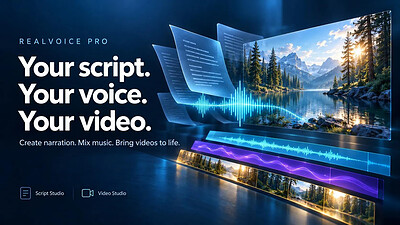
Bring your words to life with RealVoice Pro. Create text-to-speech narration, mix background music, and add voiceovers to your videos-all in one Windows app. RealVoice Pro brings together Script Studio and Video Studio to help you move from a written script to finished audio or video.

Turn scripts into narration
Write or paste your text in Script Studio, choose a voice, and adjust speaking speed and pitch. Preview your narration, add background music, and export your finished mix as an MP3.

Bring sound and video together
Import videos into Video Studio and arrange narration, music, and titles on the timeline. Control when each cue begins, adjust track volumes, and build a mixed preview before exporting.

Make your words visible
Add captions to generated narration and customize their font, size, colors, and placement. Use individual block settings for more control, or export captions as an SRT subtitle file.

Take control of your audio
Keep the original video sound or mute it while retaining your added narration and music. Adjust levels, fades, and looping, and lower background music during narration.

Key Features
- Text-to-speech narration with selectable voices, speed, and pitch
- Script Studio for writing, speech generation, and music mixing
- Video Studio with separate video, narration, music, and title lanes
- Multiple video clips with transitions
- Customizable captions and timed titles
- Original-video audio muting
- Full mixed previews and selected-range previews
- MP3 audio, MP4 video, and vertical short-video exports
- Portable video projects, autosave recovery, and undo/redo

Whether you're creating a tutorial, presentation, narrated story, or social video, RealVoice Pro helps you bring your script, sound, and visuals together.

System Requirements
Windows 10 version 17763.0 or higher

* Internet connection required for text-to-speech generation and loading the voice catalog. Script text is sent to an online speech service. Video editing, mixing, and export run locally on your computer.

HOMEPAGE:
Код:
https://apps.microsoft.com/detail/9n150hbvjmmx

FREE DOWNLOAD LINKS:​

Код:
https://rapidgator.net/file/069f01d852b772d35ec5595e0241a6fb/RealVoice_Pro_1.0.20.rar
 
_0bd10294d0e86961d883970a98e06e2d.jpeg


RealVoice Text to Speech 5.6.0 | Size: 756.89 MB
Language: English
​
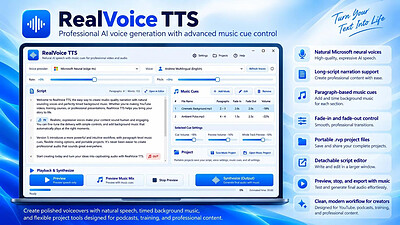
RealVoice TTS turns your text into natural-sounding speech using Microsoft neural voices. Preview instantly, fine-tune rate and pitch, then export high-quality audio. Add background music, adjust volumes, and optionally fade the music at the end for a clean finish. The app is designed to be simple, fast, and reliable-great for creators, educators, podcasters, and anyone who needs voiceover audio quickly.

No sign-in required. Voice preview and voice-only export work out of the box. If bundled, the app also mixes voice + music into one MP3 without extra installs. Clean, modern UI with a light-blue theme and your choice of voice. Save to MP3 and keep everything local to your PC.

Realistic voices
Uses Microsoft neural voices via secure HTTPS.

Instant preview
Hear changes to text, voice, rate, and pitch immediately.

Music mixing
Add a background track, set levels, and fade-out at the end.

Voice-only or mixed export
Save clean MP3s

No account required
Works locally; you control your files.

Modern UI
Light-blue theme, clear controls, and helpful defaults.

Resilient synthesis
Automatic retry + fallback voice if a network hiccup occurs.

System Requirements
Windows 10 version 17763.0 or higher

HOMEPAGE:
Код:
https://apps.microsoft.com/detail/9nzn9fws7pb1

FREE DOWNLOAD LINKS:​

Код:
https://rapidgator.net/file/5c5fdbb81194b4f9338d2e51b54eb7f3/RealVoice_Text_to_Speech_5.6.0.rar
 
553d419c28d7c46cf6ff49a7d39bebc5.png


Rhinoceros 9.1.26315.13001 (x64) | Size: 742.52 MB
Language: English
​
Rhino can create, edit, analyze, document, render, animate, and translate NURBS curves, surfaces and solids, subdivision geometry (SubD), point clouds, and polygon meshes. There are no limits on complexity, degree, or size beyond those of your hardware.

Special features include
Uninhibited free-form 3D modeling tools like those found only in products costing 20 to 50 times more. Model any shape you can imagine.
Accuracy needed to design, prototype, engineer, analyze, and manufacture anything from an airplane to jewelry.
Compatibility with all your other design, drafting, CAM, engineering, analysis, rendering, animation, and illustration software.
Read and repair meshes and extremely challenging IGES files.
Accessible. So easy to learn and use that you can focus on design and visualization without being distracted by the software.
Fast, even on an ordinary laptop computer. No special hardware is needed.
Development platform for hundreds of specialty 3D products.
Affordable. Ordinary hardware. Short learning curve. Affordable purchase price. No maintenance fees.
Cross-Platform: The world's most versatile 3D modeler, available on Windows and macOS.

System Requirements:
- Windows 10 or 11
- 64-bit Intel or AMD processor (Not ARM)
- At least 8 GB (RAM) memory is recommended
- 600 MB disk space
- OpenGL 4.1 capable video card is recommended
- At least 4 GB Video card memory is recommended
- A multi-button mouse with a scroll wheel is recommended
- SpaceNavigator optional
- Apple Intel hardware with Boot Camp optional (Boot Camp is not supported on Apple Silicon Macs.)

HOMEPAGE:
Код:
https://www.rhino3d.com/

FREE DOWNLOAD LINKS:​

Код:
https://rapidgator.net/file/27e7340cc60f0b592557a3cb215be865/x64_15.13001.rar
 
9af386bb2ef51f8f661e9a9f9375f6b4.jpg


Roxio Easy VHS to DVD Plus 4.0.24 | Size: 1.67 GB
Language: English
​
Technology changes and time passes, but you can keep your memories current. Imagine the excitement among your friends and family when they unwrap the gift of video! Now you can quickly convert old VHS tapes to DVD or digital, right at home! It's easy. You'll find yourself equipped with all the tools you need to not only convert video, but to enhance it and even add titles. Then, when you're ready, simply export your revived video to digital, or burn it to disc complete with chapters and menus. Keep the memories alive!

1. Connect
Connect your VHS player or camcorder to your PC with an RCA cable* and the Roxio capture device.

2. Capture & Edit
Import and capture video from your device. Organize media, trim video,and add titles or transitions.

3. Share
Burn to DVD with chapters and menus or save to popular formats to share online or to device.

Easy VHS to DVD 4 Plus - VHS to DVD Converter
- Convert VHS to DVD or digital
- Capture video from your camcorder
- Burn videos to disc with menus and chapters
- Make quick edits, trim video, enhance color
- Add transitions and titles

Capture and convert videos
- Give your old videos new life and convert legacy footage to digital
- Convert VHS to DVD in a few easy steps or import video from your camcorder
- With your capture device connected, play your video on your camcorder or VCR to capture and convert your video to digital
- You can even convert your analog LPs and cassettes to audio CDs or MP3s
- Easily convert video and audio to your preferred formats

Edit and enhance videos
- VHS to DVD Plus is more than just a video converter; edit and enhance your video before you export and share it
- Make quick video edits and trim and cut video clips
- Stabilize shaky video
- Improve color balance and lighting with easy-to-use controls
- Add titles or rolling credits
- Add quick transitions between your videos
- Give your old videos new life and convert VHS to digital-even enhancing color before you export it to share!

A video you'll be proud to share
- Export video in your preferred format or burn it to disc
- Give your video the packaging it deserves and burn it to disc with chapters and customizable menus
- Choose from themed templates to build your disc menu
- Split movies across multiple discs
- Export video to digital files and share on social media
- Export videos to play back on popular mobile devices
- Revive old videos for family and new friends - give the gift of treasured stories!

The perfect gift - give your old videos new life
Videos bring back so many memories and remind us of long-forgotten treasured moments. From one-of-a-kind vacations to graduations, you can convert those VHS stories to DVD or digital, right at home! Imagine the faces of your parents, grandparents, siblings, and friends when you give them the gift of videos they haven't seen in years! Bring back those special memories, and give your old videos new life with Roxio Easy VHS to DVD - it's easier than you think to get started!

What are you waiting for? Convert VHS to DVD or digital:

Easier than you think
- Convert VHS to DVD or digital
- Convert camcorder to DVD or digital
- Convert LP or cassettes to digital

Preserve old videos
- No skill level required
- Start with a single VHS
- It makes the perfect gift

What are the Minimum System Requirements:
- Microsoft Windows 10, Windows 8, Windows 7 SP1
- MyDVD requires a 64-bit operating system
- Processor and RAM, 1.6 GHz processor and 512 MB RAM or more, or the minimum system requirements of the OS, whichever is higher
- 2 GB free hard drive space for installation
- One available USB 2.0 port
- Minimum screen resolution 1024x768

Input Formats:
- Video: MPEG2, AVC (H.264)
- Audio: WAV, mp3, ogg Vorbis, FLAC, WMA, AAC (m4a)

Output Formats:
- Video: DVD, ISO, MPEG2, AVC (H.264)
- Audio: WAV, mp3, ogg Vorbis, FLAC, WMA, AAC
- Disc: DVD, Mini DVD

Supported Languages:
English, Français, Italiano, Deutsch, Español, Nederlands, 日本語

HOMEPAGE:
Код:
https://www.roxio.com

FREE DOWNLOAD LINKS:​

Код:
https://rapidgator.net/file/5ca3e2496baf0c00e5ec4346a8cb7dde/Roxio_Easy_VHS_to_DVD_Plus_4.0.24.rar
 
5a45022aade9829bf6784463cb7a12fc.jpg


Rufus 4.16.2445 Multilingual | Size: 1.89 MB
Language: English
​
Just when you thought you'd heard it all, along comes a jazz bagpipe player. Make no mistake folks, this is more than a joke - whatever you might think, the cat can play. At first it sounds like some sort of weird organ, but a couple of minutes later you can't mistake it for anything but what it is. Like an organ, though, the bagpipe turns out to be remarkably suited for jazz. With little effort, one man can make an absolute ocean of sound. The groove here is nothing special, a solid soul-jazz feeling. Side one is all bagpipe. Side two is the leader on a number of different instruments. A talented fellow.
Tracklist:
01. Sunny
02. A Tribute to Courage (JFK)
03. Swing Low Sweet Chariot
04. Ali
05. "X"
06. About Trane

Total time: 37:04

Exact Audio Copy V1.1 from 23. June 2015

EAC extraction logfile from 27. June 2016, 10:38

Rufus Harley / A Tribute to Courage

Used drive : ASUS DRW-24B1LT Adapter: 5 ID: 1

Read mode : Secure
Utilize accurate stream : Yes
Defeat audio cache : Yes
Make use of C2 pointers : No

Read offset correction : 6
Overread into Lead-In and Lead-Out : No
Fill up missing offset samples with silence : Yes
Delete leading and trailing silent blocks : No
Null samples used in CRC calculations : Yes
Used interface : Installed external ASPI interface

Used output format : User Defined Encoder
Selected bitrate : 768 kBit/s
Quality : High
Add ID3 tag : No
Command line compressor : C:\Program Files\Exact Audio Copy\Flac\flac.exe
Additional command line options : -8 -V -T "ARTIST=%artist%" -T "TITLE=%title%" -T "ALBUM=%albumtitle%" -T "DATE=%year%" -T "TRACKNUMBER=%tracknr%" -T "TOTALTRACKS=%numtracks%" -T "GENRE=%genre%" -T "ALBUMARTIST=%albumartist%" -T "ALBUM ARTIST=%albumartist%" -T "COMMENT=EAC Secure Mode, Test & Copy, AccurateRip, FLAC -8" %source%

TOC of the extracted CD

Track | Start | Length | Start sector | End sector
-----------------------------
1 | 0:00.00 | 7:10.33 | 0 | 32282
2 | 7:10.33 | 7:50.00 | 32283 | 67532
3 | 15:00.33 | 5:38.12 | 67533 | 92894
4 | 20:38.45 | 5:06.06 | 92895 | 115850
5 | 25:44.51 | 3:33.33 | 115851 | 131858
6 | 29:18.09 | 7:45.57 | 131859 | 166790

Range status and errors

Selected range

Filename F:\audio\Rufus Harley - A Tribute to Courage.wav

Peak level 100.0 %
Extraction speed 5.1 X
Range quality 100.0 %
Test CRC 24ADAFB4
Copy CRC 24ADAFB4
Copy OK

No errors occurred

AccurateRip summary

Track 1 accurately ripped (confidence 1) [7481EE03] (AR v2)
Track 2 accurately ripped (confidence 1) [5DA01DF5] (AR v2)
Track 3 accurately ripped (confidence 1) [235FEEC8] (AR v2)
Track 4 accurately ripped (confidence 1) [E30EA748] (AR v2)
Track 5 accurately ripped (confidence 1) [AFA72B52] (AR v2)
Track 6 accurately ripped (confidence 1) [052E6D34] (AR v2)

All tracks accurately ripped

End of status report

-- CUETools DB Plugin V2.1.6

[CTDB TOCID: EHLanyVtJJ9LEnKs1wiUieOXH1E-] found
Submit result: EHLanyVtJJ9LEnKs1wiUieOXH1E- has been confirmed
Track | CTDB Status
1 | (3/3) Accurately ripped
2 | (3/3) Accurately ripped
3 | (3/3) Accurately ripped
4 | (3/3) Accurately ripped
5 | (3/3) Accurately ripped
6 | (3/3) Accurately ripped

==== Log checksum 318BC2EAA1896D1FCA5A857C8EDAFFC3FEBB41DC9C3FE0E6A4C06DED699D0CF8 ====
[CUETools log; Date: 17.10.2026 20:46:38; Version: 2.1.9]
[CTDB TOCID: EHLanyVtJJ9LEnKs1wiUieOXH1E-] found.
Track | CTDB Status
1 | (24/24) Accurately ripped
2 | (24/24) Accurately ripped
3 | (24/24) Accurately ripped
4 | (24/24) Accurately ripped
5 | (24/24) Accurately ripped
6 | (24/24) Accurately ripped
[AccurateRip ID: 000943ec-003078f4-3b08af06] found.
Track [ CRC | V2 ] Status
01 [d9b12199|7481ee03] (0+8/8) Accurately ripped
02 [f20c3833|5da01df5] (0+8/8) Accurately ripped
03 [4446686a|235feec8] (0+8/8) Accurately ripped
04 [9fae14a3|e30ea748] (0+8/8) Accurately ripped
05 [95f45451|afa72b52] (0+8/8) Accurately ripped
06 [df8618cf|052e6d34] (0+8/8) Accurately ripped

Track Peak [ CRC32 ] [W/O NULL] [ LOG ]
- 100,0 [24ADAFB4] [3F88184F] CRC32
01 100,0 [8AE9AF2F] [54F0E521]
02 100,0 [20C6F876] [3AEFEBDF]
03 100,0 [88B1CA83] [1B60E863]
04 100,0 [971EA582] [4754C975]
05 100,0 [BB65607D] [F0AE23B2]
06 100,0 [F2ABB851] [70CA9F49]
Thanks to fiks22

See also:

HOMEPAGE:
Код:
N/A

FREE DOWNLOAD LINKS:​

Код:
https://rapidgator.net/file/99ff6fc20b81db44ef0f41f4e1a389cf/Rufus_4.16.2445_Multilingual.rar
 
75f5497a0ab476698d936262a610b3dc.jpg


SQLite Expert Professional 6.2.14.748 | Size: 94.08 MB
Language: English
​
SQLite Expert is a powerful tool designed to simplify the development of SQLite3 databases. It is a feature rich administration and development tool for SQLite designed to answer the needs of all users from writing simple SQL queries to developing complex databases. The graphical interface supports all SQLite features. It includes a visual query builder, an SQL editor with syntax highlighting and code completion, visual table and view designers and powerful import and export capabilities.

Visual SQL Query Builder
- Build complex SQL queries with ease.
- Formatted SQL query text layout.
- Powerful means of SQL query parsing and analysis.
- Advanced SQL editor with syntax highlighting and code completion.

Powerful restructure capabilities
- Visual editors for table columns, indexes, foreign keys, triggers, unique and check constraints.
- Restructure any complex table without losing data.
- Any restructure operation is wrapped in a nested transaction which is rolled back if any errors occur when applying changes.

Import and Export data
- Import data from ADO data source, CSV files, SQL script or SQLite.
- Export data to CSV files, SQL script, Excel or SQLite.
- Copy tables between SQLite databases using drag and drop operations.
- Export data to Excel via clipboard.

Data editing
- Edit data in the grid using powerful in-place editors.
- Image editor currently supporting JPEG, PNG, BMP, GIF and ICO image formats.
- Visualize and modify BLOB fields using the integrated Hex editor.

Other features
- Full Unicode support.
- Support for attached databases.
- Supports SQLite extensions and third-party SQLite libraries.
- Lua and Pascal scripting support.

Operating System: Windows 7, 8, 10, and 11

HOMEPAGE:
Код:
http://www.sqliteexpert.com/

FREE DOWNLOAD LINKS:​

Код:
https://rapidgator.net/file/7b61e12c5865dc137b1ad5234aef0fff/SQLite_Expert_Professional_6.2.14.748.zip
 
2f38eb8366065ee6c593ce6459e05b4e.jpg


ShotCut 26.11.15 (X64) Multilingual | Size: 136.23 MB
Language: English
​
Shotcut is a simple and user-friendly video editor that offers a series of features and functions to help you adjust and retouch your favorite movies, in just a few clicks of your mouse.

Features
- supports oodles of audio and video formats and codecs thanks to FFmpeg (or libav as-built)
- supports many image formats such as BMP, GIF, JPEG, PNG, SVG, TGA, TIFF as well as image sequences
- no import required - native editing
- frame-accurate seeking for many formats
- multi-format timeline: mix and match resolutions and frame rates within a project
- network stream playback (HTTP, HLS, RTMP, RTSP, MMS, UDP)
- frei0r video generator plugins (e.g. color bars and plasma)
- Blackmagic Design SDI and HDMI for input and preview monitoring
- JACK transport sync
- deinterlacing
- detailed media properties panel
- recent files panel with search
- drag-n-drop files from file manager

- save and load trimmed clip as MLT XML file
- load and play complex MLT XML file as a clip
- audio signal level meter
- volume control
- scrubbing and transport control
- flexible UI through dock-able panels
- encode/transcode to a variety of formats and codecs thanks to FFmpeg (or libav as-built)
- capture (record) SDI, HDMI, webcam (V4L2), JACK, PulseAudio, IP streams, X11 screen
- stream (encode to IP) files and any capture source
- batch encoding with job control
- create, play, edit, save, load, encode, and stream MLT XML projects (with auto-save)
- unlimited undo and redo for playlist edits including a history view
- connect to Melted servers over MVCP TCP protocol
- control the transport playback of Melted units
- edit Melted playlists including suport for undo/redo
- OpenGL GPU-based image processing
- multi-core parallel image processing (when not using GPU and frame-dropping is disabled)
- video filters: Blur, Color Grading, Crop, Diffusion, Glow, Invert Colors, Mirror, Opacity, Rotate, Saturation, Sepia Tone, Sharpen, Size and Position, Stabilize, Text, Vignette, Wave, White Balance
- audio filters: Balance, Copy Channel, Downmix, Gain, Normlize, Pan, Swap Channels
- 3-way (shadows, mids, highlights) color wheels for color correction and grading
- eye dropper tool to pick neutral color for white balancing
- UI translations: Catalan, Chinese, Czech, Danish, English, French, German, Portugese, Spanish (not all 100%, but you can help)
- HTML5 (sans audio and video) as video source and filters
- Leap Motion for jog/shuttle control
- DeckLink SDI keyer output
- UI themes/skins: native-OS look and custom dark and light
- control video zoom in the player: fit viewable area (default), 50%, original (100%), and 200%
- multitrack timeline with thumbnails and waveforms
- thumbnail and waveform caching between sessions
- audio mixing across all tracks
- video compositing across video tracks
- trimming (on timeline)
- append, insert, overwrite, lift, and delete (ripple) editing on the timeline
- 3-point editing
- external monitoring on an extra system display/monitor
- fade in and out audio and fade video from and to black with easy-to-use fader controls on timeline
- cross-fade audio and video dissolve transitions easily by overlapping shots on the same track of the timeline
- video wipe transitions: bar, barn door, box, clock (radial), diagonal, iris, matrix, and custom gradient image

System Requirements: Windows 11, Windows 10, 8 , 7

FREE DOWNLOAD LINKS:​

Код:
https://rapidgator.net/file/c5c40ecf233318dbe34c0d4ca66f5d38/X64_Multilingual_26.11.15.rar
 
108781d2f4b8843a9758aacc10a6d61b.jpg


SpeedyFox 3.0.0.201 | Size: 9.76 MB
Language: English
​
FastFox is a text expander software used to insert your most commonly used text quickly and easily. Expand phrases, paragraphs, documents, images, and more.

Text expander software is ideal for anyone who types the same text repeatedly, improving typing speed and productivity by providing easy access to regularly used text using abbreviations or other text shortcuts.

Text Expansion and Image Insertion

Expand keyboard shortcuts into words or phrases
Create an unlimited number of text shortcuts
No limit on expanded text length
Save plain text or formatted rich text expansions
Create a shortcut to insert images

Shortcut and Macro Creation

Define macros for actions using special keys
(i.e., Ctrl, Alt and Shift)
Create shortcuts from multiple key commands
Use keyboard macros within any program
Utilize a shared shortcut file on a network to standardize stock text across your business
Back up and restore shortcut data and groups

System Requirements

Works on Windows 10, XP, Vista, 7, 8 and 8.1
Works on 64 bit Windows
Mac OS X 10.5 or above

HOMEPAGE:
Код:
https://www.nch.com.au/fastfox/

FREE DOWNLOAD LINKS:​

Код:
https://rapidgator.net/file/23e373ff7277b3667ce0c056ac825e2a/SpeedyFox_3.0.0.201.rar
 
b166245e44e82e758e4a0d32f87fcbe1.jpg


Steinberg HALion 7.5.10 | Size: 857.11 MB
Language: English
​
HALion gives you everything you need to create all the sounds you have ever imagined - and many you have never thought of. With six different forms of synthesis, a high-performance sample engine, scripting, a groundbreaking time-stretch and resynthesis algorithm, plus fast and easy assignable modulations, HALion delivers new inspiration every time you open it.

HOMEPAGE:
Код:
https://www.steinberg.net/vst-instruments/halion/

FREE DOWNLOAD LINKS:​

Код:
https://rapidgator.net/file/356914981730422b41c44e18d1854827/Steinberg_HALion_7.5.10.rar
 
Назад
Сверху Снизу