Latest Software Collection (Updated Daily)


dcee660e1ac70ae74887121cb3204a4f.png


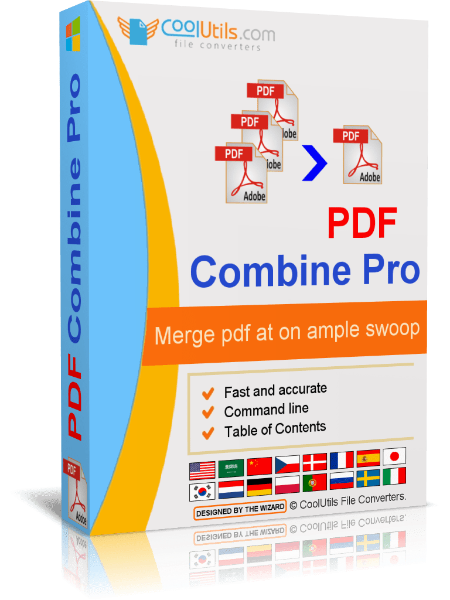
CoolUtils PDF Combine Pro 4.2.0.167_119 Multilingual | File size: 303.45 MB

PDF Combine Pro is a life saver for those who need to combine PDF, DOC, TXT, DOCX, HTML, XLS files, images (TIFF, JPEG, PNG) and emails into one PDF. Now you do not have to use several programs and converters to get one PDF. PDF Combine Pro does it in one go. Supported input formats include DOC, DOCX, RTF, TXT, XLS, XLSX, HTML, HTM, MHT, PS, EPS, PRN, PDF, TIFF, JPEG, PNG, PST, EML, MSG.

PDF Combine Pro can combine files within folders. For example, you have 3 folders with different file types inside each. - The app can produce three combined PDF files.
- It can easily create bookmarks that can be used as table of contents.
- Users can add custom Cover pages to the combined PDF.
- Legal users will appreciate the flexible bates stamping option.
- Transparent user interface and full command line support.

Features
- Combines PDF, DOC, HTML, XLS, TIFF, PNG, JPEG files into PDF
- Creates table of contents
- Adds Back to Content link to the footer of each page
- Inserts a Cover page of your choice
- Combines PDF files by folders
- Combine PDFs by common name part
- Creates bookmarks out of file names or titles
- No need for Adobe Acrobat
- Command line
- Clean graphic user interface
- ActiveX and Server version

What's new
• official site does not provide any info about changes in this version

HomePage:
Код:
https://www.coolutils.com

-:DOWNLOAD FROM LINKS:-​
RapidGator
Код:
https://rapidgator.net/file/0a5efbd20c2c19b1d14611d829f3c780/

NitroFlare
Код:
https://nitroflare.com/view/0C05FB339A90FE0/
 

3b5702b4152a65c16442cdc177f0b1c8.jpg


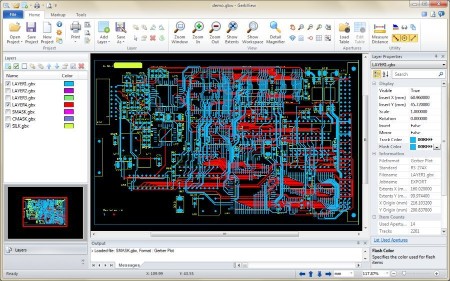
GerbView 11.36.0.644 | File Size: 85.4 MB

GerbView is an advanced but easy to use application that enables you to view, print, convert and markup Gerber, HPGL, HPGL/2, Excellon and raster files. GerbView supports both RS274D and RS274X (with embedded aperture information) Gerber formats. You can use GerbView to convert from the old RS274D Gerber standard to the new RS274X with embedded aperture information.

Gerbview will visualize your design, on the screen or in hardcopy. No more waiting for photoplots or your prototype circuit board, to see your true design.

In GerbView you work with a workspace that can contain one or more files of the supported file formats. The workspace can be saved for later use. The saved workspace will link to your design files, so only need to reload the workspace file to see the whole design.
Markup elements like text, arrows, lines, images, ellipses and polygons can also be added to the workspace. Markups will be stored in a separate file.

GerbView can convert Gerber, HPGL, HPGL/2 and Excellon files to AutoDesk DXF, AutoDesk DWF, Adobe PDF and other formats. See full list of supported formats below.

GerbView can rasterize single files, or whole workspaces, and save to one of the supported raster formats. Markup elements can optionally be included in the conversion.

GerbView has mouse-controlled zoom in, zoom out, zoom area and panning.

You can print scaled or in real size. All Windows based plotters and printers are supported. Poster mode, also known as tiled pages, can be used to print large designs and drawings on e.g. several A4/Letter pages.

Use measure and query tools to get information about apertures, tools, pens, distances and areas.

Key Features
• View, print, markup and convert Gerber, HPGL, HPGL/2, Excellon and raster formats.
• Convert Gerber, Excellon and HPGL/2 files to AutoDesk DXF, Adobe PDF and other formats.
• Convert multiple Gerber files to a multi layer PDF, DWF or DXF file.
• Query for entity information in Gerber, HPGL/2 and Excellon files.
• Measure distances, areas and perimeters, with our without snapping to pads and tracks.
• Both metric and imperial coordinates supported.
• Support for absolute or relative coordinates.
• Highlight selected apertures in Gerber files.
• Add files of different formats to a single workspace.
• No limit for number of files within a workspace (only limited by memory).
• Visibility of all loaded files can be set individually.
• TIFF, CALS, BMP, PNG and JPEG files can be added to a Workspace (for logos etc.).
• Rotate added files by any angle.
• Copy selected region to clipboard, and paste into another Windows application-
• User defined header and footer for printing.
• Color or Black & White Printing.
• Scaled print or fit to paper.
• Full mode print preview.
• Poster mode for printing big format drawings on e.g. multiple A4 pages.
• Print to all Windows supported plotter and printer devices.
• Save whole Workspace or single files as raster files. Supported formats includes
• TIFF (CCITT-G4,CCITT-G3,Packbits), CALS, Adobe PDF, Windows BMP, PNG and JPEG.
• Add markup using lines, text, rectangles, images, polygons, arrows and ellipses.
• Powerful markup features such as highlighted, hatched or solid filled areas.
• Truetype fonts used for markup text entities.
• Ortho mode for fast drawing of horizontal and vertical markup lines.
• Fully customizable user interface.

Whats New
Код:
https://www.gerbview.com/gbupdate.html

HomePage:
Код:
https://www.gerbview.com

-:DOWNLOAD FROM LINKS:-​
RapidGator
Код:
https://rapidgator.net/file/3a4435339dc758d900cd3eb675f3b6d8/

NitroFlare
Код:
https://nitroflare.com/view/2784EB49342517B/
 

8c967113b468c7ee92ea355612506425.png


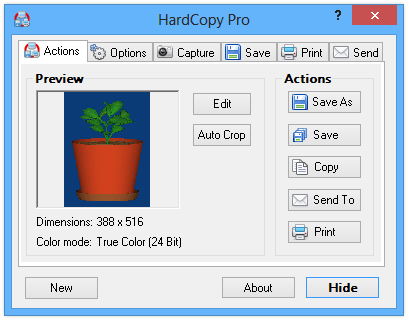
HardCopy Pro 4.18.2 | File size: 1.7 MB

HardCopy Pro is a versatile, easy to use screen capture utility for Windows. It can capture rectangular screen areas and whole windows. The captured images can be cropped very easily and the color depth can be changed to any desired value from monochrome to true color. Images can be printed, saved, copied to the clipboard, emailed, edited with any image editing program, etc. Many options allow the customization of all these actions to individual user needs.

Key Features
Captures rectangular areas, whole windows, the active window or the entire screen
Easy cropping and adjustment of the color depth of captured images
Simple editing and drawing functions
Mouse cursor can be captured
Images can be saved, copied, edited, printed, emailed and sent to any destination (e.g. MS Word)
Drag and Drop the "Save As" or "Save" button to any folder, program, email, etc. to send the image to that program or location
Supported file formats: BMP, GIF, JPG, PNG, TIF
Timer for automatic captures
Now with Windows 10 support!

Whats New
Код:
https://www.desksoft.com/HardCopy_Version.htm

HomePage:
Код:
https://www.desksoft.com

-:DOWNLOAD FROM LINKS:-​
RapidGator
Код:
https://rapidgator.net/file/cdc74c99f38b84cd9742446927bff2e6/

NitroFlare
Код:
https://nitroflare.com/view/429B3DF454663C1/
 

c058138d5f0bfaafa549072f898f28a6.jpg


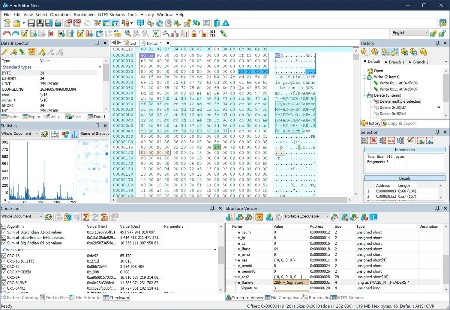
Hex Editor Neo 8.05.00.9372 | File size: 16.6 MB

Hex Editor allows you to set colors of almost every editor windows element. Select an element in a list and then select a color using color picker control. You can also set the color to "automatic". The sample window layout below immediately reflects changes you make. Pressing Apply button also immediately applies your current coloring scheme to all opened editor windows.

Hex Code Editing, Binary Data and Files Modifying Software
The unique hex code editing and manipulation software
High performance and code optimized tool that helps developers to manipulate binary files quick and easy
Invaluable utility for software developers since it helps them to edit the raw and exact content of a file directly, researching the functionality of any .exe file
Solution for editing files of ANY size
Powerful binary files editor with outstanding performance and reasonable price

Hex Editor Neo is a binary files editing software utility for Windows with best functionality/price ratio. It's rich and handy set of features will help all software and hardware developers working with ASCII, hex, decimal, float, double and binary data.

Highly optimized performance, carefully tuned user interface among with new level of application stability will save a lot of your time, money and precious nerves while working with binary files.

Make patches with just two mouse clicks; manipulate your EXE, DLL, DAT, AVI, MP3, JPG files with unlimited undo/redo. Taste the visual operation history with branching.

Features: Editing Files of ANY Size; Built-In Explorer; Unlimited Undo/Redo; Multiple Selection; Selection Save and Load; Find All; Replace All; History Browsing; History Save and Load; Patch Creation; Clipboard Operations; Bytes, Words, Double Words, Quad Words, Floats and Doubles Edit Mode; Pattern Coloring; Data Inspector; Bookmarks; Base Converter; Advanced copy & export; Encodings.

Hex Editor Neo is highly optimized to quickly perform the requested actions. It also allows you to continue working with a document while another document is busy performing a lengthy operation.

HexEdit can be successfully used for
editing binary files of any size at highest speed
searching and replacing your data in a binary file
writing your microcode programs
researching the functionality of any executable file
streamlining your work using Undo/Redo and other features
HexEdit can be successfully used by
software developers
private users
beta-testers
university students
coders

HexEdit usage areas
Binary files
Patches
EXE files
DLL data
DAT files
AVI data
MP3 data
JPG data
HexEdit Features

Whats New
Код:
https://www.hhdsoftware.com/hex-editor/history

HomePage:
Код:
https://www.hhdsoftware.com/

-:DOWNLOAD FROM LINKS:-​
RapidGator
Код:
https://rapidgator.net/file/87f924affa5543969d872c43884e1511/

NitroFlare
Код:
https://nitroflare.com/view/D46164905625E27/
 

8e2293fd5f986637cb14e58a0841fe76.png


JP Software CMDebug 36.00.39 (x64) Multilingual | File size: 42.8 MB

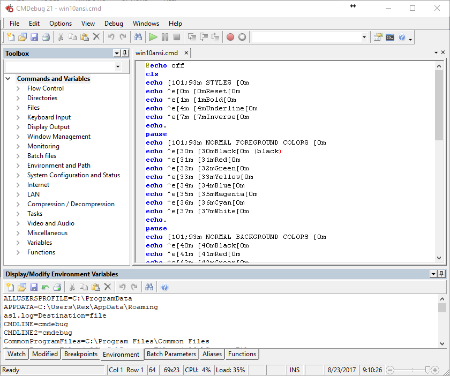
CMDebug is a stand-alone version of the Take Command IDE and batch debugger component. CMDebug is intended for developers who need to develop batch files to run in CMD.EXE or TCC-RT (runtime).

CMDebug allows you to create and debug your batch scripts with the integrated graphical IDE. CMDebug includes tabbed edit windows and a sophisticated debugger with single stepping, breakpoints, syntax coloring, tooltips, bookmarks, and tabbed variable and watch windows. Windows batch file programming has never been easier or more powerful!

You can use CMDebug to develop either CMD-compatible batch files (.BAT or .CMD), or TCC-RT-compatible scripts (.BTM). If you select the "TCC Syntax" option, CMDebug provides the full TCC-RT command set. If you select the "CMD Syntax" option, CMDebug will maximize CMD compatibility and disable TCC-only internal commands, variables, and functions. Some internal CMD / TCC commands will also behave slightly differently or modify their display output in order to match CMD's behavior more closely.

Using CMDebug with TCC-RT allows you to write (and encrypt) scripts using the TCC command language, and then distribute them with the free TCC-RT runtime on an unlimited number of target machines.

Whats New
Updates: official site does not provide any info about changes in this version.

HomePage:
Код:
https://jpsoft.com/

-:DOWNLOAD FROM LINKS:-​
RapidGator
Код:
https://rapidgator.net/file/162f7413e70e52984f5fc1f511cbbe86/

NitroFlare
Код:
https://nitroflare.com/view/28BDED31C8F3148/
 

39c8c7b4775c242e400f24507da6cb97.jpg


O&O Defrag Professional 31.2.26042 | Windows x64 | File size: 64.74 MB

O&O Defrag tidies up this shoebox by combining the snippets of a file and writing them one after the other to the hard drive or SSD. In addition, the files are reorganized so that the access times during loading are minimized. This saves you time and protects your data carriers. Regular use of O&O Defrag noticeably increases the access speed and overall performance of your Windows system. And so that you never have to worry about "file snippets" again, O&O Defrag can also be run completely automatically in the background.

Simply simple
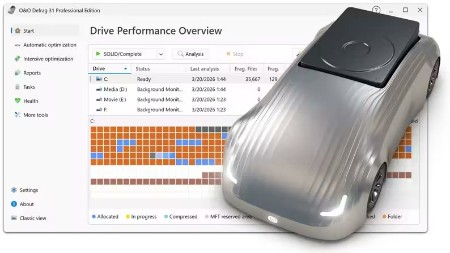
Everyone should have a fast computer. That's why we've made O&O Defrag 31 so simple that anyone can use it. The new modern view does not require complicated settings.

Not a difficult decision as to which is the best defragmentation strategy for your PC. O&O Defrag takes care of everything itself. All you have to do is choose whether you want to start O&O Defrag manually yourself or whether you want it to take care of everything automatically.

O&O VisualDisk
Visualization of write access to SSDs
With O&O VisualDisk, write access to the hard drive as it takes place on flash-based storage media such as SSDs and NVMe drives is clearly displayed. This innovative feature shows how defragmentation can help reduce future write accesses and extend the lifespan of SSDs. The user gets a clear picture of how the hard drive works and how its performance can be optimized through targeted measures. O&O VisualDisk helps you understand how O&O Defrag can get the most out of a hard drive and protect it from unnecessary wear and tear - for a long-lasting and fast PC system.

O&O StartupManager
Remove unnecessary ballast at take-off
The new O&O StartupManager offers a clear overview of all programs, tasks and services that are automatically executed when Windows starts. With detailed information about each program - including how it affects the system's startup time - it is easy to decide which programs should be enabled or disabled. Unnecessary applications are marked as such and can be deactivated with a mouse click. Defective start entries are also detected and can be deleted. This shortens the startup time of the computer and ensures that it is ready for use faster.

New Boot-Time Optimization and improved O&O IntensiveOptimize
The new boot time optimization optimizes the system fully automatically even before Windows starts - so even locked system files and other critical files can be reliably accelerated.

With the revised O&O IntensiveOptimize, demanding users can also optimize their system in their own Windows environment - with full access to all user and system files. Thanks to the improvements in version 31, a single mouse click is now enough, even for Bitlocker-encrypted drives.

My individual O&O Defrag
O&O Defrag 31 also gives you the opportunity to choose your own personal defragmentation strategy. In the classic view, you can make all professional settings yourself.

In O&O Defrag 31, you can switch at any time between the classic view with all professional settings and the modern view, which is reduced to the essentials.

System maintenance of your data carriers
O&O Defrag 31 checks your hard drive or SSD for inconsistencies that can lead to problems. It examines the component memory and Windows system files for errors.

O&O Defrag will show you whether and which errors have been found after the check has been completed. With the repair function, most errors can be fixed directly.

Remove ballast and free up space
Over time, more and more ballast accumulates on a PC. Temporary files, internet cache and the like can take on considerable proportions. This can lead to a storage space problem, especially on modern SSDs. But backups also take much longer than necessary.

With the improved O&O DiskCleaner in O&O Defrag, you can put an end to files that are no longer needed.

Remove superfluous programs
Programs that are no longer in use can pose a security risk. Definitely, they are wasting disk space. You probably won't need a 2011 tax filing program anymore. But do you even know it's still installed?

O&O Defrag 31 now clearly displays all installed programs. And with one click, you can easily uninstall the ones you no longer need. This saves storage space (important for SSDs) and increases your security.

Automatic defragmentation in the background
The automatic defragmentation optimizes your data carriers in the background without negatively affecting your computer's performance. O&O Defrag can be set up so that defragmentation starts automatically at a certain level of fragmentation, on certain days of the week, or whenever your screensaver is active.

Native support for the ARM platform
For the first time, O&O Defrag 31 now supports the family of CPUs based on the ARM architecture (Advanced RISC Machine) in addition to the previous Intel and AMD processors. These are currently mainly used in new Windows PCs with AI support and will take a significant market share in the coming period due to their energy efficiency and lower costs.

O&O Defrag ensures maximum drive performance at all times
Intelligent optimization technology adapts to the type of drive and keeps systems reliably fast, whether in daily office operations or under heavy load. With comprehensive automation functions, detailed analyses and proven optimization methods, O&O Defrag offers full control and measurable performance benefits - for individual workstations as well as for professional IT environments.

Automatic Drive Optimization
- Fully automatic defragmentation of classic hard drives (HDD)
- SSD-optimized procedures without unnecessary write access
- Automatic detection of drive type (HDD / SSD)
- Separate optimization of system and data drives
- Long-term performance maintenance without manual intervention

Powerful defragmentation methods
- Multiple optimization strategies for different requirements
- Contiguous storage of fragmented files
- Consolidation of free storage areas
- Reducing future fragmentation
- Optimization of folder and directory structures
- Improved access times to frequently used files

Automation & Background Operation
- Fully automatic background operation
- Start of optimization when the system is idle
- Time-controlled optimizations according to schedule
- Event-based execution on inactivity
- Automatically pause on user activity
- Individual time windows per drive

Offline & Boot-Time Optimization
- Optimization of locked system files before Windows starts
- Processing files that are not accessible during operation
- Scheduled offline optimization with automatic restart
- Particularly effective in highly fragmented systems

Resource and system conservation
- Low-priority defragmentation
- Intelligent control of CPU and I/O load
- No impact on running applications
- Optimization only with sufficient system resources
- Optional deactivation on battery power

Analysis & Transparency
- Detailed analysis of the fragmentation state
- Clear display of all drives
- Display of last and next optimization operations
- Logging of all optimization jobs
- Traceable history of all measures

User-friendly operation
- Single interface for all drives
- One-click optimization with recommended settings
- Automatic mode for maximum simplicity
- Advanced Expert Options for Power Users
- Clear status indicators and understandable feedback

Drive & File System Support
- Optimizing NTFS Volumes
- Internal and external drive support
- Suitable for large disks and many files
- Optimal management of large file structures
- Security & Stability
- Gentle optimisation processes
- File System Integrity Protection
- Clean cancel on restart or shutdown
- Continuation of interrupted optimizations
- Stable continuous operation on productive systems

Optimization for different application scenarios
- Ideal for office and workstation computers
- Optimizes workstations with large project files
- Suitable for systems with SSD and HDD combinations
- Long-term performance stability for archive and data drives

What's new
Код:
https://www.oo-software.com/en/products/oodefrag

Compatible with Windows 10 & 11

HomePage:
Код:
https://www.oo-software.com/

-:DOWNLOAD FROM LINKS:-​
RapidGator
Код:
https://rapidgator.net/file/0d7d31e89160c05461e61655604f033f/

NitroFlare
Код:
https://nitroflare.com/view/99034ECFF595CC9/

 

cc2dcaedd795b2ea3e960279da9328c6.jpg


Print Artist Gold 25.1.0.1 | Languages: English File Size: 205.64 MB

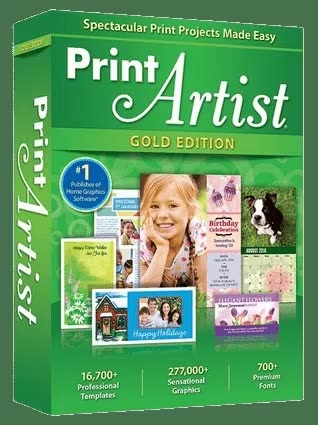
Print Artist® Gold 25 is unlike any print software you've ever used - its unparalleled quality combined with unprecedented ease of use lets you produce amazing print projects for your home, school or business. The Fast, Easy and Fun Way to Create Spectacular Print Projects.

Print Artist® 25 Gold
- 16,700+ Professionally-Designed Templates
- 277,000+ Sensational Graphics
- 700+ Premium Fonts
- NEW User Interface! Now Even Easier to use
- Easily Upload Projects to Facebook & YouTube
- Photo Card Projects & Photo Clip Art
- Digital Photo Editor Makes Your Pictures Shine

Impress friends, family and clients with the creative edge that only Print Artist Gold can offer - 16,700+ professionally-designed templates, 277,000+ sensational graphics, 700+ premium fonts and more! With its powerful, yet easy-to-use design, text and drawing customization tools, advanced photo editor, special text effects gallery and more, you'll be creating expert, eye-popping print projects with a professional, custom look that truly raises the bar!

Dream It. Create It. Print It!
Print Artist is ideal for creating sensational print projects for virtually any occasion. You'll love the unique selection of professionally-designed templates and limitless creative tools from the #1 publisher of home graphics software.

System Requirements
- Windows XP, Windows Vista 32-bit, Windows Vista 64-bit, Windows 7, Windows 7 64-bit, Windows 7 32-bit, Windows 10, Windows 11
- Windows XP, Vista, 7, 8, 10, or 11
- 512 MB RAM
- 1024 x 768 display or higher
- Internet connection required
- Recordable or rewriteable CD drive required to burn CD slideshows

HomePage:
Код:
Homepage

-:DOWNLOAD FROM LINKS:-​
RapidGator
Код:
https://rapidgator.net/file/d383be741968848223698135d4819781/

NitroFlare
Код:
https://nitroflare.com/view/0B562B8324ED59C/
 

b9690d37975534668fdf4484413e9402.jpg


RarmaRadio Pro 2.77.9 Multilingual | File size: 13.3 MB

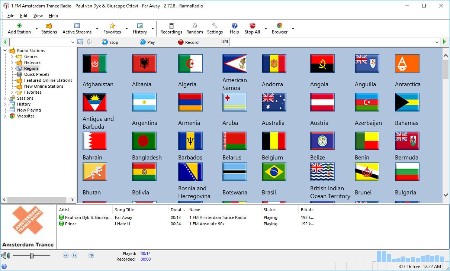
RarmaRadio allows you to listen to and record radio stations from around the world. Powered by a world class radio directory it has everything you need for a wonderful listening experience. Recording is available in many formats - including mp3, wma and ogg.

Features
- Listen to and record multiple stations simultaneously
- Create a schedule for automatic recording
- Shows cover art and lyrics for each song

Whats New
Код:
https://www.raimersoft.com/rarmaradio_whatsnew.html

HomePage:
Код:
https://www.raimersoft.com/

-:DOWNLOAD FROM LINKS:-​
RapidGator
Код:
https://rapidgator.net/file/8b8930ddcbfe7e54bcfce06f7e48dd5f/

NitroFlare
Код:
https://nitroflare.com/view/1F4A74C1B9FBF97/
 

321d7612af9f0019ce995ceaaf5b4be7.png


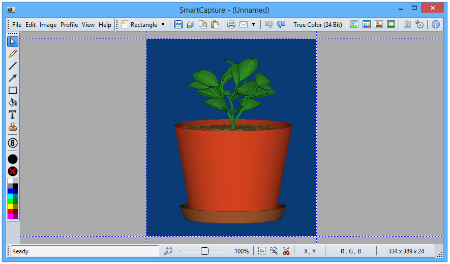
SmartCapture 3.23 | File size: 1.9 MB

SmartCapture is the professional, easy to use screen capture tool for Windows! The clear and intuitive user interface and powerful features make it the ideal utility for everyone who wants to capture any contents of the Windows desktop. It can capture rectangular screen areas, whole objects, windows or screens and it can acquire images from imaging devices (e.g. scanners, digital cameras, etc.)

The captured images can be cropped very easily and the color depth can be changed to any desired value from monochrome to true color. Images can be printed, saved, copied to the clipboard, sent to an email recipient, MS Word or any image editor. SmartCapture supports all major file formats, image manipulations (e.g. resize, flip, rotate, color replace, invert, optimized color palettes, dither, etc.), multiple monitors, full automation, capture wizards, capture profiles, multi-level undo and much more. Many options allow the customization of all actions to individual user needs. SmartCapture is not only one of the most powerful screen capture utilities available - it was also designed to be the most user-friendly tool of all!

Key Features
Capture modes: rectangle, window, active window, screen, area, fixed size
Capture the mouse cursor
Multiple monitor support
Separate Hot-Keys for different capture modes
Twain data source support (scanners, digital cameras, etc.)
Image sources: capture, paste, load, acquire from Twain compatible data source
Image destinations: save, print, copy, email, edit, MS Word, send
Drag and Drop the "Save As" button to any folder, program, email, etc. to send the image to that program or location
Supported file formats: BMP, GIF, JPG, PNG, TIF
Photocopy
File conversion
User definable profiles for each task
Color conversion: 1, 4, 8, 24 Bit, color or grayscale
Color reduction: dither or nearest color, optimized or standard color palettes
Color replace, invert, auto invert
Brightness, contrast, gamma, saturation, hue
Image geometry: resize, flip, rotate, sharpen, soften
Print size support (dimensions and DPI)
Undo and redo (multi-level)
Automation, script support
Clipboard text accumulator, URL launcher
Print multiple images on one page (collect mode)
Header and footer on printed pages
Image editing and drawing functions
Now with Windows 10 support!

Whats New
Код:
https://www.desksoft.com/SmartCapture_Version.htm

HomePage:
Код:
https://www.desksoft.com/

-:DOWNLOAD FROM LINKS:-​
RapidGator
Код:
https://rapidgator.net/file/6776c40b13766b0bb74f18ae2eadb224/

NitroFlare
Код:
https://nitroflare.com/view/FE2EAE68D2D83A7/
 

98016abd64acb887f1c8fb7cfa49f283.jpg


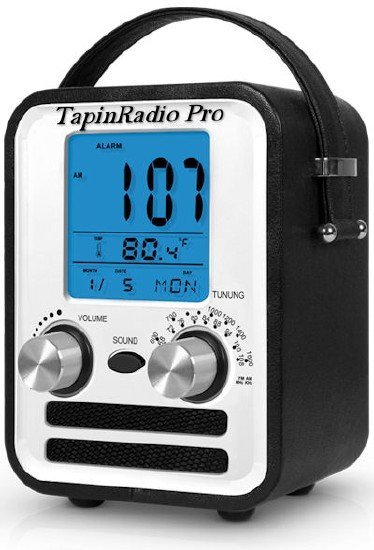
TapinRadio Pro 2.16.16 Multilingual | Windows x64 | File size: 38.17 MB

TapinRadio Pro is simple, fairly reliable and works most of the time. Plenty of stations to choose from and continuously updated. Supports most of the internet radio formats - mp3, wma, ogg, aac. Quick search. Graphic Equalizer. Scheduled recordings. Record what you are listening to - as separate tracks or continuously. Automatic checking for software and station listing (only if configured in settings). Show your favorites in groups. Alarm feature. Sleep timer to shutdown TapinRadio or even your computer!

Here are some key features of "TapinRadio"
· Plenty of stations to choose from
· Supports most of the internet radio formats - mp3, wma, ogg vorbis, aac+ and so on
· Quick and reliable search
· Smooth switching between stations
· Record what you are listening to - including separate song files
· Automatic checking for software and radio stations updates
· Show your favorites in groups

What's new
Код:
https://www.raimersoft.com/tapinradio_whatsnew.html

HomePage:
Код:
https://www.raimersoft.com/

-:DOWNLOAD FROM LINKS:-​
RapidGator
Код:
https://rapidgator.net/file/cc95627430fa051a812d3662b9ed3cee/

NitroFlare
Код:
https://nitroflare.com/view/51F460543FE5BCB/
 

65b5ec1e2796ab749652607c534fecf7.jpg


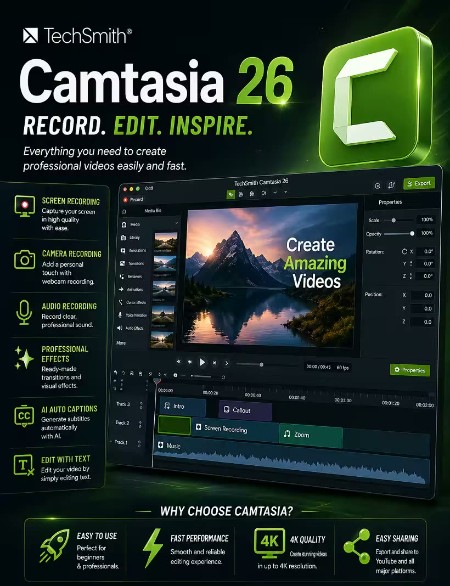
TechSmith Camtasia 26.1.1.16676 (x64) Multilingual | File Size: 308.8 MB

Start Creating Amazing Videos Today. Make professional-quality videos quickly and easily with Camtasia. Record your screen or upload an existing video, then bring the "Wow!" with effects, music, and much more.

Video software that works for you
Whether you make videos for marketing and sales, internal training, customer success, virtual or in-person learning, demonstrations, social media, or pretty much anything else, Camtasia helps make your vision a reality.

Inspire, educate, and excite your audience
We know that creating videos may seem like a daunting task, especially if you don't have any experience. That's why we created Camtasia - your all-in-one screen recorder and video editing solution. In virtually no time, you can create awesome videos that truly connect with your audience.

Educate
Sharing your knowledge has never been easier! Start by uploading a presentation or existing footage, then capture your screen, camera, and microphone to craft a pro-quality video that makes complex ideas simple, demonstrates a new process, trains people on a new skill, and much more.

Inspire
Ready to "WOW!" your audiences? Camtasia has everything you need to create incredible videos in record time. Easily add pop and pizazz to your videos with effects, transitions, music, and more. Best of all, they're incredibly easy to find, use, and customize, leaving you more time to create.

Excite
Keep your audience focused on the action with text, shapes, animations, and more. Zoom in to highlight details. Draw attention with a customized cursor. Add effects to transition ideas or just add some extra flair. The options are as limitless as your imagination!

Complete video projects up to 40% faster
A great video starts with great audio - and great audio starts with Audiate. Edit your voice over just like text and generate captions automatically. Plus, instantly remove hesitations and all those "ums" and "uhs." You can even edit your video as you edit your audio.

You can with Camtasia
Your video, your way. Camtasia's intuitive interface and drag-and-drop features help anyone create professional-quality video.

The world's most powerful screen recorder
Leave boring screen recordings behind. In addition to high-resolution screen capture, Camtasia records your microphone, system audio, camera, and cursor so you can edit them separately or all at once. Your editing will be faster and easier and the results will be incredible.

Camera
Capture your camera as you record to add personality to your videos. Position your camera video anywhere on the canvas.

Microphone
Great audio is an essential element to your video. Camtasia makes it easy to capture your microphone for crystal-clear voice over.

System Audio
Need to share the sounds generated by your software or computer? Now your viewers can hear what you hear.

Cursor Data
Your mouse cursor can help highlight important features or UX elements. Capture this data to make it easier to edit later.

Make your creative spark a wildfire
Sometimes, getting started on a new video can be intimidating. Fortunately, Camtasia offers hundreds of templates, assets, and text effects to help kindle your creative spark. Making professional looking videos has never been easier!

What's New
Код:
https://support.techsmith.com/hc/en-us/articles/115006443267-Camtasia-Windows-Version-History

HomePage:
Код:
https://techsmith.com

-:DOWNLOAD FROM LINKS:-​
RapidGator
Код:
https://rapidgator.net/file/0f92c882da098ad9d29db7cabe6f02c3/

NitroFlare
Код:
https://nitroflare.com/view/4D49AD31674CA60/
 
Назад
Сверху Снизу