









Prompt to Picture AI 1.0.3
Languages: English
File Size: 4.12 GB
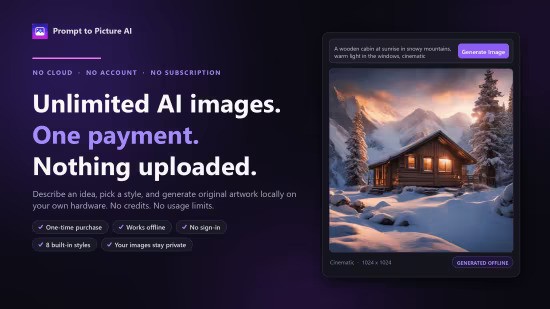
Prompt to Picture AI - An offline AI image generator for Windows. Describe an image, pick a style, and generate it on your own hardware — no account, no subscription, no credits.
Prompt to Picture AI is a paid, one-time-purchase Windows desktop app that turns a written description into an original image. The AI model runs on your own PC — prompts and generated images are never uploaded. Almost every consumer AI image tool is a cloud service with a monthly fee and a credit allowance; this is the opposite: buy it once, run it locally, generate without limits, and keep your prompts and pictures on your own machine. Choose from eight styles (Photorealistic, Cinematic, Digital Art, Anime, Storybook, Fantasy, Sci-Fi, Minimal Graphic), five formats, and three quality modes. Generate several images at once, create variations, control seeds, and export as PNG, JPG, or WebP. A local gallery saves every image with its prompt, style, dimensions, and seed. GPU acceleration on compatible NVIDIA, AMD, and Intel hardware, with Low Memory mode and CPU fallback. Works offline after the AI model has been downloaded. Windows 11 recommended; 16 GB RAM and a DirectX 12 graphics card recommended.
- One-time purchase — no subscription, no credits, no generation limits
- Images generated locally on your PC; prompts and pictures are never uploaded
- No account or sign-in required
- Works offline after a one-time AI model download
- Eight visual styles and five output formats
- Fast, Balanced, and Detailed quality modes with batch generation
- Prompt Builder, Improve Prompt, and a 15-category prompt library
- Local gallery with search, filters, favourites, and full generation details
Release Notes
- Improved speed for image generation
- Locale issues for EU and other regions fixed
- Better error correction for model redownloads
System Requirements
- OS: Windows 10 version 17763.0 or higher
- Mouse: Integrated Mouse (Minimum), Not specified (Recommended)
- Memory: 16 GB (Minimum), Not specified (Recommended)
- Graphics Processor: Modern GPU for optimal performance. Minimum is an NVIDIA GeForce RTX 20 Series/AMD Radeon RX 6000 Series or anything later (Minimum), Nvidia RTX 3060 (Recommended)
Homepage
Код:
https://manxlr.click/app-development/prompt-to-picture-aiDOWNLOAD:
Код:
https://rapidgator.net/file/22c03c14828244b321f35ff75381c43c/Prompt.to.Picture.AI.1.0.3.rar.html

https://nitroflare.com/view/D79D5B92F239971/Prompt.to.Picture.AI.1.0.3.rar

https://ddownload.com/s4un8495b022/Prompt.to.Picture.AI.1.0.3.rar