All sanddisk Software's Collection [Daily Updated]

th-Jbr-WPq-WEs-URsg-Kz-Kl-E8q-BQsyrxt-H7Fwl.jpg


AOMEI Partition Assistant 10.10.1 Multilingual WinPE

All Editions | File size: 3.3 GB

AOMEI Partition Assistant is an easy to use all-in-one Hard Disk Partition Software. It offers various free partition management features for both all home users and commercial users. AOMEI Partition Assistant guaranteesthe full features for creating, resizing, moving, copying, deleting, wiping, aligning, formating, merging, splitting partition and more.

Built-in step by step wizards realize you to easily finish complex operations including copying partition, cloning entire hard disk.
AOMEI Partition Manager enables you to extend the available space on hard disk quickly for improve the capacity for the original partition. The smart migration wizard could easily assist you to migrate OS to another hard disk including SSD and HDD.
All thanks to the stable partition recovery wizard, the lost and deleted partition is not your problem any more. Creating bootable disk allows you to get access your hard disk even the original OS crashed.

AOMEI Partition Assistant has a lot of new features and fixed the previous bugs perfectly. The OS migration wizard empowers you to migrate OS to another hard disk including SSD and HDD without reinstalling OS and applications. Creating bootable CD allows you to manage your hard disk even the Windows OS is out of reach or system is unable to boot.
AOMEI Partition Assistant Pro has more features than Standard Edition. It is specially designed for PC users, workstation users, commercial users and some advanced users who are willing to pay for the excellent product.

AOMEI Partition Manager Features
Resize and move partition without data loss.
Merge adjacent partitions into one.
Merge unallocated space to a partition.
Split one big partition into two or more.
Allocate free space from one partition to another.
Copy (Clone) partition to new hard drive.
Align partition to boost performance and lifespan of disk.
Change partition type ID and change serial number.
Linux partition management: create, delete, format, wipe, copy, recover Ext2/Ext3 partition, etc.
Create more partitions even without unallocated space.
Delete, format and wipe partition easily.
Convert primary to logical partition and vice versa.
Convert FAT partition to NTFS file system.
Change partition label and drive letter.
Hide and check partition, wipe unallocated space.
Set active partition and view partition properties.

Disk Management Features
Copy (Clone) disk without reinstalling Windows and applications.
Convert MBR to GPT disk and vice versa.
Rebuild MBR to repair or add boot code.
Delete all partition on a disk directly.
Wipe hard drive to permanently erase sensitive data.
Disk surface test to check and fix bad sectors.
Initialize disk.
View disk properties.

Easy Wizards
Extend Partition Wizard: built-in “Extend system partition” and “Select any partition”.
Disk Copy Wizard: built-in “Copy Disk Quickly” and “Sector-by-Sector Copy”.
Partition Copy Wizard: built-in “Copy Partition Quickly” and “Sector-by-Sector Copy”.
Migrate OS to SSD or HDD: system migration to solid state drive or hard disk drive, and support MBR and GPT disks.
Partition Recovery Wizard: recover lost or deleted partitions with ease.
Make Bootable CD Wizard: create Windows PE bootable media without having to install AIK/WAIK.
Windows To Go Creator: Install Windows 10/8 to a USB flash drive or a removable disk

Supported Technologies
Improved algorithm to ensure a faster and safer process of moving partition.
Enhanced data protection technologies to keep data safe.
Flexible and adjustable drag & drop interface makes the complicated simple
Preview any partitioning tasks before apply to the hard disk.
Provide option to shut down the computer after completing all operations.
Support all hardware RAID, such as RAID 0, 1, 5, 10, etc.
Support virtual disk partition in VMware, VirtualBox and Virtual PC.
Support most HDD standards, such as IDE, SCSI, SATA, SAS, SSD, USB 1.0/2.0, IEEE 1394 (FireWire)
Support removable device, such as USB flash drive (New!), memory card, memory stick and so on.
Support file systems including FAT, FAT32 and NTFS.
New! Support MBR disk and GPT disk up to 4TB.
Support up to 32 disks in one system.

Whats New
Код:
https://www.diskpart.com/changelog.html

Homepage
Код:
https://www.diskpart.com/

DOWNLOAD

Код:
https://rapidgator.net/file/f377cb514592ba53610b615d081e83d6/PartAssist_WinPE_10.10.1_Technician.iso.html
https://rapidgator.net/file/4a92badb24f5da7142edb85b66733d9e/PartAssist_WinPE_10.10.1_Server.iso.html
https://rapidgator.net/file/c285118bbe860e995d5984dcf512f3a0/PartAssist_WinPE_PRO_10.10.1.iso.html
https://rapidgator.net/file/8fe21cbb254daf857261401701a7c68b/PartAssist_WinPE_10.10.1_Unlimited.iso.html

Код:
https://ddownload.com/hoblg0jvu2cl/PartAssist_WinPE_10.10.1_Server.iso
https://ddownload.com/hcw4f22j341s/PartAssist_WinPE_10.10.1_Technician.iso
https://ddownload.com/dnn209wthdae/PartAssist_WinPE_10.10.1_Unlimited.iso
https://ddownload.com/wj45ssw9es9v/PartAssist_WinPE_PRO_10.10.1.iso
 
ezgif-298997593d058380.jpg


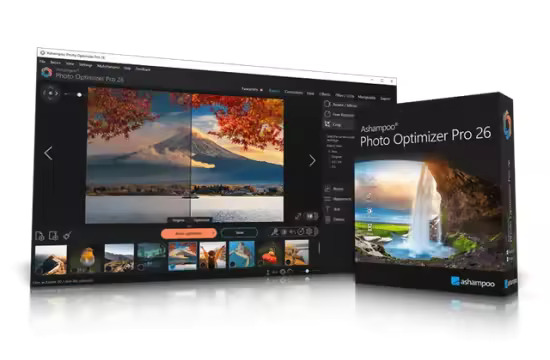
Ashampoo Photo Optimizer Pro 26.0.2 (x64) Multilingual

File size: 265.7 MB

Photos constitute irreplaceable memories and capture special moments in our lives. But they do not always come out as expected, or leave room for improvement. Ashampoo Photo Optimizer Pro 26 helps you to make the most of your photos in a single click and achieve stunning results almost instantly and automatically–even with handy batch processing!

Efficient image compression with full control
With the new image compression feature, you can perfectly balance quality and file size. JPG, WebP, and PNG files can now be reduced quickly and precisely—including an interactive live before/after preview. As you adjust the settings, you’ll see the expected file size in real time and maintain full control over the final result. Save valuable storage space without visible quality loss—ideal for online use, archiving, or sharing Your images quickly.

Perfect image quality at optimal file size
New image compression with live preview and file size control
27 new LUTs for fresh one-click looks
New photo frames for additional image moods
Modernized user interface
Enhanced RAW support and optimized metadata handling

27 Brand-New LUTs Included!
LUTs (Look-Up Tables) adjust multiple image parameters such as hue, saturation, brightness, and contrast at once, giving photos a completely new look and atmosphere. In this new version, the LUT collection has been significantly expanded: Three new LUTs have been added to each of nine categories—Halloween, Christmas, Autumn, Summer, Vintage, Contrast, HighKey, LowKey, and FX. This means 27 new looks are now available for seasonal images, creative effects, or striking contrast styles.

Whats New
Код:
https://www.ashampoo.com/en-us/photo-optimizer

Homepage
Код:
https://www.ashampoo.com/

DOWNLOAD

Код:
https://rapidgator.net/file/e9495a8c800243a982666486b67301ad/AshampooPhotoOptimizer26.rar.html

https://ddownload.com/86iydp6h6mrx/AshampooPhotoOptimizer26.rar
 
ezgif-27252cc04b6a2662.jpg


FastNeuron BackupChain 4.1.5507 (x64)

File size: 24.3 MB

BackupChain is an affordable, reliable, and customizable PC and Windows Server backup software for Windows Server 2025 - 2003, Windows 11 - XP, and Azure Stack HCI, made specifically for IT professionals. You can fine-tune backups and use open standard backup file formats to back up your physical and virtual servers exactly the way you want, at a significantly lower price than other backup solutions.

As a fully automatic and configurable backup solution, BackupChain offers Hyper-V backup, file backup, disk backup, version backup, deduplication, and delta compression. BackupChain Backup Software also includes database, live virtual machine backup, and a powerful multi-threaded engine for parallel processing. Files, databases, and virtual machines can be easily backed up to network servers, USB, SAN, iSCSI, local drives, and FTP. Access your data with ease: BackupChain can be configured to use open standard backup formats (ZIP, 7Z, virtual disks, etc.) or the file's native format, whether you are backing up a file server, a VMware, or Hyper-V server. Backup tasks can be configured to allow you to access files directly from the backup folder, and much more. Our notable customers include: Boeing, Siemens, Kyoto University, the State of Maryland, Lockheed Martin, the Canadian Federal Government, Mitsubishi, Supreme Court of Albania, BNP Paribas, Wyoming Community Bank, Oman Arab Bank, Scobag (Swiss Bank), HP (Hewlett-Packard) and the United States Bankruptcy Court.

Cost-Effective, Enterprise-Grade Backup Solution – All-in-One
A complete, yet lightweight, all-in-one backup software package, offered as a "buy-once-and-use-forever" license.
100% U.S. based, qualified, responsive, and reliable technical support is always available when needed
Own your backup software: Software licenses are perpetual "forever" licenses, not yearly subscriptions
Centralized management console: manage all your backups from a single screen, no matter how many computers and servers you have
Open standard file formats and the most advanced version backup system in the market
Image backup, full system disk backup, hard drive cloning and disk copy features, including bare-metal recovery, requiring no reboots or interruptions
V2V, V2P converter, and P2V converter: Convert physical server to virtual machines and vice versa, as well as between virtual machine platforms (V2V). Convert physical servers to Hyper-V to VMware or VirtualBox in all combinations.
Hyper-V Backup (See Step-by-Step Example), VMware Backup, VirtualBox Backup: Extensive, Reliable Virtual Machine Backup Features
Granular Backup & Granular Restore Features
File History Backup
Configurable data backup processing, filtering, file versioning (version backup, and parallelization options
Deduplication and a built-in FTPS Server (FTP encrypted over TLS/SSL), also available in all editions
Cloud Backup and Remote Backup (See our cloud backup plans);
Set Up Private DIY Cloud Server Storage and Access via Mapped Drive, using BackupChain and DriveMaker. Benefit from our unique incremental FTP backup technology, as it only uploads file content changes.
Azure Stack HCI backup: Back up virtual machines and other services running on Azure Stack HCI
Check out our notable customer list and reviews.
IT administrators and consultants: Get credit for your backup and recovery skills with our unique Backup Engineering Certification.

Whats New
Код:
https://backupchain.com/en/release-notes/

Homepage
Код:
https://backupchain.com/

DOWNLOAD

Код:
https://rapidgator.net/file/0ab22acac24543b678d6c0c576faa577/FastNeuron_BackupChain_4.1.5507.rar.html

https://ddownload.com/elbcgf9arfp8/FastNeuron_BackupChain_4.1.5507.rar
 
th-LD329dn-XYK1w-W7SNq3Mv-Is6eewur-Z2gl.jpg


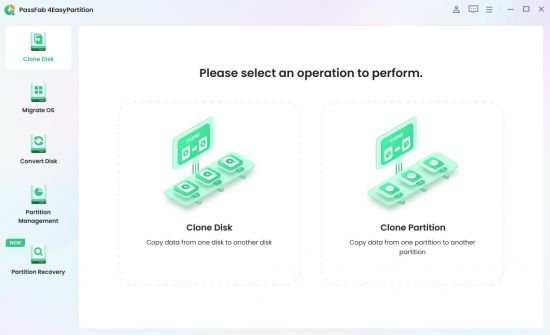
PassFab 4EasyPartition 4.0.1 (x64) Multilingual

File Size: 84.9 MB

PassFab 4EasyPartition helps to clone one disk/partition data to another disk/partition intact without losing any data on all Windows-supported PCs.

The most secure and professional system migration and partition management tool
- Quickly and safely migrate your Windows system to other hard disk or PC.
- 1-click to move to a new high-speed SSD, make your Windows boot faster.
- Upgrade to a larger hard drive, free up your disk space.
- Easily clone disks/partitions to create full backups, saving your time and efforts.
- Quickly resize, create, delete, split, and format partitions, simplifying your PC disk management.

Smart Disk & Partition Cloning
PassFab 4EasyPartition helps to clone one disk/partition data to another disk/partition intact without losing any data on all Windows-supported PCs.

- Clone Disk
Want to recover data? Want to upgrade your drive? PassFab 4EasyPartition helps you to clone HDD, SSD, USB flash drive and other types of hard drive and transfer all the saved data & applications to the new drive.

- Clone Partition
Running out of disk space? PassFab 4EasyPartition enables you easily upgrade/replace/backup hard drives and transfer large amounts of data from one partition to another.

One-Click System Migration
Hunting for an easy-to-use tool to migrate your data, operating system and applications to other hard drives? PassFab 4EasyPartition is the best choice for you with just one-click, without requiring you to reinstall your operating system or applications!

- Migrate OS to SSD/HDD
Safely and easily migrate your data, OS and applications to another hard drive without data loss.

- Upgrade to a New High-speed SSD
Replace HDD with SSD, providing you with the easiest and fastest way to boot.

- Safely Transfer Everything
Ensure no business interruption when user migrate system to a more efficient OS. no need to install applications, system configuration file and other files as well.

- No Need to Reinstall the System
Transfer data directly without reinstalling the app. Improve efficiency and save your time.

The Best Partition Manager to Simplify Your PC Disk Management
PassFab 4EasyPartition simplifies disk partition management and maximizes your hard drive space, letting you resize, create, and split partitions without data loss. Perfect for beginners and designed for efficiency!

- 1-Click Resize Partition
Running low on disk space? Want to expand your partition? PassFab 4EasyPartition helps you to freely resize/move partitions and to maximize disk space usage.

- Create/Delete Partition Safely
Want to create/delete partitions on Windows? PassFab 4EasyPartition helps you to create a new partition from blank and existing ones or safely delete them.

- Change Driver Letter Quickly
PassFab 4EasyPartition provides a fast way to change driver letter according to your preference, so that you can access to your folders and files more accurately.

- Split Partition Easily
Divide a large partition into smaller partitions, enabling you to create multiple partitions for storing data in different categories.

What's New
official site does not provide any info about changes in this version.

Homepage
Код:
https://www.passfab.com/products/partition-manager.html

DOWNLOAD

Код:
https://rapidgator.net/file/b1223f1c1f94b61b56d81a31711cb5b7/PassFab.4EasyPartition.3.rar.html

https://ddownload.com/6pg7lapk7vq9/PassFab.4EasyPartition.3.rar
 
ezgif-2623884b35f512c8.jpg


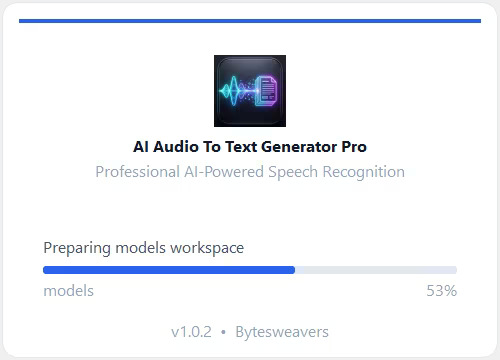
AI Audio To Text Generator Pro 1.0.2

Languages: English
File Size: 1.78 GB

Transform your audio and video files into highly accurate text and subtitles using the power of advanced AI—all running 100% locally on your PC. AI Audio To Text Generator Pro utilizes state-of-the-art AI models (including OpenAI’s Whisper and Distil-Whisper) to deliver professional-grade speech recognition without the need for expensive cloud subscriptions or internet connectivity. Because everything processes on your own hardware, your audio files remain completely private and secure.

Absolute Privacy
100% offline processing. Your files never leave your computer.

High Accuracy AI
Powered by the industry-leading Whisper AI architecture.

Multiple Export Formats
Save transcripts as Plain Text, JSON, TSV, or Subtitles (SRT & VTT).

Multilingual
Supports transcription for over 99 languages.

Translation
Automatically detect foreign languages and translate them to English.

Hardware Accelerated
Automatically utilizes your NVIDIA GPU (CUDA) for lightning-fast speeds, or falls back to optimized CPU processing.

Release Notes
- Release notes were unavailable when this listing was updated.

System Requirements
- OS: Windows 10 version 17763.0 or higher
- Memory: 4 GB (Minimum), 16 GB (Recommended)
Homepage

DOWNLOAD

Код:
https://rapidgator.net/file/82b90a24dbf78a2b4c192cb7d3a66351/AI.Audio.To.Text.Generator.Pro.1.0.2.rar.html

https://ddownload.com/fd9i4dw8i7ab/AI.Audio.To.Text.Generator.Pro.1.0.2.rar
 
XWRF54Hs-Vfwxnz-H9f-N6GDMb-F3Rpz-N3EK.png


Total Commander 11.57 RC3 Multilingual

File size: 10.9 MB

Total Commander (former Wincmd) is a file manager for Windows similar to the Windows Explorer. But Total Commander uses a different approach: it has two fixed windows side by side like a well-known file manager for DOS.

Features
- Two file windows side by side
- Multiple language and Unicode support
- Enhanced search function
- Compare files (now with editor) / synchronize directories
- Quick View panel with bitmap display
- ZIP, ARJ, LZH, RAR, UC2, TAR, GZ, CAB, ACE archive handling + plugins
- Built-in FTP client with FXP (server to server) and HTTP proxy support
- Parallel port link, multi-rename tool
- Tabbed interface, regular expressions, history+favorites buttons
- Thumbnails view, custom columns, enhanced search
- Compare editor, cursor in lister, separate trees, logging, enhanced overwrite dialog etc.
- Unicode names almost everywhere, long names, password manager for ftp and plugins, synchronize empty dirs, 64 bit context menu, quick file filter (Ctrl+S)
- New: USB port connection via special direct transfer cable, partial branch view (Ctrl+Shift+B), and many imporvements to ftp, synchronizing and other functions
- And many more!

Whats New
Код:
https://www.ghisler.com/history1155.txt

Homepage
Код:
https://www.ghisler.com/

DOWNLOAD

Код:
https://rapidgator.net/file/e84654831b2522b66293840a4d08de31/Total.Commander.11.RC.rar.html

https://ddownload.com/zs9vl73i0cjh/Total.Commander.11.RC.rar
 
ezgif-245d98702303fede.jpg


Voice Creator Pro 1.4.7

Languages: English
File Size: 437.57 MB

AI Voices That Sound Natural. The most human-sounding voice AI. Clone any voice with 3 seconds of audio, or describe your perfect voice and bring it to life. All-in-one human-sounding local AI voice generator. Voice cloning, voice design, text-to-speech, and speech-to-text, with full REST API access.

Everything You Need
Professional voice AI tools, running entirely on your machine.

Hyper-Realistic Voice AI
State of the art technology that can clone a voice with 3s of audio or generate realistic voices from description.

Unlimited Everything
No limits on generations, characters, or usage. Create as much content as you want.

8 Languages Supported
Clone voices in English, Chinese, Japanese, Korean, German, French, Spanish, and Russian.

Full API Access
Integrate voice cloning into your own apps and workflows with a complete local REST API.

Secure Voice Cloning
All processing happens locally on your device. Your voice data never leaves your computer.

Commercial Use
Full commercial use allowed. Use cloned voices in your videos, podcasts, and products.

Release Notes

- New model that supports generating speech in over 600 languages. Fully cross-lingual (clone an English voice and make it speak a different language) and includes paralinguistic tags for realistic speech
- You can now browse from thousands of community uploaded voices and import them directly into VCP. Thousands of unique characters and voices are available for you to clone. Powered by Fish Audio.

System Requirements
- OS: Windows 10 version 17763.0 or higher
- Memory: 4 GB (Minimum), 8 GB (Recommended)
- Video Memory: 6 GB

Homepage
Код:
https://voicecreator.pro

DOWNLOAD

Код:
https://rapidgator.net/file/24bf6464761903ee644b1244255bdae4/Voice.Creator.Pro.1.4.7.rar.html

https://ddownload.com/j7j054zje1kl/Voice.Creator.Pro.1.4.7.rar
 
ezgif-1e68098d64b3500a.jpg


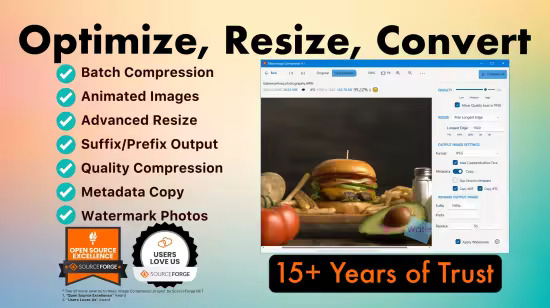
Mass Image Compressor 4.2.2

Languages: English
File Size: 137.55 MB

Mass Image Compressor - Optimize – Resize – Convert – Watermark Images & Videos of Entire Folder. Mass Image Compressor - Batch photo optimizer, bulk image resizer & converter for JPEG, WebP, HEIC, AVIF, and animated formats. Supports watermarking photos with your logo image. Achieve up to 90%+ reduction in RAW to JPEG conversions, and 50%+ reduction for PNGs. Supports advanced compression for WebP and AVIF. Handles formats like Canon CR2/CR3, Sony ARW, Nikon NEF, Fuji RAF, Panasonic RW2, and many more.

For Hosting Web or Social Media Images
Optimize images for web, email, and social media. Drastically reduce size, convert to web-friendly formats, and preview before compression.
For Sharing Multiple Images with Friends.

For Sharing Multiple Images with Friends
Quickly compress and resize multiple images while keeping quality intact. Mass Image Compressor drastically reduces file size for easy sharing without losing details.

For Media Tech Professionals
Quickly compress, resize, and optimize images for various purposes. Bulk compress images, reduce size without sacrificing quality, and maintain metadata.

For Photographers Sharing with Clients
High-quality, bulk image compression for photographers. Reduce file sizes, maintain EXIF data, and deliver photos quickly with no loss in quality.

For Hosting Web or Social Media Images
Optimize images for web, email, and social media. Drastically reduce size, convert to web-friendly formats, and preview before compression. Quickly compress and resize multiple images while keeping quality intact. Mass Image Compressor drastically reduces file size for easy sharing without losing details

For Media Tech Professionals
Quickly compress, resize, and optimize images for various purposes. Bulk compress images, reduce size without sacrificing quality, and maintain metadata.

For Photographers Sharing with Clients
High-quality, bulk image compression for photographers. Reduce file sizes, maintain EXIF data, and deliver photos quickly with no loss in quality.

Windows App Features
- Bulk Operation: Works on one or more images and on entire folder (and its sub-folders)
- Image: Convert, Resize, Optimize, Watermark
- Extremely Ease of use: Drag & Drop folder & files
- Supports input images in all major formats including JPG/JPEG, PNG, WEBP, GIF, TIFF, AVIF, HEIC, JP2, BMP, as well as RAW image formats from leading camera brands like Sony (ARW), Adobe (DNG), Nikon (NEF), Canon (CR2, CR3, CRW), Kodak (DCR, KDC), Minolta (MRW), Olympus (ORF), Fujifilm (RAF), Pentax (PEF), Panasonic (RW2), Samsung (SRW), Epson (ERF), Hasselblad (3FR), and Mamiya (MOS, MEF).
- Output Format Supported: JPEG, PNG, WebP, AVIF, GIF
- Supports input and output of animated PNG, GIF, WebP!
- Blazing fast and high quality compression
- Preserves image metadata (EXIF Tags, XMP and IPTC data), ability to skip sensitive metadata
- Output file name manipulation (suffix, prefix, replace on file names)
- File name and file size based filter to exclude/include files for compression

Release Notes
- Improved WebP compression for plain images (like screenshots)
- Bug fixes: Modified date copy issue fixed

System Requirements
Windows 10 version 17763.0 or higher

Homepage
Код:
https://mic.cognirush.com

DOWNLOAD

Код:
https://rapidgator.net/file/38b42bceeef63b2c55d3472e8fa8d70c/Mass.Image.Compressor.4.2.2.rar.html

https://ddownload.com/75exacbexv48/Mass.Image.Compressor.4.2.2.rar
 
GURVo-CSVz65u-St-ZAPA3w-Br-Tv-FGWpgb-VW.jpg


R-Studio 9.5 Build 191742 Network / Technician Multilingual

File size: 135 MB

R-Studio is a family of powerful and cost-effective undelete and data recovery software for experienced data recovery professionals. Empowered by the new unique data recovery technologies, R-STUDIO is the most comprehensive data recovery solution for recovery files from NTFS, NTFS5, ReFS, FAT12/16/32, exFAT, HFS/HFS+ (Macintosh), Little and Big Endian variants of UFS1/UFS2 (FreeBSD/OpenBSD/NetBSD/Solaris) and Ext2/Ext3/Ext4 FS (Linux) partitions.

R-Studio also uses raw file recovery (scan for known file types) for heavily damaged or unknown file systems. It functions on local and network disks, even if such partitions are formatted, damaged or deleted. Flexible parameter settings give you absolute control over data recovery.
R-Studio functions on local and network disks, even if such partitions are formatted, damaged or deleted. Flexible parameter settings give you absolute control over data recovery. The R-Studio data recovery software was originally developed for use by data recovery experts, system administrators, IT professionals, and advanced and experienced computer users. Some of R-Studio's features were even designed exclusively for computer forensic experts, and most R-Studio users don't need every single feature of the software.

In addition to being a full-featured data recovery utility, R-Studio also includes
An advanced RAID reconstruction module
A feature-rich text/hexadecimal editor
An entire advanced disk copying/imaging module in one single piece of software, which makes R-Studio your ideal complete solution for creating a data recovery workstation.

R-Studio utilities recover files
Deleted without Recycle Bin, or when Recycle Bin has been emptied;
Removed by virus attack or power failure;
After the partition with the files was reformatted, even for different file system;
When the partition structure on a hard disk was changed or damaged. In this case, R-Studio utilities can scan the hard disk trying to find previously existed partitions and recover files from found partitions.
From hard disk with bad sectors. R-Studio Data Recovery Software can first copy the entire disk or its part into an image file and then process such image file. This is especially useful when new bad sectors are constantly appearing on the hard disk, and remaining information must be immediately saved.

R-Studio Data Recovery Features
Standard Windows Explorer - style interface.
Host OS: Windows 2000, XP, 2003 Server, Vista, 2008 Server, Windows 7, Windows 8, Windows 10, Windows Server 2012.
Data recovery over the Network. Files can be recovered on network computers running Win2000/XP/2003/Vista/2008/Windows 7/Windows 8/Windows Server 2012, Macintosh, Linux, and UNIX.
Supported file systems: FAT12, FAT16, FAT32, exFAT, NTFS, NTFS5, ReFS (a new file system introduced in Windows 2012 Server), HFS/HFS+ (Macintosh), Little and Big Endian variants of UFS1/UFS2 (FreeBSD/OpenBSD/NetBSD/Solaris) and Ext2/Ext3/Ext4 FS (Linux).
Scan for Known File Types (raw file recovery): if the disk file system is heavily damaged or unsupported, R-Studio searches for specific data patterns ("file signatures") typical for certain file types (Microsoft Office documents, jpgs, etc.). Such known file types can be custom-defined.
Recognition and parsing Dynamic (Windows), Basic(MBR) and BSD (UNIX) partitions layout schema and Apple partition map. Dynamic partitions over GPT are supported as well as dynamic partitions over MBR.
Damaged RAID recovery. If the OS cannot recognize your RAID, you can create a virtual RAID from its components. Such virtual RAID can be processed like a real one.
Creates IMAGE FILES for an entire Hard Disk, Partition or its part. Such image files can be compressed and split into several files to put it on CD/DVD/flash or FAT16/FAT32/exFAT. Then the image files can be processed like regular disks.
Data recovery on damaged or deleted partitions, encrypted files (NTFS 5), alternative data streams (NTFS, NTFS 5).
Recovering data if
FDISK or other disk utilities have been run;
VIRUS has invaded; FAT is damaged; MBR is destroyed.
Recognizes localized names.
Recovered files can be saved on any (including network) disks accessible by the host operating system.
File or disk content can be viewed and edited with the advanced hexadecimal editor. The editor supports NTFS file attribute editing.
Integration with DeepSpar Disk Imager, a professional HDD imaging device specifically built for data recovery from hard drives with hardware issues. Such integration provides R-Studio with a low-level fine-tuned access to drives with a certain level of hardware malfunction. Moreover, it allows disk imaging and analyzing be performed simultaneously. That is, any sector R-Studio accesses on the source disk will be immediately cloned to a clone disk and any other data recovery operation will be made from that clone disk avoiding further deterioration of the source disk and great reduction in processing time.

Whats New
Код:
https://forum.r-tt.com/viewtopic.php?t=4853

Homepage
Код:
https://www.r-studio.com/

DOWNLOAD

Код:
https://rapidgator.net/file/71599ea3ab5967dc73bed9bf207534f6/R-Studio9.rar.html

https://ddownload.com/5ec6718x6b8d/R-Studio9.rar
 
th-s-E9TC1O2a4x-JRCz-At-NAg-Nfo3N1z-QBo-XO.png


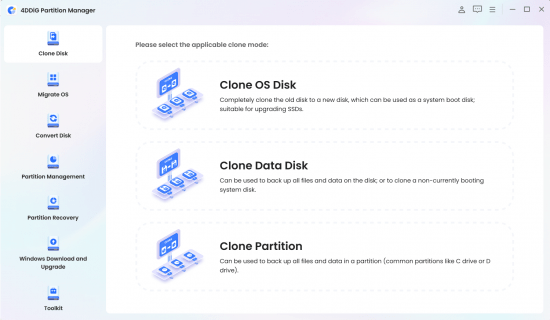
4DDiG Partition Manager 4.0.1 (x64) Multilingual

File size: 83 MB

4DDiG Partition Manager is a powerful Windows disk partition software expert in system migration, disk cloning and disk partition management.

An All-in-One Disk Partition Manager
- One-click migrate Windows OS to SSD without reinstalling system.
- Upgrade to a larger hard drive without data loss.
- Flexibly resize/split/create/delete/format partitions to optimize disk space.
- Effectively clone your entire hard drive to back up your data.
- Safely move installed apps & programs, system updates, drivers, custom settings from one PC to another.

Easy & Safe Disk Cloning Software for Complete Backup
Making regular backups of your data is crucial to prevent data loss. 4DDiG Partition Manager can effectively clone your entire disk or partition, providing a reliable solution for data backup.

- Disk Cloning Mode
You can effortlessly and securely copy or transfer data from one drive to another. This feature allows you to back up your data and seamlessly upgrade to a larger hard drive without losing data.

- Partition Cloning Mode
Designed for cloning specific partition data, this mode enables you to effortlessly transfer or back up the contents of a specific partition on a drive to another partition without any data loss.

One-click OS Migration Wizard for Windows 10 & 11
Quick System & Data Transfer Solution. 4DDiG Partition Manager can migrate system and large files or folders from one disk partition to a larger one in one click.

- Migrate OS to SSD/HDD
One-click migrate your Windows OS to another HDD or SSD for better computer performance.

- Upgrade to a Larger SSD
Replace or upgrade a smaller drive to a larger one or SSD disk.

- Safely Transfer Everything
System migration will safely transfer all data on the system drive from one PC to another, including installed apps, system updates, drivers, custom settings, and more.

- No Need to Reinstall the System
Transfer your operating system to a new drive without reinstalling Windows, saving time and effort.

All-inclusive Disk Partition Manager for Beginners
Quick System & Data Transfer Solution. 4DDiG Partition Manager can migrate system and large files or folders from one disk partition to a larger one in one click.

- Resize / Move Partition
Adjust partition size without losing data, move partition within disk boundaries, redistribute free space.

- Extend/Shrink Partition
Extend partition by taking free or unallocated space from the same disk or shrink partition to make room for other partitions.

- Split Partition
Divide a partition into two or multiple smaller partitions to store different types of data.

- Merge Partition
Merge two adjacent partitions on a disk into a larger partition without data loss to expand the space of a specific partition.

- Create Partition
Create new partition(s) from unallocated space to improve the efficiency of data storage.

- Delete Partition
Delete a partition you no longer need on your disk with ease and turn it into unallocated space.

- Format Partition
Format an inaccessible partition to make it available for reuse or change file system among NTFS and exFAT.

- Change Drive Letter
Change drive letters of partitions according to your preference to reorganize your drive.

Whats New
Updates: official site does not provide any info about changes in this version

Homepage
Код:
https://4ddig.tenorshare.com/

DOWNLOAD

Код:
https://rapidgator.net/file/f5d5ede124f335c4ff5a253b23d97d84/4DDiG.Partition.Manager.3.rar.html

https://ddownload.com/9skyoalbr4jm/4DDiG.Partition.Manager.3.rar
 
ezgif-169a7060da9e69bb.jpg


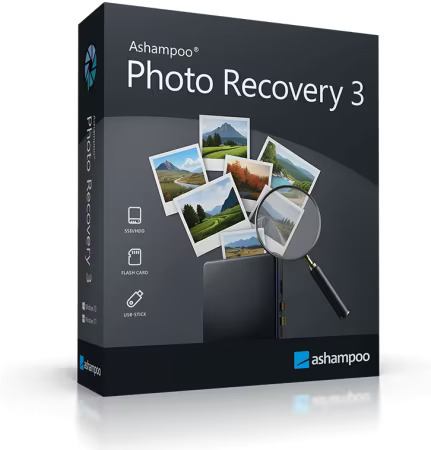
Ashampoo Photo Recovery 3.0.2 (x64) Multilingual

File Size: 18 MB

Ashampoo Photo Recovery 3 makes photo recovery faster, more reliable, and more flexible than ever! Enjoy a fully redesigned interface in a sleek modern style, significantly faster scan and load speeds (JPG & PNG up to 50% faster!), and enhanced support for RAW formats (e.g., Canon, Nikon, DNG). Under the hood, the software has taken a big step forward: Optimized codecs, improved metadata handling (EXIF, XMP), and major stability improvements ensure an even more effective recovery process.

Deleted doesn’t mean gone forever: Bring your photos back!
Photos are cherished memories and often irreplaceable. Whether they capture vacation highlights, family portraits, or significant moments, losing them due to technical glitches, accidental deletion, or faulty memory cards can be incredibly frustrating. That's where Ashampoo Photo Recovery 3 comes in. Our photo recovery tool helps retrieve your deleted images, regardless of whether they were stored on a hard drive, USB stick, smartphone, or memory card.

Helps you with
Accidentally deleted photos
Formatted or damaged USB drives
Corrupt memory cards from phones or digital cameras
Damaged file systems or unreadable drives
Deleted images embedded in PDF or Office documents

No photo left behind
Recover your photos in just a few clicks! Select the location for the software to search, and you'll instantly get a preview of the images it finds. It can detect even rare file types or images within PDFs and Office documents, including RAW files. Simply choose what you wish to restore, and you're all set!

New for you
Fully redesigned user interface with a modern look and feel
Significantly faster JPG and PNG processing (up to 50% faster!)
Enhanced support for metadata (EXIF, XMP)
Improved detection of the latest RAW formats (Canon, Nikon, DNG, etc.)
Numerous stability improvements for even more reliable recovery
Smart filters for better results
Filter by file type, image size, or resolution to swiftly narrow down your results—particularly handy when scanning large drives with thousands of files. Stay in control, even when processing huge volumes of data.

Recover images even from formatted drives
Unlike many basic undelete tools, Ashampoo Photo Recovery can retrieve photos not just from "normally" deleted files, but also from formatted or damaged media. Even data that seems permanently lost can often be restored.

Install it today and recover what you can!
Are you aware that the likelihood of successfully recovering files diminishes as more new data is written to your drive or memory card? Download Ashampoo Photo Recovery now to be prepared for emergencies and save your photos before it's too late!

What's New
Код:
https://www.ashampoo.com/en-us/photo-recovery/detail

Homepage
Код:
https://www.ashampoo.com

DOWNLOAD

Код:
https://rapidgator.net/file/32f34c3f7187e802e405dd07b9e4c846/Photo.Recovery.2.rar.html

https://ddownload.com/0y1ikp1p9ol3/Photo.Recovery.2.rar
 
Назад
Сверху Снизу