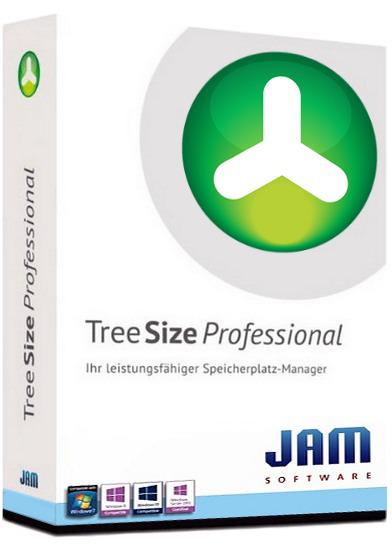
TreeSize Professional 9.7.0.2200 Multilingual
File size: 41.5 MB
TreeSize Professional is a powerful and flexible hard disk space manager for all windows. Find out which folders are the largest on your drives and recover megabytes on your disks. TreeSize Professional shows you the size, allocated and wasted space, the number of files, 3D charts, the last access date, the file owner and permissions, the NTFS compression rate and much more information for several folders or drives you choose.
It also lets you search drives, entire servers or the entire network for old, big, temporary and duplicate files. The search results can be moved, deleted or exported. The application has an intuitive Explorer-like user interface, it is fast and multi-threaded and supports Unicode and scheduled scans. You can print detailed reports or export the collected data to Excel and to an HTML, XML or text file. TreeSize Professional can be started from the context menu of every folder or drive.
Why TreeSize Professional
- Manage and clean up disk space efficiently
- Visualize disk usage
- Detailed analysis, right down to the lowest directory levels
- Find and remove redundant files
- Numerous export and reporting options
- The versatile duplicate file search
Manage disk space and scan your hard disks
Find out which folders are the largest on your drives and recover precious disk space. Use TreeSize as a hard disk cleanup tool: find space hogs and remove them. Graphical analyses provide a quick visualization of disk space usage. TreeSize Professional shows you folder size and allocated disk space as well as owner and permissions, the last access date, the NTFS compression rate, and much more information for selected folders or drives.
Search for Redundant Files
The integrated versatile file search helps you find old, big, temporary, and duplicate files on drives, entire servers or the entire network. Search results can be moved, deleted or exported to a ZIP file.
Print, Export, or Compare Results
You can print detailed reports and charts or export the collected data to many different formats such as XML, XLS, TXT, CSV and many more. Compare XML reports or take shapshots of your disk space usage to track its development over time.
The application has an intuitive Explorer-like user interface and supports drag and drop operations. It is fast, multi-threaded, and supports Unicode- and NTFS-specific features. TreeSize Professional can be started from the context menu of every folder or drive.
Efficient Disk Space Management from all perspectives
- See the size of all folders including their subfolders and break it down to the file level.
- Visualize disk usage in the pie or bar chart.
- Tree maps visualize hierarchies and sizes of subfolders in the selected directory.
- Detailed view with single files and additional information (e.g. date of last access).
- Statistics about file types and file owners for every branch.
- Filter the file system tree on the left by a certain user or file type.
- See a list of the 100 largest files.
- Distribution of occupied disk space by file age.
- Scan FTP, WebDAV, and SharePoint servers.
- Disk Space Management on smartphones and mobile devices.
Versatile File Search
- Integrated file search.
- Fully customizable file search.
- Archive, copy, or move the results of the TreeSize File Search, for instance lar, old, or temporary files or files of a certain type.
- Search multiple drives, whole servers and even your entire network neighborhood.
- Search results can be exported, moved, deleted or passed to any executable file or script.
- TreeSize offers a powerful duplicate file search, optionally with MD5 or SHA256 checksums. TreeSize also enables you to easily deduplicate files using hardlinks.
Exporting and Reporting
- TreeSize enables you to export scan results (showing the directory structure) to many different formats such as Excel, XML, HTML, text/CSV file, clipboard, or email.
- Export a list of all files in the scanned folder and its subfolders, for example for use in a database.
Track Growth
- Save the data to an XML file and load it again later.
- See which folders have grown: Compare a saved XML file to a current version of the file system branch, TreeSize Professional displays the difference between the two scans.
- Take snapshots of the current state of disk space usage and compare them with snapshots Windows takes automatically.
Customized Analyses & Views
- Configure displayed columns for the details view, Excel export, text file and printed reports.
- Include and exclude certain files or folders in your scans.
Scheduled Scans
- Command line options allow automatic and scheduled scans of your hard disk (e.g. overnight) and generating reports.
- Comfortable interface simplifies creation and editing of scheduled scans and exports as Windows tasks.
High Performance thanks to Multithreading
- Browse the results during scanning.
- Scan and view several folders at the same time.
- Automatic adjustment of the number of threads that are used for a scan.
Full NTFS Support
- Unicode file and folder names are supported.
- File based NTFS compression.
- Hardlinks and Alternate Data Streams (ADS).
- File paths longer than 255 characters will be found and processed correctly.
- Analyse NTFS permissions.
Perfect Integration with the Windows Explorer
- Explorer context menu supported inside the TreeSize window.
- TreeSize Professional can be started from within the Windows Explorer.
- Drag and Drop is enabled.
- On a Windows Core Server TreeSize can serve as a graphical user interface.
Full Network Support
- TreeSize Professional offers full support for network drives and scans UNC paths like Servershare.
Whats New
Код:
https://www.jam-software.com/treesize/changes.shtml
Homepage
Код:
https://www.jam-software.com/
DOWNLOAD
Код:
https://rapidgator.net/file/9e1e9b3344a6ba5fd866e5e1636283b0/TreeSize.Professional.9.7.0.2200_x64.rar.html

https://ddownload.com/zjvvs06znjgh/TreeSize.Professional.9.7.0.2200_x64.rar