All Emperor2011's Software in one thread !! (updated daily)

a46ab811bad57d1f22e3e6ff446dc45b.png


Chaos Corona 16 for 3ds Max | Size: 1.15 GB
Language: English
​
Unmatched photorealism with Chaos Corona. Create stunning architectural visualization effortlessly. Be an artist, not a technician, and achieve photorealism with ease.

Learn Corona in a day, fall in love with it in two.
Less technical setup. More creative momentum.
Beautiful renders from the start
Smart defaults that keep you moving
An intuitive, artist-friendly workflow
Powerful tools like Gaussian splats, Tile Map, procedural clouds, Scatter, and LightMix
Interactive rendering for fast creative decisions

Polish your renders to perfection. Because "good enough" doesn't cut it.
Achieve lighting and realism that feel natural.
Physically accurate CPU rendering for interior, exterior, and product visualization
Industry-standard PBR materials
Precise camera controls and advanced lighting
Built-in post-processing tools
Realistic caustics for convincing reflections and refractions.

Everything you need to build lifelike scenes faster.
Build emotion, realism, and storytelling into every frame.
20,000+ high-quality Chaos Cosmos assets and beautiful HDRI skies
3,100+ ultra-realistic, editable scanned materials
Advanced scattering to populate your scenes in an instant
Animated people, crowds, and traffic with Anima
Cinematic animations and fly-throughs

AI that supports your creative flow.
From concept to final polish - AI when you need it, control when it matters.
Generate concepts, styles, and material variations from VFB shots
Turn any real-world surface photo into a PBR material.
Enhance people, foliage, terrains and large surfaces automatically
Create instant animations from still images
Upscale 2x or 4x and refine in one click

Real-time meets photoreal.
Strike the perfect balance between speed and quality at every stage of your project.
Explore your scene in real-time with Corona to Chaos Vantage Live Link
Get immediate feedback on lighting, materials, and compositions
Navigate complex scenes smoothly in real t

System Requirements
OS:Windows 11/ Windows 10

HOMEPAGE:
Код:
https://www.chaos.com/corona

FREE DOWNLOAD LINKS:​

Код:
https://rapidgator.net/file/2d567f96e064966f9d6979132e656ddb/Chaos_Corona_16_for_3ds_Max.rar
 
19cb98d8fa298f059f9eb3b8b7a1b75e.png


Chaos Corona 16 for Cinema 4D R17-2026 | Size: 1.06 GB
Language: English
​
Unmatched photorealism with Chaos Corona. Create stunning architectural visualization effortlessly. Be an artist, not a technician, and achieve photorealism with ease.

Learn Corona in a day, fall in love with it in two.
Less technical setup. More creative momentum.
Beautiful renders from the start
Smart defaults that keep you moving
An intuitive, artist-friendly workflow
Powerful tools like Gaussian splats, Tile Map, procedural clouds, Scatter, and LightMix
Interactive rendering for fast creative decisions

Polish your renders to perfection. Because "good enough" doesn't cut it.
Achieve lighting and realism that feel natural.
Physically accurate CPU rendering for interior, exterior, and product visualization
Industry-standard PBR materials
Precise camera controls and advanced lighting
Built-in post-processing tools
Realistic caustics for convincing reflections and refractions.

Everything you need to build lifelike scenes faster.
Build emotion, realism, and storytelling into every frame.
20,000+ high-quality Chaos Cosmos assets and beautiful HDRI skies
3,100+ ultra-realistic, editable scanned materials
Advanced scattering to populate your scenes in an instant
Animated people, crowds, and traffic with Anima
Cinematic animations and fly-throughs

AI that supports your creative flow.
From concept to final polish - AI when you need it, control when it matters.
Generate concepts, styles, and material variations from VFB shots
Turn any real-world surface photo into a PBR material.
Enhance people, foliage, terrains and large surfaces automatically
Create instant animations from still images
Upscale 2x or 4x and refine in one click

Real-time meets photoreal.
Strike the perfect balance between speed and quality at every stage of your project.
Explore your scene in real-time with Corona to Chaos Vantage Live Link
Get immediate feedback on lighting, materials, and compositions
Navigate complex scenes smoothly in real t

System Requirements
OS:Windows 11/ Windows 10

HOMEPAGE:
Код:
https://www.chaos.com/corona

FREE DOWNLOAD LINKS:​

Код:
https://rapidgator.net/file/c6ac2444910ff03a80458ad078f23131/Chaos_Corona_16_for_Cinema_4D_R17-2026.rar
 
08b025dcd8d6cdeb6012128381af2313.jpg


Chaos Enscape 4.22.0.1361 (x64) | Size: 806 MB
Language: English
​
The real-time technology visualizes your project as a fully rendered 3D walkthrough that can be navigated and explored from every angle. You can follow every update to your plan instantly thanks to the bi-directional geometry exchange between your CAD or BIM program and the renderer. Use NVIDIA Deep Learning Super Sampling support to improve performance in walkthroughs.

Virtual reality
Explore your design in the compelling realism of virtual reality. Connect a VR headset like the Meta Quest 3 or HTC Vive Pro 2, and get ready to walk or fly through your project. You won't believe the extraordinary experience it will evoke.

NVIDIA Denoiser
Boost the quality of your walkthroughs and capture exports with the advanced denoising solution powered by NVIDIA ReLAX denoiser. Enjoy sharpness and clarity in enclosed interior spaces with minimal direct light, particularly on glossy or metallic surfaces.

V-Ray scene exporter
Transfer key data from Enscape to V-Ray and other design applications, including 3ds Max and Cinema 4D with .vrscene files. From early design to final production, avoid duplication of work and collaborate better with project stakeholders.

Chaos AI Enhancer
This functionality leverages AI to improve Enscape assets, specifically people and vegetation assets. Simply focus on designing and let AI elevate your visuals. Easily upload, enhance, and share images via Chaos Cloud while continuing to work in Enscape, saving time and maintaining productivity.
Get professional-level quality images without interruptions or performance loss to your Enscape workflow.
Share elevated visualizations to get your design intent across faster.

Integrated Graphics Support
Enscape can now be used on Windows computers with Intel and AMD iGPUs (integrated graphics processing units), as it is accessible to more than just computers with separate physical GPUs. This is great if you're budget-constrained or can't purchase a machine without a dedicated GPU.
Use Enscape while working on-site or while traveling
Enjoy a more flexible and cost-effective way of visualizing

Chaos Cloud
This integration lets you perform every step of the design review process on Chaos Cloud. Upload panoramas and renders, and make annotations directly on your visualizations with markup tools. You can also assign floor plans and use a mini-map to assist with tour navigation.
Easily collaborate with your team and peers in one place
Let clients explore designs with advanced virtual tours

Site context
Eliminate the lengthy processes of modeling topography and importing geometry with the Site Context mode. See what your building will look like on-site and make better decisions with real-world context added.

Material library
Access more than 425 predefined high-quality materials in the Enscape Material Library. Communicate your design aesthetic and improve the realism of any scene with little effort.

Asset library
Our ever-expanding Asset Library will help you to fill your scene with life and make it even more realistic. Browse through just a small selection of our collection, so you can get a feel for the available models. We're always adding more.

Clouds
Get wind of Enscape's cloud settings: adjust the cloud density and variety to perfect the ambiance and feel of your scene. Depending on your defined parameters, the rendering will appear brighter or darker, and the clouds thicker or thinner. Adjust the time of day to see the clouds travel across the dynamic Enscape sky.

White mode
Start with a clean slate: if you want your audience to focus on the architecture rather than materials or colors, switch on White Mode. All colors are set to white, while other parameters like glossiness and bump are maintained to preserve the natural appearance of the scene.

The Enscape plug-in is provided for the following host applications:
Revit 2022, 2023, 2024, and 2025
SketchUp 2022, 2023 and 2024
Rhino 7.0 and 8.3 (or later)
Archicad 25, 26, 27 and 28
Vectorworks 2022, 2023 (Service Pack 1 or later), 2024 and 2025

System Requirements:
Operating system: Windows 10 or higher
Graphics card: NVIDIA or AMD dedicated GPU with 4GB VRAM that supports Vulkan 1.1
NVIDIA GeForce GTX 900 series / Quadro M series and newer
AMD Radeon RX 400 series / equivalent Radeon Pro series and newer
VRAM: 4GB VRAM
Unsupported hardware: Radeon 6000 mobile GPU's
Intel Integrated Graphics onboard GPU's SLI

HOMEPAGE:
Код:
https://enscape3d.com/

FREE DOWNLOAD LINKS:​

Код:
https://rapidgator.net/file/3f2563d047fd713dcf8f0d284aa4e4a7/Chaos_Enscape_4.22.0.1361_x64.rar
 
0d8bce5a3c3b366ed95a98fd9e420902.jpg


Chaos Envision 1.8.1 | Size: 1.32 GB
Language: English
​
Immersive architectural experiences. Real-time 3D assembly, photorealism, and animations.

Let your design speak for itself with Chaos Envision.
For architects and archviz specialists who want to elevate their design effortlessly.

Scene scaling
As a standalone tool, Envision goes beyond the common CAD limitations and makes it possible to create detail-heavy scenes without compromising on performance or quality.

Robust assembly
Combine scene elements from various 3D creation tools with no data prep or loss.

Real-time realism
Dive into intricate, high-complexity designs with fast performance and visual fidelity.

Creative flexibility
Adjust any aspect of your project without needing to pre-separate objects - data is imported at the object level of granularity.

Cinematic storytelling
Communicate architectural intent and captivate stakeholders with interactive, cinematic, and emotionally compelling visual stories that are intuitive, easy and fast to create.

Advanced animations
From moving objects on paths to showing construction phasing, design variations and cinematic flyovers.

Immersive environments
Adjusting time of day, cloud appearance and haze sets the mood, while animated vegetation and wind effects create a lively feel of the environment.

4D humans and crowds
Bring designs to life with crowds of animated humans - thanks to the direct integration of the Anima engine.

High-end visual realism
Powered by a high-fidelity ray tracing engine, Envision supports trillions of polygons in real-time, allowing users to populate their scenes with high-quality assets.

100% ray-tracing
High-end visual fidelity in both real-time and offline output.

Cosmos library
Render-ready assets, recognized for their rich geometry, advanced materials, dynamic lighting, and lifelike entourage.

AI enhancements
Enhance vegetation and human figures with AI-driven textures, lighting, and clarity.

Design exploration
Research lighting scenarios, materials, and entourage options and see them demonstrated through animated transitions between design variations.

Unlimited variations
Create variations of any adjustable object, material, light, or asset of your scene and explore design options.

Interactive walkthroughs
Seamlessly animate between variations to create immersive walkthroughs and over-the-shoulder presentations.

Intuitive visual presets
One-click effects like rounded corners, translucency, strands, and displacement elevate realism and enhance the natural look of your scenes.

Ecosystem
Seamlessly integrated with the Chaos ecosystem, Envision works with Enscape and V-Ray, offering a natural continuation to their workflows for fluid data exchange and streamlined collaboration.

Easy coordination (.vrscene)
Leveraging the .vrscene format, Envision loads scene data instantly and supports all assets and materials coming from the creation tools.

Non-destructive workflow
Design iterations do not restart the visualization process and minimize repetitive artist work.

Continuous design
Visualization stays up to date even as design evolves thanks to advanced file linking.

HOMEPAGE:
Код:
https://www.chaos.com/envision

FREE DOWNLOAD LINKS:​

Код:
https://rapidgator.net/file/2fbcef2de0a1fbde31b2e0827de9175e/Chaos_Envision_1.8.1.rar
 

0f60f9846f01b8bf4c52d8de4e259c77.png


Chaos V-Ray 7 update 5 (Build 7.50.00) for 3ds max 2023-2027 | Size: 7.05 GB
Language: English
​
The world's most complete 3D rendering software for high-end visualization and production. V-Ray® for 3ds Max is a production-proven rendering software. Known for its versatility and ability to handle any type of project - from massive, dynamic scenes having thousands of lights to a sublime still life - it is the go-to solution for artists and designers across 3D industries.

Why choose V-Ray for rendering in 3ds Max?
ScanlineVFX © Twentieth Century Fox
Emmy and Academy Award-winning rendering technology for any project.
For truly photorealistic renders, you want a raytracer that's built for quality, optimized for speed, and ready to scale. V-Ray gives you the power to work with lightning-fast interactive and heavyweight production rendering-all while getting the most from your CPU and GPU hardware.

Uniform
Built to handle your toughest scenes.
When you're working with the biggest scene you've ever seen, you need a renderer that won't let you down. Billions of polygons? Thousands of lights? V-Ray can handle it all. Render anything and everything with V-Ray. Adaptive Lights, Proxy Objects, Distributed Rendering - an arsenal of production-proven features when you need them.

Post-process your renders without the need of a separate tool.
V-Ray equips you with a complete set of lighting, shading, and rendering tools-all integrated with 3ds Max. The redesigned V-Ray Frame buffer with light mixing and layered compositing means you only need to use one tool for more than just rendering - no need to go back and forth between different apps.

See what's new >
Neoscape
Create interactive experiences in real-time - in a 100% raytraced environment.
Present your ideas in 100% ray-traced quality without the need of extra optimizations and conversions. Make project changes directly in 3ds Max and validate your designs on the spot.

Den Brooks
Work seamlessly with other software.
V-Ray is compatible with all the most popular 3ds Max plugins - Substance, Forest Pack, Railclone, Ornatrix, Tyflow, Phoenix, and more. V-Ray is also the perfect fit for any pipeline with support for open standards such as Alembic, OSL, OpenColorIO, and now ACEScg. Plus, it works seamlessly with data from other Chaos products like Enscape.

System Requirements
OS:Windows 11/ Windows 10

HOMEPAGE:
Код:
https://www.chaos.com/corona

FREE DOWNLOAD LINKS:​

Код:
https://rapidgator.net/file/9201ab64570b160c4ae401aeadf4ea90/Chaos_V-Ray_7_update_5_Build_7.50.00_for_3ds_max_2023_.rar
https://rapidgator.net/file/0cefbf238a89135302c2c84dd824c12a/Chaos_V-Ray_7_update_5_Build_7.50.00_for_3ds_max_2024_.rar
https://rapidgator.net/file/42852f3456461d28addf22ad91848888/Chaos_V-Ray_7_update_5_Build_7.50.00_for_3ds_max_2025_.rar
https://rapidgator.net/file/6107ad2d560a5105428c3472e9562d3f/Chaos_V-Ray_7_update_5_Build_7.50.00_for_3ds_max_2026_.rar
https://rapidgator.net/file/bf65b88926fdc07fa27adf5e1d4697f6/Chaos_V-Ray_7_update_5_Build_7.50.00_for_3ds_max_2027_.rar
 
93f552407042f76d03d5fe1bb5fef453.jpg


Chaos V-Ray 7.50.00 for Rhinoceros | Size: 1.47 GB
Language: English
​
V-Ray Next for Rhino is much more than a do-it-all smart renderer that creates gorgeous images of your designs. It is also a full suite of tools to help you accomplish more in Rhinoceros than ever before. V-Ray Next makes it easier to manage everything in your scene - even the crazy complex ones. It is 50% faster overall, with GPU rendering 2x as fast and 7x faster using the Adaptive Dome Light. V-Ray Next for Rhino is compatible with Rhino 5 and 6 on Windows only.

Superior Grasshopper support:With V-Ray Next, you can do more in Grasshopper than ever before and get advantage of powerful capabilities. Render your parametric designs directly without "bakes" or exports. Animate Grasshopper definitions as well as cameras and sun, and measure real-world illumination values - all right in Grasshopper.

-Adaptive Dome Light: Render faster, cleaner and more accurate image-based lighting that's up to 7x faster. The new Adaptive Dome Light also removes the need to set up Portal lights for interiors.

-Powerful asset management: The new asset management system helps you keep track of everything in your scene and streamlines your entire workflow. Now it is quick and easy to preview and manage lights, materials, textures and more all from a single location.

-Simplified Render controls: V-Ray Next for Rhino includes a redesigned interface that is more intuitive and easy to use. From the new camera layout to the simplified render controls, you'll spend less time navigating and more time designing.

-Material metalness: The V-Ray Material adds native support for metallic reflections (Metalness) for greater compatibility with PBR materials from applications like Substance Designer.

-Automatic exposure & white balance: Capture the perfect exposure every time. The new Auto Exposure and Auto White Balance camera controls make rendering as simple as point and shoot.

-Optimized materials: V-Ray materials have been fine-tuned for faster render speeds, improved GPU rendering, and Chaos Cloud compatibility

-Licensing and backward compatibility: The upgrade to V-Ray Next for Rhino will allow customers to use either V-Ray Next for Rhino or V-Ray 3 for Rhino. V-Ray 3 for Rhino Workstation licenses will work with V-Ray Next Render Node licenses. V-Ray Next for Rhino will work only with V-Ray Next Render Node licenses (Perpetual and Rentals). With the launch of V-Ray Next for Rhino, support for V-Ray 1.5 and 2.0 for Rhino is discontinued.

HOMEPAGE:
Код:
https://www.chaosgroup.com/

FREE DOWNLOAD LINKS:​

Код:
https://rapidgator.net/file/5e0f7525b143df440b3b824a3c57bf3d/Chaos_V-Ray_7.50.00_for_Rhinoceros.rar
 
5e104b0e295923da9f68334eacbe8c22.jpg


Chaos V-Ray 7.50.00 for SketchUp | Size: 1.48 GB
Language: English
​
V-Ray® for SketchUp is a 3D rendering software that combines real-time and photorealistic rendering - all in SketchUp. From beginner to pro, Chaos® V-Ray has all the tools you need to create stunning architectural renders and animations.

Why choose V-Ray for rendering in SketchUp?
V-Ray and Enscape compatibility.
You can now open your real-time Enscape scenes directly in V-Ray to continue building on your work to take it to the highest possible level of photorealism. Your department can now experience a fast and easy end to end design process.

See your designs in real-time.
Seeing your Sketchup designs in real-time has never been easier. Now with V-Ray Vision, you can visualize your designs in real-time while you work in SketchUp. Move around your model, apply materials, set up lights and cameras - all in a live real-time view of your scene. You can also package your V-Ray Vision result for others to experience just like you did in SketchUp.

Create photorealistic renders.
With true-to-life lights, cameras, and materials, rendering with V-Ray is as real as it gets. For any project, you can see exactly how it will look. It's as close you can come to the real thing before it's built.

Bring your scenes to life.
Employ our curated collection of smart assets - including high-quality models of furniture, accessories, vegetation and people - and stage your project with just a few clicks. The all-new Chaos Cosmos asset browser lets you easily drop render-ready 3D content right into your SketchUp scene.

Get a headstart on your next project.
V-Ray comes with hundreds of ready-to-render materials that you can apply to any scene and access to an extensive library of video tutorials, free technical support, and helpful forums. V-Ray has one of the largest visualization communities, with a world of community-created content that's readily available.

V-Ray is the ultimate power-up for SketchUp.
V-Ray and SketchUp are the perfect team. SketchUp is the world's most widely used 3D modeling software for architecture and design. And V-Ray is the world's #1 rendering software for architectural visualization. The two together are the perfect combo to take your designs to the next level.

HOMEPAGE:
Код:
https://www.chaosgroup.com/

FREE DOWNLOAD LINKS:​

Код:
https://rapidgator.net/file/8393abbea56f5cdec56c4ccef7299aaf/Chaos_V-Ray_7.50.00_for_SketchUp.rar
 
cf2b3e77f10d7694d4532f679a021de2.jpg


Chaos Vantage 3.4.1 (x64) | Size: 968.59 MB
Language: English
​
Explore your most complex 3D production scenes ray traced in real-time. With Chaos Vantage, there are no time-consuming conversions. Simply drag and drop your complete V-Ray scene into Vantage and start exploring. There's also a direct live link available from 3ds Max, so you can use it just like a viewport.

Chaos Vantage requires an NVIDIA RTX series GPU.

Features:

Zero setup
Drag and drop your V-Ray scene into Chaos Vantage and start exploring. Unlike other real-time solutions, there's no geometry to optimize, UVs to unwrap, or lighting to bake.

Go big!
Chaos Vantage is built to handle huge scenes and billions of polygons. It's the fastest way for you to see your most detailed V-Ray scenes in real-time.

Easy to navigate
Navigating your scene is easy. Use controls similar to your 3D app, or move around just like playing a game. Walk up stairs and avoid walking through walls with automatic collision detection.

100% ray-traced quality
With fully raytraced and real-time rendering, Chaos Vantage uses physically based cameras, lights, materials, and global illumination for the most realistic results.

Simple and fast animation
Perfect for previsualization, you can create, edit, and render animation right from Chaos Vantage. Easily animate between cameras, apply transitions, arrange your sequence in the Animation Editor.

Live link
Get a live raytraced view of your scene with a live link from 3ds Max. Changes you make in your 3ds Max scene will instantly appear in Chaos Vantage.

System Requirements:
Windows 10 with Update 2004 (version 10.0.19041) or newer

HOMEPAGE:
Код:
https://www.chaosgroup.com/

FREE DOWNLOAD LINKS:​

Код:
https://rapidgator.net/file/cc29942a312f2f82948b4d3ea847fdde/Chaos_Vantage_3.4.1_x64.rar
 
_253a9758b503d51f1c25f964b636b727.jpeg


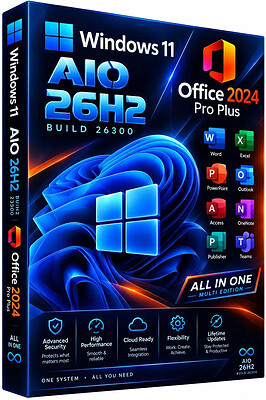
Windows 11 26H2 Build 26300.9974 (No TPM Required) Aio 16in1 With Office 2024 Pro Plus Preactivated November 2026 | Size: 10.45 GB
Windows (x64) | Languages: English
​

Windows 11 version 26H2 also known as the Windows 11 2026 Update,is built on the same servicing foundation as recent Windows 11 releases. It delivers the latest Windows innovations with a streamlined update experience designed to minimize disruption and help you stay secure, productive, and up to date.

For many eligible devices, moving to version 26H2 is as simple as installing a small enablement package, with a minimal download size, quick installation, and a single restart. Version 26H2 enables most of the features that were introduced in monthly updates for Windows 11, version 25H2.

What's new in Windows 11, version 26H2
Windows 11, version 26H2 is the next annual feature update for Windows 11. It builds on the same servicing foundation as Windows 11, versions 25H2 and 24H2, helping organizations adopt the latest release with minimal disruption. Devices running eligible versions of Windows 11 can move to version 26H2 through a small enablement package rather than a full operating system upgrade.
Because Windows 11, versions 26H2, 25H2, and 24H2 share a common servicing branch, many new features and improvements have already been delivered through monthly servicing updates. Version 26H2 enables selected features and resets the support lifecycle for the new release.

Servicing and deployment
Windows 11, version 26H2 provides a familiar update experience
Delivered as an enablement package for eligible devices running Windows 11, versions 25H2 and 24H2.
Fast installation with a single restart in most scenarios.
Reduced validation effort because supported versions share the same underlying platform.
Consistent management, security, and update experiences across supported releases.
Features enabled by default in version 26H2
For commercial organizations, Windows 11, version 26H2 enables capabilities that were introduced previously but controlled through temporary commercial controls.

Windows settings backup
Windows settings backup is now enabled by default for eligible commercial devices. This helps organizations preserve supported Windows settings and Microsoft Store app lists for recovery and device replacement scenarios. Existing administrator-configured policies continue to be honored.

App-specific actions from the taskbar
Windows 11, version 26H2 enables app-specific taskbar actions by default for commercial devices. Users can thus access common actions directly from taskbar experiences.

File Explorer enhancements
Several File Explorer improvements that were previously under temporary commercial controls are enabled by default in Windows 11, version 26H2. These enhancements focus on improving navigation and usability within File Explorer.

Edition includes
1. "Windows 11 Home"
2. "Windows 11 Home N"
3. "Windows 11 Pro"
4. "Windows 11 Pro N"
5. "Windows 11 Home Single Language"
6. "Windows 11 Enterprise"
7. "Windows 11 IoT Enterprise"
8. "Windows 11 IoT Enterprise Subscription"
9. "Windows 11 Enterprise multi-session"
10. "Windows 11 Education"
11. "Windows 11 Pro Education"
12. "Windows 11 Pro for Workstations"
13. "Windows 11 Enterprise N"
14. "Windows 11 Education N"
15. "Windows 11 Pro Education N"
16. "Windows 11 Pro N for Workstations"

Update windows to 26H2 Build26300.9974
Update Office to v2610 Build 20527.20196

System Requirements
Processor: 2 gigahertz (GHz) or faster.
RAM: 2 gigabyte (GB).
Free space on hard disk: 15 gigabytes (GB).
Graphics card: DirectX 9 graphics device or a newer version.
Additional requirements to use certain features.
To use touch you need a tablet or monitor that supports multitouch.
To access the Windows store to download and run apps, you need an active Internet connection and a screen resolution of at least 1024 x 768 pixels

HOMEPAGE:
Код:
https://www.microsoft.com

FREE DOWNLOAD LINKS:​

Код:
https://rapidgator.net/file/f6157496be9a9f39feca7f0fbcc0e5d2/Wind.11.Aio.26300.9974.Office.Eng..part1.rar
https://rapidgator.net/file/f15a353bdf1e94d00103bb7feb94a461/Wind.11.Aio.26300.9974.Office.Eng..part2.rar
https://rapidgator.net/file/e8a034b66508d9db1f9d2b6f155cdd0f/Wind.11.Aio.26300.9974.Office.Eng..part3.rar
https://rapidgator.net/file/269aa9315904719fe6ca5ccf0e063df0/Wind.11.Aio.26300.9974.Office.Eng..part4.rar
https://rapidgator.net/file/ccc276ccfc9c564a15a1fd3a508bc20b/Wind.11.Aio.26300.9974.Office.Eng..part5.rar
https://rapidgator.net/file/146c18d20126feec62774b9a68611d56/Wind.11.Aio.26300.9974.Office.Eng..part6.rar

 
_c44abd20b77b08d37f9ad07328ab3635.jpeg


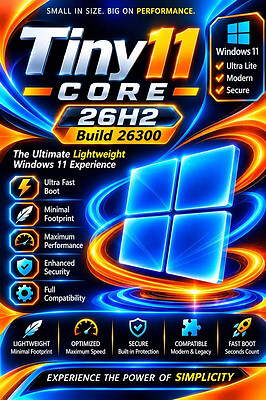
tiny11 Core 26H2 Build 26300.9974 Multilingual Preactivated | Size: 3.65 GB
Language: English
​
Windows 11 version 26H2 also known as the Windows 11 2026 Update,is built on the same servicing foundation as recent Windows 11 releases. It delivers the latest Windows innovations with a streamlined update experience designed to minimize disruption and help you stay secure, productive, and up to date.

For many eligible devices, moving to version 26H2 is as simple as installing a small enablement package, with a minimal download size, quick installation, and a single restart. Version 26H2 enables most of the features that were introduced in monthly updates for Windows 11, version 25H2.

What's new in Windows 11, version 26H2
Windows 11, version 26H2 is the next annual feature update for Windows 11. It builds on the same servicing foundation as Windows 11, versions 25H2 and 24H2, helping organizations adopt the latest release with minimal disruption. Devices running eligible versions of Windows 11 can move to version 26H2 through a small enablement package rather than a full operating system upgrade.

Because Windows 11, versions 26H2, 25H2, and 24H2 share a common servicing branch, many new features and improvements have already been delivered through monthly servicing updates. Version 26H2 enables selected features and resets the support lifecycle for the new release.

Servicing and deployment
Windows 11, version 26H2 provides a familiar update experience

Delivered as an enablement package for eligible devices running Windows 11, versions 25H2 and 24H2.
Fast installation with a single restart in most scenarios.
Reduced validation effort because supported versions share the same underlying platform.
Consistent management, security, and update experiences across supported releases.
Features enabled by default in version 26H2
For commercial organizations, Windows 11, version 26H2 enables capabilities that were introduced previously but controlled through temporary commercial controls.

Windows settings backup
Windows settings backup is now enabled by default for eligible commercial devices. This helps organizations preserve supported Windows settings and Microsoft Store app lists for recovery and device replacement scenarios. Existing administrator-configured policies continue to be honored.

App-specific actions from the taskbar
Windows 11, version 26H2 enables app-specific taskbar actions by default for commercial devices. Users can thus access common actions directly from taskbar experiences.

File Explorer enhancements
Several File Explorer improvements that were previously under temporary commercial controls are enabled by default in Windows 11, version 26H2. These enhancements focus on improving navigation and usability within File Explorer.

What is removed
- Clipchamp
- News
- Weather
- Xbox (although Xbox Identity provider is still here, so it should be possible to be reinstalled with no issues)
- GetHelp
- GetStarted
- Office Hub
- Solitaire
- PeopleApp- PowerAutomate
- ToDo
- Alarms
- Mail and Calendar
- Feedback Hub
- Maps
- Sound Recorder
- Your Phone
- Media Player
- QuickAssist
- Internet Explorer
- Tablet PC Math
- Edge
- OneDrive

For tiny11 core
- all of the above +
- Windows Component Store (WinSxS)
- Windows Defender (only disabled, can be enabled back if needed)
- Windows Update (Windows Update wouldn't work anyway without WinSxS, so enabling it would only put the system in a state where it would try to update but fail spectacularily)
- WinRE

System Requirements
Processor: 2 gigahertz (GHz) or faster.
RAM: 2 gigabyte (GB).
Free space on hard disk: 11 gigabytes (GB).
Graphics card: DirectX 9 graphics device or a newer version.
Additional requirements to use certain features.
To use touch you need a tablet or monitor that supports multitouch.
To access the Windows store to download and run apps, you need an active Internet connection and a screen resolution of at least 1024 x 768 pixels

HOMEPAGE:
Код:
https://www.microsoft.com

FREE DOWNLOAD LINKS:​

Код:
https://rapidgator.net/file/608a65c11b3653bcca7fb58545dc4f51/9974._11.26300.part1.rar
https://rapidgator.net/file/3441fec452b1175e6152c47e76a0bd3a/9974._11.26300.part2.rar
https://rapidgator.net/file/8ed56fa788acf6f259646a6bab18872b/9974._11.26300.part3.rar
https://rapidgator.net/file/6cc7436bc726f19177eb75c3f430fc3e/9974._11.26300.part4.rar
 
Назад
Сверху Снизу