







All Emperor2011's Software in one thread !! (updated daily)

ec63a598cc274d901d2754267b425369.jpg


Zbrainsoft Dose for Excel 3.6.11 Multilingual | Size: 53.6 MB
Language: English
​
If you're tired of eliminating duplicate rows, comparing sheets, or executing hard activities in Excel, Dose for Excel is the powerful convenient solution you need to simplify all of these complicated chores into a few clicks. It has over 100 powerful new functions and features that have been added to the Excel ribbon for your convenience.

You may, for example, instantly export sheets, merge cells, rows, or columns without losing data, use the comments helper, count cells by color, use powerful built-in calculations, and easily backup your workbooks. Dose for Excel is a simple application that will save you time and effort.

Navigation:
If you have a lot of Excel workbooks open, it can be tough to navigate between them. This application will let you browse through your workbooks quickly and elegantly, as well as to a specific worksheet inside the workbook.

Work Area:
Convert your Excel workbook to Full Screen mode for easier reading; the ribbon, status bar, and formula bar will be minimized. Return the workbook to the first show state by showing them again.

Reading Layout:
If your worksheet contains a large amount of data with many rows and columns, this tool will make it easier to view your data by highlighting the column and row of the selected cell.

Row to Column:
View a row with an excessive number of columns in a new window with two columns, one for headers and the other for row data.

Select Tools:
In Excel, a selection tool that makes any form of selection easier.

Select Used Range:
This tool allows you to quickly choose cells. This application will select all used ranges regardless if there are blank cells, rows, or columns.

Extend selection to the last used row:
Even if there are empty cells or rows, you can easily extend the selection to the last utilized row.

Extend selection to the last used column:
Even if there are empty cells or columns, you can easily extend the selection to the last utilized column.

Select Merged Cells:
Select a range of cells and then click "Select Merged Cells" to select all merged cells.

Select Interval Rows / Columns:
You can quickly choose individual rows or columns at a predetermined interval. You can, for example, choose 5 rows every 2 rows.

Select Specific Cells:
Choose cells that fulfill the parameters you've chosen. You can then execute various operations on the selected cells, such as delete, format, and so on.

Requirements:
Excel 2021, 2020, 2019, 2016, 2013, 2010, 2007 or Office 365

HOMEPAGE:
Код:
https://www.zbrainsoft.com/

FREE DOWNLOAD LINKS:​

Код:
https://rapidgator.net/file/741dfcc4a9fb7c1366bbd8a5b5680ea0/Zbrainsoft_Dose_for_Excel_3.6.11_Multilingual.rar

Код:
https://clicknupload.click/9ng8g2gnwme8/Zbrainsoft_Dose_for_Excel_3.6.11_Multilingual.rar
 
3c3ff543d9ec74086b645776fecfa502.jpg


Zoner Studio 19.2610.2.722 (x64) | Size: 1.61 GB
Language: English
​
Make every photo better with Zoner Photo Studio X! Your Lightroom® and Photoshop® alternative. ZPS X is the most universal photo software there is. RAW processing. Layer support. Presets. Retouching tools. Video editing. Cataloging. It's all there.

RAW and JPG Editing
Need to handle a giant RAW file? Or maybe 100 photos at once? ZPS X has your back.

An Editor With Layer Support
Thanks to layers and masks, you'll handle cloning, collages, and other photo tricks with ease.

Retouching Tools
The unique retouching brush and the faces tool make portrait enhancement a snap.

Video Editor
Turn your photos into a video, a presentation, or a time-lapse without switching software. Take care of it all in ZPS X.

Presets
Change a photo's whole mood in just one click with one of the best-loved features in ZPS X.

Cataloging
Easily organize hundreds of photos-or thousands. Browse them by date, shot location, keywords, or folders.

Improving Every Day
Several times each year we add a new heap of features and improvements to ZPS X.

Take a look at everything we've already added to ZPS X:
- Faster Work with RAWs
- Transfer Edits Easily Between RAW and JPG
- Face Liquify
- New Distortion Tools
- New Video Clip Tools- Slow & Fast Motion plus Flipping
- A New Video Making Tool
- Importing and Exporting Presets
- Organizing presets into folders
- Linking Zoner Photo Cloud with the Catalog
- Zoner Photo Cloud
- Faster RAW reloading
- New presets
- New Auto-Enhancements
- Improved layer control
- Artificial intelligence
- Non-destructive Smoothing Brush
- Non-destructive Structure Cloning
- Polarizing filter
- Full support for HEIF
- Improved work with masks and layers
- Unlimited photo books layout editing
- Non-destructive retouching brush
- Adjustment Layers
- Tablet pressure support
- Major new video features
- Better contact sheet maker
- Clarity setting
- Batch edits in the Develop module
- Multi-selections
- Photo-print orders from inside of the program
- Filter Brush
- Refine Selection
- New Automatic Edits
- Radial Filter
- Smart Sharpen
- Smart Blur
- Dodge and Burn tools
- Advanced noise reduction in Develop

Automatic Import
ZPS X sees when you attach your camera, imports your photos, and sorts them into folders.

Your Photos, Organized
Sort photos by location, date, folders, or keywords in a flash.

Easy Sharing
ZPS X is the only program that lets you share photos to Instagram. And every other social network is a snap too.

Printing Straight from the Program
You don't have to go anywhere else to order prints, photo books, or calendars. You can do it all straight from ZPS X.

Requirements: Zoner Photo Studio X supports Windows 7, 8 and 10.

HOMEPAGE:
Код:
https://www.zoner.com

FREE DOWNLOAD LINKS:​

Код:
https://rapidgator.net/file/63e13368f152123732a5323ed6a31df4/Zoner_Studio_19.2610.2.722_x64.rar

Код:
https://clicknupload.click/yn4rph299smn/Zoner_Studio_19.2610.2.722_x64.rar
 
e62c0cf2a60e781cc3fd05a179c2a0f4.jpg


Adobe After Effects 2026 v26.5.3 (x64) Multilingual | Size: 4.68 GB
Language: English
​
Make a big scene bigger. Create cinematic movie titles, intros, and transitions. Remove an object from a clip. Start a fire or make it rain. Animate a logo or character. With After Effects, the industry-standard motion graphics and visual effects software, you can take any idea and make it move.

There.s nothing you can.t create with After Effects.
Animators, designers, and compositors use After Effects to create motion graphics and visual effects for film, TV, video, and the web.

Roll credits. Spin words. Twirl titles.
Create animated titles, credits, and lower thirds. Start from scratch or with one of the animation presets available right inside the app. From spin to swipe to slide . there are countless ways to make your text move with After Effects.

Explosive effects. Mind-blowing results.
Combine videos and images to send a UFO across the sky or create an explosion . the possibilities are endless. Remove objects like booms, wires, or even people. Apply hundreds of effects to do anything from adding fog to making it snow. And create VR videos to drop your audience right into the center of the action.

Get animated.
Set anything in motion.from logos to shapes to cartoons.with keyframes or expressions. Or use presets to kick-off your designs and get unique results.

Plays well with others.
After Effects works seamlessly with other Adobe apps. Create comps and immediately see how they look in Premiere Pro with Adobe Dynamic Link. Import work from Photoshop, Illustrator, Character Animator, Adobe XD, and Animate. Use Team Projects to collaborate with editors no matter where they.re located. And After Effects is integrated with 300+ software and hardware partners.

Remove objects from video clips fast and easy
Want an object or person gone from your footage? With Content-Aware Fill, remove unwanted items quickly . no need to mask or cut out frame by frame.

Supercharge your animation flow
A JavaScript expression engine delivers up to a 6x boost in performance. And a new Expressions Editor makes writing easier and faster, including automatically identifying errors in your code.

Get depth passes from native 3D elements
Apply depth effects such as Depth of Field, Fog 3D, and Depth Matte so elements look natural . or use depth data to simulate 3D looks.

HOMEPAGE:
Код:
https://www.adobe.com/

FREE DOWNLOAD LINKS:​

Код:
https://rapidgator.net/file/f712343ae0ef207c6cc6753ec7b4d86b/After.Effects.2026.v26.5.3..part1.rar
https://rapidgator.net/file/44749b98c0b6d6e4e0b3a0d5a79bab52/After.Effects.2026.v26.5.3..part2.rar
https://rapidgator.net/file/767f04d6a4e6e4dbfcbaacf43e356d85/After.Effects.2026.v26.5.3..part3.rar

Код:
https://clicknupload.click/eo2jgyjzh73t/After.Effects.2026.v26.5.3..part1.rar
https://clicknupload.click/flqsnqciqhix/After.Effects.2026.v26.5.3..part2.rar
https://clicknupload.click/9yeso21th808/After.Effects.2026.v26.5.3..part3.rar
 
e7489151afa98f924321c0b549171b22.jpg


Adobe Audition 2026 v26.5.3 (x64) Multilingual | Size: 688.27 MB
Language: English
​
Adobe Audition A professional audio workstation. Create, mix, and design sound effects with the industry.s best digital audio editing software. Audition CC is a comprehensive toolset that includes multitrack, waveform, and spectral display for creating, mixing, editing, and restoring audio content. This powerful audio workstation is designed to accelerate video production workflows and audio finishing and deliver a polished mix with pristine sound.

Edit, mix, record, and restore audio.
Audition is a comprehensive toolset that includes multitrack, waveform, and spectral display for creating, mixing, editing, and restoring audio content. This powerful audio workstation is designed to accelerate video production workflows and audio finishing . and deliver a polished mix with pristine sound.

What is Audition?
Meet the industry.s best audio cleanup, restoration, and precision editing tool for video, podcasting, and sound effect design.

Record, edit, and integrate music clips.
This step-by-step tutorial guides you through the robust audio toolkit that is Adobe Audition, including its seamless workflow with Adobe Premiere Pro.

New interactive tutorials, right in app.
Add oomph to your audio. Use the Essential Sound panel to achieve professional-quality audio . even if you.re not a professional.

Create a podcast
Learn the basic steps to record, mix, and export audio content for a podcast . or any other audio project..

Remix to fit.
Easily and automatically rearrange any song to fit any duration with Remix in Audition.

Repair and restore
Get best practices for fixing audio, including how to use the spectral frequency display, Diagnostics panel, effects, and more.

HOMEPAGE:
Код:
https://www.adobe.com

FREE DOWNLOAD LINKS:​

Код:
https://rapidgator.net/file/4a179e00f35cb76978e128e2fef39c6c/Adobe_Audition_2026_v26.5.3_x64_Multilingual.rar

Код:
https://clicknupload.click/wy9yseo4bmlp/Adobe_Audition_2026_v26.5.3_x64_Multilingual.rar
 
28b27e59294ea58ecaf2b3c996c1e31e.jpg


Adobe Camera Raw 19.0 (x64) | Size: 1.71 GB
Language: English
​
Adobe Camera Raw is a must-have powerful Adobe Photoshop plugin that provides fast access to the RAW image formats. The Adobe Camera RAW converter functionality in Adobe Photoshop software provides fast and easy access to the raw image formats produced by many leading professional and midrange digital cameras. By working with these "digital negatives", you can achieve the results you want with greater artistic control and flexibility while still maintaining the original RAW files. The Photoshop Camera Raw plug-in became the latest must-have tool for professional photographers when it was released in February 2003. Adobe Photoshop Lightroom software is built upon the same powerful raw processing technology that is available in the Adobe Camera Raw plug-in.

Photoshop is more than a feature-packed graphic processor and editor, as its functions can be constantly expanded due to third-party extensions. Such an addon is Camera Raw, an Adobe product that is meant to allow everyone to use Photoshop for processing raw formats, including DNG.

Due to this extension, users can not only edit raw images, but they can also convert them to other formats that are widely supported by other apps. Photographers finally get the possibility to work directly on their shots, thus making sure the original capture is not distorted in any way.

One can apply artistic effects to their photographs, or perform basic editing, such as crop, cut, rotate or tilt, depending on the result they want to obtain.

Furthermore, Adobe Camera Raw supports a wide range of cameras, to allow as many people as possible to process their raw images with ease, regardless if they use Cannon, Kodak, Olympus, Konica Minolta, Samsung, Ricoh, Leaf, Contax, Hasselblad, Panasonic, Sony, Sigma, Casio, Leica, Nikon, Fujifilm, Pentax or Mamiya cameras.

In addition, Adobe Camera Raw is not meant to be exclusively used with highly professional digital cameras, as the shots taken with midrange ones can also be processed.

Adobe Camera Raw comes with a downside, it cannot be integrated into any version of Photoshop one might choose - each version can only be installed onto a certain Photoshop edition, so users need to check the compatibility before downloading and installing this graphic plugin.

System Requirements: Windows 10, 11

HOMEPAGE:
Код:
https://www.adobe.com/

FREE DOWNLOAD LINKS:​

Код:
https://rapidgator.net/file/dab60f166dfc327b474cd009b7349ecd/Adobe_Camera_Raw_19.0_x64.rar

Код:
https://clicknupload.click/idmb82b24e9i/Adobe_Camera_Raw_19.0_x64.rar
 

fcfc16c4e0e05668393a3b16f44bb198.jpg


Adobe DNG Converter 19.0 (x64) | Size: 1.7 GB
Language: English
​
Digital Negative (DNG) is an openly published raw file specification that stores the "raw" pixel data captured by the digital camera sensor before it has been converted to JPEG or TIFF along with standard EXIF metadata, date, time, camera used, and camera settings. This format is freely available for other software and hardware vendors to support.

What is the Adobe (DNG) Converter?
The Adobe DNG Converter enables you to easily convert camera-specific raw files from the supported cameras listed below to a more universal DNG raw file.

What is a "raw" file?
A raw file contains the "raw" data captured by the digital camera sensor before it has been converted to JPEG or TIFF. Cameras that create JPEG or TIFF files process (and in the case of JPEG files, compress) the sensor data.When working with raw files, the file is not compressed or processed in the camera-instead, our software gives the user complete control over the conversion settings. For example, white balance is not applied to the raw file but is stored with the file so the software can default to the originally intended setting. Other information contained in a DNG file includes standard EXIF metadata (just like in JPEG files), date, time, camera used, and camera settings.

Benefits of raw files
Some of the benefits of shooting raw include
Smaller files than uncompressed TIFF
Does not have the artifacts of compressed JPEGs
Many key camera parameters, such as white balance, can be modified even after the image is captured
You have complete control over conversion settings rather than letting the camera decide
Access to 16-bit data for greater detail and fidelity
Flexibility of converting a single file using multiple conversion settings

System Requirements: Windows 10, 11

FREE DOWNLOAD LINKS:​

Код:
https://rapidgator.net/file/ed96d42baa71b90869465a72f7be1626/Adobe_DNG_Converter_19.0_x64.rar

Код:
https://clicknupload.click/5bgfgjamkcgy/Adobe_DNG_Converter_19.0_x64.rar
 
865127b15ee15c74c39b5b094d12043d.jpg


Adobe Media Encoder 2026 v26.5.3 (x64) Multilingual | Size: 15.95 GB
Language: English
​
Ingest, transcode, create proxies, and output any format you can imagine. This powerful media management tool allows you to work with media in a unified way across applications. Tight integration with Adobe Premiere Pro CC, After Effects CC, and other applications provides a seamless workflow.

Key Features:
- Support for 8K H.264 export
- Export XAVC QFHD Long GOP 4:2:2 formats
- Hardware-accelerated HEVC encoding on Windows 10 with 7th Generation (or later) Intel. Core. processors and Intel Graphics enabled
- Improved RED camera format decoding
- Improved Sony RAW/X-OCN camera format decoding
- Hardware-accelerated H.264 encoding on Windows 10 with 6th Generation (or later) Intel. Core. processors and Intel Graphics enabled
- Hardware-accelerated H.264 and HEVC encoding on Mac OS 10.13 systems with supported hardware

- Support for importing Canon C200 camera formats
- Support for importing Sony Venice camera formats
- RED camera Image Processing Pipeline [IPP2] support
- Destination Publishing support for new Twitter 280-character limit
- Channel selection when publishing to YouTube and Vimeo
- Playlist selection when publishing to YouTube
- Page selection when publishing to Facebook
- Add custom titles when publishing to YouTube, Facebook, or Vimeo
- Add custom video thumbnails when publishing to YouTube
- Notification for missing items in queue before encoding
- H.264 adaptive bitrate presets automatically choose best output bitrate based on source frame size and frame rate
- Animated GIF export on macOS and Windows
- Time Tuner effect improvements
- Newly optimized list of H.264 presets
- Format support for RF64 WAV Decode/Encode, decode for Sony X-OCN, and QuickTime DNx Smart Rendering
- Warning when importing non-native QuickTime sources
- Timecode modification for 720p 59.94 media
- Destination Publishing to Adobe Stock Contributor
- Adobe Team Projects support
- Support for Color Profiles from After Effects sources
- Automatically relinked assets when importing a sequence
- Option to maintain playback in Premiere Pro while rendering in Media Encoder
- Streamlined bit depth and alpha channel settings (QuickTime only)
- Export support for ambisonic audio (H.264 only)
- Support for Hybrid LOG Gamma (HLG)
- Support for HDR in HEVC (H.265) export Export support for Panasonic AVC-Long GOP Op1b

HOMEPAGE:
Код:
https://www.adobe.com/

FREE DOWNLOAD LINKS:​

Код:
https://rapidgator.net/file/4619803534decfb6eb6a34ed61804e86/Media.Encoder.2026.v26.5.3..part01.rar
https://rapidgator.net/file/2108d41ae5b41e0842b3b17f401f4ac6/Media.Encoder.2026.v26.5.3..part02.rar
https://rapidgator.net/file/22dcae34f10f713e69c44d233cdf43d2/Media.Encoder.2026.v26.5.3..part03.rar
https://rapidgator.net/file/244ff653cd98d320a5864c32939d1a14/Media.Encoder.2026.v26.5.3..part04.rar
https://rapidgator.net/file/6f451e722599ccdd094ed7c0df8121be/Media.Encoder.2026.v26.5.3..part05.rar
https://rapidgator.net/file/7a3a5b9de6246161e638719e7d9f5c52/Media.Encoder.2026.v26.5.3..part06.rar
https://rapidgator.net/file/21b97a5962fd77a0c9591fac8d32ba6e/Media.Encoder.2026.v26.5.3..part07.rar
https://rapidgator.net/file/52ecbea8213dacc3ca41a8f08e3a31a1/Media.Encoder.2026.v26.5.3..part08.rar

Код:
https://clicknupload.click/p1o5gpnok6f8/Media.Encoder.2026.v26.5.3..part01.rar
https://clicknupload.click/z80d8z8ysgxy/Media.Encoder.2026.v26.5.3..part02.rar
https://clicknupload.click/vietoqv09bh0/Media.Encoder.2026.v26.5.3..part03.rar
https://clicknupload.click/qq8eit1u2xhm/Media.Encoder.2026.v26.5.3..part04.rar
https://clicknupload.click/ja5j1aqj07vm/Media.Encoder.2026.v26.5.3..part05.rar
https://clicknupload.click/wwq9wgluy3i5/Media.Encoder.2026.v26.5.3..part06.rar
https://clicknupload.click/vjc1dfe0e8t8/Media.Encoder.2026.v26.5.3..part07.rar
https://clicknupload.click/esey3bp8vvqs/Media.Encoder.2026.v26.5.3..part08.rar
 
21adbba2841095b79cb37732f2e3c57c.jpg


Adobe Photoshop 2026 v27.11.1 (x64) Multilingual | Size: 10.27 GB
Language: English
​
Reimagine reality with Photoshop. Millions of designers, photographers, and artists around the world use Photoshop to make the impossible possible. From posters to packaging, basic banners to beautiful websites, unforgettable logos to eye-catching icons, Photoshop keeps the creative world moving. With intuitive tools and easy-to-use templates, even beginners can make something amazing.

The creative world runs on Photoshop. Millions of designers, photographers, and artists around the world use Photoshop to make the impossible possible.

Designed for anyone to design anything.
From posters to packaging, basic banners to beautiful websites, unforgettable logos to eye-catching icons, Photoshop keeps the creative world moving. With intuitive tools and easy-to-use templates, even beginners can make something amazing.

Not just photo taking. Breathtaking.
Whether you're looking for everyday edits or total transformations, our graphic design software offers a complete set of professional photography tools to turn your snapshots into works of art. Adjust, crop, remove objects, retouch, and repair old photos. Play with color, effects, and more to turn the ordinary into something extraordinary.

Power to the paintbrush.
Draw and paint whatever you dream up with tools designed especially for illustrators. Paint in perfectly symmetrical patterns. Get polished looks with stroke smoothing. And create with pencils, pens, markers, and brushes that feel real - including more than 1,000 from celebrated illustrator Kyle T. Webster.

Symmetry mode
Paint in perfect symmetry with a new mode that lets you define your axes and choose from preset patterns like circular, radial, spiral, and mandala.

New Content-Aware Fill experience
A dedicated workspace lets you select the exact pixels to use for fills, and Adobe Sensei makes it easy to rotate, scale, and mirror them.

Frame tool
Create shape or text frames to use as placeholders on your canvas. Drag and drop images to fill the frames and they'll scale to fit.

System Requirements:
- Processor: Multicore Intel® or AMD processor (2 GHz or faster processor with SSE 4.2 or later) with 64-bit support
- Operating system: Windows 10 64-bit (version 20H2) or later; LTSC versions are not supported

Minimum:
RAM: 8 GB
Graphics card: GPU with DirectX 12 support, 1.5 GB of GPU memory
Monitor resolution: 1280 x 800 display at 100% UI scaling
Hard disk space: 4 GB of available hard-disk space; additional space is required for installation

Recommended:
RAM: 16 GB or more
Graphics card: GPU with DirectX 12 support, 4 GB of GPU memory for 4k displays and greater, GPUs less than 7 years old. Currently, we don't support testing on GPUs older than 7 years.
Monitor resolution: 1920 x 1080 display or greater at 100% UI scaling
Hard disk space: 16 GB of available hard-disk space; additional space is required for installation. Fast internal SSD for app installation. Separate internal drive for scratch disks.

HOMEPAGE:
Код:
https://www.adobe.com/

FREE DOWNLOAD LINKS:​

Код:
https://rapidgator.net/file/22c9eb045a63aae5a1f00521f06dd358/Photoshop.2026.v27.11.1..part1.rar
https://rapidgator.net/file/7d934a5c1dda505dbd1d28af32ee7458/Photoshop.2026.v27.11.1..part2.rar
https://rapidgator.net/file/271a9e63ff8b6826aaaef00322047394/Photoshop.2026.v27.11.1..part3.rar
https://rapidgator.net/file/b621960752cf0371fa83b1aab6278511/Photoshop.2026.v27.11.1..part4.rar
https://rapidgator.net/file/29a70db4fa4fce5d31135560fb2a500e/Photoshop.2026.v27.11.1..part5.rar
https://rapidgator.net/file/8fde4798dcdd30b048b8c522df21587b/Photoshop.2026.v27.11.1..part6.rar

Код:
https://clicknupload.click/sz2z8f5ythc0/Photoshop.2026.v27.11.1..part1.rar
https://clicknupload.click/58ncotafh2jd/Photoshop.2026.v27.11.1..part2.rar
https://clicknupload.click/dgpuf9gti7oq/Photoshop.2026.v27.11.1..part3.rar
https://clicknupload.click/2pl9hs2q9ja0/Photoshop.2026.v27.11.1..part4.rar
https://clicknupload.click/xqnuv2pj040c/Photoshop.2026.v27.11.1..part5.rar
https://clicknupload.click/qmyweg7viwn6/Photoshop.2026.v27.11.1..part6.rar
 
c02dc00f8872fb2550131dea9a707f21.jpg


Adobe Premiere Pro 2026 v26.5.3 (x64) Multilingual | Size: 17.6 GB
Language: English
​
Video editing thats always a cut above. Premiere Pro is the leading video editing software for film, TV, and the web. Creative tools, integration with other Adobe apps and services, and the power of Adobe Sensei help you craft footage into polished films and videos in one seamless workflow. And Premiere Rush, our new app, is included with your subscription so you can capture footage and start editing on all your devices, anywhere.

Smart tools. Better storytelling.
Premiere Pro is used by Hollywood filmmakers, TV editors, YouTubers, videographers . anyone with a story to tell, including you.

Stay in your creative flow.
Premiere Pro is the industry leader for editing everything from fast-turn TV series to feature films. Integrated, efficient workflows let you polish your work without leaving your timeline. And automated tools powered by Adobe Sensei speed up time-consuming tasks, so you can focus on your story.

Any camera. Any format. Any platform.
Edit footage in any modern format, from 8K to virtual reality. Broad native file support and simple proxy workflows make it easy to work with your media, even on mobile workstations. Delivering content that.s optimized for any screen or platform is faster than ever.

Everything you need. Right where you need it.
Along with tools for color, audio, and graphics, Premiere Pro works seamlessly with other apps and services, including After Effects, Adobe Audition, and Adobe Stock. Open a Motion Graphics template from After Effects or download one from Adobe Stock and customize it . all without leaving the app. And Premiere Pro integrates with hundreds of partner technologies.

Precise and simple color grading
Take the guesswork out of curve adjustments with innovative Lumetri Color tools. Each curve has two axes with paired values, making selective color grading easy and accurate.

Improve audio instantly
New sliders in the Essential Sound panel let you dial down or remove background noise and reverb for incredible results.

Infographics with Motion Graphics templates
Drag and drop spreadsheets into new infographics Motion Graphics templates to quickly generate visualizations of your data. Any updates to your spreadsheets are automatically updated in your infographic.

End-to-end VR 180
Jump into immersive video with support for VR 180, including optimized ingest and effects.

System Requirements:
- Processor: Intel. Intel 6thGen or newer CPU
- Operating system: Microsoft Windows 10 (64-bit) version 1703 or later (required)
- RAM: 16 GB of RAM (32 GB recommended)
- 4 GB of GPU VRAM
- Hard disk space
- Fast internal SSD (recommended) for app installation and cache . plus provisional space for media
- Monitor resolution 1920 x 1080 or greater display resolution
- Video card 32-bit video card

HOMEPAGE:
Код:
https://www.adobe.com/

FREE DOWNLOAD LINKS:​

Код:
https://rapidgator.net/file/88fb97bba8aab11216233e7ba587322b/Premiere.2026.v26.5.3..part01.rar
https://rapidgator.net/file/eba748051c8b9ce4e10c10012e9c24cb/Premiere.2026.v26.5.3..part02.rar
https://rapidgator.net/file/6149c27df7cd794c8710c0c51322cb11/Premiere.2026.v26.5.3..part03.rar
https://rapidgator.net/file/5580c634aa3036ce24017b485b16d947/Premiere.2026.v26.5.3..part04.rar
https://rapidgator.net/file/c1381848cb59928a448b7c4422640bba/Premiere.2026.v26.5.3..part05.rar
https://rapidgator.net/file/7b21695e4446c98f7ab9e1204fbcdd24/Premiere.2026.v26.5.3..part06.rar
https://rapidgator.net/file/65144c8bc8c250dce421d4c63ecddb7a/Premiere.2026.v26.5.3..part07.rar
https://rapidgator.net/file/d2a1bcd6f4984861745fbc2e0e939730/Premiere.2026.v26.5.3..part08.rar
https://rapidgator.net/file/44f3eae70482855c53e6aa71aa10ae4d/Premiere.2026.v26.5.3..part09.rar

Код:
https://clicknupload.click/c40ga9giahqd/Premiere.2026.v26.5.3..part01.rar
https://clicknupload.click/5jsr38nzsgl7/Premiere.2026.v26.5.3..part02.rar
https://clicknupload.click/k0xb2n894yhu/Premiere.2026.v26.5.3..part03.rar
https://clicknupload.click/aflecy24chja/Premiere.2026.v26.5.3..part04.rar
https://clicknupload.click/i9dse7e9ubx0/Premiere.2026.v26.5.3..part05.rar
https://clicknupload.click/yihhn1ctlnat/Premiere.2026.v26.5.3..part06.rar
https://clicknupload.click/hbuj2k8utb8q/Premiere.2026.v26.5.3..part07.rar
https://clicknupload.click/3i4ryvg2b1tr/Premiere.2026.v26.5.3..part08.rar
https://clicknupload.click/oc53xftlllah/Premiere.2026.v26.5.3..part09.rar
 
61677fccf2907407466fac1a4ec17dd7.jpg


Astute Graphics Plug-ins Elite Bundle 4.6.0 | Size: 665.5 MB
Language: English
​
Makers of award winning, time saving and creative tools such as Phantasm, VectorScribe, WidthScribe and many more. Get the complete set of plug-ins and transform your workflow in Illustrator. Add speed, ease and precision with all of our plug-ins and become an Astute Graphics Plugins Bundle!

WidthScribe
Push the creative boundaries with WidthScribe2 and enhance your vector work by varying multiple stroke widths with complete control and ease. Apply the Width Stamp to underlying artwork and create unique, distinctive results in a click.

VectorScribe
Save time and frustration by simplifying drawing with vectors! VectorScribe allows you to edit, create and measure artwork both dynamically and accurately. VectorScribe is the ultimate vector toolkit allowing you to edit and create vector artwork faster, smarter and dynamically through an intuitive and fully integrated plugin system.

Texturino
Texturino is a plug-in for Adobe Illustrator (versions CS6 to CC) for helping to create more natural, organic artwork with depth. Never again resort to using photo editing software to finish off vector work you've crafted in Illustrator!

SubScribe
Draw technically and stay creative. Straighten your artwork quickly and perfectly in seconds. Take the guess work out of drawing circles and arcs exactly as you want them.

Stylism
Instantly apply and change effects directly in Illustrator to achieve your vision.

Stipplism
A live Effects plug-in for Adobe Illustrator CS6 and CC. A playful twist on a traditional technique - Stipplism allows you to explore dot and shape patterns faster and easier than you could ever imagine. Seamlessly interacting with Illustrator's native tools to produce high quality vector artwork. Take your stipple game up a level. Warning: seriously addictive!

Rasterino
Trim your time spent in Adobe Illustrator with the ultimate embedded image solution. As Adobe Illustrator's top FAQ, true image cropping in Illustrator is obviously a vital tool for creatives worldwide. This is why our well established plug-in Rasterino is a must have for Illustrator users. Rasterino gives you previously unobtainable control directly in your document saving you hours in your common tasks.

Phantasm
Extend your creative workflow even further! Phantasm v3 works seamlessly with our plug-in Stylism, giving you increased control and flexibility whilst using native Adobe Illustrator effects.

MirrorMe
A quick and versatile symmetry tool allowing you to be easily creative in drawing characters, patterns and fashion sketches.

InkScribe
InkScribe is a plug-in that seamlessly integrates into Adobe Illustrator. Similar to the native pen tool in its functionality, what makes InkScribe special is the added control it unlocks, allowing you to work with precision and speed.

InkQuest
Control your printing costs and make common pre-press tasks in Illustrator simple. Provides a streamlined workflow where the operator can remain within Illustrator to instantly identify and correct print issues. Easy to understand information and feedback on critical aspects of print readiness for your artwork files means you can control printing costs.

DynamicSketch
Speed the process up - draw more naturally and intuitively in vector. Specifically designed to improve your vector design workflow, this amazing dynamic sketch tool means you can draw more naturally, intuitively and quickly in vector. It's been proven to increase productivity to such an extent that you can save up to 30% of your time during the initial drawing process, whether you're a novice or an experienced illustrator.

DirectPrefs
DirectPrefs is a completely free plug-in that seamlessly integrates into Adobe Illustrator. Access Illustrator's most useful preferences via one simple panel, plus set-up time-saving custom settings.

ColliderScribe
ColliderScribe provides a simple toolset enabling you to position shapes accurately, placing any object precisely next to another when it touches. Easily and quickly arrange shapes in formations and patterns in just a click!

Autosaviour Pro
Automatic File Back-up| Save Reminders | User Defined Settings. Don't run the risk of losing your hard-earned artwork when the unexpected happens. As recommended by Adobe, AUTOSAVIOURPRO is an integral part of a professional Illustrator workflow, ensuring a vital safety net of automatically saved artwork or timed reminders, speeding up your workflow and reducing the common stresses when working with technology.

Extra:
Texturino Texture Pro Pack:
Textiles, Grunge, Wall, Wood, Shadows and Highlights.

Drag & Draw Vector Brush Pen Set
Exclusively crafted for use and Studios, these brushes will allow you to extend your artistic range.

System Requirements:
- Windows 11/10 (64 bit)
- Adobe Illustrator 2020 - 2027 compatible

HOMEPAGE:
Код:
https://astutegraphics.com

FREE DOWNLOAD LINKS:​

Код:
https://rapidgator.net/file/b9410971662177b19d4f3ab8d4d2817a/Astute_Graphics_Plug-ins_Elite_Bundle_4.6.0.rar

Код:
https://clicknupload.click/x9is4o292r7d/Astute_Graphics_Plug-ins_Elite_Bundle_4.6.0.rar
 
9c56a18f48df05b2c82b1fa479a7b4c3.jpg


MatchWare MindView 9.0.61106 | Size: 644.89 MB
Language: English
​
Since 1998 MindView has helped over five million users turn ideas into reality with our ever-evolving mind mapping software. With the powerful MS Office integration, comprehensive project management features and collaboration options MindView has become the industry leader in mind mapping software.

Brainstorm and Present with MindView
Improve your meetings by utilizing the Mind Mapping technique. Use Mind Maps to easily capture ideas and concepts, attach unlimited number of documents, link to SharePoint, Google Drive, Dropbox etc. Go beyond PowerPoint presentations by illustrating concepts and strategies using mind maps. Mind Maps make ideas easier to understand and overview for both clients and colleagues.

Using Mind Maps will increase your productivity.
The professionally designed Word, PowerPoint and Excel templates allow you to export your mind-maps into a polished document with just a single click. All without having to re-write any information.

Using Mind Mapping for Project Management
According to a study from the MindMappingSoftwareBlog.com, 75% of mind mapping users are using mind maps for project management at all levels. Whether you are looking to create a simple "to do list", a project timeline, a Work Breakdown Structure, or a Gantt Chart, MindView has got you covered.

Team Collaboration with MindView Drive
MindView Drive allows you to store files in the cloud, share files and collaborate in real time on files.

Whether you're working remotely on a project or a student that needs to continue working on files from home, MindView Drive has you covered.

- Store and access your files anywhere
- Share documents
- Real-Time Multi-User Editing
- Control User Access

Sub-Maps
Have you ever had issues with overviewing and handling big mind maps? How about overviewing multiple projects? MindView can create sub-maps by "detaching" branches and their sub-branches in different tabs, similar to the sheets of an Excel workbook. The main tab will still illustrate the entire mind map making it the master tab.

Calculation and Data
Let's keep it simple. Basically, we built a mini version of Excel in MindView. You can add numbers and equations on branches and roll-up data to the root. Export to Excel to impress your accounting department or visualize your yearly budget on a mind map.

Capture Tool
When gathering research information to your mind map you can use the Capture tool to "snip" text and images from websites and documents. The capture tool will even cite the source and transfer that information to your bibliography.

Conditional Formatting
Do you wake up late? Do you have overdue tasks? You're not alone. With MindView conditional formatting you can have your alarm go off before your boss figures out your tasks are overdue. You know, if it's this then that. You're welcome.

Project Reports
Having problem communicating your project plan to stakeholders? Need a better overview of your project plan? MindView's Project Reports has all kinds of reports from resource management, task management, and baselining reports.

Dictate
It is now possible to use the Dictate feature within MindView to dictate text into either branch or text notes. Simply go through the "Speech Recognition" in Windows to optimize your speaking and start "sweet talking" MindView.

System Requirements:
- Windows® 7 SP1, 8, 10 (64-bit)
- 400 MB disk space
- Product Languages: English, French, German, Danish

HOMEPAGE:
Код:
https://www.matchware.com/

FREE DOWNLOAD LINKS:​

Код:
https://rapidgator.net/file/204e7267b55ec4f3f40de5a217122d6c/MatchWare_MindView_9.0.61106.rar

Код:
https://clicknupload.click/7oqu2u963oa6/MatchWare_MindView_9.0.61106.rar
 

f3c2558c39de12c49d6f62a8ca8a65e3.jpg


Microsoft Visual C++ 2015-2022 Redistributable 14.52.37029 | Size: 24.59 MB
Language: English
​
Microsoft Visual C++ Redistributable Package contains the run-time components of Visual C++ Libraries needed for running applications on a PC without Visual C++ installed.

Most people will have this installed at some point being that it is pretty common in many applications and games explaining why it eventually shows up in most people's programs or apps. In other words, if you don't have a program that needs it, then there is no reason to download this.
Microsoft Visual C++ Redistributable Package comes as a self-installing executable. Download the 32-Bit or 64-Bit version, double click and follow the prompts.

System Requirements: Windows 11, Windows 10, 8 , 7

HOMEPAGE:
Код:
https://www.microsoft.com/

FREE DOWNLOAD LINKS:​

Код:
https://rapidgator.net/file/8864c0f062091083cfdb029eb8ac39a0/Microsoft_Visual_C___2015-2022_Redistributable_14.52.37029.rar

Код:
https://clicknupload.click/sgvc27hd4kw1/Microsoft_Visual_C%2B%2B_2015-2022_Redistributable_14.52.37029.rar
 
_ce6c969623fd80467b79e7fa2b1e6c02.jpeg


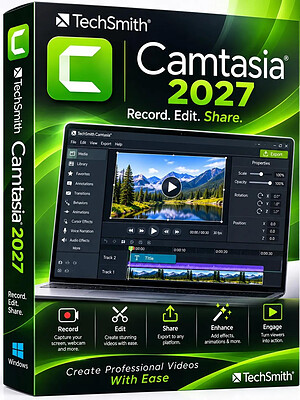
TechSmith Camtasia 27.0.0.21317 (x64) Multilingual | Size: 317.48 MB
Language: English
​
Start Creating Amazing Videos Today. Make professional-quality videos quickly and easily with Camtasia. Record your screen or upload an existing video, then bring the "Wow!" with effects, music, and much more.

Video software that works for you
Whether you make videos for marketing and sales, internal training, customer success, virtual or in-person learning, demonstrations, social media, or pretty much anything else, Camtasia helps make your vision a reality.

Inspire, educate, and excite your audience
We know that creating videos may seem like a daunting task, especially if you don't have any experience. That's why we created Camtasia - your all-in-one screen recorder and video editing solution. In virtually no time, you can create awesome videos that truly connect with your audience.

Educate
Sharing your knowledge has never been easier! Start by uploading a presentation or existing footage, then capture your screen, camera, and microphone to craft a pro-quality video that makes complex ideas simple, demonstrates a new process, trains people on a new skill, and much more.

Inspire
Ready to "WOW!" your audiences? Camtasia has everything you need to create incredible videos in record time. Easily add pop and pizazz to your videos with effects, transitions, music, and more. Best of all, they're incredibly easy to find, use, and customize, leaving you more time to create.

Excite
Keep your audience focused on the action with text, shapes, animations, and more. Zoom in to highlight details. Draw attention with a customized cursor. Add effects to transition ideas or just add some extra flair. The options are as limitless as your imagination!

Complete video projects up to 40% faster
A great video starts with great audio - and great audio starts with Audiate. Edit your voice over just like text and generate captions automatically. Plus, instantly remove hesitations and all those "ums" and "uhs." You can even edit your video as you edit your audio.

You can with Camtasia
Your video, your way. Camtasia's intuitive interface and drag-and-drop features help anyone create professional-quality video.

The world's most powerful screen recorder
Leave boring screen recordings behind. In addition to high-resolution screen capture, Camtasia records your microphone, system audio, camera, and cursor so you can edit them separately or all at once. Your editing will be faster and easier and the results will be incredible.

Camera
Capture your camera as you record to add personality to your videos. Position your camera video anywhere on the canvas.

Microphone
Great audio is an essential element to your video. Camtasia makes it easy to capture your microphone for crystal-clear voice over.

System Audio
Need to share the sounds generated by your software or computer? Now your viewers can hear what you hear.

Cursor Data
Your mouse cursor can help highlight important features or UX elements. Capture this data to make it easier to edit later.

Make your creative spark a wildfire
Sometimes, getting started on a new video can be intimidating. Fortunately, Camtasia offers hundreds of templates, assets, and text effects to help kindle your creative spark. Making professional looking videos has never been easier!

HOMEPAGE:
Код:
http://www.techsmith.com

FREE DOWNLOAD LINKS:​

Код:
https://rapidgator.net/file/01aa73e95c4bc387c4e977400da32d39/TechSmith_Camtasia_27.0.0.21317_x64_Multilingual.rar

Код:
https://clicknupload.click/5wsnmy97aawu/TechSmith_Camtasia_27.0.0.21317_x64_Multilingual.rar
 
Назад
Сверху Снизу