







All Emperor2011's Software in one thread !! (updated daily)

586ee51b9c80399811390abad02ef415.jpg


Audacity 4.0.2 Multilingual | Size: 47.52 MB
Language: English
​
Audacity is an open source, cross-platform audio editor and recorder that aims to process the most popular audio formats, podcasts included. Audacity will not disappoint if you need a piece of software that can record live, convert tapes or cut and mix sounds.

Seamless setup and clean GUI
The installation process runs quite fast and does not pose any kind of problems, while the interface is pleasant and clean. It encompasses a menu bar, several buttons and a pane in which to view the waveform of any uploaded item.
It might take a while to get used to it, especially if you have never worked with a similar kind of product before. Nevertheless, some comprehensive Help contents are provided, which will aid you in getting around Audacity.
Extensions you can use and simple editing options
This utility features support for importing, processing and exporting WAV, FLAC, AIFF, AU and OGG Vorbis files. Bundled with an array of plugins and effects, this software can help you in regards to audio recording/playback, track mixing and spectrum analysis.
Audacity can record multiple channels simultaneously at high sample rates from microphones, USB or Firewire devices. Simple sound editing operations can be performed via cut, copy, paste and delete features, while mixing can be achieved from multiple clips, while the "Draw" function allows altering individual sample points.

Effects to tweak and use, and perform audio analysis
The rich list of effects includes noise processing, equalization, bass, high and low pass filters, as well as amplify, fade in and out, normalize, reverse, echo and phaser filters. Additional effects can be added to the program, as it supports plugins.
Last but not least, it can perform flawless audio analysis through an algorithm based on the Fourier transformation. Frequencies can be visualized through spectrogram views, while the Plot Spectrum allows users to analyze frequencies.
Bottom line
All in all, Audacity impresses through its plethora of features combined with ease of use and accessibility. The processing speed is decent, to say the least and the results are of superior audio quality.
The system performance is not affected at all and we did not come across any freezes or bugs in our tests.If you are interested in bypassing the installation process, you should know that a portable counterpart is available for download, called Portable Audacity.

You can use Audacity to
• Record live audio.
• Convert tapes and records into digital recordings or CDs.
• Edit Ogg Vorbis, MP3, WAV or AIFF sound files.
• Cut, copy, splice or mix sounds together.
• Change the speed or pitch of a recording.
• And more! See the complete list of features.

System Requirements: Windows 11, Windows 10, 8 , 7

HOMEPAGE:
Код:
https://www.audacityteam.org/

FREE DOWNLOAD LINKS:​

Код:
https://rapidgator.net/file/977a2496948bf3378d32f5504487beec/Audacity_4.0.2_Multilingual.rar

Код:
https://clicknupload.click/1idi2r73kyzs/Audacity_4.0.2_Multilingual.rar
 
e57c9ff357855be9f9f11aacdd87d48a.jpg


Classroom Spy Pro 5.7.8 | Size: 133.03 MB
Language: English
​
Simple and effective classroom management software. Put classroom management to a higher level. This software lets you see what everyone's doing - without leaving your desk. You can monitor the activity of all student computers in your classroom remotely. Plus, you can share your screen with your students' record activity, control computers, make demos, limit the internet usage, block applications and much more.

Take Control Now
It is hard to teach a group of people how to use a computer. Discipline in classroom can be an issue. We can truly help you with this. Yes, such training isn't easy. For someone who's doing something right, there are probably two others doing it wrong, playing games, checking email, shopping.

Main Features:
• Displaying a live picture of a remote computer.
• You can take control of a remote computer by controlling its mouse and keyboard.
• More remote screens can be displayed in a table.
• Computers can be organized in computer groups (e.g. classrooms)
• A remote screen can be zoomed to an actual size.
• The name of the connected user is displayed.

• Record remote computers screens to MPG4 files.
• Show your desktop to students or show student desktop to students
• Power on/off, restart, hibernate, suspend remote computers
• Log off desktop users
• Lock workstation
• Clear desktop
• Control screen-saver
• Block Internet
• Block applications
• Mute remote computers
• Limit remote computers audio volume level
• Disable printing
• Disable Ctr+Alt+Del
• Blank screen
• Start program on remote computers and see the output
• Open web page on remote computers
• Multi-monitor support
• Control over running processes and applications
• You can lock selected remote computers
• You can display a message on selected remote computers.
• When lower bandwidth is required, the refresh interval can be enlarged.
• Automatic connection to a remote computer is optional.
• Settings for the agent are encrypted and password protected.
• Connection to a remote computer is password protected.
• Access to monitoring the console is password protected. If more users use the same computer, different profiles and access passwords can be set.
• More monitoring consoles can be connected to the same remote computer - you can monitor your students from different locations.
• Agent can be remotely installed.
• Fast users switching is supported.
• Multi-session support for Remote Desktop, Terminal Services, Citrix,.
• Console can be used on smart phone or tablet

What are the major benefits of using Classroom Spy Pro?
• Installation and use of the application is very easy since all of the functions can be accessed with a few mouse clicks.
• You have complete control over what remote users are doing.
• This application provides you with a live picture of the remote computer screens.
• You can make the presentation by showing your live screen to students or presenting student screen to others.
• Application allows you to take over the remote computer by controlling its mouse and keyboard.
• The remote computers´ screens are represented in the table with a customizable number of rows as thumbnails.
• Schedule remote computers desktop recording to MPEG4 files
• Execute several actions on all remote computers with on click
• Block applications and Internet access
• Log visited web pages
• Log used applications
• Log keystrokes - keylogger
• .and much more - see feature list and screen-shots

What's New in Classroom Spy Pro 4:
• Classroom monitoring - see live screens of all students' computers
• Show your screen to students
• Take a control (mouse & keyboard) over student computer
• Lock all students' computers to get the attention
• Record remote computers screens to AVI files
• Execute several tools like power off, restart, hibernate, lock workstation,.
• Prevent Internet browsing (block ports, block / allow individual web sites)
• Start or stop applications and processes on remote computers
• Monitor thin clients, Terminal Services (RDP) sessions
• Can be remotely configured and installed
• Works on LAN, WLAN, VPN and Internet
• Password protected
• Multi monitor support

Supported Desktop Platforms:
• Windows XP, Windows 2003 Windows Vista
• Windows 7
• Windows 8 / 8.1
• Windows 10
• Windows 11

HOMEPAGE:
Код:
http://classroomspy.com

FREE DOWNLOAD LINKS:​

Код:
https://rapidgator.net/file/296eadfb03cc5a57d8e20a926f7a6ceb/Classroom_Spy_Pro_5.7.8.rar

Код:
https://clicknupload.click/juouhjxga0ik/Classroom_Spy_Pro_5.7.8.rar
 

4280a81b83cfd26edf8fbff1b65fc99b.png


Double Commander 1.2.10 | Size: 19.75 MB
Language: English
​
Double Commander is an Open Source file manager with two panels side by side. The idea is based on Total Commander but with new and different features.Double Commander has a multi-rename tool, tabbed interface, custom columns, internal text editor, built-in file viewer, archive (ZIP, RAR) support, extended search function, configurable button bar, file operations logging, plug-in support, and much more

some key features
Internal text editor (F4) with syntax hightlighting
Built in file viewer (F3) to view files of in hex, binary or text format
Archives are handled like subdirectories. You can easily copy files to and from archives. Supported archive types: ZIP, TAR, GZ, BZ2, XZ, LZMA, 7Z and also RPM, CPIO, DEB, RAR, ZIPX
Extended search function with full text search in any files
Configurable button bar to start external programs or internal menu commands
Total Commander WCX, WDX, WFX and WLX plug-ins support

System Requirements: Windows 11, Windows 10, 8 , 7

FREE DOWNLOAD LINKS:​

Код:
https://rapidgator.net/file/19ad0d614b701f265821af2923506053/Double_Commander_1.2.10.rar

Код:
https://clicknupload.click/4w3lak79s5rb/Double_Commander_1.2.10.rar
 
25e416bb06417a990fb506eda009bc56.jpg


EDGE Diagrammer 7.58.2228 | Size: 7.82 MB
Language: English
​
EDGE Diagrammer is our most versatile diagramming tool. Create a wide variety of technical, presentation, and design diagrams efficiently and with the highest quality results. EDGE Diagrammer is all you need for block diagrams, flowcharts, org charts, family trees, data flow diagrams and more. Free extension packs are available to provide support for many different diagramming methodologies. EDGE Diagrammer is the one-product solution for all your block and flow diagramming needs.

EDGE lets you define "styles" using hundreds of predefined drag-and-drop shapes and arrowheads. Save your styles in diagram templates to establish your own diagramming methods. EDGE Diagrammer comes with complete flowcharting templates, network diagramming templates, block diagrams, org charts, and more to get you started.

The program's workspace is especially designed for your ease, comfort, productivity, and enjoyment. Simple but old-style powerful toolbars and menus keep the most frequent tasks handy. Objects most common to a specific type of diagram are available with one click from the style bar on the left of the screen. And the screen itself shows you just what you need, exactly as it will print.

EDGE Diagrammer can create flowcharts and similar diagrams with minimal effort. As you draw your diagram, EDGE Diagrammer connects lines to figures and attaches labels to lines. It remembers these relationships and adjusts automatically when you move objects around. It can also adjust the size of a shape when you add text to it.

Includes pre-defined shapes and symbols organized in the Figure Symbol Gallery and several pre-defined diagram templates.
Support image raster (PNG, JPG, BMP, TIF, GIF) and vector format (WMF, EMF)
While direct PDF output is not supported, you can produce PDF files using a PDF printer driver.

HOMEPAGE:
Код:
http://www.pacestar.com/

FREE DOWNLOAD LINKS:​

Код:
https://rapidgator.net/file/9347d758912d5c81cb3a692303033acc/EDGE_Diagrammer_7.58.2228.rar

Код:
https://clicknupload.click/qd6qvamubo5y/EDGE_Diagrammer_7.58.2228.rar
 
3072b5ef87b974d9be559f3b84a8f191.png


ExpanDrive 2026.10.29 | Size: 270.19 MB
Language: English
​
The Best Gets Even Better - Say Hello to ExpanDrive. ExpanDrive is a fast network drive and browser for cloud storage. Securely access the cloud from any application, including Finder and Explorer.

New Features:

Built into Finder and Explorer
ExpanDrive adds cloud storage like Google Drive, Dropbox, Amazon S3, SFTP, Box, OneDrive and Sharepoint to Finder and Explorer. Don't bother with an extra app just to move data around. ExpanDrive connects cloud storage to every application on your computer including Office 365, Photoshop, and VS Code.

Smart Offline Sync (New!)
Choose files for offline access and work without an internet connection. Synchronization to the cloud takes place automatically when you're back online. Other files are accessed on-demand from the cloud, taking no disk space.

Hello, Linux (New!)
Major storage providers have left you behind and we're here to help. ExpanDrive adds native cloud storage access into Linux for all major Linux distributions, including Ubuntu, Mint, CentOS, Redhat, and more.

Integrated Search (New!)
ExpanDrive hooks into Spotlight Search on Mac and Windows file search. Quickly search your remote storage for whatever you're looking for. The integrated storage browser has additional support for blazing-fast server side search.

Multi-user file locking (New!)
ExpanDrive now propagates lock files in Microsoft Office documents across the cloud. If a user is editing an Office document, other users will only be able to open that document read-only until the editing user closes it.

File Version Management (New!)
Easily access older versions of files on cloud storage backends that support versioning, including Box, Dropbox, S3, Google Drive, OneDrive and Sharepoint.

Connect to any Cloud
Connect to all major cloud storage providers, or your own server. With a single app you can connect to:

• Dropbox
• Google Drive and Google Team Drives
• Amazon Drive
• Box
• OneDrive and OneDrive for Business
• Sharepoint
• Nextcloud (New!)
• Wasabi (New!)
• Backblaze B2
• SFTP/FTP, WebDAV
• SMB/Windows File Sharing

Cloud storage in every application
Add cloud storage, like Google, Dropbox, Amazon S3, Sharepoint, and more to every application on your computer. ExpanDrive builds a secure connection from the filesystem to the cloud. Open, edit, and save files to remote computers from within your favorite programs - even when they are on a server half a world away.

Super-fast background uploads (New!)
ExpanDrive has multi-threaded connection engine that is up to 500% faster that previous version. ExpanDrive performs parallel transfers in the background so that you have a reliable transfer even in the face of unreliable internet. Keep working and stop waiting for transfers to complete.

System Requirements:
• Windows 7 through Windows 10 including Windows Server
• Supports 32-bit and 64-bit installations
• Supports Windows Server editions, including terminal server
• Contact support for a multi-user MSI based installer
• Does not support Windows RT

HOMEPAGE:
Код:
http://www.expandrive.com

FREE DOWNLOAD LINKS:​

Код:
https://rapidgator.net/file/8538f8ed20ce80eb134e0479acb3bfc8/ExpanDrive_2026.10.29.rar

Код:
https://clicknupload.click/62p08fwwesbv/ExpanDrive_2026.10.29.rar
 
556581936819df2f5b11d9cd5620868b.png


FolderMove 4.0 | Size: 523.67 KB
Language: English
​
FolderMove is a small utility that enables you to move installation folders without having to worry about damaging the registry and keeping the app to work just as well.

Set the paths and move the folder along with the Symbolic link
Since the utility is portable, it does not require installation or configuration, so you can start using it as soon as you download it to your computer. Functionality-wise, the tool is as simple to use as it looks and comes with minimalistic, single window interface.

You can get started by selecting the path of the folder of the program you need to transfer as well as the directory where you want to move it. In addition to the folder and its content, the utility also moves the symbolic link, so it gets updated automatically and hence, points to the right target. On a side note, you can set the symbolic link as hidden, an option that can be useful if you are moving a folder to an external media storage.

A reliable tool for moving installation directory without any hassle
The program can be useful if you are trying to make some room on your drives and perhaps, want to move large video games to another partition or an external drive. Nevertheless, to avoid any issues while you transfer the directories, it is recommended that you use the application As Administrator.

In the eventuality that you need to make some room on your hard drive and need to move some large applications while still keeping them working, then perhaps FolderMove could come in handy.

System Requirements: Windows 11, Windows 10, 8 , 7

HOMEPAGE:
Код:
https://foldermove.com/

FREE DOWNLOAD LINKS:​

Код:
https://rapidgator.net/file/6bbdf757c0fc0b82deecb8f504e84aa0/FolderMove_4.0.exe

Код:
https://clicknupload.click/bfe7njxnyaem/FolderMove_4.0.exe
 
1637eb35f5856d339b9eabadec789087.jpg


GiliSoft Audio Recorder Pro 15.2 (x64) Multilingual | Size: 554.64 MB
Language: English
​
GiliSoft Audio Recorder Pro is a perfect audio recorder to record computer sounds and microphone to AAC, AC3, AIFF, AMR, AU, FLAC, M4A, M4B, M4R, MKA, MP2, MP3, OGG, RA, VOC, WAV or WMA files on Windows XP,7/10. Recording the sound that goes through your audio card isn't at all a difficult task, but GiliSoft Audio Recorder Pro promises to make everything a lot easier, even for those with no advanced computer knowledge. 1) Allows you to pre-define recording qualities to help quickly set and manage recording parameters. 2) Allows you to start and stop recoding automatically with built-in timer. 3) Support silence detection during audio recording. 4) Built-in advanced sound engine to produce high quality recording. 5) Allows you to preset your recording device before start record.

Powerful Audio Recorder
So far, a number of audio recording software floods the market, but every day a lot of people still search "how to record audio on pc with (or without )microphone". Because most of them make many users feel confused and tired, they even let users to learn where to enable "Stereo Mix". In fact if try to use GiliSoft Audio Recorder Pro, you will know recording audio is so easy and you can record computer sound and your voice at the same time only need to choose "Computer sounds and micphone".

CD Quality Recordings
GiliSoft Audio Recorder Pro can record sound reproduced by other programs, including Windows Media Player, iTunes, Musicmatch Jukebox, WinAmp, Internet telephony programs such as Skype, and many others. The reproduced sound can be either sound from local files being played back or sound from Internet transmissions. With built-in advanced audio record engine, the recorder produces high quality recordings.

Recording Internet Broadcasts (streaming audio)
No need install virtual audio device, Gilisoft Audio Recorder Pro is a real-time digital audio recorder that records any audio source that's automatically detected on your computer. You can capture audio perfectly from over 500 popular radio stations and online music sites including YouTube, Pandora, Spotify, BBC Radio, iTunes Radio and much more.

Recording Skype, Yahoo Messenger, and Google Talk
Record all voice conversations, including Skype, Yahoo Messenger, Google Talk and any other VoIP applications and save conversations as wav, mp3 ogg or wma files. It can work in automatic mode (it will record automatically when you take a call or voice conversation with any VoIP application) or manual mode. You can set it auto run with windows.

Recording Schedule
Gilisoft Audio Recorder Pro includes an advanced time triggered recording which gives you the power to schedule recording either for a website or anything that runs on your desktop to start or stop at a certain time. Using this feature, recording are made automatically on the Once, Daily and Weekly you choose. With Auto. Record feature, you are able to set the time to start a recording, as well as the conditions (for example, time, file size, recording length) to stop a recording

Flexible Setting & Automatic Gain Control
Each format (AAC, AC3, AIFF, AMR, AU, FLAC, M4A, M4B, M4R, MKA, MP2, MP3, OGG, RA, VOC, WAV, WMA ) is provided with a preset list in order to get a precise result. It automatically detect the audio recording formats your sound card supports and then set the application's parameters for the best possible performance. The default parameters work in most cases, but you can change them easily to best suit your needs.

Long Time Recording Support
Gilisoft Audio Recorder Pro records audio to MP3/WMA/WAV directly and it can auto pause suspends recording when there is no sound. And it can record on the fly for as long as your like without interrupt.

Supports Multiple Sound Card
With recording preview feature, you are able to preview the result with the selected audio recording device/source before starting a record. It supports more than one sound card (includes USB sound card).

Operating System: Windows 2000/2003/XP/Vista/7/8/10/11

HOMEPAGE:
Код:
https://gilisoft.com/

FREE DOWNLOAD LINKS:​

Код:
https://rapidgator.net/file/c57ab263fcac34280cc766bfa2b05bd0/GiliSoft_Audio_Recorder_Pro_15.2_x64_Multilingual.rar

Код:
https://clicknupload.click/ccwieu9kbv37/GiliSoft_Audio_Recorder_Pro_15.2_x64_Multilingual.rar
 
3d50c78d1ee0ede78741f6f11e29921a.jpg


GiliSoft Screen Recorder Pro 15.2 (x64) Multilingual | Size: 1.27 GB
Language: English
​
GiliSoft Screen Recorder Pro combines screen recording and video editing fucntions. It is a powerful yet simple screen recorder program which allows you to capture desktop activities and create video tutorials, demonstrations and presentations without any programming skills.

Screen recorder of GiliSoft Screen Recorder Pro can capture what you see on screen (support High DPI) and what you hear or say simultaneously, and saves them as compressed video file in real-time. It contains all features of Screen Recorder Standard Version. Video Toolbox of GiliSoft Screen Recorder Pro make awesome edited movies, it cut and join video clips with zero quality loss, apply stylish video effects and filters, add logo, music, titles, and much more!

Powerful Capture Function
Record from webcam, external devices, computer screen, streaming video with high quality. It can capture the entire screen, a single window or any selected portion, screen and webcam at the same time.

Good Video Audio Simultaneously
Record video alone or record video and audio simultaneously. With it you can record video with computer sounds alone, record video with microphone alone, and record video both computer sounds and microphone.

Support Recording Video Conferences
Record audio from your microphone and speakers simultaneously, ideal for recording video conferences

Zoom In while recording
Magnify the area of cursor during recording (Maximum 4X), and it also allows you to adjust the recording area during screen recording.

Operating System: Windows 2000/2003/XP/Vista/7/8/10/11

HOMEPAGE:
Код:
http://www.gilisoft.com/

FREE DOWNLOAD LINKS:​

Код:
https://rapidgator.net/file/51a6877e521d42ada356c37089e1ed0d/GiliSoft_Screen_Recorder_Pro_15.2_x64_Multilingual.rar

Код:
https://clicknupload.click/q10g27t1j4vc/GiliSoft_Screen_Recorder_Pro_15.2_x64_Multilingual.rar
 
c3e4574dc7bd381c2af16a9af449f141.jpg


Heredis 2027 v27.1 | Size: 458.78 MB
Language: English
​
Family tree software for desktop, native Windows. Heredis helps 100,000 genealogy enthusiasts and professionals each day to discover their ancestors and create impressive family trees. From researching documents to analyzing statistics, discover more than 150 features and carry out an incredible investigation to trace back your origins.

Easy to install
Download, install, and start working on your genealogy right away.

Unlimited pedigree charts
Dozens of chart formats, designs, settings and options (ancestors, descendants or hourglass types).

Searching for ancestors
Launch searches from Heredis using some major search engines, or communicating with FamilySearch.

Sharing documents
Print and share your genealogy data: charts, illustrated books, personal website, photo slideshows, etc.

Dashboard
Track and follow the progress of your genealogy while publishing meaningful statistics.

Helpful tools
Capturing acts and records, editing images, indexes, data merging, consistency checking, etc.

GEDCOM compatible
Any file from any other genealogy software or website can be imported into Heredis.

System Requirements:
- Windows 8/10
- 500 MB disk space required
- Screen 1024x700 minimum
- Local administrator account

HOMEPAGE:
Код:
https://www.heredis.com

FREE DOWNLOAD LINKS:​

Код:
https://rapidgator.net/file/0827f81db50567b9a9d9b03635a48c27/Heredis_2027_v27.1.rar

Код:
https://clicknupload.click/xgvtixpmid9u/Heredis_2027_v27.1.rar
 
f712fd1dd5aa8f9a46f47c9940455af1.jpg


IObit Malware Fighter Pro 14.0.0.1766 Multilingual | Size: 74.28 MB
Language: English
​
IObit Malware Fighter is an advanced malware & spyware removal utility that detects, removes the deepest infections, and protects your PC from various of potential spyware, adware, trojans, keyloggers, bots, worms, and hijackers. With the improved, unique "Dual-Core" engine and the heuristic malware detection, IObit Malware Fighter detects the most complex and deepest spyware and malware in a very fast and efficient way.

Here are some key features of "IObit Malware Fighter":
One-click Solution and Very Easy to Use:
· Traditional advantages of IObit products. We love simple and automatic styles.
Complete PC Security Care:
· Anti-malware, anti-spyware, anti-adware, anti-trojan, anti-bots, and more. IObit Malware Fighter can assist your antivirus to defend any tricky and complex threats.
Finds the Deepest Infections:
· Using DOG (Digital Original Gene), a novel heuristic malware detection method, while IObit Malware Fighter can find the most complex threats.
· Very Fast and Light Thanks to the improved, unique "Dual-Core" anti-malware engine, complicated analysis can be made faster now.

· Work with All Antivirus Products Everyone needs a qualified antivirus software, and IObit Malware Fighter will surely be the best mate for your current antivirus.
· Automated Working in the Background Just install it and forget it. This powerful utility works continuously, automatically and quietly in the background on your PC. You can set it as your schedule or just let it work automatically when your PC is idle.
· Automatic and Frequent Updates By the new-generation malware analysis system and our professional database team, IObit Malware Fighter catches the emerging dangerous malware in the Internet.

System Requirements
OS: Windows XP/Vista/7/8/8.1/10/11
Hardware requirements:
1 GHz processor or faster processor
1 GB of RAM
1,000 MB of free hard disk space
1024*768 screen resolution and above

HOMEPAGE:
Код:
http://www.iobit.com/

FREE DOWNLOAD LINKS:​

Код:
https://rapidgator.net/file/d769700799f3932624538fd8108c69bd/IObit_Malware_Fighter_Pro_14.0.0.1766_Multilingual.rar

Код:
https://clicknupload.click/qh2mwlighoph/IObit_Malware_Fighter_Pro_14.0.0.1766_Multilingual.rar
 
76c300d6841abbdc4a2137fbef400952.png


ISOburn 3.0.0 | Size: 488.83 KB
Language: English
​
ISOburn can directly write your ISO image file to CD-R,CD-RW, DVD-R, DVD-RW, DVD+R, DVD+RW,HD DVD and Blu-ray Disc, compatible with the ISO 9660 standard, it write any data, support bootable image file.

Features
ISO tools
Burn ISO images to CD, DVD and Blu-ray, write them to USB, create, copy, mount, open and check ISO files.

Data disc
Drag files and folders - videos, photos, documents - and watch the disc fill up. Works on CD, DVD and Blu-ray.

Audio CD
Turn MP3, WAV, FLAC, WMA and M4A files into a music CD that plays in any car or stereo.

Rip CD
Save the songs of an audio CD as FLAC, MP3 or WAV. Artist, album and titles are found automatically.

Erase disc
Wipe a CD-RW or DVD-RW in about a minute, or do a full erase for discs that give errors.

Built-in player
Listen to your songs before burning and play the tracks of an audio CD straight from the drive. System Requirements: Windows 11, Windows 10

Whats New
All new program, rebuilt from scratch with a fire-themed interface
Burn ISO to CD, DVD and Blu-ray with byte-by-byte verification
New: bootable USB sticks from Windows and Linux ISO images
New: create ISO from a folder, copy a disc to ISO, mount, open and check ISO files
New: data discs, audio CDs with a built-in player, CD ripping to FLAC, MP3 and WAV, disc erasing

HOMEPAGE:
Код:
https://isoburn.org/

FREE DOWNLOAD LINKS:​

Код:
https://rapidgator.net/file/7895d0e5498a6fe3930541a469bba1c3/ISOburn_3.0.0.exe

Код:
https://clicknupload.click/smhn41b8kdvp/ISOburn_3.0.0.exe
 
8d42dfb81b157533a648a81652f975be.jpg


InnoExtractor 2027 v12.2.0.187 Ultra Multilingual | Size: 3.98 MB
Language: English
​
InnoExtractor is a powerful application that helps you to unpack Inno Setup installers using InnoUnp technology. With InnoExtractor you can explore the internal structure and content of the installer and you can to extract them to a local folder or a portable devices, without having to run the setup.

Features:
Simple and friendly GUI.
Open installers into the application with only drag and drop executables from Windows Explorer.
Explore the internal content (files and more) of the installer.
Extract the embedded files and script to a local folder, to a zip package or to a self-extracting module (portable).
Decompiles the "CompiledCode.bin" file of the Installer to get the assembly code, corresponding to the "Code" script section (for advanced users only).
Open internal files of the installer into the same application.
Perform file searches by keyword.
Input panel, that allows you to enter a valid password to extract encrypted installers.
Properties panel to see advanced information about the installer.
History for recently opened installer.
Other miscellaneous options.

Support older and latest versions of Inno Setup.
Support older and latest versions of InnoUnp.
Application available in multiple languages.
Designed for Windows 11, Windows 10; Windows 8.1; Windows 8; Windows 7; Windows Vista; Windows XP; Windows 2000.
Full Unicode support.
Much more.

HOMEPAGE:
Код:
http://www.havysoft.cl/innoextractor.html

FREE DOWNLOAD LINKS:​

Код:
https://rapidgator.net/file/773dd80d70103299b9f6c988c4a79321/InnoExtractor_2027_v12.2.0.187_Ultra_Multilingual.zip

Код:
https://clicknupload.click/fx9yz631a7ei/InnoExtractor_2027_v12.2.0.187_Ultra_Multilingual.zip
 
39d2459b09dfc01d48c403b5efd69d16.jpg


IsMyLcdOK 6.26 | Size: 196.81 KB
Language: English
​
IsMyLcdOK is a small program but effective solution to easily check for dead/paralysed/stuck pixels on LCD monitors. Many manufacturer's provide the highest industry standard dead pixel policy. IsMyLcdOK does not have to be installed and can be executed easily from the desktop, and can be carried on a small usb-stick or other memory device. Testing for dead pixels is very simple ;)

System Requirements: Windows 11, Windows 10, 8 , 7

New in version 6.26 // 2 November 2026
• Language files updated, fixes for Windows 11.

HOMEPAGE:
Код:
https://www.softwareok.com/

FREE DOWNLOAD LINKS:​

Код:
https://rapidgator.net/file/d29455fa56617ce0e745a877f6bc4df3/IsMyLcdOK_6.26.rar

Код:
https://clicknupload.click/p948s4av5z5p/IsMyLcdOK_6.26.rar
 
_f206488c74843f3a3dccb15249618d30.jpeg


JWIZARD Cleaner 1.12.1.0 Multilingual | Size: 33.77 MB
Language: English
​
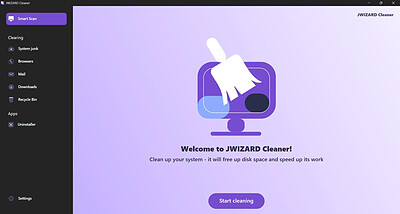
There's no secret behind it - keeping your PC and OS free of clutter, temporary files and accumulated junk can go a long way in terms of maintaining it running smoothly and in a performant manner. This is where apps such as JWIZARD Cleaner can prove to be useful.

This application was designed in order to provide you with a universal tool for analyzing and optimizing your PC by performing either global cleans, or more detailed ones, targeting specific areas, such as system, browsers, mail, and more.

Features a well-designed layout and a good selection of target areas for cleaning and optimization
I enjoyed the design of JWIZARD Cleaner a lot, and I found its simplicity to embody the needs of the average user quite well. If you need accessible and efficient cleaning features, then you'll appreciate this app.

I believe that the categorization offered in the app's layout manages to provide a good take in terms of ease of selection, and encompasses a spectrum of commonly-used tasks and areas that might require cleaning and optimization.

Efficient, down-to-earth approach towards cleaning, well-distributed, and accessible even for the uninitiated
The fact that JWIZARD Cleaner features such an accessible design, means that novices and those who might want to avoid complicated approaches will benefit greatly from it. Selecting a preferred area for cleaning is simple and accessible, and there are no additional steps required, you simply run the cleaning process and that's it.

There are very few tweaks available in the settings bank, so there's even less chance for one to mess things up, and the overall look and feel of the app exudes simplicity and efficiency.

Nice and compact PC cleaner, which can prove to be the right choice for you if you praise efficiency and minimalism
This application addresses those who need a simple and efficient PC cleaner, to help them optimize functionality and performance and clean system junk, browser data, mail info, downloads or the recycle bin.

HOMEPAGE:
Код:
https://jwizard.com/

FREE DOWNLOAD LINKS:​

Код:
https://rapidgator.net/file/e70fca817bec80b614a4a1a095f69b00/JWIZARD_Cleaner_1.12.1.0_Multilingual.rar

Код:
https://clicknupload.click/fovnb867ylyp/JWIZARD_Cleaner_1.12.1.0_Multilingual.rar
 
5fe52b363a5146ab08e1d1c3cb0759d9.jpg


Karaosoft Karma 2027.0.42 | Size: 33.68 MB
Language: English
​
Manage your karaoke shows with ease. Clickless search, drag-n-drop functionality, and many other unique features designed to bring you the most simplified management of your karaoke shows. Karma is the culmination of years of research into every known method of running karaoke shows on the PC, to produce a product that is both robust yet simple to use and time saving. Karma eliminates many time wasting tasks to free you up for more enjoyable things like interacting with the crowd or even taking a break!

Features:
- Paperless slips - Let your singers use SingNext.com to send paperless slips right from their phones, without having to leave their seat.
- Triple display support - Optional triple display mode with 3 separate video outputs for KJ, singer, and crowd. Automatically shows lyrics to singer display while showing the crowd a different view with customizable information and displays during performances. For music videos, video automatically switches to crowd display when no singer is assigned.
- Private Messaging - Send private messages to singer screen (like "back off the mic" without embarrassing the singer), or vice versa with the crowd display.
- Superior Audio/Video Quality - Utilizes Karaosoft's custom hybrid audio/video engine for flawless sound and key changes without low end distortion. Post decoding video throughput for the smoothest video playback and synchronization on any hardware!

- Simplified Song Search - No need to take the time to drag your mouse to the search box. Just start typing!
- Drag and Drop songs and singers with ease. Change a singer's position in rotation by a simple drag and drop (mouse or touch), and watch the playlist order automatically change to suite the new rotation order!
- Touch screen scrolling with inertia
- Automatic Playlist sorting on any song add or rotation change. Any queued DJ music automatically stays in place while songs assigned to singers are automatically sorted around them.
- Auto-Play / Auto-Pitch - Set pitch ahead of time for individual songs to automatically be set when the song is played. Set DJ music to Autoplay one after another with automatic crossfade so you can take a break without worry.
- Panel Layout insures no window will ever overlap another during your show and all show related controls are always onscreen. Panels can be arranged in one of 64 different layouts, and then personally sized to fit your custom screen needs.
- On-The-Fly Lyrics timing - Ever have the lyrics ahead or behind the music? AV synch control can be changed on the fly.
- Version Changer - Singer didn't want to sing that version? Click the "Now Playing" bar and view all of the available versions for a quick change.
- Automatic Crossfader, Multiplex routing, and more!

System Requirements:
- Windows 11, 10, or Windows 8.1
- 2 Ghz or faster processor
- 4 GB RAM
- 1280 minimum resolution width for primary display

HOMEPAGE:
Код:
http://www.karaosoft.com/

FREE DOWNLOAD LINKS:​

Код:
https://rapidgator.net/file/847d0033c2c64e6b5dba3a08e1001b27/Karaosoft_Karma_2027.0.42.rar

Код:
https://clicknupload.click/13e35b48e44b/Karaosoft_Karma_2027.0.42.rar
 

2ccccbd56a3cfcd2a6cf7cb129a4d57c.png


KeePass Classic Edition 1.44 | Size: 3.34 MB
Language: English
​
KeePass is a free open source password manager, which helps you to manage your passwords in a secure way. You can put all your passwords in one database, which is locked with one master key or a key file. So you only have to remember one single master password or select the key file to unlock the whole database. The databases are encrypted using the best and most secure encryption algorithms currently known (AES and Twofish).

Today you need to remember many passwords. You need a password for the Windows network logon, your e-mail account, your website's FTP password, online passwords (like website member account), etc. The list is endless. Also, you should use different passwords for each account. Because if you use only one password everywhere and someone gets this password you have a problem... A serious problem. The thief would have access to your e-mail account, website, etc. Unimaginable.

Features
Strong Security
Multiple User Keys
Portable and No Installation Required
Export To TXT, HTML, XML and CSV Files
Import From Many File Formats
Easy Database Transfer
Support of Password Groups

Time Fields and Entry Attachments
Auto-Type, Global Auto-Type Hot Key and Drag&Drop
Intuitive and Secure Clipboard Handling
Searching and Sorting
Multi-Language Support
Strong Random Password Generator
Plugin Architecture

System Requirements: Windows 11, Windows 10, 8 , 7

HOMEPAGE:
Код:
https://keepass.info/index.html

FREE DOWNLOAD LINKS:​

Код:
https://rapidgator.net/file/99a1c3280d98a11e2ffc3d1ddf72b057/KeePass_Classic_Edition_1.44.rar

Код:
https://clicknupload.click/ctfgg61imuix/KeePass_Classic_Edition_1.44.rar
 
5356281ec1da240e9ce7cde643193456.jpg


Marvelous Designer Personal 2026.1.237 (x64) Multilingual | Size: 1.87 GB
Language: English
​
Marvelous Designer allows you to create beautiful 3D virtual clothing with our cutting-edge design software. Finally breathe life into your designs with tools that enhance quality while saving you time. From basic shirts to intricately pleated dresses and rugged uniforms, Marvelous Designer can virtually replicate fabric textures and physical properties to the last button, fold, and accessory.

With our versatile compatibility with other 3D software and interactive design interface, you can instantaneously edit and drape garments onto 3D forms with high-fidelity simulation. Marvelous Designer's innovative pattern-based approach has already been adopted by top game studios such as EA Konami and can be seen on the big-screen in animation films including The Hobbit and The Adventures of Tin Tin, created by Weta Digital. What are you waiting for? Stunning design is at your fingertips.

Expand your character's closet with clothes for every occasion.
Marvelous Designer allows you to build a rich wardrobe for your characters where each garment can be modified and reused. Every shirt or dress you create can now be transformed in endless ways. Mix and match between outfits and characters. Adding variety has never been easier.

You don't have to be a fashion designer. It's simple and easy.
Our technology is based on the art of sewing and patternmaking (making the blueprint for a garment), which we believe is the only way to realistically express garments. You don't need a fashion design background to create clothing using Marvelous Designer. It is surprisingly easy and simple with our intuitive tools. Build your skills by mastering our online curriculum.

Easy-to-use software that just makes sense.
Designing 'true to life' virtual garments is easy and straightforward with our intuitive user interface and tools such as arrangement points and pins. Marvelous Designer saves you from guessing how clothes should fit in real life. Textural coordinates are packaged along with your patterns for simple data translation and use. Edit textures, fabrics and its physical properties via preset our library to accurately simulate onto your characters without costing countless hours.

Authentic simulation for amazing animation.
Bringing your characters to life shouldn't take a lifetime. Traditional modeling and sculpting techniques require hours of work for each wrinkle, bend, and fold and don't guarantee convincing results. Marvelous Designer's animation cache functionality with high-polygon modeling makes it possible to capture the realistic movement of clothing when draped onto moving characters, whether they are running, jumping, or twirling midair.

Revolutionizing 3D virtual clothing.
Marvelous Designer's novel pattern-based approach allows not only for beautiful graphics, but also compiles your garments' data to be reused, revamped, and refreshed again and again.

Pattern Creation and Editing
Our expansive pattern design feature lets you easily create and edit rectangular, circular, or any other polygon shaped patterns. In addition, we provide intuitive interfaces such as moving point/segment in parallel/perpendicular fashion, moving point/segment via input value, or dividing the segment in proportion.

Segment and Free Sewing
Check out the simple and smart sewing tool that you can define sewing direction and range accurately and edit them at any time, which is not fully supported in other 3D CAD software. Our simple and smart sewing tool makes life easier for users. You can easily create and edit seam lines with more freedom in sewing directions and range, accurate sewing has been extremely difficult to articulate in other 3D CAD software due to the limitations in its narrow directions and range.

System Requirements:
Officially Supported OS: Microsoft Windows 10 (64-bit) 1809 / Windows 10 1909 build recommended

Recommended:
PROCESSOR: 64-bit Intel® or AMD® multi-core processor
Intel 6th-Gen i5 or higher, AMD 3rd-Gen Ryzen 5 or higher
MEMORY: 8 GB or more of RAM (16 GB recommended)
GPU: Nvidia® GeForce GTX 960 or Quadro P1000 or equivalent
Marvelous Designer utilizes Nvidia CUDA acceleration technology for GPU-Simulation
HARD DRIVE: 2 GB for installation (20+ GB recommended)
SCREEN RESOLUTION: 1920x1080 (2560x1440 recommended)
POINTING DEVICE: Three-button mouse

HOMEPAGE:
Код:
https://www.marvelousdesigner.com/

FREE DOWNLOAD LINKS:​

Код:
https://rapidgator.net/file/ccb49c4eeceb1806f99a791fba03bdb6/Marvelous_Designer_Personal_2026.1.237_x64_Multilingual.rar

Код:
https://clicknupload.click/4algous281ow/Marvelous_Designer_Personal_2026.1.237_x64_Multilingual.rar
 

7e2ee14346f2634529cc6bb47065c4cd.jpg


NirLauncher Package 1.30.27 | Size: 40.02 MB
Language: English
​
NirLauncher is a package of more than 180 portable freeware utilities for Windows, all of them developed for NirSoft Web site during the last few years.

NirLauncher Features
NirLauncher can be used from USB flash drive without need of any installation.
NirLauncher and all the utilities in the package are completely freeware, without any Spyware/Adware/Malware. This package doesn't contain any 3-party software, toolbars, Web browser plugins, or other unwanted surprises. It will not install any software on your system and it will not change your Web browser homepage or other settings on your system.
NirLauncher package includes variety of tools that you may need for your daily computer use, including utilities to recover lost passwords, to monitor your network, to view and extract cookies, cache, and other information stored by your Web browser, to search files in your system, and more...
For every utility in the package, you can easily run it, view the help file, or jump to the Web page of the utility.
When using it from USB flash drive, the configuration of every utility is saved into .cfg file on the flash drive.
On x64 systems, NirLauncher automatically run the x64 version of the utility, when there is a separated x64 version.

NirLauncher also allows to add more software packages in additional to the main NirSoft package.
NirLauncher allows you generate plugin files for BartPE (Launcher -> Generate BartPE Plugin Files), so you can easily use the utilities of NirSoft from a bootable live windows CD.

System Requirements
NirLauncher works on any version of Windows, starting from Windows 2000 and up to Windows 8. NirLauncher also works on x64 systems. Some the NirSoft utilities have a separated version for x64, and NirLauncher automatically run them when you're in x64 system. The password for extracting the files is nirsoft9876$

System Requirements: Windows 11, Windows 10, 8 , 7

FREE DOWNLOAD LINKS:​

Код:
https://rapidgator.net/file/2fe7d19803c72e6ad2622a9c6d0759f0/NirLauncher_Package_1.30.27.zip

Код:
https://clicknupload.click/e11mf0gke6x1/NirLauncher_Package_1.30.27.zip
 
_72a580bd041ba94ebea3c78933fd05aa.jpeg


Oryx Digital Easy Data Transform Advanced 2.15.1 (x64) | Size: 73.84 MB
Language: English
​
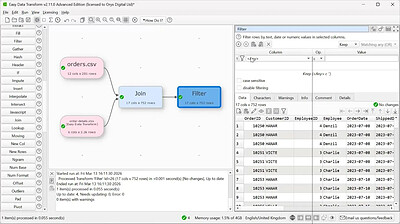
Transform your data without programming with the help of this app that allows you to merge, clone, dedupe or restructure information quickly and efficiently. Transform Your Data Into Information - merge, split, clean, de-duplicate, reformat, analyze & more, without coding. Transform your Excel and CSV files without programming with Easy Data Transform.

Features
Clean, re-format, merge, dedupe, filter and analyze table and list data on your Mac.
Transform your data interactively, step by step using 36 built-in transforms.
Transforms thousands of rows in the blink of an eye.
No need to upload your sensitive data to a third party server.

HOMEPAGE:
Код:
https://www.easydatatransform.com/

FREE DOWNLOAD LINKS:​

Код:
https://rapidgator.net/file/a13ce62181e8bd5a9d081434b27aa775/Oryx_Digital_Easy_Data_Transform_Advanced_2.15.1_x64.rar

Код:
https://clicknupload.click/lkp8xxqyro4j/Oryx_Digital_Easy_Data_Transform_Advanced_2.15.1_x64.rar
 
9ad7fce12cd00b0497bc0cca6eee4bbf.jpg


Oryx Digital Hyper Plan Professional 2.10.7 | Size: 33.14 MB
Language: English
​
Simple Visual Planning Software - as simple as sticking notes to a wall, but much more flexible for Windows. Hyper Plan is suitable for a wide range of planning, scheduling and tracking applications. It is perfect for situations where bits of paper are not enough but a full project management solution is too much.

Organized
Plan your work and life in an easy to understand visual form. See at a glance what needs doing next.

Simple
If you have ever planned something by sticking notes to a wall, you pretty much know how to use Hyper Plan already.

Visual
A large part of the human brain is dedicated to visual processing. Make the most of your built-in hardware.

Flexible
Choose whatever properties you wish to visualize: tasks, people, priorities, budgets etc. Change between different views of your plan with a mouse click.

Powerful
Categorize tasks in whatever way you want. Color and group by category. Display a timeline. Show totals for budget, effort or other numerical properties.

Unlimited
You are no longer limited by the size of your wall or the colors of the sticky notes you have available. You can also retrieve plans from months or years previously.

HOMEPAGE:
Код:
https://www.hyperplan.com/

FREE DOWNLOAD LINKS:​

Код:
https://rapidgator.net/file/0f88b885ff6ffdc9ced23579cb2ee718/Oryx_Digital_Hyper_Plan_Professional_2.10.7.rar

Код:
https://clicknupload.click/xykn8irp9tfx/Oryx_Digital_Hyper_Plan_Professional_2.10.7.rar
 
Назад
Сверху Снизу