All Emperor2011's Software in one thread !! (updated daily)

fb3dc7faba99f1ea24fbd6e1e5cca32f.jpg


MailStore Server / Service Provider 26.4.0.24320 Multilingual | Size: 173.03 MB
Language: English
​
Businesses can benefit from all advantages of modern, secure email archiving with MailStore Server. The software creates 1:1 copies of all emails in a central email archive to ensure the security and availability of large amounts of data over a period of years. Users can still access their email using Microsoft Outlook, MailStore Web Access, or mobile devices such as tablets or smartphones, and search through them at breathtaking speed.

Advantages for your Company
- Legal safeguard for email compliance
- Extremely fast full-text searching for emails and attachments
- Total protection against data loss
- Reduce the workload of email servers
- Save up to 70% storage space
- Simplify backup and restore
- Independence of cumbersome PST files
- Eliminate mailbox quotas

Supported Email Systems
- Exchange Server 2003, 2007, 2010, 2013 and 2016
- Microsoft Office 365
- Google Apps
- All IMAP or POP3-compatible email servers

- MDaemon, IceWarp and Kerio Connect
- PST, EML and other email files
- Email clients such as Microsoft Outlook

Why MailStore Server?
MailStore offers the most comprehensive market solutions in terms of performance, stability, functionality and simplicity to meet the specific email archiving needs of SMBs. It's quick and easy to install as standard software and remains low-maintenance and reliable even with large volumes of email.

- Integrated Storage Technology
- Extremely Fast Search Access
- Flexible Archiving
- Running right out of the box
- Low Cost
- Heavily field-tested

Operating System: Windows 7 SP1 or later

HOMEPAGE:
Код:
https://www.mailstore.com/

FREE DOWNLOAD LINKS:​

Код:
https://rapidgator.net/file/187db3e6f83d9914677acdaacdfdf4a4/MailStore_Server__Service_Provider_26.4.0.24320_Multilingual.rar

Код:
https://clicknupload.click/9s9gd38pdg7c/MailStore_Server__Service_Provider_26.4.0.24320_Multilingual.rar
 
b30137675e53cccff5655847b75feece.png


Maxon CINEMA 4D 2027.0 (x64) Multilingual | Size: 1.22 GB
Language: English
​
Easy to learn and extremely powerful: Cinema 4D is the perfect package for all 3D artists who want to achieve breathtaking results fast and hassle-free. Beginners and seasoned professionals alike can take advantage of Cinema 4D's wide range of tools and features to quickly achieve stunning results. Cinema 4D's legendary reliability also makes it the perfect application for demanding, fast-paced 3D production.

EASE OF USE
Getting started in the world of 3D is a blast when you can quickly create great-looking results! Cinema 4D's intuitive and easy to understand operation and logically arranged interface makes it easy for beginners to jump right in and take control. And it never ceases to amaze professional users just how easy Cinema 4D is to use. Countless tutorials and a global, highly-skilled community play an important role in bringing beginners to a professional level of use.

INTUITIVE INTERFACE
Cinema 4D is a pillar in our users' everyday workflow. This is why we make sure from the start that new functions work intuitively and are exactly where users will expect to find them. The Cinema 4D layout can also be easily customized to precisely fit a user's needs and saved for later use.

STABILITY
Cinema 4D's stability is renowned throughout the 3D community and beyond. All new features and functions are thoroughly put through their paces by our QA and beta testers before being released. Our free service packs, which are released on a regular basis, further optimize Cinema 4D and let us rapidly respond to changes in operating systems and drivers!

POWERFUL HELP SYSTEM
Any questions about a specific function can be quickly answered by right-clicking on it and jumping straight to the integrated software documentation.

Unpack This!
If you've struggled with UVs in the past, you're going to love the new workflow advancements. With unified component modes and improved selection tools, you'll enjoy the Cinema 4D artist-centric workflow you've come to expect. If you'd rather not mess with UVs, you'll really appreciate the easy new Automatic Unwrap option.

IMPROVED UV UNWRAPPING
Progressively unwrap your 3D objects by pinning points, selecting edges to use as seams in either the 3D or UV window, and clicking the new UV Unwrap Command.

AUTOMATIC UVs
Generate automatic UVs that make the most of your texture resolution - great for baking maps for export or simply getting a jump start on the 3D painting process. Thanks to the Ministry of Flat Technology developed by Eskil Steenberg of Quel Solaar, you can generate great UVs with a single click.

VISUALIZATION
See your seams in the 3D view while unwrapping, easily spot distorted or overlapping elements, and visualize your UV map with the help of multi-color islands or a UV checkerboard.

EFFICIENT PACKING
Arrange UV islands efficiently thanks to new packing options that take full advantage of texture space.

What a View!
Your window to the 3D world just got better, and is ready to take advantage of tomorrow's technology. Get the best picture and clear the clutter with improved filter options. Enjoy more accurate display of shaders and improved performance with multi-instances. Full support for Apple Metal means the viewport is more than ready for modern Mac systems, and a new core architecture sets the foundation for more great things to come!

GLTF EXPORT
Export geometry, materials, cameras, PSR animation, PoseMorphs and Joint-based animation via GLTF for use in modern Web and Augmented Reality applications.

GOZ BRIDGE
Seamlessly exchange models, UVs and painted maps between Pixologic ZBrush and C4D. The workflow is a breeze - send a model to ZBrush, modify it and send it back with just one click. This new bridge supports millions of polygons, and even imports polypaint and polygroup information.

NODAL MATERIALS
Export a baked representation of nodal materials via Cineware or FBX, and create nodal materials when importing FBX. Additionally, your favorite third-party render engines also have the option to export a simplified version of their materials for Cineware or FBX.

MODELING
Modeling tools are faster and more robust thanks to a new core, but most importantly they're much better at preserving UV and Vertex Maps.

ANIMATION
Copy and Paste animation tracks, select splines more easily, and enjoy a number of usability enhancements to character animation tools including Spline IK and Constraints.

Minimum System Requirements Cinema 4D:
- Windows 10 64-bit on Intel or AMD 64-bit CPU with SSE3 support
- 4 GB RAM (8 GB or more recommended), OpenGL graphics card supporting OpenGL 4.1 (dedicated GPU recommended)
- The GPU renderer requires an NVIDIA or AMD graphics card on Windows or AMD on MacOS that supports OpenCL 1.2 or newer. Metal support requires MacOS 10.14.6 or newer. We recommend at least 4 GB VRAM for GPU rendering.

HOMEPAGE:
Код:
https://www.maxon.net

FREE DOWNLOAD LINKS:​

Код:
https://rapidgator.net/file/61a7accb405071391ca3b9872840145b/Maxon_CINEMA_4D_2027.0_x64_Multilingual.rar


Код:
https://clicknupload.click/y2vlx499yqpj/Maxon_CINEMA_4D_2027.0_x64_Multilingual.rar
 
99a5c80a6a63cbe019b1370ee0b270bd.jpg


Maxon Red Giant 2027.0.0 (x64) | Size: 3.55 GB
Language: English
​
Red Giant is a comprehensive toolkit designed for video post-production, motion graphics, and visual effects. It offers rich color grading, smooth transitions, realistic visual effects, motion design templates and tools to create and edit your visuals.

What's New
Red Giant offers the most powerful set of tools for editors and compositors to easily add everything from titles to visual effects directly in the host apps they love, like Adobe After Effects, Adobe Premiere Pro, and Resolve. This release delivers a powerful new After Effects tool for generating depth passes from your footage to achieve various effects: swirl particles around a character, simulate depth of field blur, send scanlines down a corridor, and more.

Depth Generator
Generate depth passes for your footage and use them to create depth-based effects like swirling particles around a character, energy pulses shooting through a canyon, or applying Colorista based on depth.

Sports Capsules
These templates - from bold titles and lower thirds to animated scoreboards, split screens and dynamic transitions - will let you edit faster, animate smarter, and deliver professional sports content at any scale.

Maxon Studio Asset Support
Save and reuse your Capsules across projects. Build once, drag anywhere. Reusable assets let you work faster, stay consistent, and scale your style.

Effects Capsules in Maxon Studio
Create a new type of Capsule, built for modular, click-and-apply visual effects. Create stunning looks in seconds without touching the timeline.

DaVinci Resolve & Fusion Gizmo
Enjoy a revved up boost to your workflow with all new on-screen position controls across the Red Giant toolset. This update greases the wheels of productivity.

HOMEPAGE:
Код:
https://www.maxon.net/

FREE DOWNLOAD LINKS:​

Код:
https://rapidgator.net/file/9979daaf6dbf13791867cb824d5aeee1/RedGiant.v2027.0.0..part1.rar
https://rapidgator.net/file/f869adfffde96504b8bf12b5b07f85df/RedGiant.v2027.0.0..part2.rar
https://rapidgator.net/file/e24d403a1cab8740d3e6ee291ca00321/RedGiant.v2027.0.0..part3.rar
https://rapidgator.net/file/60963a2e93f76ae2ace045565176f05a/RedGiant.v2027.0.0..part4.rar

Код:
https://clicknupload.click/xnxnd7sq9u9i/RedGiant.v2027.0.0..part1.rar
https://clicknupload.click/kok12c9x6vcb/RedGiant.v2027.0.0..part2.rar
https://clicknupload.click/07ea90pwd48o/RedGiant.v2027.0.0..part3.rar
https://clicknupload.click/iqeyt032xykr/RedGiant.v2027.0.0..part4.rar
 

786237143_cover.png


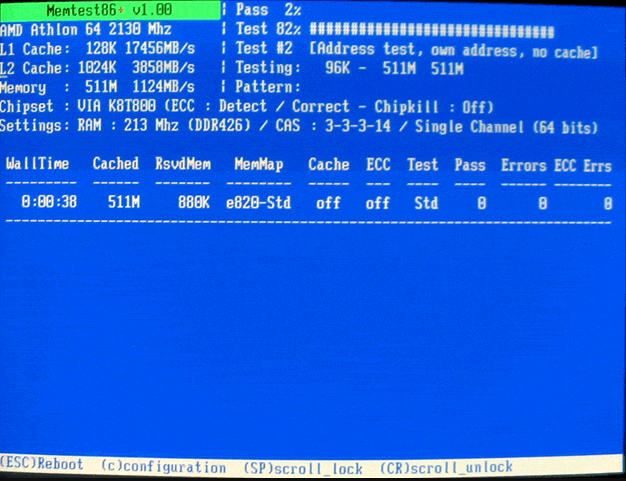
Memtest86+ 9.00 Stable | Size: 516.62 KB
Language: English
​

Memtest86+ provides you with some of the best tools for RAM testing purposes, a project started back in 2002 when the development of Memtest86 halted for two years. Its developer, Samuel Demeulemeester, once a part of the Memtest86 team, decided to port the application and develop it separately.

Constantly updating support for newer components
Although since 2009 both applications are being kept up to date, Memtest86+ has gathered up a few more grounds while Memtest was hibernating and this translates into a broader support area for various CPUs alongside their corresponding chipsets.
Pointing out nearly all possible issues
Memtest86+ can really work wonders when put to the test. It can detect virtually any anomaly in the RAM stick, thus notifying you of problems you might have with your system memory. Faulty RAM can manifest into a wide array of errors usually accompanied by BSODs (Blue Screen of Death) that may not point directly to the real problem.
Runs beyond your operating system
You have at least two methods that you can undergo in order to check your computer's memory and they both involve booting up your PC from a disc or removable device including Memtest86+ and running it. The difference is that you can also clean the inside of your system's case as well as its content. Tiresome, nonetheless, but this way you can eliminate some factors from the testing equation.

Thorough test cases performed
The framework of Memtest86+ is not complicated to understand; however, each and every test holds so many secrets to the average human eye that, to fully comprehend the whole idea alongside its tiny connections would take too much of anyone's time. The main concept relies on the writing of test pattern sequences to random yet the majority of memory addresses and comparison upon reading it back.
As a conclusion
To sum it up, Memtest86+ can, and really does deliver accurate results on bad RAM, thus relieving you of the stress you may accumulate during the time you may want to find out the source of your computer's problems without using it. No matter your know-how level, before taking your misbehaving PC to a "doctor", you can run a few tests with Memtest86+ and make sure your system memory is in tip-top shape or, on the contrary, the point of supply for all those errors.

System Requirements: Windows 11, Windows 10, 8 , 7

HOMEPAGE:
Код:
https://www.memtest.org/

FREE DOWNLOAD LINKS:​

Код:
https://rapidgator.net/file/d4508a94b5a700dd728b3b263f433d5c/Memtest86__9.00_Stable.rar


Код:
https://clicknupload.click/8rc5gfxnrasb/Memtest86%2B_9.00_Stable.rar
 

b862b61d1b073d2e9a1798e5286ed600.png


Microsoft Edge 155.0.4283.60 Stable Multilingual | Size: 386.24 MB
Language: English
​
Introducing the new Microsoft Edge: Rebuilt from the ground up to bring you world-class compatibility and performance, the security and privacy you deserve, and new features designed to bring you the best of the web. The new Microsoft Edge is a modern web browser - designed for faster, safer browsing. Get more done on the web with built-in tools for notetaking, reading and more.

The new Microsoft Edge is based on the Chromium project, so you can use the extensions/add-ons from Google Chrome extensions web store and from Microsoft Edge extensions web store for free. Choose your style
News, images, search-choose what you want to see when you open a new tab. Select a layout best for you: Focused, Inspirational, or Informational.
Take control of your data
Microsoft Edge and Bing give you more control over your data, and more transparency into what information is being collected, while you browse with new features like Tracking Prevention and InPrivate mode.
Browse with peace of mind
Microsoft Defender SmartScreen automatically protects you online from security issues, phishing schemes, and malicious software.
Browse anywhere
The new Microsoft Edge is now available on all supported versions of Windows, macOS, iOS, and Android.
Experience 4K streaming
Get the best browser for high definition media on Windows 10 with unique support for streaming in 4K Ultra HD.
Customize with extensions
The new Microsoft Edge is now compatible with your favorite extensions, so it's easy to personalize your browsing experience.

System Requirements: Windows 11, Windows 10

FREE DOWNLOAD LINKS:​

Код:
https://rapidgator.net/file/6d7a6bc72c8350b79ac5295eba19f2f8/Microsoft_Edge_155.0.4283.60_Stable_Multilingual.rar


Код:
https://clicknupload.click/jnswu3du2vl7/Microsoft_Edge_155.0.4283.60_Stable_Multilingual.rar
 
ad3ac9b9c7eb9a958e38571ddaef6704.jpg


Minitab 22.6 Multilingual | Size: 237.18 MB
Language: English
​
Harness the power of statistics. Data is everywhere, but are you truly taking advantage of yours? Minitab Statistical Software can look at current and past data to discover trends, find and predict patterns, uncover hidden relationships between variables, and create stunning visualizations to tackle even the most daunting challenges and opportunities. With powerful statistics, industry-leading data analytics, and dynamic visualizations on your side, the possibilities are endless.

Discover
Regardless of statistical background, Minitab can empower all parts of an organization to predict better outcomes, design better products and improve processes to generate higher revenues and reduce costs. Only Minitab offers a unique, integrated approach by providing software and services that drive business excellence now from anywhere thanks to the cloud. Key statistical tests include t tests, one and two proportions, normality test, chi-square and equivalence tests.

Predict
Access modern data analysis and explore your data even further with our advanced analytics and open source integration. Skillfully predict, compare alternatives and forecast your business with ease using our revolutionary predictive analytics techniques. Use classical methods in Minitab Statistical Software, integrate with open-source languages R or Python, or boost your capabilities further with machine learning algorithms like Classification and Regression Trees (CART®) or TreeNet® and Random Forests®, now available in Minitab's Predictive Analytics Module.

Achieve
Seeing is believing. Visualizations can help communicate your findings and achievements through correlograms, binned scatterplots, bubble plots, boxplots, dotplots, histograms, heatmaps, parallel plots, time series plots and more. Graphs seamlessly update as data changes and our cloud-enabled web app allows for secure analysis sharing with lightning speed.

Assistant
- Measurement systems analysis
- Capability analysis
- Graphical analysis
- Hypothesis tests
- Regression
- DOE
- Control charts

Graphics
- Binned scatterplots*, boxplots, charts, correlograms*, dotplots, heatmaps*, histograms, matrix plots, parallel plots*, scatterplots, time series plots, etc.
- Contour and rotating 3D plots
- Probability and probability distribution plots
- Automatically update graphs as data change
- Brush graphs to explore points of interest
- Export: TIF, JPEG, PNG, BMP, GIF, EMF

Basic Statistics
- Descriptive statistics
- One-sample Z-test, one- and two-sample t-tests, paired t-test
- One and two proportions tests
- One- and two-sample Poisson rate tests
- One and two variances tests
- Correlation and covariance
- Normality test
- Outlier test
- Poisson goodness-of-fit test

Regression
- Linear regression
- Nonlinear regression
- Binary, ordinal and nominal logistic regression
- Stability studies
- Partial least squares
- Orthogonal regression
- Poisson regression
- Plots: residual, factorial, contour, surface, etc.
- Stepwise: p-value, AICc, and BIC selection criterion
- Best subsets
- Response prediction and optimization
- Validation for Regression and Binary Logistic Regression*

Analysis of Variance
- ANOVA
- General linear models
- Mixed models
- MANOVA
- Multiple comparisons
- Response prediction and optimization
- Test for equal variances
- Plots: residual, factorial, contour, surface, etc.
- Analysis of means

Measurement Systems Analysis
- Data collection worksheets
- Gage R&R Crossed
- Gage R&R Nested
- Gage R&R Expanded
- Gage run chart
- Gage linearity and bias
- Type 1 Gage Study
- Attribute Gage Study
- Attribute agreement analysis

Quality Tools
- Run chart
- Pareto chart
- Cause-and-effect diagram
- Variables control charts: XBar, R, S, XBar-R, XBar-S, I, MR, I-MR, I-MR-R/S, zone, Z-MR
- Attributes control charts: P, NP, C, U, Laney P' and U'
- Time-weighted control charts: MA, EWMA, CUSUM
- Multivariate control charts: T2, generalized variance, MEWMA
- Rare events charts: G and T
- Historical/shift-in-process charts
- Box-Cox and Johnson transformations
- Individual distribution identification
- Process capability: normal, non-normal, attribute, batch
- Process Capability SixpackTM
- Tolerance intervals
- Acceptance sampling and OC curves
- Multi-Vari chart
- Variability chart

Design of Experiments
- Definitive screening designs
- Plackett-Burman designs
- Two-level factorial designs
- Split-plot designs
- General factorial designs
- Response surface designs
- Mixture designs
- D-optimal and distance-based designs
- Taguchi designs
- User-specified designs
- Analyze binary responses
- Analyze variability for factorial designs
- Botched runs
- Effects plots: normal, half-normal, Pareto
- Response prediction and optimization
- Plots: residual, main effects, interaction, cube, contour, surface, wireframe

Reliability/Survival
- Parametric and nonparametric distribution analysis
- Goodness-of-fit measures
- Exact failure, right-, left-, and interval-censored data
- Accelerated life testing
- Regression with life data
- Test plans
- Threshold parameter distributions
- Repairable systems
- Multiple failure modes
- Probit analysis
- Weibayes analysis
- Plots: distribution, probability, hazard, survival
- Warranty analysis

Power and Sample Size
- Sample size for estimation
- Sample size for tolerance intervals
- One-sample Z, one- and two-sample t
- Paired t
- One and two proportions
- One- and two-sample Poisson rates
- One and two variances
- Equivalence tests
- One-Way ANOVA
- Two-level, Plackett-Burman and general full factorial designs
- Power curves

Predictive Analytics*
- CART® Classification
- CART® Regression
- Random Forests® Classification*
- Random Forests® Regression*
- TreeNet® Classification*
- TreeNet® Regression*

Multivariate
- Principal components analysis
- Factor analysis
- Discriminant analysis
- Cluster analysis
- Correspondence analysis
- Item analysis and Cronbach's alpha

Time Series and Forecasting
- Time series plots
- Trend analysis
- Decomposition
- Moving average
- Exponential smoothing
- Winters' method
- Auto-, partial auto-, and cross correlation functions
- ARIMA

Nonparametrics
- Sign test
- Wilcoxon test
- Mann-Whitney test
- Kruskal-Wallis test
- Mood's median test
- Friedman test
- Runs test

Equivalence Tests
- One- and two-sample, paired
- 2x2 crossover design

Tables
- Chi-square, Fisher's exact, and other tests
- Chi-square goodness-of-fit test
- Tally and cross tabulation

Simulations and Distributions
- Random number generator
- Probability density, cumulative distribution, and inverse cumulative distribution functions
- Random sampling
- Bootstrapping and randomization tests

Macros and Customization
- Customizable menus and toolbars
- Extensive preferences and user profiles
- Powerful scripting capabilities
- Python integration
- R integration

HOMEPAGE:
Код:
https://www.minitab.com/

FREE DOWNLOAD LINKS:​

Код:
https://rapidgator.net/file/660fb1a01d945ce21a2cc1c0e9235c99/Minitab_22.6_Multilingual.rar

Код:
https://clicknupload.click/hkh6agfn2uxy/Minitab_22.6_Multilingual.rar

 
452f4452133f05e56452467ec7100e97.jpg


MobiKin Assistant for Android 5.4.34 Multilingual | Size: 24.09 MB
Language: English
​
Looking for a simple way to manage your Android device? Then this MobiKin Assistant for Android could be the ideal solution for you. Just get it to learn its powerful management ability now.

Back Up & Restore Android Data Easily
Many Android users complain that they always mistakenly delete something important when they're using some unfamiliar functions on their Android device. So are you tired of randomly losing stuff from your phone? Now, let's end the fate of losing data on Android with the help of the software called MobiKin Assistant for Android. With it, you can connect multiple Android devices to PC and back up all data from these devices to your desktop computer with one simple click. What's more, you can manage these connected devices as follow:

One click to back up all files from your Android device to computer, which can make the Android data backup more quickly and easily.
Restore the backed up files from computer to Android device with one simple click. (Click to learn how to back up & restore Android phone with one simple click.)

Be able to back up your Android data selectively - export the wanted contacts, text messages, call logs, apps, photos, music, movie, books, etc. from Android mobile phones and tablets to computer, so that you'll never lose these crucial data by accident.(Go to learn the details about backing up Android data on desktop computer.)
All exported files will be saved as the original format and quality on the computer.
This program provides users two different connections: USB connection and WiFi connection. (To build a Wi-Fi connection, you need to download and install the MobiKin Assistant for Android (Android Version) on your Android phone first.)
You are allowed to find specific data by typing one or more keywords in the searching box

System Requirements:
Operating System: Windows 11/10/8/7/XP/Vista
Processor: 750MHz Intel or AMD
RAM: 512MB or above
Hard Disk Space 1 GB or more

HOMEPAGE:
Код:
https://www.mobikin.com/

FREE DOWNLOAD LINKS:​

Код:
https://rapidgator.net/file/d9b24932304069d48d8c20b8da923806/MobiKin_Assistant_for_Android_5.4.34_Multilingual.rar


Код:
https://clicknupload.click/dnn8a5y3zuhk/MobiKin_Assistant_for_Android_5.4.34_Multilingual.rar
 
76a0aff558cdc51c12c01d76b4a05ce0.jpg


Moneyspire 2027 v27.0.1 (x64) | Size: 116.95 MB
Language: English
​
Personal finance software, made personal. Keep track of your bank accounts, credit cards, loans, cash and investment accounts. Categorize your spending and income with customizable categories. Keep track of your bills so you never forget to make a payment again and avoid late fees.

Set a budget to keep track of your spending so you don't overspend on specified categories like Dining Out. Forecast your account balance to prevent overdrafts and insufficient funds. Balance your checkbook and reconcile with bank statements to catch errors and bank fraud.

Generate detailed reports to see exactly where your money is going and to make tax time easier. Optionally sync to your financial institutions (if you would like) via the Moneyspire Connect feature and automatically download your transactions. Optionally sync to the cloud (if you would like) via the Moneyspire Cloud feature so you can share your finances between multiple computers and mobile devices.

Moneyspire can also import data from Quicken, Microsoft Money (MS Money) and other personal finance software, so you can easily make the change to Moneyspire.

HOMEPAGE:
Код:
https://www.moneyspire.com/moneyspire-desktop/

FREE DOWNLOAD LINKS:​

Код:
https://rapidgator.net/file/7059d6e7d139b524a5bd29630b2ed334/Moneyspire_2027_v27.0.1_x64.zip

Код:
https://clicknupload.click/dxo37hdy6f4e/Moneyspire_2027_v27.0.1_x64.zip
 
92a5dbc0e29dda4282dbb1ca52426081.png


NTWind Sticky Previews 3.2 | Size: 477.68 KB
Language: English
​
Sticky Previews is a lightweight productivity tool that lets you create live previews of any window or a screen region of your choice. It keeps previews above all other applications like a sticky-note thus allowing you to monitor any background window in real time no matter which application you're working with at the moment.

Operating System: Windows Vista/7/8/10

HOMEPAGE:
Код:
https://www.ntwind.com/

FREE DOWNLOAD LINKS:​

Код:
https://rapidgator.net/file/cad6142f9bd4b36eeeff1b5631701839/NTWind_Sticky_Previews_3.2.rar


Код:
https://clicknupload.click/6vcmcihgrxel/NTWind_Sticky_Previews_3.2.rar
 
e0440653763c740e5b92f9161ff5c56e.jpg


NetSarang Xmanager Power Suite 8.0.0023 Multilingual | Size: 185.24 MB
Language: English
​
Xmanager Power Suite is an all-in-one solution that includes Xmanager, Xshell, Xftp and Xlpd in a single suite. Xmanager runs X window applications, and Xshell manages remote Unix/Linux servers with a secure terminal. Xftp transfers files between systems securely, and Xlpd runs local printing for remote documents on other systems.

Centralize Scattered System Resources and Reduce TCO
Companies using various operating systems may find their system resources scattered over the network due to multiple X applications and file systems. Xmanager Power Suite 6 solves this issue by allowing users to access all scattered resources directly from their desktop. Having a central location that allows users to access applications remotely, upgrades and maintenance become easily manageable and reduce TCO.

Interoperability for Maximum Productivity
All programs included in this suite share a common SSH (Secure Shell) security module to interoperate with one another conveniently and efficiently. With all the various features integrated into a single suite, customers can experience an easier time with purchase, installation, maintenance, as well as a reduced total cost of ownership.

Session Manager
As a dockable pane in your main Xmanager and Xshell window, you’ll have immediate access to all the essentials required for session management. Easily view, create, edit, and delete sessions on the fly and launch multiple sessions simultaneously. It’s never been easier to manage your sessions!

Dockable UI
Xmanager and Xshell main windows incorporate an all new Dockable UI. Utilize Drag & Drop to choose where to place your Session Manager, Compose Bar, Quick Command sets, etc. The UI provides even more functionality to Xmanager Power Suite’s already customizable configuration.

Enhanced Password Encryption with Master Password
Set a user defined string as your Master Password to add a layer of encryption to your session file passwords. The Master Password encrypts the passphrase used to connect to the server (password), the user key's passphrase (passphrase), and the password string contained within the session file. Safely store your session files in the cloud to share between devices.

SSH PKCS#11 Support
The PKCS#11 protocol enables users to securely store the user's private keys using a hardware token(HSM) for added security. Xmanager Power Suite 6 also supports GSSAPI, Password, Public Key, and the Keyboard Interactive authentication methods.

System Requirements:
Operating System: Windows 10, Windows 8.1, Windows 7, Windows Server 2008 Service Pack 1, Windows Server 2012, Windows Vista Service Pack 1, Microsoft Windows Terminal Server, Citrix MetaFrame from Windows
CPU: Intel® Pentium or faster
Memory: 512 MB
Hard Disk: 200 MB

HOMEPAGE:
Код:
https://www.netsarang.com/

FREE DOWNLOAD LINKS:​

Код:
https://rapidgator.net/file/f642b4d925762f25a3cd2ab742cf6f3a/NetSarang_Xmanager_Power_Suite_8.0.0023_Multilingual.rar
Код:
https://clicknupload.click/xy0opm26w77k/NetSarang_Xmanager_Power_Suite_8.0.0023_Multilingual.rar
 
_07d1785a3294281044062dbd757c909e.jpeg


OCCT 17.1.9 (x64) Multilingual | Size: 197.16 MB
Language: English
​
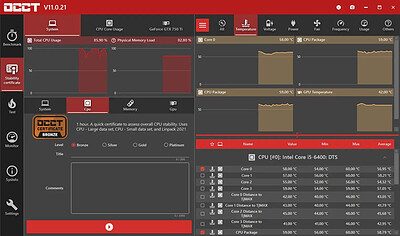
OCCT is the most popular all-in-one stability check & stress test tool available. OCCT is great at generating heavy loads on your components ( CPU, GPU, Memory, GPU Memory & Power supply ) , and aims at detecting hardware errors or stability issues faster than anything else. A monitoring engine is also embedded, to ease diagnostic and see how your computer reacts under heavy load using graphs.

6 TESTS
OCCT includes 6 different tests : OCCT and Linpack for your CPU, Memory for testing system RAM, 3D and VRAM for your Graphic card, and Power to stress your power supply. You can even monitor your PC while using an external app to generate reports using the Monitoring-only test !

MONITORING
OCCT will monitor your computer's reading and present you real-time graphs showing you temperatures, voltages, fan speed, frequencies, component usage, and power consumption during your tests. We are using the AWESOME engine from HwInfo !

BUILT-IN PROTECTION FOR YOUR COMPUTER
Worried about frying your components ? Turn the maximum temperature threshold in OCCT's options ! Should a component reach this critical temperature during a test, OCCT will stop itself immediately.

TEST REPORT
At the end of a test, you will be able to save a full graphical report of what happened during the test, for diagnostic purposes.

HOMEPAGE:
Код:
https://www.ocbase.com/

FREE DOWNLOAD LINKS:​

Код:
https://rapidgator.net/file/9db48bba562a02d421ad6efba62aa41d/OCCT_17.1.9_x64_Multilingual.rar

Код:
https://clicknupload.click/qbb7tbj77qmu/OCCT_17.1.9_x64_Multilingual.rar
 
c6fa378263c1909b5decd7b6d5a65bcc.jpg


OkMap Desktop 20.0.0 Multilingual | Size: 191.2 MB
Language: English
​
OkMap is an interactive software which allows you to work on your computer screen with web maps or digital maps that you have either bought or scanned. OkMap can also import vectorial data from the most common formats and DEM data relevant to height information.

Through these maps, you can organize your paths by creating waypoints, routes and tracks on your computer monitor, and upload this data to your GPS. OkMap sets automatically altitude data and estimates travel times. Furthermore OkMap provides you also with autorouting and geocoding functions.

Data collected by your GPS can be downloaded on your computer, stored and displayed on the maps. They can also be used to create different types of statistics.

By connecting a GPS to your laptop, you can plot your position on maps in real-time. If you are connected to the network you can constantly send your position to a remote computer, or receive the position of your companions on your computer and display the related tracks on maps in real time.

OkMap can also interface Google Maps and Google Earth. With Google Maps you can view maps and data of your interest. With Google Earth you can view your paths and your maps in 3D also.

Operating System: Windows 7 or higher (64-bit only)

HOMEPAGE:
Код:
https://www.okmap.org/

FREE DOWNLOAD LINKS:​

Код:
https://rapidgator.net/file/2d7efedde1e6dc5da4f8ac6772f56b4f/OkMap_Desktop_20.0.0_Multilingual.rar


Код:
https://clicknupload.click/v19o0uafta65/OkMap_Desktop_20.0.0_Multilingual.rar
 

d8759f912d8e59cb9930c0dfd193b90e.jpg


PDFgear 3.0.0 | Size: 132.4 MB
Language: English
​
PDFgear is a free PDF file management tool that lets you read, edit, convert, merge, and sign your PDF files without any cost or sign-up requirements.

One of the best features of PDFgear is its ability to edit PDF text, just like you would in a Microsoft Word document. You can easily change text, replace images, or delete paragraphs in your PDF files without formatting issues.
PDFgear also allows you to convert between 60+ image and document formats with just one click. You can convert Word, Excel, PowerPoint, images, e-books, and many more file types quickly and accurately. The batch conversion feature also helps you save time and increase productivity.
PDFgear Copilot is another feature that allows you to interact with PDFgear using natural language. You can send a text message and receive a seamless response, making it easier to streamline your PDF workflows.

PDFgear is also a highly efficient AI-powered PDF editor integrated with GPT 3.5. It has become one of the most popular PDF editors available today. With PDFgear, you can quickly summarize a large research file and extract key information from your PDF documents. You can also proofread, revise, and rewrite your PDF content. Additionally, you can chat with your PDF files and perform all these tasks easily and accurately.
Lastly, PDFgear also comes with a powerful OCR PDF converter that enables you to edit scanned PDF documents, convert scanned PDFs to editable Microsoft Word files, extract information from scanned documents, and much more.

System Requirements: Windows 11, Windows 10, 8

FREE DOWNLOAD LINKS:​

Код:
https://rapidgator.net/file/34db8da321ca58d0ccd3e2b89f3a23e5/PDFgear_3.0.0.rar

Код:
https://clicknupload.click/5oyg5v3y8dg7/PDFgear_3.0.0.rar
 
ec9c9a3505b1e1900f0219a14901cdb9.png


PTC Creo 13.4.2.0 (x64) + HelpCenter Multilingual | Size: 9.48 GB
Language: English
​
The Industry's Leading 3D CAD Software. Let's assume you went into product design to create fantastic products. That's your focus, what you want to do, and how you want to be remembered. With the Creo product development software suite, you can take your product from concept to digital prototype and do so with efficiency, accuracy and a measure of grace. Our software is intuitive and all works together. We've been at the cutting-edge of CAD for more than 30 years. Come join us.

Creo The future of product design from the leading innovator in 3D CAD. Now you can design smart, connected products and capitalize on new technologies such as additive manufacturing and augmented reality.

Creo Parametric
The flagship application in the Creo Suite, Creo Parametric is the only software you need for 3D CAD. With Creo Parametric, you can seamlessly combine parametric and direct modeling; open non-native CAD data and collaborate with almost anyone thanks to Unite technology; and relax knowing all downstream deliverables will update automatically. Combine this range of capabilities with ease-of use, and you have a product design accelerator.

3D CAD
From the comprehensive capabilities of Creo Parametric to applications specializing in direct modeling, Creo has what you need. Whether you need speed and flexibility to meet a deadline, or are in the initial stages of concept design, direct modeling lets you work with geometry quickly and easily.

Creo Parametric: Design your entire product using both parametric and direct modeling
Creo Direct: Interact directly with geometry. Suitable for infrequent CAD users.
Creo Options Modeler: Easily create variants of configurable products
Creo Elements/Direct Modeling: Comprehensive direct modeling capabilities

2D CAD
Creo Sketch: Use this free download to capture initial ideas
Creo Layout: Leverage 2D data to produce 3D models that accurately reflect design intent
Creo Schematics: Create 2D schematic designs of routed systems
Creo Elements/Direct Drafting: Meets the 2D needs of designers and engineers

Simulation
Simulate early and often with software that's easy to set up, use, and run. Now you can resolve basic design issues in engineering before handing off your product to Analysis.

Visualization
Now colleagues can see your design in the file format that suits them, so design reviews are more productive and data can be reused. Fewer, better prototypes mean faster design cycles and more money in your budget.

Creo View MCAD: Intuitive viewer allows non-CAD users to see your design
Creo View ECAD: Allows the entire team to see PCB-related designs
Creo Illustrate: Create powerful 3D interactive technical illustrations
Creo View Mobile: Use your iPad or iPhone to see models created in Creo View

Why Creo?
Our software doesn't produce innovation: you do. But Creo can help by giving you powerful tools all within one environment as well as choice and flexibility in how you use them.
What can you design? One customer designed an artificial heart. Another created a 1.5 ton light sculpture. Maybe your next great product is that one on your desk.

HOMEPAGE:
Код:
http://www.ptc.com

FREE DOWNLOAD LINKS:​

Код:
https://rapidgator.net/file/8382f5092561af2567b62d81b7b4bea4/PTC.Creo.13.4.2.0.Win64-SSQ..part1.rar
https://rapidgator.net/file/1bdf09a9c3eb8a4785da62f553f9180b/PTC.Creo.13.4.2.0.Win64-SSQ..part2.rar
https://rapidgator.net/file/b729d2902f8eb3e42ae4ec8b68084298/PTC.Creo.13.4.2.0.Win64-SSQ..part3.rar
https://rapidgator.net/file/9e04e617b72e9ece746fa435c0b4b964/PTC.Creo.13.4.2.0.Win64-SSQ..part4.rar
https://rapidgator.net/file/16889dd13a4611390777b3a4b5403d6a/PTC.Creo.13.4.2.0.Win64-SSQ..part5.rar


Код:
https://clicknupload.click/7ane2uahm7ki/PTC.Creo.13.4.2.0.Win64-SSQ..part1.rar
https://clicknupload.click/monwrgkicbne/PTC.Creo.13.4.2.0.Win64-SSQ..part2.rar
https://clicknupload.click/vze74i2hrq26/PTC.Creo.13.4.2.0.Win64-SSQ..part3.rar
https://clicknupload.click/5q9c009ypv3r/PTC.Creo.13.4.2.0.Win64-SSQ..part4.rar
https://clicknupload.click/wbbyyq9yyv1c/PTC.Creo.13.4.2.0.Win64-SSQ..part5.rar
 

786230291_cover.png


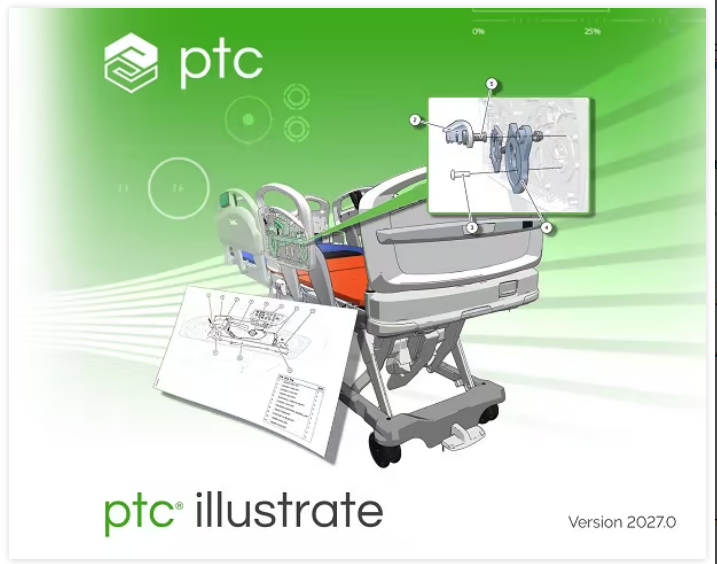
PTC Product Illustrate 2027.0.0.0 (x64) Multilingual | Size: 836.57 MB
Language: English
​

Let's assume you went into product design to create fantastic products. That's your focus, what you want to do, and how you want to be remembered. With the Creo product development software suite, you can take your product from concept to digital prototype and do so with efficiency, accuracy and a measure of grace. Our software is intuitive and all works together.

Creo Parametric
The flagship application in the Creo Suite, Creo Parametric is the only software you need for 3D CAD. With Creo Parametric, you can seamlessly combine parametric and direct modeling; open non-native CAD data and collaborate with almost anyone thanks to Unite technology; and relax knowing all downstream deliverables will update automatically. Combine this range of capabilities with ease-of use, and you have a product design accelerator.

3D CAD
From the comprehensive capabilities of Creo Parametric to applications specializing in direct modeling, Creo has what you need. Whether you need speed and flexibility to meet a deadline, or are in the initial stages of concept design, direct modeling lets you work with geometry quickly and easily.

Creo Parametric: Design your entire product using both parametric and direct modeling
Creo Direct: Interact directly with geometry. Suitable for infrequent CAD users.
Creo Options Modeler: Easily create variants of configurable products
Creo Elements/Direct Modeling: Comprehensive direct modeling capabilities

2D CAD
Creo Sketch: Use this free download to capture initial ideas
Creo Layout: Leverage 2D data to produce 3D models that accurately reflect design intent
Creo Schematics: Create 2D schematic designs of routed systems
Creo Elements/Direct Drafting: Meets the 2D needs of designers and engineers

Simulation
Simulate early and often with software that's easy to set up, use, and run. Now you can resolve basic design issues in engineering before handing off your product to Analysis.

Simulation Products
Visualization
Now colleagues can see your design in the file format that suits them, so design reviews are more productive and data can be reused. Fewer, better prototypes mean faster design cycles and more money in your budget.

Creo View MCAD: Intuitive viewer allows non-CAD users to see your design
Creo View ECAD: Allows the entire team to see PCB-related designs
Creo Illustrate: Create powerful 3D interactive technical illustrations
Creo View Mobile: Use your iPad or iPhone to see models created in Creo View

Why Creo?
Our software doesn't produce innovation: you do. But Creo can help by giving you powerful tools all within one environment as well as choice and flexibility in how you use them.
What can you design? One customer designed an artificial heart. Another created a 1.5 ton light sculpture. Maybe your next great product is that one on your desk.

System Requirements: Windows 11/10

HOMEPAGE:
Код:
https://www.ptc.com/en

FREE DOWNLOAD LINKS:​

Код:
https://rapidgator.net/file/0f1cd81f0a0ba9e79fc7da87dd466578/PTC_Product_Illustrate_2027.0.0.0_x64_Multilingual.rar


Код:
https://clicknupload.click/m89mcpz13prq/PTC_Product_Illustrate_2027.0.0.0_x64_Multilingual.rar
 

786235027_cover.png


PTC Product View 2027.0.0.0 (x64) Multilingual | Size: 2.15 GB
Language: English
​

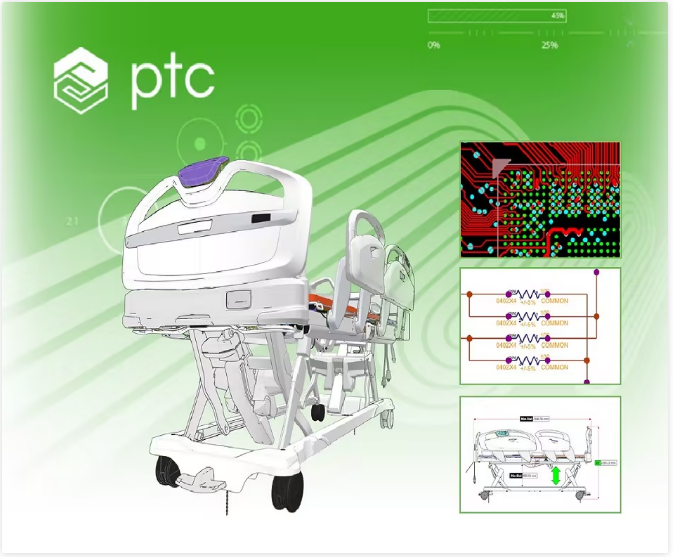
PTC Product View (ex Creo View) lets users share 3D CAD information internally and with partners and suppliers outside the organization. No need for either the software that created the data or specialized CAD skills. Creo View supports drawings and documents from a multitude of sources. With Creo View, you're on the way to faster and higher quality design reviews, improved collaboration, and better products at lower cost.

Product Data Management
Manage your multi-CAD data in a single system and the lifecycle of all documents with tight integration to CAD tools

Collaboration
Role-based data access to stakeholders, ensuring they see only the data that they need

Windchill
A combined hub for product data and processes

System Requirements: Windows 11

HOMEPAGE:
Код:
https://www.ptc.com

FREE DOWNLOAD LINKS:​

Код:
https://rapidgator.net/file/5094a759f51c1e396456a3358a5af28e/PTC.Creo.View.13.0.0.0.Win64-SSQ..part1.rar
https://rapidgator.net/file/a294a484d7fdddc766cb5cf22795dcd6/PTC.Creo.View.13.0.0.0.Win64-SSQ..part2.rar


Код:
https://clicknupload.click/8y9u4o4jz1yv/PTC.Creo.View.13.0.0.0.Win64-SSQ..part1.rar
https://clicknupload.click/qpdde7yi7c02/PTC.Creo.View.13.0.0.0.Win64-SSQ..part2.rar
 
2e5cde08e89bda27ba93371187048cc2.jpg


PVS-Studio 8.01.110719.2351 | Size: 255.42 MB
Language: English
​
PVS-Studio performs static code analysis and generates a report that helps a programmer find and fix bugs. PVS-Studio performs a wide range of code checks, it is also useful to search for misprints and Copy-Paste errors. Examples of such errors: V501, V517, V522, V523, V3001.

The main value of static analysis is in its regular use, so that errors are identified and fixed at the earliest stages. There is no point in wasting 50 hours looking for a bug that could be found with static analysis. So, let's point out that again - the main idea of static analysis is not to find one hidden bug on the day before the release, but to fix dozens of bugs day by day.

The analyzer can be run at night on the server and warn about suspicious code fragments. Ideally, these errors can be detected and fixed before getting into the repository. PVS-Studio can automatically be launched immediately after the compiler for the files that have been just modified.

PVS-Studio can integrate into Visual Studio development environment 2010-2017. If you use this IDE, then most likely you will just have to go to the menu of PVS-Studio plugin and choose "Check Current Project".

Main features of PVS-Studio
Simple and seamless integration with Visual Studio 2010-2017
Automatic analysis of individual files after their recompilation
Online reference guide concerning all the diagnostics available in the program, on the web site and documentation (presented as a .pdf file) Up to 550 pages of documentation
Saving and loading analysis results allow doing overnight checks - during the night the analyzer does the scanning and provides you with the results in the morning.
You can save analysis results as HTML with full source code navigation.
Project analysis run from the command line: helps integrate PVS-Studio into overnight builds; a new log will be issued in the morning.
Great scalability Support of multi-core and multi-processor systems with the possibility to specify the number of the cores to use; IncrediBuild support.
Interactive filtering of the analysis results (the log file) in the PVS-Studio window: by the diagnostic number, file name, the keyword in the text of the diagnostic.
Automatic check of PVS-Studio updates (during the work in IDE and overnight builds).
BlameNotifier utility. The tool allows you to send e-mail notifications to the developers about bugs that PVS-Studio found during a night run.

Supported languages and compilers
Visual Studio, C, C++, C++/CLI, C++/CX (WinRT)
MinGW C, C++
Texas Instruments Code Composer Studio, C6000-CGT, C, C++
IAR Embedded Workbench, C/C++ Compiler for ARM C, C++
QNX Momentics, QCC C, C++
Keil µVision, DS-MDK, ARM Compiler 5/6 C, C++
Texas Instruments Code Composer Studio, ARM Code
Generation Tools C, C++
MPLAB XC8 C
GNU Arm Embedded Toolchain, Arm Embedded
GCC compiler, C, C++
CLion, Qt Creator, Eclipse, GCC, Clang, C, C++
IntelliJ IDEA, Android Studio, Java
Visual Studio, JetBrains Rider, C#, .NET Framework, .NET

HOMEPAGE:
Код:
https://www.viva64.com/en/pvs-studio/

FREE DOWNLOAD LINKS:​

Код:
https://rapidgator.net/file/fd1bacda73727c5d2393fff19fcd7319/PVS-Studio_8.01.110719.2351.rar

Код:
https://clicknupload.click/ai2q5ras8bvk/PVS-Studio_8.01.110719.2351.rar
 
_56dd1bd5c25e9b957a6eb512a1ae03d6.jpeg


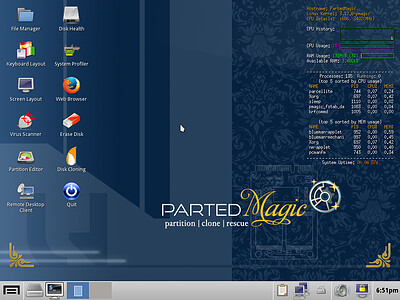
Parted Magic 26.10.3 (x64) | Size: 2.17 GB
Language: English
​
Powerful Tools for Home or Office! Parted Magic is a complete hard disk management solution.

Disk Partitioning
PartedMagic has the tools to get the job done. With the Partition Editor you can re-size, copy, and move partitions. You can grow or shrink your C: drive. Create space for new operating systems. Attempt data rescue from lost partitions.

Disk Cloning
Clone a computer's entire disk or a single partition. The cloned data could be saved as an image-file or as a duplicated copy of the data. The data could then be saved to a locally attached storage device, an SSH server, a Samba Server, or a Network File System share. The clone file can then be used to restore the original when needed.

Data Rescue
PartedMagic allows you to easily reset or change Windows passwords. Recover lost files. Rescue files from devices with disk read errors.

Disk Erasing
PartedMagic comes with easy to use solutions for conventional overwrite. Internal Secure Erase. Wiping of only Free Space.

Benchmarking
All the benchmarking tools you would ever need! Bonnie++, IOzone, Hard Info, System Stability Tester, mprime, and stress.

Supported File Systems
ext2, ext3, ext4, fat16, fat32, ntfs, and reiserfs
Supported Actions: Create, grow, shrink, move, copy, check, label, and UUID.

Supported Hardware
PartedMagic requires at least a 64-bit processor with 8GB of RAM. 2GB in Live mode. Compatible with Secure Boot Windows machines. Runs well on Intel Macs.

No Installation Required!
PartedMagic is a stand alone Linux operating system. Runs from a CD or USB drive. Nothing installed.

Supported Storage Devices
Hard disk drives (SATA, IDE, and SCSI). Flash memory. USB drives. SSD (Solid State Drives). Devices with sector sizes of 512, 1024, 2048, 4096, etc.

HOMEPAGE:
Код:
https://partedmagic.com/

FREE DOWNLOAD LINKS:​

Код:
https://rapidgator.net/file/850cc2587c3fbb20ec905a835760398a/pmagic_26.10_3..part1.rar
https://rapidgator.net/file/f0fc78dbace0ca026e0292c726f89a05/pmagic_26.10_3..part2.rar
https://rapidgator.net/file/9413ba709f0bd53584a5b78d7ee6f3bd/pmagic_26.10_3..part3.rar


Код:
https://clicknupload.click/dviptamh82r3/pmagic_26.10_3..part1.rar
https://clicknupload.click/pj3pdxwo9wf0/pmagic_26.10_3..part2.rar
https://clicknupload.click/sinpbdgv7apm/pmagic_26.10_3..part3.rar
 
2b5a19d77a0e8f8b0b906689f4eb15dd.jpg


PeaZip 11.4.0 Multilingual | Size: 19.2 MB
Language: English
​

PeaZip is an archive manager, that allows to apply powerful multiple search filters to archive's content; create and extract multiple archives at once; create self-extracting archives; export job definition as command line; save archive's layouts; bookmark archives and folders; scan and open with custom apps compressed and uncompressed files etc. Other features: strong encryption, robust file copy, split/join files (file span), secure data deletion, compare, checksum and hash files, system benchmark, generate random passwords and keyfiles.

PeaZip is an open source file and archive manager: cross platform, available as portable and installable software for 32 and 64 bit Windows and Linux (PeaZip is a desktop neutral application).
The program is freeware, free of charge for any use. It is also available as standalone, portable application not needing installation.
Full support (read and write): 7z, FreeArc's arc/wrc, sfx (7z and arc), bz2, gz, paq/lpaq/zpaq, pea, quad/balz/bcm, split, tar, upx, wim, zip

Read only (browse, extract, test): 7z, apk, bz, bz2, bzip2, tbz2, tbz, gz, gzip, tgz, tpz, tar, zip, zipx, z01, smzip, arj, cab, chm, chi, chq, chw, hxs, hxi, hxr, hxq, hxw, lit, cpio, deb, lzh, lha, rar, r01, 00, rpm, z, taz, tz, iso, jar, ear, war, lha, pet, pup, pak, pk3, pk4, slp,[Content], xpi, wim, u3p, lzma86, lzma, udf, xar, dmg, hfs, part1, split, swm, tpz, kmz, xz, txz, vhd, mslz, apm, mbr, fat, ntfs, exe, dll, sys, msi, msp, ods, ots, odm, oth, oxt, odb, odf, odg, otg, odp, otp, odt, ott, gnm, doc, dot, xls, xlt, ppt, pps, pot, docx, dotx, xlsx, xltx, swf, flv, quad, balz, zpaq, paq8f, paq8jd, paq8l, paq8o, lpaq1, lpaq5, lpaq8, ace, arc, wrc, 001, pea, cbz, cbr, cba, cb7, cbt (and more.)
Repair: FreeArc's arc/wrc
PeaZip can extract most of archive formats both from Windows and Unix worlds. Ranging from mainstream 7Z, RAR, TAR and ZIP to experimental ones like PAQ/LPAQ family, currently the most powerful compressor available. For archive creation, PeaZip suppors a wide range of compression and encryption standard. From fastes to most powerful ones. And allows to export job definition as scripts to bridge the gap between GUI and console applications. Also let the user pick the best of the two worlds.
PeaZip has secure deletion feature, can verify file checksum and hash. Furthermore, it supports multiple strong encryption standards, optionally using two factor authentication (password and keyfile) for increased security.
Supported encryption standards
7Z: 7-Zip AES256 encryption
ZIP: WinZip AES256 AE encryption, and ZipCrypto for legacy compatibility; can decrypt PKZip's AES encryption
ARC: FreeARC AES256, Blowfish, Twofish256 and Serpent256
PEA: AES256 EAX authenticated encryption
PeaZip is localized in 29 languages. And is capable of handling all most popular archive formats (150+ file types). Also supports a wide array of advanced file and archive management features. Such as search, bookmarks, thumbnail viewer, hashing, find duplicate files, convert archives.. And it is specially focused on security (strong encryption, two factor authentication, encrypted password manager, secure deletion.).

System Requirements: Windows 11, Windows 10, 8 , 7

HOMEPAGE:
Код:
https://www.peazip.org/

FREE DOWNLOAD LINKS:​

Код:
https://rapidgator.net/file/a0aa03a783c3616329640a89a0a8d5a5/PeaZip_11.4.0_Multilingual.rar

Код:
https://clicknupload.click/snkrf2e2ona0/PeaZip_11.4.0_Multilingual.rar
 
5d878f24b54d59168d8705eaffb78178.jpg


Pixologic Zbrush 2027.0.1 (x64) Multilingual | Size: 2.71 GB
Language: English
​
ZBrush is the leading industry standard digital sculpting software. This update provides enhancements that will help you explore new workflows, including the ability to create high quality renders with the integration of Redshift. From Hard Surface modeling and Character Creation to World Building and Environment Design, ZBrush provides you with access to diverse workflows and limitless creative possibilities with ease.

Integrate fully GPU-accelerated, biased rendering into your ZBrush pipeline
Render high resolution images without UV and Texture Map information on the fly. Take your art further with Subsurface Scattering, Emissive Light generation, full metallic material management and caustic effects for realistic glass. Using ZBrush with Redshift integration provides new and exciting opportunities to create high-quality images.

Slime Bridge
A dynamic way to create! Using the power of ZBrush's Masking system, Slime Bridge works to expand modeling capacity to include complex geometric connections and designs from one masked island to another. Simply draw out a mask on a given surface and create another mask on an adjacent group of faces to set your Slime Bridge parameters. Click the Slime Bridge button and watch real-time construction and eclectic shapes come to life. The Tension, Bridges Calipers and Branches sliders provide access points for even more creative control when it comes time to slime things up!

Sculptris Pro
Sculptris Pro, a dynamic tessellation sculpting workflow that enables you to ignore the constraints of polygon distribution and just - sculpt! Sculptris Pro makes it possible for you begin with any shape or model, whether it has ten polygons or ten thousand. There is absolutely no need to worry about having enough polygons to capture details. With Sculptris Pro you can simply brush across the surface. Sculptris Pro will dynamically add and reduce polygons wherever and whenever it's needed, freeing you to focus entirely on the look you're trying to achieve.

ZBrush places a library of over 400 sculpting brushes at your fingertips. Activating Sculptris Pro will transform each of these brushes into a system that places no limitations on your creativity. ZBrush comes with a set of brushes designed specifically for Sculptris Pro.

Subdivision Size Picker
Additions to the already robust Sculptris Pro feature set include increased resolution capabilities. Take advantage of triangle size at five times the density. Using the Sculptris Pro slider provides control for increasing density in desired areas while also reducing the size of triangles. This means more detail where it counts. Extended use includes interactive manipulation of triangle size while hovering over designated areas of an asset.

Multi-Resolution Mesh Editing
The inherent problem with traditional 3D modeling methods is that once you divide your mesh you are locked into the design thus far. There is no way to go back and make changes at the macro level without sacrificing everything that has been done at higher resolutions. ZBrush does away with that restriction through multi-resolution subdivision editing, the feature for which it received an Academy Award. With this system you are free to move between subdivision levels at any time, making changes wherever they are most appropriate. Those changes then automatically ripple across all other levels of your model.

Mask Region
Mask Region allows for expanded use of ZBrush's robust masking system by allowing you to draw shapes on the surface of a mesh while filling those areas uniformly and independently. Selecting the Auto Region option will auto-fill your mask to complete your selection. With Analyze Region, you make multiple masking selections while ZBrush detects and fills the selected areas. Fill Region will auto-fill all areas that ZBrush detected to complete multiple mask selections at once with the push of a button.

Apply Last Action
The Apply Last Action to All Subtools function allows for application of material attributes, color information and any other "undoable" operations to multiple subtools inside the ZBrush Tool Palette with the click of a button. Only Subtools with the "Eyeball" icon activated/visibility turned on inside the Subtool menu will be affected.

Taking this functionality further sees the addition of Folder support. The Folder "add-on" function provides you with an opportunity to manage Apply Last Action to specific folders for increased control over modeling and visual representation of assets. Grouping your subtools together into a Folder will allow you to use Apply Last Action to subtools within a currently selected folder.

Highly recommended specifications:
OS: 64-bit editions of Windows 10 or 11.
CPU: Intel i5/Xeon technology and newer or AMD Ryzen/Threadripper and newer.
RAM: 8 GB required for working with multi-million poly models. (16+ GB preferred.)
HDD: 100 GB of free hard drive space for ZBrush and its scratch disk. (SSD drive highly recommended.)
Pen Tablet: Wacom or Wacom compatible. (WinTab API.)
Monitor: 1920x1080 monitor resolution or higher with 32-bit color.
Video card: Must support OpenGL 3.3 or higher and Vulkan 1.1 or higher.
Redshift: Redshift (including Redshift in ZBrush) has its own system requirements.

HOMEPAGE:
Код:
https://www.maxon.net/en/zbrush

FREE DOWNLOAD LINKS:​

Код:
https://rapidgator.net/file/acee422fb7b58a52d1bd445808906a04/Zbrush_2027.0.1..part1.rar
https://rapidgator.net/file/e671693e5970c633719513d7ccc615f0/Zbrush_2027.0.1..part2.rar
https://rapidgator.net/file/76c735ad2cce533528f4564d6ca7c64c/Zbrush_2027.0.1..part3.rar


Код:
https://clicknupload.click/lc53a6a9ki4u/Zbrush_2027.0.1..part1.rar
https://clicknupload.click/awuk0jk3tz4r/Zbrush_2027.0.1..part2.rar
https://clicknupload.click/njna81614gbo/Zbrush_2027.0.1..part3.rar
 
Назад
Сверху Снизу