








All Emperor2011's Software in one thread !! (updated daily)

593c20030d5da9b0589d1fea98acdbf5.jpg


UltraUXThemePatcher 4.6.0 | Size: 159.91 KB
Language: English

UltraUXThemePatcher modifies your system files so that 3. party themes can be used. You can download Windows themes from third parties and activate them. The program backups the original system files and all changes can be undone by uninstalling if you have issues.

UltraUXThemePatcher is available for Windows XP to Windows 10 RTM and Anniversary Update 1607 for 32bit and 64bit version.
Wizard-like interface
You can use this application if you want to personalize your system in a wide variety of manners, by applying third-party visual styles or custom themes, according to your preferences.
This tool comes with a wizard-like menu, thus enabling a broad range of users to benefit from its capabilities without significant efforts, regardless of their computer operating skills. However, caution is highly advised, as some systems might be damaged after applying the patch.

Effortless installation
UltraUXThemePatcher can help you unlock your system's customization capabilities by patching a series of files on your computer, "Uxtheme.dll", "Themeui.dll" and "Uxinit.dll". This process can be accomplished without difficulty, as you are only required to follow a series of on-screen instructions.
After you accept the agreement terms, you can view a brief description of your computer, which includes system information and target file details, such as version and status. You are advised to check whether the data mentioned above is correct so that you can prevent system crashes from occurring.
Patching your files requires you to reboot your computer so that the modifications can be applied efficiently.

Easily restore your original files
If you want to restore the patched items to their original state, you do not need to perform any manual operation. During the patching, this tool creates backups of your documents and restoring them can be quickly achieved by uninstalling the application.
Lightweight, reliable patcher tool that can help you unlock customization abilities on your system
As a conclusion, UltraUXThemePatcher is a handy application that can help you use third-party visual styles and custom themes on your system by patching a series of files. It comes with a wizard-like interface, which adds to its simplicity, and it does not require manual backup and restore of your system files since it automatically performs those operations during setup.

System Requirements: Windows 11, Windows 10, 8 , 7

Whats New
Support for current Windows 11 26H2
Support for current Windows 11 Insider Releases (27943 and later)

HOMEPAGE:
Код:
https://mhoefs.eu/software_uxtheme.php?ref=syssel&lang=en

FREE DOWNLOAD LINKS:

Код:
https://rapidgator.net/file/f38c512e8babb967467cc091204c01b4/UltraUXThemePatcher_4.6.0.rar


Код:
https://nitroflare.com/view/D18E1693D1DF25B/UltraUXThemePatcher_4.6.0.rar
 

772568901_cover.png


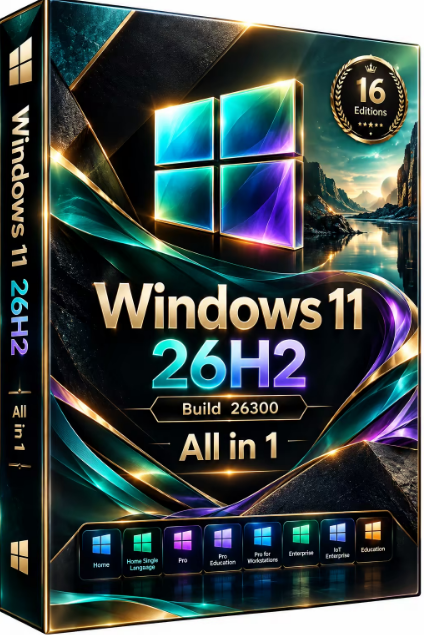
Windows 11 26H1 Build 28000.2605 (No TPM Required) Aio 16in1 Preactivated (Preview) | Size: 7.89 GB
Language: English
Windows 11, version 26H2 is an annual feature update that arrives as a fast, low-disruption enablement package for devices already running recent versions of Windows 11. It delivers refined system features, improved responsiveness, and standard lifecycle support without requiring a full operating system re-imaging.

As a reminder, Windows 11 26H2 is the only H1 release in four years of Windows 11's existence. Shortly after releasing Windows 11 version 25H2 to all users, Microsoft started testing version 26H1 in the Canary Channel. The update is intended to work as a "platform update" for certain processors. Microsoft does not say what processors it has in mind, but rumors say that Windows 11 version 26H1 will be an exclusive release for Snapdragon X2 Elite processors, and its launch is scheduled for the first half of 2026, as the name suggests.
For Users

Accessibility
The Narrator now includes a Braille Viewer, allowing users to see the braille equivalent of on-screen text on a refreshable braille display.
Passkeys
Users can now utilize plug-in credential managers for setting up and using passkeys, offering improved security and management.
Time & Language
Ported settings from the Control Panel to the Settings app, including configuring additional clocks and changing the NTP time server.
Mobile Experience
The mobile device companion has a new, more accessible layout to view calls, messages, photos, and more from your phone.
Click-to-Do
New AI features for Click-to-Do are included, such as a new "Convert to Table" capability for converting text to an Excel table and more flexible selection methods.
For IT Administrators
Quick Machine Recovery
This new feature in the recovery system aims to reduce downtime and simplifies the process for recovering a system, according to PCMag.
Removable Apps
IT admins can now remove certain pre-installed Microsoft Store apps via Group Policy or MDM CSP on Enterprise/EDU devices.
Feature Removals
removes older components like PowerShell 2.0 and WMIC for greater security and efficiency.

Edition includes
1. "Windows 11 Home"
2. "Windows 11 Home N"
3. "Windows 11 Pro"
4. "Windows 11 Pro N"
5. "Windows 11 Home Single Language"
6. "Windows 11 Enterprise"
7. "Windows 11 IoT Enterprise"
8. "Windows 11 IoT Enterprise Subscription"
9. "Windows 11 Enterprise multi-session"
10. "Windows 11 Education"
11. "Windows 11 Pro Education"
12. "Windows 11 Pro for Workstations"
13. "Windows 11 Enterprise N"
14. "Windows 11 Education N"
15. "Windows 11 Pro Education N"
16. "Windows 11 Pro N for Workstations"

System Requirements For Windows 11
Processor: 1 gigahertz (GHz) or faster.
RAM: 1 gigabyte (GB).
Free space on hard disk: 16 gigabytes (GB).
Graphics card: DirectX 9 graphics device or a newer version.
Additional requirements to use certain features.
To use touch you need a tablet or monitor that supports multitouch.
To access the Windows store to download and run apps, you need an active Internet connection and a screen resolution of at least 1024 x 768 pixels

HOMEPAGE:
Код:
https://www.microsoft.com/

FREE DOWNLOAD LINKS:

Код:
https://rapidgator.net/file/08e50f53fba95383719ff39fcb717d96/Win.11.26H2.26300.9539..part1.rar
https://rapidgator.net/file/3f57668d3693b8ec52d9edb755d090be/Win.11.26H2.26300.9539..part2.rar
https://rapidgator.net/file/682ca6e90ccb04d2036150fb37a2af7e/Win.11.26H2.26300.9539..part3.rar
https://rapidgator.net/file/d86bad9df834c99272553db1e954abc8/Win.11.26H2.26300.9539..part4.rar


Код:
https://nitroflare.com/view/92D65838AEBE511/Win.11.26H2.26300.9539..part1.rar
https://nitroflare.com/view/C7A76A7205D03FA/Win.11.26H2.26300.9539..part2.rar
https://nitroflare.com/view/4BBB205779DEE05/Win.11.26H2.26300.9539..part3.rar
https://nitroflare.com/view/4877D5F7D4690EB/Win.11.26H2.26300.9539..part4.rar
 
_20a9dae99254a7b1d56517f0c8a685b1.jpeg


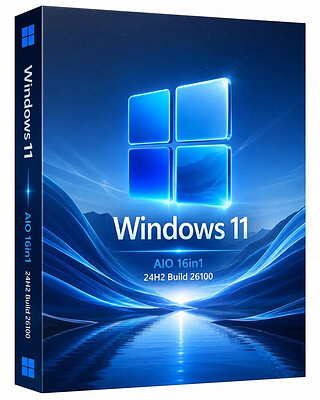
Windows 11 AIO 16in1.24H2 Build 26100.9539 (No TPM Required) Preactivated September 2026 | Size: 7.23 GB
Language: English
Windows 11, version 24H2, also known as the Windows 11 2024 Update, is now available through Windows Server Update Services (WSUS) and Windows Update for Business.

Today marks the start of 36 months of support for Enterprise and Education editions of Windows 11, version 24H2. We recommend that you begin a targeted deployment in your organization now to validate that your apps, devices, and infrastructure work as expected with the new release. To help you plan, this post outlines some of the features and enhancements that help you power exceptional experiences while helping secure your corporate data, apps, and people on any device.

Windows 11, version 24H2 includes all the features and capabilities delivered as part of continuous innovation to Windows 11, now enabled by default. These include

Windows Local Administrator Password Solution (LAPS) policy improvements and new automatic account management feature
Personal Data Encryption (PDE) so that known Windows folders (Documents, Desktop, and Pictures) are protected using user authenticated encryption
App Control for Business (formerly Windows Defender Application Control) to better protect your digital property from malicious code
Windows protected print mode, eliminating the need to rely on third-party software installers for Morpia certified printers
Local Security Authority (LSA) protection to help protect against the theft of secrets and credentials used for logon
Support for Wi-Fi 7
Bluetooth® LE audio support for assistive devices
New controls to help manage which apps have access to the list of Wi-Fi networks around you
Rust in the Windows kernel
SHA-3 support
With Windows 11, version 24H2, we've also introduced numerous Server Message Block (SMB) protocol changes. These include firewall rule changes, support for blocking NTLM, dialect management, alternative network port connections, SMB over QUIC (an alternative to TCP and RDMA), and changes to SMB signing and encryption.

This scoped release also features enhancements designed to improve your overall experience with Windows 11, such as

A scrollable list (vs. single pane) of Quick Settings in the system tray that can be arranged in the way that makes sense for how you work best
Text labels to the cut, copy, rename, share, and delete actions available at the top of the File Explorer context menu
Support for creating 7-zip and TAR archives
Energy saver, an easy way to extend battery life and reduce energy use that can be configured to run automatically or toggled on and off manually via Quick Settings
Extended adaptive brightness control[3] on laptops and 2-in-1s even when they are plugged in

Expanded availability of Voice Clarity, which cancels echo, suppresses background noise, and reduces reverberation in real-time
We've also added new capabilities to control audio presets, ambient sounds, and more for Bluetooth® LE Audio. We made it so that people can adjust audio presets for their hearing aids from Settings or Quick Settings.

Editions Includes:
1. "Windows 11 Home"
2. "Windows 11 Home N"
3. "Windows 11 Pro"
4. "Windows 11 Pro N"
5. "Windows 11 Home Single Language"
6. "Windows 11 Enterprise"
7. "Windows 11 IoT Enterprise"
8. "Windows 11 IoT Enterprise Subscription"
9. "Windows 11 Enterprise multi-session"
10. "Windows 11 Education"
11. "Windows 11 Pro Education"
12. "Windows 11 Pro for Workstations"
13. "Windows 11 Enterprise N"
14. "Windows 11 Education N"
15. "Windows 11 Pro Education N"
16. "Windows 11 Pro N for Workstations"

System Requirements
Processor: 2 gigahertz (GHz) or faster.
RAM: 2 gigabyte (GB).
Free space on hard disk: 25 gigabytes (GB).
Graphics card: DirectX 9 graphics device or a newer version.
Additional requirements to use certain features.
To use touch you need a tablet or monitor that supports multitouch.
To access the Windows store to download and run apps, you need an active Internet connection and a screen resolution of at least 1024 x 768 pixels

HOMEPAGE:
Код:
https://microsoft.com

FREE DOWNLOAD LINKS:

Код:
https://rapidgator.net/file/d862267444900f3e484d5e3d129f4801/Win.11.Aio.24H2.26100.9539.Eng..part1.rar
https://rapidgator.net/file/b7683780e92e8cb1e8e9ce27b7b9d97e/Win.11.Aio.24H2.26100.9539.Eng..part2.rar
https://rapidgator.net/file/92a8f5e7b9e392f10a0ca3d54096310a/Win.11.Aio.24H2.26100.9539.Eng..part3.rar
https://rapidgator.net/file/72a7520eead827cc738a4b7ab12e3e91/Win.11.Aio.24H2.26100.9539.Eng..part4.rar
https://rapidgator.net/file/0871cafe3965115c1c7df31c1bb62914/Win.11.Aio.24H2.26100.9539.Eng..part5.rar
https://rapidgator.net/file/8a7a0cc718d952c46c3857dfec01bd30/Win.11.Aio.24H2.26100.9539.Eng..part6.rar
https://rapidgator.net/file/2a0333366074a78e7bbfb9bcb3006d46/Win.11.Aio.24H2.26100.9539.Eng..part7.rar
https://rapidgator.net/file/5db6bbd04b8b908e629ae9d3e80c685d/Win.11.Aio.24H2.26100.9539.Eng..part8.rar


Код:
https://nitroflare.com/view/0B65A5EC800CA06/Win.11.Aio.24H2.26100.9539.Eng..part1.rar
https://nitroflare.com/view/B01CF9B56B2230F/Win.11.Aio.24H2.26100.9539.Eng..part2.rar
https://nitroflare.com/view/396F1E6FA2623F6/Win.11.Aio.24H2.26100.9539.Eng..part3.rar
https://nitroflare.com/view/1105D3AA8587553/Win.11.Aio.24H2.26100.9539.Eng..part4.rar
https://nitroflare.com/view/AC810B113AC41B6/Win.11.Aio.24H2.26100.9539.Eng..part5.rar
https://nitroflare.com/view/B708946C6CD8EA6/Win.11.Aio.24H2.26100.9539.Eng..part6.rar
https://nitroflare.com/view/A7928F4FC25898A/Win.11.Aio.24H2.26100.9539.Eng..part7.rar
https://nitroflare.com/view/55906CC51F24595/Win.11.Aio.24H2.26100.9539.Eng..part8.rar
 
Назад
Сверху Снизу