All Emperor2011's Software in one thread !! (updated daily)

0336d2f62cbf41114923000064264907.jpg


AccessAgility WiFi Scanner 2026.2.35061.0 Multilingual | Size: 66.4 MB
Language: English
WiFi Scanner has all the tools and integrations you need for access point discovery, channel planning, speed testing, remote scanning, and packet capture analysis. Finally, a WiFi Scanner that's both powerful and easy to use.

Simple, fast wireless network discovery of 802.11 a/b/g/n/ac/ax access points. Use WiFi Scanner to select the best configuration for your WiFi access point / router and optimize network speed.

Also includes upload and download speed testing to quickly measure and analyze WiFi Internet performance problems.

Using WiFi Scanner you'll see nearby wireless access points and their details, including channels, signal levels (RSSI), noise, channel width, and MAC address, signal quality, maximum data rate, encryption, and much more.wifi-scanner-mock

WiFi Scanner is great for determining the best position for an access point at home or in the office. After selecting the best position, the optimal channel to use can be determined by selecting the least used channel resulting in improved WiFi speeds.

Key Features
- Simple, fast wireless network discovery of 802.11 a/b/g/n/ac/ax access points.
- Full support for both 2.4 and 5 GHz networks (Mac OS WiFi Scanner)
- Full support for both 2.4, 5 GHz, 6 E / 6 GHZ WiFi networks (Windows WiFi Scanner using 6E adapters )
- Support for all channel bandwidths (20, 40, 80, and 160 MHz)
- Display detailed wireless network parameters: network name (SSID), signal level (RSSI), MAC address (BSSID), signal quality, channel, maximum data rate, encryption, etc.
- Display changes in signal level over time in graphical form.
- Filter list of detected wireless networks by specified parameters (SSID/network name, channel, channel band, signal strength)
- Display wireless connection statistics in the form of graphs and tables.
- Give each access point a custom label
- Export results to comma separated value (CSV) files
- Generate summary reports in HTML format
- WLAN Pi, WLAN Pi Pro, and WLAN Pi CE support as remote sensors / scanners
- Any Linux device / Raspberry Pi as remote sensors / scanners

WiFi Speed Testing
- Upload and download WiFi speed testing
- Use speed testing feature to troubleshoot WiFi networks
- Auto run speed test when client roams to different access point
- Auto repeat speed test with wait time between tests

Advanced Features (supported by some access points)
- Display access point name if configured by network administrator
- Display number of devices connected to each access point
- Display channel utilization
- Display if 802.11r is enabled and type
- Display if WiFi protection mechanisms are enabled
- 6E / 6 GHz frequency (tri-band consumer and enterprise WiFi access points and routers)

WiFi Scanner is the most feature rich and complete WiFi analyzer for Windows.

HOMEPAGE:
Код:
https://www.accessagility.com/

FREE DOWNLOAD LINKS:

Код:
https://rapidgator.net/file/0c402614e71dabb4bfa3eee4522e16c2/AccessAgility_WiFi_Scanner_2026.2.35061.0_Multilingual.rar


Код:
https://nitroflare.com/view/9BB88023C51E91C/AccessAgility_WiFi_Scanner_2026.2.35061.0_Multilingual.rar
 
_5b983319ffdb0c1eec39217fe4501eb6.jpeg


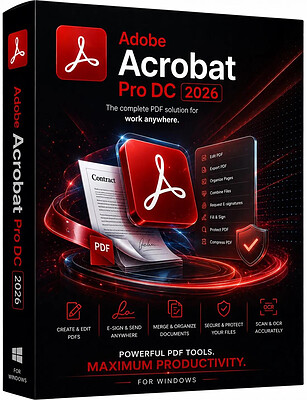
Adobe Acrobat Pro DC 2026.002.21931 (x86) Multilingual | Size: 1.52 GB
Language: English
Adobe Acrobat Pro DC is the leading PDF converter and much more. Adobe Acrobat Pro DC software lets you deliver professional PDF communications. It's packed with smart tools that give you even more power to communicate. Create and edit PDF files with rich media included, share information more securely, and gather feedback more efficiently.

Adobe Acrobat Pro DC software is the advanced way for business professionals to create, combine, control, and deliver more secure, high-quality Adobe PDF documents for easy, more secure distribution, collaboration, and data collection.

Assemble electronic or paper files into reliable PDF documents that are easy to share with others using free Adobe Reader. You can assemble even Web sites, engineering drawings, and e-mail.

With Adobe Acrobat Pro DC you can manage document reviews, synthesizing feedback from multiple reviewers while preserving document format and integrity. Extend commenting capabilities to anyone using Adobe Reader. Windows users can design intelligent Adobe PDF forms that include business logic, such as calculations and data validations, to help increase the accuracy of data collection while reducing the costs of manual data entry.

Use Adobe Acrobat Pro DC to create high-impact PDF communications, collaborate more easily, and streamline reviews. Adobe Acrobat Dynamic PDF helps you get more done - easier, faster, better.

Edit PDF files
With Adobe Acrobat Pro DC, you can make minor edits to text and images right in your PDF file without requiring the original document or graphic. Edit text in a PDF. Fix a typo, change a font, or add a paragraph to your PDF as easily as you do in other applications using a new point-and-click interface. Edit images in a PDF. Resize, replace, and adjust images in your PDF with no need to track down the original file or graphic.

Export from PDF files
Reduce the time you spend retyping information stuck in PDF files. Convert PDF files to editable Microsoft Office documents. And save fonts, formatting, and effort.
Convert PDF files to Word. Save your PDF as a Microsoft Word document and take your fonts, formatting, and layouts with you. Convert PDF files to Excel. Turn your PDF or just part of it into an editable Excel spreadsheet you can use for data analysis right away. Convert PDF files to PowerPoint. Get a head start on new projects by saving a PDF file as a fully editable PowerPoint presentation.

Create PDF files
Stop worrying about whether the files you send will look right on other people's screens. Turn documents into PDF files anyone can reliably view with free Adobe Reader.
Convert Word, Excel, or PowerPoint to PDF. Right from your Office application in Windows, you can create PDFs, start a shared review, restrict PDF edits, and more. Print to PDF. Convert files to PDF from virtually any application that prints simply by selecting Adobe PDF as your printer. Scan to PDF. When you need to turn a paper document or form into a digital file, just scan it to create a searchable PDF file you can edit. Convert HTML pages to PDF. Save web pages as PDF files to archive web content, review the pages offline, or print them more reliably.

Create and analyze forms
Cut the time you spend creating forms, rekeying data, and correcting errors. Distribute forms online, and then collect responses and analyze results in real time.
Create new PDF and web forms. Customize professional templates or design from scratch with the Adobe FormsCentral desktop app included in Adobe Acrobat Pro DC. Collect form responses with FormsCentral. Easily collect responses by moving your PDF or web forms online with the Adobe FormsCentral online service. Convert existing forms to fillable PDFs. Type less, gather more. Quickly convert your paper, Word, or Excel forms to fillable PDF forms. Collect form responses using Adobe Acrobat tools. Compile returned forms into one PDF, or host forms using a network folder or Microsoft SharePoint server.

System Requirements:
x64:
Intel® or AMD processor; 1.5GHz or faster processor
Windows 11 (64 bit), Windows 10 (64 bit) version 1809 or later, Windows Server 2016 (64 bit), or Windows Server 2019 (64 bit)
2GB of RAM
4.5GB of available hard-disk space.
1024x768 screen resolution
Video hardware acceleration (optional)

HOMEPAGE:
Код:
http://www.adobe.com/

FREE DOWNLOAD LINKS:

Код:
https://rapidgator.net/file/7bbfd6c8250ce3ecff909d0329723550/x86_Multilingual_02.21931.rar


Код:
https://nitroflare.com/view/0C867A093B1EB95/x86_Multilingual_02.21931.rar
 
57daa4298708c6682a01e14d6bc2dfa7.png


Avid Media Composer 26.8 (x64) Dongle BackUp Multilingual | Size: 4.3 GB
Language: English
Media Composer is the most proven video editing software in the industry, trusted by professional editors in every segment of movie making, television, broadcast, and streaming media. Designed to handle high volumes of disparate file-based media, Media Composer delivers accelerated high-res and HD workflows, real-time collaboration, and powerful media management, eliminating time-consuming tasks so you can focus on telling a great story.

Media Composer is packed with tons of timesaving new features, enhancements, and improvements. Whether you're working from home, in the studio, or in a remote location, discover the many ways you can simplify, speed up, and extend your creative endeavors.
The next-generation Avid Media Engine gives you more power and speed, so you can stay focused on what matters most-your story.
From intelligent media handling, to automated tasks, Media Composer takes the work out of your workflow.

Go big-up to 8K and beyond
Experience smooth, reliable editing and playback performance, no matter how large your source files are. Work with all the beautiful, high-resolution image detail of the original media for better editing precision, without your workflow coming to a standstill.

Optimized for the best HDR experience
From capture to edit, finishing to output, Media Composer provides the high-efficiency media handling, ACES color space, and 32-bit floating color pipeline you need to deliver HDR content predictably, with pristine accuracy.

Edit at the speed of your imagination
With the live timeline and unlimited playback streams, you can make changes to sequences during playback on the fly. Plus, with native support for tons of formats, including OP1a, you can start editing immediately-without the transcode wait.

Save time with automation
Media Composer automates time-consuming tasks in the background. Instead of waiting hours for transcoding, rendering, consolidating, and relinking media, you can just keep working. Plus, it offers automated bin saving, audio mixes, audio/video sync, and more.

CREATE INSPIRED STORIES
VIDEO EDITING
From first cut to final finishing, get the tools every video editor needs to create compelling stories faster.
The next-generation Avid Media Engine gives you more power and speed, so you can stay focused on what matters most-your story.

Accelerate your edit
Boost your Media Composer capabilities with advanced tools for color and news workflows.

Remote collaboration made easy
Add web browser editing, storyboarding, phonetic media search, and project management capabilities to your Media Composer workflow to jumpstart and accelerate post production.

Access your edit suite anywhere
Expand your production team and ramp up new projects at a moment's notice with a fully provisioned virtual editing suite in the cloud-complete with cloud-optimized Media Composer software and Avid NEXIS storage.

BEAUTIFUL PERFORMANCE-IN AND OUT
AVID ARTIST I/O
Capture, monitor, and output high-res media with powerful video interfaces that offer exceptional performance and versatility.

GET INTELLIGENT STORAGE
AVID NEXIS
Enable real-time media production with a bullet-proof storage platform offering powerful, predictable performance.

MIX AUDIO-HANDS-ON
CONTROL SURFACES
Get extensive touch and tactile control to speed up audio recording, editing, and mixing tasks in Media Composer.

HOMEPAGE:
Код:
https://www.avid.com/

FREE DOWNLOAD LINKS:

Код:
https://rapidgator.net/file/3b96a1eefc6a81a20f00a01bedff961b/Avid_Media_Composer_26.8..part1.rar
https://rapidgator.net/file/fc51c2290a00b3cc7c821f4b95f92fdc/Avid_Media_Composer_26.8..part2.rar
https://rapidgator.net/file/ef7e23a9a6dc0a224518ddfd239e665c/Avid_Media_Composer_26.8..part3.rar
https://rapidgator.net/file/67f0813bb6d958bcb7658b6b4892efbc/Avid_Media_Composer_26.8..part4.rar
https://rapidgator.net/file/0f005eed2c0cb10c3feb05d09c0acc89/Avid_Media_Composer_26.8..part5.rar


Код:
https://nitroflare.com/view/165B59BE152E8E4/Avid_Media_Composer_26.8..part1.rar
https://nitroflare.com/view/8137D22BB8D79FA/Avid_Media_Composer_26.8..part2.rar
https://nitroflare.com/view/1AD8D6F77515CA1/Avid_Media_Composer_26.8..part3.rar
https://nitroflare.com/view/EC49845C07E9D8A/Avid_Media_Composer_26.8..part4.rar
https://nitroflare.com/view/A175058E6C3D2FC/Avid_Media_Composer_26.8..part5.rar
 
887a34ed1e63bc5076f233186a2da43a.jpg


DP Animation Maker 3.5.54 | Size: 28.12 MB
Language: English
Smart 2D animation software that lets you turn still images into live moving scenes. Create living, breathing worlds from your still image with minimum effort. DP Animation Maker lets you make natural scenes burst with vibrancy and give motion to people and objects.

Fun software, with a wide variety of uses
DP Animation Maker helps you make animated videos for lots of stuff. Whether for business or personal use, some of the most popular items people create with the software include:

- Animated videos
- Web banners
- YouTube videos
- Digital greeting cards
- Mobile phone backgrounds
- PowerPoint presentations
- Music videos
- Video footage
- And more!

Sky's the limit! So why settle for boring, static photos or slideshows? With DP Animation Maker you can bring your images to life by making waves crash at the ocean, snow fall on mountains, and flames flicker on candle wicks.

It's fast and easy-to-use
The good news is, you don't have to be a tech guru to use this software. Thanks to our easy-to-understand interface, no special skills are required. Anyone can use it. But tech savvy graphic artists benefit, too. That's because DP Animation Maker takes the guesswork out of the time-consuming programming aspect of the animation process. Artists can concentrate on image design and artwork instead. No matter your level of tech sophistication, our process is painless. Simply open an image, select an effect, add moving objects, export to your preferred format, and voila - you're ready to share your animation with the world. It's that fast. With the press of a button, you can adjust motion, speed, and other key elements of any moving object. Ready-to-use, animated images are available within minutes.

Plenty of features to choose from
Our prebuilt animations are designed to give you a lot of options. Whether you have a single image or need to create a long slideshow, DP Animation Maker has the rich set of tools you need to put all the pieces together. Once you select your images, it's easy to go from 'static' to 'alive' with our wide range of effects, stationary objects, moving objects, brushes, music, timing, and camera adjustment features. You can also import your own animated GIF files if you want to add more effects to them as well.

Effects
Give images the appearance of being underwater, of having a reflection, or of being on fire. After you select a desired effect, you can fine-tune the height of your flames or the speed of your waves by tweaking the adjustment settings.

Stationary & Moving Objects
DP Animation Maker gives you more than 60 objects to choose from in our standard pack, and over 200 in extension packs.

Brushes
Add even more variety to your creations with our powerful set of animation brushes. Use nature brushes to insert fire, streams, water, or blinking lights. Intensify object movements with geometric brushes that give you waves, drifts, zooms, and rotation. Or go with pattern brushes that provide pink and colored hearts, glittering and gold stars, and other custom patterns.

Music
Have the perfect song you want to include, too? You can. Our music upload feature lets you integrate MP3 audio files that will play during your movie. Simply choose songs and put them in your preferred playing order.

Camera Settings
You can preview your animation by adjusting the scene zoom and camera speed before you export your work. With DP Animation Maker, you can add and delete effects as frequently as you wish. It's a helpful way to experiment and be creative so you can get the look you want.

Many file formats give you flexibility
When you're ready to publish, DP Animation Maker exports your animation into several popular formats.

Animated GIF
This highly compressed format is great for the times you need smaller files sizes, such as when you're creating web banners.

AVI
One of the most common video formats, AVI files can be played on any computer or uploaded on YouTube

MOV
Ideal for playing videos on Apple's QuickTime, MOV files are widely-used. They offer non-professionals a straightforward way to create ready-to-watch movies while giving professional filmmakers a tool that's lossless and supports alpha channels.

PNG Sequences
If you want your animation as individual frames that you can put into other types of software, such as a video editor, PNG sequences provide an easy way to do so.

EXE
Not sure what kind of video player your audience has? No problem. When you export your animation as an EXE, it will play on any computer. There's no need for a specific player (e.g. QuickTime) or plugins.

Add animation to images, without spending a fortune
Can you find other software out there to do your animation work? Of course. But professional editions of software like Adobe Flash, Adobe Photoshop, or Autodesk 3ds Max can set you back hundreds or thousands of dollars. Not DP Animation Maker. Our software has an affordable price that everyone can afford.

Operating System: Windows 7, 8/8.1, 10, 11

HOMEPAGE:
Код:
http://www.animationsoftware7.com/

FREE DOWNLOAD LINKS:

Код:
https://rapidgator.net/file/f321211f70b058215bcf066c56d1aa43/DP_Animation_Maker_3.5.54.rar


Код:
https://nitroflare.com/view/122A1B44E2420A3/DP_Animation_Maker_3.5.54.rar
 
_6db73f5772038a7a9740abab5349c4fd.jpeg


DesignLab AutoJoin Manager 1.0.0 | Size: 2.41 MB
Language: English
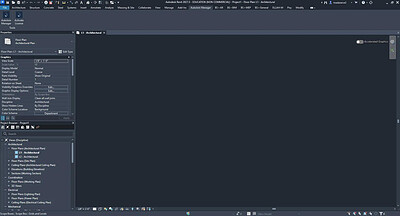
AutoJoin Manager is a professional productivity add-in for Autodesk® Revit® that fully automates the join and unjoin geometry workflow across multiple element categories simultaneously, giving you complete control over which category takes cutting priority in every join operation - something Revit's built-in tools cannot do at scale.

In a typical Revit project, joining elements correctly across categories like structural columns, beams, walls, floors, and ceilings is a time-consuming and repetitive task that must be done manually, one pair at a time, with no control over join order. AutoJoin Manager eliminates this entirely. You define a priority list once, click a single button, and the plugin processes your entire model automatically - handling hundreds or thousands of element pairs in one operation, in the correct order, every time.

How it works:
You build an ordered category priority list directly inside the plugin window. Row 1 is the highest priority - elements in that category will always act as the cutting element when joined against anything in the rows below. You can add as many categories as your project requires, reorder them at any time using the arrow buttons, and optionally restrict each row to specific element types rather than the full category.

Once your list is set up, you click Run Join or Run Unjoin. A real-time progress window shows you exactly how far along the operation is as Revit processes elements batch by batch. When finished, a detailed results report shows you a full breakdown of every operation - successful joins, skipped pairs where elements were too far apart to join, and any failed operations with the reason why.

Your category priority list is automatically saved between sessions, so you never need to reconfigure the plugin each time you open a new project or reopen Revit.

Key Features:
Priority-ordered category list - full control over which element type acts as the cutting element in every join
Optional type filtering - restrict any category row to specific element types only
Run Join or Unjoin across all selected categories in a single click
Real-time progress window with accurate percentage tracking during processing
Detailed results report showing successful, skipped, and failed operations
Settings automatically remembered between sessions - no reconfiguration needed
7-day free trial with full functionality - no credit card required
Permanent per-machine license available for $15 USD - no subscription, no recurring fees
Fully offline - no internet connection required at any point, including activation
Supports Revit 2021, 2022, 2023, 2024, 2025, 2026, and 2027
Note: This app uses a custom installer (and not the standard Design and Make Marketplace).

FREE DOWNLOAD LINKS:

Код:
https://rapidgator.net/file/74db2942911b842f1b89a1c0de530acf/DesignLab_AutoJoin_Manager_1.0.0.rar


Код:
https://nitroflare.com/view/D839B311CB068C2/DesignLab_AutoJoin_Manager_1.0.0.rar
 
7c14d5a47ba745c5466fcaccc2128d22.jpg


DxO PureRAW 6.6.1.1 (x64) Multilingual | Size: 1.37 GB
Language: English
DxO PureRAW is an advanced AI-powered RAW image enhancement software designed to maximize image quality before editing. It automatically removes noise, improves sharpness, corrects optical imperfections, and enhances detail while preserving the natural look of your photos. Perfect for photographers who want cleaner, sharper, and more professional RAW files without changing their existing editing workflow.

Key Features
- AI-Powered DeepPRIME Noise Reduction - Industry-leading AI technology dramatically reduces noise while preserving fine details and natural textures, even in high-ISO images.
- Advanced RAW Demosaicing - Enhances image quality at the earliest stage of processing for improved clarity, color accuracy, and detail extraction.
- Automatic Lens & Camera Corrections - Corrects distortion, vignetting, chromatic aberration, and lens softness using DxO's extensive optical module database.
- Exceptional Sharpness Enhancement - Optimizes sharpness across the entire image, from center to edges, for consistently crisp results.
- AI Sensor Dust Removal - Automatically detects and removes sensor dust spots for cleaner images with minimal effort.
- High-Fidelity DNG Output - Generates optimized DNG files that integrate seamlessly with Lightroom, Photoshop, Capture One, and other editing applications.
- Fast Batch Processing - Process multiple RAW files simultaneously with optimized performance and workflow automation.
- One-Click Workflow - Improve image quality instantly before continuing your editing process in your preferred softwar

HOMEPAGE:
Код:
https://www.dxo.com/dxo-pureraw/

FREE DOWNLOAD LINKS:

Код:
https://rapidgator.net/file/8cc2d0644672c1fbbca2c967473fdde3/DxO_PureRAW_6.6.1.1_x64_Multilingual.rar


Код:
https://nitroflare.com/view/485A3448E13D87C/DxO_PureRAW_6.6.1.1_x64_Multilingual.rar
 
bba355930b23f5f1d84d11db7c0f7a6d.jpg


HSX NovaDiffux 1.0.10 | Size: 4.31 GB
Language: English
Offline AI image and text-to-art generation studio. An offline AI image and text-to-art generation studio for Windows. Generation and refinement run on your own GPU, so models, prompts and finished images never leave the machine.

What HSX NovaDiffux does
- Image creation and refinement on your own GPU
- Text-to-art generation with the model bundled in
- Models, prompts and images stay on-device
- No API keys and no per-image billing

Who it is for
HSX NovaDiffux is built for creators who want generative tooling on their own GPU, with no API keys, no queue and nothing metered per use.

It sits in the AI tools part of the catalogue, and your photographs never leave the machine to be processed. There is no server behind HSX NovaDiffux to send them to.

Local-first, by design
Plenty of the alternatives send your photographs to a server to be handled. HSX NovaDiffux does not. Processing runs on your CPU or GPU, and the photographs you open stay where you put them. The application keeps working with the network switched off.

That is not a setting you enable, it is how HSX NovaDiffux is built, which is why there is no account to create and no subscription to lapse. It does ask for a graphics card with at least 4 GB of dedicated memory, because the work it would otherwise send to a server happens on that card instead. Full detail is in the HSX NovaDiffux privacy policy.

System Requirements
- Windows 10, Windows 11
- 4 GB+ dedicated VRAM

HOMEPAGE:
Код:
https://hasnainstudiox.com/apps/hsx-novadiffux.html

FREE DOWNLOAD LINKS:

Код:
https://rapidgator.net/file/684c1e58e135008174a7c932d85fbb3a/HSX_NovaDiffux_1.0.10.rar


Код:
https://nitroflare.com/view/114B21687B6E709/HSX_NovaDiffux_1.0.10.rar
 
e24783d71fba906f82357a9287a66210.jpg


K-Lite Codec Pack 20.0.0 Mega/Full/Standard | Size: 159.62 MB
Language: English

The K-Lite Codec Pack is a collection of DirectShow filters, VFW/ACM codecs, and tools. Codecs and DirectShow filters are needed for encoding and decoding audio and video formats. The K-Lite Codec Pack is designed as a user-friendly solution for playing all your audio and movie files. With the K-Lite Codec Pack you should be able to play all the popular audio and video formats and even several less common formats.

Some codec packs are far from being friendly with computers, as they tend to slow down Windows, break down multimedia files and make the whole movie watching experience a nuisance. This is why an efficient software has to be chosen, one that does exactly what it is supposed to without additional and unnecessary features.
Easily deployed on the system
Simply put, this is exactly what K-Lite Codec Pack Full is meant to do. This is one of the most efficient codec packs out there that is not only delivered as a very light package but is also impressively friendly with computer resources.
Installing it is quite easy, unless one is an expert who really enjoys toying around with the advanced settings. K-Lite has numerous advanced customization options but novices are advised not to spend too much time on this section, as they might erroneously modify some options and break the entire process.
View detailed info on what is installed
Furthermore, before going through the step-by-step thorough setup process, one gains access to a list that displays content, along with several details regarding each of the codecs, to give users a glimpse of what they are about to deploy.
If everything goes well and K-Lite Codec Pack Full is successfully installed, users will be able to open any multimedia files stored on their computers, without any quality loss. Furthermore, it works like a breeze from the first run, without major changes to its default settings, which is a clear indication that beginners and those who want a codec that just works have chosen the right package.
Adjust settings with a dedicated tool
Experts have the possibility to configure the audio and video decoders, as well as the DirectVobSub, in an attempt to obtain a top-notch experience when it comes to playing multimedia files. This is easily done with the help of an integrated tweaking tool that, if managed properly it can enhance the overall multimedia experience.
To sum it up
All these considered, K-Lite Codec Pack should be the first on everyone's list when it comes to codec packages. It is light, freeware, easy to use and gets along perfectly even with slower computers. It represents the first brick that needs to be placed in the multimedia entertainment wall.

System Requirements: Windows 11, Windows 10, 8 , 7

HOMEPAGE:
Код:
http://www.free-codecs.com/

FREE DOWNLOAD LINKS:

Код:
https://rapidgator.net/file/9b1177a2e8940c763bfdfad1afae2c4b/K-Lite_Codec_Pack_20.0.0_Mega_Full_Standard.rar


Код:
https://nitroflare.com/view/00A1E93BA499271/K-Lite_Codec_Pack_20.0.0_Mega_Full_Standard.rar
 
f1684021aeba5eb3329bad40648cd970.jpg


Microsoft Office Professional Plus 2021-2024 VL v2608 Build 20326.20158 Multilingual | Size: 11.25 GB
Languages: Arabic,English,German,Greek,French,Spanish,Italian,Portuguese-Portuguese,Portuguese-Brazil,Turkish,Dutch,Czech
Microsoft has officially announced the availability of the final version of its Office 2021/2024 release for Windows and Mac users. Following the release of the preview version in the first half of this year, the product has been refined and is now available to users. Office 2021/2024 includes updated versions of apps from the suite, Word, Excel, PowerPoint, Outlook, Access, and Publisher.

Office 2021/2024 includes virtually every change that has been added to the suite of programs in Office 365 over the past 3 years, although some features remain exclusive to subscribers. In addition to the main programs Word, Excel, PowerPoint, and Outlook, which are available for both Windows and macOS, the Access and Publisher versions are only available for Windows and are included, as usual, only in premiums. Visio and Project for Windows are also available, although they are not part of the ongoing release of Office.

Microsoft Office 2021-2024 includes:
Microsoft Office 2021-2024 Professional Plus
Microsoft Access 2021-2024
Microsoft Excel 2021-2024
Microsoft Lync 2021-2024
Microsoft OneNote 2021-2024
Microsoft Outlook 2021-2024
Microsoft PowerPoint 2021-2024
Microsoft Publisher 2021-2024
Microsoft Visio Viewer 2021-2024
Microsoft Word 2021-2024
Microsoft Visio pro 2021-2024
Microsoft Project 2021-2024
Skype for business 2021-2024
OneDrive for Business 2021-2024
Office Shared Features
Profing Tools Only 2021-2024
And many more

System Requirements:
OS: Windows 10/11.

HOMEPAGE:
Код:
http://www.microsoft.com

FREE DOWNLOAD LINKS:

Код:
https://rapidgator.net/file/b3a0934d44235ecd5bce4bb2cd0ea82c/Office_21-24_v20326.20158_x64..part1.rar
https://rapidgator.net/file/d44a9db801cd179e305b025fac92435a/Office_21-24_v20326.20158_x64..part2.rar
https://rapidgator.net/file/9310e3cddd18a93787728a96bcdd8f4b/Office_21-24_v20326.20158_x64..part3.rar
https://rapidgator.net/file/259e35b4e1f9fc003433e52df9ba0a1e/Office_21-24_v20326.20158_x86..part1.rar
https://rapidgator.net/file/5bbc677cb1079c5b97f6f56503695950/Office_21-24_v20326.20158_x86..part2.rar
https://rapidgator.net/file/376efb590b34720fec9b2cbe09c559ce/Office_21-24_v20326.20158_x86..part3.rar


Код:
https://nitroflare.com/view/A43A36F1E23D6BC/Office_21-24_v20326.20158_x64..part1.rar
https://nitroflare.com/view/CFB3B3178EC28E4/Office_21-24_v20326.20158_x64..part2.rar
https://nitroflare.com/view/1A3C7A2F712D941/Office_21-24_v20326.20158_x64..part3.rar
https://nitroflare.com/view/FA30CA46108B6A4/Office_21-24_v20326.20158_x86..part1.rar
https://nitroflare.com/view/E93C41B9F401325/Office_21-24_v20326.20158_x86..part2.rar
https://nitroflare.com/view/7444A2E0963F079/Office_21-24_v20326.20158_x86..part3.rar
 
_95f6f9645b3057fd67c411908f4f8b1b.jpeg


Microsoft Windows 11 v25H2 Build 26200.9445 Consumer/Business Edition English September 2026 MSDN (x64) | Size: 16.71 GB
Language: English
Windows 11, version 25H2 is an enablement update that builds on the features of 24H2 by enabling new, "continuous innovation" features, rather than introducing entirely new features itself. Key updates include a Braille Viewer for the Narrator, improvements to Click-to-Do (including a new "Convert to Table" feature), support for plug-in credential managers for passkeys, and enhancements to the mobile device companion experience. Microsoft is also implementing IT admin-focused features like the ability to remove pre-installed Store apps and a new Quick Machine Recovery system to reduce downtime.

For Users

Accessibility:
The Narrator now includes a Braille Viewer, allowing users to see the braille equivalent of on-screen text on a refreshable braille display.

Passkeys:
Users can now utilize plug-in credential managers for setting up and using passkeys, offering improved security and management.

Time & Language:
Ported settings from the Control Panel to the Settings app, including configuring additional clocks and changing the NTP time server.

Mobile Experience:
The mobile device companion has a new, more accessible layout to view calls, messages, photos, and more from your phone.

Click-to-Do:
New AI features for Click-to-Do are included, such as a new "Convert to Table" capability for converting text to an Excel table and more flexible selection methods.

For IT Administrators

Quick Machine Recovery:
This new feature in the recovery system aims to reduce downtime and simplifies the process for recovering a system, according to PCMag.

Removable Apps:
IT admins can now remove certain pre-installed Microsoft Store apps via Group Policy or MDM CSP on Enterprise/EDU devices.

Feature Removals:
25H2 removes older components like PowerShell 2.0 and WMIC for greater security and efficiency.

Consumer edition includes:
- Windows 11 Home
- Windows 11 Home N
- Windows 11 Home Single Language
- Windows 11 Education
- Windows 11 Education N
- Windows 11 Pro
- Windows 11 Pro N
- Windows 11 Pro Education
- Windows 11 Pro Education N
- Windows 11 Pro for Workstations
- Windows 11 Pro N for Workstations

Business edition includes:
- Windows 11 Education
- Windows 11 Education N
- Windows 11 Enterprise
- Windows 11 Enterprise N
- Windows 11 Pro
- Windows 11 Pro N
- Windows 11 Pro Education
- Windows 11 Pro Education N
- Windows 11 Pro for Workstation
- Windows 11 Pro N for Workstation

HOMEPAGE:
Код:
https://microsoft.com

FREE DOWNLOAD LINKS:

Код:
https://rapidgator.net/file/2a3c5233dca3bc27e4f1d3adc054412e/windows_11_business_editions_v25h2_updated_sep_2026_x64..part1.rar
https://rapidgator.net/file/d363f9482b8d4ec40ebc18f358205c40/windows_11_business_editions_v25h2_updated_sep_2026_x64..part2.rar
https://rapidgator.net/file/881ce6d2e3f1e864f4620e84ebee3cc4/windows_11_business_editions_v25h2_updated_sep_2026_x64..part3.rar
https://rapidgator.net/file/a5de3b29f5fe632b8e2c0fae155dab70/windows_11_business_editions_v25h2_updated_sep_2026_x64..part4.rar
https://rapidgator.net/file/b8dea01c02735b9066331d2ec1c9b9f8/windows_11_business_editions_v25h2_updated_sep_2026_x64..part5.rar
https://rapidgator.net/file/6fb490a32280fbf5fc61b231ea5c1ef6/windows_11_consumer_editions_v25h2_updated_sep_2026_x64..part1.rar
https://rapidgator.net/file/0eeb395df0690d60b52ddaf69b075fea/windows_11_consumer_editions_v25h2_updated_sep_2026_x64..part2.rar
https://rapidgator.net/file/e8cc213f08b291ed580802c75b916b9a/windows_11_consumer_editions_v25h2_updated_sep_2026_x64..part3.rar
https://rapidgator.net/file/d73cf974d34fa31ae597a2c93632c27d/windows_11_consumer_editions_v25h2_updated_sep_2026_x64..part4.rar
https://rapidgator.net/file/51403cb14f86818214f5f1cf0d5a21c6/windows_11_consumer_editions_v25h2_updated_sep_2026_x64..part5.rar


Код:
https://nitroflare.com/view/759F4A6865DA716/windows_11_business_editions_v25h2_updated_sep_2026_x64..part1.rar
https://nitroflare.com/view/D6273DD08B66F7A/windows_11_business_editions_v25h2_updated_sep_2026_x64..part2.rar
https://nitroflare.com/view/D1CC4C951D482A2/windows_11_business_editions_v25h2_updated_sep_2026_x64..part3.rar
https://nitroflare.com/view/22C7F75EACCAF4D/windows_11_business_editions_v25h2_updated_sep_2026_x64..part4.rar
https://nitroflare.com/view/6293C0858EB50A1/windows_11_business_editions_v25h2_updated_sep_2026_x64..part5.rar
https://nitroflare.com/view/14EF176FE909E13/windows_11_consumer_editions_v25h2_updated_sep_2026_x64..part1.rar
https://nitroflare.com/view/93C9CA9F23F06C4/windows_11_consumer_editions_v25h2_updated_sep_2026_x64..part2.rar
https://nitroflare.com/view/642DC7CF5C33ACB/windows_11_consumer_editions_v25h2_updated_sep_2026_x64..part3.rar
https://nitroflare.com/view/66EC3182D1CF206/windows_11_consumer_editions_v25h2_updated_sep_2026_x64..part4.rar
https://nitroflare.com/view/8D1D950E4FF574E/windows_11_consumer_editions_v25h2_updated_sep_2026_x64..part5.rar
 
6591caea99de026ea515d3107a707aca.jpg


Microsoft Windows Server 2022 LTSC v21H2 Build 20348.5622 September 2026 MSDN (x64) | Size: 6.16 GB
Language: English
Windows Server 2022 brings advanced multi-layered protection, Azure-based hybrid capabilities, and a flexible application platform for the first time. This release also includes secure kernel features that help protect Windows Server hardware, firmware, and functionality from complex security threats. The core server is built on technologies such as Windows Defender System Guard and Virtualization-based Security to mitigate the risk of sophisticated malware and firmware vulnerabilities.

The new release also supports secure connection with a number of new features, including faster HTTPS connections with more secure encryption, industry-standard AES 256 encryption for SMB, and more. Windows Server 2022 improves hybrid server management with significantly improved virtual machine management, advanced event viewing, and many other new features in Windows Admin Center. In addition, the release significantly improves the work with Windows containers, such as reduced image size for faster downloads, simplified network policy implementation, and introduced containerization tools for .NET applications.

As a LTSC release, Windows Server 2022 includes the Desktop Experience and Server Core installation options for Datacenter and Standard editions. Security features that are part of the current Windows 10 release (20H2) are now included in Windows Server 2022, like tamper and reputation-based protection.

Security in Windows Server 2022
It's no secret that most businesses worldwide are struggling with IT security - as organizations and society becomes more and more reliant on digital systems there are just too many avenues for increasingly sophisticated attackers to find a way in. Compromising systems before they start up through boot kits or root kits is becoming more popular and building on the work Microsoft's done for Secured Core PCs, Windows Server 2022 brings Secured Core Servers.

Secure-Core Servers
If you haven't heard of Secure-core, think of marrying a Trusted Platform Module (TPM) 2.0 chip for securely storing secrets, Bitlocker for full volume drive encryption and Virtualization Based Security (VBS) to protect credentials while the system is running. In other words, all the optional Microsoft security features that you could turn on for a normal PC, but all enabled out of the box. First out of the gate was Surface Pro X (which I'm writing this article on) but Secured Core PCs are available from Lenovo, Dell, Panasonic, HP and others.

For servers this means that when you purchase a system with this label the OEM will have provided secure firmware and drivers and also will have enabled all these security features out of the box. You can also check on the status of your servers, plus enable security features using the new add-in for Windows Admin Center (WAC).

Note that Secured-core servers lay the foundation for the forthcoming generation of processors from Intel, AMD and Qualcomm that'll include the Pluton security processor, built on security features first seen in Xbox One. TPM has been very successful over the last 10 years as the first broadly available hardware security root of trust but as it's a separate chip advanced attacks leverage the connection between the TPM chip and the main CPU to gain access to secure information or tamper with the data. Because Pluton is built into the processor itself it will mitigate this vector.

Trusted Platform Module
TPM provides storage for security information such as Bitlocker keys, while Secure Boot checks the signatures of all boot software (UEFI firmware, EFI applications and the OS itself) to ensure that they haven't been subverted by a root kit.

Virtualization-based Security
Virtualization-based Security (VBS) uses hardware virtualization (based on Hyper-V technology but don't think of this as a separate VM, just an isolated part of the memory space in the OS) to stop attacks against credentials (Pass-the-Hash / Mimikatz for example). VBS is also the platform for Hypervisor-Enforced Code Integrity (HVCI) which protects modification of the Control Flow Guard (CFG) bitmap, provides a valid certificate for Credential Guard and checks that device drivers have an EV certificate.

Control Flow and System Guard
Control Flow Guard is a way that Windows protects against malicious applications corrupting memory of legitimate applications. System Guard is the umbrella term for taking the above technologies and providing these security guarantees for Windows: protect the integrity of the system as it starts up and validate this through local and remote attestation. It uses Static Root of Trust for Measurement (SRTM), Dynamic Root of Trust for Measurement (DRTM) and System Management Mode (SMM) protection to achieve this.

Memory Protection
Boot Direct Memory Access (DMA) protection is part of Kernel DMA Protection which can stop attacks against Bitlocker and other security technologies that rely on storing secrets in memory while the system is running. Plug a drive with malicious software into a port that supports DMA mapping for fast transfers and hey presto - it just read your Bitlocker key, with DMA protection this isn't possible.

Other security enhancements
Windows Server 2022 will have the latest version of Transport Layer Security (TLS) 1.3 enabled by default but this version will be available across earlier Windows Server versions as well. When managing lots of Windows or Hyper-V containers across a server farm, the preferred approach is to give them an identity in Active Directory using group Managed Service Accounts (gMSA) but today that requires you to domain-join the container host - in 2022 this won't be necessary. And if you're encrypting your SMB (file server) traffic you can now use AES-256 encryption.

Windows Server 2022 Scalability
Another headline in the preview announcement is the increase in scalability, a physical server can now have 48 TB of RAM, 64 sockets with 2048 Logical Processors (cores, or Hyperthreaded cores). While these figures are incredible (VMware vSphere 7 update 1 supports 24 TB and 768 CPUs per host) they matter to exactly 0.000001% of Windows Server customers. And mostly that customer is Microsoft itself, where in Azure the benefit of humongous machines is the ability to provide gigantic VMs for SAP and other huge database workloads for enterprises with very deep pockets. On the other end of the spectrum, the Server Core container image for Windows Server 2022 is 1 GB / 20% smaller than in previous versions, shaving start-up and transfer times for containers running the Windows Server 2022 container image.

Other Enhancements in Windows Server 2022
Windows Server 2022 will also bring (in the right context, details are scant at the moment) another feature that's been forged in the fire of Azure's hosts - reboot-less patching. Here patches are applied to a running OS without requiring a restart, improving uptime. If you're running a mix of Windows and Linux containers in Kubernetes you can use Calico to manage networking across the entire cluster. If you're running globally distributed applications, managing time zones in containers has been difficult (it's based on the host's time-zone, making it difficult to move containers around), virtualized time zones in Windows Server 2022 will take care of this. Speaking of Linux, Microsoft is aiming to bring the improved boot security to Linux as well, just as they're doing in Azure.

Windows Server 2022 and the Hybrid World
Most of the presentation at Ignite on Windows Server 2022 was taken up by talking about features around, not in, the product itself, such as the ones recently released in GA 2103 version of Windows Admin Center. Windows Admin Center can now be run in the Azure portal, can automatically update your extensions, supports outbound proxy configuration, lets you pop out tools into separate browser windows, brings a revamped Event Viewer UI (first update since 1993 believe it or not) and lets you reassign virtual switches when moving a VM from one host or cluster to another. WAC also supports HTTP/2 which equals faster performance.

Windows Server 2022 LTSC Include Editions list
- Windows Server 2022 Standard
- Windows Server 2022 Standard (Desktop Experience)
- Windows Server 2022 Datacenter
- Windows Server 2022 Datacenter (Desktop Experience)

HOMEPAGE:
Код:
https://microsoft.com

FREE DOWNLOAD LINKS:

Код:
https://rapidgator.net/file/ff1c8c7ca209541ac902485dc95c0de4/windows_server_2022_updated_sep_2026_x64..part1.rar
https://rapidgator.net/file/3b855bef108a0d9afa58b4839bdd2dc3/windows_server_2022_updated_sep_2026_x64..part2.rar
https://rapidgator.net/file/3c7e9eeb742f59de31b76d7ddf5b56d5/windows_server_2022_updated_sep_2026_x64..part3.rar
https://rapidgator.net/file/e80df785ada9d2e6c50c5d936a97af4b/windows_server_2022_updated_sep_2026_x64..part4.rar


Код:
https://nitroflare.com/view/3249FDDC4DC9A25/windows_server_2022_updated_sep_2026_x64..part1.rar
https://nitroflare.com/view/75260C99F9505CB/windows_server_2022_updated_sep_2026_x64..part2.rar
https://nitroflare.com/view/B9BCABC261E28A5/windows_server_2022_updated_sep_2026_x64..part3.rar
https://nitroflare.com/view/7C601BFD94C5FA8/windows_server_2022_updated_sep_2026_x64..part4.rar
 
ab0abcf14e9dc1d105dd8b22306cddbe.jpg


Microsoft Windows Server 2025 LTSC v24H2 Build 26100.33438 MSDN September 2026 (x64) | Size: 8.01 GB
Language: English
Windows Server 2025 - a server OS based on Windows 11, version 24H2 on the Long-Term Servicing Channel (LTSC). Improves security, performance, and integration with Azure and cloud technologies.

Active Directory Domain Services (AD DS) improvements
- Ability to use a 32k database page size, which improves performance and addresses some of the limitations of older architectures.
- AD schema updates, including new database log files.
- Ability to restore AD objects with missing key attributes.
- Improved algorithms for finding the location of domain controllers (DCs).

Azure Arc integration
- Simplify the process of adding servers to Azure Arc with an easy-to-use setup wizard.

Bluetooth support
- Ability to connect to a variety of Bluetooth devices, including mice, keyboards, and audio devices.

Desktop improvements
- The initial logon experience offers an experience consistent with the look and feel of Windows 11.

Kerberos and security updates
- Support for stronger encryption and signing mechanisms, including SHA-256 and SHA-384.
LDAP encryption is used by default for all client communications after authentication.

SMB (Server Message Block) Management
- New capabilities for managing SMB protocols, including auditing encryption and signing support.

Improvements for Windows containers
- Container portability allows container images to be easily moved between hosts without requiring modification.

Windows Local Administrator Password Solution (LAPS)
- New features for managing local administrator passwords, including image rollback detection and passphrase generation.

Windows Server 2025 LTSC Include Editions list:
- Windows Server 2025 Standard
- Windows Server 2025 Standard (Desktop Experience)
- Windows Server 2025 Datacenter
- Windows Server 2025 Datacenter (Desktop Experience)

System requirements:
- Processor: Minimum 1.4 GHz 64-bit, support for x64 instructions, NX, DEP, CMPXCHG16b, LAHF/SAHF, PrefetchW, and secondary address translation technologies (EPT or NPT).
- RAM: At least 512 MB for Server Core and 2 GB for Server with Desktop Experience. For physical servers, we recommend using memory with ECC.
- Data storage: Minimum 32 GB of disk space.
- Network card: Ethernet adapter with a throughput of at least 1 Gbps, compliant with the PCI Express specification.
- Additionally, a DVD drive, UEFI 2.3.1c with Secure Boot support, TPM, and other components may be required depending on specific features.

HOMEPAGE:
Код:
https://www.microsoft.com/en-us

FREE DOWNLOAD LINKS:

Код:
https://rapidgator.net/file/241ec5ad8292a69f838202461d3ca782/windows_server_2025_updated_sep_2026_x64..part1.rar
https://rapidgator.net/file/7207c5dd4539da71d30ffc18a2562cac/windows_server_2025_updated_sep_2026_x64..part2.rar
https://rapidgator.net/file/2a974e444ba738872428f7a99113de9b/windows_server_2025_updated_sep_2026_x64..part3.rar
https://rapidgator.net/file/d18f680dfc358e17dcecb38ba47df3b8/windows_server_2025_updated_sep_2026_x64..part4.rar
https://rapidgator.net/file/503d757898431642583c1794eb20459c/windows_server_2025_updated_sep_2026_x64..part5.rar


Код:
https://nitroflare.com/view/C48BFD8587BB37B/windows_server_2025_updated_sep_2026_x64..part1.rar
https://nitroflare.com/view/921312491961E1D/windows_server_2025_updated_sep_2026_x64..part2.rar
https://nitroflare.com/view/C569CFD79940155/windows_server_2025_updated_sep_2026_x64..part3.rar
https://nitroflare.com/view/6EE762CC2FA7B9B/windows_server_2025_updated_sep_2026_x64..part4.rar
https://nitroflare.com/view/D191F7A8BD3A258/windows_server_2025_updated_sep_2026_x64..part5.rar
 
e08433d1308f2a03910493513fed65be.jpg


PixelForge AI Pro 1.0.1 | Size: 392.99 MB
Language: English
PixelForge AI Pro - AI image upscaling with pro features - fully offline. PixelForge AI Pro is the complete AI image upscaler for power users. Batch queue, anime model, denoise filter, custom output - all locally on your GPU, no cloud, no subscription.

- Batch queue: process multiple images at once
- Photo/Realistic + Anime/Illustration model selectable
- Denoise filter (hqdn3d) · custom output size
- Open-folder button after processing
- 100% offline · AMD, NVIDIA, Intel (Vulkan)

BATCH PROCESSING - THE PRO DIFFERENCE
Load an entire folder of images, set your preferences, hit Upscale All. PixelForge AI Pro works through the queue automatically - file by file - while you do something else. Each completed image is shown in a live Before/After split view.

THREE SPECIALIZED MODELS
- Photo - Real-ESRGAN x4plus. The gold standard for photographs, portraits, and real-world scenes.
- Anime - optimized for anime, manga, and clean line art. Preserves sharp lines without haloing.
- KI-Art / Illustration - tuned for AI-generated artwork and digital illustrations.

SCALING UP TO 8x
Push images to 2x, 3x, 4x, or all the way to 8x their original resolution. The 8x mode chains AI upscaling with precision resampling for maximum output size.

FOUR OUTPUT FORMATS
PNG · JPG (95% quality) · WebP · TIFF (LZW compressed)

ALL PROCESSING IS LOCAL
No internet connection required. Your images never leave your machine. No subscription portal, no cloud account, no data policy concerns.

System Requirements
- Windows 10 (1809) and Windows 11
- Real-ESRGAN AI engine (ncnn-Vulkan)
- GPU-accelerated - AMD, NVIDIA, Intel all supported

HOMEPAGE:
Код:
https://beckhusen-ai.com/software

FREE DOWNLOAD LINKS:

Код:
https://rapidgator.net/file/0dcda3832a942b04390c16c1e4a49194/PixelForge_AI_Pro_1.0.1.rar


Код:
https://nitroflare.com/view/B1A28D0AA28C64C/PixelForge_AI_Pro_1.0.1.rar
 
_4ce2b6fa1d97f7984590980f66b03a72.jpeg


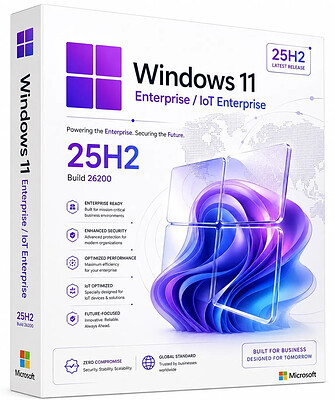
Windows 11 Enterprise/Iot Enterprise 25H2 Build 26200.9457 (No TPM Required) Preactivated Multilingual September 2026 | Size: 6.94 GB
Languages: Arabic,English,German,Greek,French,Spanish,Italian,Portuguese-Portuguese,Portuguese-Brazil,Turkish,Dutch,Czech,Norwegian
Windows 11, version 25H2 is an enablement update that builds on the features of 24H2 by enabling new, "continuous innovation" features, rather than introducing entirely new features itself. Key updates include a Braille Viewer for the Narrator, improvements to Click-to-Do (including a new "Convert to Table" feature), support for plug-in credential managers for passkeys, and enhancements to the mobile device companion experience. Microsoft is also implementing IT admin-focused features like the ability to remove pre-installed Store apps and a new Quick Machine Recovery system to reduce downtime.

For Users

Accessibility
The Narrator now includes a Braille Viewer, allowing users to see the braille equivalent of on-screen text on a refreshable braille display.

Passkeys
Users can now utilize plug-in credential managers for setting up and using passkeys, offering improved security and management.

Time & Language
Ported settings from the Control Panel to the Settings app, including configuring additional clocks and changing the NTP time server.

Mobile Experience
The mobile device companion has a new, more accessible layout to view calls, messages, photos, and more from your phone.

Click-to-Do
New AI features for Click-to-Do are included, such as a new "Convert to Table" capability for converting text to an Excel table and more flexible selection methods.

For IT Administrators
Quick Machine Recovery
This new feature in the recovery system aims to reduce downtime and simplifies the process for recovering a system, according to PCMag.

Removable Apps
IT admins can now remove certain pre-installed Microsoft Store apps via Group Policy or MDM CSP on Enterprise/EDU devices.

Feature Removals
25H2 removes older components like PowerShell 2.0 and WMIC for greater security and efficiency.

System Requirements
Processor: 2 gigahertz (GHz) or faster.
RAM: 2 gigabyte (GB).
Free space on hard disk: 40 gigabytes (GB).
Graphics card: DirectX 9 graphics device or a newer version.
Additional requirements to use certain features.
To use touch you need a tablet or monitor that supports multitouch.
To access the Windows store to download and run apps, you need an active Internet connection and a screen resolution of at least 1024 x 768 pixels

HOMEPAGE:
Код:
https://microsoft.com

FREE DOWNLOAD LINKS:

Код:
https://rapidgator.net/file/b53de7de542d58bc87e456d11f0a918b/Win.11.Enter.Iot.26200.9457..part1.rar
https://rapidgator.net/file/5f2ba80a213abc0a8f6e0b176f7f148c/Win.11.Enter.Iot.26200.9457..part2.rar
https://rapidgator.net/file/096fe52dbc99ab3fd69a4a0b7836c0d4/Win.11.Enter.Iot.26200.9457..part3.rar
https://rapidgator.net/file/c4475f7931e16f27effa0c20bed65a74/Win.11.Enter.Iot.26200.9457..part4.rar
https://rapidgator.net/file/7634a0c8e94b57f93a2841a37c8e2490/Win.11.Enter.Iot.26200.9457..part5.rar
https://rapidgator.net/file/06d5e549949ffe4d3fd280de76a6ffc3/Win.11.Enter.Iot.26200.9457..part6.rar
https://rapidgator.net/file/8fb67ef8a0fce9890289d7057f3f106a/Win.11.Enter.Iot.26200.9457..part7.rar
https://rapidgator.net/file/739ae0e4589a2830125b65a4dd2547ad/Win.11.Enter.Iot.26200.9457..part8.rar


Код:
https://nitroflare.com/view/9CA3791B2EAB4AE/Win.11.Enter.Iot.26200.9457..part1.rar
https://nitroflare.com/view/FFD389FF2F5732C/Win.11.Enter.Iot.26200.9457..part2.rar
https://nitroflare.com/view/89146ADA76DDB9A/Win.11.Enter.Iot.26200.9457..part3.rar
https://nitroflare.com/view/C88ACD4A2BDB820/Win.11.Enter.Iot.26200.9457..part4.rar
https://nitroflare.com/view/E3A1F7633B077B0/Win.11.Enter.Iot.26200.9457..part5.rar
https://nitroflare.com/view/B8EC068DA489790/Win.11.Enter.Iot.26200.9457..part6.rar
https://nitroflare.com/view/73419A99B17FD96/Win.11.Enter.Iot.26200.9457..part7.rar
https://nitroflare.com/view/ACF791C2C81A9CF/Win.11.Enter.Iot.26200.9457..part8.rar
 
_7fd663173a3cf367bf61cdc98f1f6037.jpeg


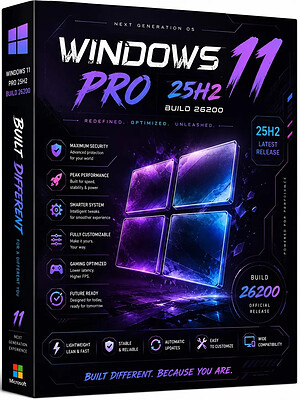
Windows 11 Pro 25H2 Build 26200.9457 (No TPM Required) Preactivated Multilingual September 2026 | Size: 6.88 GB
Languages: Arabic,English,German,Greek,French,Spanish,Italian,Portuguese-Portuguese,Portuguese-Brazil,Turkish,Dutch,Czech,Norwegian
Windows 11, version 25H2 is an enablement update that builds on the features of 24H2 by enabling new, "continuous innovation" features, rather than introducing entirely new features itself. Key updates include a Braille Viewer for the Narrator, improvements to Click-to-Do (including a new "Convert to Table" feature), support for plug-in credential managers for passkeys, and enhancements to the mobile device companion experience. Microsoft is also implementing IT admin-focused features like the ability to remove pre-installed Store apps and a new Quick Machine Recovery system to reduce downtime.

For Users

Accessibility
The Narrator now includes a Braille Viewer, allowing users to see the braille equivalent of on-screen text on a refreshable braille display.

Passkeys
Users can now utilize plug-in credential managers for setting up and using passkeys, offering improved security and management.

Time & Language
Ported settings from the Control Panel to the Settings app, including configuring additional clocks and changing the NTP time server.

Mobile Experience
The mobile device companion has a new, more accessible layout to view calls, messages, photos, and more from your phone.

Click-to-Do
New AI features for Click-to-Do are included, such as a new "Convert to Table" capability for converting text to an Excel table and more flexible selection methods.

For IT Administrators
Quick Machine Recovery
This new feature in the recovery system aims to reduce downtime and simplifies the process for recovering a system, according to PCMag.

Removable Apps
IT admins can now remove certain pre-installed Microsoft Store apps via Group Policy or MDM CSP on Enterprise/EDU devices.

Feature Removals
25H2 removes older components like PowerShell 2.0 and WMIC for greater security and efficiency.

System Requirements
Processor: 2 gigahertz (GHz) or faster.
RAM: 2 gigabyte (GB).
Free space on hard disk: 40 gigabytes (GB).
Graphics card: DirectX 9 graphics device or a newer version.
Additional requirements to use certain features.
To use touch you need a tablet or monitor that supports multitouch.
To access the Windows store to download and run apps, you need an active Internet connection and a screen resolution of at least 1024 x 768 pixels

HOMEPAGE:
Код:
https://microsoft.com

FREE DOWNLOAD LINKS:

Код:
https://rapidgator.net/file/800d299c8a1eb6cda875170644988a87/Win.11.Pro.26200.9457..part1.rar
https://rapidgator.net/file/e2c7e9eddbd2b9b137f61ecfd6ba142c/Win.11.Pro.26200.9457..part2.rar
https://rapidgator.net/file/092f830bd716881964554c9b58dd2af3/Win.11.Pro.26200.9457..part3.rar
https://rapidgator.net/file/81f2ace02500c6ca6c62630fe237d93f/Win.11.Pro.26200.9457..part4.rar
https://rapidgator.net/file/16f6552054c02b065bce63c40bc69ac7/Win.11.Pro.26200.9457..part5.rar
https://rapidgator.net/file/6e30282458301cd873156678c8a2d6f9/Win.11.Pro.26200.9457..part6.rar
https://rapidgator.net/file/6496ffdab359394765f5e2f50e6e66b9/Win.11.Pro.26200.9457..part7.rar
https://rapidgator.net/file/e906fd1656bc6f4691417866b001a0f4/Win.11.Pro.26200.9457..part8.rar


Код:
https://nitroflare.com/view/EEE1B5484E51C57/Win.11.Pro.26200.9457..part1.rar
https://nitroflare.com/view/15F4BA025275778/Win.11.Pro.26200.9457..part2.rar
https://nitroflare.com/view/F00919C1B2F9B02/Win.11.Pro.26200.9457..part3.rar
https://nitroflare.com/view/2DD8FF1E1282AFF/Win.11.Pro.26200.9457..part4.rar
https://nitroflare.com/view/DE001A11AB4A239/Win.11.Pro.26200.9457..part5.rar
https://nitroflare.com/view/660AD3732136B74/Win.11.Pro.26200.9457..part6.rar
https://nitroflare.com/view/B137E45C6E62643/Win.11.Pro.26200.9457..part7.rar
https://nitroflare.com/view/F47C25BEC5E601D/Win.11.Pro.26200.9457..part8.rar
 
Назад
Сверху Снизу