All Emperor2011's Software in one thread !! (updated daily)

0dd19c7c0ad47c8529b4494c2bb208af.jpg


RS RAID Retrieve 3.1 Multilingual | Size: 78.95 MB
Language: English

Data stored on a broken NAS unit or RAID array with a failed controller can be difficult to recover - but not if you use RS RAID Retrieve! The tool can automatically repair many types of RAID arrays, allowing to recover files and folders from multi-disk volumes without the original RAID controller. Whether your disks were installed in a NAS unit, in a computer with a hardware RAID controller, or managed with mdadm in a Linux box, RS RAID Retrieve can reassemble and repair the storage spaces and recover your files and folders in just a few clicks.

Retrieves Data from Degraded RAID Arrays
RS RAID Retrieve prioritizes your data against anything else. While out-of-the-box NAS devices will try to repair the degraded array, often causing yet another disk to fail, RS RAID Retrieve will try to recover your data instead. No lengthy RAID rebuilds and no resilvering, just straight off data recovery.

Recover Data from Corrupted Volumes
Storage space corruption is just as likely as a RAID failure. A perfectly healthy multi-disk array may hold a corrupted logical volume. RS RAID Retrieve can automatically repair corrupted volumes spanned across multiple disks, repairing partition tables and file system structures if necessary to allow you safely extracting the original files and folders.

RAID and NAS Devices
There are more NAS devices than personal computers with multiple disk arrays, and RS RAID Retrieve certainly takes that fact into account. If your hard drives were used in a NAS box manufactured by Synology, QNAP, ASUSTOR, Western Digital, Thecus, TerraMaster, Buffalo or one of the other popular makers, RS RAID Retrieve can automatically detect, reassemble and repair the storage spaces, mount logical disk volumes and recover your data. Simply attach the hard drives directly to your computer and let RS RAID Retrieve do its job!

Fault Tolerance and Beyond
Several types of multi-disk arrays use striping and checksums to ensure data integrity even if a certain number of disks fail. A RAID 5 array can tolerate a single disk failure without losing a bit of your data. A RAID 6 can lose up to two disks and still hold all the data intact. RS RAID Retrieve will mount degraded RAID arrays and recover the files and folders.

But what if the number of failed hard drives exceeds the fault tolerance threshold? If this happens, your NAS or RAID controller will fail to mount the storage space, effectively locking you out. RS RAID Retrieve will perform complex math to attempt partial data recovery from such arrays. How much is recoverable and whether the recovery is at all possible will depend on the original RAID configuration, the number of failed hard drives and several other parameters such as stipe size.

Disks with Bad Blocks
A single bad block may throw an otherwise healthy hard drive out of the array, causing subsequent rebuild attempts to fail. RS RAID Retrieve is designed to work around bad blocks graciously, recovering everything that's still recoverable and only skipping the bits in the bad blocks.

Supported File Systems
Each OS supports a few native and maybe a few non-native file systems, but no single OS supports more than just a few. RS RAID Retrieve does! The tool recognizes file systems used in Windows (NTFS, ReFS, FAT, exFAT), macOS (APFS, HFS+), Linux (Ext2/3/4, XFS, ReiserFS), and Unix-like operating systems (UFS 1/2).

RAID, mdadm and Storage Spaces
RS RAID Retrieve supports many types of RAID arrays managed with dedicated controllers, Linux mdadm and Windows Storage Spaces. The tool recognizes RAID 0, RAID 1, RAID 4, RAID 5, and RAID 6 arrays including some rarely used configurations (RAID 1E, RAID 5E, RAID 5EE) and composite arrays (RAID 01, RAID 10, RAID 50, RAID 60). Single-disk volumes and JBOD arrays are also supported.

Built-in and Dedicated RAID Controllers
RS RAID Retrieve supports a wide range of dedicated RAID controllers manufactured by HP, Dell, Adaptec and many others, including server models. In addition, the tool supports multi-disk configurations maintained by the RAID controllers built into most Intel motherboards. Please note that you will need to temporarily disable the built-in RAID controller in your computer's BIOS when using RS RAID Retrieve to repair the array.

Automatic RAID detection
In full auto mode, RS RAID Retrieve will scan all connected media when launched. The essential configuration parameters of the RAID array will be detected automatically. By the time you see the main window, the tool will display all recognized multi-disk configurations and storage spaces, allowing you to start repairing the RAID or recovering files and folders.

Advanced Manual Mode
Advanced users will enjoy the ability to specify all or some parameters of the RAID array manually. You can fill in just those parameters you are absolutely sure about (such as the number of disks and the type of the array), while RS RAID Retrieve will automatically detect the rest of the parameters.

Features at a Glance
Automatically detects and reassembles multi-disk volumes;
Detects and rebuilds corrupted RAID arrays created in Windows, Linux and NAS devices;
Supports RAID 0, RAID 1, RAID 4, RAID 5, and RAID 6;
Supports RAID 1E, RAID 5E, RAID 5EE and composite arrays such as RAID 01, RAID 10, RAID 50, and RAID 60;
Mounts multi-disk storage spaces even if the original RAID controller is unavailable;
Recovers files and folders from healthy and corrupted multi-disk arrays;
Recognizes most common file systems including NTFS, ReFS, FAT, exFAT, APFS, HFS+, Ext2/3/4, XFS, ReiserFS, and UFS 1/2;
Automatically detects disk order and RAID parameters;
Advanced manual mode offers fully manual or semi-automatic operation;
Partial data recovery from RAID 5 and RAID 6 arrays crashed beyond fault tolerance threshold;
Recovers data from single-disk volumes and JBOD arrays;
Avoids array rebuild and resilvering for mirrored and checksum arrays;

Operating System: supports Microsoft Windows XP, 2003, Vista, and 2008 Server, Windows 7-8 and Windows 10

HOMEPAGE:
Код:
https://recoverhdd.com/

FREE DOWNLOAD LINKS:

Код:
https://rapidgator.net/file/37fdcc63d0594d14a75dd5594c88b9ae/RS_RAID_Retrieve_3.1_Multilingual.rar

Код:
https://nitroflare.com/view/CFC1170364C32CD/RS_RAID_Retrieve_3.1_Multilingual.rar
 
13e63311a5f119b1c616f0e52dad55ea.jpg


Total Network Inventory 6.8.1.7487 (x64) Multilingual | Size: 66.2 MB
Language: English

Introducing Total Network Inventory 4, PC audit and software inventory management solution.

Network scanning
Windows, OS X, Linux, FreeBSD, and ESX/ESXi-based computers and servers can be scanned without preinstalled agents - you just need to know the administrator's password. Scan single nodes, network address ranges, or Active Directory structure.

Inventory management
Each computer only takes up several dozen kilobytes in the centralized TNI storage. Group assets, add comments to them, and attach additional information. Total Network Inventory 4 will show your network in all its beauty!

Reports
Create flexible reports on different data categories. Build table reports with hundreds of available data fields using the convenient tool. Reports can be copied, exported, or printed, and the search feature shows the results before you even finish typing.

Change log
Detect and browse changes in hardware and software. Know when an application is installed, uninstalled or updated on any computer in your network, see hardware being connected or removed, disk space usage dynamics and much, much more.

Scan scheduler
Schedule data collection. Create both single postponed scan sessions and repetitive tasks: every day? on Fridays? on first Monday of every month? Scan different sets of assets at different times and keep your inventory up-to-date.

And more.
Create a database of your network users; store a number of passwords for different assets and protocols; follow the online status of assets in real-time. These and many other features of our network inventory software will save you a lot of effort and stress during network audits.

Operating System: Windows 7, 8/8.1, 10, 11

HOMEPAGE:
Код:
https://www.softinventive.com/

FREE DOWNLOAD LINKS:

Код:
https://rapidgator.net/file/a7b0d3d228a87871aff5e55fed71a6b2/Total_Network_Inventory_6.8.1.7487_x64_Multilingual.rar

Код:
https://nitroflare.com/view/C8F99960A32C14E/Total_Network_Inventory_6.8.1.7487_x64_Multilingual.rar
 

8cc2bd43a3ee9157da6608598c14d5c7.jpg


W10 Digital Activation Program v1.5.5.6 | Size: 3.28 MB
Language: English

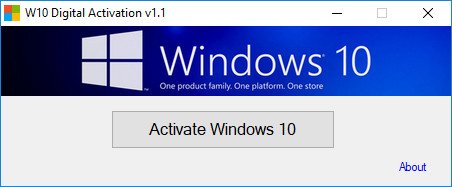
W10 Digital License Activation Program can Activate the Windows 10 permanently with digital License.

Advanced startup options (keys)
/activate - Launch the program in hidden mode.

System Requirements: Windows 10

FREE DOWNLOAD LINKS:

Код:
https://rapidgator.net/file/87f4a13eaf784c729f415d1a9011a14a/W10_Digital_Activation_Program_v1.5.5.6..rar

Код:
https://nitroflare.com/view/AF6AA51B89F4D3B/W10_Digital_Activation_Program_v1.5.5.6..rar
 

82ee844dd426e408bc57c91f313b8d3a.png


WinPE 11-10-8 Sergei Strelec 2026.07.09 | Size: 4.84 GB
Language: English

Bootable disk Windows 11 and 10 PE - for maintenance of computers, hard disks and partitions, backup and restore disks and partitions, computer diagnostics, data recovery, Windows installation.

Composition of assembly
WinPE11x64
WinPE10x64
WinPE10x86
WinPE8x86
WinPE8x86(Native)

Checksums (*.iso file)
CRC32: EA3533CB
MD5: 22C6D0E56BC81DECEA4F159108D84961
SHA-1: 168F75A257C2C57D773E914F2BC131801B31AA83

System requirements
Windows 8, 10, 11
1. RAM 2GB / Native 512 MB
2. PC with the ability to boot from CD/DVD-drive or USB.

FREE DOWNLOAD LINKS:

Код:
https://rapidgator.net/file/67b8e2b08dac28bb041f6ea9c5b8a42e/WinPE11_10_8_Sergei_Strelec_x86_x64_2026.07.09_English..part1.rar
https://rapidgator.net/file/4b465ad3a3500c6f520c82806c9047b0/WinPE11_10_8_Sergei_Strelec_x86_x64_2026.07.09_English..part2.rar
https://rapidgator.net/file/fe2466a9c9f5c1d90e0c913ad6bf7d9e/WinPE11_10_8_Sergei_Strelec_x86_x64_2026.07.09_English..part3.rar
https://rapidgator.net/file/e7604adf3a055724cd34411541136e54/WinPE11_10_8_Sergei_Strelec_x86_x64_2026.07.09_English..part4.rar
https://rapidgator.net/file/1b3b4956a1560884855f9e378467d719/WinPE11_10_8_Sergei_Strelec_x86_x64_2026.07.09_English..part5.rar

Код:
https://nitroflare.com/view/30F1F5726BEC972/WinPE11_10_8_Sergei_Strelec_x86_x64_2026.07.09_English..part1.rar
https://nitroflare.com/view/920FAC43FC9D213/WinPE11_10_8_Sergei_Strelec_x86_x64_2026.07.09_English..part2.rar
https://nitroflare.com/view/918967F8635DC76/WinPE11_10_8_Sergei_Strelec_x86_x64_2026.07.09_English..part3.rar
https://nitroflare.com/view/A31967108F4C1F8/WinPE11_10_8_Sergei_Strelec_x86_x64_2026.07.09_English..part4.rar
https://nitroflare.com/view/7FC1F2253EE1436/WinPE11_10_8_Sergei_Strelec_x86_x64_2026.07.09_English..part5.rar
 

ef71e31d6872cc1326561606a31b68b8.png


Windows 11 Pro Ultra Lite 25H2 Build 26200.8653 Stealth11 Edition | Size: 2.8 GB
Windows x64 | No TPM | Languages: English

A new Privacy-First Windows 11 Pro Ultralight,It doesn't remove as much as my other ultralight releases but it's still quite lightweight.

No updates, no languages, no optional features.
.NET Framework 3.5 is pre-installed.
Hope you'll enjoy this build!

System Requirements For Windows 11
Processor: 2 gigahertz (GHz) or faster.
RAM: 2 gigabyte (GB).
Free space on hard disk: 25 gigabytes (GB).
Graphics card: DirectX 9 graphics device or a newer version.
Additional requirements to use certain features.
To use touch you need a tablet or monitor that supports multitouch.
To access the Windows store to download and run apps, you need an active Internet connection and a screen resolution of at least 1024 x 768 pixels

FREE DOWNLOAD LINKS:

Код:
https://rapidgator.net/file/2a57a9bb9bfa2eed4c7af1c9a09abaea/8653._11.26200.part1.rar
https://rapidgator.net/file/ef5337f3c876461262f31ad6d038b8ca/8653._11.26200.part2.rar
https://rapidgator.net/file/c84bb52eee67fbb835646f38078aaa53/8653._11.26200.part3.rar

Код:
https://nitroflare.com/view/148A2C5DD337709/8653._11.26200.part1.rar
https://nitroflare.com/view/B49782284D4337F/8653._11.26200.part2.rar
https://nitroflare.com/view/138A5F2749A2E2D/8653._11.26200.part3.rar
 
21eebbc6ceb7ea89d2809ea83c482362.jpg


Actual File Folders 1.15.5 Multilingual | Size: 8.56 MB
Language: English

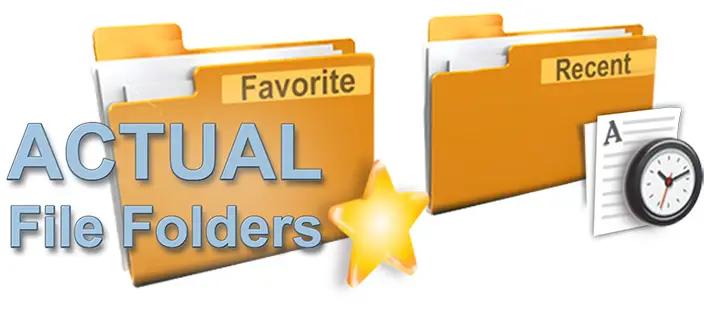
Actual File Folders adds two title buttons, called Favorite Folders and Recent Folders. These buttons extend through the entire Windows operating system. It means that you can use them in any common Windows Explorer window, file manager app, and any other software that use system file-related dialog windows, for example, Microsoft Word, Internet Explorer, or Total Commander.

Favorite Folders
The Favorite Folders ia a file folders extension lets you create the list of shortcuts to the folders you use the most often. Then, you can invoke this list in any file-related window of any program and access any of your favorite folders instantly in a single click. This is a good replacement for the tedious clicking to navigate to the required folder through the folders hierarchy. This resembles a list of bookmarks for your favorite websites in your web browser: instead of typing the URL each time you'd like to open your favorite website, you invoke the list of bookmarks and click that site's bookmark to get to it instantly.

You can manage the list of Favorite Folders shortcuts on the Favorite Folders panel. Then, you can invoke this list by clicking the special title button . When enabled, this button will be added to the title bar of any supported window.

Recent Folders
The Recent Folders is a file folders extension tracks automatically which folders you have been visiting recently and keeps the the list of shortcuts to those folders so that you could get back to them instantly in a single click. This resembles the browsing history in your web browser: you can quickly return to a web page you visited some time ago if circumstances require.

Most of file manager programs (including Windows Explorer itself) offer such service; however, the browsing history is available either while the window remains open or in that particular file manager only.

Instead, Actual File Folders keeps the browsing history globally, no matter which program you have used the folder in. This means that, for example, you can open the document in Microsoft Word from some folder, switch to Microsoft Excel and then jump there to the same folder using the Recent Folders history.

You can adjust the Recent Folders options on the Recent Folders panel. The list of recent folders can be invoked by clicking the special title button . When enabled, this button will be added to the title bar of any supported window.

Operating System:
Windows 10 / 8.1 / 8 / 7 / Vista / XP / 2000 (both 32-bit and 64-bit editions)
Windows Server 2016 / 2012 R2 / 2012 / 2008 R2 / 2008 / 2003 / 2000 (both 32-bit and 64-bit* editions)

HOMEPAGE:
Код:
https://www.actualtools.com/filefolders/

FREE DOWNLOAD LINKS:

Код:
https://rapidgator.net/file/10523382a559ae5887b363e838099da5/Actual_File_Folders_1.15.5_Multilingual.rar

Код:
https://nitroflare.com/view/479B27CACA19929/Actual_File_Folders_1.15.5_Multilingual.rar
 
2c4b0156d66768286233cb8fa7713da9.jpg


AnyMP4 Android Data Recovery 2.1.58 Multilingual | Size: 65.44 MB
Language: English

The best Android Data Recovery software provides you with powerful data recovery features for Android phones and tablets. AnyMP4 Android Data Recovery can recover deleted and lost text content such as contacts, SMS, text messages, call history, notes, WhatsApp chats, and more from Android device. And the exported contacts will be saved as VCF, CSV or HTML for your use. Whether you have accidentally deleted Android data or lost data after factory restore, OS update or rooting, device stuck or not responding, device locked, forgotten password, and ROM flashing, etc., the software can help you retrieve any important data on Android device.

Retrieve lost media content from Android device
Lose photos or videos on an Android smartphone? With AnyMP4 Android Data Recovery, it is possible to save media files from Android. The software supports the restoration of deleted Android data such as photos, videos and audio files as well as documents. After the Android File Recovery software has scanned your Android device, the program will list all deleted and existing media data on your device. Then you can restore your important data from Android phone/tablet. AnyMP4 Android Data Recovery allows you to recover the deleted documents in Word, Excel, PPT, PDF, HTML, Zip, RAR or other formats to your computer.

Save and back up Android data to the computer
The deleted data on your Android device can be restored and exported to the computer for Windows 10/8.1/8/7/Vista/XP. The Android Data Recovery software can also save and back up the existing files on your computer. With a clear user interface, you can safely and quickly recover deleted photos, contacts, messages, call logs, WhatsApp chats from Android device, and all contents are displayed in the left sidebar. Above all, AnyMP4 Android Data Recovery is your best choice.

System requirements:
System Requirement: Windows 10, Windows 8 / 8.1, Windows 7, Windows Vista, Windows XP (SP2 or later)
RAM: 2 GB RAM or more
CPU: Intel® Core ™ 2 Duo Processor or AMD Athlon ™ processor, 1.2 GHz or faster processor
Text Content: Contacts, Call History, Text Messages, WhatsApp Messages
Media Content: Gallery, Image Library, Videos, Audio, Message Attachments, WhatsApp Attachments, Documents
Android Version: 2.1 - 8.0

HOMEPAGE:
Код:
https://www.anymp4.com/

FREE DOWNLOAD LINKS:

Код:
https://rapidgator.net/file/89ed871a82ed36fda469b924008f84d0/AnyMP4_Android_Data_Recovery_2.1.58_Multilingual.rar

Код:
https://nitroflare.com/view/CFD8CB3C8362AB6/AnyMP4_Android_Data_Recovery_2.1.58_Multilingual.rar
 
9d8b0482614c4f9520c1e32f9d34c400.jpg


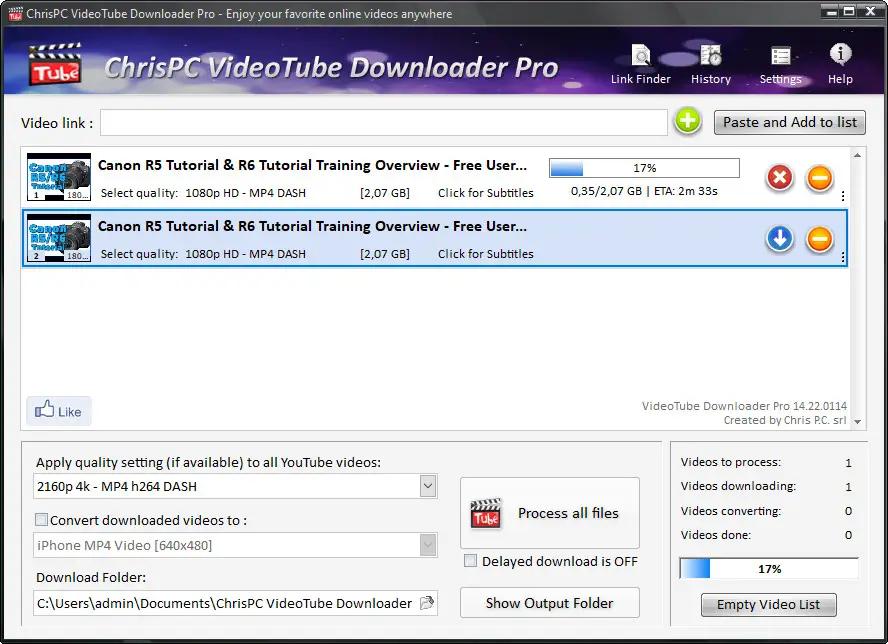
ChrisPC VideoTube Downloader Pro 15.26.0710 Multilingual | Size: 51.02 MB
Language: English

ChrisPC VideoTube Downloader Pro is a powerful software with a friendly user interface that allows you to download videos and playlists from YouTube, videos from Dailymotion, BBC iPlayer, ITV Player, ABC, FOX, CBS.com, Vimeo, Prosieben, Metacafe, Blip.tv, CBC.ca many more video websites. Once the videos are downloaded, you can convert them to formats compatible with iPad, iPhone, iPod, MPEG-4 H.264, MP3, AC3.

Version 15 comes with new features and improvements
Link Finder Expert is a new powerful feature to be used when you can`t detect and download your video using copy/paste mode or with Link Finder engine.
Improved detection using Link Finder for videos from My5, Channel4, TVNow, TVNZ, threenow, UKTV Play, RTEPlayer, TG4, Atresplayer, NPOStart, 9Now, 7Plus, GlobalTV, CityTV, CTV, VirginPlayer, TF1, Prosieben, 6play, TVAPlus, VRai, MediasetPlay, Kijk, Zee5 and many more.
Added the Advanced Mode to Link Finder engine, which lets you choose the browser type from a list of 25+ browser configurations, like Safari on iPhone, Edge on iPad, Chrome on Android and many more. This way, you can find different video streams (like M3U8, MPD, MP4 or MP3) for the same video content depending on the platform it is played on.
Added advanced settings where you can choose how many parts to be downloaded at same time for M3U8 and MPD DASH streams. If your Internet connection is fast you can download up to 10 parts simultaneous.
Improved download speed by up to 15x times for M3U8, MPD and F4M streams.
Added segmented download option to improve YouTube video download by up to 12x times.
Improved Link Finder engine detection of HTML 5 videos, M3U8, F4M, MPD, MP4, M4A, M4V, MP3 video and audio streams.
Video Download History keeps a log of all your downloads, helps you find downloaded videos by title, author, day of download.
Added the option to automatically select subtitle language to download for YouTube, ITV, BBC, CBS, ABC, NBC, FOX and others.
You can download videos up to 3 GB with the free version from the popular video websites: YouTube, Vimeo, DailyMotion, Metacafe.
Record live streams from YouTube, Livestream, Ustream, M3U8 HLS and F4M HDS streams.

System Requirements: Windows 7, Windows 8, Windows 10, Windows 11

HOMEPAGE:
Код:
https://www.videoyoutubedownloader.com/

FREE DOWNLOAD LINKS:

Код:
https://rapidgator.net/file/9b21a20cb2e4fe869f11f47fca711ded/ChrisPC_VideoTube_Downloader_Pro_15.26.0710_Multilingual.rar

Код:
https://nitroflare.com/view/B145FF601ABE395/ChrisPC_VideoTube_Downloader_Pro_15.26.0710_Multilingual.rar
 
61ff8c6bdf5eed22a9246ecfdcfef284.png


Directory Opus 13.24.2 Beta (x64) Multilingual | Size: 29.67 MB
Language: English

Are you frustrated by the limitations of Windows Explorer? Directory Opus provides a complete Explorer Replacement with far more power and functionality than any other file manager available today.

Just some of the features include:
- Single or dual pane file display and folder trees
- Tabbed interface let you keep multiple folders open and switch quickly between them
- Unique Explorer Replacement mode provides a full replacement for Windows Explorer
- Quickly filter, sort, group and search your folders
- Color-code your files, assign status icons, star ratings, tags and descriptions
- View images, documents and more. Image marking lets you sort your photos quickly and easily
- Batch renaming including easy-to-use keyboard macros
- View and edit file metadata
- Support for FTP and archive formats like Zip, 7Zip and RAR
- Built-in tools including synchronize and duplicate file finder
- Calculate folder sizes and print or export folder listings
- Queue multiple file copies for improved performance
- Fully configurable user interface - colors, fonts, toolbars, keyboard hotkeys, and a full scripting interface let you tailor Opus exactly to suit your needs
- Efficient, multi-threaded, modern design. Supports the latest 4K monitors. Available in both 32 and 64 bit versions.

What makes Opus unique?

Built for speed
Opus is written in native C++ multi-threaded code; compiled for the latest 64 bit CPUs, with high performance our number one design principle.

Fully configurable
Change the colors. Change the fonts. Change the toolbars and menus. Set up hotkeys. Opus adapts to how you want to use it.

Makes file management a breeze
Powerful searching, sorting, grouping, labelling and tagging features let you take control of your files like never before.

Endlessly extensible
Work with third-party tools as easily as with the built-in features. A full scripting interface, including scriptable dialogs, means your imagination is really the only limit.

Replace Windows Explorer and don't look back
Our unique Explorer Replacement mode provides a full replacement for Windows Explorer.
Single or dual pane file display and folder trees
Tabbed interface let you keep multiple folders open and switch quickly between them
Integrated viewer, metadata editor and utility panel
Built-in tools including synchronize and duplicate file finder
Leverage indexed search engines like Windows Search and Everything

HOMEPAGE:
Код:
https://www.gpsoft.com.au/

FREE DOWNLOAD LINKS:

Код:
https://rapidgator.net/file/7a3e60ba2c25f24b9c0b80b763b9aa54/Directory_Opus_13.24.2_Beta_x64_Multilingual.rar

Код:
https://nitroflare.com/view/34380F91286CB3A/Directory_Opus_13.24.2_Beta_x64_Multilingual.rar
 
f8b5d4907a14a6bb04624ff9984ca872.png


Dropbox 260.4.2926 (x64) | Size: 276.04 MB
Language: English

Dropbox is a free service that lets you bring all your photos, docs, and videos anywhere. After you install Dropbox on your computer, any file you save to your Dropbox will automatically save to all your computers, your Android device, and even the Dropbox website! With the Dropbox app, you can take everything that matters to you on the go.
Read your docs or flip through your albums when you're out and about. Save photos or videos to your Dropbox and share them with friends in just a couple taps. Even if you accidentally leave your Android in a taxi, your stuff is always safe on Dropbox.

Features:
• Always have your stuff with you, no matter where you are.
• Save photos and videos to your Dropbox.
• Share your photos and docs with family and friends.
• Save email attachments straight to your Dropbox.
• Easily edit docs in your Dropbox.

FREE DOWNLOAD LINKS:

Код:
https://rapidgator.net/file/6c6d889d0688aafcf839d3bc94f125dd/Dropbox_260.4.2926_x64.rar

Код:
https://nitroflare.com/view/C9CCD595FD65C64/Dropbox_260.4.2926_x64.rar
 
91a5a9a2d6b7e079f37580629cc33b6e.png


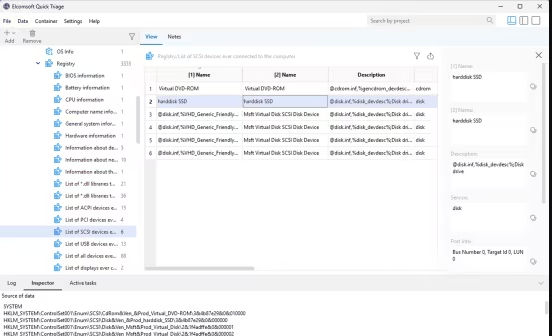
Elcomsoft Quick Triage 2.01.193 | Size: 98.13 MB
Language: English

Elcomsoft Quick Triage is a tool designed to rapidly extract and analyze the most important evidence from a target computer or disk. It is equally effective during on-site operations and in laboratory environments, helping investigators make informed decisions at the earliest stages of an investigation.

Elcomsoft Quick Triage focuses on extracting the most forensically valuable data from Windows systems, covering hundreds of sources while prioritizing artefacts that are critical for early-stage investigations. The tool targets evidence that helps quickly answer key questions about how a system was used, by whom, when, and for what purpose. It processes data from the operating system itself as well as from a wide range of popular applications that may contain information about user activity, communications, file handling, connected devices, and network usage.

Data and Artefacts
With Elcomsoft Quick Triage, investigators can quickly review saved passwords, browsing history, and user activity of the currently logged-in account, examine data from other user profiles on the same system, and analyze evidence contained in mounted disk images. The product focuses on speed, relevance, and ease of use rather than exhaustive analysis.

The tool supports hundreds of system artefacts that allow investigators to reconstruct timelines and system behavior. EQT extracts and analyzes Windows Event Logs, Prefetch, Shimcache, SRUM, Task Scheduler data, application execution traces, crash reports, and other system logs. These artefacts provide insight into program launches, background activity, and overall system usage. The tool helps establish whether external devices were used by collecting information about connected USB storage devices, printers, displays, and other hardware.

Elcomsoft Quick Triage collects and processes a wide range of user-centric evidence. The tool extracts documents and files from user folders, recent files lists, Recycle Bin contents, and artefacts reflecting everyday user actions. It processes data from web browsers, including browsing history, search queries, and saved credentials, as well as data from email clients and instant messengers.

Finally, Elcomsoft Quick Triage pays special attention to credentials and protected data. The tool extracts Windows Vault entries, DPAPI-related data, cryptographic keys, certificates, and user and system credential stores. All artefacts are preserved with clear source attribution and context, allowing investigators to quickly focus on the most relevant evidence and make informed decisions without waiting for a full forensic examination.

Whats New
New: Offline decryption support for passwords stored in Chrome and Chromium-based browsers with ABE protection
New: Support for browsers with master passwords (Yandex browser, and all Gecko-based including Firefox)
New: Support for Entra ID and Microsoft Accounts
Workaround: Implemented a workaround for Windows Defender
Workaround: Memory dumps are now temporarily skipped if the Memory Integrity Check is enabled
Improved: The container format, making it much faster, with new indexing
Improved: Data indexing in the Lucene indexing engine (less storage space, faster processing)
Improved: Faster search without the Windows API to skip "offline" files that are not actually synced
Improved: Global search improvements and fixes, alongside smoother progress on data indexing
New: An event viewer for .evtx files with faster search
New: A "data only" source type (when the OS is unknown)
New: Source data mapping in the container
New: Fast export into CSV format
New: Portable version creation
New: An ability to select files or folders to be saved to the container
New: Calculating the disk space needed for project storage
New: Source type information in smart folders
New: All fields now have a type description
New: A "Recent projects" menu
Fixed: Problems with smart folders (improper field names)

System Requirements: Windows 10, 11

FREE DOWNLOAD LINKS:

Код:
https://rapidgator.net/file/3228d91b77d226d36c9775987153e506/Elcomsoft_Quick_Triage_2.01.193.rar

Код:
https://nitroflare.com/view/41F430378E88F54/Elcomsoft_Quick_Triage_2.01.193.rar
 
c8284b390e025ce9594b54895bc1987b.png


FinePrint 12.31 Multilingual | Size: 26.27 MB
Language: English

FinePrint is so good it begs a printer manufacturer to snap it up and use it as the front end of their driver. It does about all you could want from a print utility. Save time, money, paper & ink.

Features:
- Universal print previewer
- Delete unwanted pages
- Convert to grayscale
- Remove blank pages
- Crop pages
- Edit text
- Remove unwanted text and images
- Print multiple pages on a single sheet
- Print electronic letterhead
- Archive print jobs

Operating System: Windows 10, 8, 7, Vista, XP sp2 or higher

HOMEPAGE:
Код:
http://fineprint.com/

FREE DOWNLOAD LINKS:

Код:
https://rapidgator.net/file/b16882f00b313f2779d094b9c2ba7728/FinePrint_12.31_Multilingual.rar

Код:
https://nitroflare.com/view/B229A79FC1D500D/FinePrint_12.31_Multilingual.rar
 
_28754d04205276cdd7fd544dd60871ae.jpeg


FoneLab Android Data Recovery 3.1.56 Multilingual Portable | Size: 60.15 MB
Language: English

Enables you to restore Android phone or SD card contacts, messages, videos, photos and more without data loss.

Best Android Data Recovery to Restore Android Data
Get your files on Android phone lost? Try this fast, powerful and easy-to-use Android files recovery. It enables you to recover the lost deleted contacts, messages, messaging attachment, call history, gallery, picture library, music, video and document on Android phones. The software can get the lost data back whether your Android device is water damaged, virus attacked, or busted part as long as it can be detected by FoneLab for Android. With this Android data recovery, you can get back all your lost files within minutes.

Recover from Android Phone
To recover Android data from device directly without back files.

Recover from SD Card
To recover Android data from SD card easily.

Recover from SIM Card
To recover Android data from SIM card with ease.

Recover Lost Contacts, Messages, Message Attachments and Call Logs
One of the key information for Android users is contact. Losing contacts sometimes means losing connection with important friends. FoneLab Android Data Recovery could help you recover contacts, text contents and attachments.

Get Back Photo, Music and Video in Android Phone/SD Card
It brings a lot of headaches when you find your photos/music/video lost due to some mistakes or accidents. With FoneLab Android Data Recovery, you can get back the lost media files which could be precious for you.

Recover Various Documents
Mobile phone sometimes is an alternative to USB Flash disk to store data. FoneLab is capable of recovering the lost documents on your Android phone no matter Text files or Word content.

HOMEPAGE:
Код:
https://www.fonelab.com/

FREE DOWNLOAD LINKS:

Код:
https://rapidgator.net/file/e151b9681e66ab2516440fbba5b3c84a/FoneLab_Android_Data_Recovery_3.1.56_Multilingual_Portable.rar

Код:
https://nitroflare.com/view/6916410A74CB1FA/FoneLab_Android_Data_Recovery_3.1.56_Multilingual_Portable.rar
 
_4746dafcf0575f4724b65299fcbf7055.jpeg


FoneLab Android Data Recovery 3.1.56 Multilingual | Size: 66.59 MB
Language: English

Enables you to restore Android phone or SD card contacts, messages, videos, photos and more without data loss.

Best Android Data Recovery to Restore Android Data
Get your files on Android phone lost? Try this fast, powerful and easy-to-use Android files recovery. It enables you to recover the lost deleted contacts, messages, messaging attachment, call history, gallery, picture library, music, video and document on Android phones. The software can get the lost data back whether your Android device is water damaged, virus attacked, or busted part as long as it can be detected by FoneLab for Android. With this Android data recovery, you can get back all your lost files within minutes.

Recover from Android Phone
To recover Android data from device directly without back files.

Recover from SD Card
To recover Android data from SD card easily.

Recover from SIM Card
To recover Android data from SIM card with ease.

Recover Lost Contacts, Messages, Message Attachments and Call Logs
One of the key information for Android users is contact. Losing contacts sometimes means losing connection with important friends. FoneLab Android Data Recovery could help you recover contacts, text contents and attachments.

Get Back Photo, Music and Video in Android Phone/SD Card
It brings a lot of headaches when you find your photos/music/video lost due to some mistakes or accidents. With FoneLab Android Data Recovery, you can get back the lost media files which could be precious for you.

Recover Various Documents
Mobile phone sometimes is an alternative to USB Flash disk to store data. FoneLab is capable of recovering the lost documents on your Android phone no matter Text files or Word content.

HOMEPAGE:
Код:
https://www.fonelab.com/

FREE DOWNLOAD LINKS:

Код:
https://rapidgator.net/file/37fe026b40ba81c8a2e63ded49e18a21/FoneLab_Android_Data_Recovery_3.1.56_Multilingual.rar

Код:
https://nitroflare.com/view/5F7B5F3FD944F90/FoneLab_Android_Data_Recovery_3.1.56_Multilingual.rar
 
4f748c89371cf9ab41a3a7b9d9ca231f.jpg


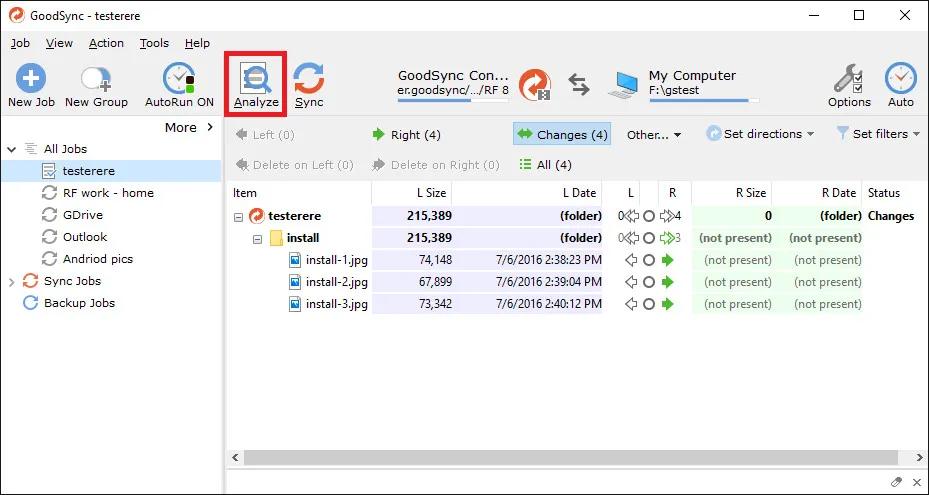
GoodSync 12.11.5.2 (x64) Multilingual | Size: 77.23 MB
Language: English

File Synchronization and Backup Software. Easily back up and sync your files with GoodSync. Our simple and secure file backup and synchronization software will ensure that your files are never lost.

File Backup
An easy, fast, and secure way to automatically back up all of your data to multiple destinations and to restore it when needed.

File Synchronization
Real-time and automated data replication for one-way or two-way synchronization across multiple destinations and platforms.

Features for Every Backup and Synchronization Task

Real Time Data Transfer
Automated, scheduled, and real-time backup and synchronization with no user interaction required.

Block Level Data Transfer
Propagates only the data blocks changed since the last analysis, significantly reducing backup time, network consumption, and storage requirements.

Unattended Service
Runs as a background service, performing automated, scheduled, and real-time backups with no user interaction required.

END TO END ENCRYPTION
Improves security by applying AES-256 bit encryption to your mission critical data in transit and at rest.

Version History Control
Saves single or multiple versions of your data change history, ensuring maximum protection and minimal data recovery time.

Copy Locked Files
Guaranteed backup and synchronization of files that are simultaneously open on users' devices.

File and Folder Move/Rename Detection
GoodSync detects file/folder renames and executes them as Move commands.

SECURITY ATTRIBUTE PROPAGATION
Capable of monitoring and propagating file security attributes across the Internet maintaining same access permission levels at different locations.

RealDisk Online Storage
GoodSync provides its own RealDisk online storage, which is really fast, especially on large number of small files.

HOMEPAGE:
Код:
https://www.goodsync.com/

FREE DOWNLOAD LINKS:

Код:
https://rapidgator.net/file/c35e509fb9d0210dc50260a6f12f4244/GoodSync_12.11.5.2_x64_Multilingual.rar

Код:
https://nitroflare.com/view/73D355712E0257D/GoodSync_12.11.5.2_x64_Multilingual.rar
 
_e2e5e74ef9f61c64384ad29c2b9435c5.jpeg


Hex Editor Neo 8.12.00.9421 | Size: 15.28 MB
Language: English

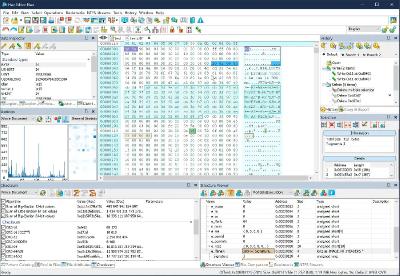
Hex Editor Neo is a binary files editing software utility for Windows. It's rich and handy set of features will help all software and hardware developers working with ASCII, hex, decimal, float, double and binary data.

Highly optimized performance, carefully tuned user interface among with new level of application stability will save a lot of your time, money and precious nerves while working with binary files.

Make patches with just two mouse clicks; manipulate your EXE, DLL, DAT, AVI, MP3, JPG files with unlimited undo/redo. Taste the visual operation history with branching.

Features: Editing Files of ANY Size; Built-In Explorer; Unlimited Undo/Redo; Multiple Selection; Selection Save and Load; Find All; Replace All; History Browsing; History Save and Load; Patch Creation; Clipboard Operations; Bytes, Words, Double Words, Quad Words, Floats and Doubles Edit Mode; Pattern Coloring; Data Inspector; Bookmarks; Base Converter; Advanced copy & export; Encodings.

Hexeditor is highly optimized to quickly perform the requested actions. It also allows you to continue working with a document while application is busy performing lengthy operation on another opened document. We take special care about extreme performance while developing tools for you and your convenience.

Opening and efficient handling of huge files
During hex editor program development we focused on its performance and reliability, so the product is based on the most advanced and efficient data processing algorithms. We have created an absolutely unique data editing software, which is able to successfully handle files of ANY size and has absolutely no analogues in this regard. Thus, any extra large file supported by the underlying file system (FAT, FAT32, NTFS) is automatically supported by our product.

Instant data processing regardless of size
Thanks to the use of highly efficient algorithms, hardware acceleration and extensive use of multi-threading technology, the product always remains responsive and quickly performs all binary data editing and file modification operations (including basic I/O, search, replace and clipboard operations) with data blocks of unlimited size. Thus, only using our hex editing software you avoid situations when you lose all modifications due to unpredictably long data processing operations.
Basic file editing features
Using this binary file editing software, you can perform most manipulations with the file data. You can type data, write data to file (direct hex file modification), select data, remove selections, insert data into file, delete binary data from file, insert another file, fill selection with raw hex data patterns, save/load files. It supports overwrite/insert writing modes and allows you to use clipboard: cut, copy/paste, merge data. Modified data is highlighted. You can use 'goto offset' command or make quick address bookmarks for easy navigation.

System Requirements:
OS: Windows XP, Vista, 7/8/10/11 and Server 2003 - 2022
CPU: Dual-core x86, x64 compatible
Memory: 2 GB
Storage: 30 MB

HOMEPAGE:
Код:
https://www.hhdsoftware.com/

FREE DOWNLOAD LINKS:

Код:
https://rapidgator.net/file/32950438757895f21a09408c59f942fb/Hex_Editor_Neo_8.12.00.9421.zip

Код:
https://nitroflare.com/view/777715BA98C81FA/Hex_Editor_Neo_8.12.00.9421.zip
 
acdaf45675e96cfb88c919097203ccce.jpg


IDM UEStudio 26.0.0.23 (x64) | Size: 498.21 MB
Language: English

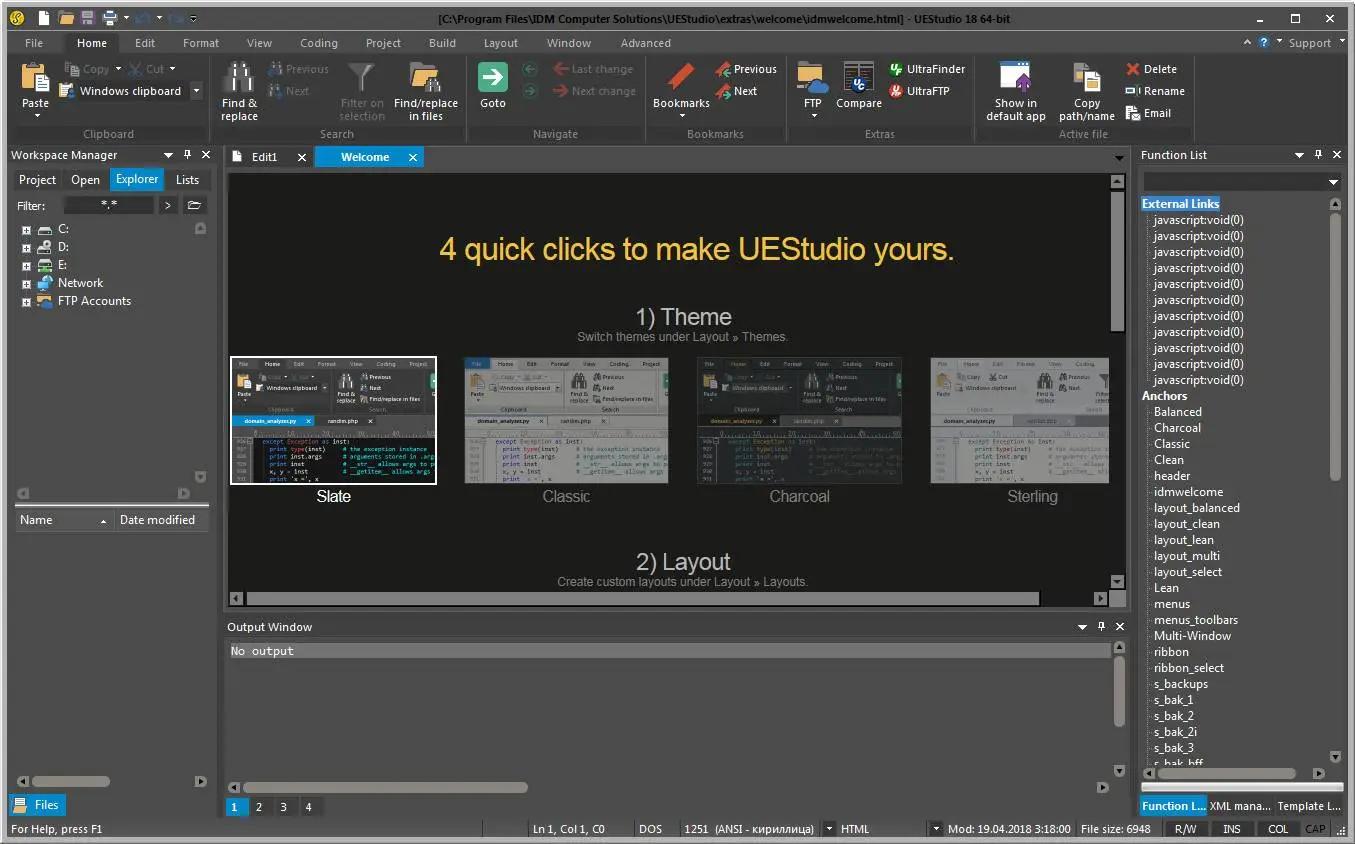
UEStudio is built upon the world's best text editor, UltraEdit, and delivers additional features for teams and developers - like deep Git integration. You can clone, checkout, update, commit, push / pull, and more directly from within UEStudio to manage your Git repositories.

Git editor
Why use an editor and a separate Git management tool? As a Git editor, UEStudio combines the world's best text editor and the power of Git all within a single application. Edit and update your source files, then commit them with the stroke of a hotkey or the click of a mouse.

Preview Git markdown
Markdown is an essential ingredient of many Git repos. UEStudio features live preview for Markdown (and HTML) so you can update your repo's README.md file and double-check formatting without ever opening your browser.

Merge branches, resolve conflicts
You can easily merge branches in UEStudio's Git branch manager (or in the Git shell if that's your style). Merge conflicts? No problem! Quickly review and resolve them with UltraCompare's mergetool support so you can be on your way.

Review Git changes
Want to see what specifically you've changed in your repository's working directory since your last commit? Open up your repository in UltraCompare and click on the different files for a quick text compare of the working copy and the indexed version.

Compare versions of files
Ever wanted to compare a file from a repo to a previous version of itself, or perhaps its state in a different branch? Or perhaps you want to compare your uncommitted changes to the HEAD version? UltraCompare's Git version compare makes it this possible.

Native difftool / mergetool integration
Prefer doing your Git work on the command line? UltraCompare natively integrates as Git difftool and mergetool so you can fire it up the GUI only when you need it.

Write code faster
UEStudio parses your project and source files to provide you with intelligent, automatic source code completion. See function tips, class data members, function parameters and more via helpful contextual code hints. Write code more efficiently with smart templates.

Operating System: Windows 7, 8/8.1, 10, 11

HOMEPAGE:
Код:
https://www.ultraedit.com/

FREE DOWNLOAD LINKS:

Код:
https://rapidgator.net/file/6a2e1698b1a354200f2dcfab5e755777/IDM_UEStudio_26.0.0.23_x64.rar

Код:
https://nitroflare.com/view/71A4095A5E8C90D/IDM_UEStudio_26.0.0.23_x64.rar
 
9faf83fc9c036bc33d5b53494ce91528.jpg


IDM UltraEdit 33.0.0.23 (x64) | Size: 438.75 MB
Language: English

UltraEdit is a powerful disk-based text editor, programmer's editor, and hex editor that is used to edit HTML, PHP, JavaScript, Perl, C/C++, Python, and virtually any other coding/programming language. UltraEdit can handle and edit files in excess of 4 gigabytes.

Features:
Disk based text editing - supports editing of large 4GB+ files, minimum RAM used
Configurable tab options (multiple tab stop values, use spaces instead of tabs, etc.)
Tab/word wrap options based on file type/extension
Insert/overstrike mode with caret and status bar indication
Paragraph alignment
Left, center, right, fill (for fixed pitch fonts)
Reformat paragraph (cleans up and beautifies text)
Line spacing support for single, 1.5 and double spacing
Drag-and-drop editing
Join line(s) (with optional consolidation of whitespace)
Double click (optional Shift modifier) to highlight all occurrences of selected word
Line Change Indicator (optional) in margin
Saved changes indicated in green
Unsaved changes indicated in red
Configurable colors (set in editor theme)
Auto-indent wrapped lines
Support for extremely long lines (up to 20,000 characters before wrap is added)
Home key positions at first non-space, then first character
IntelliMouse scrolling support
Native Unicode / UTF-8 editing support
and more.

Operating System:
UltraEdit supports 64-bit file handling on both 32-bit and 64-bit Windows platforms (Windows 7 and later).

HOMEPAGE:
Код:
https://www.ultraedit.com/

FREE DOWNLOAD LINKS:

Код:
https://rapidgator.net/file/83cb6260ff02834a1939c4d9486f18b3/IDM_UltraEdit_33.0.0.23_x64.rar

Код:
https://nitroflare.com/view/489F20049251546/IDM_UltraEdit_33.0.0.23_x64.rar
 
b7574e0d70a29704f8be29d26f5623f3.jpg


Internet Download Manager 6.43 Build 3 Multilingual Portable | Size: 13.8 MB
Language: English

Internet Download Manager has a smart download logic accelerator that features intelligent dynamic file segmentation and safe multipart downloading technology to accelerate your downloads. Unlike other download accelerators and managers that segment files before downloading starts, Internet Download Manager segments downloaded files dynamically during download process.

Internet Download Manager reuses available connections without additional connect and login stages to achieve better acceleration performance. Internet Download Manager supports proxy servers, ftp and http protocols, firewalls, redirects, cookies, authorization, MP3 audio and MPEG video content processing. IDM integrates seamlessly into Microsoft Internet Explorer, Netscape, MSN Explorer, AOL, Opera, Mozilla, Mozilla Firefox, Mozilla Firebird, Avant Browser, MyIE2, and all other popular browsers to automatically handle your downloads. You can also drag and drop files, or use Internet Download Manager from command line. Internet Download Manager can dial your modem at the set time, download the files you want, then hang up or even shut down your computer when it's done.

Main Features:
• All popular browsers and applications are supported! Internet Download Manager has been tested with the following browsers: Internet Explorer, MSN Explorer, AOL, Netscape Communicator, Netscape 6, Netscape 7, Mozilla, Mozilla Firefox, Mozilla Firebird, Opera, NetCaptor, UltraBrowser, Slim Browser, Avant Browser, MyIE2, Optimal Desktop, Ace Explorer, Advanced Browser, 27 Tools-in-1 Wichio Browser, WindowSurfer, 550 Access Browser, FineBrowser Freeware, Kopassa Browser, Fast Browser Pro, Enigma Browser, GoSuRF, K-Meleon, Smart Explorer, The Off By One Web Browser, Smartalec Voyager, CrystalPort AppCapture, The Family Browser, XANA Web Browser, Bluto, AutoSurf, 32bit Web Browser, BrowseMan, WrestlingBrowser, Eminem Browser, UltraBrowser, Cygsoft LDAP Browser, and Net M@nager. Internet Download Manager supports all versions of popular browsers, and can be integrated into any 3rd party Internet applications.
• Easy downloading with one click. When you click on a download link in a browser, IDM will take over the download and accelerate it. IDM supports HTTP, FTP, HTTPS and MMS protocols.
• Download Speed Acceleration. Internet Download Manager can accelerate downloads by up to 5 times due to its intelligent dynamic file segmentation technology. Unlike other download managers and accelerators Internet Download Manager segments downloaded files dynamically during download process and reuses available connections without additional connect and login stages to achieve best acceleration performance.
• Download Resume. Internet Download Manager will resume unfinished download from the place where they left off.
• YouTube grabber. Internet Download Manager can grab FLV videos from popular sites like YouTube, MySpaceTV, and Google Video.
• Simple installation wizard. Quick and easy installation program will make necessary settings for you, and check your connection at the end to ensure trouble free installation of Internet Download Manager
• Drag and Drop. You may simply drag and drop links to IDM, and drag and drop downloaded files out of Internet Download Manager.
• Automatic Antivirus checking. Antivirus checking makes your downloads free from viruses and trojans.
• Advanced Browser Integration. When enabled, the feature can be used to catch any download from any application. None of download managers have this feature.
• Built-in Scheduler. Internet Download Manager can connect to the Internet at a set time, download the files you want, disconnect, or shut down your computer when it's done.
• IDM includes web site spider and grabber. IDM downloads all required files that are specified with filters from web sites, for example all pictures from a web site, or subsets of web sites, or complete web sites for offline browsing. It's possible to schedule multiple grabber projects to run them once at a specified time, stop them at a specified time, or run periodically to synchronize changes.
• IDM supports many types of proxy servers. For example, IDM works with Microsoft ISA, and FTP proxy servers.
• IDM supports main authentication protocols: Basic, Negotiate, NTLM, and Keberos. Thus IDM can access many Internet and proxy servers using login name and password.
• Download All feature. IDM can add all downloads linked to the current page. It's easy to download multiple files with this feature.
• Customizable Interface. You may choose the order, and what buttons and columns appear on the main IDM window.
• Download Categories. Internet Download Manager can be used to organize downloads automatically using defined download categories.
• Quick Update Feature. Quick update may check for new versions of IDM and update IDM once per week.
• Download limits. Progressive downloading with quotas feature. The feature is useful for connections that use some kind of fair access policy (or FAP) like Direcway, Direct PC, Hughes, etc.
• IDM is multilingual. IDM is translated to Albanian, Arabic, Azerbaijan, Bosnian, Bulgarian, Chinese, Croatian, Czech, Danish, Dutch, Farsi, French, German, Greek, Hebrew, Hungarian, Italian, Japanese, Korean, Lithuanian, Macedonian, Norwegian, Polish, Portuguese, Romanian, Russian, Serbian, Slovak, Slovenian, Spanish, Thai, Turkish, and Uzbek languages.

Operating System: Windows Vista, 7, 8/8.1, 10

HOMEPAGE:
Код:
http://www.internetdownloadmanager.com/

FREE DOWNLOAD LINKS:

Код:
https://rapidgator.net/file/4270e581f0c69ee610202de400a31b09/Internet_Download_Manager_6.43_Build_3_Multilingual_Portable.rar

Код:
https://nitroflare.com/view/9098D7A0BBCE767/Internet_Download_Manager_6.43_Build_3_Multilingual_Portable.rar
 
b088401f7b12489893bd6f6e5137e1e3.jpg


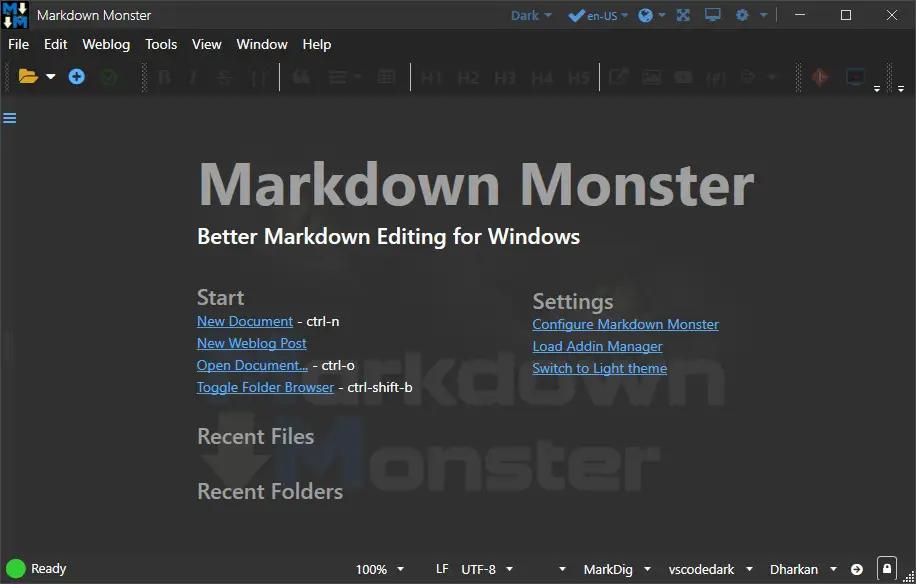
Markdown Monster 4.4.4 | Size: 20.01 MB
Language: English

Markdown Monster is a powerful, yet easy to use Markdown editor with syntax highlighting and sophisticated and fast edit features. A collapsible, synced, live preview lets you see your output as you type and scroll. Easily embed or paste images, links, tables and code using raw markup or our smart UI helpers to simplify many operations with a few keystrokes or a click or two. Paste images from the clipboard or drag and drop from Explorer or our built-in file browser. Inline spell-checking and word counts keep your content streamlined.

You can export Markdown to PDF or HTML on disk or copy Markdown selections as HTML to the clipboard. The HTML preview can display syntax colored code snippets for most coding languages. Choose from light or dark app themes, and individual and fully customizable preview themes. Use the built-in folder browser to open, manage and drag files into content, use the document outline to quickly jump through content, or use our shell integration to shell out to Explorer, Terminal, Image Editor, Diff tool or your favorite Git client. Git support is built to see local Git status and sync to your repositories.

Everything is at your finger tips, but out of your way until you need it.

Weblog Publishing
Markdown Monster can also publish your Markdown directly to your Weblog Service. If your blog supports WordPress, MetaWeblog, Jekyll or Medium, you can publish your documents with one click. You can also edit and rlish, or download existing posts and even convert existing posts from HTML to Markdown.

Extensible via .NET
We also wanted to make sure the editor is highly extensible, so you can add custom features of your own. Markdown Monster includes an addin model that makes it easy to build extensions that let you hook into the UI, the editor behavior and the publishing process. We also provide useful Scripting and Text Templating addins that let you automate many tasks without creating an addin. Find out more about creating an addin with .NET.

Features:
Easy and fast Markdown editing
Syntax colored Markdown text
Live Preview while you type
Inline spell checking
Easy image and link embedding
Paste images from Clipboard
Gentle toolbar support
File and Folder Browser
Favorites Manager
Document Outline
Git Integration
Built in screen capture
Two-way Table Editor
Import Html to Markdown
Export Markdown to Html
Dark and Light UI Themes
Customizable Preview Themes
High DPI Support
Weblog Publishing and Editing
Yaml Meta Data Support
Snippet Expansion Templates
Swappable Markdown Parsers
Extensible with .NET Add-ins

System Requirements:
Microsoft Windows 10 or later
.NET 7.0 (pre-installed)
WebView2 Runtime (pre-installed)

HOMEPAGE:
Код:
https://markdownmonster.west-wind.com/

FREE DOWNLOAD LINKS:

Код:
https://rapidgator.net/file/1ddd0c8daea3489e0f1bf9241a9abd09/Markdown_Monster_4.4.4.zip

Код:
https://nitroflare.com/view/FCD08D30E927E7D/Markdown_Monster_4.4.4.zip
 
Назад
Сверху Снизу