All Emperor2011's Software in one thread !! (updated daily)

d52c4084104af9b0701f3d6928c66a6d.jpg


BETA-CAE Systems 2025.2.2 (x64) | Size: 2.3 GB

BETA CAE Systems announces the release of 2025.2HF1 version of its software suite. This Hot Fix of 2025.2 with critical bug fixes and selected implementations.

BETA-CAE Systems 2025.2.0 now offers a revamped numbering scheme, reflecting the year and the semester per release. One of the major enhancements is in Human Body Modeling, with new functionality for the identification and export of the anthropometric dimensions, auto-positioning and human body model to car positioning. Also in this version, besides an increased number of new tools and features, there is greater interaction with third-party software, along with boosted performance, enhanced user experience and key features to enhance daily tasks and processes.

What fixed in this release
Known issues resolved in ANSA

CAD to ANSA Translators
- CAD to ANSA process might fail for parts that contained the special character "%" in an attribute value.
Sketch 3D
- Unexpected termination would occur when Projecting a Curve on Shells with "Project on Source" direction.
General
- After reading an Ansys model, ANSA would occasionally terminate if the model was output in Nastran format.
Language: English

Model Browser
- Having more than one Navigators active could ultimately lead to an unexpected termination.
- Furthermore, a part saved in DM with build status "OK" would miss the build process that was used, after opening it in ANSA.
Data Management
- Mesh parameters file was not read at all, while connected in a DM.
Batch Meshing
- Batch mesh could run out of memory, when generating several tens of millions of shell elements.
Shell Meshing
- ANSA would terminate unexpectedly, when running check for solid cracks.
- Also, ANSA would exit abnormally, in case of executing "Grids > Align" function, targeting Plotel entities.
Nastran
- BGSET and BGADD would not be correctly output when "Parameter Output" option was set on "Model".
Abaqus
- Pressing Tab key in Material Data Table would lead to an unexpected termination.
- Moreover, Material Orientation using distribution would not be exported for membrane elements.
- In addition, during output, all parameters of *SECTION CONTROLS were not written in the output file, regardless of whether a Standard or Explicit analysis that was selected to be performed.
- The current behavior now safeguards the correct definition when transferring results between Standard and Explicit analysis using *IMPORT.
Ansys
- A fatal error would occur during Solver Submission on Windows installations, when submitting an Ansys job with number of CPUs equal to 1.
Morphing
- DFM would fail to scale entities non-uniformly, when using a Local Coordinate System.
Scripting
- Unexpected termination would occur when Voxel function would be used in script, via mesh.VoxelGeneration() script function.

Known issues resolved in META

Graphics
- Several performance issues were encountered while managing multiple models across various windows with cut planes.
GUI
- Copying window settings from one window to another could lead to META ceasing to respond.
Nastran
- Upon reading results, Non-Linear Plastic Strain was not interpreted as expected; a regression since version 25.1.3.
Abaqus
- Analytical surfaces, as well as DCOUP3D elements, can now be properly read from an .odb file.
Ansys
- Axisymmetric elements were not read correctly.
LS-DYNA
- META would not recognize the rcforc output from Ls-Dyna version R16.
- Also, Signed Max Principal Strain was not available for pure solid element models.
FEMZIP
- Unexpected termination could occur when loading Pam-Crash erfh5.fzip files under "Read Results > Curves".
- META would terminate abruptly when loading an ERF file, compressed with FEMZIP version 16.28.
- Geometry was not properly read from FEMZIP ERF files. In specific, curves from .erfh5 files compressed in FEMZIP version16.28 and later would not be read, unless "File Format" was switched explicitly to "Pam-Crash", instead of "Auto detect".
FRF Assembly
- Unexpected termination could occur when excluding at least one mode of a modal component and the component was connected using an FSI connector.
- In addition, Disassembly tool did not work correctly when the starting frequency was set to 0 Hz.
Math Operations on Field Data
- It was not possible to calculate the average values by selecting calculated maximum or minimum states.
Project Files & METADB
- Reading of projects with multiple labels that include Cycle results would be incorrect.
2D Plots
- Upon reading of Nastran transient ERP results the abscissa was wrongly set to frequency instead of time.
States & Animation
- Switching between states could make the results disappear in cases of extremely small time-step
Images & Video Handling
- Synchronization among videos was not possible when a project (.metadb) file was read.

The BETA suite simulation software, including ANSA and META, has maintained a leading position globally for over 20 years, particularly in the automotive industry, delivering solutions to the top 10 global automobile manufacturers and most Formula One racing teams, as well as to leading customers in the automotive, aerospace, industrial, and healthcare industries.

BETA CAE Systems transformed CAE by introducing revolutionary automation software tools and practices into Simulation and Analysis processes almost 30 years ago. BETA is now part of Cadence Design Systems, the pivotal leader in electronic systems design. BETA's software products are very complementary to Cadence's multiphysics portfolio, enabling Cadence to offer a more comprehensive portfolio to all customers.

Owner: Cadence Design Systems, Inc.
Product Name: BETA CAE Simulation Solutions
Supported Architectures: x64 Languages Supported: english
System Requirements: Windows *

HOMEPAGE:
Код:
http://www.beta-cae.com

FREE DOWNLOAD LINKS:

Код:
https://rapidgator.net/file/dac80cbc9ea32941e59c3f7164646012/BETA.CAE.Systems.2025.2.2.Win64-SSQ..part1.rar
https://rapidgator.net/file/b6442a559be38d4911f570a8f9e7d7c4/BETA.CAE.Systems.2025.2.2.Win64-SSQ..part2.rar
https://rapidgator.net/file/0fad9d2b09be969f3ec3a2a361690e25/BETA.CAE.Systems.2025.2.2.Win64-SSQ..part3.rar

Код:
https://nitroflare.com/view/70A6999F4879E5B/BETA.CAE.Systems.2025.2.2.Win64-SSQ..part1.rar
https://nitroflare.com/view/8E15F6666AFD2F5/BETA.CAE.Systems.2025.2.2.Win64-SSQ..part2.rar
https://nitroflare.com/view/E51E4042B3241AD/BETA.CAE.Systems.2025.2.2.Win64-SSQ..part3.rar
 
f13189f121e9fa3d92a23508b3af57f4.jpg


Capture One Pro / Enterprise 16.8.2.3615 (x64) Multilingual | Size: 1.52 GB
Language: English

Capture One - powerful photo editing on desktop. Superior image quality and true-to-life colors thanks to tailored profiles for nearly 600 camera models and lenses. Lightning-fast tethered shooting and precise photo editing tools. An interface you can personalize for a faster workflow.

True-to-life colors and superb image quality
Get incredible color accuracy and image quality right from the start. Our powerful RAW converter is customized for nearly?600 camera profiles?and over 700 lenses. Thanks to this, our true-to-life color processing?gives you even more vibrant images - so you can spend less time tweaking and deliver even better results.

Lightning-fast tethered shooting
Shoot directly into your computer with lightning-fast tethering for a quick and more efficient workflow. Get a full screen view of your images within seconds, letting you quality control shots in the moment with teams or clients and make the changes you need on set right then and there. With Live View, you can see what your camera sees from your screen, have full control of your camera settings from your computer, and organize images immediately from the get-go.

Get even more space to create with no cords holding you back with Wireless Tethering - available for select Canon and Nikon cameras.

Work quicker with speedy tools
Cull quickly by browsing images with zero delay. Easily choose your top selects by getting an overview of similar shots that are automatically grouped together. Edit with tools that do the work for you. Features like Smart Adjustments let you cut down on editing time with AI-driven adjustments that give you a similar look across photos shot under different lighting conditions by auto adjusting Exposure and White Balance specific to each photo.

Make rapid changes and set your own shortcut keys with Speed Edit, meaning you never need to take your eyes off your image to adjust sliders, letting you edit a single image or make batch edits even faster.

Collaborate quickly with clients around the world
Remote collaboration is made easier with Capture One Live, our timesaving collab tool that lets you get instant feedback from teams and clients anywhere. By sharing images from your photoshoot with a simple link, they can view, comment, rate, and color tag photos directly on any device without needing to download a single file - no third-party software or emailing large files back and forth needed.

The power of Capture One for a studio photographer
Lagos-born, Atlanta-based photographer Daniella Almona works to highlight blackness in all forms in her work. Playing with highly saturated tones in backdrops, clothes, and make-up to bring out her subjects' features, Capture One Pro is key to Daniella's workflow, including her culling and editing processes, control of color, and more.

New in Capture One Pro 16

Faster Culling
Cull your images even faster. Rate and tag images directly in the importer or using the dedicated cull view once your images are already in Capture One Pro. Get an easier overview of similar images with automatic group view, letting you choose your top selects even quicker. Plus, instant browsing allows you to click through your images with zero delay.

Smart Adjustments
Reduce editing time massively with Smart Adjustments. Get a similar look across photos that are shot under different lighting conditions by automatically adjusting Exposure and White Balance - optimized for portraits, weddings, or other jobs featuring people.

Layers In Styles
Have more control over editing and full flexibility over your Style workflow with the ability to include Layers in Styles. Apply your edits to multiple Layers from a single Style, allowing for easy opacity control and versatility. Save your own Styles with Layers in them or get layered versions of Capture One Style Packs.

Change Capture Time
Ensure accurate order of photos for easier culling by changing capture time. When shooting with two or more cameras that are out of sync or capture time is set to the wrong time zone, easily adjust the time on each image so they appear chronologically. Culling is made easier by being presented with all images from certain moments or similar shots in the right order.

Variants in Albums
Easily sort different variants of the same image into separate albums, allowing for more efficient photo organization.

Microsoft Windows minimum requirements:
Intel Core i3 (1st generation) or AMD Jaguar Family
8 GB of RAM
10 GB of free hard disk space
Calibrated monitor with 1280x800, 24-bit resolution at 96dpi
Windows 10 64-bit (builds from 1607 to 22H2) or Windows 11

HOMEPAGE:
Код:
https://www.captureone.com/

FREE DOWNLOAD LINKS:

Код:
https://rapidgator.net/file/c94e9a3f1927deeea6fe187941f50182/Capture_One_Pro__Enterprise_16.8.2.3615_x64_Multilingual.rar

Код:
https://nitroflare.com/view/735801F00AFC90A/Capture_One_Pro__Enterprise_16.8.2.3615_x64_Multilingual.rar
 
6b5dfdfafc562d8990ce8a435fff7622.jpg


GRAPHISOFT ArchiCAD 29.2.0 Build 5003 (x64) | Size: 4.81 GB
Language: English

Design, visualize, document, and deliver projects of all sizes with Archicad's powerful set of built-in tools and easy-to-use interface that make it the most efficient and intuitive BIM software on the market. With Archicad, you can focus on what you do best: design great buildings.

Collaborate
Work with your team and other disciplines around the corner or around the world on projects of any size and complexity. Open standards and workflows mean collaboration is guaranteed - regardless of what software team members are using.

Design
Unleash your creativity with the leading BIM software developed by architects like you. With algorithmic design tools and large model support, you can do what you do best: design great architecture.

Visualize
Archicad's professional architectural visualization tools translate your conceptual designs into compelling imagery of future buildings. Bring your models to life, inspire the audience, and invite stakeholders to engage with your designs.

Document
Complete, out-of-the-box documentation tools combined with a powerful publishing workflow that complies with local BIM requirements means you can focus on your designs, not the paperwork.

1.Simply start modeling
In Archicad, your intuition comes first. Just start working and let your ideas flow. It's easy thanks to features like the wall tool and the large, integrated libraries with predefined objects such as windows, doors, and furnishings. Define component properties at any time, and to a high level of detail.

2.Designs are just a click away
Archicad saves you valuable time. You only need to create a 3D model once - and simply press a button to generate the associated floor plans, sections, and elevations. Every change you make to your building model is automatically transferred to all plans. This happens in the background, in a matter of seconds. Archicad intelligently taps into unused processor resources ensuring a smooth, uninterrupted workflow.

3.Always up-to-date material list
Archicad automatically creates lists of all model elements such as walls, windows, doors, railings, beams, or façade elements. View the current component schedules at any time and adjust the list directly.

4.Easy data exchange
Export and share model data with colleagues thanks to the integrated publisher - with just one click. Archicad supports more than 40 export formats and, with its IFC interface, facilitates open collaboration and integrated workflows with engineers.

5.Work in a team
Edit your project on multiple workstations, even simultaneously and from multiple locations. The Teamwork function in BIMcloud helps you stay in sync with all members of the project.

6.Compelling visualizations
Bring your project to life for your clients - with an impressive presentation via desktop, notebook, tablet, or even smartphone. Simply export a BIMx file. With the BIMx mobile app, you always have your designs at hand and can present them in 2D, 3D, and via a virtual walk-through.

7.Archicad Keeps Getting Better
One of Archicad's strenghts is that it is constantly evolving. Our regular updates gives you access to significant productivity and efficiency improvements - especially when working in a team or together with external partners.


HOMEPAGE:
Код:
https://graphisoft.com/

FREE DOWNLOAD LINKS:

Код:
https://rapidgator.net/file/e1ca688d84da6aabd14ec7a6f32bc8a4/GRAPHISOFT_ArchiCAD_29.2.0_Build_5003..part1.rar
https://rapidgator.net/file/d70361ebee5dce9da9a445a9a4164838/GRAPHISOFT_ArchiCAD_29.2.0_Build_5003..part2.rar
https://rapidgator.net/file/0aa96bb75a8cad3f90e08a06d70f65a0/GRAPHISOFT_ArchiCAD_29.2.0_Build_5003..part3.rar

Код:
https://nitroflare.com/view/62B5CFFD3EFEF59/GRAPHISOFT_ArchiCAD_29.2.0_Build_5003..part1.rar
https://nitroflare.com/view/2BCDCF6190A406D/GRAPHISOFT_ArchiCAD_29.2.0_Build_5003..part2.rar
https://nitroflare.com/view/FC493C6AFEE1ADE/GRAPHISOFT_ArchiCAD_29.2.0_Build_5003..part3.rar
 
5055adceaa541b668c66d03fc8841e4e.png


ON1 Effects 2026.4 v20.4.1.18862 (x64) Multilingual | Size: 355.58 MB
Language: English

Add instant style, personality, and impact to your photos with ON1 Effects 2026-the ultimate photo effects software for photographers who want fast, creative control. With hundreds of professional-grade filters, presets, LUTs, textures, and borders, you can transform your images in just a few clicks-no layers or complex steps required. Whether you're adding the final touch to a portrait, giving landscapes a cinematic look, or batch styling an entire shoot, ON1 Effects delivers fast, beautiful results. You can use ON1 Effects 2026 as a standalone app, as a plugin for Photoshop, Lightroom, and more, or fully integrated inside ON1 Photo RAW 2026.2.

Instantly style any photo with 30+ flexible filters
AI-Powered recommendations with AI Style Advisor
Create any look with fully customizable effects
Seamlessly integrates as a plugin for Lightroom, Photoshop, and more

New ON1 Effects 2026
ON1 Effects 2026 adds powerful new creative filters, smarter AI masking for one-click subject and background selections, and more tools to bring your photos to life.
Buy Effects by itself and own it outright, or get it as part of Photo RAW 2026, the ultimate all-in-one photo editor.

Add the Perfect Finishing Touch
Apply professional-grade effects instantly with ON1 Effects, combining curated presets, AI-powered masking, and creative filters to deliver finished photos faster, with full control and flexibility.

Limitless Creative Possibilities
Instantly style any photo and create stunning looks in seconds. ON1 Effects 2026 includes hundreds of customizable presets, filters, LUTs, textures, and borders-allowing for unlimited creative control.

Four All-New Creative Filters to Transform Your Photos in ON1 Effects 2026
Lighting, perspective, and creative effects are often tough to get right in-camera. The new Depth Lighting, Split Field, Double Exposure, and Motion filters in ON1 Effects 2026 make it easy to balance light, fix perspective, and add artistic style-all after the shot.

Depth Lighting
Adjust light in the foreground or background to make your subject stand out.

Double Exposure
Blend two photos for creative, layered effects in seconds.

Motion Filter
Add panning, zooming, or twisting motion to still photos.

Split Field
Bring distant backgrounds closer while keeping the wide-angle foreground look.

System Requirements: Windows 10, 11

FREE DOWNLOAD LINKS:

Код:
https://rapidgator.net/file/afc2a3e1603d794c6b0211f0a7650815/ON1_Effects_2026.4_v20.4.1.18862_x64_Multilingual.rar

Код:
https://nitroflare.com/view/EE3CE58BEBF5DD5/ON1_Effects_2026.4_v20.4.1.18862_x64_Multilingual.rar
 
b463667da26c93a1f7e5495c016ece38.jpg


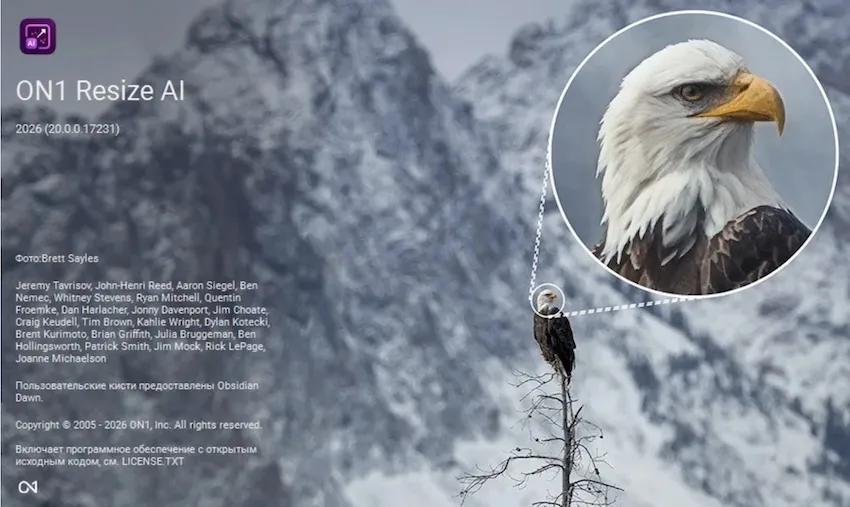
ON1 Resize AI 2026.4 v20.4.1.18862 (x64) Multilingual | Size: 209.49 MB
Language: English

ON1 Resize AI 2026 is the industry-leading image resizer software for creating stunning, high-quality photo enlargements. Powered by advanced super-resolution AI, it allows photographers to enlarge images up to 10x while maintaining-and even enhancing-fine detail, sharpness, and edge clarity. Whether you're preparing prints, enlarging crops, upscaling AI generated images,or restoring old images, Resize AI delivers unmatched results without artifacts or blurring.

AI-powered photo enlargements up to 10x
Advanced face recovery with controllable strength
Photorealistic results, not artificial smoothness
Use as a standalone app or plugin for Lightroom, Photoshop and more
Optimized print presets with soft proofing
Gallery wrap and tiling features for canvas and murals

What's New in Resize AI 2026

New Highest Quality Model
A next-gen AI model using diffusion to rebuild lost detail with stunning realism. Perfect for ultra-sharp enlargements, tight crops, and gallery-quality results from even the smallest images.
Perfect for: Cropped or low-res images, high-end printing and fine art enlargements, reconstructing fine texture and edge detail with realism

New Standard Model
A high-speed AI model designed for clean, reliable results-perfect for low-quality or noisy images. Optimized for large batch jobs and smooth performance, even on older or less powerful GPUs.
Perfect for: Large batch jobs, high-ISO or compressed files, systems with limited graphics power

New Photo Input Options
By choosing the type of photo you're enlarging-standard, or high quality-Resize AI can automatically suggest the ideal AI model to get the best upscaling results.

Tools for Print-Ready Output
Photo enlargement software should deliver the highest quality photo prints. ON1 Resize AI excels at making prints using state-of-the-art technology. You can enlarge your images to any size and not lose sharpness or details in your prints.

Tiling for Murals
Print extra-large images in multiple sections

Gallery Wrap Margins
Easily create canvas-ready photos

Smart Sharpening & Resolution Presets
Auto-optimized for printers

Soft Proofing
See your photo as it will appear in print

Batch Resize & Export with Ease in Resize AI
Set file names, types, destinations
Add gallery wrap margins or watermarks
Use Standard Model for high-volume jobs
Resize layered Photoshop files with masks, text, and more

Resize a single image or batch process hundreds with sharp, high-quality results using powerful export presets-ideal for high-volume workflows. It's all possible with this incredible photo enlargement software.

HOMEPAGE:
Код:
https://www.on1.com/products/resize-ai/

FREE DOWNLOAD LINKS:

Код:
https://rapidgator.net/file/684305c8d0486eea8b1bf4a23866fb62/ON1_Resize_AI_2026.4_v20.4.1.18862_x64_Multilingual.rar

Код:
https://nitroflare.com/view/5CFE18961A48BC8/ON1_Resize_AI_2026.4_v20.4.1.18862_x64_Multilingual.rar
 
18c20e79006ae70a042f92702f5c1d05.jpg


PDF Shaper Ultimate 15.6 (x64) Multilingual | Size: 46.12 MB
Language: English

PDF Shaper is a feature-rich PDF software that makes it simple to split, merge, update and improve PDF documents. The software operates in batch mode, allowing users to perform its functions while doing other work on their computers. PDF Shaper is optimized for low CPU resource usage, even during the CPU-intensive conversion operations. PDF Shaper's clean, intuitive interface allows users to become productive in just a few minutes.

Key Benefits
PDF Shaper's clean, intuitive interface allows users to become productive in just a few minutes. PDF Shaper is optimized for high-DPI monitors and low CPU resource usage, even during the CPU-intensive conversion operations.

Advanced Tools
With its emphasis on security and privacy, PDF Shaper lets users update or remove PDF metadata fields such as author, title, and dates. PDF files can be encrypted with owner and user passwords. In addition, the software can protect content, set user access permissions, sign PDF files, and decrypt previously encrypted files.

Operating System: Windows XP, Vista, 7, 8, 8.1, 10, 11 (32 and 64 bits)

HOMEPAGE:
Код:
http://www.pdfshaper.com/

FREE DOWNLOAD LINKS:

Код:
https://rapidgator.net/file/4b54d81d8cb49dcb23d61f1553c42870/PDF_Shaper_Ultimate_15.6_x64_Multilingual.rar

Код:
https://nitroflare.com/view/B847FA48AF9066B/PDF_Shaper_Ultimate_15.6_x64_Multilingual.rar
 
2baa21563c754e4ff8c4aeab5dfdbffa.jpg


Shield Antivirus Pro 5.6.5 Multilingual | Size: 10.47 MB
Language: English

Shield antivirus offers protection from all to-date viruses, malware, ransomware, trojans, and spyware for personal desktop and laptop computers. Shield antivirus utilizes active protection mechanisms to protect your computer from all threats and is set to monitor, block, and alert whenever a threat is detected.

Shield Antivirus features an easy installation process, vast monitoring and alerts capabilities, as well as email protection by blocking and quarantining any threats located in incoming emails. Shield antivirus offers full protection from internet/browsing threats at a fraction of the CPU load due to its advanced detection engine and algorithms. Shield antivirus will automatically scan a computer for threats on a defined schedule and also includes extra tools and features such as the secure file eraser, history cleaner, and start-up manager to help keep your computer protected and operating at peak performance.

Shield Antivirus Highlights:

Active Protection
Shield Antivirus provides a completely hands-free PC protection and is set to monitor, block and alert whenever a threat is detected.

Deep Threat Scanner
Shield Antivirus finds & eliminates threats that are hidden deep in none-standard sub-folders and hard drive segments, thus keeping your computer on-guard status optimal.

Peak performance!
Shield Antivirus advanced detection engine & algorithms allow state of the art protection at a fraction of the load on your CPU!

24/7 Protection
Shield Antivirus settings are set to stand guard at all times. Simply install, set and forget. YOU ARE PROTECTED!

Shield Antivirus Features:

All-in-one PC security
Shield Antivirus detects and removes viruses, spyware, rootkits, bots, trojans and all other types of internet security issues. Shield Antivirus is an all-in-one computer protection software that keeps your computer safe, your privacy protected, and maintains the integrity of your information-security at all times.

Real-time active monitoring and protection!
Shield Antivirus utilizes multiple detection methods and advanced algorithms to monitor and protect against online and local security issues, including all known viruses and hacking types, in real time.

Ransomware PROTECTION!
Shield Antivirus detects and removes any known ransomware before it can take action and harm your PC.

Internet Security
Shield Antivirus protects you from malicious online websites and attempts to attack your computer and infect it with malware while you browse the internet.

Deep Threat Scanning
With one of the most extensive threat databases available to date, Shield Antivirus scan finds and eliminates many threats that other products in the industry fail to detect. Shield Antivirus' databases and virus definitions keep updating on a daily basis from various sources, thus keeping your computer on-guard status optimal.

Scheduled Scans
Shield Antivirus' scheduler allows a set-and-forget setting that lets you automatically scan and proactively protect your computer at all times. The combination of Shield Antivirus' active protection and the scan scheduling mechanism provide a maximum security state, 24/7.

Automatic Updates
When needed, the virus, spyware and malware database will automatically be updated for free! This means that you never have to worry if it is up to date.

Secure File Eraser
Shield Antivirus adds an "Erase Files with Shield AV" option to your Window's Explorer menu to permanently delete all traces of a file and make sure it is truly, completely deleted off your system and does not leave any unneeded residues behind.

Windows® Compatibility: Microsoft Windows XP, Windows Vista, Windows 7, Windows 8, Windows 10.

HOMEPAGE:
Код:
https://shieldapps.com/products/anti-malware/

FREE DOWNLOAD LINKS:

Код:
https://rapidgator.net/file/55f3f67671679f58531ffa0a06561d3b/Shield_Antivirus_Pro_5.6.5_Multilingual.rar

Код:
https://nitroflare.com/view/861680DAE85F004/Shield_Antivirus_Pro_5.6.5_Multilingual.rar
 

b54dcea7acce26c78694502c2644072d.png


Windows 11 Pro Ultra Lite 25H2 Build 26200.8655 DiabolOS Edition | Size: 2.06 GB
Windows x64 | No TPM | Languages: English

DiabolOS This is a new, lite version of Windows 11 suitable for all users, including gamers; unnecessary elements have been removed, while aesthetic enhancements and wallpapers have been added.

Build Informations
Microsoft accound bypassed
Power Plan set to High Perfrmance with Power Plan applied
Windows Image Viewer is set as default
Tweaks applied for extreme performance, Responsiveness, and Resource Savings in all sections
Some services are disabled or setup to manual
Faster Login
Faster Shutdown
Faster Explorer
All Privacy features are turned off
Search is turned off
Gaming features are turned off
Custom Wallpapers
Account image applied
Theme applied
No windows updates
And much more...............

Programs
7zip
OldNewExplorer
SIB AIO
Nilesoft Shell

System Requirements For Windows 11
Processor: 2 gigahertz (GHz) or faster.
RAM: 2 gigabyte (GB).
Free space on hard disk: 25 gigabytes (GB).
Graphics card: DirectX 9 graphics device or a newer version.
Additional requirements to use certain features.
To use touch you need a tablet or monitor that supports multitouch.
To access the Windows store to download and run apps, you need an active Internet connection and a screen resolution of at least 1024 x 768 pixels

FREE DOWNLOAD LINKS:

Код:
https://rapidgator.net/file/2cafcd3cef151ed6a4ca06bc7837e48a/DiabolOS.26200.8655..part1.rar
https://rapidgator.net/file/8e7d9a502bd71c91e8b59b2fab04b28f/DiabolOS.26200.8655..part2.rar
https://rapidgator.net/file/1496c23d85611e63a7ee384b105a2f05/DiabolOS.26200.8655..part3.rar

Код:
https://nitroflare.com/view/453D3A8E01D1027/DiabolOS.26200.8655..part1.rar
https://nitroflare.com/view/BF2EBBE7AFFA142/DiabolOS.26200.8655..part2.rar
https://nitroflare.com/view/441141EE99601C4/DiabolOS.26200.8655..part3.rar
 
Назад
Сверху Снизу