All Emperor2011's Software in one thread !! (updated daily)

da650f6e325c2f552422dbf32540ac38.jpg


WinToUSB 10.8.0.2 Multilingual | Size: 110.02 MB
Language: English


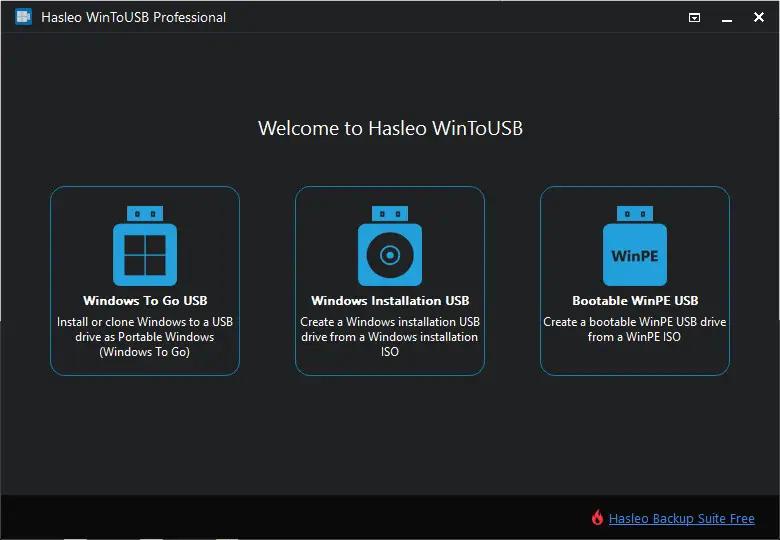
WinToUSB (also called Windows To USB) is the best free Windows To Go (WTG) Creator which allows you to install and run a fully-functional Windows on external hard drive, USB flash drive or Thunderbolt drive. It is so easy and efficient, with just 3 steps and a few minutes, you can create your first portable Windows 11/10/8/7 or Windows Server directly from an ISO, WIM, ESD, SWM, VHD, VHDX file or CD/DVD drive, or you can clone currently running Windows installation to USB or Thunderbolt drive as portable Windows. WinToUSB also supports creating Windows installation USB flash drive from Windows 11/10/8/7 and Windows Server installation ISO, with it you can install Windows from the USB flash drive easily.

Features:
- Creation of Windows To Go from ISO, WIM, ESD, SWM, VHD(X) or DVD drive.Improved
- Clone Windows 11/10/8/7 to USB/Thunderbolt drive as portable Windows.
- Creation of Windows To Go on Non-Certified Windows To Go USB drive.
- Encrypt Windows To Go with BitLocker to keep your data safe.
- Creation of Windows installation USB flash drive with BIOS & UEFI support.
- Use any edition of Windows 11/10/8/7 and Windows Server 2022/2019/2016/2012/2010 to create Windows To Go USB drive.
- Support for Thunderbolt and non-512 byte sector size drives.

Windows To Go (Portable Windows) Creator
WinToUSB allows you to install & run fully-functional Windows on an external HDD/SSD, USB flash drive or Thunderbolt drive, which means you can carry the portable Windows drive to anywhere and use it on any computer.
- Faster installation and cloning speed compared to competing products
- Support any edition of Windows 11/10/8/7 and Windows Server
- Creation of Windows To Go from ISO, WIM, ESD, SWM, VHD(X)
- Creation of Windows To Go from CD/DVD drive
- Clone currently running Windows to USB/Thunderbolt drive
- Creation of Windows To Go on Non-Certified Windows To Go drive
- Create BitLocker encrypted Windows To Go Workspace
- Support for creating VHD(X)-based Windows To Go

Windows Installation USB Creator
WinToUSB releases a feature called "Windows Installation USB Creator" which allows you to create a Windows installation USB drive from a Windows 11/10/8/7/vista/2022/2019/2016/2012/2008 installation ISO file with a few simple steps, with this feature you can create a bootable Windows installation USB drive to install Windows on both Traditional BIOS and UEFI computers by using the same USB drive.

Windows PE Bootable USB Creator
This feature allows you to create a bootable Windows PE USB drive, it can help you transfer the contents of a Windows PE ISO file to a USB drive and make the USB drive bootable, and this feature supports the creation of a bootable WinPE USB driver that supports both Traditional BIOS and UEFI computers.

System Requirements:
Supported operating systems: Windows 7 or later (64 & 32 bits)
CPU: Intel® Pentium® processor 1GHz (32 bits or 64 bits) or above
RAM: 1024 MB or more of RAM (2048MB Recommended)
Disk Space: 1024 MB and above free space

HOMEPAGE:
Код:
http://www.easyuefi.com

FREE DOWNLOAD LINKS:

Код:
https://rapidgator.net/file/17aad4421f51d8376b99a974d7a99e1a/WinToUSB_10.8.0.2_Multilingual.rar

Код:
https://nitroflare.com/view/DDDE8B4B0174D29/WinToUSB_10.8.0.2_Multilingual.rar
 
9a6694511340fbb5030d5349d6d5d21e.jpg


WinToUSB Technician 10.8.0.2 Multilingual Portable | Size: 83.59 MB
Language: English


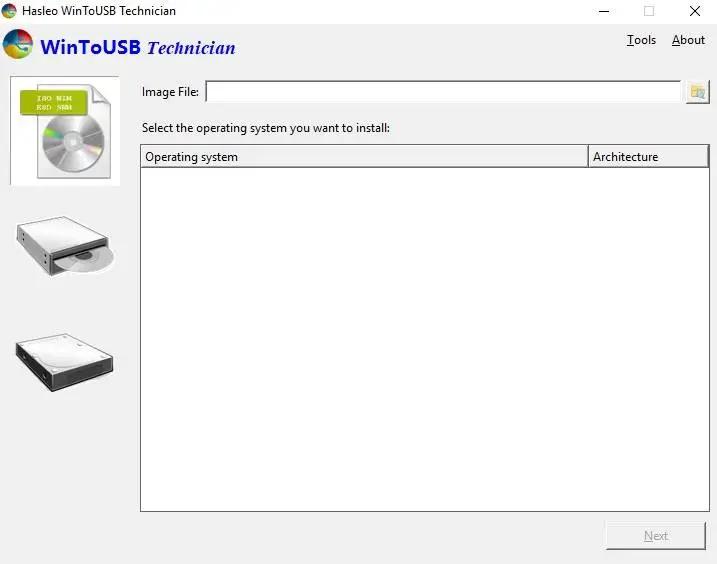
WinToUSB is the best Windows To Go Creator that allows you to install and run Windows operating system on a USB hard drive or USB flash drive, using an ISO image or CD/DVD drive as the source of installation. Starting from version 2.0, you can clone current Windows OS installation (Windows 7 or later) to a USB drive as a Windows To Go Workspace. WinToUSB also supports creating a bootable WinPE USB drive, it can help you transfer the contents of WinPE to a USB drive and make the drive bootable.

WinToUSB's key features include:
Easy-to-use wizard interface that provides step-by-step instructions for creating a Windows To Go USB drive.
Creation of Windows To Go from an ISO image file or CD/DVD drive.
Clone an existing Windows OS (Windows 7 or later) to a USB Drive as a Windows To Go Workspace.
Use of a Non-Enterprise Edition of Windows 10/8.1/8/7 to create Windows To Go Workspace.
Creation of Windows To Go on Non-Certified Windows To Go USB Drive.
Support for creating VHD-based/VHDX-based Windows To Go Workspace.

Operating System: Windows XP or later (64 bits)

HOMEPAGE:
Код:
http://www.easyuefi.com/

FREE DOWNLOAD LINKS:

Код:
https://rapidgator.net/file/57610e868f185ffeec9ca334c310ddac/WinToUSB_Technician_10.8.0.2_Multilingual_Portable.rar

Код:
https://nitroflare.com/view/B411A2185BBAD24/WinToUSB_Technician_10.8.0.2_Multilingual_Portable.rar
 
8741c17f76d6e3df3528b50a55d5ff33.jpg


Yuhan Blu-ray DVD Creator 4.8.3 Multilingual | Size: 114.52 MB
Language: English


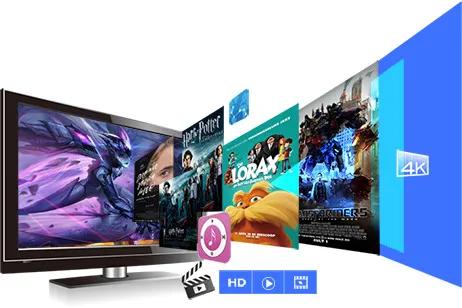
Yuhan Blu-ray Creator could burn standard Blu-rays from videos in 200+ formats like AVI, MP4, MKV, MOV, FLV, WMV, etc. You could freely convert and burn MP4 to Blu-ray, MKV to Blu-ray, MOV to Blu-ray, etc. Meanwhile, Yuhan Blu-ray Creator is also a photo to Blu-ray burner software tool that could burn Blu-ray from photos in JPG, BMP, PNG, TIFF, GIF and WEBP, including iPhone HEIC photos. It could automatically generate photos into photo slideshow and then let you burn generated photo slideshow to Blu-ray easily.

Burn 1080P FHD or 720P HD Blu-ray Disc, ISO and/or Folder
With Yuhan Blu-ray Creator, you could convert and burn photos/videos to Blu-ray disc, folder, and/or ISO image file in either 1080P Full-HD or 720P HD. You could burn BD100, BD66, BD50 or BD25 content according to the disc you have or want. The created Blu-ray disc could be played back on any standalone Blu-ray players you have in hand.

Retain Blu-ray PCM, TrueHD(Dolby Atmos), DTS HD Master Audio
If your video contains high-quality audio such as Blu-ray PCM, TrueHD(Dolby Atmos), or DTS HD Master, Yuhan Blu-ray Creator can retain them through Audio Copy or Passthrough mode. There will be no audio quality loss in burning video to Blu-ray. You could get amazing 1080P or 720P HD movie watching experience on your standalone Blu-ray player or computers with original audio effect.

Burn Blu-ray from Video at Any Frame Rate from 23.976FPS to 59.94FPS
Powered by advanced frame rate conversion technology, Yuhan Blu-ray Creator could burn videos of any frame rate from 23.976fps, 24fps, 25fps, 29.97fps, 50fps to 59.94fps to Blu-ray content without frame rate drop. It could even help you convert 50fps videos to 23.976fps Blu-ray video with original frame rate perfectly preserved.

Retain Multiple Subtitles and Audio Tracks
As long as source video files contain multiple subtitles and audio tracks, Yuhan Blu-ray Creator could let you freely select audio tracks and subtitles from source videos, and even add external subtitles, to burn video to Blu-ray with multiple audio tracks and subtitles preserved.The multi-audio tracks and multi-subtitles you add will appear on the disc menu, making it more like a commercial disc.

HOMEPAGE:
Код:
https://yuhanmedia.com/

FREE DOWNLOAD LINKS:

Код:
https://rapidgator.net/file/7c5724af047aa0f7952fe51cf97fba82/Yuhan_Blu-ray_DVD_Creator_4.8.3_Multilingual.rar

Код:
https://nitroflare.com/view/47BC0E42E9E841E/Yuhan_Blu-ray_DVD_Creator_4.8.3_Multilingual.rar
 
9b1c8035ed68aa2eea08c63cd2956079.jpg


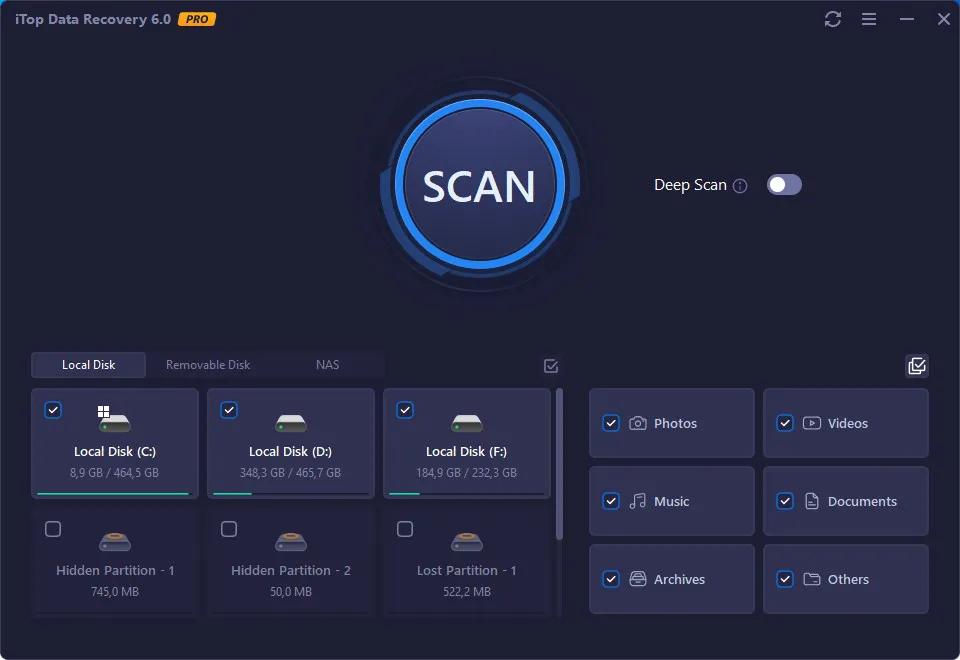
iTop Data Recovery Pro 6.2.0.944 Multilingual | Size: 17.78 MB
Language: English


This powerful data recovery tool speeds up the scanning and data recovery process due to iTop unique recovery algorithm. You don't need to wait for a long time to get data back. In Just Minutes, you can retrieve deleted files perfectly as you expected. Besides, Scan options are diverse for different needs. You can quickly find your lost data by Location and File Type.

Recover Any Data from Any Data Loss Situations
Data loss can be caused by many reasons, and damages may differ greatly. You may have encountered a hard drive crash, a hard drive formatting, a computer virus, and malware, or you just accidentally delete your project documents and photos or videos, iTop Data Recovery is powerful enough to handle emergent data loss issues instantly and securely.

iTop Data Recovery enables you to easily perform file recovery without limitations. More than 1000 file formats are supported. Meanwhile, this Windows data recovery software supports recovery on all types of storage media including hard drive, memory card, USB drive, and SSD, etc.

Up to 95% Success Rate
The Windows data recovery tool also provides a totally free visualization preview of the deleted, corrupted, inaccessible and formatted data, including Microsoft Office documents, photos, videos, and audios. Moreover, you get to know the status of each of your files, for example, Excellent, Good or Poor, making sure it is exactly what you are looking for and if the data is recoverable. The feature is remarkably helpful in ensuring a precise and smooth data recovery experience. With years of recovery experience, till now iTop Data Recovery maintains a high level of 95% recovery rate.

100% Safe and Offline Data Recovery
The file recovery software is clean and virus-free. No Registration Required. And the entire recovering process is reliable and safe. Everything is completed locally. Your data, confidential information and private photos on your computer or hard drive will be recovered offline. It means you'll have full control over your data recovery process.

Operating System: Windows 11/10/8/7

HOMEPAGE:
Код:
https://www.itopvpn.com/data-recovery-software

FREE DOWNLOAD LINKS:

Код:
https://rapidgator.net/file/03d02e81ca35093b1865754ccd4c3210/iTop_Data_Recovery_Pro_6.2.0.944_Multilingual.rar

Код:
https://nitroflare.com/view/DB92E60EEBF20A0/iTop_Data_Recovery_Pro_6.2.0.944_Multilingual.rar
 
04a95142509a1b1d7ae63dbbbb1b0b7f.jpg


AFT Arrow 11 v2026.01.22 | Size: 417.26 MB
Language: English


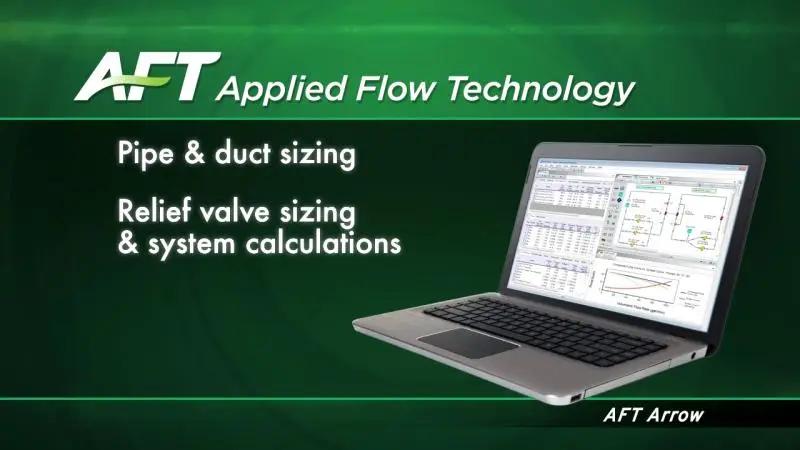
AFT Arrow is a fluid dynamic simulation tool used to calculate pressure drop and flow distribution in gas piping and ducting systems.

Accurately simulate individual components and their interaction including effects of heat transfer, real gases and choked flow
Tightly integrate equipment characteristics, analysis and output with your system's schematic representation
Utilize a wide array of features without sacrificing your need for a short learning curve
Compare the performance of new designs and assure all design requirements are met.
Identify and correct operational problems in installed systems
Significantly improve the quality of systems engineering and produces less costly, more efficient and more reliable piping systems

Capabilities:
Experiment with operating conditions and scenarios
Easily change system input data, including valve positions, pump operation, control set points, pressures, temperatures and more
Model a wide range of system components for both design and operational cases
Simulate ideal or real gases
Choose between isothermal, adiabatic or generalized heat transfer conditions
Vary your system lineup: open and close pipes and valves, turn compressors or fans on or off, set control valves to fail position
Conduct flow analysis with high velocities including sonic choking
Compile database libraries of your frequently used components and quickly select them from a drop down list
Assemble non-reacting mixtures and analyze dynamic mixing resulting from intersecting flow streams
Model and analyze rotating piping systems such as those found in steam and gas turbines
Model effects of elevation changes such as in tall structures, subsurface mines and overland pipelines
Evaluate codes and industry standards applied in the model
Import piping layouts from:
CAESAR II® Neutral files supported by AutoPIPE®, ROHR2, TRIFLEX®, and others
PCF Files supported by AutoCAD Plant 3D®, SmartPlant®, CADWorx®, and other GIS shapefiles supported by ArcGis and others
Import and export files in EPANET format
Clearly import Excel data into multiple scenarios and export with the Excel Export Manager

Typical Applications
Pipe and Duct Sizing
Relief valve sizing and system calculations
Compressor and Fan sizing and Selection
Control Valve sizing and Selection
Simulating System operation and component interaction
Choked Flow calculations
Evaluating pipe insulation and heat transfer in pipes and heat exchangers
Troubleshooting existing systems to determine the cause of operational problems

System Requirements:
- Windows 7, Windows 8 and 8.1 (not the RT versions), or Windows 10,11 32-bit or 64-bit compatible
- Microsoft .NET Framework 4.8 or later
- 1 GB RAM or greater (4 GB recommended) in addition to minimum required by the operating system
- 5 GB available hard disk space
- 1024 x 768 SVGA display or higher
- Pointing device (mouse, touchpad, etc.)

HOMEPAGE:
Код:
https://www.aft.com/

FREE DOWNLOAD LINKS:

Код:
https://rapidgator.net/file/e34c34ce1eac41c649e6fb722a01b895/AFT_Arrow_11_v2026.01.22.rar

Код:
https://nitroflare.com/view/7F56D06D5B88386/AFT_Arrow_11_v2026.01.22.rar
 
57aa659a1b6e84ede7d4b72d0b8a5986.jpg


AFT Fathom 14 v2026.01.22 | Size: 386.37 MB
Language: English


AFT Fathom is a fluid dynamic simulation software for engineers, used to calculate pressure drop and pipe flow distribution in liquid and low-velocity gas piping and ducting systems.

Accurately simulate individual system components and interaction
Tightly integrates equipment characteristics, analysis and output with your system's schematic representation
Provides a wide array of features without sacrificing your need for a short learning curve
Frees you to focus on your system, not the mechanics of software manipulation
Significantly improves the quality of systems engineering you can achieve, leading to less costly, more efficient and more reliable piping systems

Experiment with operating conditions and scenarios
Easily change system input data, including valve positions, pump operation, control set points, pressures, temperatures, and more
Model a wide range of system components for both design and operational cases
Vary your system line-up: open/close pipes and valves, turn pumps on or off, set control valves to fail position
Specify design alerts that automatically highlight output values that are out of range for flow, pressure, velocity, pump efficiency, and more
Find pump data from online manufacturer catalogs
Compile libraries of your frequently used piping components and select them from a drop-down list
Address the viscosity and frictional changes associated with pumping non-settling slurries and a variety of other non-Newtonian fluids
Evaluate codes and industry standards applied in the model
Calculate the cost of system pipes and components as well as energy cost
Import piping layouts from:
CAESAR II® Neutral files supported by AutoPIPE®, ROHR2, TRIFLEX®, etc.
PCF Files supported by AutoCAD Plant 3D®, SmartPlant®, CADWorx®, and other GIS shapefiles supported by ArcGis, etc.
Import and export files in EPANET format
Clearly import Excel data into multiple scenarios and export with the Excel Export Manager
Export data to evaluate Flow Induced Vibration (FIV) according to Energy Institute Standards

Primary Features of AFT Fathom 13:
Track all your design variants and potential operating conditions in a single file with Scenario Manager
Use integrated, customizable graphing and reporting to make analysis visually intuitive
Evaluate Pump and System curve interaction including composite head and efficiency curve
Calculate the capital costs of pipes and components as well as operating energy expenses
Leverage built-in libraries of fluids and fittings to build your own database upon
Consider viscosity and frictional effects from non-Newtonian viscosity models or non-settling slurries
Model your centrifugal and positive displacement pumps to account for
Shifting performance curves through variable speed control and impeller trimming
Viscosity corrections using standards from the Hydraulic Institute
Wire-to-water efficiency including pump, motor and variable frequency drive efficiencies, used to size motors and evaluate power usage
Acceleration head loss for positive displacement pumps
NPSH evaluation
Size motors and evaluate power usage by considering wire-to-water efficiency (including pump, motor and VFD efficiencies)
Account for heat transfer effects in pipes and heat exchangers
Ensure a design adheres to industry standards such as API 526, ANSI/HI 9.6.3, API 610, or NFPA Standards
Import piping layouts from CAESAR II® Neutral files, PCF Files, and GIS shapefiles regardless of source
Integrate with Excel to import model data and export output data
Built-in libraries of fluids (including NIST REFPROP and ASME Steam Tables) and fittings which can be extended and customized
Optional Chempak add-on utility provides a thermophysical database of almost 700 fluids

HOMEPAGE:
Код:
https://www.aft.com/products/fathom

FREE DOWNLOAD LINKS:

Код:
https://rapidgator.net/file/a1b30ddfcc3467644fc30aed73ae5286/AFT_Fathom_14_v2026.01.22.rar

Код:
https://nitroflare.com/view/553876D0E01FD01/AFT_Fathom_14_v2026.01.22.rar
 
e64810045fb2ab4bbddbb05ac02fbcaa.jpg


AFT Impulse 11 v2026.01.22 | Size: 393.15 MB
Language: English


AFT Impulse is a powerful dynamic simulation and analysis software used to calculate pressure surge transients in liquid piping systems caused by waterhammer.

Easily model a wide range of system components and surge devices
Understand the transient response of your system, knowing how valves, pumps and other components will dynamically interact with each other.
Evaluate the effect of pressure surges due to vapor cavity collapse by modeling vapor cavitation and liquid column separation.
Validate the design of safety features to produce safer, more economical pipe systems.

Design and Operate Your System with Greater Safety and Reliability
Avoid potentially catastrophic effects of waterhammer and other undesirable system transients
Prevent transient pressure issues by properly sizing and locating surge equipment, such as surge tanks, gas accumulators, and relief valves
Initiate transients based on time or events in the system
Reduce surge magnitudes by adjusting system component transients such as valve closure time or pump speed
Easily animate and visualize a waterhammer event to improve fundamental understanding
Calculate transient unbalanced forces and define forces sets as location pairs or single points
Specify design alerts that automatically highlight output values that are out of range for flow, peak pressure, velocity, and more
Compile libraries of your frequently used piping components and quickly select them from a drop down list

Primary Features of AFT Impulse
Advanced transient solver based on Method of Characteristics
Built-in steady-state solver to automatically initialize waterhammer transient
Detailed pump inertial modeling for trips and start-ups including state-of-the-art, four quadrant methods
Built-in library of fluids and fittings
Models liquid column separation caused by transient cavitation
Extensive cavitation modeling
Scenario Manager to track all design variants and operational possibilities in a single model file with data linkage
Comprehensive relief valve modeling
Integrated graphing and reporting
Animation features to dynamically graph transients
Create video files from animations to share your results
Generates force imbalance files that can be automatically read into CAESAR II ® and TRIFLEX ® pipe stress dynamic models
Built-in intelligence to guide you in building better models

HOMEPAGE:
Код:
https://www.aft.com

FREE DOWNLOAD LINKS:

Код:
https://rapidgator.net/file/1a2877d00a5e95ff8fe4f665dcf09ccb/AFT_Impulse_11_v2026.01.22.rar

Код:
https://nitroflare.com/view/32DFCD1CF5B6AF0/AFT_Impulse_11_v2026.01.22.rar
 
34b7f379192feecae23f925c208d960b.jpg


AFT xStream 4 v2026.01.22 | Size: 411.76 MB
Language: English


AFT xStream is a powerful fluid dynamic simulation tool for high-speed, acoustic transients that occur in steam and gas piping systems. Uncertainty in design and operations costs money and time. Now you can accurately simulate how your steam and gas systems will respond to potentially disruptive transient events.

Simulate and Solve Your Challenging Steam and Gas Transient Problems
Accurately simulate high-speed transients in steam and gas piping systems including choked flow conditions
Evaluate overall system response and transient pipe forces after steam and gas turbine trips
Predict transient supply pressures, temperatures and flows to operating gas compressors and turbines when one trips offline
Simulate tank blowdowns and charging, and how long it takes to reach desired pressures
Predict transient pressures and flows due to heat exchanger tube ruptures
Easily change system input data including transient valve positions, compressor operation, control set points, pressures, temperatures and more
Initiate transients based on time or events in the system

How does it work?
AFT xStream™ incorporates a highly accurate steady-state solver which provides seamless transfer of initial conditions to the transient analysis. Steady-state solutions are determined using a modified Newton-Raphson matrix iteration plus proprietary methods developed by AFT. A specialized Method of Characteristics is used to solve the transient mass, momentum and energy equations of pipe flow.

Primary Features of AFT xStream™
Built-in steady-state solver to automatically initialize system before the transient
Automatic pipe sectioning based on steady-state acoustic velocities
Compound transient event logic to model complex control sequences
Scenario Manager to track all design variants and operational possibilities in a single model file
Integrated graphing and reporting
Animation tools for visual interpretation of complex transient interactions
Generates force imbalance files that can be automatically read into CAESAR II ®, ROHR2, AutoPIPE and TRIFLEX ® pipe stress dynamic models
2D flow diagram or isometric view interface
Built-in libraries of fluids (including NIST REFPROP and ASME Steam Tables) and fittings which can be extended and customized
Chempak™ add-on utility provides a thermophysical database of almost 600 gases - allows you to define non-reacting pre-mixtures and simulate dynamic flow mixing

HOMEPAGE:
Код:
https://www.aft.com/products/xstream

FREE DOWNLOAD LINKS:

Код:
https://rapidgator.net/file/74e7fcb406d2e435bd428b1f05c1af1e/AFT_xStream_4_v2026.01.22.rar

Код:
https://nitroflare.com/view/BEB5D25A1F24533/AFT_xStream_4_v2026.01.22.rar
 
0ecf0d973d091219ee7e1838ec265e29.jpg


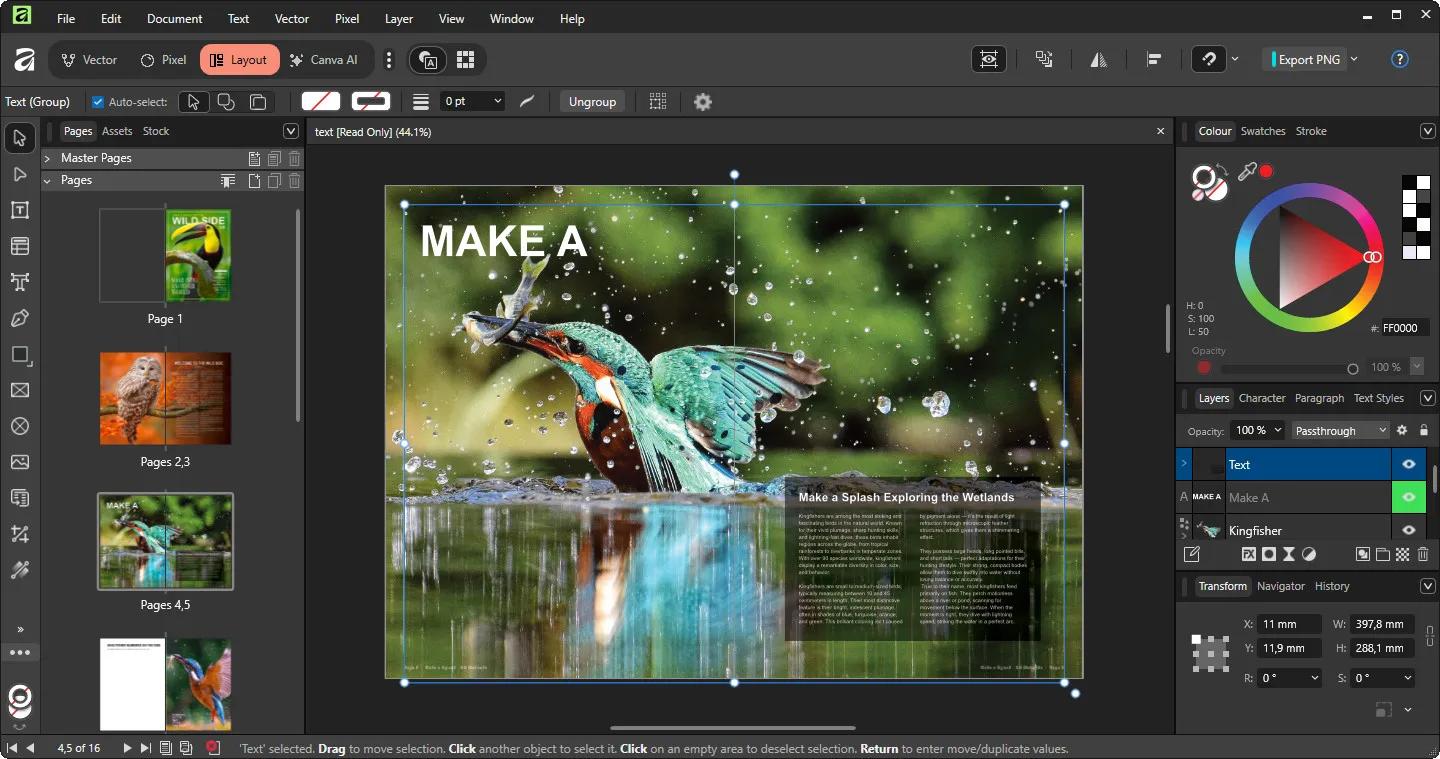
Affinity by Canva 3.2.1.4425 (x64) Multilingual | Size: 617.6 MB
Language: English


What will you design today? With Canva you can design, generate, print, and work on anything.

Powerful tools. Easy to learn.
Learn by doing with step-by-step lessons, templates, and real-world examples.

Enrich your designs with tailored content
Make your designs stand out with world-class photos, graphics, videos, audio, fonts, charts, and more. Explore our vast content libraries featuring top brands like Disney, Artlist, and pocstock.

Design with others
Canva makes collaboration easy. Tag teammates in comments and assign tasks on Docs, Presentations, Whiteboards, and more. Canva empowers businesses of all sizes to stay organized and reach your goals faster.

Design and print in one place
Turn your memories into photo albums, your designs into T-shirts, and your branding into business cards, flyers or invites. Get all your printing done right here with free delivery to your doorstep.

Plans that get down to business
Empower your whole team or business to design together with one of our workplace plans

AI-powered efficiency
Leverage AI to create on-brand copy, templates and video-editing.

Bring your brand in house
Set up Brand Kits and templates for your team to design with.

Beautiful approval flows
Easily control individual permissions, assign tasks and share your work.

HOMEPAGE:
Код:
https://www.canva.com/

FREE DOWNLOAD LINKS:

Код:
https://rapidgator.net/file/1dde3722db7bf88e53e0adabf6907ab0/Affinity_by_Canva_3.2.1.4425_x64_Multilingual.rar

Код:
https://nitroflare.com/view/A770687A6F1205C/Affinity_by_Canva_3.2.1.4425_x64_Multilingual.rar
 
c5a04f097c8ec8b98098b0a082b37837.jpg


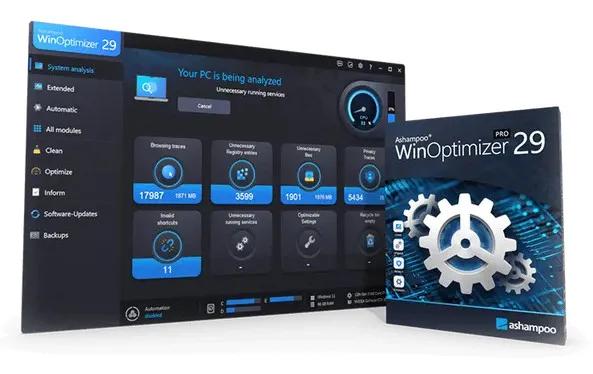
Ashampoo WinOptimizer Pro 29.0.0 Multilingual | Size: 34.19 MB
Language: English


Over time, Windows slows down, accumulates junk files, and shares more data than you might be comfortable with. Ashampoo WinOptimizer Pro 29 thoroughly cleans your system, boosts performance, and restores speed-instantly and noticeably. Unnecessary files are removed, processes optimized, and your privacy safeguarded. Your PC will feel fast, stable, and clean again-almost like a fresh installation.

Your benefits
Speeds up your PC instantly
Four powerful cleaners with One-Click Optimizer
Find and remove sensitive data with Privacy Traces Cleaner
Analyze crashes and error reports with Crash Analyzer
Advanced system analysis to optimize key areas
Customize Windows with Tuning Assistant
Thorough deep cleaning of junk files

All essential maintenance tasks handled automatically
Once engaged, One Click Optimizer takes care of the most important maintenance tasks fully automatically. It combines features from Drive Cleaner, Internet Cleaner, and Registry Optimizer, removes junk files, cleans up the Registry, and deletes web browsing traces-without the need to run these modules individually. Your system is optimized quickly, easily, and reliably. You get maximum results with minimal effort.

Thorough cleaning for more space and performance
Removes junk files, application traces, and unnecessary system leftovers
Over time, unnecessary files, logs, and browsing traces build up, taking up space and slowing down Windows. WinOptimizer removes these leftovers reliably and ensures your system runs clean and efficiently again. Drive Cleaner deletes unnecessary files from your drives, while Internet Cleaner removes web browsing data and traces. The integrated Registry Optimizer fixes invalid and orphaned entries in Windows Registry, and Privacy Traces Cleaner removes sensitive user-related data that may affect your privacy. Even hidden leftovers accumulated over time are detected and removed. This frees up valuable disk space, reduces system load, and lays the foundation for a faster, more stable system.

More speed for your daily PC needs
Optimizes startup, processes, and system resources
Your system starts faster, runs more smoothly, and programs respond without noticeable lag. Live-Tuner prioritizes active applications, while Startup Manager keeps unnecessary programs from launching during boot, reducing startup times. With Service Manager, you stay in control of background services, while Profile Booster fine-tunes system settings to further improve performance. This allows your PC utilize resources more efficiently and remain responsive even under heavy load.

Protect your privacy and stay in control
Eliminates data traces and protects personal information
Web browsing traces, usage data, and sensitive information created during everyday use are reliably removed. Privacy Manager helps you adjust Windows privacy settings, while specialized tools like Internet Cleaner and Privacy Traces Cleaner ensure that personal data is always removed from your system. This reduces tracking, protects your activity, and keeps your system secure.

Keep an eye on your system at all times
Identifies issues and highlights optimization potential
The comprehensive analysis shows exactly where optimization is needed. Tools like DiskSpace Explorer identify space hogs, while Crash Analyzer evaluates system errors and presents them clearly. This helps you detect issues early and take action before they become noticeable.

Customize Windows to your needs
More control through targeted system adjustments
With the integrated tuning modules, you gain direct access to hidden settings and can optimize your system precisely to your needs. The tweaking section offers a wide range of customization options, while tools like Context Menu Manager, File Associator, and User-Rights Manager provide additional control. This allows you to tailor Windows exactly to your needs.

Practical tools for everyday use
Additional features for file and system management
A wide range of additional tools support you in file and system management. With File Wiper, you can securely delete data, while tools like File Splitter, Encrypter, and Undeleter help you split, encrypt, or recover files. The package is rounded out by useful utilities such as the Link Checker, giving you greater control and flexibility in your daily workflow.

Maintenance that runs automatically
Automatic optimization in the background
If desired, regular cleaning and optimization tasks are performed automatically and in the background. This keeps your system consistently clean, fast, and stable, no manual effort required.

Operating System: Windows 11, Windows 10

HOMEPAGE:
Код:
https://www.ashampoo.com/

FREE DOWNLOAD LINKS:

Код:
https://rapidgator.net/file/8b5a54dd64ad9eba451427b523c41f66/Ashampoo_WinOptimizer_Pro_29.0.0_Multilingual.rar

Код:
https://nitroflare.com/view/E378B4C29A6FE01/Ashampoo_WinOptimizer_Pro_29.0.0_Multilingual.rar
 
3f6228854179c1baaf18058bc2c994b3.jpg


Autodesk CAMplete TruePath 2027 (x64) | Size: 1.15 GB
Language: English


Have you ever wondered why your tool paths look great in your CAM System but not on your milling machine? This is no longer something you have to consider, because with CAMplete TruePath the answer is clear. CAMplete TruePath bridges the gap between your CAM systems and your 5-axis machines. It provides everything needed to post process, verify and simulate 5-Axis tool paths in a 3D environment.

CAMplete TruePath is an easy-to-use application that takes you from your CAM System to your machine efficiently and safely. Using toolpath data from all industry leading CAM Systems, TruePath's customizable post-processor allows you to output your NC programs the way you need, with no on-machine editing required. 5-axis simulation, visualization and verification tools give you the confidence of knowing how your machine will behave before you run a single line of G-code.

Full G-Code Verification
CAMplete works closely with the builder, with exclusive machine models built exclusively from their original design data. These highly detailed and fully integrated machine models give you 100 percent confidence in your simulation.

Mutiple CAM Systems
CAMplete TruePath is the ultimate post processor. It's easy to switch between different CAM Systems or combine tool paths from different CAM Systems in a single project.

Proven Post Processor
Implementing TruePath in your shop gives you a proven post processor with standard formats developed in conjunction with your machine tool builder so you can get started on day one.

Complete Solution
CAMplete TruePath comes ready to go with all software options from day one. No unexpected costs from options or add-ons, a complete solution ready to go when you receive your machine.

Machine Interpolation
Unsure about a tricky move? TruePath allows the user to precisely examine all points of motion, even between programmed points, ensuring completely accurate protection of your machine.

Code Comparison
G-Code Comparison Tool compares edited G-Code to the original TruePath project. Simple changes can be automatically imported back into the TruePath project file to ensure tweaks are reflected in the original source CAM data.

HOMEPAGE:
Код:
https://www.autodesk.com/

FREE DOWNLOAD LINKS:

Код:
https://rapidgator.net/file/1bedf7b0a74beb982896b8e8d440bf66/CAMTP_2027.part1.rar
https://rapidgator.net/file/a67bce7796c28e6d08ada66d72a3405a/CAMTP_2027.part2.rar

Код:
https://nitroflare.com/view/BF992EED0E7938C/CAMTP_2027.part1.rar
https://nitroflare.com/view/333689C01897F2D/CAMTP_2027.part2.rar
 
378cfed50965b2372225fcc94966bbb6.jpg


Autodesk FeatureCAM Ultimate 2027 (x64) | Size: 2.66 GB
Language: English


FeatureCAM software company Autodesk Autodesk is designed for automatic conversion to CNC code devices is required. It is in fact a branch of CAM and CNC codes by automating design and production processes to reduce and eventually tweaking the code will be generated. This app is optimized codes for CNC machines such as cutting, turning, milling, drilling and production facility codes available.

Ultimate version of this software includes software PartMaker for Swiss-type turning machine is also a professional machine for turning complex and elegant auto parts industry. By combining these applications together, you have a complete package for CAM in that it can still do all the things they need. Autodesk FeatureCAM by providing a set of features and tools with high intellect has tried to accomplish most tasks automatically and code needed to reach the minimum amount. The final code stability and higher quality, and the way the final product will have the least amount of errors. The software company Delcam has been previously owned.

Features and Autodesk FeatureCAM
-Swiss type lathe machine programming capabilities Two-way
-Reducing programming time thanks to the program performs automatic operation
-High intelligence in programming
-Supports a variety of CNC machines, including CNC machines, cutting, milling, wire EDM and .
-The interface is attractive and uncluttered
-Create optimal cutting routes
-Plan the perfect guide to learn its capabilities
-Easy and fast learning program

HOMEPAGE:
Код:
https://www.autodesk.com/

FREE DOWNLOAD LINKS:

Код:
https://rapidgator.net/file/23fac59cded32d73973c43d97fc4f514/FCAMU_2027.part1.rar
https://rapidgator.net/file/354f7dc424779db4de60181118301d66/FCAMU_2027.part2.rar
https://rapidgator.net/file/0b7af12249da4f5b165219a1672d7bdb/FCAMU_2027.part3.rar

Код:
https://nitroflare.com/view/647FE837BE45C24/FCAMU_2027.part1.rar
https://nitroflare.com/view/C8CE64AA899736D/FCAMU_2027.part2.rar
https://nitroflare.com/view/1DB5E8928D8173B/FCAMU_2027.part3.rar
 
ec9ca127ace7d7282a57e7213693b6a6.jpg


Autodesk Inventor Professional 2027.0.1 (x64) Update Only | Size: 1.46 GB
Language: English


Autodesk Inventor software provides professional-grade engineering solutions for 3D mechanical design, simulation, tool creation, and design communication that help you to make great products, cost-effectively, in less time. Inventor is the foundation of the Autodesk solution for product development. The Inventor model is an accurate 3D digital model that enables you to validate the form, fit, and function of a design as you work, minimizing the need to test the design with physical prototypes.

Features and software features Inventor Professional Autodesk:
-User interface is suitable for quick learning
-has a geometric modeling kernel using Autodesk ShapeManager
-Coordination with various CAD software
-includes the following major sections:
-Part Modeling:the first part of the work of the most complete mechanical design and modeling environment
-Assembly:assembly designed with specific instructions with access to standard software library includes hundreds of thousands of pieces
-Drawing:the facade of components designed for applications such as AutoCAD and allows output
-Sheet Metal:Vrqkary design and take the form of spreadsheets Khrvjygrftn
-Weldment:welding standards as well as possible gaps between the two pieces of welding
-Presentation:Animation parts and burst modes
-Piping:piping advanced and easy design path with the latest standards Piping Pipes
-Frame Generation:professional design of structures and frames with complete tools ready
-Inventor Studio:construction project designed videos from all views
-Dynamic Simulation:Analysis of Energy and behavior in non-fixed parts

System Requirements:
OS:Microsoft® Windows® 10 and later
CPU: Recommended:3.0 GHz or greater, 4 or more cores / Minimum:2.5 GHz or greater
Memory: Recommended:20 GB RAM or more / Minimum:8 GB RAM for less than 500-part assemblies
Graphics: Recommended:4 GB GPU with 106 GB/S Bandwidth and DirectX 11 compliant / Minimum:1 GB GPU with 29 GB/S Bandwidth and DirectX 11 compliant
Display:Recommended:3840 x 2160 (4K); Preferred scaling: 100%, 125%, 150% or 200% / Minimum:1280 x 1024
NET:.NET Framework Version 4.7 or later. Windows Updates enabled for installation.

Spreadsheet:
-Full local install of Microsoft® Excel 2010, 2013 or 2016 for iFeatures, iParts, iAssemblies, Global BOM, Parts Lists, Revision Tables, spreadsheet-driven designs and Studio animation of Positional Representations.
-64-bit Microsoft Office is required to export Access 2007, dBase IV, Text and CSV formats.
-Office 365 subscribers must ensure they have a local installation of Microsoft Excel 2016.
-Windows Excel Starter®, OpenOffice®, and browser-based Office 365 applications are not supported.

HOMEPAGE:
Код:
https://www.autodesk.com/

FREE DOWNLOAD LINKS:

Код:
https://rapidgator.net/file/a9e71b40e788e2045682d4da82d32e85/Inventor_2027.0.1_Update.part1.rar
https://rapidgator.net/file/0172f60655b3629da7c9e89eb5315c58/Inventor_2027.0.1_Update.part2.rar

Код:
https://nitroflare.com/view/331FC77FA331878/Inventor_2027.0.1_Update.part1.rar
https://nitroflare.com/view/7F5C1346F989C74/Inventor_2027.0.1_Update.part2.rar
 
6daabdfa6c7711b5e80a6837dd560f30.jpg


Autodesk Powermill Ultimate 2027 (x64) | Size: 1.79 GB
Language: English


Delcam software company one of the oldest manufacturers Computer-aided technologies is the term to use computer technology to help design, analyze and manufacture a variety of products referred to. Perhaps the most famous, especially in our PowerMILL software company that is a program designed for three-dimensional CAM design tools path in CNC (Computer Numerical Control stands and means Computer Numerical Control) is designed. PowerMILL machining is a powerful tool for the design of the CNC 2 to 5-axis tool path will apply.

Delcam PostProcessor As the name implies, the task of editing and review by PowerMILL is the design and processing. Delcam Exchange software is also a powerful tool for translating and converting CAD data from different applications to each other

Facilities and software features Powermill
- User interface is suitable for high-speed application performance
- determine the best way to reduce the time and tools to reduce the time, energy and production costs and increase the efficiency of the final
- having Strategy or advanced strategies for machining such as Mhdvdhkary, roughing, finishing conventional and high-speed
- The ability to precisely control the thickness during material removal operations
- indigenous domestic components used in a variety of industries such as engineering, molding, automotive and .
- perform a variety of detailed and complex calculations in order not to collide with the wall tool and workpiece
- High power display in the simulation and motion graphics tools

HOMEPAGE:
Код:
https://www.autodesk.com/

FREE DOWNLOAD LINKS:

Код:
https://rapidgator.net/file/4fc5246532a74ea291817fdc2cb5c063/_PowerMill_Ultimate_2027.part1.rar
https://rapidgator.net/file/2e97eb06cb435ab7f0ab145fd70f7f6d/_PowerMill_Ultimate_2027.part2.rar

Код:
https://nitroflare.com/view/6AF8058C0642C48/_PowerMill_Ultimate_2027.part1.rar
https://nitroflare.com/view/3F865B7BC968747/_PowerMill_Ultimate_2027.part2.rar
 
0f9af2afb1c1440871e4073a297231d1.jpg


Capture One Pro / Enterprise 16.7.8.3529 (x64) Multilingual | Size: 1.16 GB
Language: English


Capture One - powerful photo editing on desktop. Superior image quality and true-to-life colors thanks to tailored profiles for nearly 600 camera models and lenses. Lightning-fast tethered shooting and precise photo editing tools. An interface you can personalize for a faster workflow.

True-to-life colors and superb image quality
Get incredible color accuracy and image quality right from the start. Our powerful RAW converter is customized for nearly?600 camera profiles?and over 700 lenses. Thanks to this, our true-to-life color processing?gives you even more vibrant images - so you can spend less time tweaking and deliver even better results.

Lightning-fast tethered shooting
Shoot directly into your computer with lightning-fast tethering for a quick and more efficient workflow. Get a full screen view of your images within seconds, letting you quality control shots in the moment with teams or clients and make the changes you need on set right then and there. With Live View, you can see what your camera sees from your screen, have full control of your camera settings from your computer, and organize images immediately from the get-go.

Get even more space to create with no cords holding you back with Wireless Tethering - available for select Canon and Nikon cameras.

Work quicker with speedy tools
Cull quickly by browsing images with zero delay. Easily choose your top selects by getting an overview of similar shots that are automatically grouped together. Edit with tools that do the work for you. Features like Smart Adjustments let you cut down on editing time with AI-driven adjustments that give you a similar look across photos shot under different lighting conditions by auto adjusting Exposure and White Balance specific to each photo.

Make rapid changes and set your own shortcut keys with Speed Edit, meaning you never need to take your eyes off your image to adjust sliders, letting you edit a single image or make batch edits even faster.

Collaborate quickly with clients around the world
Remote collaboration is made easier with Capture One Live, our timesaving collab tool that lets you get instant feedback from teams and clients anywhere. By sharing images from your photoshoot with a simple link, they can view, comment, rate, and color tag photos directly on any device without needing to download a single file - no third-party software or emailing large files back and forth needed.

The power of Capture One for a studio photographer
Lagos-born, Atlanta-based photographer Daniella Almona works to highlight blackness in all forms in her work. Playing with highly saturated tones in backdrops, clothes, and make-up to bring out her subjects' features, Capture One Pro is key to Daniella's workflow, including her culling and editing processes, control of color, and more.

New in Capture One Pro 16

Faster Culling
Cull your images even faster. Rate and tag images directly in the importer or using the dedicated cull view once your images are already in Capture One Pro. Get an easier overview of similar images with automatic group view, letting you choose your top selects even quicker. Plus, instant browsing allows you to click through your images with zero delay.

Smart Adjustments
Reduce editing time massively with Smart Adjustments. Get a similar look across photos that are shot under different lighting conditions by automatically adjusting Exposure and White Balance - optimized for portraits, weddings, or other jobs featuring people.

Layers In Styles
Have more control over editing and full flexibility over your Style workflow with the ability to include Layers in Styles. Apply your edits to multiple Layers from a single Style, allowing for easy opacity control and versatility. Save your own Styles with Layers in them or get layered versions of Capture One Style Packs.

Change Capture Time
Ensure accurate order of photos for easier culling by changing capture time. When shooting with two or more cameras that are out of sync or capture time is set to the wrong time zone, easily adjust the time on each image so they appear chronologically. Culling is made easier by being presented with all images from certain moments or similar shots in the right order.

Variants in Albums
Easily sort different variants of the same image into separate albums, allowing for more efficient photo organization.

Microsoft Windows minimum requirements:
Intel Core i3 (1st generation) or AMD Jaguar Family
8 GB of RAM
10 GB of free hard disk space
Calibrated monitor with 1280x800, 24-bit resolution at 96dpi
Windows 10 64-bit (builds from 1607 to 22H2) or Windows 11

HOMEPAGE:
Код:
https://www.captureone.com/

FREE DOWNLOAD LINKS:

Код:
https://rapidgator.net/file/081601736454b7cbac2048fed2816aa2/Capture_One_Pro_Enterprise_16.7.8.3529_x64_Multilingual.rar

Код:
https://nitroflare.com/view/5DF9057F3A47B2E/Capture_One_Pro_Enterprise_16.7.8.3529_x64_Multilingual.rar
 
c459c36dcbbf36020e254684dea7a28d.jpg


Chaos Enscape 4.18.0.1529 (x64) | Size: 766.41 MB
Language: English


The real-time technology visualizes your project as a fully rendered 3D walkthrough that can be navigated and explored from every angle. You can follow every update to your plan instantly thanks to the bi-directional geometry exchange between your CAD or BIM program and the renderer. Use NVIDIA Deep Learning Super Sampling support to improve performance in walkthroughs.

Virtual reality
Explore your design in the compelling realism of virtual reality. Connect a VR headset like the Meta Quest 3 or HTC Vive Pro 2, and get ready to walk or fly through your project. You won't believe the extraordinary experience it will evoke.

NVIDIA Denoiser
Boost the quality of your walkthroughs and capture exports with the advanced denoising solution powered by NVIDIA ReLAX denoiser. Enjoy sharpness and clarity in enclosed interior spaces with minimal direct light, particularly on glossy or metallic surfaces.

V-Ray scene exporter
Transfer key data from Enscape to V-Ray and other design applications, including 3ds Max and Cinema 4D with .vrscene files. From early design to final production, avoid duplication of work and collaborate better with project stakeholders.

Chaos AI Enhancer
This functionality leverages AI to improve Enscape assets, specifically people and vegetation assets. Simply focus on designing and let AI elevate your visuals. Easily upload, enhance, and share images via Chaos Cloud while continuing to work in Enscape, saving time and maintaining productivity.
Get professional-level quality images without interruptions or performance loss to your Enscape workflow.
Share elevated visualizations to get your design intent across faster.

Integrated Graphics Support
Enscape can now be used on Windows computers with Intel and AMD iGPUs (integrated graphics processing units), as it is accessible to more than just computers with separate physical GPUs. This is great if you're budget-constrained or can't purchase a machine without a dedicated GPU.
Use Enscape while working on-site or while traveling
Enjoy a more flexible and cost-effective way of visualizing

Chaos Cloud
This integration lets you perform every step of the design review process on Chaos Cloud. Upload panoramas and renders, and make annotations directly on your visualizations with markup tools. You can also assign floor plans and use a mini-map to assist with tour navigation.
Easily collaborate with your team and peers in one place
Let clients explore designs with advanced virtual tours

Site context
Eliminate the lengthy processes of modeling topography and importing geometry with the Site Context mode. See what your building will look like on-site and make better decisions with real-world context added.

Material library
Access more than 425 predefined high-quality materials in the Enscape Material Library. Communicate your design aesthetic and improve the realism of any scene with little effort.

Asset library
Our ever-expanding Asset Library will help you to fill your scene with life and make it even more realistic. Browse through just a small selection of our collection, so you can get a feel for the available models. We're always adding more.

Clouds
Get wind of Enscape's cloud settings: adjust the cloud density and variety to perfect the ambiance and feel of your scene. Depending on your defined parameters, the rendering will appear brighter or darker, and the clouds thicker or thinner. Adjust the time of day to see the clouds travel across the dynamic Enscape sky.

White mode
Start with a clean slate: if you want your audience to focus on the architecture rather than materials or colors, switch on White Mode. All colors are set to white, while other parameters like glossiness and bump are maintained to preserve the natural appearance of the scene.

The Enscape plug-in is provided for the following host applications:
Revit 2022, 2023, 2024, and 2025
SketchUp 2022, 2023 and 2024
Rhino 7.0 and 8.3 (or later)
Archicad 25, 26, 27 and 28
Vectorworks 2022, 2023 (Service Pack 1 or later), 2024 and 2025

System Requirements:
Operating system: Windows 10 or higher
Graphics card: NVIDIA or AMD dedicated GPU with 4GB VRAM that supports Vulkan 1.1
NVIDIA GeForce GTX 900 series / Quadro M series and newer
AMD Radeon RX 400 series / equivalent Radeon Pro series and newer
VRAM: 4GB VRAM
Unsupported hardware: Radeon 6000 mobile GPU's
Intel Integrated Graphics onboard GPU's SLI

HOMEPAGE:
Код:
https://enscape3d.com/

FREE DOWNLOAD LINKS:

Код:
https://rapidgator.net/file/23bd7e9d6bcd881ab1c735d69e7fa056/Chaos_Enscape_4.18.0.1529_x64.rar

Код:
https://nitroflare.com/view/C8175477BFEA897/Chaos_Enscape_4.18.0.1529_x64.rar
 
6c89d6e89f392acc89250a933448a20c.jpg


Chaos Envision 1.5.0 | Size: 1.38 GB
Language: English


Immersive architectural experiences. Real-time 3D assembly, photorealism, and animations.

Let your design speak for itself with Chaos Envision.
For architects and archviz specialists who want to elevate their design effortlessly.

Scene scaling
As a standalone tool, Envision goes beyond the common CAD limitations and makes it possible to create detail-heavy scenes without compromising on performance or quality.

Robust assembly
Combine scene elements from various 3D creation tools with no data prep or loss.

Real-time realism
Dive into intricate, high-complexity designs with fast performance and visual fidelity.

Creative flexibility
Adjust any aspect of your project without needing to pre-separate objects - data is imported at the object level of granularity.

Cinematic storytelling
Communicate architectural intent and captivate stakeholders with interactive, cinematic, and emotionally compelling visual stories that are intuitive, easy and fast to create.

Advanced animations
From moving objects on paths to showing construction phasing, design variations and cinematic flyovers.

Immersive environments
Adjusting time of day, cloud appearance and haze sets the mood, while animated vegetation and wind effects create a lively feel of the environment.

4D humans and crowds
Bring designs to life with crowds of animated humans - thanks to the direct integration of the Anima engine.

High-end visual realism
Powered by a high-fidelity ray tracing engine, Envision supports trillions of polygons in real-time, allowing users to populate their scenes with high-quality assets.

100% ray-tracing
High-end visual fidelity in both real-time and offline output.

Cosmos library
Render-ready assets, recognized for their rich geometry, advanced materials, dynamic lighting, and lifelike entourage.

AI enhancements
Enhance vegetation and human figures with AI-driven textures, lighting, and clarity.

Design exploration
Research lighting scenarios, materials, and entourage options and see them demonstrated through animated transitions between design variations.

Unlimited variations
Create variations of any adjustable object, material, light, or asset of your scene and explore design options.

Interactive walkthroughs
Seamlessly animate between variations to create immersive walkthroughs and over-the-shoulder presentations.

Intuitive visual presets
One-click effects like rounded corners, translucency, strands, and displacement elevate realism and enhance the natural look of your scenes.

Ecosystem
Seamlessly integrated with the Chaos ecosystem, Envision works with Enscape and V-Ray, offering a natural continuation to their workflows for fluid data exchange and streamlined collaboration.

Easy coordination (.vrscene)
Leveraging the .vrscene format, Envision loads scene data instantly and supports all assets and materials coming from the creation tools.

Non-destructive workflow
Design iterations do not restart the visualization process and minimize repetitive artist work.

Continuous design
Visualization stays up to date even as design evolves thanks to advanced file linking.

HOMEPAGE:
Код:
https://www.chaos.com/envision

FREE DOWNLOAD LINKS:

Код:
https://rapidgator.net/file/cc8472a049b04c84e831226c6b752624/Chaos_Envision_1.5.0.rar

Код:
https://nitroflare.com/view/094737149F8148D/Chaos_Envision_1.5.0.rar
 
8ba216531d9db1202827385dbab80eb3.jpg


Chaos Vantage 3.2.1 (x64) | Size: 932.83 MB
Language: English


Explore your most complex 3D production scenes ray traced in real-time. With Chaos Vantage, there are no time-consuming conversions. Simply drag and drop your complete V-Ray scene into Vantage and start exploring. There's also a direct live link available from 3ds Max, so you can use it just like a viewport.

Chaos Vantage requires an NVIDIA RTX series GPU.

Features:

Zero setup
Drag and drop your V-Ray scene into Chaos Vantage and start exploring. Unlike other real-time solutions, there's no geometry to optimize, UVs to unwrap, or lighting to bake.

Go big!
Chaos Vantage is built to handle huge scenes and billions of polygons. It's the fastest way for you to see your most detailed V-Ray scenes in real-time.

Easy to navigate
Navigating your scene is easy. Use controls similar to your 3D app, or move around just like playing a game. Walk up stairs and avoid walking through walls with automatic collision detection.

100% ray-traced quality
With fully raytraced and real-time rendering, Chaos Vantage uses physically based cameras, lights, materials, and global illumination for the most realistic results.

Simple and fast animation
Perfect for previsualization, you can create, edit, and render animation right from Chaos Vantage. Easily animate between cameras, apply transitions, arrange your sequence in the Animation Editor.

Live link
Get a live raytraced view of your scene with a live link from 3ds Max. Changes you make in your 3ds Max scene will instantly appear in Chaos Vantage.

System Requirements:
OS: Microsoft® Windows® 10 RS5 (version 1809), update from October 2018, build 17763 or later
GPU Acceleration: DXR compatible GPU: NVIDIA RTX® series GPU with NVIDIA® driver 436.02 or newer in WDDM mode; recommended version 466.11
- System memory should exceed GPU memory (minimum 8 GB RAM)

Notes:
1 - Driver 460.89 produces incorrect results in materials and textures with Ampere (30XX) cards.
2 - GPU must be set to WDDM mode and not in TCC otherwise Chaos Vantage will not detect it.
3 - NVIDIA AI denoiser requires driver version 466.11 and newer.

HOMEPAGE:
Код:
https://www.chaosgroup.com/

FREE DOWNLOAD LINKS:

Код:
https://rapidgator.net/file/adb23c54008cdbe8a85536b8789213bc/Chaos_Vantage_3.2.1_x64.rar

Код:
https://nitroflare.com/view/034B4C55B25D93B/Chaos_Vantage_3.2.1_x64.rar
 
e423c00b7afd6d748639e11b172dac65.png


Coolutils Total Excel Converter 7.1.0.118 Multilingual | Size: 77.23 MB
Language: English


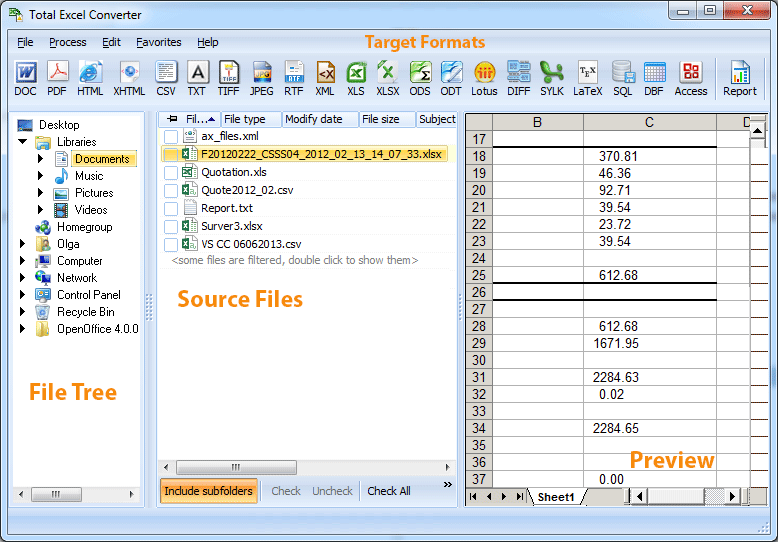
Total Excel Converter is the perfect choice to convert any type of table. Supported input formats include Excel and Excel 2007, XLSM, XLT, XLTM as well as OpenOffice formats ODS, XML, SQL, WK2, WKS, WAB, DBF, TEX, and DIF. The list of target formats is even more extensive: convert your tabled files into DOC, DOCX, PDF, HTML, Access, TXT, ODT, ODS, XML, SQL, CSV, Lotus, DBF, TEX, DIFF, SYLK, and LaTeX. Imagine how much time you'll save with this amazing conversion tool.

Total Excel Converter strictly preserves document layout; you'll get an exact copy of the source file but in a new format. In addition, we've included a number of handy options:
With Total Excel Converter, you can convert each sheet into a new file.
When you convert Excel to PDF you can set user permissions. This will protect your PDF files from being modified or copied.
Total Excel Converter can easily convert OpenOffice ODS files to Microsoft XLS documents; making it so that spread sheets produced by different programs are compatible with your viewer.

HOMEPAGE:
Код:
http://www.coolutils.com/

FREE DOWNLOAD LINKS:

Код:
https://rapidgator.net/file/7f7a57c20516cdd921731daf5d7fbc30/Coolutils_Total_Excel_Converter_7.1.0.118_Multilingual.rar

Код:
https://nitroflare.com/view/17706500BE9ECD7/Coolutils_Total_Excel_Converter_7.1.0.118_Multilingual.rar
 
6bd6d2e66426917befa28a4b45408fdf.jpg


DxO FilmPack 7.23.0.25 (x64) Multilingual | Size: 517.75 MB
Language: English


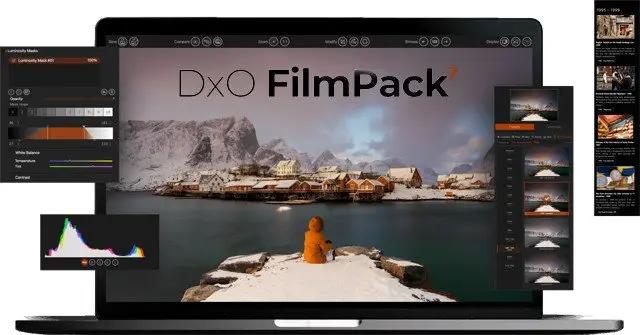
DxO FilmPack 7 is the software that takes your digital images back in time to the golden era of film photography. A tribute to the darkroom, you can explore history and get inspired by beautiful renderings, authentically recreated with scientific precision.

Refined and upgraded, the new DxO FilmPack 7 delivers
• 40 black and white and 49 color films, faithfull recreated
• Digital simulations and presets, cinematic styles, frames, textures, and light leaks
• Time Machine guides you through all of photographic history
• Set the intensity of a film stock, and modify grain
• Control exposure, highlights, midtones, shadows, and more
• Control color, create split tones, and apply luminosity masks

Rediscover the magic of film in the age of digital.

Minimum system configuration:
- Intel® Core™ or AMD Ryzen™ with 4 cores
- 8 GB RAM
- 4 GB available disk space
- 1280 x 768 display
- Microsoft Windows 10 version 20H2 or 11 (64-bit)

HOMEPAGE:
Код:
http://www.dxo.com/

FREE DOWNLOAD LINKS:

Код:
https://rapidgator.net/file/cd4ddff22dc7d8730535a7f26e81c1d9/DxO_FilmPack_7.23.0.25_x64_Multilingual.rar

Код:
https://nitroflare.com/view/02A245FB590CD09/DxO_FilmPack_7.23.0.25_x64_Multilingual.rar
 
Назад
Сверху Снизу