All Emperor2011's Software in one thread !! (updated daily)

d2a8916342995cd95fa830d4bea776bd.png


Directory Opus 13.22.8 Beta (x64) Multilingual | Size: 29.39 MB
Language: English


Are you frustrated by the limitations of Windows Explorer? Directory Opus provides a complete Explorer Replacement with far more power and functionality than any other file manager available today.

Just some of the features include:
- Single or dual pane file display and folder trees
- Tabbed interface let you keep multiple folders open and switch quickly between them
- Unique Explorer Replacement mode provides a full replacement for Windows Explorer
- Quickly filter, sort, group and search your folders
- Color-code your files, assign status icons, star ratings, tags and descriptions
- View images, documents and more. Image marking lets you sort your photos quickly and easily
- Batch renaming including easy-to-use keyboard macros
- View and edit file metadata
- Support for FTP and archive formats like Zip, 7Zip and RAR
- Built-in tools including synchronize and duplicate file finder
- Calculate folder sizes and print or export folder listings
- Queue multiple file copies for improved performance
- Fully configurable user interface - colors, fonts, toolbars, keyboard hotkeys, and a full scripting interface let you tailor Opus exactly to suit your needs
- Efficient, multi-threaded, modern design. Supports the latest 4K monitors. Available in both 32 and 64 bit versions.

What makes Opus unique?

Built for speed
Opus is written in native C++ multi-threaded code; compiled for the latest 64 bit CPUs, with high performance our number one design principle.

Fully configurable
Change the colors. Change the fonts. Change the toolbars and menus. Set up hotkeys. Opus adapts to how you want to use it.

Makes file management a breeze
Powerful searching, sorting, grouping, labelling and tagging features let you take control of your files like never before.

Endlessly extensible
Work with third-party tools as easily as with the built-in features. A full scripting interface, including scriptable dialogs, means your imagination is really the only limit.

Replace Windows Explorer and don't look back
Our unique Explorer Replacement mode provides a full replacement for Windows Explorer.
Single or dual pane file display and folder trees
Tabbed interface let you keep multiple folders open and switch quickly between them
Integrated viewer, metadata editor and utility panel
Built-in tools including synchronize and duplicate file finder
Leverage indexed search engines like Windows Search and Everything

HOMEPAGE:
Код:
https://www.gpsoft.com.au/

FREE DOWNLOAD LINKS:

Код:
https://rapidgator.net/file/66c009eb2bd7e0ea6f10dcd927a55ce4/Directory_Opus_13.22.8_Beta_x64_Multilingual.rar

Код:
https://nitroflare.com/view/938D4ABC46D97EF/Directory_Opus_13.22.8_Beta_x64_Multilingual.rar
 
ce3aceaf68a9d004eb40d62f68f0d456.jpg


Drive SnapShot 1.51.0.124 | Size: 11.64 MB
Language: English


Drive Snapshot creates an exact Disk Image of your system into a file, including the operating system, installed programs, your data and all security attributes - while windows is running and you continue to work. Drive Snapshot it allows you to backup your partition or your hard disk drive and it also can create a disk image of your system. If disaster strikes (a virus, trojan, or hard disk crash), a complete and exact restauration of your system will be possible in only few minutes. The image file can be mounted as a virtual drive, so you can easily restore (or use) single files or directories, using the Windows Explorer, or other program.

Here are some key features of "Drive Snapshot":
• Create Disk Image Backups, while running Windows
• There is no restart (to DOS) necessary. Never.
• Continue your work, while the Backup is in progress
• The new Snapshot technology ensures, that all data are consistent, and reflect the PC's data at the start of backup. There are no difficulties with opened files. Never.
• This enables a very fast and easy way to backup servers and other computers, that must run 24 hours a day.
• Easy Use and Restore of single Files or directories
• Drive Snapshot creates a virtual drive, containing all your drives data. You may use, compare, or restore these files directly from the Disk Image file.
• This works with any program of your choice, including (of course) the Windows Explorer
• Complete Restore of a disk in case of Disaster
• If a disk is restored to it's original state, it will be exactly the same as at the time of Backup - byte for byte.
• Restoring a system partition will require DOS; other drives can be restored using Windows
• Compatible to all Windows file systems (FAT16, FAT32, NTFS)
• Compatible to all Windows RAID Methods
• Very easy and comprehensive command line interface
• This makes automation of regular tasks a breeze.

System requirements:
Windows 2000, XP, Vista, 7, 8, 8.1, 10, 11, 2003 Server, 2008, 2008 R2, 2012, 2016, 2019, 2022, PE, Windows-X64
3 MB disk space + space to save the disk images.
32MB RAM if active, 0 MB if not active.
You need administrative rights to execute Drive Snapshot

HOMEPAGE:
Код:
http://www.drivesnapshot.de/

FREE DOWNLOAD LINKS:

Код:
https://rapidgator.net/file/6e1a5174daae872d0cce9b7efe8fee7f/Drive_SnapShot_1.51.0.124.rar

Код:
https://nitroflare.com/view/66B91A2B36240FB/Drive_SnapShot_1.51.0.124.rar
 
4fca9cf9b844350c047a04936ce2bf72.jpg


Drive SnapShot 1.51.0.125 (x64) WinPE | Size: 370.47 MB
Language: English


Drive Snapshot creates an exact Disk Image of your system into a file, including the operating system, installed programs, your data and all security attributes - while windows is running and you continue to work. Drive Snapshot it allows you to backup your partition or your hard disk drive and it also can create a disk image of your system. If disaster strikes (a virus, trojan, or hard disk crash), a complete and exact restauration of your system will be possible in only few minutes. The image file can be mounted as a virtual drive, so you can easily restore (or use) single files or directories, using the Windows Explorer, or other program.

Here are some key features of "Drive Snapshot":
• Create Disk Image Backups, while running Windows
• There is no restart (to DOS) necessary. Never.
• Continue your work, while the Backup is in progress
• The new Snapshot technology ensures, that all data are consistent, and reflect the PC's data at the start of backup. There are no difficulties with opened files. Never.
• This enables a very fast and easy way to backup servers and other computers, that must run 24 hours a day.
• Easy Use and Restore of single Files or directories
• Drive Snapshot creates a virtual drive, containing all your drives data. You may use, compare, or restore these files directly from the Disk Image file.
• This works with any program of your choice, including (of course) the Windows Explorer
• Complete Restore of a disk in case of Disaster
• If a disk is restored to it's original state, it will be exactly the same as at the time of Backup - byte for byte.
• Restoring a system partition will require DOS; other drives can be restored using Windows
• Compatible to all Windows file systems (FAT16, FAT32, NTFS)
• Compatible to all Windows RAID Methods
• Very easy and comprehensive command line interface
• This makes automation of regular tasks a breeze.

System requirements:
Windows 2000, XP, Vista, 7, 8, 8.1, 10, 11, 2003 Server, 2008, 2008 R2, 2012, 2016, 2019, 2022, PE, Windows-X64
3 MB disk space + space to save the disk images.
32MB RAM if active, 0 MB if not active.
You need administrative rights to execute Drive Snapshot

HOMEPAGE:
Код:
http://www.drivesnapshot.de/

FREE DOWNLOAD LINKS:

Код:
https://rapidgator.net/file/f637becd30b4dbf0fd29bd0bbf035472/Drive_SnapShot_1.51.0.125_x64_WinPE.rar

Код:
https://nitroflare.com/view/08E8A7ADA80A1AC/Drive_SnapShot_1.51.0.125_x64_WinPE.rar
 
ccf57dc9abf408e513bd3c41bb0b4df9.jpg


EF AutoSync 26.04 Multilingual | Size: 3.07 MB
Language: English


EF AutoSync is a practical tool for automatic data synchronization between the PC and other components such as USB flash drives, external drives, another computer, etc.

The easy to use software done for you activities such as archiving, mirroring, data backup, update, takes you from the chore.
The integration of external third-party file systemn plugins in WFX format supports a variety of devices.

The following languages are included in the package: English, German, Arabic, Catalan, Chinese, Hebrew, Hungarian, Italian, Portuguese, Romanian, Serbian.

HOMEPAGE:
Код:
https://www.efsoftware.com/as/e.htm

FREE DOWNLOAD LINKS:

Код:
https://rapidgator.net/file/1bd4999846beb4ef3203f34d48f4d2ef/EF_AutoSync_26.04_Multilingual.rar

Код:
https://nitroflare.com/view/9714FCDE684016A/EF_AutoSync_26.04_Multilingual.rar
 
6ad3481f0b001fc96a76b0e124f688e2.jpg


EaseUS Fixo 4.3.0 Build 20260421 Multilingual | Size: 194.19 MB
Language: English


Videos, photos or files get corrupted or fail to open? EaseUS one-stop solution will help you repair corrupted videos, photos and files regardless of the level of damage.

All-in-one File Repair Software:

Video Repair

Repair Any Corrupted or Unplayable Video
Videos become corrupted or inaccessible after sudden power surges and failures, complete system crashes, updating errors, file mishandling or some other reasons? The video repair software - EaseUS Fixo enables you to repair a wide variety of video file formats including MOV, MP4, M2TS, MKV, MTS, 3GP, and more easily, no matter how it is damaged.

- Repair video formats including MP4, MOV, M2TS, MKV, MTS, 3GP, AVI, FLV, M4V, etc.
- Repair videos corrupted during shooting, recording, transferring, editing, converting or processing.
- Repair videos from cameras, Drones, CCTV DRV, dash cams, smartphones, NAS servers or any other monitor, etc.

Photo Repair

Repair Corrupted Photos from Any Device
Photos with precious memories or essential information become corrupted and unopenable? The photo repair software - EaseUS Fixo can intelligently and smartly repair your corrupted and damaged photos from your computer or other external storage devices like USB flash drives, memory sticks, SD cards, digital camera and phones regardless of their level of damage.

- Restore corrupted, blurry, overexposed, Underexposed or pixelated photos.
- Repair photo formats including JPEG, PNG, JPG, CR3, CR2, NEF, NRW, RAF, etc.
- Repair photos from PCs, USB flash drives, memory sticks, SD cards, digital cameras and phones.
- Repair photos in batch and preview repaired photos.

File Repair

Repair Corrupted Word, Excel, PPT, and PDF Files
Office files and pdf files become corrupted, inaccessible or unreadable unexpectedly for unknown reasons? EaseUS Fixo which has anintuitive interface is the best file repair software for novices to fix the corrupted office documents, including PDF, Word, Excel, and PowerPoint files.

- Repair the corrupted PDF, Word, Excel, and PowerPoint files.
- Fix unreadable files, garbled files and files not opening.
- Repair files in batch and preview repaired files.

Operating System: Windows 11/10/8/7/XP

HOMEPAGE:
Код:
https://www.easeus.com/

FREE DOWNLOAD LINKS:

Код:
https://rapidgator.net/file/6c34ca6d5b3227205798689d3fd968b4/Multilingual_20260421.rar

Код:
https://nitroflare.com/view/357CE177F1E72D4/Multilingual_20260421.rar
 
94975f4595035ee17f384dca22846039.png


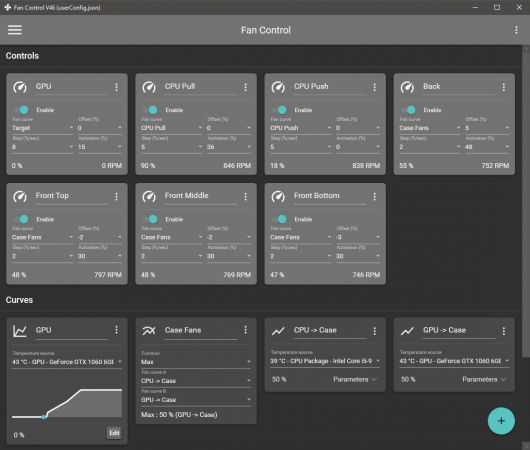
FanControl v266 | Size: 12.21 MB
Language: English


Keep every aspect of your computer's GPU and CPU fans in check with the help of this highly-customizable fan control application.

Features
Save, edit and load multiple profiles
Multiple temperature sources ( CPU, GPU, motherboard, hard drives, ".sensor" file )
Custom fan curves
Fine tune the fan control response with steps, activation %, response time and hysteresis
Mix different curves and sensors together
Modern, dashboard-style UI
Works as a background application with a customizable tray icon
Create custom external temperature sensors with *.sensor files.
And more!

FREE DOWNLOAD LINKS:

Код:
https://rapidgator.net/file/956ea34f589be68ab31e32a642656637/FanControl_v266.rar

Код:
https://nitroflare.com/view/E0EAE38DCD18BDA/FanControl_v266.rar
 
b9c72d43f92726b9dde39895d12c375f.jpg


Final Draft 13.3.1 Build 110.2 | Size: 135.47 MB
Language: English


For over twenty years now, Final Draft has shown itself to be the most vital tool available to the screenwriter. Final Draft has eclipsed all of its competitors because it is the best. It does everything you could possibly think of and then you can write and not think of it at all.

The Industry Standard Screenwriting Software
- The number-one selling screenwriting software in the world
- Used by 95% of the entertainment industry
- Best Choice for Screenwriting
- Final Draft paginates your script to entertainment industry formats
- Over 300 templates for screenplays, teleplays, comics, immersive storytelling, graphic novels, and stage plays

New in Final Draft 12:

Powerful Story Planning
With Final Draft 12, you can brainstorm, visualize, outline, report, tag, collaborate and customize your writing environment like never before.

Enhanced Beat Board
Limitless space to organize your ideas in a customizable, visual way. Plan set pieces, store character research, and much more.

- Beats can be anything - plot points, character arcs, research, or location ideas
- Beats can contain both stylized text and images
- Connect beats using Flow Lines
- Color code for easy reference with a vibrant color palette
- Send Beats directly to your script for easy access

ScriptNotes
Add comments to your script as edit ideas come to you.

- Add ScriptNotes that appear as flags on the page for easy reference
- Click the flag to open and edit notes in a popover
- New flags show how many notes per paragraph
- Popovers sync to ScriptNotes in the Navigator

Night & Focus Mode
Night Mode inverts your screen to cut down on eye strain, while Focus Mode eliminates unwanted distractions.

Track Changes
Keep a record of edits to your script then choose whether to accept or reject them.

Import PDF
Import a PDF and convert it into a fully editable Final Draft file.

Real-Time Collaboration
Collaborate simultaneously with your writing partners IN REAL TIME on both the script and the Beat Board.

Speech to Script
Speech to Script customizes Mac's Dictation feature so you can write your screenplay without ever touching a keyboard.

Insert Images
Insert images on title pages, in the script or even in the Beat Board to help visualize your story.

Smart Type
Use SmartType to cut down on keystrokes by auto-filling commonly used names, locations, and more.

Alternate Dialogue
Use Alternate Dialogue to store as many different versions of lines as you can imagine.

Easier Formatting
Use your creative energy to focus on your story and characters - let Final Draft take care of the rest.

Title Page
All Final Draft templates come with industry standard title pages that are easy to modify, save, and print or save to PDF.

Tab & Enter
Use just the Tab and Enter keys to write your script quickly and easily.

Format Assistant
Be confident your script is professionaly formatted before you print or email it.

Reformat Tool
Speed through the reformatting process when importing different file types.

Automatic Backup Folder
Protect your work with automatic file backups.

Unicode Support
Final Draft 12 ships with fonts which support over 97 different languages. Users can also add their own fonts to type in additional languages.

Pagination & Page Management
Automatically format and paginate to industry standards. Meet page count requirements using Final Draft 12 custom formatting tools.

Keyboard Shortcuts
Customize your workflow and save time.

Agile Production
Final Draft is used by 95% of film, television and multimedia productions to get from page to screen.

Revision Mode
Mark and review all changes to take a script through production. Set your revision colors, lock pages, omit scenes - Final Draft makes it easy.

- Add, edit or remove scene numbers throughout your script
- Lock Pages so your revisions don't affect your page numbers
- Export to PDF in Revision Mode with industry standard colors
- Protect your script with customizable watermarks on PDFs and printed pages
- Omit a scene to make last minute changes without disrupting production

Tags Mode
Powerful reporting, your way - create custom reports on any element of your script.

- Dig into your script by tracking customizable story elements and character traits
- Get ready for production by Tagging costume, props, locations and more
- Break your script down for budgeting and scheduling

System Requirements:
- Microsoft® Windows 10 and above
- Minimum 512 MB of RAM

HOMEPAGE:
Код:
https://www.finaldraft.com/

FREE DOWNLOAD LINKS:

Код:
https://rapidgator.net/file/e450eee32ef654c602225030ec2ef187/Final_Draft_13.3.1_Build_110.2.rar

Код:
https://nitroflare.com/view/679E76F66C3B8C1/Final_Draft_13.3.1_Build_110.2.rar
 
45dcd3fa310059112d0116905c670328.jpg


Gillmeister Automatic PDF Processor 2.1.5 | Size: 226.34 MB
Language: English


With Automatic PDF Processor, PDF files can be processed automatically. Any number of folders can be monitored in order to automatically print, rename or move incoming PDF files to dynamically named folders. Numerous metadata of the PDF document can be used in addition to the content, for example to include invoice information in the file path. The PDF files to be processed can be narrowed down with various profile-specific filters - the document text, PDF metadata and general file information are available as filters.

Extraction of data from the text of PDF files is optional. An unlimited number of extraction rules can be created within a profile. The extracted data can be used (after optional validation and formatting) for naming folders or the file name, and can be saved as an extract in a CSV file. Another task that can be automated with the Automatic PDF Processor is the extraction of attachments from PDF files, for example to save ZUGFeRD XML files, XRechnung attachments or similar as part of a PDF invoice in the same folder.

Features:
Print, rename, move, or copy PDF files automatically
Store embedded PDF attachments in any folder for archiving
Extract textual data from PDF documents automatically and save them as CSV file
Monitor any number of folders (hot folder monitoring)
Create individual rules for different tasks
Filter by document text, file date, attachment name or count, title .
Create the storage location (storage folder) dynamically from PDF document properties or based on content
Get informed about different processing statuses by email
Limit the automatic processing of PDF files to certain days and times, for example to print only during office hours
Combine a scan and OCR process with subsequent automatic naming by the Automatic Email Processor in order to be able to file older PDF documents in a structured way as well
Perform subsequent actions e.g., start a program with the path of the saved PDF file or PDF attachment as parameter
Process all already existing PDF files of a folder (with user-defined criteria)
Sort PDF - files automatically or have them moved to another folder and subfolder created dynamically from file properties
Send an Excel report with overview and detailed information on a regular basis

System requirements:
Microsoft Windows 11, 10, 8, 7 or Server (32-bit or 64-bit version)

HOMEPAGE:
Код:
https://www.gillmeister-software.com/

FREE DOWNLOAD LINKS:

Код:
https://rapidgator.net/file/0c40ee47892b9b99c7be36f8968c847d/Gillmeister_Automatic_PDF_Processor_2.1.5.rar

Код:
https://nitroflare.com/view/0ABE254EF30599B/Gillmeister_Automatic_PDF_Processor_2.1.5.rar
 

0a13ce20c9edf9172ef8799dbbf199ee.png


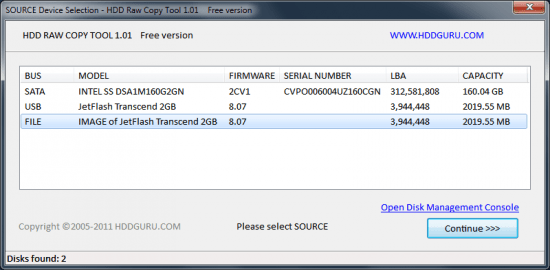
HDD Raw Copy Tool 2.6 | Size: 33.91 MB
Language: English


HDD Raw Copy tool makes an exact duplicate of a SATA, IDE, SAS, SCSI or SSD hard disk drive. Will also work with any USB and FIREWIRE external drive enclosures as well as SD, MMC, MemoryStick and CompactFlash media.

The tool creates a sector-by-sector copy of all areas of the hard drive (MBR, boot records, all partitions as well as space in between). HDD Raw Copy does not care about the operating system on the drive - it could be Windows, Linux, Mac, or any other OS with any number of partitions (including hidden ones). Bad sectors are skipped by the tool.
If your media has a supported interface then it can be copied with HDD Raw Copy!
In addition, HDD Raw Copy can create an exact raw (dd) or compressed image of the entire media (including service data such as MBR, Boot records, etc). Again, all filesystems (even hidden) are supported.

Examples of possible uses
Data recovery: make a copy of the damaged drive to attempt recovery on the copy
Data recovery: copy a damaged hard drive and skip bad sectors
Migration: completely migrate from one hard drive to another
Ultimate backup: Make an exact copy of the hard drive for future use
Backup: create an image of a USB flash stick and copy/restore at any moment
Software QA engineers: restore your OS hard drives at any moment from a compressed image
Duplicate/Clone/Save full image of any type of media!

Features
Supported interfaces: S-ATA (SATA), IDE (E-IDE), SCSI, SAS, USB, FIREWIRE.
Big drives (LBA-48) are supported.
Supported HDD/SSD Manufacturers: Intel, OCZ, Samsung, Kingston, Maxtor, Hitachi, Seagate, Samsung, Toshiba, Fujitsu, IBM, Quantum, Western Digital, and almost any other not listed here.
The program also supports low-level duplication of FLASH cards (SD/MMC, MemoryStick, CompactFlash, SmartMedia, XD) using a card-reader.

FREE DOWNLOAD LINKS:

Код:
https://rapidgator.net/file/75e1ad34d04a33743206ecf3059ad0f0/HDD_Raw_Copy_Tool_2.6.rar

Код:
https://nitroflare.com/view/71A2D8177463F45/HDD_Raw_Copy_Tool_2.6.rar
 
a2f832854a6bf234c994d75a72485291.jpg


Home Manager 2026 v4.10.1001 | Size: 49.03 MB
Language: English


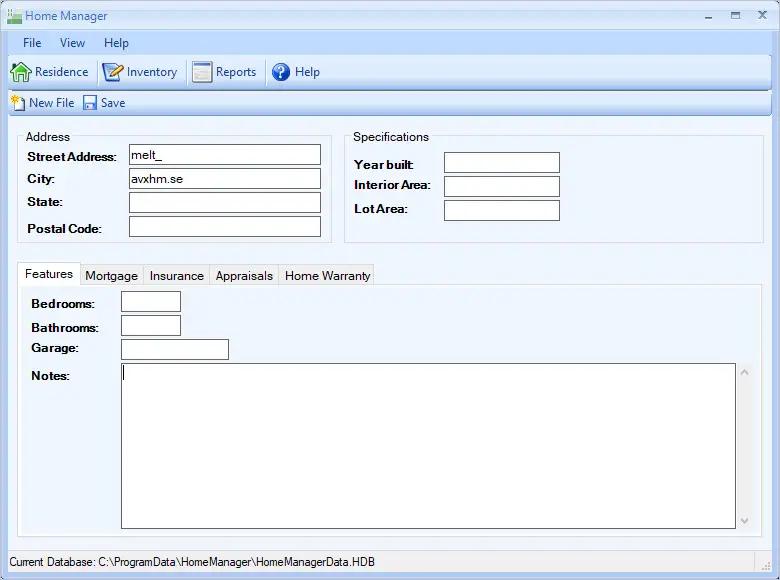
Do you need a way to track all your "stuff"? With Home Manager you can organize and track your home inventory. Easily enter the details about your belongings, and use the built-in search feature to find it again quickly. If you already have a lot of digital pictures, simply drag and drop them into the program to automatically create new inventory items for each one.

Organize your inventory by category and location, and drag and drop items from one category to another. Keep a running maintenance and repair history for your assets. Print a home inventory report (complete with digital pictures) for your insurance agent; backup your data for safekeeping, and get the peace of mind that comes with having a full accounting of your home inventory.

Home Manager helps you get organized
You have better things to do with your time than searching through paperwork or digging through old paint cans looking for that lost color code. Now you can stop the frustrating searching and take control. With Home Manager software you can have all the information you need about your home right at your fingertips.

Operating System: Windows 7, 8/8.1, 10, 11

HOMEPAGE:
Код:
https://www.kzsoftware.com/

FREE DOWNLOAD LINKS:

Код:
https://rapidgator.net/file/7d165ab8e7dcb5a65ad7d85ced0bd983/Home_Manager_2026_v4.10.1001.rar

Код:
https://nitroflare.com/view/C3141E37430B6C8/Home_Manager_2026_v4.10.1001.rar
 

14dd59e6d89304bccf41b5bf74cee38f.jpg


Intel Graphics Driver 32.0.101.8735 (x64) | Size: 826.84 MB
Language: English


Intel's latest graphics driver release supports Intel's® newest 8th Generation Core Processors, introducing Intel® UHD Graphics, with the ability to immerse you in leading-edge 4K UHD entertainment from your laptop for up to 10 hours. Along with several security fixes, this driver also optimizes system idle state to reduce power consumption.

Relive the Terran* vs. Protoss* vs. Zerg* battles of old, in StarCraft Remastered* enjoyed in up to stunning 4K UHD. Obliterate enemies in Quake Champions* (Early Access), or embark on an adventure at release of the latest games, Life is Strange: Before the Storm*, Batman: The Enemy Within - The Telltale Series*, Crossout*, The Long Dark*, and Slime Rancher* on processors with Intel® HD Graphics 620 or better.
Emerge victorious or blaze past the finish line on the latest titles like Lawbreakers*, Tacoma*, and F1 2017* on Intel® Iris™ Pro Graphics.
Check out the all new look and feel of gameplay.intel.com, where you'll find recommended game settings for many of your favorite PC games.
Install the Intel® Driver Update Utility, which now automatically checks for drivers on a regular basis and can provide notifications when new drivers are available.

This document provides information about Intel's Graphics Driver for
8th Generation Intel® Core™ processors with Intel® UHD Graphics 620.
7th Generation Intel® Core™ processors, related Pentium®/ Celeron® Processors, and Intel® Xeon® processors, with Intel® Iris™ Plus Graphics 640, 650 and Intel® HD Graphics 610, 615, 620, 630, P630.
6th Generation Intel® Core™ processors, Intel Core™ M, and related Pentium® processors, with Intel® Iris™ Graphics 540, Intel® Iris™ Graphics 550, Intel® Iris™ Pro Graphics 580, and Intel® HD Graphics 510, 515, 520, 530.
Intel® Xeon® processor E3-1500M v5 family with Intel® HD Graphics P530
Pentium®/ Celeron® Processors with Intel® HD Graphics 500, 505

FREE DOWNLOAD LINKS:

Код:
https://rapidgator.net/file/cd5fe4b93328e4146680f88e3e97dd9a/Intel_Graphics_Driver_32.0.101.8735_x64.rar

Код:
https://nitroflare.com/view/C64CED77838F3F1/Intel_Graphics_Driver_32.0.101.8735_x64.rar
 
42938c035410ba220e761404c9fe23b4.jpg


JP Software CMDebug 36.00.34 (x64) Multilingual | Size: 42.78 MB
Language: English


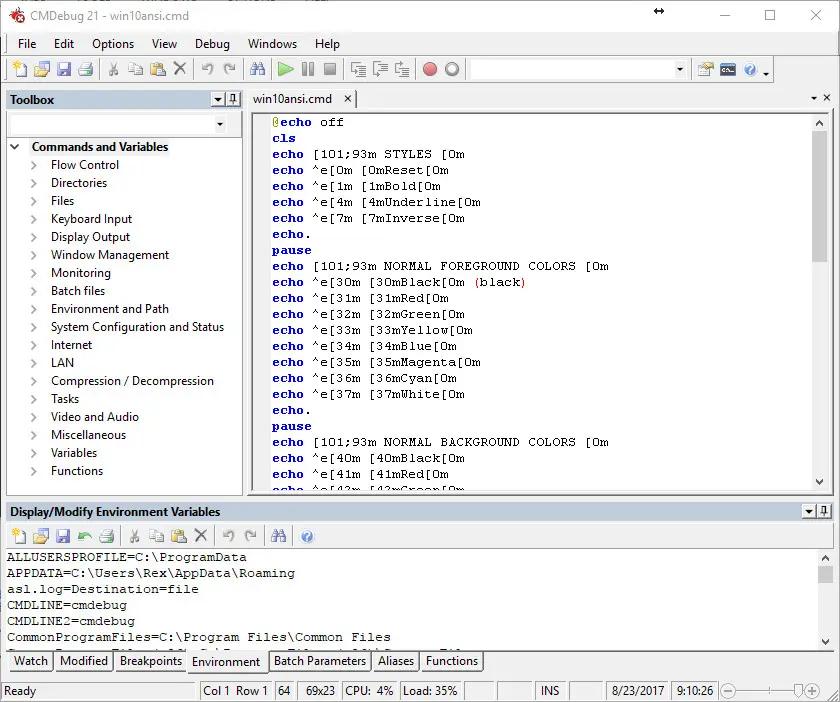
CMDebug is a stand-alone version of the Take Command IDE and batch debugger component. CMDebug is intended for developers creating batch files to run in CMD (the Windows default command processor) or TCC-RT (the free runtime version of TCC).

Operating System:
CMDebug is compatible with any version of Microsoft Windows 8, Server 2012, Windows 10, Server 2016, and Server 2019 (64-bit only)

HOMEPAGE:
Код:
https://jpsoft.com/

FREE DOWNLOAD LINKS:

Код:
https://rapidgator.net/file/4be4025205226265ab9a8fe29b404b50/x64_Multilingual_36.00.34.rar

Код:
https://nitroflare.com/view/EF4258CCCD471E9/x64_Multilingual_36.00.34.rar
 
3c604f73bf4812926f80a2880689675f.png


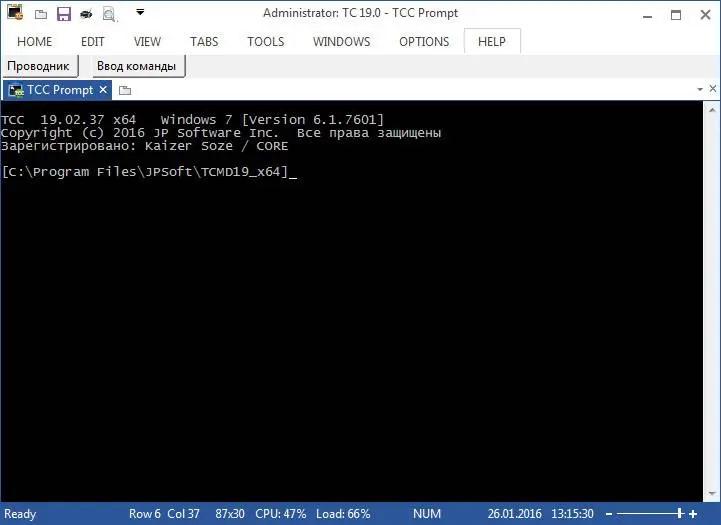
JP Software TCC 36.00.34 (x64) | Size: 54.96 MB
Language: English


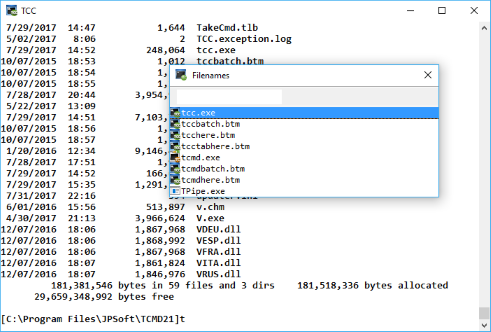
TCC is our console mode Windows command shell (formerly known as 4NT). TCC is a replacement for the CMD command line (the default Windows command prompt). TCC is a superset of CMD, with 255 internal commands (CMD has fewer than 40), 750+ internal variables and functions, and hundreds of enhancements to existing CMD commands.

TCC works with your existing command line applications and batch files, but offers major improvements in command line editing and batch file scripting, and adds thousands of new features to your console windows.

TCC is a CMD replacement command processor that is compatible with your existing CMD commands and batch files, while adding thousands of new features. You're immediately more productive, and you can learn and add TCC's new features at your own pace.
Create and debug your batch scripts in a fraction of the time with the integrated editor and batch file debugger.
The integrated and familiar environment means you are immediately more productive with your interactive command prompt and batch file development tasks.
The consistent syntax reduces learning and development time.
The comprehensive help (including context-sensitive popup help for command line syntax), speeds your development time and reduces syntax errors.

System requirements:
TCC is compatible with any version of Microsoft Windows 10, Windows 11, Server 2016, Server 2019, and Server 2022.

HOMEPAGE:
Код:
https://jpsoft.com/

FREE DOWNLOAD LINKS:

Код:
https://rapidgator.net/file/2deddcf4ac973191fde9c2f1b6ed9ac7/x64_36.00.34.rar

Код:
https://nitroflare.com/view/6B6F09B7A5CA6B8/x64_36.00.34.rar
 
c9524b7693c1158c74a54f19d56f96ac.jpg


JP Software Take Command 36.00.34 (x64) Multilingual | Size: 57.36 MB
Language: English


Take Command is a comprehensive interactive GUI and Windows command line toolkit that makes your Windows command prompts easier to use and far more powerful. Take Command includes optional Windows Explorer integration, tabbed console windows, and major enhancements to standard Windows CMD commands such as COPY, DEL, FOR, MOVE, REN, SET, and START And it and adds 210+ new commands, command dialogs, command line syntax coloring, vastly improved command line editing, programmable filename and directory completion, and thousands of other features.

Take Command is also a powerful batch file programming tool, including an integrated IDE with a sophisticated editor and batch debugger. Take Command offers extensions such as DO loops, SWITCH statements, error and exception handling, system monitoring and event triggers, third-party plugins, and more than 700 built-in variables and functions.

Operating System:
Take Command is compatible with Microsoft Windows 8 and 2012, and Windows 10, 2016, and 2019 (64-bit only)

HOMEPAGE:
Код:
http://jpsoft.com/

FREE DOWNLOAD LINKS:

Код:
https://rapidgator.net/file/414db5fb5c06f3290082c663c5fba2ac/x64_Multilingual_36.00.34.rar

Код:
https://nitroflare.com/view/9DA7F2E02FD780E/x64_Multilingual_36.00.34.rar
 

92153c6b2ab72659394c0a2ab5bdce45.png


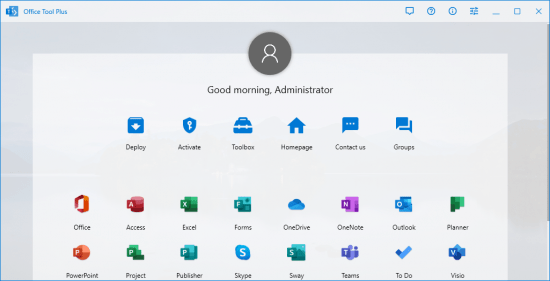
Office Tool Plus 11.3.12.0 (x64) Multilingual | Size: 10.16 MB
Language: English


Office Tool Plus is a tool for managing, downloading and installing Office.Office Tool Plus is based on Microsoft's Office Deployment Tool. You can customize configure your Office installation and download installation files to install Office without Internet.

Opportunities
1. Configure the Office installation, as well as customize the installed C2R products, such as adding and removing components, language packs, etc.
2. Download the Office installation package or the language pack, which can be downloaded using the official programs Thunder, Aria or Microsoft.
3. Configure your current Office, change the update channel, delete the product language, or delete the product, or use the built-in scripts or tools to clean the Office.
4. Activate your office. Easily set the product key and configure your KMS server address or convert the Office version. (PS: the tool does not have a built-in KMS activation, it simply provides the ability to configure a KMS server.)

Supported products
- MS Office 2016 - Standard, Pro Plus, Mondo, Professional, Personal, Home Business, Home Student, O365 ProPlus, O365 Business, O365 Small Business, O365 Home Premium.
- MS Office 2019 - Standard, Pro Plus, Professional, Standard 2019 Volume, ProPlus 2019 Volume, Office 365, Home Business, Home Student

FREE DOWNLOAD LINKS:

Код:
https://rapidgator.net/file/017e302305b0e6a59f804e0cb11466bb/Office_Tool_Plus_11.3.12.0_x64_Multilingual.zip

Код:
https://nitroflare.com/view/6B4A098DC7EAE83/Office_Tool_Plus_11.3.12.0_x64_Multilingual.zip
 
058ac3db6ca84109381919b77e66127f.jpg


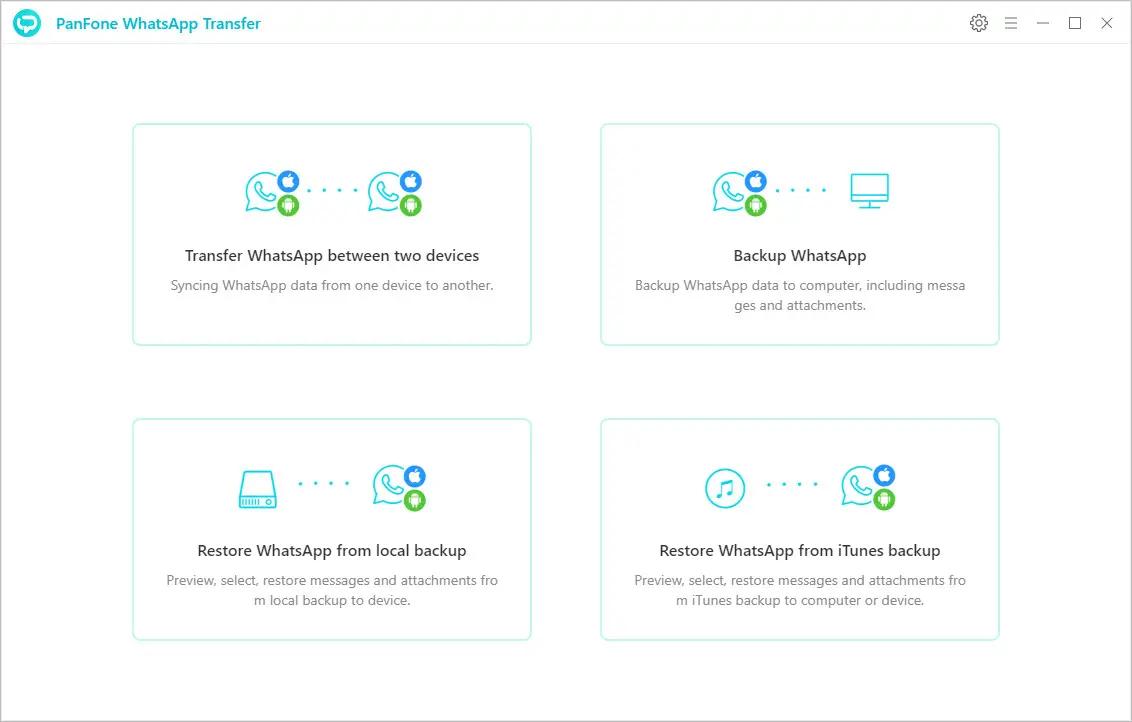
PanFone WhatsApp Transfer 2.5.2 Multilingual | Size: 179.21 MB
Language: English


A staightforward software solution for transfering WhatsApp data from your phone to another one, while also supporting backup and restore functions.

Transfer WhatsApp data between iOS/Android devices directly.
Back up WhatsApp chats, photos, videos, attachments from Android/iOS to Computer.
Restore WhatsApp iTunes backups to Android/iOS devices.
Export WhatsApp backups as HTML and CSV files and print out.
Fully compatible with the latest iOS and Android.

Transfer WhatsApp between Android and iOS Devices
This phone to phone WhatsApp transfer tool allows you to transfer WhatsApp data between your iPhone and Android as simple as a swipe of your finger.
Seamlessly transfer all WhatsApp chat histories, including messages, photos, videos, attachments between Android and iOS Devices.

Backup WhatsApp Chats & Restore to iOS/Android Devices
Backup WhatsApp data including conversions and attachments from the iOS or Android device to your computer. All files are previewable and impossibly overwrite.
Restore the WhatsApp backup of one device to another (different systems supported).
Restore the WhatsApp data from iTunes backup to your iOS/Android devices or computer.
Each backup will be kept individually and forever, so both current and earlier data can be saved.

Operating System: Windows 7, 8/8.1, 10, 11

HOMEPAGE:
Код:
https://www.panfone.com/

FREE DOWNLOAD LINKS:

Код:
https://rapidgator.net/file/eb19031feafca48ba48ba2d802dc336e/PanFone_WhatsApp_Transfer_2.5.2_Multilingual.rar

Код:
https://nitroflare.com/view/76D8573D573A214/PanFone_WhatsApp_Transfer_2.5.2_Multilingual.rar
 
006b212bcee417e31dc445dc2b5b8abb.jpg


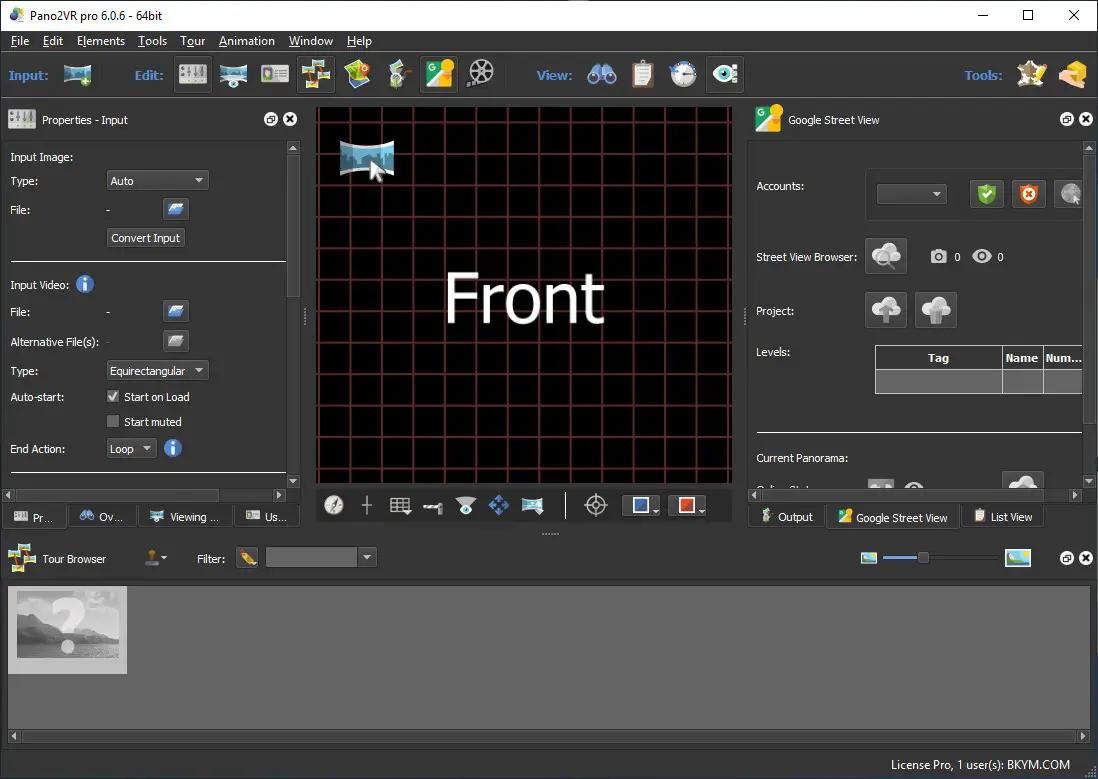
Pano2VR Pro 7.1.12 Multilingual | Size: 186.52 MB
Language: English


Pano2VR allows you to publish your panoramic images within minutes. No matter what type of project you're working on, whether, a gigapixel panorama or virtual tours with hundreds of nodes, Pano2VR will help you to quickly get your project up and running on the desktop as well as mobile devices.

mprove your images.
Sometimes panoramas are not level and have unwanted tripods.it happens. Straightening the horizon and removing the tripod from the panorama can be accomplished with a few simple clicks.

Build a Virtual Tour.
No matter how large the tour, Pano2VR Pro can help you quickly and easily put it together with automatic linking, filtering, master node editing and a built-in Tour Map.

Enhance the experience.
Add interactive elements like hotspots, directional sound and video to your panoramas. Use the powerful Skin Editor to design custom buttons and controllers - all of which can be made responsive so the design fits to any screen. No coding required. We promise!

Seamlessly change projections.
Easily reproject spherical panoramas during viewing or open a panorama from a little planet view to a rectilinear view on opening or create a standard format video that moves through different projections.

Reveal the highlights.
Guide viewers by creating an animation path through your panoramas or tour to show off the best areas. At any time, the viewer can interact and explore further. You can even export this walk-through as a video file.

Contribute to Google Street View.
Pano2VR offers an easy way to add and edit existing panoramas and tours to Google Street View. Once you've connected your account, you will see all tours and panoramas that you've uploaded to Google Street View. You can continue to add to your gallery or even download the existing images.

Show your work.
Export your panoramas as HTML5, Flash or QuickTime VR formats or use our handy plugins to post them directly to your Wordpress, Joomla or Drupal site. Pano2VR will also help you to transform your images into different projections for printing.

Pano2VR 6.0
Pano2VR 6.0 brings major updates to the Tour Map, Animation Editor and Viewer. You can now add floor plans to your project and correctly geolocate indoor nodes, control and animate skin elements with the Animation Editor, and view and interact with 360 video in the Viewer.

Tour Map
The Tour Map received, perhaps, the biggest update. It can now better assist in general tour building and with Google Street View tours with the addition of being able to add custom floor plans.

Floor plans, are maps of the interior of buildings where it is also likely that location data has not been recorded during a shoot. So, we added the ability to geolocate the floor plan to the tour map so that when a tour node is added to the floor plan, it will be given location data. This is especially helpful for those building tours for Google Street View and need accurate placement of nodes inside of buildings. Floor plans that have been added to the Tour Maps, can also be used in the Skin Editor using the Map element. In addition to the floor plans, map pins can now be moved in bulk.

Animation Editor
The Animation Editor is now a panel and it, too, is more powerful. You can now connect skin elements to the animation. This lets you apply, for example, subtitles or text boxes that can appear and disappear at a defined time in the animation.

Previously, the animation editor only had the ability to create a single series of clips. Now, we can create sequences, which are a group of clips, in the same project. We can then, select a specific sequence to output as an animation or as auto rotation. This makes it much easier to create multiple versions of an animation without having to create multiple projects.

Skin Editor
The Skin Editor got new features, too. The most notable feature would be the changes made to the Maps element. This is how you would add a map or floor plan overlay to your project. Previously, only a map could be added to the map element.

We've also added a way to change skins without having to open the Skin Editor - making it easier to adapt a skin to the current project using the Edit Skin Configuration button. Finally, positioning in the Skin Editor has been completely reworked to better reflect the way positioning works in HTML5. This means that when you open older skins, you may find that the positioning measurements have changed. Don't worry, it's not broken; just, the numbers have changed.

Viewer
The Viewer has been updated to be able to playback 360º video, making it much easier to work with the medium. Once the panoramic video has been added to the Viewer or Tour Browser, a transport control will appear in the Viewer.

More Features:
- Improved gigapixel support with tiled multi-resolution
- Fast loading for tours with more than 10,000 nodes
- Custom Fly-in effect
- Custom map tiles
- Filtered actions
- Flash and QuickTime outputs no longer supported

Requirements: Windows 7 and higher (64-bit).

HOMEPAGE:
Код:
http://ggnome.com

FREE DOWNLOAD LINKS:

Код:
https://rapidgator.net/file/c07134d6b3e8b360fcc609f6589aaf89/Pano2VR_Pro_7.1.12_Multilingual.rar

Код:
https://nitroflare.com/view/5E1301EB777DC88/Pano2VR_Pro_7.1.12_Multilingual.rar
 
_3dd161cce2795eb2d894910784205990.jpeg


Perfectly Clear WorkBench 5.1.0.3200 (x64) Multilingual | Size: 262.78 MB
Language: English


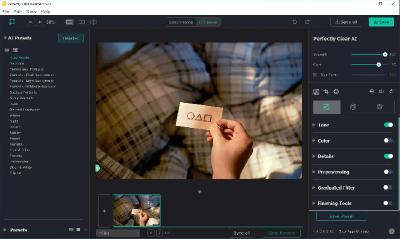
Perfectly Clear Workbench is an application that uses Athentech's Perfectly Clear image correction libraries and is made available to demonstrate the capabilities of the Perfectly Clear processing libraries, face detection library and to allow a quick export of the processing settings for use.

One of the key features in Workbench is the ability to "export to API" when saving a Preset. This allows you to make image corrections in Workbench and tune the settings to match your style and correction needs. Then, you can quickly export these settings to a text file - ready to be copy / pasted into your source code with our image correction SDK.

What's New in Perfectly Clear WorkBench:
1. Beautiful new interface
2. New image correction tools:
a. Preprocessing section for Input Looks and "Image Ambulance" for manual exposure corrections
b. "Face Aware" exposure for more accurate auto-exposure corrections in portraits and group photos
c. Black Point tool to deepen blacks
d. New Color Vibrancy tool to complement our previous "Vibrancy" control (now renamed to Color Restoration)
e. Sky and Foliage enhancements
3. Existing tools have been improved:
a. Added strength sliders to Light Diffusion and Vibrancy for better control
b. Better 'color pickers' for Skin Tone and Blush adjustments
4. Manually identify faces that are not detected automatically
5. One-click to zoom to individual faces
6. Modify facial regions to provide the best corrections
7. Histogram
8. Much improved preset management

Supported Image Formats:
Perfectly Clear requires RGB-formatted images in either 8 or 16-bit color depth. Any image file that Photoshop or Lightroom can open and convert to this format may be used in Perfectly Clear. Monochrome and CMYK images must be converted to RGB before using Perfectly Clear. RAW files must be opened through Adobe Camera RAW and loaded into Photoshop to be accessible to Perfectly Clear.

System Requirements:
- Windows 10 and 11 (64-bit only)
- 4 GB RAM or more

HOMEPAGE:
Код:
https://eyeq.photos/

FREE DOWNLOAD LINKS:

Код:
https://rapidgator.net/file/f560a5494b4cf75777f80dac910ea27d/Perfectly_Clear_WorkBench_5.1.0.3200_x64_Multilingual.rar

Код:
https://nitroflare.com/view/C438DEE580F00CD/Perfectly_Clear_WorkBench_5.1.0.3200_x64_Multilingual.rar
 
952ea571dac1462f4b50711fa9f8a8cf.jpg


Postage Saver Software Postal Barcoder Max 1.8.3 | Size: 18.12 MB
Language: English


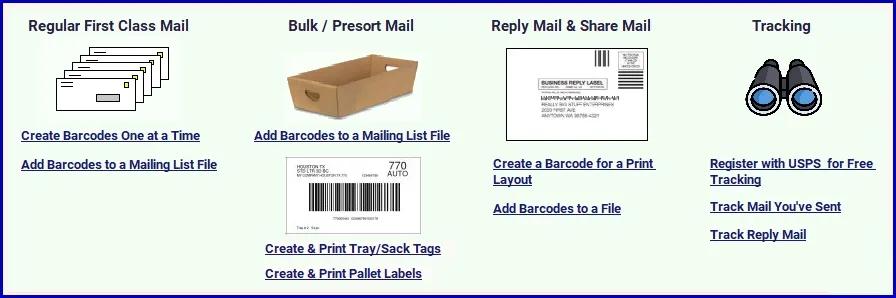
One software tool that does it all! It's a USPS Intelligent Mail barcode generator for many different categories of cards, envelopes and small packages. Plus, it lets you quickly get tracking history for any outgoing mail or reply mail that has an Informed Visibility tracking barcode and also for trays and sacks of bulk presort mail.

Postal Barcoder Max is great for sellers on eBay, Amazon and other marketplaces who need to provide tracking barcodes for shipments by First Class mail. And, you can use Postal Barcoder Max with our TrackYourOrder.Info web site to provide tracking directly to your customers!

HOMEPAGE:
Код:
https://savepostage.com/pbminfo.html

FREE DOWNLOAD LINKS:

Код:
https://rapidgator.net/file/a6b6485fae56aad44bf1f28ebf320717/Postage_Saver_Software_Postal_Barcoder_Max_1.8.3.rar

Код:
https://nitroflare.com/view/C52E465B9DBE695/Postage_Saver_Software_Postal_Barcoder_Max_1.8.3.rar
 
3eea5304b206a3067c8d8dfbbcdea778.jpg


Q-Dir 12.61 Multilingual | Size: 1.86 MB
Language: English


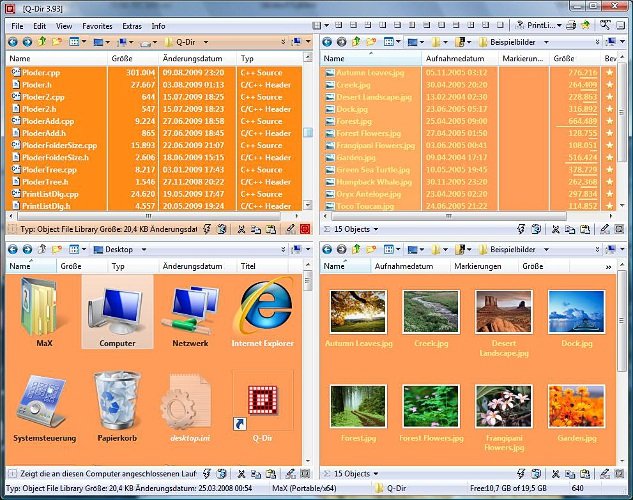
Q-Dir (the Quad Explorer) makes your files and folder easy to manage, as an installed or portable Windows program. Fast and easy access to your hard disks, network folders, USB-Stiks, floppy disks and other storage devices. Q-Dir i a good file manager with an amazing Quadro-View technique. You don't have to renounce the usual, Drag and Drop, all Views, and other functions of your system.

Q-Dir does not have to be installed and can be executed easily from the desktop. Rename Q-Dir_Installer.exe to Q-Dir.exe and GO.
It´s a small famous utility for Windows PC-s and also an USB-stick friend :).

Features
Favorites: - Quick access to most often used folders.
Drag&Drop: - Move files by dragging in Q-views, and other programs such as MS Explorer.
Clipboard: - Copy/ Paste between the Q-Dir directory views, and other programs such as MS Explorer.
Folder-Type: - ZIP-, FTP-,cabinet-,network-, system - folders, shortcuts ...
Views: - Large icons, tiles, list, detail, thumbnail (Vista: extra large symbols) .
Export: - to XLS, CSV, TXT, HTML.
Popup Menus: - Desktop, My Computer.
Screen magnifier: - anything on the screen can be enlarged.
Color Filter: - Different colors for different item types (e.g. *.log;*.txt).
Highlight-Filter: - Effective way for fast items highlighting.
File-Filter: - Allows for quick and easy filtering of the items.
Columns: - All columns support, and save function .
Quick-Link´s: - For fast folder access.
Folder-Select: - Fast & flexible folder selection address-bar/ desktop menu/ my-computer menu/...
Multi-INI: - Several INI files for Q-Dir.
Tree-View: - Simple and quadruple.
Preview: - Allows a quick preview.

FREE DOWNLOAD LINKS:

Код:
https://rapidgator.net/file/c5b2f5061049d03c38c51942c493e41e/Q-Dir_12.61_Multilingual.rar

Код:
https://nitroflare.com/view/3EC9FBCF59D2998/Q-Dir_12.61_Multilingual.rar
 
Назад
Сверху Снизу