All Emperor2011's Software in one thread !! (updated daily)

03381bc7ccbfb44255a287db8e724ecd.jpg


Autodesk Inventor Professional 2027 (x64) | Size: 5.75 GB
Language: English


Autodesk Inventor software provides professional-grade engineering solutions for 3D mechanical design, simulation, tool creation, and design communication that help you to make great products, cost-effectively, in less time. Inventor is the foundation of the Autodesk solution for product development. The Inventor model is an accurate 3D digital model that enables you to validate the form, fit, and function of a design as you work, minimizing the need to test the design with physical prototypes.

Features and software features Inventor Professional Autodesk:
-User interface is suitable for quick learning
-has a geometric modeling kernel using Autodesk ShapeManager
-Coordination with various CAD software
-includes the following major sections:
-Part Modeling:the first part of the work of the most complete mechanical design and modeling environment
-Assembly:assembly designed with specific instructions with access to standard software library includes hundreds of thousands of pieces
-Drawing:the facade of components designed for applications such as AutoCAD and allows output
-Sheet Metal:Vrqkary design and take the form of spreadsheets Khrvjygrftn
-Weldment:welding standards as well as possible gaps between the two pieces of welding
-Presentation:Animation parts and burst modes
-Piping:piping advanced and easy design path with the latest standards Piping Pipes
-Frame Generation:professional design of structures and frames with complete tools ready
-Inventor Studio:construction project designed videos from all views
-Dynamic Simulation:Analysis of Energy and behavior in non-fixed parts

System Requirements:
OS:Microsoft® Windows® 10 and later
CPU: Recommended:3.0 GHz or greater, 4 or more cores / Minimum:2.5 GHz or greater
Memory: Recommended:20 GB RAM or more / Minimum:8 GB RAM for less than 500-part assemblies
Graphics: Recommended:4 GB GPU with 106 GB/S Bandwidth and DirectX 11 compliant / Minimum:1 GB GPU with 29 GB/S Bandwidth and DirectX 11 compliant
Display:Recommended:3840 x 2160 (4K); Preferred scaling: 100%, 125%, 150% or 200% / Minimum:1280 x 1024
NET:.NET Framework Version 4.7 or later. Windows Updates enabled for installation.

Spreadsheet:
-Full local install of Microsoft® Excel 2010, 2013 or 2016 for iFeatures, iParts, iAssemblies, Global BOM, Parts Lists, Revision Tables, spreadsheet-driven designs and Studio animation of Positional Representations.
-64-bit Microsoft Office is required to export Access 2007, dBase IV, Text and CSV formats.
-Office 365 subscribers must ensure they have a local installation of Microsoft Excel 2016.
-Windows Excel Starter®, OpenOffice®, and browser-based Office 365 applications are not supported.

HOMEPAGE:
Код:
https://www.autodesk.com/

FREE DOWNLOAD LINKS:

Код:
https://rapidgator.net/file/9cd1a50ede3b4df63abb75a40ccb4444/InventorProfessional2027.part1.rar
https://rapidgator.net/file/2b38b30ce2c32dea4f16b825baff12ba/InventorProfessional2027.part2.rar
https://rapidgator.net/file/3cb8601f1ce8e011a97f4ffba9d480c3/InventorProfessional2027.part3.rar
https://rapidgator.net/file/143e5db672ef1161f0a151b121e1c9c0/InventorProfessional2027.part4.rar
https://rapidgator.net/file/136a2fb8414491eeaa823f3494ad38f9/InventorProfessional2027.part5.rar
https://rapidgator.net/file/b78fc9515742dfe1071bf8b8640dc15d/InventorProfessional2027.part6.rar

Код:
https://nitroflare.com/view/3AE590AA7FF1B81/InventorProfessional2027.part1.rar
https://nitroflare.com/view/57FA42805576EA3/InventorProfessional2027.part2.rar
https://nitroflare.com/view/B57F916407B3B05/InventorProfessional2027.part3.rar
https://nitroflare.com/view/779B8B0A042AD46/InventorProfessional2027.part4.rar
https://nitroflare.com/view/A8ED64EB2D8B438/InventorProfessional2027.part5.rar
https://nitroflare.com/view/99431AA465B2879/InventorProfessional2027.part6.rar
 
02f279a62ad254c144f26e9f6c94c665.jpg


Autodesk Maya 2027 (x64) Multilanguage | Size: 4.11 GB
Language: English


Maya 3D animation software offers a comprehensive creative feature set for 3D computer animation, modeling, simulation, rendering, and compositing on a highly extensible production platform. Maya has next-generation display technology, accelerated modeling workflows, and tools for handling complex data.

Facilities and software features of Autodesk Maya
- Advanced design three-dimensional models
- simulate a variety of natural and environmental elements such as climate change, water and liquids, fire, plants and .
- having a variety of tools for modeling and data management
- the possibility of transferring the properties of one object to another object
- Design Clothes, hair and sex and different scenarios
- Coordination with other software modeling and animating
- Supports mathematical model NURBS (short for Non-uniform rational B-spline)
- ability to combine elements of two-dimensional and three-dimensional models
- Ability to use scripting programming language and MEL (stands for Maya embedded language) and ++ C and Python in the development of software

HOMEPAGE:
Код:
https://www.autodesk.com/

FREE DOWNLOAD LINKS:

Код:
https://rapidgator.net/file/484e8f03729fe5447bb14532b443f5f4/Maya2027.part1.rar
https://rapidgator.net/file/4cc0b61d5a164d1d10ca52e0b444b2e6/Maya2027.part2.rar
https://rapidgator.net/file/821685f989ad0076334e5331e68d384f/Maya2027.part3.rar
https://rapidgator.net/file/8db4b1014ade989793a5f21c36c6f272/Maya2027.part4.rar
https://rapidgator.net/file/b46ab0c52d9fe2da66a54c54fdf6107d/Maya2027.part5.rar

Код:
https://nitroflare.com/view/793D27355C7ACC7/Maya2027.part1.rar
https://nitroflare.com/view/26B933857EA1494/Maya2027.part2.rar
https://nitroflare.com/view/BB69C1001B4CFDF/Maya2027.part3.rar
https://nitroflare.com/view/CB17189D93F8EB8/Maya2027.part4.rar
https://nitroflare.com/view/9914D6BCB0C5324/Maya2027.part5.rar
 
e74da319a55706d5455ef4c6c5587e5e.jpg


Autodesk Moldflow Adviser Ultimate 2027 (x64) | Size: 3.5 GB
Language: English


Plastic injection and compression mold simulation. Engineers and analysts use Moldflow® software for plastic injection molding simulation to improve plastic part designs, injection mold designs, and manufacturing processes.

Features:
Simulation tools for plastic injection molding
Moldflow® software for plastic injection molding simulation helps reduce manufacturing defects. Access tools for injection mold design, plastic part design, and injection molding.

Moldflow Insight
Access a complete set of advanced plastics engineering simulation tools for analysts. Simulate the most advanced molding processes to avoid production delays.

Mesh to solve in one click
Improve your productivity by meshing and analyzing your model in one step.

Coolant flow analysis
Analyze the entire coolant flow history, from the pump to mold, to identify effects of hose lengths and cooling channels.

Part optimization studies
Use design of experiments with model geometry parameter range values.

Cloud analysis
Run multiple analyses in the cloud without compromising your local resource capacity.

Shared views
Collaborate easily using cloud-connect devices to easily review results, comment, and provide design recommendations.

Fusion 360 for CAD repair
Moldflow subscription's inclusion of Fusion 360 aids with CAD repair and simplification.

Shrinkage and warpage
Generate accurately compensated models for tooling or further geometry modification.

Controlled valve gate opening
Achieve higher-quality surface finishes by combining controlled and sequential valve gating.
and more.

System Requirements:
Operating system: Microsoft Windows 10, 11 (64-bit)
CPU:2 GHz or higher
RAM:8 GB or higher
Virtual Memory:4 GB or higher
Space:12 GB or higher for free disk space (at least 2 GB free disk space for installation)

HOMEPAGE:
Код:
https://www.autodesk.com/

FREE DOWNLOAD LINKS:

Код:
https://rapidgator.net/file/86eedc5cf63be2e792c007664f72d6e3/MFA_2027_FCS.part1.rar
https://rapidgator.net/file/496f3e3e8d32dd890b13cf6d597b317b/MFA_2027_FCS.part2.rar
https://rapidgator.net/file/1cb786f68789b384d6739cb7d8f72d0e/MFA_2027_FCS.part3.rar
https://rapidgator.net/file/415523d0c6e61d3e19a8786ecf4a5994/MFA_2027_FCS.part4.rar

Код:
https://nitroflare.com/view/B919179E47C1650/MFA_2027_FCS.part1.rar
https://nitroflare.com/view/9F9FD5F5A123A29/MFA_2027_FCS.part2.rar
https://nitroflare.com/view/9D871AAA84A003D/MFA_2027_FCS.part3.rar
https://nitroflare.com/view/F106BC13359E408/MFA_2027_FCS.part4.rar
 
d6ab6ae53d4a7f835b518e038b0cad96.jpg


Autodesk MotionBuilder 2027 (x64) | Size: 1.68 GB
Language: English


Autodesk MotionBuilder software company to build three-dimensional animated characters. With this program you can easily skeleton, body, face and mimic the physical behavior modeling to the character. MotionBuilder software perfectly coordinated motion capture and final output in other animation giants such as D-Max, Maya and more usable. Of course, keep in mind that none of animation software alone is versatile and do not have to learn an application to become a professional animator.

The following are improvements and fixes to the Camera Switcher
-Improved look and feel: The list of cameras in now displayed in a separate left pane, making it quicker and easier to select cameras.
-Lock switches: Ctrl-select multiple camera switches, right-click the Switcher timeline, and then select Link Selected Clips to lock the selection together, making it easier to move and edit multiple switches at once.
-Move camera switches: Drag the selected camera switch(es) to reposition them on the Switcher timeline.

New embedded media settings
New embedded media settings in the Saving preferences let you select a specific location for your media files locally and preserve their original file paths. You can also enable a warning that appears before saving a scene with embedded files.

Reduce file size with Clean Up Scene
A new tool, Clean Up Scene, has been added in the File menu to let you remove empty or unused assets from your scene. This helps you organize your scene and reduce file size. See Reduce file size with Clean Up Scene.

Translation tool updates

The following improvements have been made to the translation tool
-Translate objects in local relative space: You can now move multiple objects in their own respective local space using the translation tool. Instead of applying to all of the selected objects like a global translation, the local translation only applies to the object with the translation handle. See Viewer window Manipulation and Transformation mode tools.
-Parent Reference Mode: Lets you translate an object along the axes of the object's parent. See Viewer window Reference mode tools

The following updates and fixes improve the overall performance of the Story window
-Ripple Manipulator: The new ripple manipulator lets you scale a clip and move the position of all subsequent clips at the same time. The change in one clip's duration moves all subsequent clips later on the timeline. To see the manipulator, extend the clip length and track height. See Scaling Clips.
-Sync Shot and Shot Clip Lengths: You can now sync the lengths of a shot and its associated shot clip when stretching one or the other, instead of creating loops. To enable this new mode, click in the Story window controls or turn on Maintain Shot and Shot Clip Lengths Synced from the Story context menu. This mode only affects shots and shots clips and does not affect other types of clips (animation, audio, video). Before using this mode, Time Discontinuity and Loop mode must be turned on.
-Show or hide a clip's text: The following new options can be used to hide a story clip's text during playback and manipulation, improving performance in scenes that have many clips
-Disable in the Story window controls to hide text.
-Turn on Settings > Preferences > Story > Remove Clips' Texts During Playback & Manipulation to hide text.
-Shot display: Shots are now displayed on multiple tracks, making it easier to manipulate them.
-Matching shot and shot clip colors: In previous versions, shots were always red, now a shot is the same color as its corresponding shot clip.
-Show or hide shots: By default, a shot is hidden if its associated shot track is minimized or collapsed. Turn on the new preference Settings > Preferences > Story > Display Minimized Action Shot Clips to display shots belonging to shot tracks that are minimized or collapsed. See Story preferences.

Play all takes consecutively
-A new option in the Transport Controls lets you playback all takes consecutively. To enable this option, click the button until appears. When this option is active and the time cursor reaches the end of the first take, the next take plays automatically. Playback stops once the end of the last take is reached.
Note: If reverse playback is enabled, playback stops once the beginning of the first take is reached.
-FCurves Preferences

The following options are now available in the FCurves preferences
-Detect Invalid Keys: An invalid FCurve key can be inserted in a curve following a computation error. When enabled, this new preference detects when an invalid key is inserted, and displays an error message if needed. The problematic key value is automatically reset to 0 and can be fixed manually.
-Force New Keys on Ordinal Property to Step: When enabled (default), keying an ordinal property generates a Step key.

Character Controls: Pinning Presets
-A new Pinning Presets icon in the Controls tab of the Character Controls window lets animators save frequently used pinning setups. It is now possible to save Translation and Rotation pinning values into a unique preset file, and multiple preset files can be saved with different pinning values. Presets can be loaded at any time, eliminating the need to pin and unpin the same effectors repeatedly. See Pinning a Control rig effector and Control tab toolbar.
Baking Improvements
The following new options are now available in the Plot All Properties window

Plot Aux Effectors: When turned off, this option prevents auxiliary effectors from snapping their position onto their related effectors when plotting to the Control Rig.
Evaluate Deformation: When turned on, allows deformation during the baking process.

Control automatic popup of Character Controls
-A new option in the Application.txt config file lets you control when the Character Controls opens. By default, the Character Contols opens automatically when a new character or actor is loaded. Set the new PopUpCharachterControlonce option to No to disable this behavior.
Control Human Finger Limits default value

-A new Human Finger Limits preference (Settings > Preferences > Character) has been added to control the default value of the Character's HumanFingerLimits property value when creating a new character. The preference is turned off by default See Character preferences.

Run MotionBuilder in batch mode
-MotionBuilder can now be run in batch mode, letting you execute commands without the interface. To do so, the -batch flag must be used when starting MotionBuilder. -The batch flag is usually used for executing a Python script, which can be set with the -F flag. See Start MotionBuilder from the command line.
Note: The -batch command is not used for batch rendering.

Time precision improvements
-MotionBuilder 2027 introduces a more accurate tick rate, and the precision of the working rate has been adjusted to match Maya. While working the new rate is used, but while saving the legacy rate is used. This results in greater precision while working, but the same precision as the past while saving.

Set variables in Python console during start up
-The Python Editor now reads the content of the C:\Users\[username]\Documents\MB\[version]-x64\config\Python\pythonidelib_init.py file, allowing users to execute specific code on startup, like shortcut variables. If the file doesn't exist, MotionBuilder creates it. For example, after scn = FBSystem().Scene is added to pythonidelib_init.py, the shortcut variable scn can be used in the Python Editor each time the editor is launched.
SDK Help improvements
-You can access SDK Help topics directly from the MotionBuilder Help table of contents as well as use the help system's improved search feature.

HOMEPAGE:
Код:
https://www.autodesk.com/

FREE DOWNLOAD LINKS:

Код:
https://rapidgator.net/file/af99d00208ea297fa012ca855fca6555/MotionBuilder2027.part1.rar
https://rapidgator.net/file/e426e741f77ff74be277efcd2c53eeda/MotionBuilder2027.part2.rar

Код:
https://nitroflare.com/view/6ED4DE49545037C/MotionBuilder2027.part1.rar
https://nitroflare.com/view/106732C26357F41/MotionBuilder2027.part2.rar

 
3e6181965a84f0cbaae585e283516978.jpg


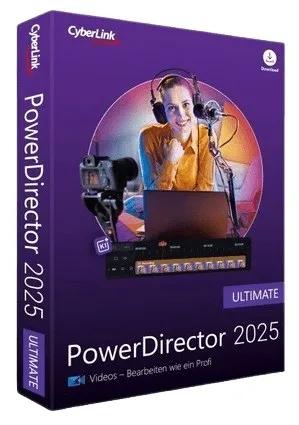
CyberLink PowerDirector Ultimate 2026 v24.3.1525.0 | Size: 679.16 MB
Language: English


Award-winning video editing software for professional creators. Create. Edit. Share. Video editing, made for everyone. No experience necessary. Do more, faster with customizable templates. Discover and create attention-grabbing video intros alongside our community of creatives.

Mask & Blend
Layer, shape, and blend to create artistic scenes.

Keyframing
Bring dynamism and energy to your videos with smooth animated effects.

Green Screen
Remove backgrounds and create Hollywood-style special effects.

Motion Tracking
Add text and graphics that follow the motion of objects to elevate your footage.

Let AI Do the Heavy Lifting
Simplify your creative workflow with AI-you'll be amazed at how quickly you finish your projects.

Limitless Possibilities, Right at Your Fingertips
Bring your imagination to life with our wide array of tools to help customize your projects.

LUTs & Color Match
Match color to quickly balance or change the aesthetic of your videos.

Shape Designer
Design all kinds of shapes with auto-fit text and keyframe controls.

Smart Background Music
Automatically tailor background music to fit the length of your footage.

Stream, Create, and Share to Any Platform
Create unique videos worth sharing using stunning video templates, an immersive stock media library, and a powerful live stream and recording studio to captivate and wow your audience.

Move, Capture, Edit, Go!
Create videos that bring back the intensity and adrenaline captured with your action camera, with editing features designed specifically for sports enthusiasts.

Action Cam
- Video Stabilizer
- Lens Correction
- Video Speed Controls
- Zoom and Pan Effects

Multi-Video Tools
- Video Collage Designer
- MultiCam Designer

Speed-Up Your Workflow
With Tools Designed to Simplify Editing

Customized Hotkeys
Use hotkeys to quickly navigate the timeline using a combination of mouse & keyboard.

Undock Media Library & Timeline
Control the look and feel of PowerDirector's interface for a personalized video editing experience.

Nested Projects
Add and edit multiple projects simultaneously in your timeline.

Video Pre-cut
Save pre-cut clips in your library to reuse throughout your projects.

Audio Ducking
Automatically lower the volume of background audio as a narrator begins a voice-over.

Voice-over Recording
Record audio directly into your project to create your next podcast or tutorial video.

Operating System
- Microsoft Windows 11, 10, 8/8.1, 7 (64 bit OS only)
- Windows 10 or above is required to use AI tools and features

Processor (CPU)

Intel
- Intel Core™ i-series and above
- Haswell (4th generation) processor: Core i7-4770 (only Core and Xeon branded), and above required for AI features.

AMD
- AMD Phenom® II and above
- AMD A8-7670K and above, AMD Ryzen™ 3 1200 and above required for AI features.

Graphics Processor (GPU)
- Standard Video: 128 MB VGA VRAM or higher
- 360-video: DirectX 11 compatible

Memory
4GB required (6GB or above recommended)

Hard Disk Space
7 GB required

Burning Device
Burning drive is required for disc burning purpose

Sound Card
Windows compatible sound card is required

Screen Resolution
1024 x 768, 16-bit color or above

Language Support
- English
- French
- German
- Italian
- Spanish (European)
- Chinese Simplified
- Chinese Traditional
- Japanese
- Korean
- Dutch

HOMEPAGE:
Код:
https://www.cyberlink.com

FREE DOWNLOAD LINKS:

Код:
https://rapidgator.net/file/0b4d2dd258905b039b3132efec492a74/CyberLink_PowerDirector_Ultimate_2026_v24.3.1525.0.rar

Код:
https://nitroflare.com/view/0563083044216D2/CyberLink_PowerDirector_Ultimate_2026_v24.3.1525.0.rar
 
fa85d0926b021e7e55877fcf61478b13.jpg


Luxion KeyShot Studio Enterprise 2026.1 v15.0.0.174 (x64) Multilingual | Size: 1.98 GB
Language: English


KeyShot is designed to make 3D rendering and animation easy. It allows you to apply materials and lighting fast and provides the most accurate materials appearances and real-world lighting, all in a powerful interface that provides advanced capabilities and the ability to see all your changes in real-time. So, what is KeyShot? And what does it help you do?

Focus on your design, not software.
KeyShot is extremely easy to learn and use to achieve photographic results in minutes through a simple, workflow-based interface with all the advanced capabilities for the most experienced 3D render professional.

Present your ideas sooner.
KeyShot brings visual speed and agility to the entire product development process, with the widest 3D file format support for a fluid workflow from concept to final product.

Make it more realistic.
KeyShot materials go beyond physical appearance providing scientifically accurate properties for the highest quality visuals. Use a preset, an exclusive partner material or create your own.

Access complete computing power.
KeyShot gives you the power and the choice to utilize either CPU or NVIDIA GPUs for rendering and the capability to scale linearly for unmatched performance.

Light it up right.
KeyShot provides advanced lighting capabilities that create the most accurate lighting for simple studio shots or the most complex interior lighting.

See your results instantly.
KeyShot is real-time rendering to the core. Not a mode. Not an afterthought. See everything as it happens. Every change from material and lighting to cameras and animation is seen instantly as you work.

Leave them speechless.
From still image and animations to interactive web and mobile content, KeyShot's ability to create the highest quality visuals possible ensures you are using the best tool for all your visualization needs.

System Requirements:
KeyShot is designed to run fast on the most basic hardware configurations or the most powerful of systems to take full advantage of all CPU cores available and scale performance linearly. To get started, here are the minimum recommendations and system requirements for the latest version of KeyShot.

Microsoft Windows
- Windows 10 or 11 64-bit
- Windows Server 2016 and above 64-bit

General
- 64-bit platform
- 2GB RAM
- 2GB Disk Space
- Dual core CPU1, 2
- OpenGL 2.0 capable system3
- Intel or AMD 64 bit processor with SSE4.1 or higher
- 1920 x 1080 resolution or higher

HOMEPAGE:
Код:
https://www.keyshot.com/

FREE DOWNLOAD LINKS:

Код:
https://rapidgator.net/file/272c60dc6e468f703846c363298094be/_keyshot_studio_win64_2026.1_15.0.0.174.part1.rar
https://rapidgator.net/file/26e4db57a57b17cbe72c5757de2febad/_keyshot_studio_win64_2026.1_15.0.0.174.part2.rar

Код:
https://nitroflare.com/view/FA54DDE8231668D/_keyshot_studio_win64_2026.1_15.0.0.174.part1.rar
https://nitroflare.com/view/0A7124AC9770A2A/_keyshot_studio_win64_2026.1_15.0.0.174.part2.rar
 
_0ee69775b65b94ff7261ce6df6a11f4d.jpeg


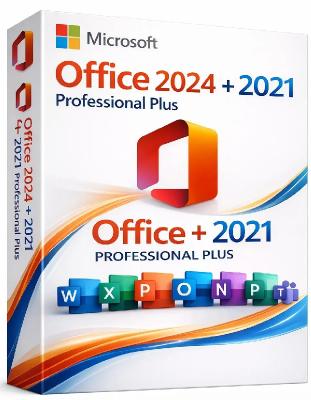
Microsoft Office Professional Plus 2021-2024 VL v2603 Build 19822.20114 Multilingual | Size: 13.07 GB
Languages: Arabic,English,German,Greek,French,Spanish,Italian,Portuguese-Portuguese,Portuguese-Brazil,Turkish,Dutch,Czech


Microsoft has officially announced the availability of the final version of its Office 2021/2024 release for Windows and Mac users. Following the release of the preview version in the first half of this year, the product has been refined and is now available to users. Office 2021/2024 includes updated versions of apps from the suite, Word, Excel, PowerPoint, Outlook, Access, and Publisher.

Office 2021/2024 includes virtually every change that has been added to the suite of programs in Office 365 over the past 3 years, although some features remain exclusive to subscribers. In addition to the main programs Word, Excel, PowerPoint, and Outlook, which are available for both Windows and macOS, the Access and Publisher versions are only available for Windows and are included, as usual, only in premiums. Visio and Project for Windows are also available, although they are not part of the ongoing release of Office.

Microsoft Office 2021-2024 includes:
Microsoft Office 2021-2024 Professional Plus
Microsoft Access 2021-2024
Microsoft Excel 2021-2024
Microsoft Lync 2021-2024
Microsoft OneNote 2021-2024
Microsoft Outlook 2021-2024
Microsoft PowerPoint 2021-2024
Microsoft Publisher 2021-2024
Microsoft Visio Viewer 2021-2024
Microsoft Word 2021-2024
Microsoft Visio pro 2021-2024
Microsoft Project 2021-2024
Skype for business 2021-2024
OneDrive for Business 2021-2024
Office Shared Features
Profing Tools Only 2021-2024
And many more

System Requirements:
OS: Windows 10/11.

HOMEPAGE:
Код:
http://www.microsoft.com

FREE DOWNLOAD LINKS:

Код:
https://rapidgator.net/file/92456cdd051e8e5982212bd7b675bccc/Office_21-24_v19822.20114_x64..part1.rar
https://rapidgator.net/file/aff0122663fca03fe674d85fee4ad7d1/Office_21-24_v19822.20114_x64..part2.rar
https://rapidgator.net/file/6e53357408c9458a5816acd765ba6943/Office_21-24_v19822.20114_x64..part3.rar
https://rapidgator.net/file/fc60041cf1437df95d7e5203c16609bb/Office_21-24_v19822.20114_x64..part4.rar
https://rapidgator.net/file/d4985ae1c28b220541d6e1631ccad1bb/Office_21-24_v19822.20114_x86..part1.rar
https://rapidgator.net/file/6e190a2ff38bd276bbbeb92715a7cd22/Office_21-24_v19822.20114_x86..part2.rar
https://rapidgator.net/file/32e40b67bf9bb490388257cd8e6fb9ec/Office_21-24_v19822.20114_x86..part3.rar
https://rapidgator.net/file/c5233b01ebe3d6c1daf88102c8ce884b/Office_21-24_v19822.20114_x86..part4.rar

Код:
https://nitroflare.com/view/DB55A520E5DBB7F/Office_21-24_v19822.20114_x64..part1.rar
https://nitroflare.com/view/A8263BF89B93F83/Office_21-24_v19822.20114_x64..part2.rar
https://nitroflare.com/view/66C621DF71E5644/Office_21-24_v19822.20114_x64..part3.rar
https://nitroflare.com/view/BAC736B69D1BBA9/Office_21-24_v19822.20114_x64..part4.rar
https://nitroflare.com/view/B92A632AE5EB0D4/Office_21-24_v19822.20114_x86..part1.rar
https://nitroflare.com/view/B4DD4A47B36FB21/Office_21-24_v19822.20114_x86..part2.rar
https://nitroflare.com/view/534EFB5CDD75DC0/Office_21-24_v19822.20114_x86..part3.rar
https://nitroflare.com/view/56A456230F04988/Office_21-24_v19822.20114_x86..part4.rar
 
15a0ecc501666443f79015d5aed22f0d.jpg


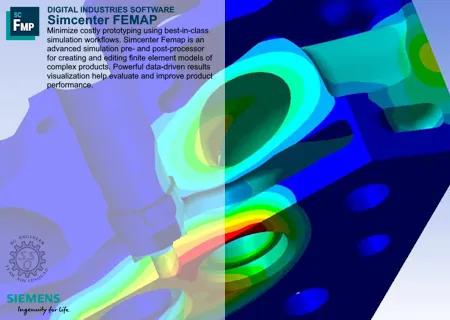
Siemens Simcenter FEMAP 2512 MP2 with NX Nastran (x64) | Size: 3.86 GB
Language: English


Siemens Digital Industries Software has released Simcenter Femap 2512 is an advanced simulation pre- and post-processor for creating and editing finite element models of complex products. Powerful data-driven results visualization help you evaluate and improve product performance.

What's new in Simcenter Femap 2512
Summary of Changes and Enhancements made to Femap for version 2512 are listed here and in the Femap readme.
ZONA Entities

ZONA Control Surface
Femap has integrated the advanced ZAERO aerodynamic analysis capabilities (AESURFZ). By incorporating the AESURFZ control surface functionality, you can enhance your aerodynamic simulations, providing more accurate and detailed analysis of control surfaces.
ZONA Control Surface Link
Femap has integrated the advanced ZAERO aerodynamic analysis capabilities (AESLINK). By incorporating the AESLINK control surface link functionality, you can enhance your aerodynamic simulations, providing more accurate and detailed analysis of control surfaces
ZONA Trim Variables
Femap has integrated the advanced ZAERO trim variables TRIMVAR capabilities to enhance Femap's capability to perform detailed aerodynamic and flight dynamics analyses. By integrating the TRIMVAR functionality, you can conduct precise trim analyses, which are essential for understanding the stability and control characteristics of an aircraft
ZONA Trim Conditions
Femap has integrated the advanced flight dynamics analysis TRIM conditions capabilities. By incorporating the TRIM functionality, you can perform detailed analyses of aircraft trim conditions, which are crucial for understanding stability and control during flight
ZONA Trim Functions
Femap has integrated the advanced flight dynamics analysis TRIM function capabilities. By incorporating the ZAERO Trim Function (TRIMFUNC) capability, you can simulate the effects of trim functions on an aircraft's performance. Trim functions involve adjusting control surfaces and other parameters to achieve a balanced flight condition, where forces and moments are in equilibrium
Load Mode Generator
Femap has integrated the advanced flight dynamics analysis LOADMOD capabilities. By incorporating the ZAERO Load Mode Generator (LOADMOD), you can now create load modes that represent the distribution of aerodynamic forces and moments on a structure. These load modes are crucial for conducting dynamic analyses, such as flutter and dynamic response studies, which help predict how structures will behave under different flight conditions. LOADMOD allows you to model these load distributions accurately, enabling them to assess the impact of aerodynamic loads on structural performance

ZONA Analysis Set Options

Global Trim Data
Femap has integrated the advanced flight dynamics analysis Global Trim Data capabilities. By incorporating the ZAERO Global Trim Data, you can now conduct detailed assessments of aircraft trim conditions, which are vital for understanding stability and control during flight

ZONA Analysis Case Options

Trim Data
emap has integrated the advanced flight dynamics analysis Trim Data capabilities. By incorporating the ZAERO Trim Data, you can now conduct detailed assessments of aircraft trim conditions, which are vital for understanding stability and control during flight
Trim Conditions
Femap has integrated the advanced flight dynamics analysis TRIM conditions capabilities. By incorporating the TRIM functionality, you can perform detailed analyses of aircraft trim conditions, which are crucial for understanding stability and control during flight

API

ZONA API
New ZONA object properties and methods added to the Femap API tools.

Teamcenter Integration

Teamcenter Handling of ZONA Files
Provides a way to manage ZONA related files in Teamcenter

Licensing

License Rollover
A new Femap license rollover feature allows you to seamlessly transition between different licensing configurations without interrupting your workflow. When the current license expires or reaches its usage limit, license rollover automatically switches to an available alternative license
Salt On Premises Licensing
Support added for SALT on premises licensing in Femap.
Note: Femap will not support advanced licensing features
License Management Update
Updated the Manage FEMAP Licensing dialog box (Help → Manage Licensing) with new License Type Siemens License Server
Help About
Added more system information and information about your Femap subscription as well as an Export button

Output Tables

Random Response Output Tables
Model Tree organization of output requests well organized and easy to read: Velocity vs Frequency Nodal tables (Displacement and Velocity have separate branches for instance)
Bar Charts for Modal
Output Table Results Bar charts for Modal Effective Mass Fraction (Fraction and Sum data)
Model Info Tree Enhancements
- Addressed several Model Info Tree limitations (Femap version 2506.0002) - Improved Data Series Titles
- Improved organization of the Model Info Tree (Femap version 2506.0002)- Enhanced Output Table Organization
Visualization - Charting, Data Table, Listing
Instantly visualize tabular results with bar charts for quick comprehension. Quickly identify trends, patterns, and anomalies
Preferences dialog box - Results tab
Added Import Tabular Results as Functions option to import tabular results as both functions and output tables

Graphics

Edge Fading
Used to make Femap (Unified Architecture only - sol currently solid elements only) fade element edges as you zoom away
View control of beam cross section and plate thickness
Split the menu commands that control of beam section drawings and plate thickness drawings

Productivity

Keyboard Shortcuts
Improved keyboard shortcuts when using API Programming versus the Program File panes
Chat
Chat now allows open source links into the default browser. This minimizes the efforts for re-login and avoids multiple windows of the web view edge browsers
Post-Processing
Added 64-bit OP2 Attach support. Femap now supports attaching 64-bit OP2 files

Simcenter Femap software is a standalone finite element modeling (FEM) pre- and postprocessor for engineering simulation and analysis. The software is computer-aided design (CAD) independent and can import geometry from all major CAD platforms. It supports most CAD data formats. Simcenter Femap also works in combination with a wide variety of finite element analysis (FEA) solvers, including Simcenter Nastran software.

Femap 2512 Major Update: ZAERO Aeroelasticity, New UGA Graphics Architecture and TB

Siemens PLM Software, a business unit of the Siemens Digital Factory Division, is a leading global provider of software solutions to drive the digital transformation of industry, creating new opportunities for manufacturers to realize innovation. With headquarters in Plano, Texas, and over 140,000 customers worldwide, Siemens PLM Software works with companies of all sizes to transform the way ideas come to life, the way products are realized, and the way products and assets in operation are used and understood.

HOMEPAGE:
Код:
http://www.plm.automation.siemens.com

FREE DOWNLOAD LINKS:

Код:
https://rapidgator.net/file/13fb34d1da87235de4f0f2c1f6a0c31c/Siemens.Simcenter.FEMAP.2512.2.Win64-SSQ..part1.rar
https://rapidgator.net/file/e8b337ad5b84a822fb137329da178d9f/Siemens.Simcenter.FEMAP.2512.2.Win64-SSQ..part2.rar
https://rapidgator.net/file/95f788a3eaacce92daae8927b2b5fb82/Siemens.Simcenter.FEMAP.2512.2.Win64-SSQ..part3.rar
https://rapidgator.net/file/70df08b3f6586a2474fac9bb9966ebd8/Siemens.Simcenter.FEMAP.2512.2.Win64-SSQ..part4.rar

Код:
https://nitroflare.com/view/CC9A68CF1B18E35/Siemens.Simcenter.FEMAP.2512.2.Win64-SSQ..part1.rar
https://nitroflare.com/view/DAC0D020B467FDC/Siemens.Simcenter.FEMAP.2512.2.Win64-SSQ..part2.rar
https://nitroflare.com/view/338755BBE5C30A6/Siemens.Simcenter.FEMAP.2512.2.Win64-SSQ..part3.rar
https://nitroflare.com/view/D1D9E26EA1DC9F8/Siemens.Simcenter.FEMAP.2512.2.Win64-SSQ..part4.rar
 
92f40f95e52a34cbadea31af6148086b.jpg


Siemens Simcenter HEEDS MDO 2510.0 + VCollab 25.1 (x64) | Size: 3.11 GB
Language: English


Siemens Digital Industries Software has released Simcenter HEEDS MDO 2510.0. This release delivers just that- Simcenter HEEDS 2510 for simulation-based design optimization and Simcenter HEEDS Connect 2510 for workflow integration address these needs with enhancements that make advanced optimization accessible and productive for teams of all sizes, accelerating innovation through simulation-driven design.

This 2510 update delivers powerful enhancements that expand optimization capabilities, accelerate simulation processes, and provide a more intuitive user experience. A major highlight is the improved Multi-Objective SHERPA algorithm, enabling more efficient exploration of complex design spaces and delivering higher-quality Pareto frontiers. We've expanded our integration ecosystem with new portals for Altair Hypermesh (morphing) and HyperView/HyperGraph, streamlining access to these powerful tools directly from within HEEDS MDO. The new Optimization Intelligence feature introduces smart evaluation planning that automatically recommends minimum evaluation counts for optimization studies, eliminating guesswork in configuration. Finally, we've modernized the user experience with cloud licensing capabilities and an interactive chatbot assistant, creating a more accessible and flexible environment that adapts to the evolving needs of engineering teams.

What's new in HEEDS 2510
SHERPA's enhanced multi-objective capabilities: better trade-offs, faster results
At the heart of this release is a major upgrade to the multi-objective SHERPA search strategy. For teams tackling multi-objective trade-off studies with constraints, you'll benefit from improved search strategies that help you discover more robust Pareto frontiers faster. Regardless of your use case or industry, the improved multi-objective SHERPA enables you to make informed decisions more quickly and with greater confidence.

Benchmarking SHERPA's enhanced multi-objective capabilities with an XLR UAV (analysis tool: Simcenter STAR-CCM+). Performance and speed comparisons are based on median values, represented by dotted lines, while the shaded areas indicate the 95% confidence intervals.
AI-powered acceleration with more iterations, less waiting
Simcenter HEEDS 2510 features an updated AI Simulation Predictor, leveraging artificial intelligence to accelerate optimization studies. By intelligently predicting simulation outcomes, this capability reduces optimization time by up to 30% without compromising solution quality. The intuitive interface democratizes AI-powered optimization, eliminating the need for machine learning expertise. This allows more design iterations, faster turnaround, and improved productivity, enabling teams to focus on innovation rather than waiting for results.
Native HyperMesh integration: from mesh to results in one workflow
Simcenter HEEDS 2510 enables seamless tool integration with specialized connectors for Altair HyperMesh and HyperView/HyperGraph. These connectors automate the entire optimization workflow: parameterized mesh morphing in HyperMesh, automated simulation execution, and consolidated results visualization in HyperView/HyperGraph. By eliminating manual file transfers and standardizing post-processing procedures, engineering teams can concentrate on design insights rather than data management, thereby reducing the time spent on each design iteration.
Smarter optimization setup with intelligent guidance
Setting up optimization studies can be challenging, particularly when deciding the appropriate number of evaluations. The new Optimization Intelligence feature offers automated settings for minimum evaluation counts, tailored to specific problem characteristics, including the number of design variables, response objectives, variable types, and workflow complexity.
Optimization Intelligence analyzes your setup and recommends the minimum number of evaluations required for meaningful results. Visual alerts guide users toward best practices, reducing guesswork and helping both novice and experienced engineers in developing robust studies that deliver reliable results. This helps set realistic expectations and encourages the selection of evaluation budgets that reflect the available engineering budget. SHERPA's adaptive algorithms continue to enhance solution quality with additional evaluations, allowing the discovery of superior design alternatives while requiring careful resource management.
Part of Simcenter X Advanced for flexible cloud licensing for distributed teams
Simcenter HEEDS is part of Simcenter X Advanced - a flexible, Software as a Service (SaaS) multi-domain engineering simulation suite. Key benefits include:
- Cloud-based licensing system with named user authentication. This flexible approach ensures seamless access to licensed capabilities regardless of location, supporting the way modern engineering teams actually work.
- Personalized workspaces and centralized license management simplify administration.
- An interactive chatbot assistant provides instant, context-aware support-accelerating learning and feature discovery for all users.
Simcenter HEEDS Connect: Seamless web-to-desktop workflow transitions
Simcenter HEEDS Connect 2510 enables teams to collaborate and iterate efficiently, regardless of location. The new "Open in Desktop" feature bridges HEEDS Connect's web environment with the full power of HEEDS MDO on the desktop. With project locking and automated data sync, users transition workflows between environments without losing context or data integrity. Teams can use the cloud for fast collaboration and the desktop for in-depth editing and analysis.

Seamlessly move between Simcenter HEEDS Connect and Simcenter HEEDS desktop
Workflow editing with real-time adjustments
Building on previous workflow visualization capabilities, Simcenter HEEDS Connect 2510 now allows direct editing of key analysis parameters for Simcenter STAR-CCM+, NX CAD, and Microsoft® Excel® integrations- directly within the browser. Engineers can make real-time adjustments to simulation setups, validate changes instantly, and collaborate on parameter modifications without needing to switch environments. This results in a more agile, accessible, and collaborative design exploration process.

Edit analysis properties directly in Simcenter HEEDS Connect web interface
Immersive 3D visualization for collaborative reviews
With the addition of VCollab 3D Visualization, HEEDS Connect 2510 delivers an immersive, browser-based experience for reviewing CAD and CAE results. Teams can interactively explore complex geometries, annotate models, and measure features in real time to accelerate decision-making and foster more engaging design reviews. This capability enhances cross-team communication and streamlines the review cycle, helping organizations bring better products to market faster.

Siemens HEEDS (High-Performance Engineering Exploration and Design Optimization Software) is a computer-aided engineering software platform for multi-disciplinary design optimization and design exploration. It helps engineers and designers to quickly evaluate the performance of multiple design alternatives, identify the best design, and optimize designs to meet performance requirements. HEEDS integrates with other Siemens software tools, such as NX and Simcenter, to provide a comprehensive solution for design optimization and exploration.

Simcenter HEEDS - Automated Design Exploration Enables Multi-Objective AM Part Optimization

For many companies, design for AM extends no further than structural topology optimization-developing the lightest weight part within a design envelope to meet structural load requirements. The problem is, most parts must fulfill a host of engineering and business objectives, from fluid flow, thermal and vibration requirements to cost demands. It's one thing to optimize a part for one objective, but how can you optimize for several objectives all at once-while meeting your deadline?
Siemens Digital Industries Software is a leading global provider of product life cycle management (PLM) software and services with 7 million licensed seats and 71,000 customers worldwide. Headquartered in Plano, Texas, Siemens Digital Industries Software works collaboratively with companies to deliver open solutions that help them turn more ideas into successful products.

HOMEPAGE:
Код:
https://plm.sw.siemens.com/

FREE DOWNLOAD LINKS:

Код:
https://rapidgator.net/file/a0126d990af9f55dc288cd1c27c66d8b/HEEDS.MDO.2510.0_Vcollab.25.1.Win64-SSQ..part1.rar
https://rapidgator.net/file/5877e749b77cfe638585375f331d1f15/HEEDS.MDO.2510.0_Vcollab.25.1.Win64-SSQ..part2.rar
https://rapidgator.net/file/e11fd754b997b1f9b3375438095dea15/HEEDS.MDO.2510.0_Vcollab.25.1.Win64-SSQ..part3.rar
https://rapidgator.net/file/0b4e18b9408d22bd00332e5db5a377ba/HEEDS.MDO.2510.0_Vcollab.25.1.Win64-SSQ..part4.rar

Код:
https://nitroflare.com/view/4E1FF500C364422/HEEDS.MDO.2510.0%2BVcollab.25.1.Win64-SSQ..part1.rar
https://nitroflare.com/view/889F4E59F94F062/HEEDS.MDO.2510.0%2BVcollab.25.1.Win64-SSQ..part2.rar
https://nitroflare.com/view/57E19629ED085C1/HEEDS.MDO.2510.0%2BVcollab.25.1.Win64-SSQ..part3.rar
https://nitroflare.com/view/A7EEBE4DAB9088E/HEEDS.MDO.2510.0%2BVcollab.25.1.Win64-SSQ..part4.rar
 
6223edfc94d7a3e7a641d8407fb11ad1.jpg


Siemens Solid Edge 2026.2510 (x64) Multilingual | Size: 8.99 GB
Language: English


The Siemens Digital Industries development team is pleased to announce the availability of Solid Edge 2025 MP0008. The latest release also introduces Solid Edge X software, delivering Solid Edge in a cloud-enabled secure Software as a Service (SaaS) environment, enhanced with new AI-enabled tools to help users work smarter.

Solid Edge from Siemens Digital Industries Software is one of the most widely used 3D CAD systems worldwide. Solid Edge is powered by Siemens' Parasolid softwarthe most widely used computer-based geometric modeling kernel in the industry. Based on this, Solid Edge and its add-ons are continuously being developed and are therefore always up to date. Solid Edge offers a complete product development portfolio. With its unique combination of sequential modeling and synchronous technology, it is the perfect solution for modern product design. The technology combines the speed and simplicity of direct modeling with the flexibility and control options of parametric design.
Solid Edge 2025 updated with improved data management and collaboration capabilities and enhancements across integrated mechanical and electrical design, simulation and machine tool programming, and includes a range of enhancements to increase modeling speed, improved etch and bend features for sheet metal design, and simplified Model Based Definition (MBD) creation. New Solid Edge X brings Solid Edge to the cloud; new service delivers simplified IT admin, personalized experiences, collaboration, secure and trusted data management and AI-powered productivity assistance

Introducing Solid Edge 2025: Innovate without limits

Siemens Digital Industries (DI) is an innovation leader in automation and digitalization. Closely collaborating with partners and customers, DI drives the digital transformation in the process and discrete industries. With its Digital Enterprise portfolio, DI provides companies of all sizes with an end-to-end set of products, solutions and services to integrate and digitalize the entire value chain. Optimized for the specific needs of each industry, DI's unique portfolio supports customers to achieve greater productivity and flexibility. DI is constantly adding innovations to its portfolio to integrate cutting-edge future technologies. Siemens Digital Industries has its global headquarters in Nuremberg, Germany, and has around 75,000 employees internationally.

HOMEPAGE:
Код:
https://solidedge.siemens.com/

FREE DOWNLOAD LINKS:

Код:
https://rapidgator.net/file/0a53d264a35dc76789b54726c3b51025/Siemens.Solid.Edge.2026.2510.Win64-SSQ..part01.rar
https://rapidgator.net/file/543e8cd54511a18c4115bb8766dbcbbc/Siemens.Solid.Edge.2026.2510.Win64-SSQ..part02.rar
https://rapidgator.net/file/79eec329d04e4a0031d657400d5eb50d/Siemens.Solid.Edge.2026.2510.Win64-SSQ..part03.rar
https://rapidgator.net/file/995a9ba9cf7836f255ca00af6d4f740a/Siemens.Solid.Edge.2026.2510.Win64-SSQ..part04.rar
https://rapidgator.net/file/c701a1c78485f60d34e3d8de79733c59/Siemens.Solid.Edge.2026.2510.Win64-SSQ..part05.rar
https://rapidgator.net/file/e1b8b62b91263235ce229496931a5c6f/Siemens.Solid.Edge.2026.2510.Win64-SSQ..part06.rar
https://rapidgator.net/file/2d9c0e6f82df871523310579cd01767e/Siemens.Solid.Edge.2026.2510.Win64-SSQ..part07.rar
https://rapidgator.net/file/9267bd17982d68510e95725e54934c1a/Siemens.Solid.Edge.2026.2510.Win64-SSQ..part08.rar
https://rapidgator.net/file/fa4ca0b8317e4a2bb4ba4a1a1f56c8e2/Siemens.Solid.Edge.2026.2510.Win64-SSQ..part09.rar

Код:
https://nitroflare.com/view/35C30CD90A288C9/Siemens.Solid.Edge.2026.2510.Win64-SSQ..part01.rar
https://nitroflare.com/view/C297CD1934D83A3/Siemens.Solid.Edge.2026.2510.Win64-SSQ..part02.rar
https://nitroflare.com/view/A1F4A2C0C7308E3/Siemens.Solid.Edge.2026.2510.Win64-SSQ..part03.rar
https://nitroflare.com/view/09230508CC9B55D/Siemens.Solid.Edge.2026.2510.Win64-SSQ..part04.rar
https://nitroflare.com/view/25DC7A565953E73/Siemens.Solid.Edge.2026.2510.Win64-SSQ..part05.rar
https://nitroflare.com/view/4F4CB425E1C1D1E/Siemens.Solid.Edge.2026.2510.Win64-SSQ..part06.rar
https://nitroflare.com/view/5BED12F18FFECFB/Siemens.Solid.Edge.2026.2510.Win64-SSQ..part07.rar
https://nitroflare.com/view/24A57DFCCC28B15/Siemens.Solid.Edge.2026.2510.Win64-SSQ..part08.rar
https://nitroflare.com/view/CC63BBEC5CDDA82/Siemens.Solid.Edge.2026.2510.Win64-SSQ..part09.rar
 
eed1488ce3933add967eaef626c659ac.jpg


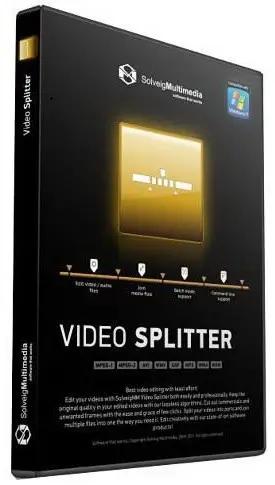
SolveigMM Video Splitter 9.0.2603.20 (x64) Broadcast Edition Multilingual | Size: 67.49 MB
Language: English


The SolveigMM Video Splitter is an outstanding video editor for working with MPEG-2, AVI, WMV, ASF, MP3, WMA files. The editor is lossless and fast, removing unwanted parts of the video seamlessly with just a few mouse clickcutting and joining up video and audio streams perfectly.

The attractive and intuitive user-friendly interface is very easy to use. Based on SolveigMM Video Editing SDK, our audio - video editor provides incredible quality and speed without using any encoding/decoding process. We introduced MPEG-2 frame accurate editing. SolveigMM advanced technology keeps 99% of data and only transcodes a few frames at the beginning and end of the video segments, so that now MPEG2 files are also processed fast and lossless.

Features:
- Based on SolveigMM Video Editing Engine
- Supports MPEG-2 file(.mpg, .mpeg, .vob, .ts )
- MPEG-2 Program Stream
- MPEG-2 Transport Stream
- MPEG-2 Video Elementary Stream
- DVD VOB files
- Supports AVI file(.avi )
- DV AVI type 1, 2; OpenDML
- Any video content. DivX; XviD; 3ivX, etc.
- Any audio content. MPEG-1,2 Layer I, II, III; AC3; OGG, etc.
- VBR MPEG audio. Keeps the synchronization
- Large AVI files. More than 2 and 4 GB
- AVI to ASF remultiplexing
- Supports Windows Media file(.asf, .wma, .wmv, .wm)
- Any video content. WMV 1,2,3; MSS2; MPEG-4 AVC, etc.
- Any audio content. WMAudio V 2,7,8; MPEG-1,2 Layer I, II, III; AC3, etc.
- Video repair. Indexing damaged or unindexed files
- Supports MPEG Audio files ( .mp1, .mp2, .mp3, .mpa)
- MPEG-1 Layer I, II, III
- MPEG-2 Layer I, II, III
- K frame/GOP accuracy for AVI, WMV, ASF
- Frame accuracy for MPEG-2
- What You See Is What You Get (WYSIWYG) preview. Advanced K frame navigation
- Cut commercialcutting off several movie portions at one time is allowed. You can get rid of all ads in your movie in a couple of simple steps
- Supports batch files (.xtl). You can process trimming for all media files you need in one run
- Supports file by file joining (AVI, WMA/WMV/ASF, MP3 and MPEG-1 video)

Operating System: Windows XP, Vista, 7, 8/8.1, 10

HOMEPAGE:
Код:
https://www.solveigmm.com/

FREE DOWNLOAD LINKS:

Код:
https://rapidgator.net/file/872ee6cf325b1ad9f1b7639c6c51a5fc/SolveigMM_Video_Splitter_9.0.2603.20_x64_Broadcast_Edition_Multilingual.rar

Код:
https://nitroflare.com/view/6FD0EA8769B6E75/SolveigMM_Video_Splitter_9.0.2603.20_x64_Broadcast_Edition_Multilingual.rar
 

a6cc6028d28e23e822c49277084862b7.png


Windows 11 Pro Lite 25H2 Build 26200.7922 D3viL Edition | Size: 4.61 GB
Windows x64 | No TPM | Languages: English


The title speaks by itself this build is fast as Devil and not only,Tweaks have been applied for extreme performance, Responsiveness and much more.

Windows updates are working but paused on purpose.
A few services are disabled so in case something is not working first enable the specific service..

Removed features
Build Informations
Microsoft accound bypassed
Power Plan set to High Perfrmance with Power Plan applied
Windows Image Viewer is set as default
Tweaks applied for extreme performance, Responsiveness, and Resource Savings in all sections
Some services are disabled or setup to manual
Windows updates are disabled
And much more...............


Programs
7zip
OldNewExplorer
Nilesoft Shell
StartIsBack
UniGetUI

Show
System Requirements
Processor: 2 gigahertz (GHz) or faster.
RAM: 2 gigabyte (GB).
Free space on hard disk: 15 gigabytes (GB).
Graphics card: DirectX 9 graphics device or a newer version.
Additional requirements to use certain features.
To use touch you need a tablet or monitor that supports multitouch.
To access the Windows store to download and run apps, you need an active Internet connection and a screen resolution of at least 1024 x 768 pixels

FREE DOWNLOAD LINKS:

Код:
https://rapidgator.net/file/584917af39c2a4cba45075095adf1f90/D3vil..part1.rar
https://rapidgator.net/file/7dc3b69ee973d0365d4bb10c2ac937a1/D3vil..part2.rar
https://rapidgator.net/file/312a5f92d4ec950cacb8cd789304ed3b/D3vil..part3.rar
https://rapidgator.net/file/c9e00ee4b1a73fbf707451d637b84acd/D3vil..part4.rar
https://rapidgator.net/file/a418465804d32fd5007b0f4c4141388b/D3vil..part5.rar

Код:
https://nitroflare.com/view/675938D76FEB349/D3vil..part1.rar
https://nitroflare.com/view/EEC40D8A5E1E4AE/D3vil..part2.rar
https://nitroflare.com/view/BDA7F849BA713E6/D3vil..part3.rar
https://nitroflare.com/view/767DCF09C3A28A7/D3vil..part4.rar
https://nitroflare.com/view/BF23A1B4F201744/D3vil..part5.rar
 
_38de03528bc7a32e868df8b3fc18b547.jpeg


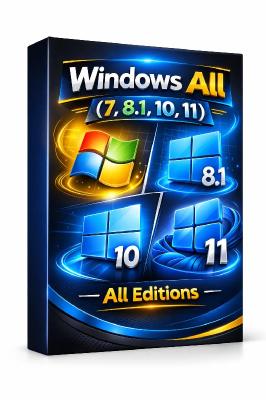
Windows All (7, 8.1, 10, 11) All Editions With Updates AIO 47in1 March 2026 Preactivated | Size: 16.55 GB
Windows (x64) | No TPM | Languages: English


This is Full Iso With All Windows 11 And 10 And 8.1 And 7 in One With March 2026 Updates.

List of windows editions available for installation
1. "Windows 7 Home Basic x64"
2. "Windows 7 Home Basic N x64"
3. "Windows 7 Home Premium x64"
4. "Windows 7 Home Premium N x64"
5. "Windows 7 Professional x64"
6. "Windows 7 Professional N x64"
7. "Windows 7 Ultimate x64"
8. "Windows 7 Ultimate N x64"
9. "Windows 7 Enterprise x64"
10. "Windows 7 Enterprise N x64"
11. "Windows 8.1 Home"
12. "Windows 8.1 Pro"
13. "Windows 8.1 Pro VL"
14. "Windows 8.1 Enterprise"
15. "Win 8.1 Embedded Enterprise"
16. "Windows 10 Home"
17. "Windows 10 Home N"
18. "Windows 10 Team"
19. "Windows 10 Home Single Language"
20. "Windows 10 Pro"
21. "Windows 10 Enterprise"
22. "Windows 10 IoT Enterprise"
23. "Windows 10 Enterprise multi-session"
24. "Windows 10 Education"
25. "Windows 10 Pro Education"
26. "Windows 10 Pro for Workstations"
27. "Windows 10 Pro N"
28. "Windows 10 Enterprise N"
29. "Windows 10 Education N"
30. "Windows 10 Pro Education N"
31. "Windows 10 Pro N for Workstations"
32. "Windows 11 Home"
33. "Windows 11 Home N"
34. "Windows 11 Pro"
35. "Windows 11 Pro N"
36. "Windows 11 Home Single Language"
37. "Windows 11 Enterprise"
38. "Windows 11 IoT Enterprise"
39. "Windows 11 IoT Enterprise Subscription"
40. "Windows 11 Enterprise multi-session"
41. "Windows 11 Education"
42. "Windows 11 Pro Education"
43. "Windows 11 Pro for Workstations"
44. "Windows 11 Enterprise N"
45. "Windows 11 Education N"
46. "Windows 11 Pro Education N"
47. "Windows 11 Pro N for Workstations"

Note: (Win 7 & 8.1 No Updates Released)

System Requirements
Processor: 2.5 gigahertz (GHz) or faster.
RAM: 2 gigabyte (GB).
Free space on hard disk: 40 gigabytes (GB).
Graphics card: DirectX 9 graphics device or a newer version.
Additional requirements to use certain features.
To use touch you need a tablet or monitor that supports multitouch.
To access the Windows store to download and run apps, you need an active Internet connection and a screen resolution of at least 1024 x 768 pixels

HOMEPAGE:
Код:
https://Microsoft.com

FREE DOWNLOAD LINKS:

Код:
https://rapidgator.net/file/5c725c17ccd1b28ce362966351d141bc/Win.All.47in1.March.2026..part01.rar
https://rapidgator.net/file/4c60d7bd1a4a9bfeb49705925b0c5d09/Win.All.47in1.March.2026..part02.rar
https://rapidgator.net/file/cd5aa74361109d9769341bc6de68bacc/Win.All.47in1.March.2026..part03.rar
https://rapidgator.net/file/cf0309e12155c18071eefbc60fb24313/Win.All.47in1.March.2026..part04.rar
https://rapidgator.net/file/4353536373eb5a20b8fb1bcc5bf7d794/Win.All.47in1.March.2026..part05.rar
https://rapidgator.net/file/7fc8ee8f4c603beebd83ff9a5da7a58a/Win.All.47in1.March.2026..part06.rar
https://rapidgator.net/file/a03f5d20c6d6066f843f24f386be84b5/Win.All.47in1.March.2026..part07.rar
https://rapidgator.net/file/43b5067ceca46777fa3cd56d6bb15c66/Win.All.47in1.March.2026..part08.rar
https://rapidgator.net/file/30b57fc0fee6a1df6859f35dad9a0869/Win.All.47in1.March.2026..part09.rar

Код:
https://nitroflare.com/view/BAC84C0695BAF59/Win.All.47in1.March.2026..part01.rar
https://nitroflare.com/view/C1E319B36085D5E/Win.All.47in1.March.2026..part02.rar
https://nitroflare.com/view/7262E63DE286C75/Win.All.47in1.March.2026..part03.rar
https://nitroflare.com/view/B0D43339C52E8AD/Win.All.47in1.March.2026..part04.rar
https://nitroflare.com/view/40FB51E07530465/Win.All.47in1.March.2026..part05.rar
https://nitroflare.com/view/E130C08F137F3F7/Win.All.47in1.March.2026..part06.rar
https://nitroflare.com/view/E5CB9958EF937F8/Win.All.47in1.March.2026..part07.rar
https://nitroflare.com/view/4EE7AF01A18C48E/Win.All.47in1.March.2026..part08.rar
https://nitroflare.com/view/305CEBF3254EAB4/Win.All.47in1.March.2026..part09.rar
 
Назад
Сверху Снизу