All Emperor2011's Software in one thread !! (updated daily)

_e3527561e0ecb8007607ed7d4ccca379.jpeg


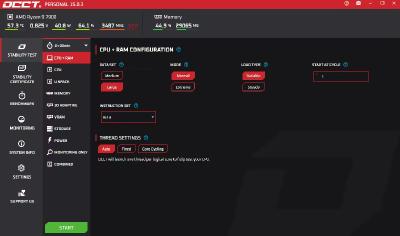
OCCT 16.0.0.99 (x64) Multilingual | Size: 288.62 MB
Language: English


OCCT is the most popular all-in-one stability check & stress test tool available. OCCT is great at generating heavy loads on your components ( CPU, GPU, Memory, GPU Memory & Power supply ) , and aims at detecting hardware errors or stability issues faster than anything else. A monitoring engine is also embedded, to ease diagnostic and see how your computer reacts under heavy load using graphs.

6 TESTS
OCCT includes 6 different tests : OCCT and Linpack for your CPU, Memory for testing system RAM, 3D and VRAM for your Graphic card, and Power to stress your power supply. You can even monitor your PC while using an external app to generate reports using the Monitoring-only test !

MONITORING
OCCT will monitor your computer's reading and present you real-time graphs showing you temperatures, voltages, fan speed, frequencies, component usage, and power consumption during your tests. We are using the AWESOME engine from HwInfo !

BUILT-IN PROTECTION FOR YOUR COMPUTER
Worried about frying your components ? Turn the maximum temperature threshold in OCCT's options ! Should a component reach this critical temperature during a test, OCCT will stop itself immediately.

TEST REPORT
At the end of a test, you will be able to save a full graphical report of what happened during the test, for diagnostic purposes.


HOMEPAGE:
Код:
https://www.ocbase.com/

FREE DOWNLOAD LINKS:

Код:
https://rapidgator.net/file/0c9d1893a1f81557be5fc57d1fd8a70d/OCCT_16.0.0.99_x64_Multilingual.rar

Код:
https://nitroflare.com/view/50FEC7A6128CA9D/OCCT_16.0.0.99_x64_Multilingual.rar
 

c76f3772cbfc4ea328075d4297c28251.png


PDF Suite Pro+OCR 20.0.41.21545 | Size: 250.42 MB
Language: English


Experience Portability with PDF Suite. PDF Suite allows you to: read, create, convert, edit, review & secure PDFs, start managing electronic documents within minutes with the easy and intuitive interface, edit any PDF file by modifying the text or images, apply 256-bit passwords and restrictions to secure your documents.
Read & Markup
View & read your PDF files and other electronic documents with PDF Suite. Leave comments to your documents with the watermark, sticker notes and the markup tools.
Create & Convert
Convert any printable document into a fully readable PDF document. Convert Word, Excel, PowerPoint, and other MS Office documents into PDFs.
Edit & Secure
Edit texts & images of your PDF documents in just a few clicks. Secure your PDF documents with a 256-bit password.
Fill-in & Create PDF Forms
Fill out online forms and submit them back to the sender in a couple clicks. Enjoy a powerful and easy-to-use form creator to add text fields and much more to your PDF documents.
PDF Suite Pro+OCR
- Open and view all PDF files
- Create PDF from any PC application
- Convert your documents with accuracy and no loss of information
- Batch create multiple PDFs at once
- PDF files Editing: cut, copy, paste, move text, delete, etc.
- MS Office Conversion Plug-in
- Export PDF to Word/Excel
- Highlight, draw, and add watermarks
- Create personalized forms
- Insert & edit hyperlinks
- Transform scanned documents and images into editable PDFs.
- Recognize text in PDFs (OCR)
Release Notes- Release notes were unavailable when this listing was updated.
System Requirements
- OS: Windows 11, Windows 10, Windows 8 32 & 64, Windows 7 32 & 64
- Processor: Pentium III or equivalent
- RAM: 512 MB
- Disk Space: 100 MB or more

FREE DOWNLOAD LINKS:

Код:
https://rapidgator.net/file/be3285eb31d879086a99e14edba74b56/PDF_Suite_Pro_OCR_20.0.41.21545.rar

Код:
https://nitroflare.com/view/15038D3DC062722/PDF_Suite_Pro%2BOCR_20.0.41.21545.rar
 
_9f46484fb8b9ebbee60b381ecdc6bd4b.jpeg


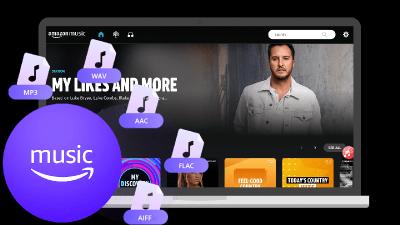
Pazu Amazon Music Converter 1.9.4 (x64) Multilingual | Size: 235.83 MB
Language: English


Pazu Amazon Music to MP3 Converter for Windows allows you to download any songs/playlists/albums from Amazon Music Unlimited/Prime and save them to your computer in M4A, MP3, AAC, FLAC, WAV, AIFF format. Download Amazon Music songs in lossless HD quality and keep ID3 tags after conversion. Play Amazon Music on any devices without Amazon Music app.

Built-in Amazon Music web player, no Amazon Music app needed.
Download Amazon Music to MP3.
Download Amazon Music to WAV, FLAC and AIFF in lossless HD quality.
Keep ID3 tags after conversion.
Downloads songs at 10X faster speed.
Multilingual interface.

Whats New
Updates: official site does not provide any info about changes in this version

HOMEPAGE:
Код:
https://www.pazusoft.com/amazon-music-converter-for-windows/

FREE DOWNLOAD LINKS:

Код:
https://rapidgator.net/file/80b295d3fb78ee557bf40387aab01e35/Pazu_Amazon_Music_Converter_1.9.4_x64_Multilingual.rar

Код:
https://nitroflare.com/view/428FE2B51CB3994/Pazu_Amazon_Music_Converter_1.9.4_x64_Multilingual.rar
 
98a53bf3df5ed3d8eb83c2493513ea11.jpg


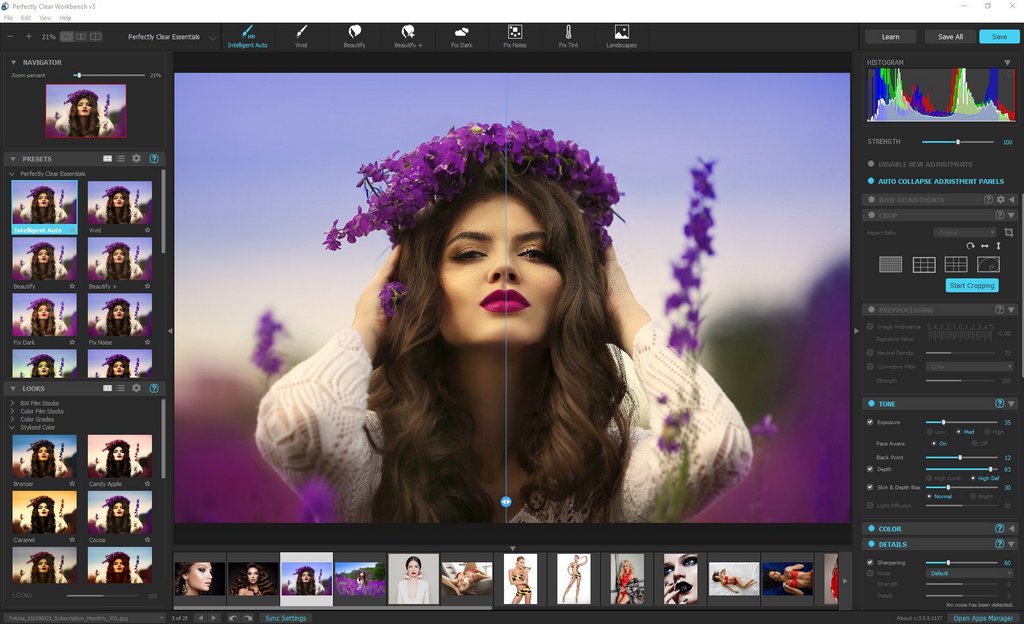
Perfectly Clear WorkBench 5.0.3.3128 (x64) Multilingual | Size: 247.57 MB
Language: English


Perfectly Clear Workbench is an application that uses Athentech's Perfectly Clear image correction libraries and is made available to demonstrate the capabilities of the Perfectly Clear processing libraries, face detection library and to allow a quick export of the processing settings for use.

One of the key features in Workbench is the ability to "export to API" when saving a Preset. This allows you to make image corrections in Workbench and tune the settings to match your style and correction needs. Then, you can quickly export these settings to a text filready to be copy / pasted into your source code with our image correction SDK.

What's New in Perfectly Clear WorkBench
1. Beautiful new interface
2. New image correction tools
a. Preprocessing section for Input Looks and "Image Ambulance" for manual exposure corrections
b. "Face Aware" exposure for more accurate auto-exposure corrections in portraits and group photos
c. Black Point tool to deepen blacks
d. New Color Vibrancy tool to complement our previous "Vibrancy" control (now renamed to Color Restoration)
e. Sky and Foliage enhancements
3. Existing tools have been improved
a. Added strength sliders to Light Diffusion and Vibrancy for better control
b. Better 'color pickers' for Skin Tone and Blush adjustments
4. Manually identify faces that are not detected automatically
5. One-click to zoom to individual faces
6. Modify facial regions to provide the best corrections
7. Histogram
8. Much improved preset management

Supported Image Formats
Perfectly Clear requires RGB-formatted images in either 8 or 16-bit color depth. Any image file that Photoshop or Lightroom can open and convert to this format may be used in Perfectly Clear. Monochrome and CMYK images must be converted to RGB before using Perfectly Clear. RAW files must be opened through Adobe Camera RAW and loaded into Photoshop to be accessible to Perfectly Clear.

HOMEPAGE:
Код:
https://eyeq.photos/

FREE DOWNLOAD LINKS:

Код:
https://rapidgator.net/file/f162efc507ab22fa9b0b4f49350ec1ce/Perfectly_Clear_WorkBench_5.0.3.3128_x64_Multilingual.rar

Код:
https://nitroflare.com/view/53DD7A4B9541A04/Perfectly_Clear_WorkBench_5.0.3.3128_x64_Multilingual.rar
 
_d6adc8d8100175cf11a5214dc5e424d0.jpeg


PhraseExpress 18.0.63 | Size: 56.72 MB
Language: English


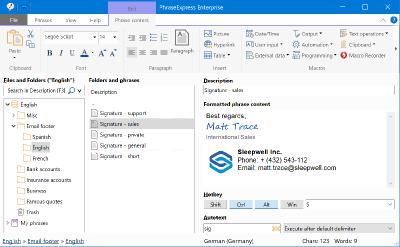
PhraseExpress is a text expander software, that manages frequently used text templates for insertion into any program. Phrases can be triggered from the snippet menu, by hotkey or with autotext shortcuts. The template manager can switch your boilerpate templates between multiple languages or customizable categories.

Universal Text Snippet Manager
Speed up your typing in any program, such text editors, email programs, web browsers, database applications, EMR, etc.
Organize text snippets in customizable categories for instant access.
PhraseExpress can save hours of typing in technical support, customer care, help desk, call center and medical transcription.

Share Phrases with your Team
Share phrases with other users in the local network or in the cloud - On-premise or over the internet.
Each phrase can be set private or made public to selected users.
The client-/server architecture prevents edit collisions.
PhraseExpress supports Microsoft SQL server and Citrix/TerminalServer.

Cloud Support
The cloud synchronisation feature allows you to share phrases with others over the internet.
PhraseExpress supports any popular cloud service, such as Dropbox, Microsoft OneDrive, Google Drive and on-premise cloud solutions like OwnCloud and Synology CloudStation.
You can even use any NAS or network-shared folder to sync your phrases between multiple Windows and Mac computers.


HOMEPAGE:
Код:
https://www.phraseexpress.com/

FREE DOWNLOAD LINKS:

Код:
https://rapidgator.net/file/a28c127eb996ccd17163653c65fdebbe/PhraseExpress_18.0.63.rar

Код:
https://nitroflare.com/view/426B48E646731BD/PhraseExpress_18.0.63.rar
 
cce03d4f6af66a873beb3972bfc229ad.jpg


R-Studio 9.5 Build 191709 (x64) Technician Multilingual WinPE | Size: 483.01 MB
Language: English


R-Studio is a family of powerful and cost-effective undelete and data recovery software for experienced data recovery professionals. Empowered by the new unique data recovery technologies, R-STUDIO is the most comprehensive data recovery solution for recovery files from NTFS, NTFS5, ReFS, FAT12/16/32, exFAT, HFS/HFS+ (Macintosh), Little and Big Endian variants of UFS1/UFS2 (FreeBSD/OpenBSD/NetBSD/Solaris) and Ext2/Ext3/Ext4 FS (Linux) partitions.

R-Studio also uses raw file recovery (scan for known file types) for heavily damaged or unknown file systems. It functions on local and network disks, even if such partitions are formatted, damaged or deleted. Flexible parameter settings give you absolute control over data recovery.
R-Studio functions on local and network disks, even if such partitions are formatted, damaged or deleted. Flexible parameter settings give you absolute control over data recovery.
The R-Studio data recovery software was originally developed for use by data recovery experts, system administrators, IT professionals, and advanced and experienced computer users. Some of R-Studio's features were even designed exclusively for computer forensic experts, and most R-Studio users don't need every single feature of the software.

In addition to being a full-featured data recovery utility, R-Studio also includes
An advanced RAID reconstruction module
A feature-rich text/hexadecimal editor
An entire advanced disk copying/imaging module in one single piece of software, which makes R-Studio your ideal complete solution for creating a data recovery workstation.

R-Studio utilities recover files
Deleted without Recycle Bin, or when Recycle Bin has been emptied;
Removed by virus attack or power failure;
After the partition with the files was reformatted, even for different file system;
When the partition structure on a hard disk was changed or damaged. In this case, R-Studio utilities can scan the hard disk trying to find previously existed partitions and recover files from found partitions.
From hard disk with bad sectors. R-Studio Data Recovery Software can first copy the entire disk or its part into an image file and then process such image file. This is especially useful when new bad sectors are constantly appearing on the hard disk, and remaining information must be immediately saved.

R-Studio Data Recovery Features
Standard Windows Explorestyle interface.
Host OS: Windows 2000, XP, 2003 Server, Vista, 2008 Server, Windows 7, Windows 8, Windows 10, Windows Server 2012.
Data recovery over the Network. Files can be recovered on network computers running Win2000/XP/2003/Vista/2008/Windows 7/Windows 8/Windows Server 2012, Macintosh, Linux, and UNIX.
Supported file systems: FAT12, FAT16, FAT32, exFAT, NTFS, NTFS5, ReFS (a new file system introduced in Windows 2012 Server), HFS/HFS+ (Macintosh), Little and Big Endian variants of UFS1/UFS2 (FreeBSD/OpenBSD/NetBSD/Solaris) and Ext2/Ext3/Ext4 FS (Linux).
Scan for Known File Types (raw file recovery): if the disk file system is heavily damaged or unsupported, R-Studio searches for specific data patterns ("file signatures") typical for certain file types (Microsoft Office documents, jpgs, etc.). Such known file types can be custom-defined.
Recognition and parsing Dynamic (Windows), Basic(MBR) and BSD (UNIX) partitions layout schema and Apple partition map. Dynamic partitions over GPT are supported as well as dynamic partitions over MBR.
Damaged RAID recovery. If the OS cannot recognize your RAID, you can create a virtual RAID from its components. Such virtual RAID can be processed like a real one.
Creates IMAGE FILES for an entire Hard Disk, Partition or its part. Such image files can be compressed and split into several files to put it on CD/DVD/flash or FAT16/FAT32/exFAT. Then the image files can be processed like regular disks.
Data recovery on damaged or deleted partitions, encrypted files (NTFS 5), alternative data streams (NTFS, NTFS 5).
Recovering data if
FDISK or other disk utilities have been run;
VIRUS has invaded; FAT is damaged; MBR is destroyed.
Recognizes localized names.
Recovered files can be saved on any (including network) disks accessible by the host operating system.
File or disk content can be viewed and edited with the advanced hexadecimal editor. The editor supports NTFS file attribute editing.
Integration with DeepSpar Disk Imager, a professional HDD imaging device specifically built for data recovery from hard drives with hardware issues. Such integration provides R-Studio with a low-level fine-tuned access to drives with a certain level of hardware malfunction. Moreover, it allows disk imaging and analyzing be performed simultaneously. That is, any sector R-Studio accesses on the source disk will be immediately cloned to a clone disk and any other data recovery operation will be made from that clone disk avoiding further deterioration of the source disk and great reduction in processing time.

HOMEPAGE:
Код:
https://www.r-studio.com/

FREE DOWNLOAD LINKS:

Код:
https://rapidgator.net/file/cd4a0fe42d1090eaead87bf18b81b4c0/R-Studio_9.5_Build_191709_x64_Technician_Multilingual_WinPE.rar

Код:
https://nitroflare.com/view/8BBF2ABE5385C42/R-Studio_9.5_Build_191709_x64_Technician_Multilingual_WinPE.rar

 
fe9be587648c63ef6dbfc078c1683e04.jpg


R-Studio 9.5 Build 191709 Network Technician Multilingual | Size: 140.37 MB
Language: English


R-Studio is a family of powerful and cost-effective undelete and data recovery software for experienced data recovery professionals. Empowered by the new unique data recovery technologies, R-STUDIO is the most comprehensive data recovery solution for recovery files from NTFS, NTFS5, ReFS, FAT12/16/32, exFAT, HFS/HFS+ (Macintosh), Little and Big Endian variants of UFS1/UFS2 (FreeBSD/OpenBSD/NetBSD/Solaris) and Ext2/Ext3/Ext4 FS (Linux) partitions.

R-Studio also uses raw file recovery (scan for known file types) for heavily damaged or unknown file systems. It functions on local and network disks, even if such partitions are formatted, damaged or deleted. Flexible parameter settings give you absolute control over data recovery.
R-Studio functions on local and network disks, even if such partitions are formatted, damaged or deleted. Flexible parameter settings give you absolute control over data recovery.
The R-Studio data recovery software was originally developed for use by data recovery experts, system administrators, IT professionals, and advanced and experienced computer users. Some of R-Studio's features were even designed exclusively for computer forensic experts, and most R-Studio users don't need every single feature of the software.

In addition to being a full-featured data recovery utility, R-Studio also includes
An advanced RAID reconstruction module
A feature-rich text/hexadecimal editor
An entire advanced disk copying/imaging module in one single piece of software, which makes R-Studio your ideal complete solution for creating a data recovery workstation.

R-Studio utilities recover files
Deleted without Recycle Bin, or when Recycle Bin has been emptied;
Removed by virus attack or power failure;
After the partition with the files was reformatted, even for different file system;
When the partition structure on a hard disk was changed or damaged. In this case, R-Studio utilities can scan the hard disk trying to find previously existed partitions and recover files from found partitions.
From hard disk with bad sectors. R-Studio Data Recovery Software can first copy the entire disk or its part into an image file and then process such image file. This is especially useful when new bad sectors are constantly appearing on the hard disk, and remaining information must be immediately saved.

R-Studio Data Recovery Features
Standard Windows Explorestyle interface.
Host OS: Windows 2000, XP, 2003 Server, Vista, 2008 Server, Windows 7, Windows 8, Windows 10, Windows Server 2012.
Data recovery over the Network. Files can be recovered on network computers running Win2000/XP/2003/Vista/2008/Windows 7/Windows 8/Windows Server 2012, Macintosh, Linux, and UNIX.
Supported file systems: FAT12, FAT16, FAT32, exFAT, NTFS, NTFS5, ReFS (a new file system introduced in Windows 2012 Server), HFS/HFS+ (Macintosh), Little and Big Endian variants of UFS1/UFS2 (FreeBSD/OpenBSD/NetBSD/Solaris) and Ext2/Ext3/Ext4 FS (Linux).
Scan for Known File Types (raw file recovery): if the disk file system is heavily damaged or unsupported, R-Studio searches for specific data patterns ("file signatures") typical for certain file types (Microsoft Office documents, jpgs, etc.). Such known file types can be custom-defined.
Recognition and parsing Dynamic (Windows), Basic(MBR) and BSD (UNIX) partitions layout schema and Apple partition map. Dynamic partitions over GPT are supported as well as dynamic partitions over MBR.
Damaged RAID recovery. If the OS cannot recognize your RAID, you can create a virtual RAID from its components. Such virtual RAID can be processed like a real one.
Creates IMAGE FILES for an entire Hard Disk, Partition or its part. Such image files can be compressed and split into several files to put it on CD/DVD/flash or FAT16/FAT32/exFAT. Then the image files can be processed like regular disks.
Data recovery on damaged or deleted partitions, encrypted files (NTFS 5), alternative data streams (NTFS, NTFS 5).
Recovering data if
FDISK or other disk utilities have been run;
VIRUS has invaded; FAT is damaged; MBR is destroyed.
Recognizes localized names.
Recovered files can be saved on any (including network) disks accessible by the host operating system.
File or disk content can be viewed and edited with the advanced hexadecimal editor. The editor supports NTFS file attribute editing.
Integration with DeepSpar Disk Imager, a professional HDD imaging device specifically built for data recovery from hard drives with hardware issues. Such integration provides R-Studio with a low-level fine-tuned access to drives with a certain level of hardware malfunction. Moreover, it allows disk imaging and analyzing be performed simultaneously. That is, any sector R-Studio accesses on the source disk will be immediately cloned to a clone disk and any other data recovery operation will be made from that clone disk avoiding further deterioration of the source disk and great reduction in processing time.

HOMEPAGE:
Код:
https://www.r-studio.com/

FREE DOWNLOAD LINKS:

Код:
https://rapidgator.net/file/d2339f269635478b85159699201492ab/R-Studio_9.5_Build_191709_Network_Technician_Multilingual.rar

Код:
https://nitroflare.com/view/512C25A05A3AD3B/R-Studio_9.5_Build_191709_Network_Technician_Multilingual.rar
 
d6d87ea8b24ac9f0e8ff982574153f90.jpg


SIW 2026 v16.02.0218 (x64) Technician Multilingual | Size: 14.77 MB
Language: English


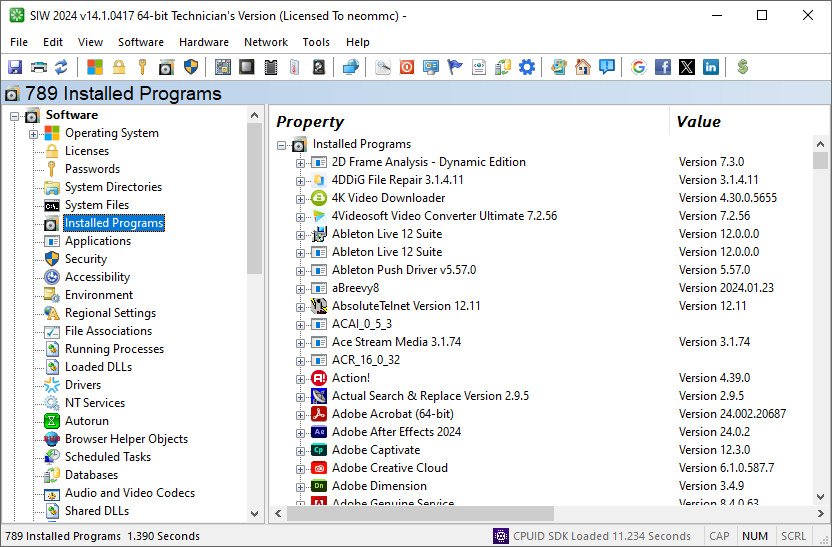
Are you tired of relying on multiple tools to gather information about your Windows system? Do you want a single solution that can provide comprehensive information about your hardware, software, and network? Look no further, as SIW (System Information for Windows) is here to help. SIW is a powerful and user-friendly System Information tool for Windows that provides an in-depth analysis of your computer's hardware and software. With SIW, you can quickly and easily gather information about your computer's components, software licenses, network configuration, and much more.

SIW provides a wide range of information about your computer, including

Software Information
Operating System, Software Licenses (Product Keys / Serial Numbers), Passwords, Installed Programs, Applications, Security, Accessibility Settings, Environment, Regional Settings, File Associations, Running Processes, Loaded DLLs, Drivers, NT Services, Autorun, Scheduled Tasks, Databases, Audio and Video Codecs, Shared DLLs, ActiveX, MMC Snap-Ins, Shell Extensions, Event Viewer, Certificates, etc.

Hardware Information
System Summary, Motherboard, BIOS, CPU, Memory, Sensors, Devices, Chipset, PCI/AGP, USB, and ISA/PnP Devices, System Slots, Network Adapters, Video Card, Monitor, Sound Devices, Storage Devices, Logical Disks, Disk Drives, CD/DVD Devices, SCSI Devices, SMART, Ports, Battery and Power Policy, Printers, etc.

Network Information
Basic/Extended Information about Configuration, Statistics, Connections, Active Directory (Computers, Groups, and Users), Shares, Open Ports, etc.

Network Tools
MAC Address Changer, Wake On LAN, Remote Licenses (from Windows Folder, Remote Computer or Registry Hive), Hosts Scan, Ping, Whois, Trace, etc.

Other Tools
Eureka! (Reveal lost passwords hidden behind asterisks), Shutdown / Restart, Monitor Test, MUICache Viewer, URL Explorer, Open Files, etc.


HOMEPAGE:
Код:
https://www.gtopala.com/

FREE DOWNLOAD LINKS:

Код:
https://rapidgator.net/file/9de6fa8de00ba7d3151f5050ce158f91/SIW_2026_v16.02.0218_x64_Technician_Multilingual.rar

Код:
https://nitroflare.com/view/467A1D0980ADE5A/SIW_2026_v16.02.0218_x64_Technician_Multilingual.rar
 
063b3baf568d201cb97c7902f2d50911.jpg


Servolutions POPcon PRO 4.9.8 (x64) | Size: 63.78 MB
Language: English


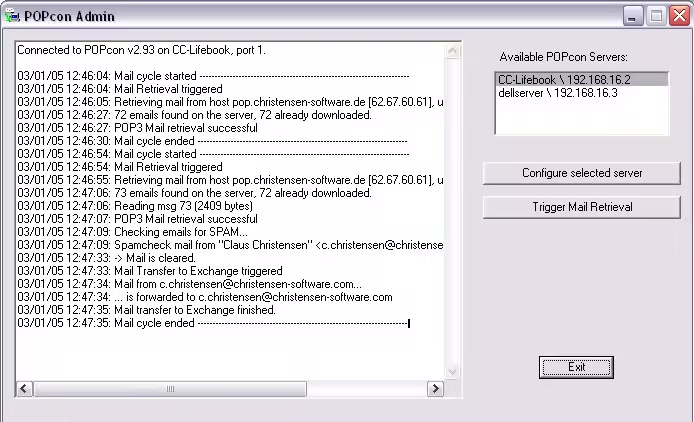
POPcon PRO™ connects your MS Exchange Server to your POP3 and IMAP mailboxes. It contains all of the features of the POPcon Standard version plus the antivirus, antispam and rule-based distribution functions.

POPcon PRO downloads the emails from POP3, POP3-SSL, IMAP and IMAP-SSL mailboxes and distributes them to exchange or domino mailboxes according to the recipient information found in the mail headers.

The software runs as a background service under any .NET 4.7.2-compatible Windows Server version (Windows 2025, Windows 2022, Windows 2019, Windows 2016, 2012) or even normal Windows workstations (Windows 11, 10, 8, 7).

POPcon PRO checks each incoming email with its built-in antivirus scanner. Emails that contain viruses are encapsulated in a warning message and can be diverted to the postmaster. Antivirus signatures are automatically updated daily. POPcon PRO also includes anti-spam measures.

HOMEPAGE:
Код:
https://www.servolutions.com/

FREE DOWNLOAD LINKS:

Код:
https://rapidgator.net/file/ac83b25e1120183acc215d19600c7b17/Servolutions_POPcon_PRO_4.9.8_x64.rar

Код:
https://nitroflare.com/view/8B233305242BF94/Servolutions_POPcon_PRO_4.9.8_x64.rar
 
9148f3d126f3bb6fc07dd990f3b05384.jpg


ShareX v19.0.2 | Size: 107.85 MB
Language: English


Screenshot and screenrecorder utility.

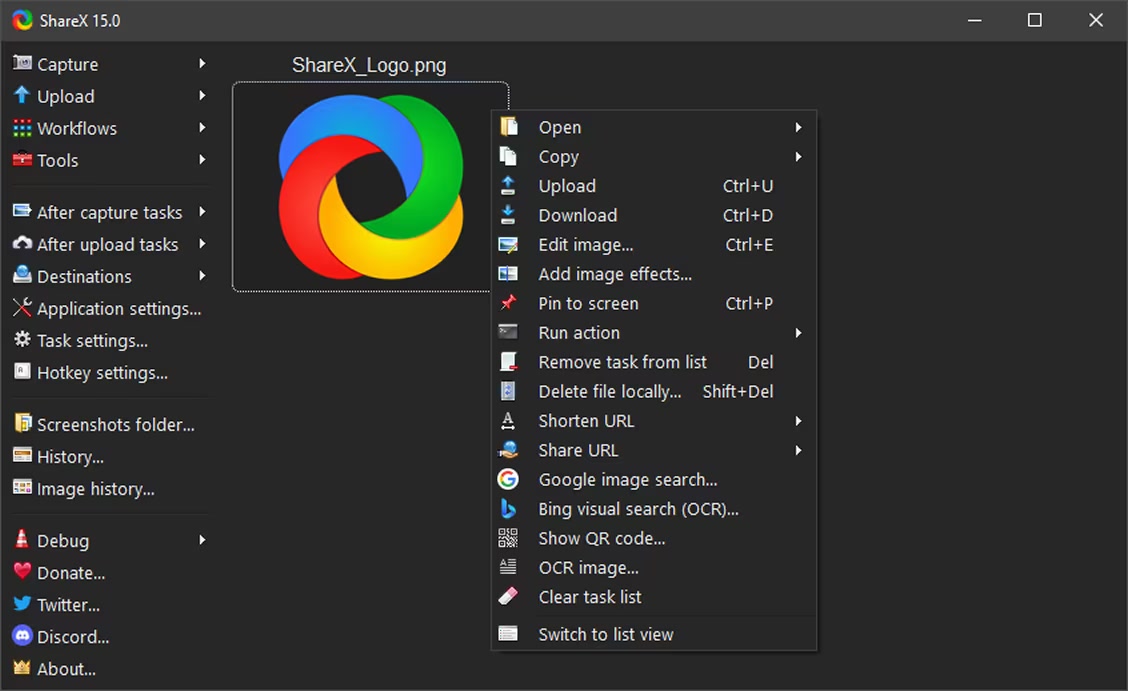
ShareX can be used to capture full screen or partial screenshots, such as rectangle capture, window capture and scrolling capture as well as being able to record video using FFmpeg. Captured screenshots can be annotated and edited using the built-in ShareX image editor or modified using image effects and watermarks.

After capture, a screenshot can be autonomously exported as an image file, e-mail attachment, exported to a printer, to the clipboard, or uploaded to a remote host such as many popular image hosting services.

FREE DOWNLOAD LINKS:

Код:
https://rapidgator.net/file/25e88458a21e1466b259ad67ba823af7/ShareX_v19.0.2.rar

Код:
https://nitroflare.com/view/F79A249421BC8A0/ShareX_v19.0.2.rar
 
6c6cfb4252ceca36417e5b4f8cbc401e.jpg


SkyDemon 4.2.4.108 | Size: 13.9 MB
Language: English


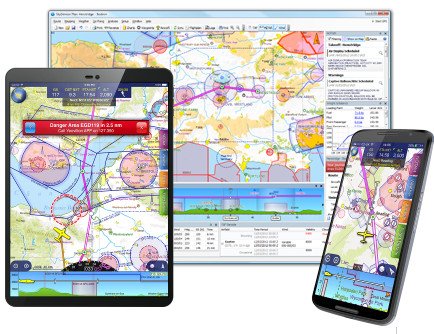
The flight planning features in SkyDemon are all designed to make planning a flight less tedious and more interesting, by bringing the very best aeronautical briefing information directly to your fingertips in real time as you explore our charts and experiment with potential journeys. SkyDemon will help give you the confidence to fly further and to more interesting places. Plan a journey, brief yourself on potential hazards, prepare for flight and analyse your track logs. Live briefing data includes NOTAM, airfield documents and maps, TAF, METAR and wind forecasts at altitude.

Dynamic Vector Charts
Our charts are widely recognised as being the clearest aeronautical charts available. They are entirely bespoke, created by us every 28 days (at least) directly from raw aeronautical data published by the countries we cover. This means that wherever you fly, the look and feel of your chart is consistent.
Comprised of many individually selectable layers and adjustable to your preferences, they show you only what you need to see and nothing else. Unlike printed charts, a SkyDemon chart is aware of your plans and can dynamically hide airspace and other features not relevant at the levels you are flying. This makes it much easier to interpret, and as a result, safer.
There is a high level of interactivity in our charts. Many details which might in the past have been written permanently on your map are now completely hidden until asked for, by simply moving the mouse or touching with your finger. Practically every charted item can reveal extra information, whether it's the vertical boundaries or activity times of airspace, the frequencies for an airfield or the height of a ground-based obstruction.
Best of all, because our charts are created and owned by us, they are all included as part of your subscription. We have charting for all of Europe, southern Africa, New Zealand and the USA.

Route Planning Made Easy
Planning a route with SkyDemon is as simple as clicking on, or touching, consecutive waypoints on the map. This intuitive method of route planning was pioneered by SkyDemon and is one of the hallmarks of our software's simplicity of use. Once configured, the route can easily be adjusted by dragging legs to create diversions. In this way you may find yourself planning many fantasy flights of the future.
As you plan, SkyDemon obtains all the briefing information necessary for your flight in real time (more about that below) so that accurate readings of total distance and time are always available. Some of this information is used to create the Pilot Log, which you can view or print at any time and includes essential information like which headings to fly and your minimum safe altitudes. It also includes enroute frequencies and radio navigation aids you are likely to use.

You will see warnings displayed in real time as you plan. Warnings include penetration of controlled or dangerous airspace, a temporary restricted area created by NOTAM, and planning to fly a leg lower than is safe. As with our charts, the types of warnings shown are configurable to your own preferences.


HOMEPAGE:
Код:
https://www.skydemon.aero

FREE DOWNLOAD LINKS:

Код:
https://rapidgator.net/file/7110419e37ae0e0efe5235d0a5f51710/SkyDemon_4.2.4.108.rar

Код:
https://nitroflare.com/view/C8E120110D4D7A5/SkyDemon_4.2.4.108.rar
 
0fff2342310dc361a8eea7342145e062.png


SmartFTP Enterprise 10.0.3314 (x64) Multilingual | Size: 10.67 MB
Language: English


SmartFTP is an FTP (File Transfer Protocol), FTPS, SFTP, WebDAV, Amazon S3, Backblaze B2, Google Drive, OneDrive, SSH, Terminal client. It allows you to transfer files between your local computer and a server on the Internet. With its many basic and advanced Features SmartFTP also offers secure, reliable and efficient transfers that make it a powerful tool.

The program can also use secure file transfer protocols such as FTPS, SFTP or SSH. Secure connections are more reliable and protect the data from unauthorized access by encrypting the information. The program allows you to quickly choose the connection type, to enter the credentials for the FTP server and to browse its content.

Transfer files with ease
Thumbnail view is available and comes in handy as it allows you to preview the images from a remote folder. The preview feature is also available for other file types such as those that include text or code (HTML or CSS). You can edit the file directly on the server without transferring it to the local folder.

To transfer files to and from the server you can simply drag and drop the files from the desktop into the program's window. The Scheduler enables you to create one-time or repeated actions that will transfer files between the computer and the FTP server. It is a good option to automatically update the content of the server with the files that are created locally.

Powerful and straightforward FTP client
You can use the program to compare two folders side by side and quickly synchronize their content by transferring files between them. The folders can be from the same connection, the local hard drive or from different FTP servers as the program allows you to open multiple FTP connections simultaneously. If there are problems with your Internet connection, the application can automatically reconnect and resume the broken transfers so you can rest assured that your files reached their destination. To check the integrity of the transfer the program uses a CRC algorithm to calculate the hash value of the file and compare it with the original.

The interface of the program is easy to use and displays the connections in separate tabs so you can use your desktop space efficiently. You can work on multiple projects at the same time as the tabbed interface can be used for both remote and local folders. Whether you need to transfer some files from a FTP server or publish a website SmartFTP is a reliable, feature-packed program that you should try.


HOMEPAGE:
Код:
https://www.smartftp.com/

FREE DOWNLOAD LINKS:

Код:
https://rapidgator.net/file/588ca85cf5ab06919d33d68539b5a4c9/SmartFTP_Enterprise_10.0.3314_x64_Multilingual.rar

Код:
https://nitroflare.com/view/B60E54D7BC3E9E9/SmartFTP_Enterprise_10.0.3314_x64_Multilingual.rar
 
10df9d86958bc6c1cf0f8c573907d329.png


Softros LAN Messenger 12.6 Multilingual | Size: 43.02 MB
Language: English


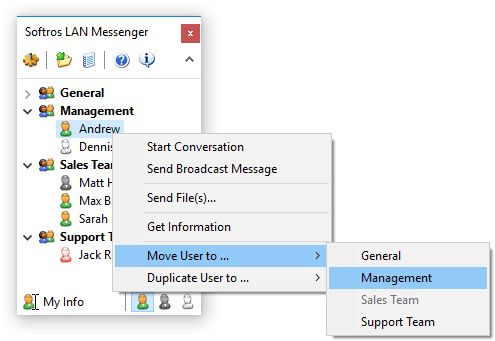
Softros LAN Messenger is an easy-to-use LAN messaging application for safe, secure and effective intra-office communication. It does not require a server to run and is very easy to install. Softros LAN IM comes with a variety of handy features such as PC-to-PC messaging, group LAN chat rooms, broadcast messaging to quickly notify selected individuals or groups about an event, and also drag-and-drop file transfer to exchange files and folders between staff members. All messages and files exchanged by the users are securely encrypted and never go outside your local company network, which guarantees that no unauthorized person will ever read your private correspondence or access your sensitive data.

Key features
Security, Safety and Privacy
The Softros LAN chat software encrypts all data with AES-256 and works strictly within your company network. This allows your employees to safely exchange messages and files, while discouraging them from chatting with people outside the organization. It also saves your Internet bandwidth and minimizes the number of opened firewall ports that could result in outside hacker attacks and IM worms.
Ease of Installation and Use
The instant messenger from Softros has a very intuitive interface and requires no additional training. All you need to do is install and run it on each network computer. Users themselves can easily configure the program without requesting assistance from the IT staff.
Serverless Architecture
You do not need to set up and maintain a dedicated messaging server - our IM tool is a stand-alone peer-to-peer based application.
Individual and Group Conversations
Exchange messages with just one or multiple users at the same time.
Group Messaging
Notify individual users or whole user groups about an event by sending out a broadcast message.
Offline Messaging
Send messages to users even when they are offline. Offline messages are received when the users come back online. No server or dedicated storage is required for this.
File Transfer
Easily exchange documents with your colleagues. Just drag and drop a file or folder on the recipient's icon in the user list or on the conversation you are having with them.
User Groups
Arrange your co-workers in groups by department or job title.
Message History
Keep track of your messages by saving them locally or to a network share. View, search through and print out your correspondence with other employees using the built-in History Viewer.
Terminal Services Support
Full support of Microsoft and Citrix Terminal Services environments (including the RemoteApp and XenApp application virtualization technologies).
Active Directory and Domain Support
Softros Intranet Messenger seamlessly works in a correctly set up domain controller environment with Active Directory. Users' full names retrieved from Active Directory are displayed in the user list, while their SIDs are used for identification purposes within the program.
LAN, WAN, VPN and VLAN Support
Enhanced functionality of the Sofros local chat application allows you to link your company locations or subnets into a single messaging environment. Just connect your subnets physically, virtually or with a VPN and then configure the program by referring to our detailed help system.
Network Wide Group Policy Deployment
In a domain controller environment, deploying the Softros messaging software, its license and settings across the network can be easily done through Group Policy.
Importing, Exporting and Pre-configuring User Settings
In case your company does not have a domain controller with Active Directory, Softros LAN Messenger allows you to automate distribution of its settings (network settings, user groups, license file, administrative restrictions) using certain built-in features.
Restricting User Access
Administrators can selectively restrict access to most features of the Softros communication software.


HOMEPAGE:
Код:
https://messenger.softros.com/

FREE DOWNLOAD LINKS:

Код:
https://rapidgator.net/file/9fa15532e3d03b8cdaabfa656d1823b9/Softros_LAN_Messenger_12.6_Multilingual.rar

Код:
https://nitroflare.com/view/6A93A6E2F51DA22/Softros_LAN_Messenger_12.6_Multilingual.rar
 
1daf23956e9d79238dd2d8fd06c469ec.png


TubeMate Downloader 6.2.1 (x64) | Size: 147.56 MB
Language: English


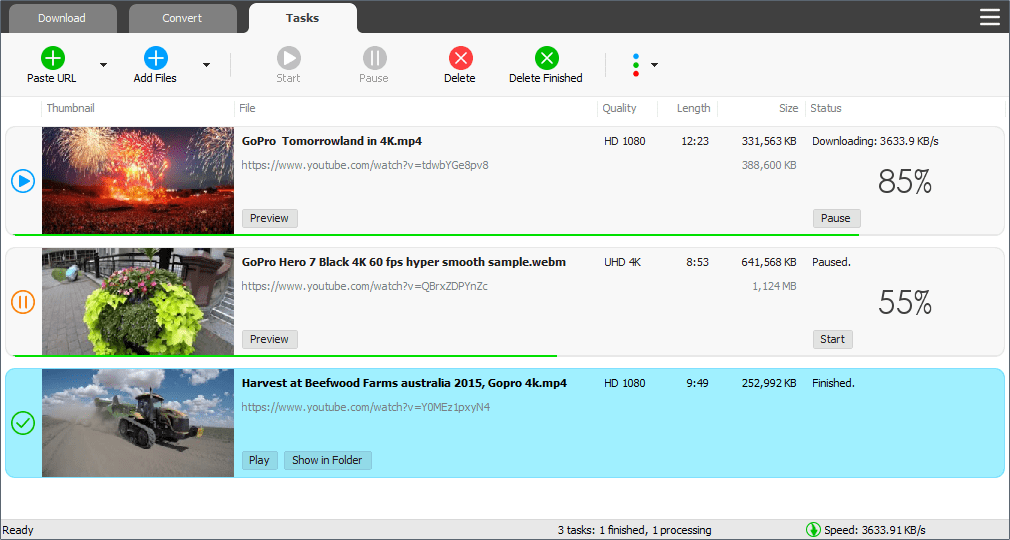
Windows TubeMate is a smart application that lets you snag any clip you want from the main video hosting sites and convert them while downloading or after that. If you need a simple and efficient video downloading tool, you can give it a try.

Features

Online video downloader
TubeMate can download videos from YouTube, Facebook, Instagram, Dailymotion, and thousands of other video sites.

HD video downloader
TubeMate can download UHD 8K, 5K, 4K, QHD 2K, HD 1080p and 720p videos from YouTube.

YouTube to MP3 converter
TubeMate allows you to download only audio stream from YouTube, and save it as MP3. You don't need to download the entire video file.

Playlist downloader
TubeMate enables you to download entire or part of a playlist with just a few clicks.

Download accelerator
TubeMate features a multi-thread download acceleration engine that increases your download speeds by up to 500% or even more.

Download multiple videos at a time
TubeMate supports simultaneous downloads. It allows you to download more than one video at the same time.

Pause and resume downloads
You can pause and resume your downloads at any time.

Support drag-and-drop
You may directly drag and drop video link from your browser to the drop box or app window to start a download. You don't even need to copy and paste video URL.

Preview video/audio while downloading
While downloading, you can click the 'Preview' button to view incomplete file and make sure the content is you want.

Video and audio converter
TubeMate can convert your disk video/audio files between MP4, FLV, AVI, WMV, MOV, MP3, AAC, and any other formats for any device.

Video optimizer
TubeMate automatically optimizes downloaded videos for popular mobile devices, so you can watch downloaded videos smoothly on your iPhone, iPad, Android phone, and other devices.

Video to MP3 converter
TubeMate allows you to extract audio stream from video and save it as MP3, WAV, AC3, or other audio format.

Ready-made presets
TubeMate provides ready-made presets for all video and audio formats. You can also customize your own video/audio formats.

iTunes compatible
Optionally, TubeMate can add downloaded video/music to your iTunes library automatically, so you can easily synchronize your videos and music to your iPhone, iPad, iPod.

Media player
TubeMate contains an easy-to-use media player for playing files that Windows Media Player cannot play.

Whats New
Updates: official site does not provide any info about changes in this version

HOMEPAGE:
Код:
https://www.windowstubemate.com/

FREE DOWNLOAD LINKS:

Код:
https://rapidgator.net/file/9a1d9c6aaa4364aa477abf92b66adb36/TubeMate_Downloader_6.2.1_x64.rar

Код:
https://nitroflare.com/view/D09235D0AB070BF/TubeMate_Downloader_6.2.1_x64.rar
 
_3d8d432461047165dd0d0181d80a2383.jpeg


Typing Instructor Gold 5.2 | Size: 452.18 MB
Language: English


A Worldwide Typing Adventure! Learn in English or Spanish. Typing Instructor Gold is the most advanced Typing Program available. It presents Typing Instructor in full-screen size and rich color for the optimum Typing Instructor experience for typists. No other Typing tutorial is more entertaining and educational.

Typing Instructor Gold is the most advanced Typing Program available
Pack your bags and get ready to go on a Worldwide Typing Adventure! Travel through time, go on Safari, or take a trip around the world as you learn to type or improve your typing skills. Typists begin their adventure in the Travel Port where they select a unique travel adventure. First stop: the prehistoric era, or Antarctica, or Australia! Each typing adventure is packed with so much fun and motivation, typists forget they are learning to type.

They'll progress through the Adventure by taking lessons, tests, typing challenges and playing fun typing games using just the keys they have learned and practiced in lessons and tests. When they complete the typing activities at a destination, they'll receive a stamp in their passport. When the passport is full, they have completed the adventure and are on their way to becoming Touch Typists.

Packed with Motivation
The ultimate reward of the Adventure is completing all typing activities in the Adventure and filling their passport with stamps from each stop on their journey. Typists can take all three Adventures and visit 36 exciting destinations.

Practice Terminal
There are several fun ways to practice. Typists can take a break from their typing adventure at any time to check out the Practice Terminal. Here they'll find an arcade where they can choose to play any of Typing Instructor's games. Additional lessons and tests, not included in the adventure, are also available. Typists can also create their own custom lessons and tests. Typists can practice dictation, choosing from a library of diverse materials. They can also practice typing an article or story, choosing from hundreds of topics in the magazine rack or even create their own personal magazine.

Adventurer Tools
Take the Tour to learn everything about Typing Instructor. The Travel Port shows typists where they are on their Adventure, where they are going next, and what keys they will learn. The Passport shows stamps of the places they have visited so far. Typists can display a variety of graphs in the Saved Results area to see their performance on all their completed typing activities; lessons, tests, articles, and even games. Users can see their progress and the keys on the keyboard they need to practice. Typing Instructor's Dynamic Learning feature evaluates Typist's Results to determine weak typing skill areas. Once identified, Typing Instructor automatically creates specific lessons for the typist to improve weak areas.

Hours of Fun
Typing Instructor has unique games to keep typists interested in playing. This repetitive activity builds finger-to-key memory and before they know it, they are well on their way to becoming Touch Typists! Games can be played in a variety of ways, including different levels of difficulty to keep typists interested in continuing to the next level. Games can be played with just the keys they have learned so far, or with all the keys on the keyboard.

Adventure Settings
There are many program controls in Typing Instructor. Typists can select English or Spanish and a Typing Plan that fits their skill level - there are 20 unique plans! Typists can even build their own custom plan, as well as adjusting their goal word per minute at any time.

System Requirements
Pentium® P4 • Microsoft® Windows® 11, Windows 10, or Windows 8 • 580 MB Hard Drive Space • 800 x 600 16-Bit or Higher Display • 16-Bit Sound Card • Speakers or Headphones

HOMEPAGE:
Код:
https://www.individualsoftware.com

FREE DOWNLOAD LINKS:

Код:
https://rapidgator.net/file/0bf16679cf10a0e069f7d1ff95d03dbc/Typing_Instructor_Gold_5.2.rar

Код:
https://nitroflare.com/view/ECF78C583D3D7DD/Typing_Instructor_Gold_5.2.rar
 

1fc279c3640af7fac571978931900402.png


UUByte ISOKit 5.0 Multilingual | Size: 47.66 MB
Language: English


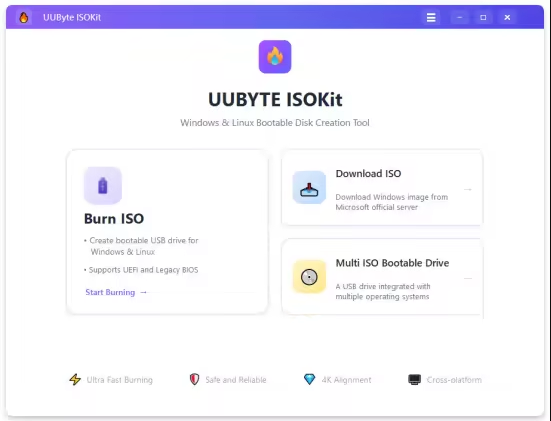
UUByte ISOKit (Formerly ISO Editor) is an easy to use and powerful bootable USB creation app. It lets you create Windows 11/10/7 bootable USB drive on Mac in a simple, fast, and reliable way. ISOKit also allows you to download Windows ISO images from Microsoft and build multi-boot USB drive so you can boot multiple operating system on one USB flash drive.
UUByte ISO Editor is the best tool for creating Windows bootable USB on macOS. The best thing about this app is that it can split the large install.wim file (> 4GB) by default. This is the most challenging part for making Windows 10/11 installation USB on Mac. In addition, ISO Editor is fully compatible with Intel and Apple Silicon Mac, including M1 and M2 chip. Currently, this app is working perfectly on the latest macOS, including Sonoma,Ventura, Monterey, Big Sur, Catalina and more!
1- Click Burn ISO to USB
ISO burning is one of the most anticipated features of UUByte ISO Editor. It allows users directly burning ISO archive to an external media device, including USB flash drive, CD and DVD. The best part of this program is that it can make bootable disk from ISO image so you can use it to rescue the computer or fix system issues.
Safe and Fast Windows ISO Download
The new Download feature lets you safely download official Windows 11/10/8 ISO files directly from Microsoft servers in just a few clicks. No third-party sites, no complicated steps - fast downloads, verified sources, and a smooth, beginner-friendly experience built right into the app.
Put Multi-Boot OS On One USB
Support creating a multi-boot USB on a single USB drive, allowing you to store and boot Linux, Windows, and Unix systems together. No need for multiple USB sticks - simply add different OS images to one drive and choose which system to boot when starting your computer. It's a flexible, efficient solution for installers, technicians, and advanced users who work with multiple operating systems.ee!
Create Bootable Linux USB from Various Distros
UUByte ISO Editor now lets you create bootable Linux USB drives from multiple popular distributions with ease. Simply select your Linux ISO, choose the target USB drive, and the app handles the rest - fast, reliable, and beginner-friendly. It supports both UEFI and Legacy BIOS, making Linux installation or live boot straightforward across different PCs.

FREE DOWNLOAD LINKS:

Код:
https://rapidgator.net/file/0de6e43340224dc48b2cc2bdc08943dc/UUByte_ISOKit_5.0_Multilingual.rar

Код:
https://nitroflare.com/view/8FC3DF2B1AAA196/UUByte_ISOKit_5.0_Multilingual.rar
 
647c7d7a98a3c69d2abff89e2f657244.png


UWPSpy 1.5.2 | Size: 1.23 MB
Language: English


With UWPSpy, you can modify UWP apps by repositioning UI elements and more. Whether you want to make minor or extensive modifications, you must have some knowledge in this area to manipulate the apps effectively. Fortunately, UWPSpy streamlines the process and minimizes concerns, making it as smooth as possible.

Observe changes in real-time
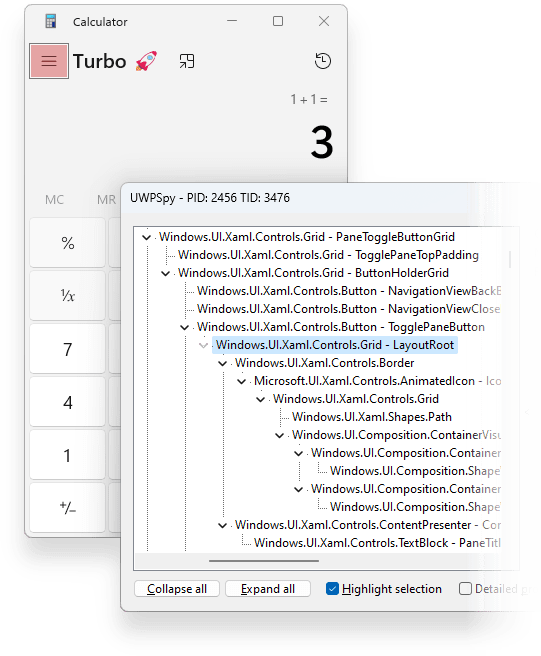
UWPSpy enables users to observe how changes affect the structure and functionality of their UWP app. It's beneficial for helping with UI design tasks during app development. When you select specific properties, the linked elements will be highlighted, and any changes will update in real-time.
UWPSpy is a handy and efficient tool (brought to you by the developer of Textify and 7+ Taskbar Tweaker) that caters to the needs of UWP app developers. It offers practical and convenient features that allow developers to view real-time changes in their projects instantly. With UWPSpy, developers can quickly and seamlessly optimize the development process, leading to a more streamlined and effective workflow.
Usage
Run UWPSpy.exe and select the UWP/WinUI 3 application you want to spy on.
A window with the application's UI elements will appear for each UI thread of the target application.
A UWPSpy spying window can be closed, in which case it will become hidden. It can be shown again by running UWPSpy.exe again and selecting the same application.
To completely stop spying on an application, its process must be terminated.

Whats New
official site does not provide any info about changes in this version

HOMEPAGE:
Код:
https://ramensoftware.com/

FREE DOWNLOAD LINKS:

Код:
https://rapidgator.net/file/481991c592e93fb81def67dd18351bc2/UWPSpy_1.5.2.zip

Код:
https://nitroflare.com/view/332305A6F35D2AE/UWPSpy_1.5.2.zip
 
6982b8621b369fecabe9acbab57b0592.jpg


WinScript 2.0.1 | Size: 3.05 MB
Language: English


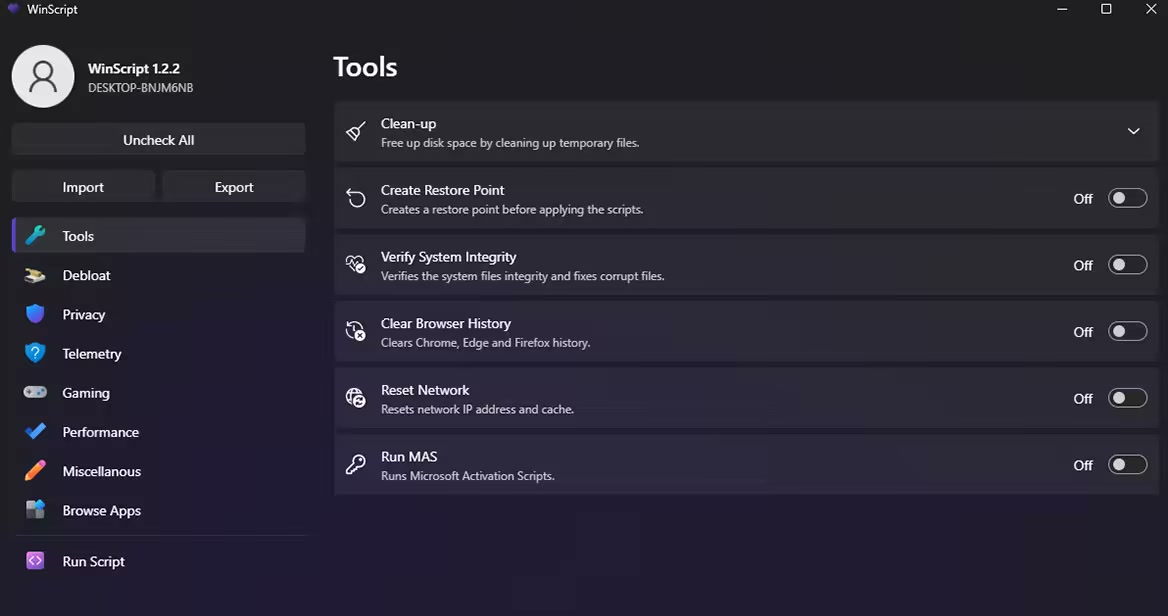
WinScript is an open-source tool built to help you build custom scripts for Windows. It includes debloat, privacy, performance scripts & more, along with the ability to install all your favourite apps in one click.

Features
Debloat: Remove Windows bloatware, CoPilot, Edge, OneDrive & pre-installed features.
Privacy: Disable Windows and 3rd party telemetry & data collection, tracking, app access & more.
Performance: Set background services to manual to free resources, set your preferred DNS, clean temp files & more.
Install Apps: Install all your favourite apps simultaneously in one click through chocolatey.

Usage
WinScript must be run as Administrator to function properly.
The desktop app may be flagged as a threat by Windows Defender due to its ability to modify system settings. This is a false positive-WinScript is safe, transparent, and open-source.


HOMEPAGE:
Код:
https://github.com/flick9000/winscript/

FREE DOWNLOAD LINKS:

Код:
https://rapidgator.net/file/b160f930b84faf2c95d4cd8ac4da36de/WinScript_2.0.1.rar

Код:
https://nitroflare.com/view/3213830B9C478A6/WinScript_2.0.1.rar
 
_523e4e28f8e18e52f658b19ed5ca4474.jpeg


WindowTop Pro 5.29.2 Beta Multilingual | Size: 67.72 MB
Language: English


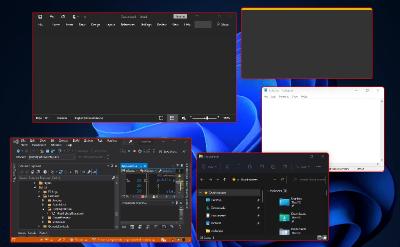
WindowTop enable you to pin any window on top, enable window transparency, even click through transparent window, set window dark/read mode, shrink the window to small size and more.

Always on Top
Easily set window on top and even highlight top-most window with a red frame! You can configure this behavior in settings (frame color, etc).

Anchors
The reason why you may put a window on top is to get back to it faster.
If this is your case, then Anchors is for you! Instead of using Always-on-Top, just use Anchors! They will help you to access the window with a single click! Faster than ALT+TAB, great for touch screens!
And don't worry, the anchors will not disturb you because they automatically move away from any text/image

PiP for any window!
Want to watch some video while working?
No problem! Shrink it! It will enable PiP mode.
In addition, you can even interact with the window while it is in PiP/Shrink mode (See the example!)

PiP Auto-Move!
PiP also come with auto-move option!
It will stay away from text/images for you!

Opacity
Working on something like building a website and want to see your work behind? No problem! Use opacity

Opacity + Click Through
Opacity also includes a feature that allows you to click through a transparent window. This can be useful for designers and graphic artists.

Dark Mode
Working at night? Tired of all the light coming out of the screen and unfortunately, the software does not support dark mode? No problem now!
Note: Unstable in Windows 10 (Stable in Windows 11)

Glass Mode
Smart transparency mode enables you to take opacity to the next level! Unlike regular transparency, you can set different opacity levels for the background around the text/controls and the images.
And you can even set the blur level.
Note that this may work slowly on 4K and will work better for NVIDIA GPUs (make use of CUDA feature)


HOMEPAGE:
Код:
https://windowtop.info/

FREE DOWNLOAD LINKS:

Код:
https://rapidgator.net/file/585af6bb6300c926042a496cc5b2e634/WindowTop_Pro_5.29.2_Beta_Multilingual.rar

Код:
https://nitroflare.com/view/0E72F33E0CAC4C7/WindowTop_Pro_5.29.2_Beta_Multilingual.rar
 
af403cd46ed5fef5742727207475ff2f.jpg


Winslop 26.03.20 | Size: 222.08 KB
Language: English


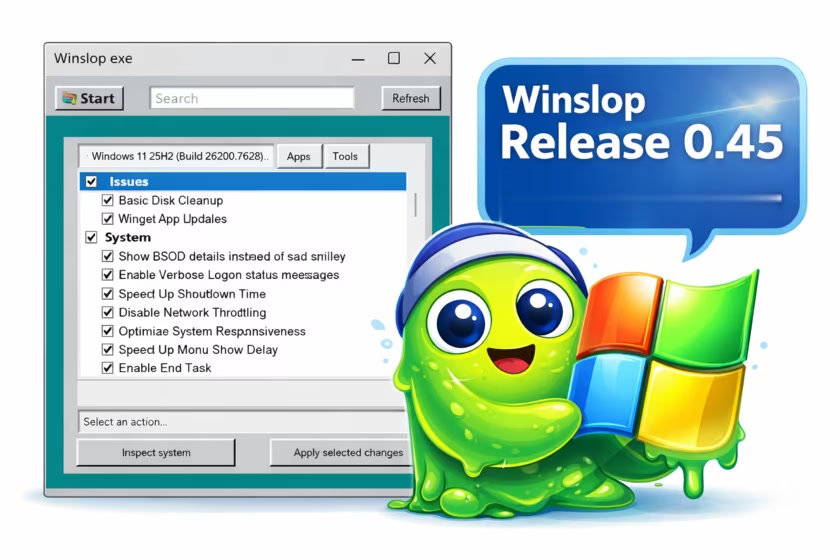
Winslop is an innovative lightweight utility for Windows. This tool is designed to eliminate unnecessary system clutter, often referred to as "slop," that can degrade your operating system's performance and reduce user control.

What is Slop?
The term "slop" refers to low-value system components that are typically pre-installed and contribute little to no meaningful functionality. These elements consume valuable resources and can reduce user efficiency by limiting overall control over the system.
Streamlined Functionality
The core goal of Winslop is to streamline functionality, reduce distractions, and present users with clear, straightforward information. It operates entirely offline, without reliance on cloud services, virtual assistants, or complex algorithms. Everything is local, predictable, and can be easily reversed if needed.
Winslop simplifies routine system maintenance, optimizing performance while systematically removing forced, opaque, and redundant features without compromising the core integrity of the Windows operating system.
Unlike many maintenance tools on the market, Winslop offers a focused, localized fork of the formerly popular CrapFixer, providing you with a clear overview of the changes being made. This transparency empowers you to review alterations before they are finalized and easily revert actions if needed.
Another key CrapFixer difference is Winslop's emphasis on localization, which was not fully realized in the original project. Due to its smaller codebase, Winslop anticipates implementing localization features in the near future. Ultimately, Winslop delivers essential tools without unnecessary additions.
Offline Usage
One of Winslop's standout features is its ability to operate entirely offline, meaning that it does not rely on artificial intelligence, cloud services, or telemetry. This focus on privacy and security makes it an excellent choice for users who value a cleaner and more straightforward Windows experience.

Winslop does precisely what the name suggests
● removes slop
● reduces slop
● makes slop visible
● gives control back to the user
Intiutive Interface
For users seeking a streamlined, user-centric approach to system management, Winslop is the ideal solution. Its intuitive interface and robust capabilities ensure that you can maintain a clean, efficient, and empowering computing environment.
Not Anti AI or Windows...
Winslop represents a serious approach to simplifying software usage. It is not against Windows or AI; instead, it seeks to eliminate unnecessary complexity.
Insight Into What Is Being Changed and More
Winslop provides a comprehensive outline of the specific changes it intends to implement across its processes. Each change requires a manual initiation, ensuring that you have complete control over the actions taken. Additionally, Winslop includes a valuable feature that lets you revert any adjustments if needed. This approach not only enhances transparency but also promotes user confidence in managing modifications effectively.

HOMEPAGE:
Код:
https://github.com/builtbybel/Winslop

FREE DOWNLOAD LINKS:

Код:
https://rapidgator.net/file/328a42fe77aa5a66837d156d367b16a4/Winslop_26.03.20.zip

Код:
https://nitroflare.com/view/59005F1F4E39AE2/Winslop_26.03.20.zip
 
Назад
Сверху Снизу