All Emperor2011's Software in one thread !! (updated daily)

aac5bbc884d146db90d1ae2380e2bdea.jpg


Magoshare AweClone Enterprise 3.2 | Size: 85.76 MB
Language: English


AweClone is a reliable, powerful and fast program for cloning a hard disk. AweClone offers state-of-the-art technology to easily and securely clone a hard disk, system disk, and external device. You can easily transfer your data and contents from one hard drive to another without loss. You just need to select the resource hard drive and the target hard drive. Then AweClone will move all the contents from the hard disk resource to the target hard disk without any loss.

Features
• Disk cloning
• Easily and securely clone a hard disk or any storage medium onto another hard disk or device.
• HDD / SSD Cloning
• Clone HDD to SSD or SSD to HDD is easy and simple. You can also clone SDD or HDD to an external hard drive or other storage medium.
• Clone a system hard drive
• Make a full copy of your hard disk in case of system failure or error.
• Duplicate your hard drive to another PC or hard drive.
• Clone a Windows system to another hard disk or external hard disk.
• Clone entire hard drive or external storage device.
• Clone hard disk partitions without any loss.
• Clone HDD to SSD or SSD to HDD.
• Clone your old hard drive to a new hard drive.
• Back up your hard drive data.
• Easily recover data from a cloned backup.
• Supported file systems: FAT 12/16/32, NTFS / NTFS5, EXT 2/3, exFAT, HFS / HFS + and others

HOMEPAGE:
Код:
https://www.magoshare.com/

FREE DOWNLOAD LINKS:

Код:
https://rapidgator.net/file/a993dda0348c138484c9de1e9b28ef3f/Magoshare_AweClone_Enterprise_3.2.rar

Код:
https://nitroflare.com/view/4C960082F512ED5/Magoshare_AweClone_Enterprise_3.2.rar
 
9cb906bc5cd44fa1c70a91a9070d90c7.png


Magoshare AweEraser Enterprise 5.3 | Size: 20.31 MB
Language: English


The reliable file shredder & disk wiper to help you permanently delete files, shred files, erase hard drive, wipe unused disk space with certified data erasure standards.

Secure Data Erasure, Avoid Data Recovery
Once the private data falls into the wrong hands, the consequences would be unimaginable. AweEraser, the reliable data erasure software, can help you permanently erase private data before you resell, donate, give away, lend or abandon your computer or storage device, beyond the scope of data recovery.

All-in-one File Shredder & Disk Wiper
weEraser provides flexible data erasure solutions to help you permanently erase data under different situations. It not only can shred files, but it also can erase hard drive, wipe free disk space and clean up internet privacy, etc. Here are the 4 main tools.

Erase Files
Securely and permanently delete files/folders, permanently shred files/folders.

Operating System: Windows 11, Windows 10, Windows 8/8.1, Windows 7, Windows Vista, Windows XP, Windows 2000, Windows Server

HOMEPAGE:
Код:
https://www.magoshare.com/

FREE DOWNLOAD LINKS:

Код:
https://rapidgator.net/file/ebcd811f1bcac1165e3038e20bfa2a7d/Magoshare_AweEraser_Enterprise_5.3.rar

Код:
https://nitroflare.com/view/D434CA1071232FE/Magoshare_AweEraser_Enterprise_5.3.rar
 
e9c39a099999976eb05d6e3d60d743bb.jpg


Magoshare Data Recovery Enterprise 4.6 Technician AdvancedPE | Size: 20.99 MB
Language: English


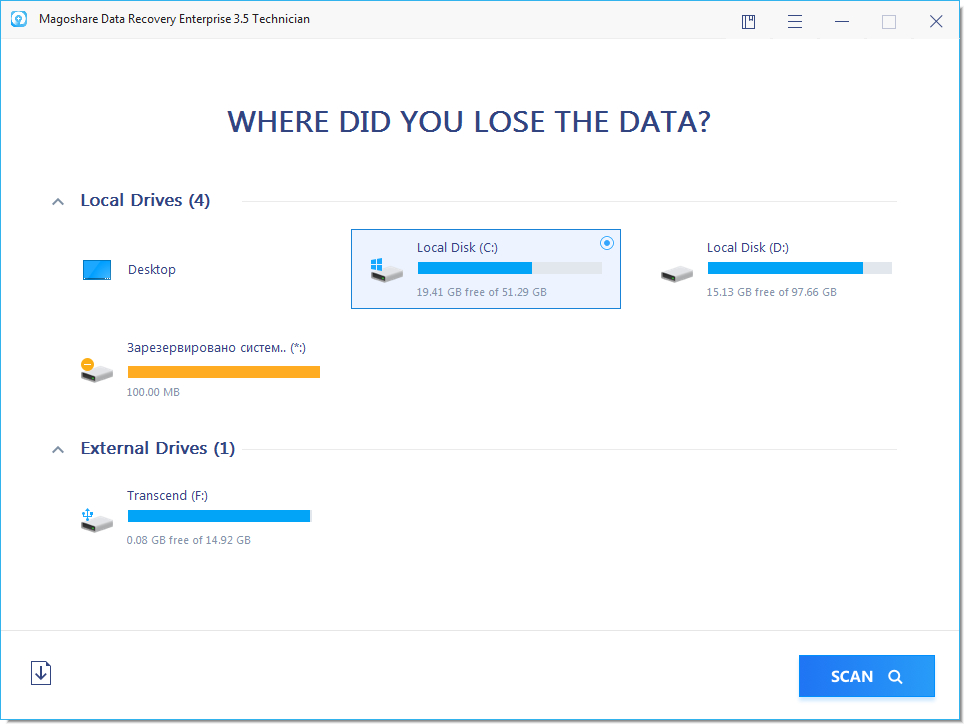
Magoshare Data Recovery offers comprehensive data recovery solution to easily and completely recover lost data from various disasters.

Solve All Data Loss Issues
• Recover deleted, formatted or inaccessible data.
• Recover deleted, lost hard drive partition.
• Support raw recovery.
• Recover lost data due to reinstalling OS, hard dive crash, virus attacking, human error, logical error, or other unknown reasons.

Recover All Devices
• Recover lost data from laptop, desktop, local/external hard drive (HDD, SSD included).
• Recover lost data from USB flash drive, memory card, SD card, digital camera, MP3/4, etc.
• Recover lost data from Server system, RAID, large hard disk, etc.
• Other data storage device.

Recover All Files/Documents
• Recover any type of documents like Microsoft documents, PDF, text, etc.
• Recover audio, videos, emails, archives, etc.
• Recover photos, images, drawings, etc.
• Recover other all file types.

HOMEPAGE:
Код:
https://www.magoshare.com/

FREE DOWNLOAD LINKS:

Код:
https://rapidgator.net/file/52ba4ee65431d4d54f9f7740f64b116d/Magoshare_Data_Recovery_Enterprise_4.6_Technician_AdvancedPE.rar

Код:
https://nitroflare.com/view/7A9BD5DD2D99089/Magoshare_Data_Recovery_Enterprise_4.6_Technician_AdvancedPE.rar
 
83b48b8456500aa1612ddf972e86d573.png


MediaHuman YouTube Downloader 3.9.18 (0202) Multilingual (x64) | Size: 83.19 MB
Language: English


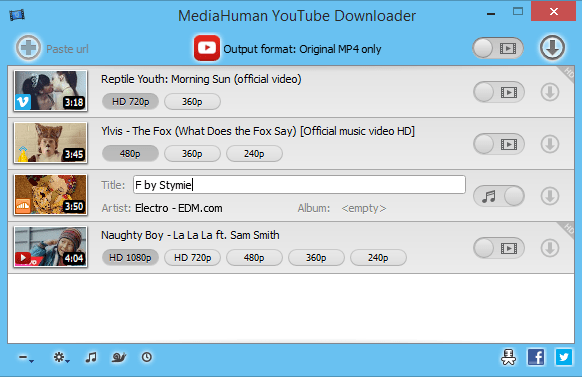
MediaHuman YouTube Downloader is a handy application for those who found a favorite music video or trailer of a new movie and wants to keep it on your computer for viewing offline. Or you need to download a video lesson/tutorial. Our video downloader is an ideal solution for such kind of tasks.

Simultaneous downloads
- Supports Ultra High resolutions up to 4K
- Download whole playlists and channels
- YouTube, Vimeo, Dailymotion, Soundcloud
- Extract audio track and save it as MP3
- iTunes support
- VEVO support


HOMEPAGE:
Код:
https://www.mediahuman.com/

FREE DOWNLOAD LINKS:

Код:
https://rapidgator.net/file/b3b4262274a16c47e8f8f46d8c6e7ba8/MediaHuman_YouTube_Downloader_3.9.18_0202_Multilingual_x64.rar

Код:
https://nitroflare.com/view/856792179874549/MediaHuman_YouTube_Downloader_3.9.18_0202_Multilingual_x64.rar
 
56ec11f35a18c76ed301374469c31cd4.png


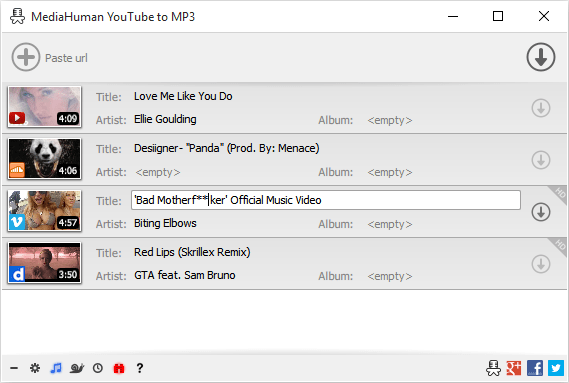
MediaHuman YouTube To MP3 Converter 3.9.18 (0202) Multilingual | Size: 80.34 MB
Language: English


You like to listen to music on YouTube or SoundCloud and want to save it for offline playing. Or you want to download soundtrack of a new movie. Then we recommend you to try out this software developed specifically for this purpose.

• Downloads all music from playlist or channel
• Downloads highest available quality up to 320 kbps
• Supports YouTube, Vimeo, SoundCloud, Dailymotion, VEVO, etc.
• Downloads simultaneously several tracks
• Includes simple tag editor with cover art image support
• Works on all modern platforms (macOS, Windows, Ubuntu)
• Exports to iTunes

Main Features

Playlists and channels
The software supports downloading all videos of a playlist or a channel. And there is also an option for subscribing to and downloading only newly uploaded tracks.

iTunes support
In the preferences of the application you can select an option to add downloaded tracks into iTunes automatically. You can also specify iTunes playlist, where the converted track should be added.

Saves your time & traffic
The app detects audio track in YouTube video clip and downloads it, skipping the video part. As a result download speed increases dramatically, especially on HD-quality content.

Simple tag editor
Application automatically detects artist name and track title of the video and saves it in the downloaded file. But at the same time, you can easily change tags to whatever you want. You can even change a cover art image.

Original format, no conversions
You can save audio tracks in original quality without any conversion. It means that there will be no loss of quality and it greatly reduces the downloading time.

Free music
There is a great amount of music on YouTube. You can always find the one you like there. And YouTube to MP3 Converter allows you to save it on your computer for free. Just find the track you like and download it in the quality you need.

Not only YouTube
Vevo.com, Vimeo, DailyMotion, Soundcloud, Bandcamp, HypeMachine, MixCloud, UOL and many other sites are also supported. So you can download music as easy as from YouTube.

Clipboard tracking
The program tracks the content of the system clipboard. It means that you can easily add a video clip without switching from your favorite browser. Just copy an URL into the clipboard and it will be added to the download queue.

Multilingual interface
Localized to: Arabic, Armenian, Azerbaijani, Bulgarian, Catalan, Chinese (Taiwan), Croatian, Czech, Danish, Dutch, English, Esperanto, French, German, Greek, Hebrew (Israel), Hungarian, Indonesian, Italian, Japanese, Korean, Latvian, Lithuanian, Malay, Norwegian Bokmål, Polish, Portuguese, Portuguese (Brazil), Romanian, Russian, Spanish, Swedish, Turkish, Vietnamese


HOMEPAGE:
Код:
https://www.mediahuman.com/

FREE DOWNLOAD LINKS:

Код:
https://rapidgator.net/file/a204a8105b1e3f9d363b5c668bbf1c18/MediaHuman_YouTube_To_MP3_Converter_3.9.18_0202_Multilingual.rar

Код:
https://nitroflare.com/view/8B5CBF7778F87C6/MediaHuman_YouTube_To_MP3_Converter_3.9.18_0202_Multilingual.rar
 
574f8ac93f47a297815f14a3e442d162.jpg


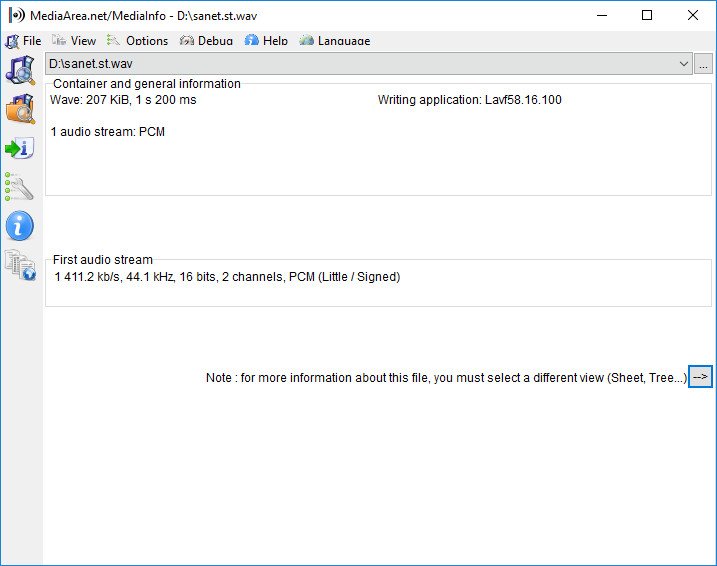
MediaInfo 26.01 Multilingual | Size: 14.55 MB
Language: English


MediaInfo is a convenient unified display of the most relevant technical and tag data for video and audio files.

The MediaInfo data display includes
Container: format, profile, commercial name of the format, duration, overall bit rate, writing application and library, title, author, director, album, track number, date, duration...
Video: format, codec id, aspect, frame rate, bit rate, color space, chroma subsampling, bit depth, scan type, scan order...
Audio: format, codec id, sample rate, channels, bit depth, language, bit rate...
Text: format, codec id, language of subtitle...
Chapters: count of chapters, list of chapters...

MediaInfo analyticals include
Container: MPEG-4, QuickTime, Matroska, AVI, MPEG-PS (including unprotected DVD), MPEG-TS (including unprotected Blu-ray), MXF, GXF, LXF, WMV, FLV, Real...
Tags: Id3v1, Id3v2, Vorbis comments, APE tags...
Video: MPEG-1/2 Video, H.263, MPEG-4 Visual (including DivX, XviD), H.264/AVC, H.265/HEVC, FFV1...
Audio: MPEG Audio (including MP3), AC3, DTS, AAC, Dolby E, AES3, FLAC...
Subtitles: CEA-608, CEA-708, DTVCC, SCTE-20, SCTE-128, ATSC/53, CDP, DVB Subtitle, Teletext, SRT, SSA, ASS, SAMI...

MediaInfo features include
Read many video and audio file formats
View information in different formats (text, sheet, tree, HTML...)
Customise these viewing formats
Export information as text, CSV, HTML...
Graphical user interface, command line interface, or library (.dll/.so/.dylib) versions available
Integrate with the shell (drag 'n' drop, and Context menu)
Internationalisation: display any language on any operating system
Localisation capability (for which volunteers are needed - please contact us!)


HOMEPAGE:
Код:
https://mediaarea.net/

FREE DOWNLOAD LINKS:

Код:
https://rapidgator.net/file/203d44d99b88a9055f18a0f9e2bfec56/MediaInfo_26.01_Multilingual.rar

Код:
https://nitroflare.com/view/22D632DB7D7C40E/MediaInfo_26.01_Multilingual.rar
 
71b5a6e6ffb0311819e7062ce9bd3218.jpg


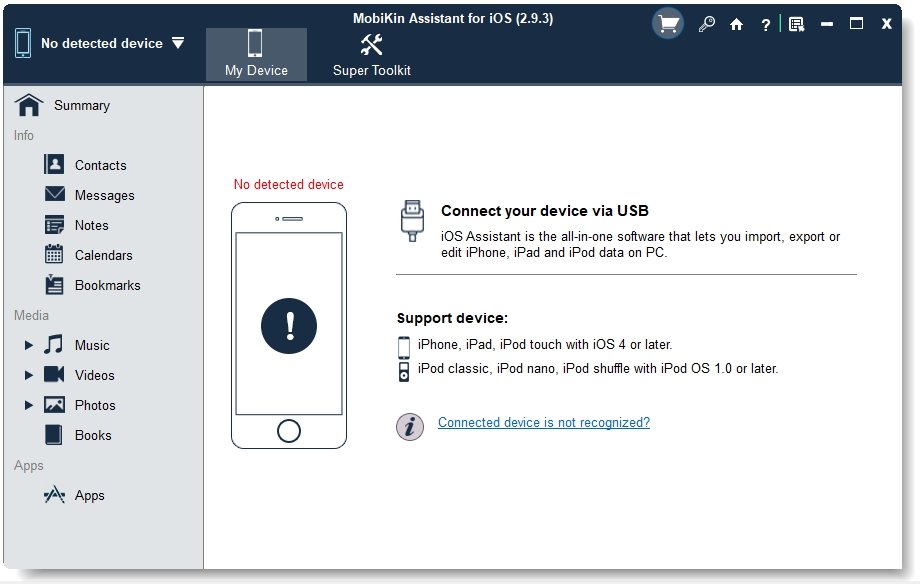
MobiKin Assistant for iOS 3.6.26 Multilingual | Size: 42.12 MB
Language: English


As the World's most powerful assistant software for iPad, iPhone and iPod users, MobiKin Assistant for iOS allows users to transfer, backup and manage all contents on your device with one simple click.

Easily Copy Tons of Files between iDevice and PC
In case of losing data if your iPhone is stolen or broken down accidentally, or you just want to share the movies on your iDevice with your friends in other ways, you need to backup your files on iPhone, iPad or iPod to iTunes time to time. However, there are still so many limitations of iTunes, so that it is troublesome to use the iTunes on PC. Under this situation, you need the help from MobiKin Assistant for iOS (Windows Version).

Add, Delete or Edit iPhone, iPad or iPod Data Directly
As the best iOS Manager software on the market, this tool provide you with the powerful ability to manage all contents on your iDevices. You can add, delete, or edit them on the desktop computer easily.

1-Click iTunes Backup & Restore (New)
As the best alternative to iTunes, this program allows you to backup & restore data between iPhone, iPad or iPod and iTunes directly. And you can import iTunes backups from PC to your device, or delete any unwanted iTunes backups from your PC.

Run Smoothly with Multiple iOS Devices
From the name of the program, almost all of us can realize that this tool is not a single-functional program, but a multi-functional desktop application. It is fully compatible with all generations of iPhone, iPad and iPod. And our technical team will continue to update the program to support more further models in the future.


System Requirements: Windows 10/8/7/XP/Vista

HOMEPAGE:
Код:
https://www.mobikin.com/

FREE DOWNLOAD LINKS:

Код:
https://rapidgator.net/file/aa28e5c140718a4da034dc097bd655db/MobiKin_Assistant_for_iOS_3.6.26_Multilingual.rar

Код:
https://nitroflare.com/view/B55E8973BAC4319/MobiKin_Assistant_for_iOS_3.6.26_Multilingual.rar
 
d9c693b5251975b4fe07740bf6ef4e4b.jpg


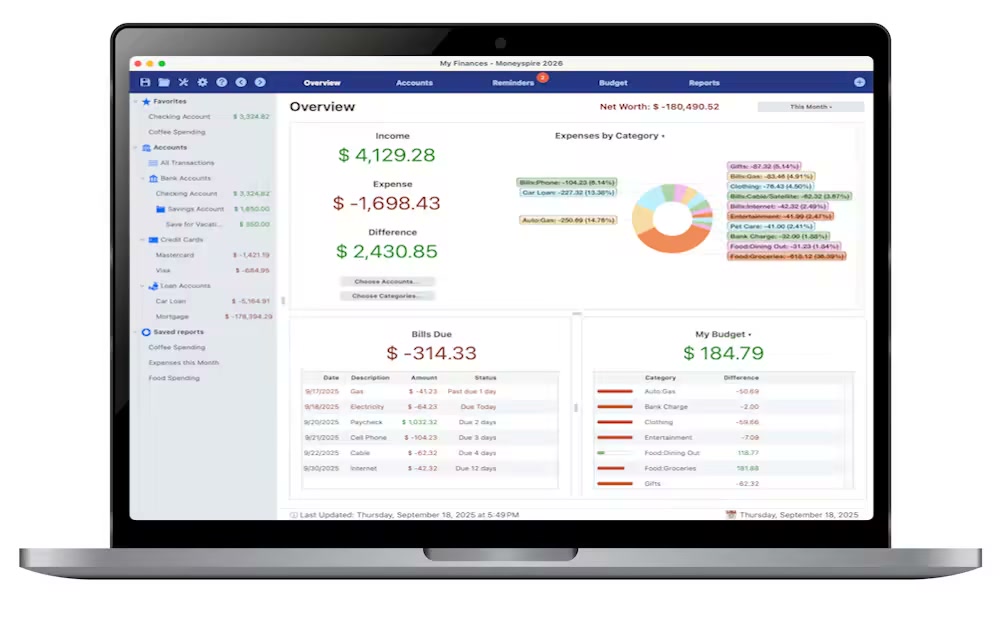
Moneyspire 2026 v26.0.9 (x64) | Size: 119 MB
Language: English


Personal finance software, made personal. Keep track of your bank accounts, credit cards, loans, cash and investment accounts. Categorize your spending and income with customizable categories. Keep track of your bills so you never forget to make a payment again and avoid late fees.

Set a budget to keep track of your spending so you don't overspend on specified categories like Dining Out. Forecast your account balance to prevent overdrafts and insufficient funds. Balance your checkbook and reconcile with bank statements to catch errors and bank fraud.

Generate detailed reports to see exactly where your money is going and to make tax time easier. Optionally sync to your financial institutions (if you would like) via the Moneyspire Connect feature and automatically download your transactions. Optionally sync to the cloud (if you would like) via the Moneyspire Cloud feature so you can share your finances between multiple computers and mobile devices.

Moneyspire can also import data from Quicken, Microsoft Money (MS Money) and other personal finance software, so you can easily make the change to Moneyspire.


HOMEPAGE:
Код:
https://www.moneyspire.com/moneyspire-desktop/

FREE DOWNLOAD LINKS:

Код:
https://rapidgator.net/file/9577ba5d9905d43a0cc821f2d5737e96/Moneyspire_2026_v26.0.9_x64.rar

Код:
https://nitroflare.com/view/D71FEB127A367C8/Moneyspire_2026_v26.0.9_x64.rar
 
68a0a96ce75c92858617e5602ec1f2d4.png


Mozilla Firefox 147.0.3 | Size: 153.47 MB
Language: English


Mozilla Firefox is a fast, secure and easy to use web browser that offers many advantages over other web browsers, such as the tabbed browsing and the ability to block pop-up windows. It lets you to view Web pages way faster, using less of your computer's memory. Take Firefox with you wherever you go. Synchronize your browsing across multiple devices. Forget clunky URLs - find the sites you love in seconds. Firefox has the most ways to customize your online experience specifically for the way you use the web. It is built with you in mind, so it's easy and instinctive to use even the first time you try it.

Thousands of Add-ons (little extras that augment Firefox to meet your unique needs) just waiting out there to help you do more, have more fun and be more creative online.
Mozilla Firefox keeps your personal info and your online interests away from the bad guys. Simply put, your security is our top priority.
Choose from 5000 free extras to make your Mozilla Firefox browser look and function the way you want. An add-on can be a new time-saving toolbar button, a shortcut to search, a themed look, and more. Add-ons make browsing easier.

Mozilla Firefox Helps You Stay Safe
• Protect Your Privacy. When you browse, you leave a trail of data that potentially contains all sorts of personal information. We believe this info belongs to you and you alone (and least of all to overzealous advertisers), and have built in features to ensure that's the case.
• Browse With Security. Whether it's buying a gift, paying your bills or simply signing in to Facebook, it's important keep your personal info out of the hands of any online bad guys who might be snooping around. Fortunately, Firefox is packed with advanced security features to help you stay safe.
• Stay In Control. The online world is always changing, which is why we give you easy-to-use tools to let you adapt and make smart choices as you go.
• It's Part of Firefox Mission. Mozilla is a non-profit organization with the goal of making the Web better for everyone. We're not trying to make money off our users - we just want you to have the best possible experience online, and that includes keeping you and your personal information safe and private.

Mozilla Firefox Personal Settings
• Add Style: Personas. Make Firefox match your style! Choose from thousands of Personas designed by users around the world, or create one yourself. With a single click you can dress up your browser however you want.
• Customize: Add-ons. Many of the most popular add-ons are extensions, little extras you download to add more bells & whistles to Firefox. Compare prices, check the weather, listen to music, update your Facebook profile - all built right into the browser!
• Make It Work: Plugins. Plugins are small bits of third-party software built by companies like Adobe Systems or Apple to power videos, animation and games (examples include Flash Player or Quicktime). They can cause browser crashes or pose security risks when they get out of date, so we've built an easy tool to help you stay current.
• Adapt Your Interface. The Firefox interface has been designed by a team of experts and tested by a community of millions of users around the world to make sure your browsing is as easy and intuitive as possible. But, everyone has their own specific needs, and you can always adjust the interface to be exactly the way you like it: re-arrange, organize, add or remove buttons or fields to change your browsing experience however you want.
• Stay In Sync. Sync seamlessly connects your desktop and mobile Firefox, so you can access your browsing history, passwords, bookmarks and even open tabs no matter which device you use. Now you can surf the Web on your desktop, get up in the middle of browsing and have your open tabs ready and waiting on your mobile, just as you left them. Your browsing will never be the same!

Blazing Performance
• Making the Web Faster. Fasten your seat belts! With faster start-up times, rapid graphics rendering and improved page load speed, Firefox is full of major performance enhancements you'll notice instantly. Upgrades to DOM and Style Resolution performance mean pages load faster, scrolling up and down is smoother, and web applications can run at breakneck speed. It's an entirely new - and fast - browsing experience.
• Web Application Speed. Web applications like mail, video or games keep getting more awesome, but they also require additional processing power to run smoothly. To meet these increasingly sophisticated demands, Firefox features a massively improved javascript engine called JägerMonkey. As a result, Firefox handles even the most dynamic applications smoothly and easily, allowing you to enjoy the very best the modern Web has to offer.
• Hardware Acceleration. Whether you're using Windows 8.1, 8, 7, Vista, XP or Mac OS X with Firefox, you'll also enjoy hardware acceleration for many common operations, such as watching videos or playing games. Firefox uses a new layers-based graphics system that takes advantage of Direct2D and Direct3D on Windows and OpenGL on Mac to deliver amazing performance even on graphics-heavy sites.

HOMEPAGE:
Код:
https://www.mozilla.org/

FREE DOWNLOAD LINKS:

Код:
https://rapidgator.net/file/af9e8b4ed95fbd88ce1570a72204bb7e/Mozilla_Firefox_147.0.3.rar

Код:
https://nitroflare.com/view/8BC0877B2631EF9/Mozilla_Firefox_147.0.3.rar
 
d3c9b141fd31b29cbb5ecf7b781c69bc.jpg


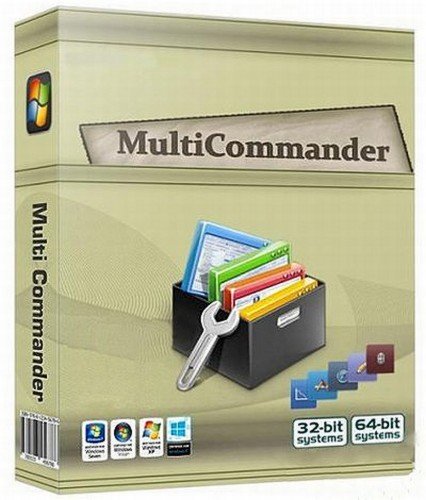
Multi Commander 15.8.3135 Multilingual | Size: 19.34 MB
Language: English


Multi Commander is a multi-tabbed file manager that is an alternative to the standard Windows Explorer. It uses the very popular and efficient dual-panel layout. Multi Commander has a everything you need in your daily works with files to make your work fast and efficient. It has all the standard features like a file manager has like copy, move, rename, view. But Multi Commanders big strength is the special features that allow you to do advanced task with ease. Like Auto-unpacking , Auto-sorting , Browse inside archives, registry and FTP, Search for file, View files and pictures and the Scripting support let you automate many task. And it allows you to do everything from the keyboard using shortcut so you can work fast and efficient.

Features
- Tabs allowing you to have multiple folders open.
- Caching that enable fast file browsing.
- Show files in Detailed, List, or Thumbnail list modes.
- Background work for all tasks that takes time to finish, allowing you to continue working without interruptions.
- Customize the layout and colors to fit your styling needs.
- Extensions and plugins that will increase the functionality of Multi Commander.
- FTP, Registry , Zip, 7-Zip, Rar , Tar , GZ , Bz2 , Jar Support
- View and Change file permissions, Take ownership of files.
- Picture tools like Convert / Rotate Pictures, View/Remove EXIF tags, Adjust EXIF Date of pictures.
- Internal picture viewer for Jpg, Png, Gif, Png, Bmp, Tiff and many RAW formats.
- Show Movie information from IMDB/Rotten tomato as extra columns on you movie files.
- Audio tools like View Audio file properties, View/Edit MP3 Tags.
- Open API for developers to create extensions and plugins.
- Remember selections when you get back from another location when browsing the filesystem.
- Use mouse and drag and drop or use quick keyboard command for all the task.
- FileOperations plugins that can automatically sort / unpack files when they are moved or copied.
- MultiRename tool for fast and safe rename of multiple files/folder, Rule based and supports Undo.
- File viewer that lets you view files of any size, as ASCII/Unicode/UTF8/Binary and Hex.
- Take over the file type association from windows. Configure view, edit and open action based on file type and path.
- Both 32bit and 64bit versions available.
- Handle folders with many thousands of files with easy, And use power full filters to limit what you want to view.
- Compare folders and select the files and folders that are different, that are the same and many other options.
- Powerfull script engine allowing you to create script that automate tasks.
- Portable. Can be installed and run from portable (USB) device. Will not write any settings/session info on host computer.
- Multi Language support. English, German, French, Czech, Dutch, Russian, Spanish, Swedish, Chinese (Simplified & Traditional), Polish and Japanese is supported.

HOMEPAGE:
Код:
https://www.multicommander.com

FREE DOWNLOAD LINKS:

Код:
https://rapidgator.net/file/65aa942429c9d6d24bbd5a32782d2275/Multi_Commander_15.8.3135_Multilingual.rar

Код:
https://nitroflare.com/view/3C1BED8C3E757F4/Multi_Commander_15.8.3135_Multilingual.rar
 
4acafb1acf46f85bfb7bd11fb39d476f.jpg


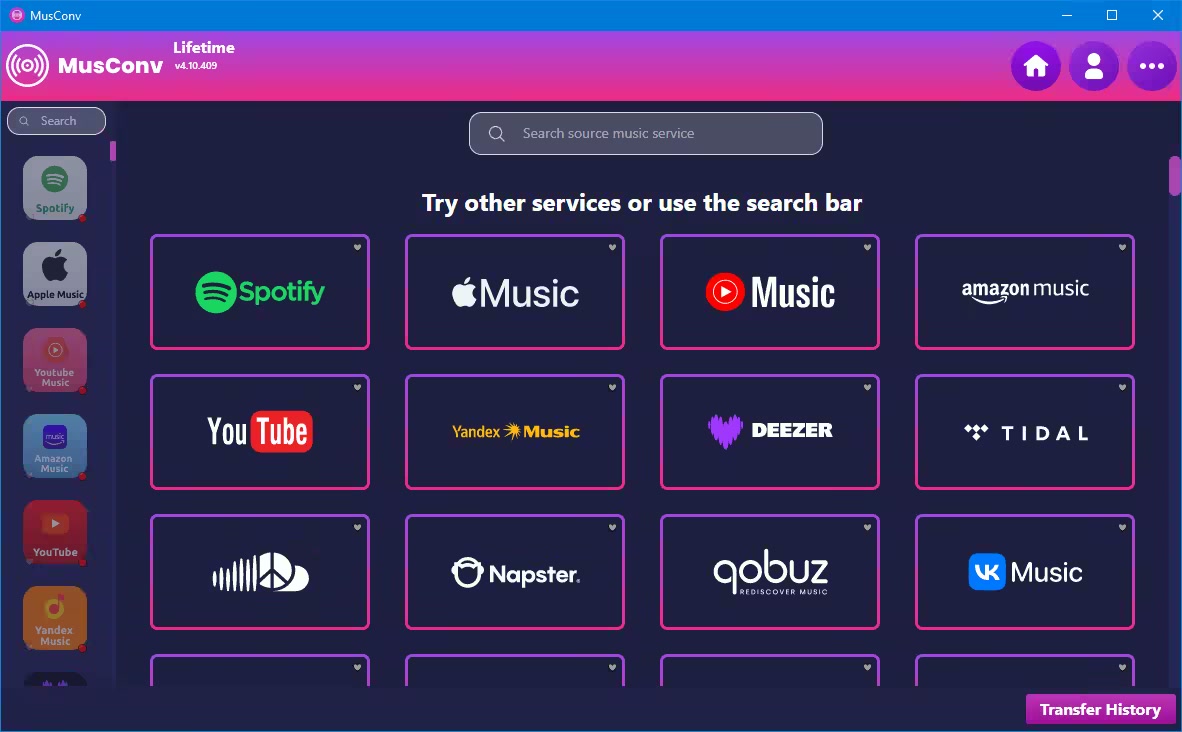
MusConv Lifetime 4.10.451 | Size: 99.29 MB
Language: English


Switching from one music streaming service to another does not necessarily mean you have to start over with everything. Understandably, one of the main issues concerning just about anyone looking to make the switch to Google Play Music from, let's say Spotify, is finding a way of migrating your playlists.

A simple Google search will most probably reveal various tutorials on how to achieve this, but the most straightforward solution is provided by apps such as STAMP or the likes of MusConv here.
Helps you transfer playlists across some of the most popular music streaming services
In just a few words, MusConv provides you with a hassle-free way of transferring your tracks and playlists across some of the most important music streaming services namely Spotify, Google Play Music, and Apple Music.
Getting started with the app is hardly challenging since it does not even require installation. However, it does require an active Internet connection, a valid subscription on all the involved music streaming services, as well as a MusConv account.
Straightforward functionality and unassuming looks
As one can expect, the functionality is as straightforward as they come. Just select one of the three provided services after you have successfully logged in, choose the playlist you want to migrate and hit the TRANSFER button from the lower part of the main window.
Please note that the application also allows you to individually export your playlists as CSV files.
One of the few solutions for migrating your playlists across music streaming platforms
All in all, MusConv is a very nifty application that definitely comes in handy for anyone looking to migrate playlists from one to another music streaming service and is sure to give STAMP (the other alternative for migrating music streaming playlists) a solid run for its money.

What's new
• official site does not provide any info about changes in this version

HOMEPAGE:
Код:
https://musconv.com/

FREE DOWNLOAD LINKS:

Код:
https://rapidgator.net/file/d7bc22d5510bffb1e307189e0050b2b7/MusConv_Lifetime_4.10.451.rar

Код:
https://nitroflare.com/view/570745E3A01E698/MusConv_Lifetime_4.10.451.rar
 
f67c0be06f96cc9628c297e0b933a219.jpg


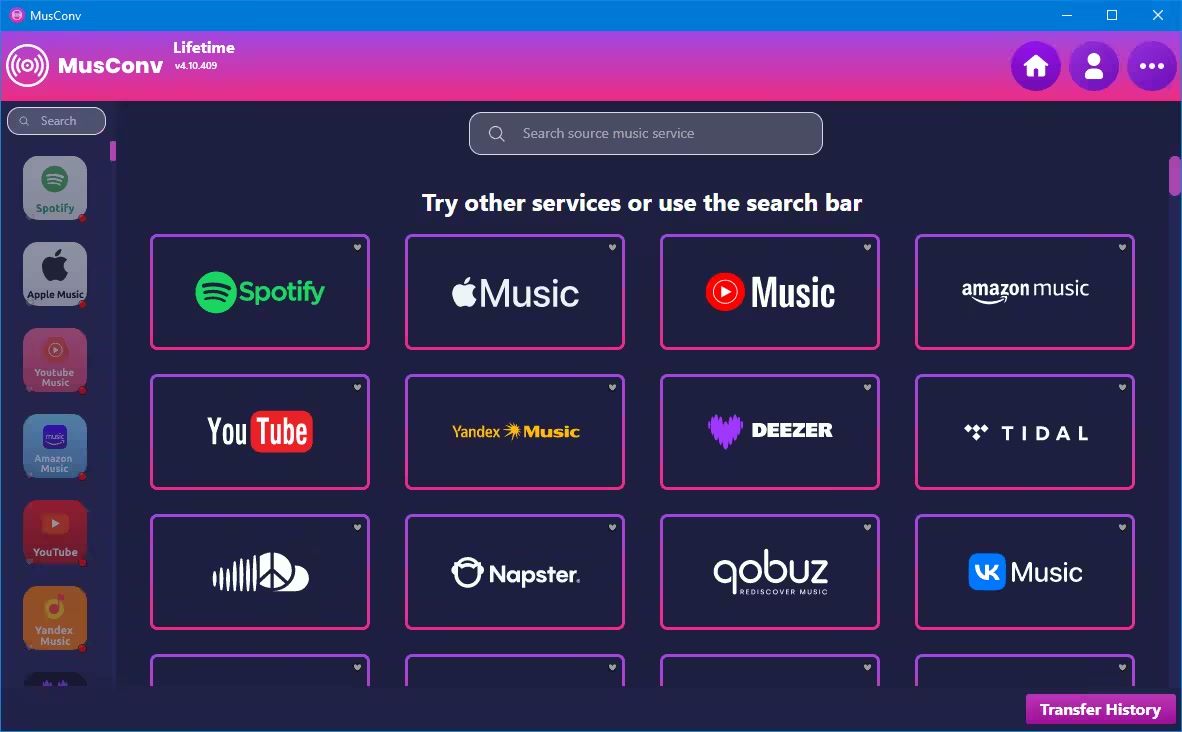
MusConv Lifetime 4.10.452 | Size: 99.29 MB
Language: English


Switching from one music streaming service to another does not necessarily mean you have to start over with everything. Understandably, one of the main issues concerning just about anyone looking to make the switch to Google Play Music from, let's say Spotify, is finding a way of migrating your playlists.

A simple Google search will most probably reveal various tutorials on how to achieve this, but the most straightforward solution is provided by apps such as STAMP or the likes of MusConv here.
Helps you transfer playlists across some of the most popular music streaming services
In just a few words, MusConv provides you with a hassle-free way of transferring your tracks and playlists across some of the most important music streaming services namely Spotify, Google Play Music, and Apple Music.
Getting started with the app is hardly challenging since it does not even require installation. However, it does require an active Internet connection, a valid subscription on all the involved music streaming services, as well as a MusConv account.
Straightforward functionality and unassuming looks
As one can expect, the functionality is as straightforward as they come. Just select one of the three provided services after you have successfully logged in, choose the playlist you want to migrate and hit the TRANSFER button from the lower part of the main window.
Please note that the application also allows you to individually export your playlists as CSV files.
One of the few solutions for migrating your playlists across music streaming platforms
All in all, MusConv is a very nifty application that definitely comes in handy for anyone looking to migrate playlists from one to another music streaming service and is sure to give STAMP (the other alternative for migrating music streaming playlists) a solid run for its money.

What's new
• official site does not provide any info about changes in this version

HOMEPAGE:
Код:
https://musconv.com/

FREE DOWNLOAD LINKS:

Код:
https://rapidgator.net/file/16347bd2f507ff0d0e196e62d751d603/MusConv_Lifetime_4.10.452.rar

Код:
https://nitroflare.com/view/15F1CA2C62FA35D/MusConv_Lifetime_4.10.452.rar
 
2e9e6826cb203c80139f0b8bdf6a391b.jpg


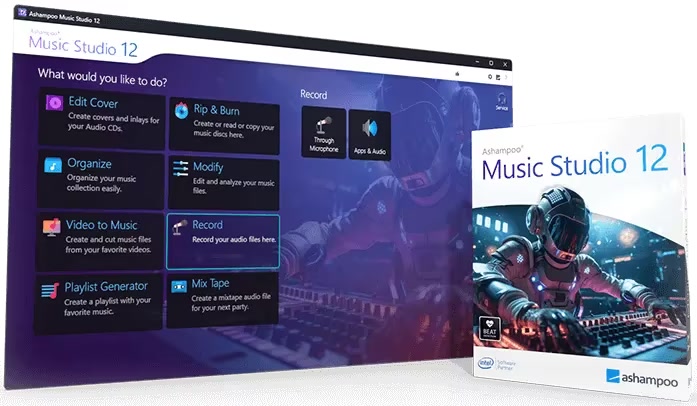
Music Studio 12 | Size: 113.89 MB
Language: English


Ashampoo Music Studio is the Swiss Army knife for your music. It offers a comprehensive set of tools for easy editing, producing, trimming, mixing and organizing of music and audio files. With the powerful features of Ashampoo Music Studio 12, you'll get the best out of your music collection! Eight handy modules cover pretty much everything music lovers need on a computer. Whether you want to edit, burn, or cut your favorite songs-with Ashampoo Music Studio 12, you can do it quickly and easily. Record Spotify, Deezer, Amazon Music, and much more! Convert to other compatible formats, create mix tapes for the next party or playlists for any audio device! Bring order to your music collection, print covers, rip CDs, and much more!

Improved CD recognition for accurate track names
Smart merging of multiple database entries
CD-Text analysis for more complete metadata
Automatic title recognition for streaming services like Spotify, Deezer, etc.
Detection and temporary unmuting of recording devices
Window title parsing for clear file names from unknown sources
Automatic track splitting based on silence in audio streams
Redesigned recording list with more details and clarity
Sort recordings by name, date, or length
Optimized workflow for faster results with fewer clicks

Title detection that thinks for you
When recording music streams, keeping things organized is key-and that's exactly what Music Studio 12 delivers. For services like Spotify, the software automatically recognizes artist and song title and names your files accordingly. For less clear-cut sources, like browser windows, it analyzes the window title and auto-skips irrelevant parts. The result? Just your music-clearly named.

CD ripping with always correct titles!
Looking to archive your audio CDs or access their music digitally? Music Studio 12 recognizes your CDs more precisely than ever. It automatically compares multiple database entries, merges them intelligently, and provides the best possible metadata for your collection. On top of that, Ashampoo Music Studio reads CD-Text directly from disc for more complete information without any manual editing.

Simply smarter recording
Recording audio on Windows can be tricky, especially when a recording device is muted. Music Studio 12 detects muted devices and automatically unmutes them during recording. Once finished, it will restore their original state so you don't have to do a thing. It's the perfect solution for spontaneous sessions and reliable recordings and also works flawlessly with your mic in MS Teams, Zoom & more.

Cleaner, smarter recording list
Got a long list of recordings? No problem! The new and improved recording list in Music Studio 12 displays all key information at a glance and feels much more streamlined. You can now sort your recordings by name, date, or duration-ascending or descending. That way, you'll always find exactly what you're looking for, no matter how big your collection is.

New, robust recording mode
Ashampoo Music Studio is your local helper with every recording! Even if your mic's battery fails, you accidentally unplug a cable, or your audio device briefly loses connection, the recording will not be interrupted. All available audio devices are constantly monitored and instantly recordable. Where many other programs give up, Ashampoo Music Studio 11 stays on the ball and continues recordings even in the event of sudden technical issues!

Reach your goal faster!
Every click counts when you want to make a recording, so menus have been heavily streamlined. All relevant settings are accessible through a single page so you can start recording straight away. This includes audio source, quality, format, and output location. It's all there and instantly accessible. This lets you focus on what matters: Creating the perfect recording!

Looping previews
You can now select not only portions inside but also across tracks and have them playback continuously. This makes your life a lot easier e.g., when you're stitching parts together, because you can now instantly hear the changes as they're happening.

More details and easier handling with title bars
Each track now has a dedicated title bar to help you to keep them apart and to make dragging and rearranging them easier. Mixing and editing tracks has just become a lot more intuitive!

It's all about context
Use the right-click context menu for instant feature access and save time-or rely on the enhanced tool bar. The choice is yours.

Splitting made easy
Splitting tracks at the current marker position is nice but with Ashampoo Music Studio 11, you can use selections to instantly split tracks into three parts based on the start and end of each selection. This is especially handy when you want to apply the equalizer only to the middle part.

More tags for your tracks
Tags enrich your songs with details such as artist, genre, etc. Ashampoo Music Studio 11 supports 18 different types of tags for even more meaningful metadata treat for perfectionists and genuine music lovers!

There can only be one? Not any more!
There's more to music artwork than just a cover photo. Booklet, band photo, or back of the sleeve, you can now add multiple photos to your songs.

It's only logical
Features are now logically grouped in the editor with availability based upon context. This means, when you're editing multiple tracks at once, we'll only enable features that apply in that setting so you'll be visually less distracted and will achieve your goal faster!

Small things matter too
You can now use smart positioning to rearrange tracks with high precision e.g., to smoothly blend tracks together. You can also apply tags by category or convert between audio formats without losing existing tags. Details matter, and Ashampoo Music Studio respects that!


HOMEPAGE:
Код:
https://www.ashampoo.com

FREE DOWNLOAD LINKS:

Код:
https://rapidgator.net/file/41f5987f771a8bad5c2343ac50ef328c/Music.Studio.12..rar

Код:
https://nitroflare.com/view/3E4A8B72D279803/Music.Studio.12..rar

 
8023e863360a77f19e8e08b557732150.jpg


MyLanViewer Enterprise 6.7.5 Multilingual | Size: 7.53 MB
Language: English


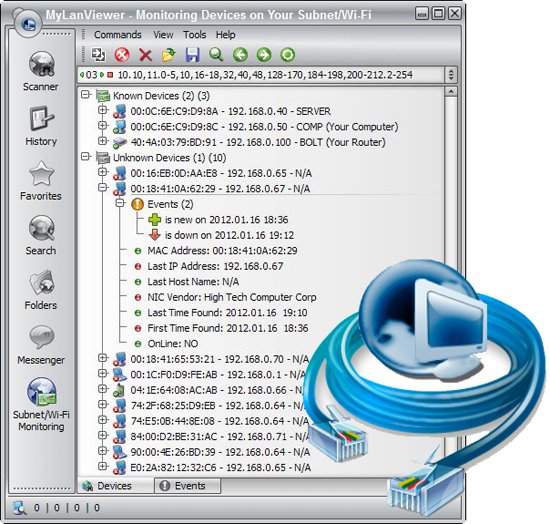
MyLanViewer Network/IP Scanner is a powerful Netbios and LAN/Network IP address scanner for Windows, whois and traceroute tool, remote shutdown and Wake On LAN (WOL) manager, wireless network scanner and monitor. This application will help you find all IP addresses, MAC addresses and shared folders of computers on your wired or wireless (Wi-Fi) network. The program scans network and displays your network computers in an easy to read, buddy-list style window that provides the computer name, IP address, MAC address, NIC vendor, OS version, logged users, shared folders and other technical details for each computer.

MyLanViewer Network/IP Scanner supports remote shutdown, wake-on-lan, lock workstation, log off, sleep, hibernate, reboot and power off. It is able to monitor IP address and show notifications when the states of some computers change. MyLanViewer Network/IP Scanner can also view and access shared folders, terminate user sessions, disable shared folders, show netstat information and detect rogue DHCP servers. The software can monitor all devices (even hidden) on your subnet, and show notifications when the new devices will be found (for example, to know who is connected to your WiFi router or wireless network). The program easy to install and use, and has a user-friendly and beautiful interface.

Enterprise LicensA enterprise license grants an organization rights to install and use the software on an unlimited number of computers or servers at an unlimited number of locations used by the organization in many cities or countries. (Order MyLanViewer (Enterprise License) - 999 USD)

What's new
• official site does not provide any info about changes in this version

HOMEPAGE:
Код:
https://www.mylanviewer.com/

FREE DOWNLOAD LINKS:

Код:
https://rapidgator.net/file/32dcb0807cb500b5cf499eae3baad271/MyLanViewer_Enterprise_6.7.5_Multilingual.rar

Код:
https://nitroflare.com/view/B640E04EF371616/MyLanViewer_Enterprise_6.7.5_Multilingual.rar
 
a72062bd32621089a8c72b7153846583.jpg


O&O DiskCommander Premium 5.1.1020 Multilingual | Size: 64.7 MB
Language: English


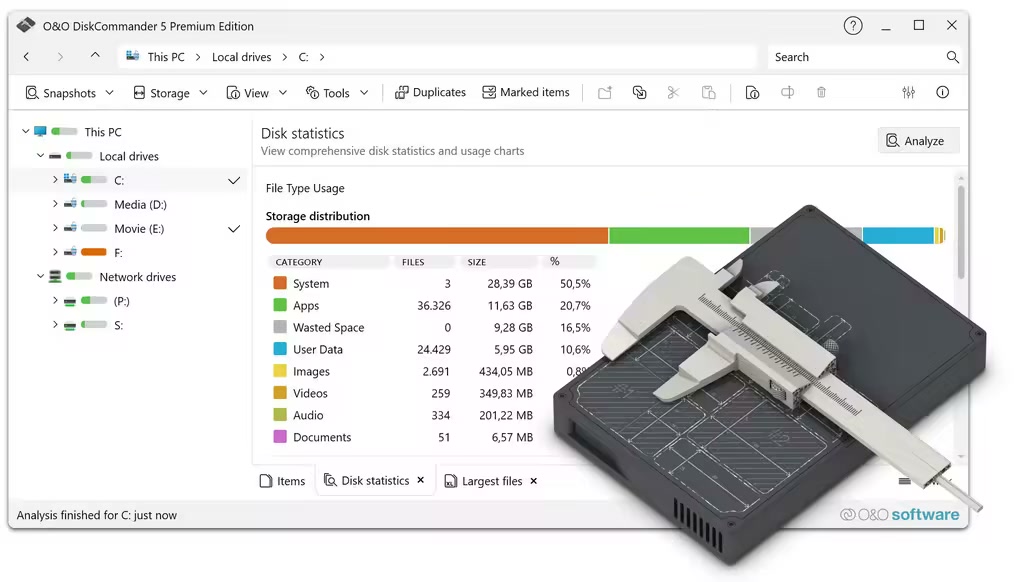
O&O DiskCommander is the detective against memory guzzlers and at the same time a professional analysis tool for data carrier structures. With just a few simple steps, you can get a quick, reliable overview of the usage of your drives - plus detailed insights into hard drives, partitions and file systems (e.g. NTFS and FAT). This makes O&O DiskCommander not only suitable for tidying up, but also for targeted testing and diagnosis, for example in the case of complex data carrier layouts or memory allocations that are difficult to trace.

The interface is deliberately based on Windows Explorer and thus immediately looks familiar: You navigate intuitively through drives and directories, check details and compare memory consumption without having to familiarize yourself with a new logic first. At the same time, O&O DiskCommander goes a decisive step further than the Explorer, because it not only displays, but also makes it understandable: Which areas are growing particularly strongly, which file types dominate, and where can the most memory be reclaimed with little effort.

Visualize instead of searching
O&O DiskCommander makes data volumes understandable. Structured lists, sorting, and graphical evaluations allow you to see at a glance which folders are taking up the most memory, where large files are concentrated, and which areas are particularly suitable for cleanup. In this way, "hard drive full" becomes a clear decision as to where it is really worthwhile to clean up - and which data is better to archive, move or permanently remove.

Analyze without risk
If desired, O&O DiskCommander works purely on an investigative basis: Storage media can be checked without changing content. This gives you maximum control - ideal for sensitive systems, production environments or data carriers that need to be assessed before taking any action.
For added security, analysis results can be exported and imported again later. This is particularly practical when analyses are to be documented, compared or shared within the team.

Backup check without restore: Analyze O&O DiskImage backups directly
One of the most important new features in O&O DiskCommander is the direct analysis of O&O DiskImage backups. You open backup images like a disk and check their contents without having to start a full restore. This allows files, folder structures and system layouts to be quickly verified in image files - saving time and without requiring additional storage through restores.
- Open backup images without restoring
- Analyzing File and Folder Structures in DiskImage Backups
- Check stored data and system layouts in image files
- Use backups for validation and documentation
This makes O&O DiskCommander the ideal companion for O&O DiskImage - especially for analysis, testing and troubleshooting tasks.

Find duplicates - consistently reduce memory hogs
It is not uncommon for the memory consumption to be less due to individual large files than to multiple stored databases. O&O DiskCommander reliably detects duplicates and helps to quickly track down redundant files. This not only frees up space, but also reduces clutter in project, photo or archive folders.

Clean up quickly - with control
To ensure that tidying up is just as efficient as finding, O&O DiskCommander supports convenient actions directly from the analysis. As soon as the biggest memory hogs have been identified, files can be moved, copied or deleted in a targeted manner without having to open each folder individually and sort it manually. If desired, these actions can be logged in detail so that it is always possible to trace what was processed and when. This keeps even larger cleanups clear and controllable.
In addition, O&O DiskCommander can warn you as soon as a defined storage threshold is reached - so that bottlenecks do not occur unexpectedly.

Batch processing for files and directories - even across borders
Batch processing is particularly practical: You mark several files and directories even across directory and drive boundaries and execute the desired operation in a single pass. To ensure that everything runs as smoothly as possible, rules can be set for how to handle existing files and how the program reacts if errors occur during a process. This means that the process continues reliably even with large amounts of data without you having to intervene constantly.

Create order - locally, externally and in the network
In the end, O&O DiskCommander ensures that "hard drive full" is no longer a mystery, but a clearly solvable problem. They see what really eats up space, consciously decide what needs to stay, and create space where it is most urgently needed - whether on private PCs, on work computers, on external data carriers or in network environments.
Optimized for modern Windows systems
O&O DiskCommander is compatible with Windows 10, Windows 11 and Windows Server up to 2025 and is therefore ideally suited for modern working environments and professional IT scenarios.

Advantages at a glance
- Quick overview of drive usage through lists and charts
- Intuitive operation in the style of Windows Explorer
- Identify memory hogs in a targeted manner and clean them up immediately
- Batch processing across directory and drive boundaries
- Optional logging of copying, moving, and deletion operations
- Configurable behavior on existing files and errors occurring


Supported systems: Windows® 11, 10, Server 2016, Server 2019, Server 2022, 64-bit versions

HOMEPAGE:
Код:
https://www.oo-software.com/

FREE DOWNLOAD LINKS:

Код:
https://rapidgator.net/file/2edc1017d7fdcf450713d89a0d546399/OO_DiskCommander_Premium_5.1.1020_Multilingual.rar

Код:
https://nitroflare.com/view/E3AF3F017EB5660/OO_DiskCommander_Premium_5.1.1020_Multilingual.rar
 

67gSl5AlyEmOiIqyBqSfvRRHPNmkKRPQ.jpg


O&O ShutUp10++ v2.2.1024 Multilingual | Size: 76.14 MB
Language: English


O&O ShutUp10++ means you have full control over which comfort functions under Windows 10 and Windows 11 you wish to use, and you decide when the passing on of your data goes too far. Using a very simple interface, you decide how Windows 10 and Windows 11 should respect your privacy by deciding which unwanted functions should be deactivated.
O&O ShutUp10++ is entirely free and does not have to be installed - it can be simply run directly and immediately on your PC. And it will not install or download retrospectively unwanted or unnecessary software, like so many other programs do these days!
More control over your operating system
Adapt your security settings
Protect your privacy
Control location services
Do not pass on your user data and diagnostics
Windows 11 and Windows 10 wants to give users the easiest possible daily experience and in doing so very rarely forces you to actually read and confirm a security notice. Unfortunately, this simplified approach from Microsoft means much more data is passed onto them than many users would like.
Microsoft uses most data to display personalized information to you that is aimed at making your computer life easier. As an example, Windows can remind you to set off to the airport 30 minutes earlier due to traffic en route. In order to deliver this information to you, however, Windows has to access your calendar entries, your mails (i.e. the airline confirmation email), your location and it has to have access to the internet to get traffic news.
Further information
Portable Version - no installation required
Free of charge for private users,
companies and educational institutions
Operating System: Supports all Microsoft® Windows 11 and Windows 10
Available in English, German, French, Italian, Spanish,
Russian and Chinese (simplified)


FREE DOWNLOAD LINKS:

Код:
https://rapidgator.net/file/2f9d3cce9f7c87e1b31ec16aa96af677/OO_ShutUp10___v2.2.1024_Multilingual.rar

Код:
https://nitroflare.com/view/FB9913D4F4127C3/OO_ShutUp10%2B%2B_v2.2.1024_Multilingual.rar
 
0187d26f87d24ae2de35153a984f3893.jpg


Office Installer Office Installer Plus 1.35 | Size: 55.32 MB
Language: English


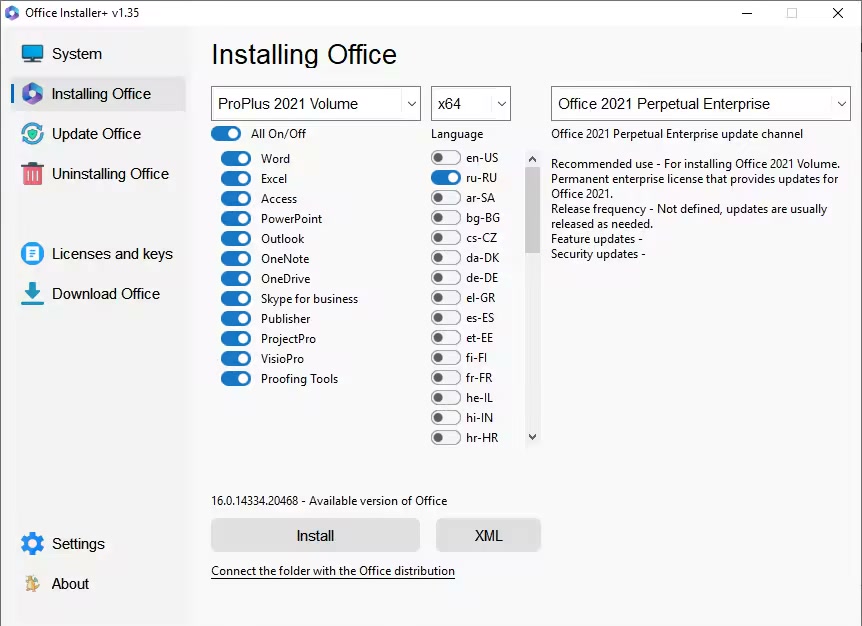
The program is designed for on-line and offline installation of Office 2016/2024 C2R. There is also the ability to create your own Office distribution for subsequent installation of Office off-line.

Working with the program
1. Uninstall Office C2R using the Uninstall button.
2. Remove Office C2R using "Force Remove Office" and restart your computer.
3. Install Office by clicking the "Install" button.

Whats New
Updates: official site does not provide any info about changes in this version

HOMEPAGE:
Код:
https://msfree.su/

FREE DOWNLOAD LINKS:

Код:
https://rapidgator.net/file/3084de1d52737396640053e68d02f375/Office_Installer_Office_Installer_Plus_1.35.rar

Код:
https://nitroflare.com/view/A4E6FC8BFB929BD/Office_Installer_Office_Installer_Plus_1.35.rar
 
30af80ffc607961d3afa136dcac40bdb.png


OpenVPN 2.6.18-I001 | Size: 10.63 MB
Language: English


The OpenVPN application was designed to be a full-featured SSL VPN solution which can accomodate a wide range of configurations, including remote access, site-to-site VPNs, WiFi security, and enterprise-scale remote access solutions with load balancing. OpenVPN implements OSI layer 2 or 3 secure network extension using the industry standard SSL/TLS protocol, supports flexible client authentication methods based on certificates, smart cards, and/or 2-factor authentication, and allows user or group-specific access control policies using firewall rules applied to the VPN virtual interface. OpenVPN is not a web application proxy and does not operate through a web browser.

Features
Tunnel any IP subnetwork or virtual ethernet adapter over a single UDP or TCP port,
Configure a scalable, load-balanced VPN server farm using one or more machines which can handle thousands of dynamic connections from incoming VPN clients,
Use all of the encryption, authentication, and certification features of the OpenSSL library to protect your private network traffic as it transits the internet,
Use any cipher, key size, or HMAC digest (for datagram integrity checking) supported by the OpenSSL library,
Choose between static-key based conventional encryption or certificate-based public key encryption,
Use static, pre-shared keys or TLS-based dynamic key exchange,
Use real-time adaptive link compression and traffic-shaping to manage link bandwidth utilization,
Tunnel networks whose public endpoints are dynamic such as DHCP or dial-in clients,
Tunnel networks through connection-oriented stateful firewalls without having to use explicit firewall rules,
Tunnel networks over NAT,
Create secure ethernet bridges using virtual tap devices, and
control OpenVPN using a GUI on Windows or Mac OS X

HOMEPAGE:
Код:
https://www.openvpn.net

FREE DOWNLOAD LINKS:

Код:
https://rapidgator.net/file/f5d245d5c40be971cc1366abe0f56c1a/OpenVPN_2.6.18-I001.rar

Код:
https://nitroflare.com/view/A4621EE30E37F41/OpenVPN_2.6.18-I001.rar
 
fb1efc12897991a08b0870e1a578f466.png


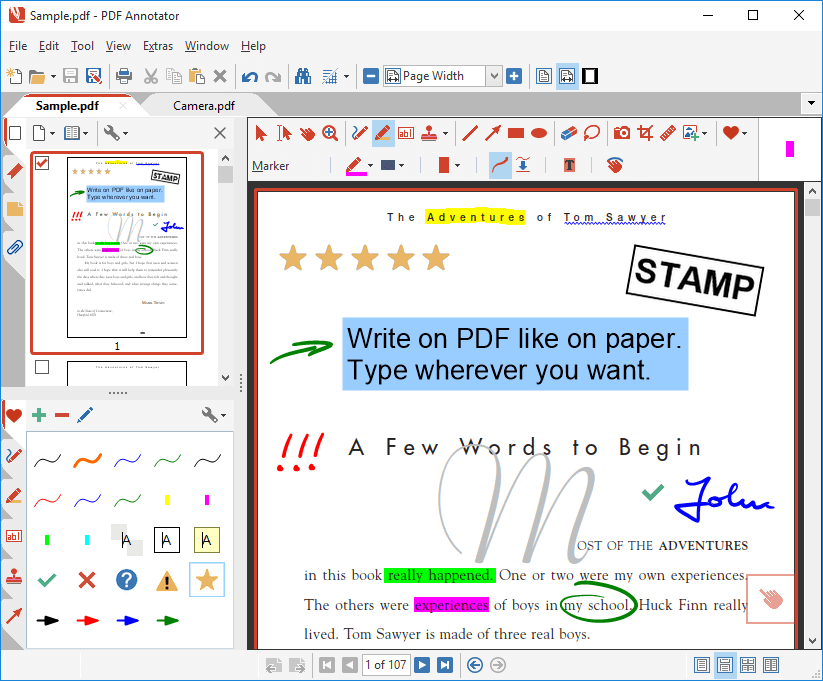
PDF Annotator 10.0.0.1008 (x64) Multilingual | Size: 159.75 MB
Language: English


PDF Annotator lets the user open any PDF file and add annotations, using the mouse or a Tablet PC pen, directly on the PDF file's pages. The annotated documents can then be saved directly back to PDF format. In this way, anyone can read or print the annotated PDF documents. Annotated documents can also be easily attached to emails.

Previously, annotating, commenting or proofreading a document received for review in PDF file format was possible only by using multiple software products in a row--or only by printing the document and adding comments manually. With PDF Annotator, annotations can also be added in a natural way--using a pen--but everything remains in digital format. PDF Annotator allows commenting of PDF files in a single step.

Annotation Manager in the Sidebar
- Get a quick overview of all annotations in a document.
- Navigate to any annotations quickly.
- Perform operations on any selection of annotations.

Filter Annotations
- Only display a filtered subset of your annotations in the new Annotations sidebar.
- Filter by type, color, or page number.

Print Annotations Overviews
- Print a detailed list with small previews of every single annotation in a document.
- Print an overview only outlining the pages containing annotations.

HOMEPAGE:
Код:
https://www.pdfannotator.com/

FREE DOWNLOAD LINKS:

Код:
https://rapidgator.net/file/623d22e0ca3b5d9dec1c8161768fe4db/PDF_Annotator_10.0.0.1008_x64_Multilingual.rar

Код:
https://nitroflare.com/view/C76E10FF5930104/PDF_Annotator_10.0.0.1008_x64_Multilingual.rar
 
_29d9a576957de9f478bd06f09d26af1b.jpeg


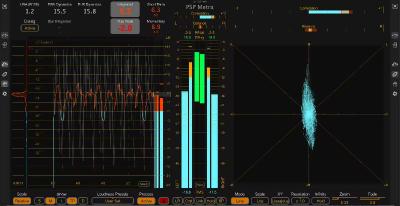
PSPaudioware PSP Metra 1.1.0 | Size: 4.15 MB
Language: English


PSP Metra is a high-end real-time analysis and metering plugin built for engineers who need absolute confidence in loudness, dynamics, and stereo image. Designed strictly as an analysis tool, Metra never alters your audio - its sole purpose is to deliver clear, reliable information when critical decisions matter.

It brings together professional level, dynamics, stereo, and loudness metering in one unified interface, featuring Sample and True Peak, PPM, RMS and VU, Dynamic Range and Crest Factor, stereo correlation and balance, goniometer and Lissajous displays, as well as fully standards-compliant loudness metering including LUFS, LRA, PLR, PSR, and optional Dialogue Integrated Loudness. Everything you need to confidently monitor modern mixes, masters, and broadcast deliverables is always in view.

Inspired by the clarity of classic 1980s plasma meters and powered by modern measurement standards, PSP Metra combines exceptional visual readability with state-of-the-art loudness compliancmaking it equally at home in music production, mastering studios, and broadcast environments.

Whats New
New features
RMS reference mode switch: Standard dBFS or AES17 (full-scale sine reads −3.01 dB RMS or 0.00 dB RMS).
Favorite presets system for faster workflows.
Instant switching between Dynamic and Loudness modes directly in the Metra view.
Double-click reset on loudness readouts (full loudness reset).
Visual scale markers in Loudness mode indicating True Peak Max and Loudness Target levels.
True Peak Max & Loudness Target controls added to the Loudness Values view.
Interactive True Peak Max and Loudness Target markers in the Loudness view chart.

Improvements
Reconfigured VU mode.
RMS values are now always displayed below Peak values in the Metra view.

Fixes
Fixed an issue where preset recall could update visuals without correctly applying processor settings.
Refined manual terminology and improved overall clarity.

HOMEPAGE:
Код:
https://www.pspaudioware.com/

FREE DOWNLOAD LINKS:

Код:
https://rapidgator.net/file/c985e3b78f54fffd9c340f86563befed/PSPaudioware_PSP_Metra_1.1.0.rar

Код:
https://nitroflare.com/view/EDA9C85DE186CAF/PSPaudioware_PSP_Metra_1.1.0.rar
 
Назад
Сверху Снизу