All Emperor2011's Software in one thread !! (updated daily)

e43e3fb84ba9b7d1d40834529bbf3ae1.jpg


Real Cut 1D 11.13.7.0 Multilingual | Size: 1.84 MB
Language: English


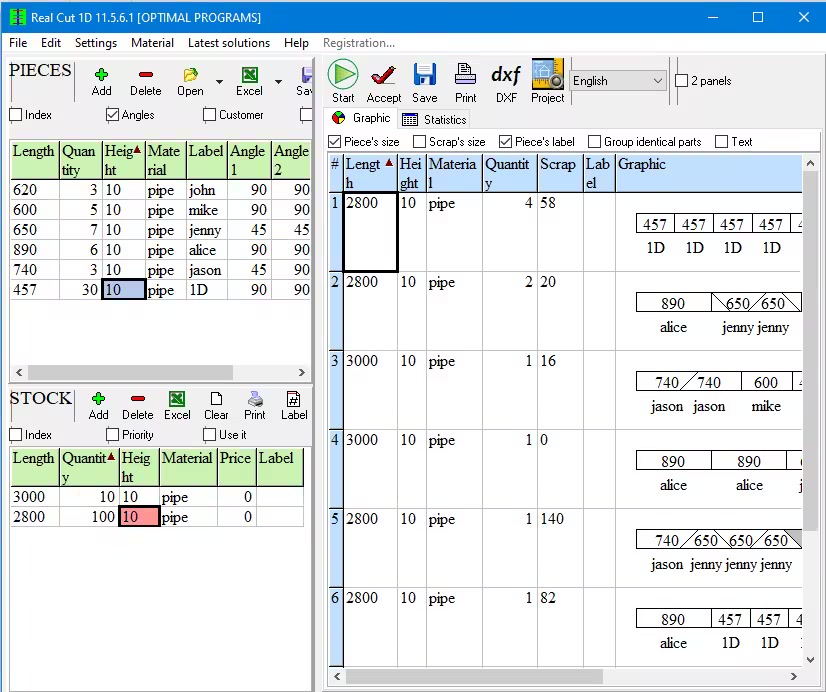
Real Cut 1D is a computer program used for obtaining optimal cutting designs of one dimensional pieces which might have angles different of 90 degrees at their extremities.

Real Cut 1D can be used for cutting linear pieces such as Bars, Pipes, Beams, Tubes, Steel bars, Roof profiles, Balustrade, Fence bars, Timber Frames, Aluminium profiles, PVC profiles, Nylon profiles, Bridge Rails, Universal Columns, Window frames etc. Real Cut 1D generates optimal solutions using the minimum quantity of materials.

Features
Pieces to be cut can have angles different of 90 degrees at their extremities. A lot of material can be saved by properly matching 2 pieces having sharp extremities. For instance, if you match 2 pieces having 45 degrees at their extremities you will save as much as the height of the pieces.
Fractional input. Parts and bars can be entered either as real numbers (such as 100.5) or as fractional values (100 1/2)
Compute the cutting ordewhich is very important if the extremities have angles different of 90 degree. If all angles have 90 degrees the cutting order is not important.
Any number of pieces in the Stock and Partvirtually no limit for the number of pieces that you want to optimize.
Any size less than 2 billion units- the size of the pieces is limited by the size of the data types introduced by the C++ language.
Any measurement metric- The way in which you introduce the data is a general one. You don't have to specify a metric. Just choose a metric in your mind and enter all data using that metric only.
Adjustable cutting blade thickness.
Adjustable optimization level- One may specify how many layouts to be generated before the solution is outputted. If you don't have too much time and you don't have a good computer you may set the Optimization Level to a low level. This feature helps you to run your program on any kind of computer (from 486 to the best processors available today)
DXF export - obtained layouts can be exported to AutoCAD dxf format.
Reduces panel waste and costBy using the latest achievements in the field of Artificial Intelligence you may obtain reduce the waste.
Automatic offcuts handling - the useful waste is automatically added to the Stock of materials.
Printing the obtained layouton any printer.
Printing multiple layouts on the same pagthis will save a lot of paper.
Printing the Stock and the Parts of the customeyou may print the pieces that you want to optimize.
Graphical and text display of the obtained results.
The cuttings are shown in text format which can be easily adapted for use to a CNC machine.
Copy-Paste from Exceselect some data from excel, click on a cell in Demand or Inventory and then press Ctrl+V.
Statistics related to the current cut / layout- At the end of the optimisation process you will have access to the: cuttings definition (starting and ending point), number of waste pieces, the waste pieces, number of utilized pieces, the placement of the utilized pieces, used length, ...
Load data from *.xml (specific files), *.xls, *.csv (Excel files).
Automatically computing of the order price
The Stock and the Parts can be sorted - by using various criteria: Length, Width, Quantity, Material, Rotation, Labels etc
Maximises productivity saves time and money ....
Data can be exported into very popular formats: Word, Excel, and XML files.
All panels and table's columns are resizablYou may customize the workspace. The new positions are automatically stored.
Very fast running timSolutions are obtained within seconds.
Win32 native application. No dependencies required.
Single file application. You can move a single file to a new computer and it will run without installation.
Very efficient written. .exe has about 5 MB and the installation kit just over 1 MB.
Desktop application. You are in control of your data. You do not risk loosing data if some distant server fails. You can run the application without problems even if the internet is not working.
Interface in multiple languages


HOMEPAGE:
Код:
https://optimalprograms.com

FREE DOWNLOAD LINKS:

Код:
https://rapidgator.net/file/7ef2bfad6d2a9f50f15164817578343c/Real_Cut_1D_11.13.7.0_Multilingual.rar

Код:
https://nitroflare.com/view/9E1D5415F20F342/Real_Cut_1D_11.13.7.0_Multilingual.rar
 
0c97233ef1f0301f7839cb483394289b.jpg


Recovery Toolbox for DWG 2.7.17.0 Multilingual | Size: 5.02 MB
Language: English


Recovery Toolbox for DWG is an advanced data recovery tool for damaged DWG files. The wizard-based interface of the program enables you to restore data from a corrupted file in a series of simple steps. The software requires no special skills or prior recovery experience of any kind - all you need to do is to follow instructions and wait for the program to analyze the damaged file, identify recoverable resources and complete recovery. To expedite the process, you can manually specify the version of the DWG file to be recovered - otherwise, the program will spend some additional time analyzing the structure of the file and configuring the recovery engine.

How to Repair Corrupted DWG files of AutoCAD with Recovery Toolbox for DWG?
How to recover DWG file? DWG is the primary format used by AutoCAD, the most popular computer-aided design application in the world. Used by millions of designers, engineers, architects, scientists, researchers and other professionals, this software helps create the world as we know it - from buildings, planes and cars to furniture and kitchen appliances. And since each file created in AutoCAD requires countless hours of highly skilled labor, data corruption can quickly become a problem of an immense scale. The .DWG recovery tool open damaged project and export data into new drawing. The DWG recover tool don not use libraries of AutoCAD for reading of files.

How to recovery DWG file? The recovery process of Autocad recovery tool itself may take some time, depending on the size of the damaged file and the performance of your system. For your convenience, you can minimize the program window and attend to other taskthe recovery dialog will reappear on the screen once the recovery process is over. The corrupt .dwg recovery utility allows you to preview the content of the file being recovered before saving it - you can move, rotate and zoom in and out of the scene using the keyboard and/or mouse buttons.

The DWG file recovery tool box exports the extracted data directly to AutoCAD. If you don't have it installed, you will see a corresponding notification. If you have several versions of the software installed on the same system, the DWG repair tool will let you choose the one the data should be exported to. A detailed log of the recovery process is shown on the very last step of the wizard.

If the DWG file being recovered was damaged very seriously and Recovery Toolbox for DWG fails to restore any data in the automatic mode, you can always use the Send source file command from the main menu to email the file to the creators of the program. Upon receiving the file, they will analyze the structure of the file and will attempt to recover your data manually, of which you will be notified shortly (AutoCAD recover dwg corrupt file). The developers will also use this opportunity to enhance the data recovery algorithms used by the program.

Recovery Toolbox for DWG (Autocad recover corrupt Autocad files) is an excellent recovery tool offering speed, stability and compatibility with different versions of DWG files for a price anyone can afford. If you are interested in giving it a test drive, feel free to download a free trial version of DWG restore software!
- Our software support export a recovered data into AutoCAD 2000 or higher.

- Our software cannot export a recovered data into AutoCAD LT. OLE Automation are blocked in AutoCAD LT.
Despite the remarkable simplicity of the program, we have created this usage manual to help you use the program more efficiently. Please read it attentively before contacting our technical support department - your question may have already been answered in this document. If you, however, have problems with the program, please don't hesitate to contact uwe will be glad to assist you.

If the DWG file you are working with was damaged very seriously and Recovery Toolbox for DWG cannot restore any data automatically, don't hesitate to use the Send source file command from the main menu to email the file to us. We will analyze the structure of the file and will attempt to recover your data manually using our in-house tools and data recovery experience. We will also use this opportunity to improve the data recovery algorithms used by Recovery Toolbox for DWG.

Please note that you do not need AutoCAD to be installed on your computer to analyze damaged files and preview their contents, so you can do this on any PC. You will only need AutoCAD for the final data export operation.

What's new
• official site does not provide any info about changes in this version

HOMEPAGE:
Код:
https://dwg.recoverytoolbox.com/

FREE DOWNLOAD LINKS:

Код:
https://rapidgator.net/file/7fb4b7c35673791418a82a7402d6184f/Recovery_Toolbox_for_DWG_2.7.17.0_Multilingual.rar

Код:
https://nitroflare.com/view/203D02F835EEE55/Recovery_Toolbox_for_DWG_2.7.17.0_Multilingual.rar
 
4ac43ea2e13d2926850e3ca510a905c2.png


Recovery Toolbox for Excel 3.8.47.0 Multilingual | Size: 8.06 MB
Language: English


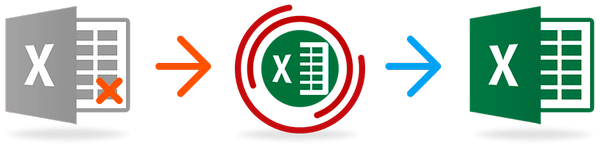
Recovery Toolbox for Excel was developed for recovering corrupted Microsoft Excel files.

Key features of Microsoft Excel recovery software
• Fixing all types of Excel files: *.xls, *.xlt, *.xlsx, *.xlsm, *.xltm, *.xltx and *.xlam extension
• Recovers table styles, fonts, worksheets, workbook cell data
• Repairing number formats (except colors that are used in a number format)
• Fix the column width and row height values in a sheet
• Repair all types of formulas, including functions, internal, external, and name references
• Repair cell formatting values (font, number format, line style, fill pattern, text orientation and alignment)
• Restore cell colors and border colors
• Read and repair .XLS files of MS Office 98, 2000, 2003, XP
• Open and recover .XLSX files of MS Office 2007, 2010, 2013, 2016, 2019, 2021 (Microsoft 365)
• Saving directly to Excel or a new .XLSX file (in this case, a copy of Microsoft Excel installed on the user's computer is not required)
• Export data into new Excel document directly
• XLSX Viewer Tool
• Identifies and displays the contents of a damaged Microsoft Excel file
• Displays the corrupted Excel file

Reasons for XLS/XLSX file corruption
• Virus injection
• Incorrect antivirus cleaning of files (True-False detection)
• Hardware failures
• Power shortages
• USB device is incorrect, unplug
• Microsoft Excel bugs
• Incorrectly working third-party tools with Excel data files
• and others .

What's new
• official site does not provide any info about changes in this version

Requirements
• Windows 98/Me/2000/XP/Vista/7/8/10/11 or Windows Server 2003/2008/2012/2016 and above
• Installed Microsoft Excel for exporting recovered texts into Microsoft Office directly.

HOMEPAGE:
Код:
https://excel.recoverytoolbox.com/

FREE DOWNLOAD LINKS:

Код:
https://rapidgator.net/file/19016ebe97652a943ba6fa49f8cdae8e/Recovery_Toolbox_for_Excel_3.8.47.0_Multilingual.rar

Код:
https://nitroflare.com/view/6B1AA33336CB5F4/Recovery_Toolbox_for_Excel_3.8.47.0_Multilingual.rar
 
fe67a68fc0ba3b5021e322921c4cc339.jpg


Recovery Toolbox for PDF 2.12.37.0 Multilingual | Size: 5.01 MB
Language: English


PDF Recovery Toolbox is intended for recovering data from damaged .pdf (Portable Document Format) filethe international standard of portable electronic documents.

The current version of the program can recover
PDF file parameters. PDF files contain information about their version and page sizes. If the recovery of page parameters is impossible, you can manually add such parameters as page size and orientation.
The structure of PDF files. PDF documents contain tables of internal cross-links that are part of the main document structure. If these tables are damaged, the document may appear unreadable. The software is capable or recovering these data and links used in them.

Fonts and other metadata. Fonts and other metadata can be integrated into PDF documents for their correct rendering. The program is capable of restoring these data in the majority of cases depending on the level or file corruption.
Contents of PDF files. You can recover texts, graphics and forms used in the document.

Online damaged PDF recovery
The program has a friendly user interface and can work with minimal user input, which may come handy for novices and intermediate users. PDF Recovery Toolbox like online damaged PDF recovery servicalways avaible 24x7 via website download.

The software also has a number of additional settings that can broaden the range of documents it can work with.
The program does not modify the original file in any way. The recovery process only involves operations with the memory of your computer and the destination file.

The software is provided in two versions: DEMO (free) and FULL (commercial). The trial version offers a full range of recovery capabilities, but the output file will only contain the first page of the document. All other pages will have the word DEMO written across them.

Recovery of pdf files consists of several stages

1Selection of a damaged file
This stage is used for selecting a file to be processed. You can either type the name of the file or select it using the Open File dialog or the list of previously opened files.
2Configuration of program settings
This stage is optional, but we recommend changing the recovery settings prior to starting the work with a document. For heavily damaged files or in cases when the results of the recovery process did not meet your expectations, you can change the default size of document pages or the way the software processes data streams stored in the document.
3Analysis of document parameters, structure and content
At this stage, the program performs a preliminary analysis of the document, identifies its structure, determines the location of text and other data, analyzes cross-link tables and performs other document processing actions.
This stage is fully automated.
4Selection of an output file
Once the document analysis is over, the program prompts you for the name of the output file. By default, the software suggests saving the recovered document into the same folder the original file was located in, with a name composed of the original file name and the _repaired suffix.
5Selection of the format of the output file
You can save documents in the PDF format of any version, from 1.0 (Acrobat Reader 1.0) to 1.7 (Acrobat Reader 8.0). By default, the software suggest saving the document in the format matching the format of the original file. If the document has been damaged badly and the program fails to determine the format version, it suggests saving the results in the latest version of the format. At the moment, the latest version supported by the program is PDF 1.7 (Acrobat Reader 8.0).
6Recovering data and saving the document
At this stage, the program extracts data from the source document based on the results of the previously performed analysis and saves them into the destination file. The program performs the following actions
Validates the previously analyzed document structure and data and copies them to the memory of your computer
Checks the document for remaining objects and fixes them
Compresses the objects and saves them into the specified output file
Saves the tables of internal cross-links
Saves the document trailer
The work of the program at this stage is fully automated and does not require any input from the user. The trial version of the program only saves the first page of the document into the output file. The rest of the pages will have the word DEMO printed across them. To completely unlock the recovery capabilities of the program, you must purchase the full version of the program.
7Viewing the recovery report
Once the recovery process is complete, the software shows a report containing the following information
The date and time of the beginning of the recovery process
The path and name of the source file
The number of detected objects
The path and name of the output file
The number of objects saved into the output file
The date and time of the end of the recovery process
The report is generated for each file processed during the current recovery session.
You can go back at any stage and change the document recovery settings. You can also choose another PDF file to recover and exit the program at any time.

What's new
• official site does not provide any info about changes in this version

HOMEPAGE:
Код:
https://www.oemailrecovery.com

FREE DOWNLOAD LINKS:

Код:
https://rapidgator.net/file/fbba3c76891a97a14b568c9847717932/Recovery_Toolbox_for_PDF_2.12.37.0_Multilingual.rar

Код:
https://nitroflare.com/view/BD80361A0ED7A5F/Recovery_Toolbox_for_PDF_2.12.37.0_Multilingual.rar
 
b5095c05b1733a4656c8857619e7729a.jpg


Recovery Toolbox for Word 4.5.21.67 Multilingual | Size: 6.57 MB
Language: English


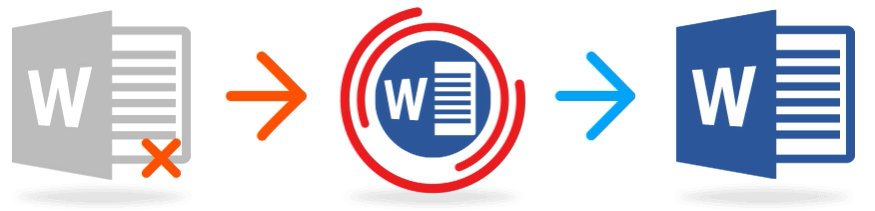
Recovery Toolbox for Word (download) is powerful text recovery software for extraction texts from damaged Microsoft Word documents (*.doc, *.docx, *.dot, *.dotx files) and Rich Text Files (*.rtf files).

Main features of the Microsoft Word recovery tool
• *.docx recovery from Office 2007/2010/2013/2016/2019/2021 files.
• *.doc files recovery of ASCII and Unicode texts.
• Export the recovered texts directly to Microsoft Word.
• Recovery of texts from Rich Text Files (*.RTF format)
• Microsoft Word file recovery program uses proprietary heuristic filters to exclude garbage elements into a recovered documents.
• Microsoft Word recover utility can save recovered texts as *.txt files.
• A flexible and intuitive GUI available in 14 world languages in the Microsoft Word fix program.
• The Microsoft Word text recovery tool is compatible with and successfully tested under Windows 98/NT 4.0/2000/Me/XP/Vista/7/8/10/11.
• Several different algorithms for deep text recovery of Word files different formats (Microsoft Word 95/98/2000/XP/2003/2007/2010/2013/2016/2019/2021).
• DOCX Viewer Tool
• View and repair damaged Microsoft Word files
• Show the contents of corrupted Microsoft Word files
• Extract texts from bad DOCX files

What's new
• official site does not provide any info about changes in this version

Requirements
• Windows 98/Me/2000/XP/Vista/7/8/10/11 or Windows Server 2003/2008/2012/2016 and above
• Installed Microsoft Word for exporting recovered texts into Microsoft Office directly.

HOMEPAGE:
Код:
https://word.recoverytoolbox.com/

FREE DOWNLOAD LINKS:

Код:
https://rapidgator.net/file/eca47c6926df5b6c19eb4426ba210344/Recovery_Toolbox_for_Word_4.5.21.67_Multilingual.rar

Код:
https://nitroflare.com/view/98BFEC59A6DD97F/Recovery_Toolbox_for_Word_4.5.21.67_Multilingual.rar
 
9dd5dea83577d2ce719698727614e78a.png


SQL Backup Master 8.1.1026 Multilingual | Size: 36.91 MB
Language: English


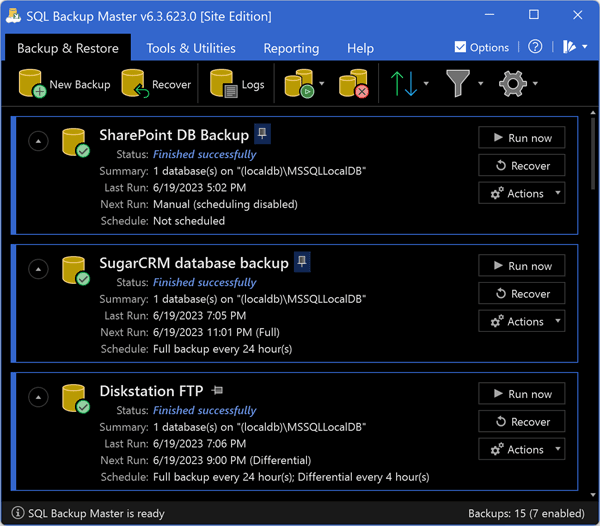
SQL Backup Master backs up your SQL Server databases to any number of popular cloud storage services such as Dropbox, OneDrive, Amazon S3, Microsoft Azure, Box, and Google Drive. It can also back up databases to an FTP serveor a folder on your local machine, network server, or storage device.

Backing up your SQL Server databases to the cloud shouldn't be complicated or expensive. SQL Backup Master comes to the rescue by providing an easy way to upload your database backups to one or more affordable (or free) cloud storage services. It also offers rich compression, encryption, scheduling, recovery, and notification serviceso that you can stop worrying and get back to business.

Features
Supports full, differential, and transaction log backups
Simple yet powerful backup job scheduling
Built-in email notifications for backup job successes, failures, and warnings
Back up to local folders, network folders, or attached storage devices
Back up to FTP servers with first-class FTP, SFTP, & FTPS support
Back up to Dropbox, Google Drive, Box, Amazon S3, OneDrive, & Azure
Compress and encrypt valuable database backups
Runs automatically in the background as a system service
Powerful, intuitive backup logging and log viewer
Provides easy-to-use database backup recovery support
Automatically purge backups older than a specified time frame
Execute custom SQL and batch scripts before and after backups


HOMEPAGE:
Код:
https://www.sqlbackupmaster.com

FREE DOWNLOAD LINKS:

Код:
https://rapidgator.net/file/8110df8f91110a1f14421cb91bab14ab/SQL_Backup_Master_8.1.1026_Multilingual.rar

Код:
https://nitroflare.com/view/8DDD68DE4BA092F/SQL_Backup_Master_8.1.1026_Multilingual.rar
 
7bc49c9440d661ef60bb36ebb87a46f0.jpg


SignioPDF 1.0.0 (x64) | Size: 5.39 MB
Language: English


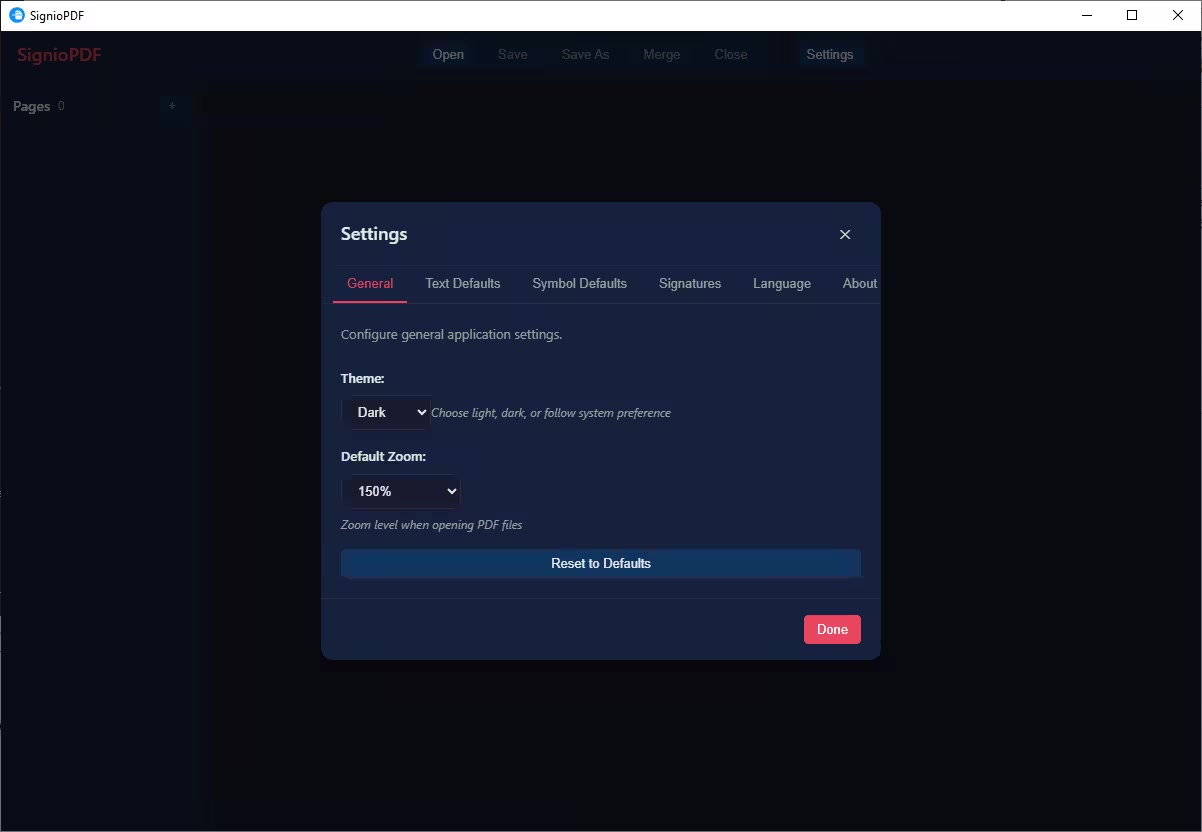
SignioPDF is a modern PDF tool built for speed and simplicity. Read, edit, and sign PDF documents with a lightweight application that runs on Windows, macOS, and Linux.

Whats New
Updates: official site does not provide any info about changes in this version

HOMEPAGE:
Код:
https://apps.microsoft.com/detail/9nw840zcz8pw

FREE DOWNLOAD LINKS:

Код:
https://rapidgator.net/file/6c2c2faa7f802bf3929a921c8d9782f8/SignioPDF_1.0.0_x64.rar

Код:
https://nitroflare.com/view/89D25ABE2798B59/SignioPDF_1.0.0_x64.rar
 
b77fecd25bc5f16636567b1b318fc1f3.jpg


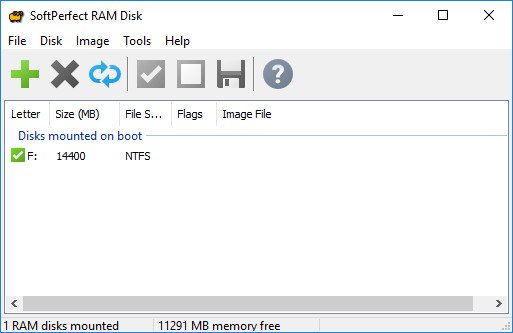
SoftPerfect RAM Disk 26.2 (x64) Multilingual | Size: 39.75 MB
Language: English


The SoftPerfect RAM Disk is a high-performance RAM disk program designed to help you have a disk on your computer entirely stored in the memory.As the memory is much faster than physical hard disks, it makes sense to store temporary data on a fast in-memory disk to achieve a higher performance. Whatever your job is, read on to find out what a RAM disk can offer you.

The program creates a virtual disk residing in the computer RAM accessible in Windows Explorer and other applications, allowing you to store any temporary information on this disk.
Furthermore, Windows can be configured to use the disk for temporary files, so the system and most applications will use the fast in-memory disk for temporary data. As Windows and third-party applications often create a large number of temporary files for a short time only, using a RAM disk will extend your hard disk's life by sparing it from excessive reading and writing.

Modern computers are equipped with at least 1 GB of RAM, however most of the time there is a lot of unused memory that could be used as a high-performance alternative to the slower hard disk storage.

This product lets you create any number of virtual RAM disks limited only by the memory available. You can also work with on-disk images and RAM disks associated with an on-disk file, that ensures your data is preserved between sessions.

Features
- Any number of RAM disks. In practice, up to 26 disks due to the number of drive letters available.
- Any RAM disk size on 64-bit systems. Up to approximately 3.5 GB on 32-bit systems.
- Persistent RAM disks with an associated on-disk image.
- Volatile RAM disks whose content disappears on shutdown.
- Built-in disk image manipulation tools.


HOMEPAGE:
Код:
https://www.softperfect.com/

FREE DOWNLOAD LINKS:

Код:
https://rapidgator.net/file/5e73229ad0e8f60255cfba4293db1b40/SoftPerfect_RAM_Disk_26.2_x64_Multilingual.rar

Код:
https://nitroflare.com/view/A61408740768A43/SoftPerfect_RAM_Disk_26.2_x64_Multilingual.rar
 
6a75c32baaa9b24e7fd6c49b1ac396f4.jpg


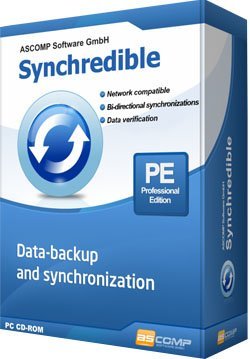
Synchredible Professional 9.111 Multilingual | Size: 26.08 MB
Language: English


Synchronize Your Folders and Drives In A Quick and Easy Way. Whether it's an individual file or an entire drivSynchredible will synchronize, copy and save them for you. A software wizard will assist you to determine jobs that are either pre-scheduled or to be done through a USB connection. This way, you can keep your files in sync - automatically!

Over the years, our state-of-the-art technology in Synchredible has made copying files easy. It also makes matching your files a simple task while it automatically detects changes and synchronizes the most recently edited files safely and reliably! Thanks to its advanced system for identifying similar files, Synchredible saves you timunedited files may be skipped if desired. This way, large folders are synchronized in seconds! Synchredible not only works when synchronizing files locally on your computer but also for synchronizing folders via an external network or when using a USB device. Whether you are matching data or simply backing up your files, Synchredible reliably transfers your files to any preferred location!

Synchronisations in one direction
Copy files/folders from source to destination

Bi-directional synchronisations
Synchronize files and folder structures

Synchronize to USB drives/sticks
Support of USB drives (internal/external)

Network support
Synchronize files/folders in/to local area networks

Synchronize subdirs
Synchronize all files/folders located in subdirs

Synchronize all files
Synchronize all files (including not changed data)

Skip unchanged files
Skip files which have not been changed since last synchronisation

Synchronize newer files
Synchronize newer files only

Archive bit synchronisation
Synchronisation of files with archive bit set true only / delete archive bit

Delete files/folders
Delete files in destination folder which have been deleted in source folder

Move to recycle bin
Move deleted files to recycle bin

Filter options
Filter files/folders

Synchronize newly changed files
Synchronize files which have been changed the last x days

Synchronisation preview
Preview of files/folders to be synchronized

Interval synchronisation
Execute synchronisation in selectable interval

Time synchronisation
Execute synchronisation at selectable time

Synchronisation at Windows start/log-off
Execute synchronisation when Windows starts/logs off

Restriction to days
Restrict synchronisation execution to week days or month days

Automatic synchronisation
Synchronisation without user interaction

CRC32 verification
CRC32 verification of synchronized files

Buffer size
Set buffer size of copy buffers

Desktop shortcut
Create desktop shortcut to easily execute synchronisations

Synchronisation warranty
Catch up missed synchronisations

Start by parameters
Start synchronisations by calling synchredible.exe with parameters

Actions before/after synchronisation
Execution of files, programs and system actions before/after synchronisations

Protocol
Report creation after synchronisation

Time difference
Set time difference for synchronisation to not identical file systems

Pause synchronisation
Pause and resume synchronisations


Supported operating systems
Windows 11, Windows 10, Windows 8.1, Windows 8, Windows 7, Windows Server 2022/2025, Windows Server 2016/2019, Windows Server 2012, Windows Server 2008

HOMEPAGE:
Код:
https://www.ascomp.de

FREE DOWNLOAD LINKS:

Код:
https://rapidgator.net/file/4288d4629d8101a1c1f03f95a86f08dd/Synchredible_Professional_9.111_Multilingual.rar

Код:
https://nitroflare.com/view/44CDDD2A43A24D1/Synchredible_Professional_9.111_Multilingual.rar
 
0fa9ef78bd3892d38615a33566d55e8e.jpg


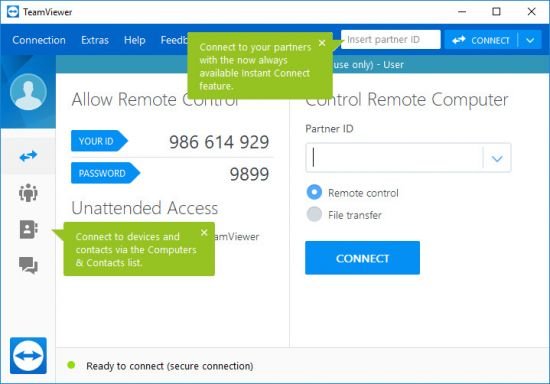
TeamViewer Free 15.74.4 Multilingual | Size: 145.3 MB
Language: English


TeamViewer is a simple and fast solution for remote control, desktop sharing and file transfer that works behind any firewall and NAT proxy. To connect to another computer just run TeamViewer on both machines without the need of an installation procedure. With the first start automatic partner IDs are generated on both computers. Enter your partner's ID into TeamViewer and the connection is established immediately. With many thousand users worldwide TeamViewer is a standard tool to give support and assistance to people in remote locations. The software can also be used for presentations, where you can show your own desktop to a partner. This application also is VNC compatible and offers secure, encrypted data transfer with maximum security.

TeamViewer establishes connections to any PC all around the world within just a few seconds. You can remote control your partner's PC as if you were sitting in right front of it. TeamViewer is completely free for private use.

Features
• One solution for everything. While most competitors offer different packages for remote support, remote administration, training and sales (and also charge for them.) The application is the one-stop solution for everything you need: includes all modules in one simple and very affordable package.
• Remote administration of unattended servers. TeamViewer can also be used to control unattended computers and servers. Installation as a system service even allows remote reboot and reconnect.
• File transfer. TeamViewer comes with integrated file transfer that allows you to copy files and folders from and to a remote partner - which also works behind firewalls
• Highest security standard. TeamViewer is a very secure solution. All versions feature completely secure data channels with key exchange and RC4 session encoding, the same security standard used byhttps/SSL.
• No installation required. To install TeamViewer no admin rights are required. Just run the software and off you go.
• High performance with international router network. Optimized for connections over LANs AND the Internet, TeamViewer features automatic bandwidth-based quality selection for optimized use on any connection.
TeamViewer uses an extended international server network with server locations in many countries all over the world, so no matter where you are located we will make sure that a high-security, high-performance router near your home destination will ensure great performance.
• Remote support without installation. With TeamViewer you can remotely control any PC anywhere on the Internet. No installation is required, just run the application on both sides and connect - even through tight firewalls.
• Remote presentation of products, solutions and services. The second TeamViewer mode allows you to present your desktop to a partner. Show your demos, products and presentations over the Internet within seconds - live from your screen.
• Works behind firewalls. The major difficulties in using remote control software are firewalls and blocked ports, as well as NAT routing for local IP addresses. If you use TeamViewer you don't have to worry about firewalls: TeamViewer will find a route to your partner.
• Flexible use for a variety of applications. TeamViewer lets you connect to your partners in many different ways: You can either view or control your partner's desktop in order to do online-support; You can transmit your screen to your partners for presentation purposes - You may even change directions during a session for high fidelity teamwork!

HOMEPAGE:
Код:
https://www.teamviewer.com/

FREE DOWNLOAD LINKS:

Код:
https://rapidgator.net/file/9e048938e054000f7d4253e1e8d307fc/TeamViewer_Free_15.74.4_Multilingual.rar

Код:
https://nitroflare.com/view/C27335115B4E9B5/TeamViewer_Free_15.74.4_Multilingual.rar
 
4c3b173f683e9ed6ccdd717a65e35387.jpg


Thatcher Imaging (for QazVerse) RapidGrade 1.5.2 | Size: 3.44 MB
Language: English


The revolutionary DaVinci Resolve plugin.

ChatGPT vs RapidGrade
Client asked to create a Fall look. Why wait 8 minutes for "not bad" AI results when you can get perfection in 1 second?

One-Click Look System
A "set it and forget it" solution for any project type. 100% customizable and expanding with 52 new professional looks every year.

Film Emulations
Access the exact film negative and print emulations used on Oppenheimer, The Batman, and Euphoria.

Lens FX
Inject ultra-realistic character into your footage with texture presets modeled after The Batman and Shogun.

Foliage
Genuinely transform seasons, e.g., Winter to Fall with a single parameter adjustment.

Film Density
We are using an unorthodox approach that redefines Film Density.

Skin Tones
Make your subject pop from the background without using qualifiers. Zero artifacting. Pure magic.

Dynamic Range
Recover lost highlight and shadow detail using actual film stop adjustments for results cleaner than native Resolve tools.

Whats New
Updates: official site does not provide any info about changes in this version

HOMEPAGE:
Код:
https://www.getrapidgrade.com/

FREE DOWNLOAD LINKS:

Код:
https://rapidgator.net/file/a9c864cfa21f46fd12d2cbcb8f29cc5c/Thatcher_Imaging_for_QazVerse_RapidGrade_1.5.2.rar

Код:
https://nitroflare.com/view/0BF24998FDC3379/Thatcher_Imaging_for_QazVerse_RapidGrade_1.5.2.rar
 
ab42bdc7cd04889af82800db252e8660.png


Thorium Reader v3.3.0 | Size: 117.41 MB
Language: English


Digital book reader, e-book reader.

With this reading application you can open ePub, PDF, audiobooks and digital comics.

After importing e-books from a local directory or a remote catalog, you will be able to customize page layout and presentation settings, navigate documents via the table of contents or page list, search the text, manage bookmarks, etc.

Thorium Reader supports many formats, including: pdf, , 3, webpub, audiobook, divina, daisy, lcpdf, lcpaudiobook, lcpi, lcpa, lpf, opf, ncc.html, zip.

The application allows you to add the e-book you are interested in reading. In time, all the files you have previously loaded will become available within the main window, so you can easily resume reading, without needing to locate the e-book file once more.

Also, it needs to be mentioned that no matter which format is your e-book, you can export it to with just a single mouse click. This way, you can open it with any e-book reading software solution you might need.


Available for Windows, Mac and Linux.

FREE DOWNLOAD LINKS:

Код:
https://rapidgator.net/file/526aac0b8a40eaf2f8b787eaa7204a04/Thorium_Reader_v3.3.0.rar

Код:
https://nitroflare.com/view/EC39E98850A3CE5/Thorium_Reader_v3.3.0.rar
 
219116b40a1c0d79c8f0c0d7e062d65b.jpg


Tower 11.0.543 | Size: 80.97 MB
Language: English


Over 100,000 developers and designers are more productive with Towethe most powerful Git client for Windows.

Pull Requests
Create, merge, close, comment and inspect Pull Requests right from within Tower! Integrated into our clear, responsive, and powerful desktop interface, Pull Requests become so much more useful.

Quick Actions
The brand new Quick Actions dialog gives you superpowers: Give it a branch name and it will offer a checkout. Give it a file name and it will present the file's history. Give it a commit hash and it will show it in the commit history. Fast as lightning, easy as pie.

Interactive Rebase
Interactive Rebase is an incredibly powerful toobut also quite awkward to use. But now, in Tower, it has become as easy as drag and drop!

Navigation
We've added so many new levels of detail in the new Tower. And at the same time, navigating Tower is now as simple as browsing the web: with the new "back" and "forth" buttons and the improved "Navigation Bar".

Commit Details
We've reworked countless areas in the new Tower. Let's take the brand new "Commit Details" view as an example: with the changeset on the left and lots of space for the diff on the right, you can inspect and review a commit in a more focused manner.

Reflog
A little-known feature, but one with enormous power: Reflog can restore lost commits or branches, move back to a rolled back state, undo a cherry-pick or commit. and is now available in Tower!


HOMEPAGE:
Код:
https://www.git-tower.com/windows

FREE DOWNLOAD LINKS:

Код:
https://rapidgator.net/file/0350c7048fa4b132298426801a446aa6/Tower_11.0.543.rar

Код:
https://nitroflare.com/view/5FD547D3CA9A154/Tower_11.0.543.rar
 
4e50841bb6a886078d513f156c5bdda4.jpg


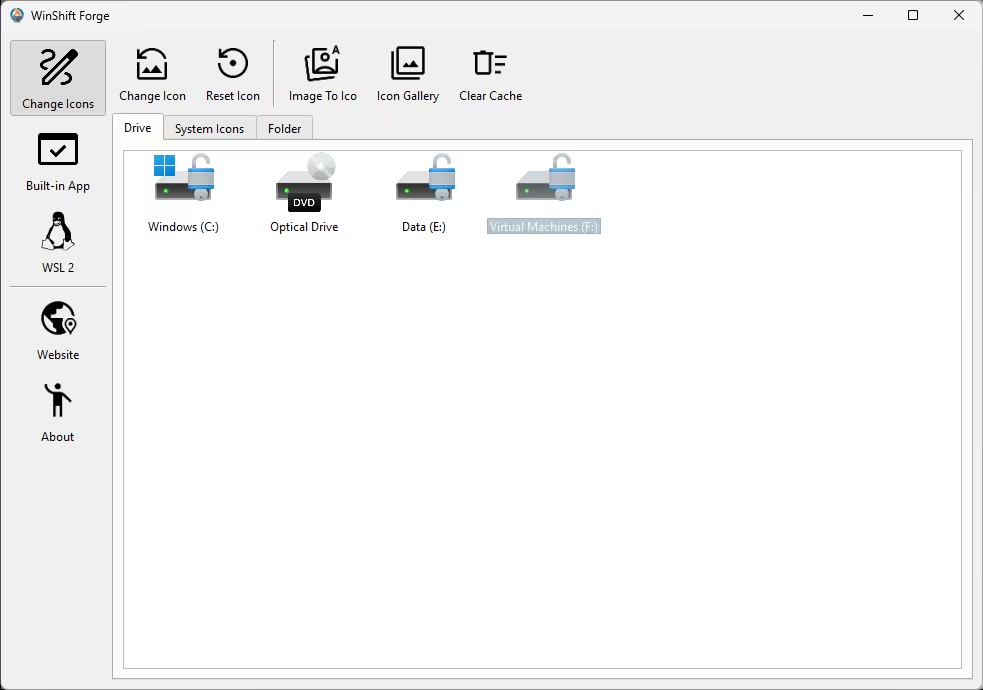
WinShift Forge 0.7.1 | Size: 20.49 MB
Language: English


WinShift Forge lets you customize icons for all types of drives, system tools, and specific folders, enhancing the user experience by enabling you to tailor the visual elements of your operating system to your preferences.

WinShift Forge gives you the power to instantly refresh your desktop by customizing the icons that matter most. No more digging through confusing system settings-take easy, direct control of your core Windows visuals and make your PC truly yours. Key Features: Personalize Your PC
1. Quick Icon Takeover
Replace the default, boring icons for the items you use every day
System Favorites: Change the icons for essential spots like This PC and the Recycle Bin.
Drives & Folders: Give every local disk (C:, D:, etc.) a unique look, and easily apply your custom icons to any standard folder.
2. Built-in Tools for Perfect Looks
We handle the hassle so your new icons look flawless, immediately.
Easy Icon Creator: Got a great image? Turn any standard picture (PNG, JPEG, etc.) into a perfect Windows .ico file instantly, right inside the app!
One-Click Fix: After changing icons, sometimes Windows gets confused. Our built-in tool safely clears the Windows Icon Cache with a single click, guaranteeing your new icons appear sharp and correct the very first time. No restarting or advanced steps required!
Simple. Safe. Stunning.
WinShift Forge< is designed for every Windows user. It works safely behind the scenes to deliver instant visual results, putting true personalization back in your hands.

HOMEPAGE:
Код:
https://www.tweaknow.com

FREE DOWNLOAD LINKS:

Код:
https://rapidgator.net/file/c4a09958f38938486bb1b45420f9d555/WinShift_Forge_0.7.1.rar

Код:
https://nitroflare.com/view/6A4A6C7E940E9E1/WinShift_Forge_0.7.1.rar
 
81db05f1867ecc26b0509f54bfd88795.png


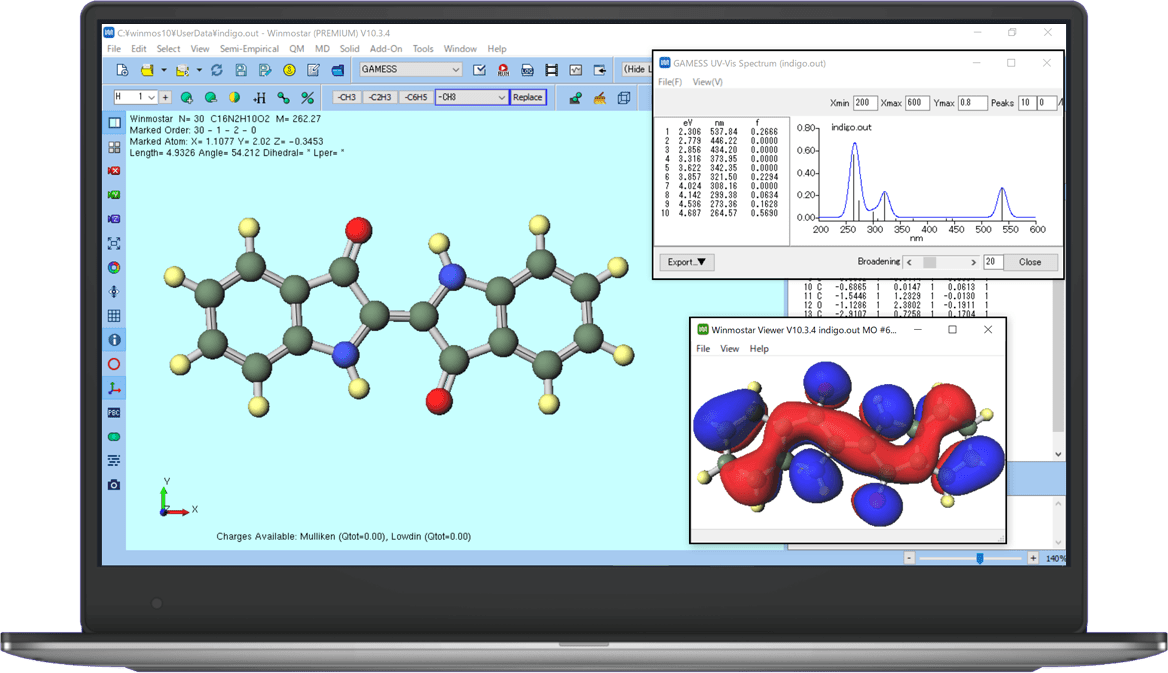
X-Ability Winmostar 11.14.4 | Size: 39.3 MB
Language: English


Winmostar is an integrated GUI software designed for simulation programs such as GAMESS, MOPAC, LAMMPS, Gromacs, and Quantum ESPRESSO.

Winmostar serves as an integrated software solution, utilizing programs (solvers) for MO, DFT, and MD calculations as its backend. It offers pre- and post-processing capabilities, as well as file and process management functions. The software supports solvers including GAMESS, MOPAC, LAMMPS, Gromacs, and Quantum ESPRESSO. Winmostar is designed to be installed and used on Windows PCs.

For smaller-scale calculations, a single PC can handle the entire operation seamlessly. If needed, you can also leverage resources from cloud platforms or in-house and external high-performance computing systems.


HOMEPAGE:
Код:
https://winmostar.com/en/

FREE DOWNLOAD LINKS:

Код:
https://rapidgator.net/file/46f397bdaa32f84a10bd80f0a4593ab9/X-Ability_Winmostar_11.14.4.rar

Код:
https://nitroflare.com/view/6BB98A4659586B2/X-Ability_Winmostar_11.14.4.rar
 
efd60fd9083221cb61f75828d1c9343f.jpg


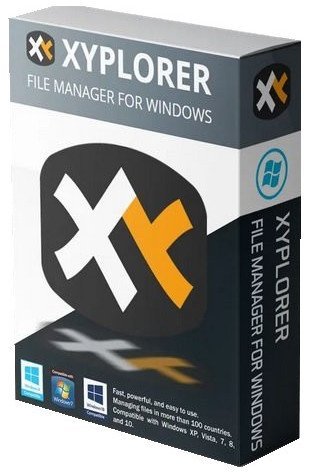
XYplorer 28.20.0100 (x64) Multilingual | Size: 11.19 MB
Language: English


XYplorer is a file manager for Windows. It features tabbed browsing, a powerful file search, a versatile preview, a highly customizable interface, optional dual pane, and a large array of unique ways to efficiently automate frequently recurring tasks. It's fast, light, and portable.

It's Tabbed
Tabs let you switch between folders most easily. Drag them around, hide them, lock them, name them, or drop files onto them. The tabs remember their configuration individually and across sessions. On top of this you get tabsets and dual pane.

t's Functional
XYplorer has been designed to make you faster. Numerous usability enhancements in an attractive interface help to streamline your workflow and increase your efficiency. You will definitely save a lot of time.

It's Scriptable
Yes, you can program this app. Individual solutions for individual tasks. No plugins needed, scripts run out-of-the-box. Even beginners can benefit from this feature since many ready-to-use scripts are available in the forum.

It's Fast
Speed has always been a major design goal with XYplorer. The code is constantly optimized for performance, zero tolerance for slowness. On top of that the app uses very little RAM, the executable is light (7 MB), and it loads almost instantly.

It's Reliable and Robust
You can trust XYplorer. It works as intended and expected, and is very hard to destroy. Any issues are immediately attended and usually fixed within hours. A large community is closely watching the development and permanently testing the frequent beta versions.

It's Customizable
You can fine-tune the app to look and behave exactly as you want it. This ranges from fonts and colors to custom toolbar buttons and even file icons and program associations. And every bit of it is fully portable. Even the dark mode.

It's Responsive
Your customer voice is listened to and taken seriously, most of the time you get instant feedback, and your wish might actually get implemented sooner than you'd think.


HOMEPAGE:
Код:
https://www.xyplorer.com

FREE DOWNLOAD LINKS:

Код:
https://rapidgator.net/file/eb54cb394b4b5b4493d9a46980d0bf70/XYplorer_28.20.0100_x64_Multilingual.rar

Код:
https://nitroflare.com/view/882285CDE53A670/XYplorer_28.20.0100_x64_Multilingual.rar
 

th_CPJRsJhwKSXfL9SQ630PHsn07pdYMkZ6.jpg


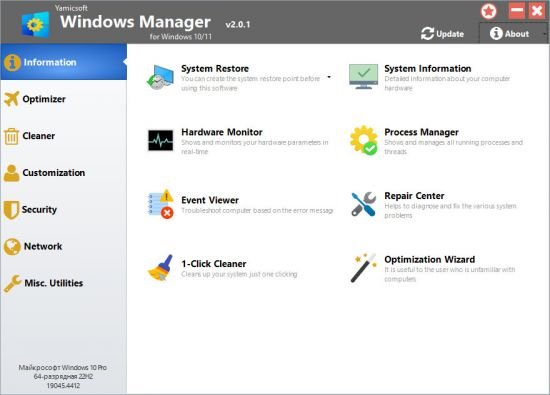
Yamicsoft Windows Manager 2.3.2 (x64) Multilingual | Size: 23.23 MB
Language: English


Windows Manager is an all-in-one utility for Microsoft Windows 10/11 specially, it includes over forty different utilities to optimize, tweak, clean up, speed up and repair your Windows 10/11, helps make your system perform faster, eliminate system fault, increase stability and security, personalize your copy of Windows 10/11, and meet all of your expectations.
Information
Creates the system restore point manually; Gets detailed information about your system and hardware, helps you find out the Microsoft product key such as Microsoft Windows and Microsoft Office; Shows and manages all running processes and threads; Repair Center helps to diagnose and fix the various system problems; Cleans up your system just one clicking; Optimization Wizard is useful to the user who is unfamiliar with computers.
Optimizer
Tweaks your system to improve performance and increase speed; Manages and configures the Windows boot menu to your preference; Startup Manager controls all the started programs with Windows start, checks and repairs the advanced startup items to restore the malicious change by viruses; Manages and optimizes system services and drivers to improve performance; Manages and optimizes the scheduled tasks to speed up your system.
Cleaner
Disk Analyzer can analyze and view the disk space usage of all programs, files and folders find out which engross your disk space and shown with a chart; Cleans up WinSxS folder securely to reduce the component store size; Smart Uninstaller can fully delete programs from your system without residual files and Registry entries; Desktop Cleaner can analyze and move unused shortcuts, files and folders on desktop to specified folders; Searches and deletes junk files to save disk space and improve performance; Searches and deletes the duplicated files to save your disk space; Registry Cleaner searches Registry to find out and delete the invalid items; Registry Defrag rebuilds and re-indexes your Registry to reduce registry access time and therefore improve application responsiveness and eliminate mistakes and corruption in Registry.
Customization
Customizes system parameters according to your preferences by tweaking File Explorer, Desktop, Start, Taskbar and Notification area; Adds files, folders and system items to This PC, and Desktop; Pins the files or folders to your Desktop, Taskbar or Start; Creates the quick startup items for jumplist on Taskbar; Manages the context menu when right click the file, folder, etc; Edits the shortcut menu that right-click Start button (Win + X shortcut); Customizes the look of your system; Edits and adds the shortcuts that executed on Run dialog box; Tweaks the Windows Apps and Microsoft Modern UI settings.
Security
Tweaks system, components, UAC, Sign in settings, adjusts various settings and restricts access to drives and programs to improve system security; Safeguard your sensitive files and folders security, encrypt files, move system folders to safe locations; Privacy Protector ensures privacy and keeps sensitive information secure by eliminating tracks; File Undelete recovers and restores deleted or formatted files on logical disks; Locks some system features to improve security.
Network
Optimizes and tweaks your internet connection and network settings; Manages your URLs and IPs; IP Switcher can switch between different network settings easily; Edits the Hosts file to speed up system surfing internet; Wi-Fi Manager can view and manage all your wireless network; Network tools contains some commonly used network utilities; Network Monitor can display traffic data transmitted by the network.
Misc. Utilities
Creates scheduled tasks or the monitorings that trigger tasks; Shows and run the useful collection of utility that built-in your Windows; Splits a file into several smaller files or merges back to the original file; Super Copy is the powerful tool to copy files or backup automatically; Operates your Registry easily using the Registry Tools.
Features
Information
Optimizer
Cleaner
Customization
Security
Network
Misc. Utilities


FREE DOWNLOAD LINKS:

Код:
https://rapidgator.net/file/a3074ed86359ef4b3fba9ecd377027e0/Yamicsoft_Windows_Manager_2.3.2_x64_Multilingual.rar

Код:
https://nitroflare.com/view/F98B828DBF3174A/Yamicsoft_Windows_Manager_2.3.2_x64_Multilingual.rar
 
b56b6ba79dcaeffb01df4c8476992688.jpg


Youtube Downloader HD 5.9.9.7 | Size: 38.15 MB
Language: English


Youtube Downloader HD is a simple yet effective solution to downloading clips from YouTube in HD. It is easy to learn and addresses all types of users, even the ones with less or no experience in such tools.

After a brief installation procedure, you can check out the regular window with the well-defined layout, representing Youtube Downloader HD's interface.
So, all you have to do is specify the video URL, output location and format, in order to proceed with the download and conversion job.
Youtube Downloader HD supports a few video types for the output, namely FLV (240p, HQ 360p or HQ 720p) and MP4 (medium quality, HD 720p or full HD 1080p).
Additionally, the tool can convert FLV to AVI (XviD) compatible with most video players, as well as to MP4, supported by iPod and QuickTime.
Youtube Downloader is very low-demanding when it comes to the CPU and system memory, so it doesn't interfere with the runtime of other active apps. It finishes a download and conversion job rapidly, and delivers clips with a very good image and sound quality. No error dialogs have been shown in our tests and the tool did not freeze or crash. All in all, Youtube Downloader delivers very good results in regard to downloading YouTube clips in HD.

HOMEPAGE:
Код:
https://www.youtubedownloaderhd.com

FREE DOWNLOAD LINKS:

Код:
https://rapidgator.net/file/53607492b73a4ce0dbdb00a005e4f0b7/Youtube_Downloader_HD_5.9.9.7.rar

Код:
https://nitroflare.com/view/E675AD93A72BD5C/Youtube_Downloader_HD_5.9.9.7.rar
 
1d8f7759fa564e4f4e0eb7c3c06fe2ab.jpg


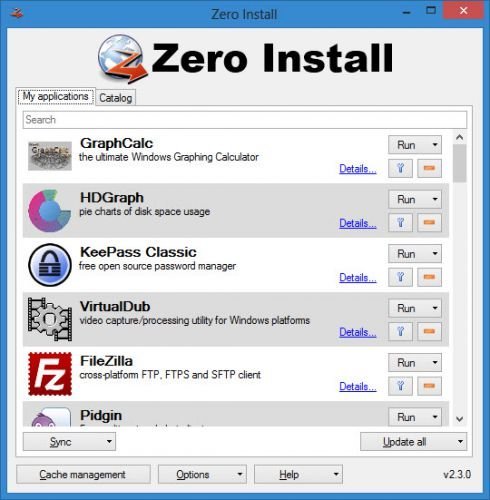
Zero Install 2.28.3 | Size: 4.23 MB
Language: English


Zero Install is a simple tool that can download portable versions of various applications based on specific feeds, featuring management and synchronization capabilities. With Internet speed increasing on a constant basis, users have no trouble navigating to a developers address to get the latest version of an application, or to a trusted software distribution website. Zero Install is a software distribution platform that makes this sort of task easier by providing a simple way to reach the desired program.

Features
Run apps with a single click or control every detail
Control everything from a graphical interface or the command-line
Synchronize your installed applications to other computers
Get apps from any server, no central repository required
Secure by design: GnuPG signatures and SHA-256 hashesA-256 hashes

Whats New
Updates: official site does not provide any info about changes in this version

HOMEPAGE:
Код:
https://0install.de/

FREE DOWNLOAD LINKS:

Код:
https://rapidgator.net/file/9a40ea35519d9ebc83e68545b2626ae9/Zero_Install_2.28.3.rar

Код:
https://nitroflare.com/view/59F4C73DA265031/Zero_Install_2.28.3.rar
 
e81476d594cef5ad6a5304dd118d49a1.jpg


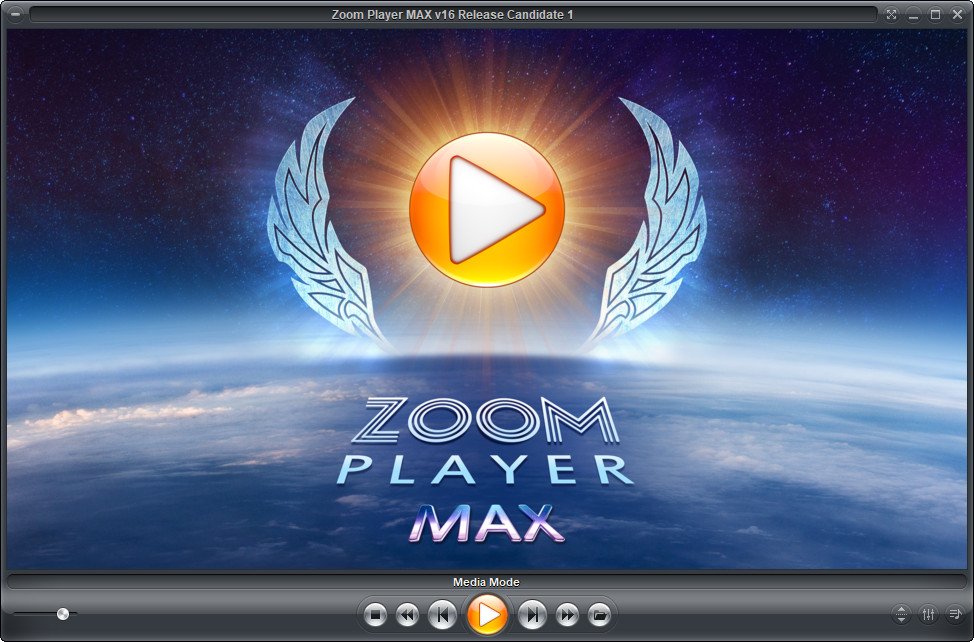
Zoom Player MAX 22.2 Beta 2 | Size: 95.72 MB
Language: English


Zoom Player is the most Powerful, Flexible and Customizable Media Player application for the Windows PC platform. Based on our highly-touted Smart Play technology, more media formats play with less hassle, improved stability and greater performance Behind Zoom Player's classic media player look, hides a powerful Media Center application designed with a simple 5-Key (up/down/left/right/select) fullscreen navigation interface. The 5-Key system provides simple navigation with advanced interfaces. Interface such as the Media Library, File Browser, Playlist, Color Control, Audio Equalizer, Bookmarks, Play History and many more. Zoom Player's media center simplicity makes it ideal for users with no previous computer experience.

With Zoom Player, you can instantly Convert any PC into a Home Entertainment Center (HTPC) with no specialized hardware requirement or operating system. Zoom Player runs with every version of Windows.

Utilizing Zoom Player's modular design and flexibility, you can easily design a safe viewing environment, limiting or extending functionality, making it ideal for both newbies and professionals.

Zoom Player is fully scalable, supporting the latest media formats and interfaces. New features are incorporated constantly with release schedules and feature integration clearly announced on our support Forum, Twitter and Facebook pages.

Install Center
Zoom Player's Install Center quickly scans your system for missing or outdated media components and automatically present you with an installation list of recommended updates, keeping your system up to date with the latest technology.

Supported Video Formats
DVD, BluRay (Decrypted Main Movie playback), Matroska (MKV), MPEG2 Transport (TS/TP/TSP/TRP/M2T/M2TS/MTS/PVA/TOD), H.264 & AVCHD (MPEG4 AVC), H.265 & HEVC, WebM, XVID, DIVX, AVI, Flash Video (FLV), Windows Media (WMV/ASF), QuickTime (MOV/HDMOV), Ogg Movie (OGM), Theora (OGV), Real Media (RM/RMVB), VideoCD (VCD), Super VideoCD (SVCD), MPEG (MPG), MPEG2 Program (M2V/VOB/MOD), MPEG4 (SP/ASP), MPEG4 ISO (MP4), General Exchange Format (GXF), Material Exchange Format (MXF), Media Center DVR (DVR-MS), CamCorder (MOD/TOD), Digital Video (DV), DVCPRO, VP3, VP6, VP7, Motion JPEG (MJPEG), Motion JPEG 2000 (MJPEG2000), Flash (SWF), Cellphone 3GPP (3GP/3G2), FLIC (FLI/FLC) and more . . .

Supported Audio Formats
MP3, Free Lossless Audio CODEC (FLAC), Advanced Audio Coding (AAC), Windows Media (WMA), OGG Vorbis (OGG), OPUS (OPUS), CD-Audio (CDA), Dolby Digital (AC3), Digital Theatre Surround (DTS), Matroska (MKA), Wave Audio (WAV), SHOUTcast (Streaming), Cell Phone (AMR), Monkey Audio (APE), Real Media (RA), MusePack (MPC), OptimFROG (OFR), Shorten (SHN), True Audio (TTA), WavPack (WV), Apple Lossless Audio Coding (ALAC), LPCM, MIDI, AIFF, MO3, IT, XM, S3M, MTM, UMX and more . . .

Supported Interactive Formats
DVD, Hypertext Markup Language (HTML), Flash (SWF).

Supported Image Formats
JPEG (JPG), PNG, GIF, BMP, ICO, WMF, EMF, JFIF, RLE, WIN, VST, VDA, TGA, ICB, TIFF, FAX, EPS, PCX, PCC, SCR, RPF, RLA, SGI, BW, PSD, PDD, PPM, PGM, PBM, CEL, PIC, PCD, CUT, PSP, PN and more.


HOMEPAGE:
Код:
https://inmatrix.com

FREE DOWNLOAD LINKS:

Код:
https://rapidgator.net/file/ae14e388ac30ccd5d8052d3a2615e108/Zoom_Player_MAX_22.2_Beta_2.rar

Код:
https://nitroflare.com/view/061CDCA1CC287C8/Zoom_Player_MAX_22.2_Beta_2.rar
 
Назад
Сверху Снизу