All Emperor2011's Software in one thread !! (updated daily)

9f70f9a1497bd45fd31a02ebede3df22.jpg


Hard Configurator 7.0.1.0 | Size: 23.86 MB
Language: English


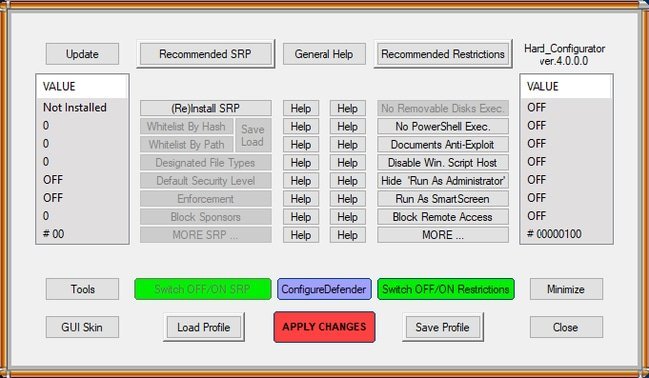
Hard_Configurator is a graphical user interface for advanced users only to manage Software Restriction Policies (SRP) and harden Windows Home editions from Vista up.

This program can configure Windows built-in security to harden the system. When you close Hard_Configurator, it closes all its processes. The real-time protection comes from the reconfigured Windows settings. Hard_Configurator can be seen as a Medium Integrity Level smart default-deny setup, which is based on SRP + Application Reputation Service (forced SmartScreen) + Windows hardening settings (restricting vulnerable features).

Hard_Configurator makes changes in Windows Registry to accomplish the tasks enumerated below
Enabling Software Restriction Policies in Windows Home editions.
Changing SRP Security Levels, Enforcement options, and Designated File Types.
Whitelisting files in SRP by path (also with wildcards) and by hash.
Blocking vulnerable system executables via SRP (Bouncer blacklist).
Protecting (deny execution) writable subfolders in "C:Windows" folder (via SRP).
Restricting shortcut execution to some folders only (via SRP).
Enabling Windows Defender advanced settings, like PUA protection, ASR rules, Network Protection, etc.
Protecting against weaponized documents, when MS Office and Adobe Acrobat Reader XI/DC are used to open them.
Enabling "Run as administrator" for MSI files.
Disabling PowerShell script execution (Windows 7+).
Securing PowerShell by Constrained Language mode (SRP, PowerShell 5.0+)
Disabling execution of scripts managed by Windows Script Host.
Removing "Run As Administrator" option from the Explorer right-clicks context menu.
Forcing SmartScreen check for files without 'Mark Of The Web' (Windows 8+).
Disabling Remote Desktop, Remote Assistance, Remote Shell, and Remote Registry.
Disabling execution of 16-bit applications.
Securing Shell Extensions.
Disabling SMB protocols.
Disabling program elevation on Standard User Account.
Disabling Cached Logons.
Forcing the Secure Attention Sequence before the User Account Control prompt.
Filtering Windows Event Log for blocked file execution events (Nirsoft FullEventLogView).
Filtering autoruns from the User Space, and script autoruns from anywhere (Sysinternals Autoruns).
Enabling & Filtering Advanced SRP logging.
Turning ON/OFF all the above restrictions.
Restoring Windows Defaults.
Making System Restore Point.
Using predefined setting profiles for Windows 7, Windows 8, and Windows 10.
Saving the chosen restrictions as a profile, and restoring when needed.
Backup management for Profile Base (whitelist profiles and setting profiles).
Changing GUI skin.
Updating application.
Uninstalling application (Windows defaults restored).
Most of what Hard_Configurator does can be accomplished with the registry. A System Restore point will be automatically created, and we recommend you also back up your registry. Once again, this is for advanced users who know what they're doing. There is a Restore Windows Default and Uninstall built into the GUI.

HOMEPAGE:
Код:
https://github.com/AndyFul/Hard_Configurator

FREE DOWNLOAD LINKS:

Код:
https://rapidgator.net/file/6649b34651702883de6430306505774f/Hard_Configurator_7.0.1.0.rar

Код:
https://nitroflare.com/view/43413123C75A984/Hard_Configurator_7.0.1.0.rar
 
3238b813652c9c47fed1331e1401597c.png


Hasleo Backup Suite 5.5.2.2 | Size: 36.12 MB
Language: English


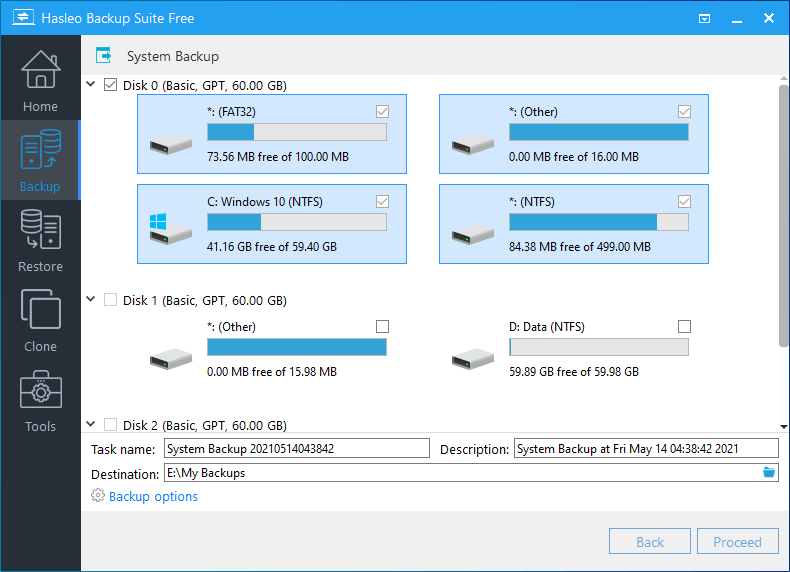
Hasleo Backup Suite is a free Windows backup and restore software, which embeds backup, restore and cloning features, it is designed for Windows operating system users and can be used on both Windows PCs and Servers.

The backup and restore feature of Hasleo Backup Suite can help you back up and restore the Windows operating systems, disks and partitions to protect the security of your Windows operating system and personal data. The cloning feature of Hasleo Backup Suite can help you migrate Windows to another disk, or easily upgrade a disk to SSD or a larger capacity disk.

As a professional backup and restore software, the bootable Windows PE emergency disk can help you quickly and effectively restore the Windows operating system to a healthy state after a disaster strikes, such as system crash or disk corruption.

Highly intuitive looks
This application comes with a straightforward appearance that makes it easy even for those with little PC skills to choose the operation they want to initiate. You can either backup the currently running Windows to an image file or an entire disk or partition.

Regardless of the one you need, you can specify customize a flurry of details related to it, such as compression level, protect it with a password, define the notification SMTP server and target email addresses. You can even choose pre- and post-commands.

Restoring a previously created task can be managed just as easily, even if you are not a tech-savvy user.

Supports cloning operations
Hasleo Backup Suite can also be used to clone the currently running OS to another disk, to clone one disk to another one, as well as clone a partition to a different location.

You need to select the source and the target locations, then you can define the new partition size, specify its alignment (1M, Cylinder, 4K or none) and activate sector by sector clone.

Packs additional tools
When using Hasleo Backup Suite, you get the possibility to rebuild the MBR, wipe a drive or add a boot menu. If you are interested in creating an emergency disk, you can save it to your connected USB device or export it as an ISO file and burn it on a disc later on.

Whats New
Updates: official site does not provide any info about changes in this version

HOMEPAGE:
Код:
https://www.easyuefi.com

FREE DOWNLOAD LINKS:

Код:
https://rapidgator.net/file/bc556821e2a30312181fc470cb66c0b8/Hasleo_Backup_Suite_5.5.2.2.rar

Код:
https://nitroflare.com/view/E58A64C7B80F3C7/Hasleo_Backup_Suite_5.5.2.2.rar
 
435e65131b6df13cbb0d53352ce9fbf7.jpg


High-Logic FontCreator Pro 15.0.0.3037 | Size: 56.05 MB
Language: English


With over 4.5 million downloads to date, FontCreator is the world's most popular font editor. An advanced feature set makes it the tool of choice for professionals, and its intuitive interface is straightforward enough for users at any expertise level. Create your own fonts, redesign existing characters, edit the spacing in font sets, and much more.

When you create or open a font, FontCreator displays an overview of all available characters. You can simply add missing characters, or select an existing character, and modify its appearance. You can import (scanned) images of your signature or company logo, or make a font from your own handwriting. With FontCreator you can also fix character codepoints, font names, kerning pairs, and at all times you can preview your typefaces before installing.

Font Overview with Categories
The glyph and character category panel gives you quick and easy access to the glyphs, character subsets and Unicode ranges.

Work with OpenType, TrueType and Web fonts
FontCreator supports Open Type, True Type and Web Open Font Format (WOFF) fonts which can be used on Windows, Mac OS X, Linux, and in all modern web browsers.

Design High Quality Fonts
The standard and professional edition include font validation features which enable you to improve the quality of your fonts by locating and solving common glyph problems.

Optimize Contours
Optimizing glyph outlines will reduce the number of points that make up the contour(s).

Import SVG Images
High quality vector graphics can be easily imported. You can even copy and paste between FontCreator and your favorite vector editing software.

Import Raster (bitmap) Images
Import (scanned) images and convert them into glyphs. Create your own handwriting font by scanning your handwriting and import it into FontCreator.

Scalable Color Fonts
FontCreator is the first font editor to support the new scalable color fonts extension. This new feature allows you to create multi-colored glyphs for systems that support it, while maintaining backwards compatibility for systems that do not. Watch the video above for a quick introduction on how to create color fonts with FontCreator.

Visual OpenType Designer
The intuitive OpenType Designer allows you to easily add and modify OpenType Layout Features for glyph positioning. The build-in anchor manager makes adding and editing Mark to Base and Mark to Mark positioning a breeze!

OpenType Layout Scripts Editor
The Script Editor allows you to quickly add and modify OpenType Glyph Substitutions through an easy to learn scripting language.

OpenType Layout Features Made Easy
Common OpenType layout features are automatically added to your fonts and with the standard and professional editions you can take full control over these features through custom scripts.

Easy Access to Common Glyph Properties
The glyph properties toolwindow gives you easy access to the glyph's name, codepoints and bearings.

Kerning
Manually add kerning to your font or let the Autokerning take care of kerning for you in the standard and professional edition.

Optical Metrics
The Optical metrics feature in the professional edition simplifies one of the most complex and time consuming tasks in font design. It analyzes a set of most common characters to find the best left and right side bearings of each of these glyphs.

Test Your Fonts
At any time during your font development, you can test it in other applications. You can even generate a local webpage to test it as a Web font.

Powerful Transform Wizard
The standard and professional edition come with a powerful transform wizard that allows you to easily transform glyphs with just a few clicks. Transform your font to Italic, Bold, automatically add characters for other languages, small capitals and more.

Easily Rename Fonts
On the font properties dialog you can view and edit the font name, legal and copyright information, embedding rights and more.

Complete Composites
The standard and professional edition allow intelligent generation of outlines for more than 2,200 (mostly accented) composite characters.


HOMEPAGE:
Код:
https://www.high-logic.com/

FREE DOWNLOAD LINKS:

Код:
https://rapidgator.net/file/0dd62c44fb514f5305e981fc8589ddf7/High-Logic_FontCreator_Pro_15.0.0.3037.rar

Код:
https://nitroflare.com/view/C71BD6A95429A7F/High-Logic_FontCreator_Pro_15.0.0.3037.rar
 
9014bb1785b37a1019c52189c2ac40d8.jpg


Learn to Speak English Deluxe 12.0.0.32 | Size: 788.19 MB
Language: English


Fast & Effective English Language Software. Unlike other language software, eLanguage does so much more than just help you memorize words - we want to get you speaking the language as quickly as possible. And for less! Learn English with beginner, intermediate and advanced lessons, as well as with vocabulary exercises, speech recognition, and fun games. Have conversations with native English speakers in over 40 interactive, real-world scenarios. You can even learn on-the-go: In your car, or on your MP3 player. You will be speaking English in no time!

Proven Techniques to Learn English
The Learn to Speak™ English software was designed by language experts, who combined language-learning theories with proven classroom practices to develop an ultimate learning environment for any kind of user. The result is a rapid language-learning approach that is used by millions of people around the world.

The learning technique, called Flexible Immersion System, is exclusive to eLanguage's Learn to Speak™ software, and lets you choose the learning path that matches your individual learning style. Also, instead of simply memorizing words, you will get the grammar and vocabulary skills you'll need to quickly and easily be able to speak English.

Real-World Context to Help You Learn Quicker
The absolute best way to learn a new language is by visiting the country where it is spoken. Learn to Speak™'s unique learning method uses this fact by placing you into real-world scenarios to make language immersion truly work. Using interactive videos and speech recognition tools, you will be able to interact with native English speakers.

Real-World Scenarios include
- Taking a taxi
- Checking into a hotel
- Asking for directions
- Speaking with a doctor
- Ordering a meal
- Social events
- .and much more

Move easily from learning useful words and phrases to exploring scenario-based conversations. Then polish your new skills with advanced speech recognition and analysis tools.

Easy to Use
Learn to Speak™ English Deluxe lets you spend your time learning the language, NOT the software. You can let the program lead you through the lessons step-by-step or simply choose the lessons and topics that are of interest to you. The easy-to-use interface will get you started right away.

System Requirements
- Windows 11, 10, 8, 7, Vista, Windows XP (.NET 3.5 is required)
- 128MB of available RAM
- 800MB of available hard-disk space
- Speakers and microphone needed for speech recognition.

FREE DOWNLOAD LINKS:

Код:
https://rapidgator.net/file/a1c9e9fd2dc52ff75fe6e4a184465b5f/Learn_to_Speak_English_Deluxe_12.0.0.32.rar

Код:
https://nitroflare.com/view/643A6CEE6305633/Learn_to_Speak_English_Deluxe_12.0.0.32.rar
 
dc4c30fc27e291c8d16a09b6e54d5d26.jpg


LosslessCut 3.67.2 (x64) | Size: 125.24 MB
Language: English


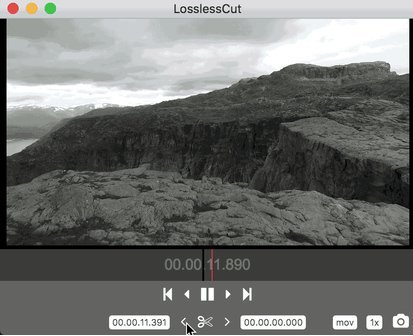
LosslessCut is a simple, cross platform video editor for lossless trimming / cutting of videos. Great for rough processing of large video files taken from a video camera, GoPro, drone, etc. Lets you quickly extract the good parts from your videos and discard GB of data without losing quality. It doesn't do any decoding / encoding and is therefore extremely fast. Also allows for taking JPEG snapshots of the video at the selected time. Also supports lossless cutting in the most common audio formats .

Since LosslessCut is based on Chromium and uses the HTML5 video player, not all ffmpeg supported formats will be supported. The following formats/codecs should generally work: MP4, MOV, WebM, MKV, OGG, WAV, MP3, AAC, H264, Theora, VP8, VP9 For more information about supported formats / codecs, seehttps://www.chromium.org/audio-video.

HOMEPAGE:
Код:
https://github.com/mifi/lossless-cut

FREE DOWNLOAD LINKS:

Код:
https://rapidgator.net/file/cda8e7dc647a03db96b316ed1da71a25/LosslessCut_3.67.2_x64.rar

Код:
https://nitroflare.com/view/0176EAC4A96307F/LosslessCut_3.67.2_x64.rar
 
dfcc671dcd250cd1d7669c70fa9e82b2.jpg


Media Player Classic Home Cinema 2.5.6 Multilingual | Size: 42.26 MB
Language: English


MPC HomeCinema is comfortable in all plans for the media player. It was built on the basis of a classical player Media Player Classic and one of the best collections of media codecs ffdshow, and thus can play many formats of video and audio files without installing external codecs. This player has a large number of different functionalities: it can play DVD disks, the hardware is able to decode H.264 format popular on the latest generation graphics cards, knows how to work correctly with the second monitor (TV), supports the various type of subtitles can work with QuickTime and RealVideo formats etc.
The player is small and completely understandable, and not overloaded functions redundant interface translated into 14 languages.

It has full compatibility with Windows XP, Vista and Se7en. Media Player Classic Home Cinema is an extremely light-weight media player for Windows. It looks just like Windows Media Player, but has many additional features. You can use the player as a Media Player Classic Home Theater.

Supported Decoding
MPEG-1, MPEG-2 and MPEG-4 playback. Media Player Classic is capable of VCD, SVCD and DVD playback, without the need to install any additional software or codecs.
It has built-in codecs for MPEG-2 video and codecs for LPCM, MP2, AC3 and DTS audio, and also contains an improved MPEG splitter that supports playback of VCDs and SVCDs using its VCD/SVCD/XCD Reader. A *.mp4 and MPEG-4 Timed Text support added. An AAC decoding filter makes MPC suitable for AAC playback in MP4.
MPC Home Cinema also has H.264 and VC-1 with DXVA support, DivX, Xvid, and Flash Video formats is available in MPC HC. MPC can also use the QuickTime and the RealPlayer architectures. Media Player Classic supports native playback of OGM and Matroska container formats.

Supported Video, Audio and Image File Formats
WAV, WMA, MP3, OGG, SND, AU, AIF, AIFC, AIFF, MIDI, MPEG, MPG, MP2, VOB, AC3, DTS, ASX, M3U, PLS, WAX, ASF, WM, WMA, WMV, AVI, CDA, JPEG, JPG, GIF, PNG, BMP, D2V, MP4, SWF, MOV, QT, FLV

Additional Player Features
* Option to remove Tearing.
* Better support for Windows Vista, including a release for 64 bits platform.
* Support for EVR (Enhanced Video Renderer)
* Supports Subtitles.
* Playback and recording of television if a supported TV tuner is installed.
* Creation of minidump when MPC HC crashes.
* OSD (On Screen Display)
* Shuttle PN31 remote control support
* Support Multi-Monitor configuration
* Pixel shader to convert BT601 - BT701
* YV12 Chroma Upsampling pixel shader
* Language Translations.
* All features from the Guliverkli MPC Project from Gabest.

languages: (currently Belarusian, Brazilian, Catalan, Czech, Dutch, English, French, German, Hungarian, Italian, Japanese, Korean, Polish, Russian, Simplified & Traditional Chinese, Slovak, Spanish, Swedish, Turkish, Ukrainian.)


HOMEPAGE:
Код:
https://github.com/clsid2/mpc-hc

FREE DOWNLOAD LINKS:

Код:
https://rapidgator.net/file/495b509bb08b7ad74b0c69da9a9e3feb/Media_Player_Classic_Home_Cinema_2.5.6_Multilingual.rar

Код:
https://nitroflare.com/view/A9A564272464D77/Media_Player_Classic_Home_Cinema_2.5.6_Multilingual.rar
 
a4636c81432ca7046a1044732dd96692.png


Microsoft Edge 143.0.3650.66 Stable Multilingual | Size: 348.58 MB
Language: English


Introducing the new Microsoft Edge: Rebuilt from the ground up to bring you world-class compatibility and performance, the security and privacy you deserve, and new features designed to bring you the best of the web. The new Microsoft Edge is a modern web browsedesigned for faster, safer browsing. Get more done on the web with built-in tools for notetaking, reading and more.

The new Microsoft Edge is based on the Chromium project, so you can use the extensions/add-ons from Google Chrome extensions web store and from Microsoft Edge extensions web store for free. Choose your style
News, images, search-choose what you want to see when you open a new tab. Select a layout best for you: Focused, Inspirational, or Informational.
Take control of your data
Microsoft Edge and Bing give you more control over your data, and more transparency into what information is being collected, while you browse with new features like Tracking Prevention and InPrivate mode.
Browse with peace of mind
Microsoft Defender SmartScreen automatically protects you online from security issues, phishing schemes, and malicious software.
Browse anywhere
The new Microsoft Edge is now available on all supported versions of Windows, macOS, iOS, and Android.
Experience 4K streaming
Get the best browser for high definition media on Windows 10 with unique support for streaming in 4K Ultra HD.
Customize with extensions
The new Microsoft Edge is now compatible with your favorite extensions, so it's easy to personalize your browsing experience.

HOMEPAGE:
Код:
https://anonymz.com/?https://www.microsoft.com/en-us/edge

FREE DOWNLOAD LINKS:

Код:
https://rapidgator.net/file/76c184ed59ff5c1be17a3d2436d70208/Microsoft_Edge_143.0.3650.66_Stable_Multilingual.rar

Код:
https://nitroflare.com/view/4D5447861237B15/Microsoft_Edge_143.0.3650.66_Stable_Multilingual.rar
 
77bd3671044651d0cecbdaae08e5f87b.jpg


Native Instruments Kontakt 8.8 (x64) | Size: 1.2 GB
Language: English


The virtual instrument platform reinvented. Imagine any sound - Kontakt lets you find it, create it, and transform it. The latest edition of our revolutionary sampling platform combines a brand-new set of intelligent tools with countless sound design options, redefining how you generate ideas and make music.

A huge choice of sound
Kontakt hosts the world's largest range of virtual instruments. With thousands of libraries, it's the gateway to quality sound from Native Instruments, our official partners, and scores of indie developers. Plus, everything is completely tweakable, so you can make any sound your own.

What's new in Kontakt 8?
Our most feature-packed release yet is here to transform the way you generate, modulate, and playback sound. Plus, it's packed with performance updates so you can work faster than ever.

Smash writer's block
Tools add a completely new layer of creative features to get the ideas flowing. And they work with any Kontakt instrument, old and new. For our first drop, we're launching MIDI content and randomization features with Chords and Phrases, designed to spark new ideas and get you in the zone fast.

Fast and fun loop control
Leap is an ultra-fast and playful way to play and manipulate loops. Spark fresh ideas, sprinkle in expressive performance effects, or just jam. Breathe new life into your sample collection or try something totally fresh with our new Leap Expansions series, starting with 12 curated packs for specific genres and styles.

Get going with hundreds of included instruments
Kontakt's Factory Library comes packed with over hundreds of meticulously sampled instruments. Get started with a huge playable and tweakable selection of acoustic and electronic options, including the renowned collection from Orchestral Tools, plus Hybrid Keys.

Dream it, build it
All your favorite Kontakt instruments are built right here. The powerful feature set makes Kontakt the first choice for instrument developers worldwide, and it just got even bigger with enhanced synth capabilities, including real-time wavetable, frequency modulation, and ring modulation oscillators.


HOMEPAGE:
Код:
https://www.native-instruments.com

FREE DOWNLOAD LINKS:

Код:
https://rapidgator.net/file/4369942a8e05fda76f2c68ed219b5dbf/Native_Instruments_Kontakt_8.8_x64.rar

Код:
https://nitroflare.com/view/AA77332319BF0EF/Native_Instruments_Kontakt_8.8_x64.rar
 
9cc6fe5e484772fec8a373db872128b7.jpg


Navicat Premium Enterprise 17.3.7 (x64) | Size: 198.4 MB
Language: English


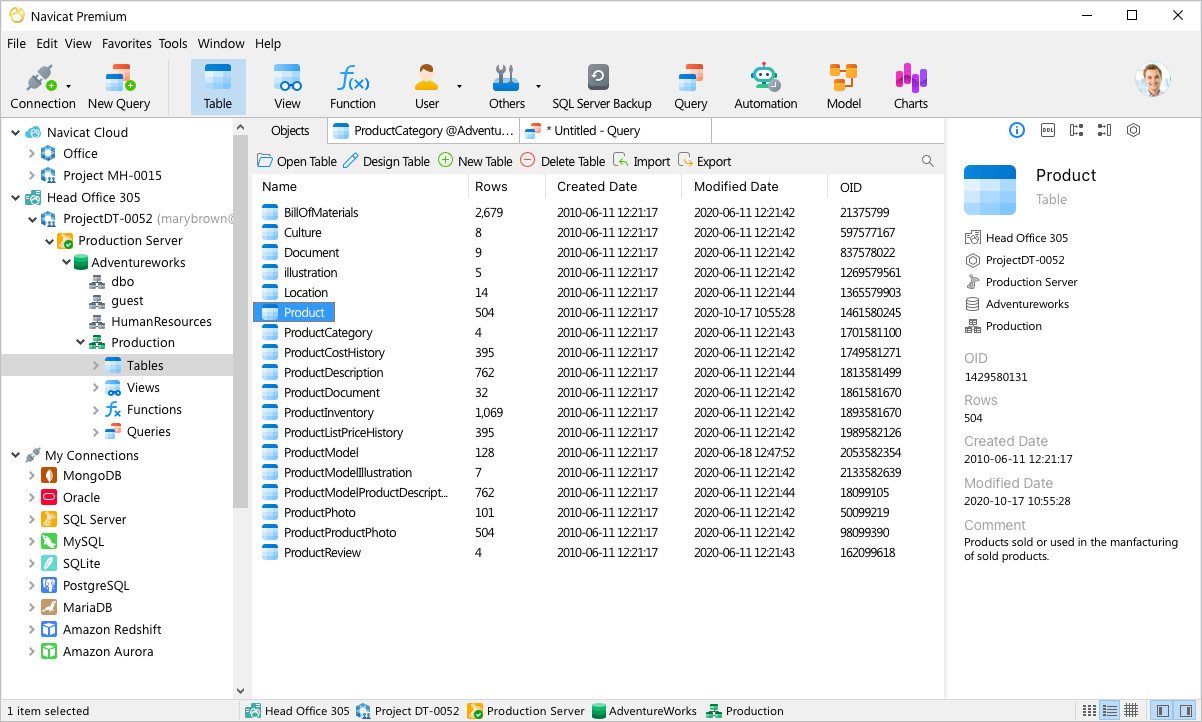
Navicat Premium is a database development tool that allows you to simultaneously connect to MySQL, MariaDB, SQL Server, Oracle, PostgreSQL, and SQLite databases from a single application. Compatible with cloud databases like Amazon RDS, Amazon Aurora, Amazon Redshift, SQL Azure, Oracle Cloud and Google Cloud. You can quickly and easily build, manage and maintain your databases.

Features
Seamless Data Migration
Data Transfer, Data Synchronization and Structure Synchronization help you migrate your data easier and faster for less overhead. Deliver detailed, step-by-step guidelines for transferring data across various DBMS. Compare and synchronize databases with Data and Structure Synchronization. Set up and deploy the comparisons in seconds, and get the detailed script to specify the changes you want to execute.

Diversified Manipulation Tool
Use Import Wizard to transfer data into a database from diverse formats, or from ODBC after setting up a data source connection. Export data from tables, views, or query results to formats like Excel, Access, CSV and more. Add, modify, and delete records with our spreadsheet-like Grid View together with an array of data editing tools to facilitate your edits. Navicat gives you the tools you need to manage your data efficiently and ensure a smooth process.

Easy SQL Editing
Visual SQL Builder will help you create, edit and run SQL statements without having to worry about syntax and proper usage of commands. Code fast with Code Completion and customizable Code Snippet by getting suggestions for keywords and stripping the repetition from coding. Quickly locate and correct PL/SQL and PL/PGSQL coding errors using our debugging component such as setting breakpoints, stepping through the program, viewing and modifying variable values, and examining the call stack.

Intelligent Database Designer
Create, modify and manage all database objects using our professional object designers. Convert your databases into graphical representations using a sophisticated database design and modeling tool so you can model, create, and understand complex databases with ease.

Increase your Productivity
Our powerful local backup/restore solution and intuitive GUI for Oracle Data Pump/SQL Server Backup Utility guides you through the backup process and reduces the potential for errors. Set an automation for repeatable deployment process like database backup and script execution at a specific time or day. No matter where you are, you can always get the job done.

Make Collaboration Easy
Synchronize your connection settings, models, queries and virtual groups to our Navicat Cloud service so you can get real-time access to them, and share them with your coworkers anytime and anywhere. With Navicat Cloud, you can leverage every minute of your day to maximize your productivity.

Advanced Secure Connection
Establish secure connections through SSH Tunneling and SSL ensure every connection is secure, stable, and reliable. Support different authentication methods of database servers such as PAM authentication for MySQL and MariaDB, and GSSAPI authentication for PostgreSQL. Navicat provides more authentication mechanisms and high-performance environments so you never have to worry about connecting over an insecure network.


HOMEPAGE:
Код:
https://www.navicat.com/

FREE DOWNLOAD LINKS:

Код:
https://rapidgator.net/file/526635f54efb23c9c8ecd2a58dc5cf29/Navicat_Premium_Enterprise_17.3.7_x64.rar

Код:
https://nitroflare.com/view/0BC9A1ECA7A3177/Navicat_Premium_Enterprise_17.3.7_x64.rar
 
1c4abdbfac36a660c28e8a5e9fd277e3.png


PDF Annotator 10.0.0.1004 (x64) Multilingual | Size: 159.64 MB
Language: English


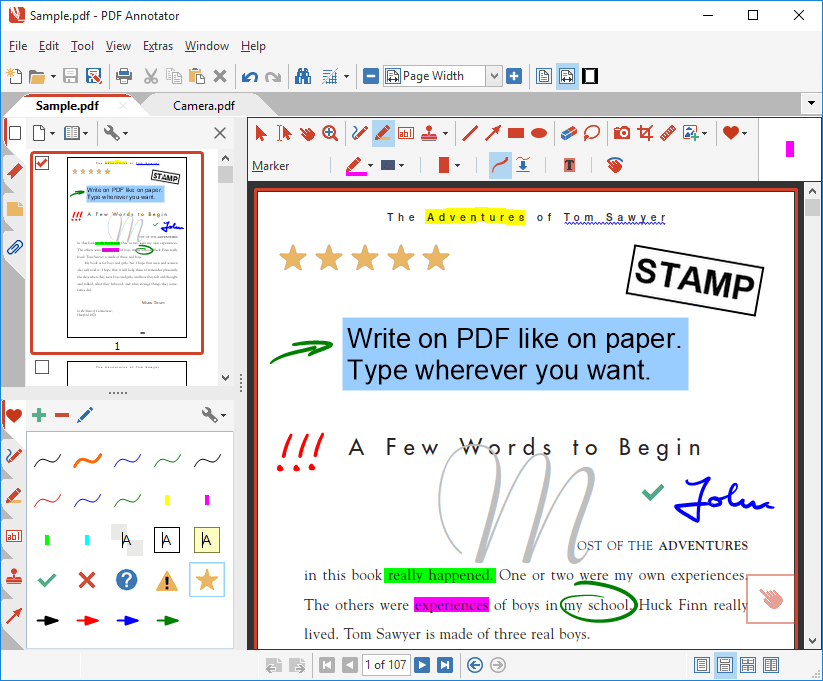
PDF Annotator lets the user open any PDF file and add annotations, using the mouse or a Tablet PC pen, directly on the PDF file's pages. The annotated documents can then be saved directly back to PDF format. In this way, anyone can read or print the annotated PDF documents. Annotated documents can also be easily attached to emails.

Previously, annotating, commenting or proofreading a document received for review in PDF file format was possible only by using multiple software products in a row--or only by printing the document and adding comments manually. With PDF Annotator, annotations can also be added in a natural way--using a pen--but everything remains in digital format. PDF Annotator allows commenting of PDF files in a single step.

Annotation Manager in the Sidebar
- Get a quick overview of all annotations in a document.
- Navigate to any annotations quickly.
- Perform operations on any selection of annotations.

Filter Annotations
- Only display a filtered subset of your annotations in the new Annotations sidebar.
- Filter by type, color, or page number.

Print Annotations Overviews
- Print a detailed list with small previews of every single annotation in a


HOMEPAGE:
Код:
https://www.pdfannotator.com/

FREE DOWNLOAD LINKS:

Код:
https://rapidgator.net/file/0055a475487e9fe7d5de2395da8bd8f6/PDF_Annotator_10.0.0.1004_x64_Multilingual.rar

Код:
https://nitroflare.com/view/879F16E74A4D2C8/PDF_Annotator_10.0.0.1004_x64_Multilingual.rar
 
8d6fc12692669a9a6fb8506222e2ab79.jpg


PMAS - PowerShell Multi Activation System 9.0 | Size: 370.66 KB
Language: English


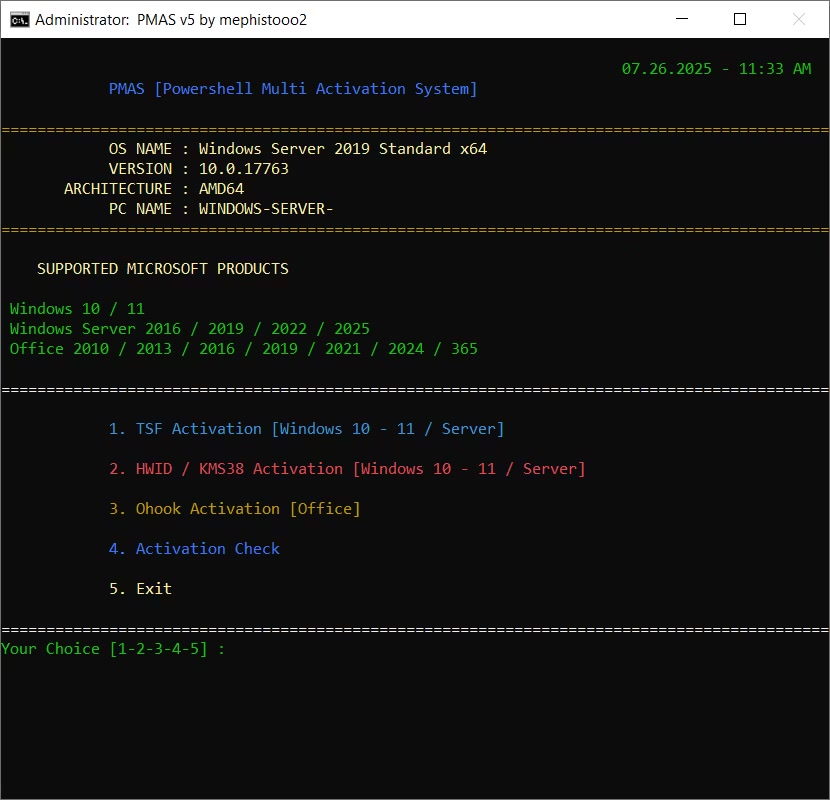
This advanced PowerShell script is a flexible and modular solution designed for licensing Windows and Office products. It runs a custom .NET library called "LibTSforge.dll" from memory for the TSF method of licensing Windows and Office. It's a full-service activation tool that also supports HWID and Ohook activation methods.

Features
Fully automated activation
GUI-assisted interactive PowerShell menu (TSF)
Base64 embedded script decoding
Internet connection check & fallback mechanisms
Supports only Windows 10/11 and Server 2016+

Supported Products
Windows
Windows 10 (all editions)
Windows 11 (all editions)
Windows Server 2016 / 2019 / 2022 / 2025
Office
Office 2010 / 2013 / 2016 / 2019 / 2021 / 2024 / 365

Unsupported Systems
Windows 7 / 8 / 8.1 (official support ended; PowerShell and .NET versions may be insufficient)
Windows XP / Vista (PowerShell 5.1 cannot run)
ARM-based Windows versions (DLL loading may fail)

HOMEPAGE:
Код:
https://www.tnctr.com

FREE DOWNLOAD LINKS:

Код:
https://rapidgator.net/file/842562565dba19559271caaa6a2c51f6/PMAS_-_PowerShell_Multi_Activation_System_9.0.zip

Код:
https://nitroflare.com/view/D91A5BF5F673C01/PMAS_-_PowerShell_Multi_Activation_System_9.0.zip
 
fa2c4979c3de6b657debbcac11ec7477.jpg


PrintFab Pro XL 3.0.5 | Size: 42.49 MB
Language: English


PrintFab is our printer driver suite with RIP functionality. PrintFab's innovative "dynamic" color profiles ensure full control over color mixture and ink consumption combined with perfect print quality.

The printing solution for perfectionists
For high printing demands
The time has come for independent printer drivers - better performance and more freedom for your printer!

Features
new high-quality printer drivers for Epson EcoTank ET-16500, Epson WorkForce WF-7210, WF-7710, WF-7720 with special support for dye sublimation transfer & screen film printing
NEW in version PrintFab Pro XL: silk screen film printing mode with adjustable halftone raster
powerful color management, optimum print quality
excellent colour precision even with third party ink and paper
print preview & layout editor
intelligent ink saving system
ICC profiles for printer and documents
affordable color profiling service
PrintFab Pro can work as CMYK RIP software (Raster Image Processor)
cross platform solution: also available for MacOS and Linux
supports over 300 printer models (Canon, Epson, HP, ...)


HOMEPAGE:
Код:
https://www.printfab.com/

FREE DOWNLOAD LINKS:

Код:
https://rapidgator.net/file/af4f0955945f4bdcc4bc21ac6393061e/PrintFab_Pro_XL_3.0.5.rar

Код:
https://nitroflare.com/view/CE0130D6A0F523A/PrintFab_Pro_XL_3.0.5.rar
 
_851e1a514f04f405db8cb03e1d8338f6.jpeg


Rainbow Analyst add-in Professional 25.12.0 | Size: 3.13 MB
Language: English


Rainbow Analyst (so named for its uniquely powerful use of colour-coding) combines several areas of world-class spreadsheet auditing functionality.

- Excel™ spreadsheet audit and analysis tools with formula grouping and >50 analysis options.
- Spreadsheet comparison tools to track differences in cell formulas, macro code and other content.
- A unique set of spreadsheet clean-up tools which can even repair Excel's underlying XML files.
- An audit sampling tool with three different methods of sample selection and a sample size calculator.

Whats New
Updates: official site does not provide any info about changes in this version

HOMEPAGE:
Код:
https://www.themodelanswer.com/

FREE DOWNLOAD LINKS:

Код:
https://rapidgator.net/file/54b1f7b098f7eb87f7117c64bd990235/Rainbow_Analyst_add-in_Professional_25.12.0.rar

Код:
https://nitroflare.com/view/8D52F0B2FA2F779/Rainbow_Analyst_add-in_Professional_25.12.0.rar
 
b965905620c9506cc228cf350774328b.jpg


Sante DICOM Editor 10.3 | Size: 172.09 MB
Language: English


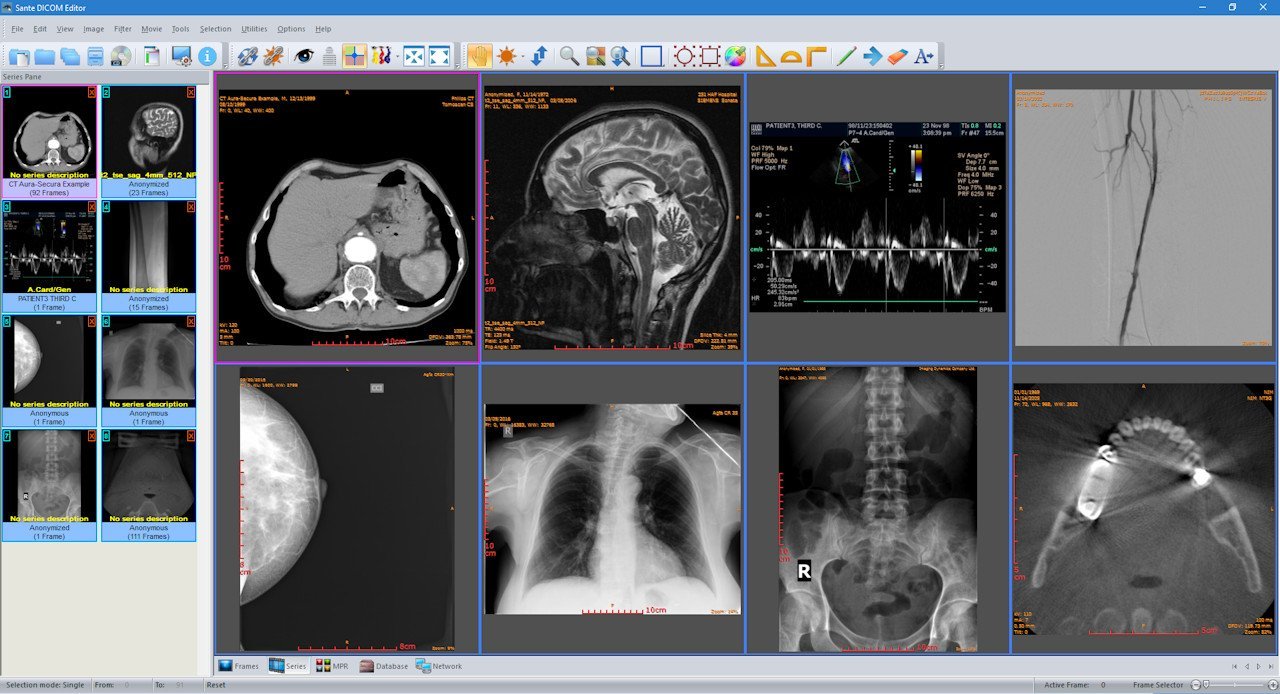
Sante DICOM Editor is a professional DICOM editor, viewer, anonymizer, converter, dicomizer, PACS client, mini PACS server, patient CD/DVD burner (with viewer) and much more.

The unique viewer
Sante DICOM Editor is not a "yet another DICOM viewer" constructed with freely available libraries such as dcmtk, itk and vtk, like hundreds of other DICOM viewers which differ from each other only in the appearance, menus, panels and dialog boxes. It is a unique program with unique capabilities, designed and developed in-house by us, from the ground up, with the most advanced programming tools and it is the result of research and development on DICOM imaging of the last two decades.

The powerful editor
Sante DICOM Editor is the industry-leading post processing application for DICOM file editing, conversion and handling, it is used by almost all the large corporations and medical equipment manufacturers, and it is the DICOM editor of choice of the greatest universities and hospitals of the world. Among others, it lets the user to edit and modify DICOM files, to add and remove attributes, and even edit and modify sequence attributes.

Features and benefits
Powerful DICOM workstation, viewer and editor
Perpetual license that never expires.
Free updates and free technical support for product's lifetime
PACS client that supports all the DICOM network services (C-FIND SCU/SCP, C-MOVE SCU/SCP, C-STORE SCU/SCP, C-GET SCU/SCP, C-ECHO SCU/SCP)
It can be used as a mini PACS server as well
(the number of stored patients/studies depends on disk size only)
Command line switches for integration with PACS servers (learn more.)
Support of all charsets (latin, chinese, japanese, korean, cyrillic, arabic, greek, turkish, etc.)
Compatible with all modalities (CT, MR, NM, US, XA, MG, CR etc.), all manufacturers and all DICOM 3.0 and NEMA 2 file types.
Editing and modification of DICOM files (even of sequence attributes)
Simultaneous editing of all DICOM files of a series/study
DICOMDIR editor
Dual monitor support (new in version 6, learn more.)
Structured Report support (new in version 6.3)
Presentation State file editor
Structured Report file editor
Printing to DICOM printers and Windows printers
DICOM to DICOM conversion, DICOM file modification (transfer syntax, image width and height, color depth, frame insertion, removal, sorting, etc.)
Built-in Anonymizer, burned-in annotations removal (Patient data de-identification, suitable as well for avoiding issues with the GDPR regulation 2016/679 of EU)
Built-in Dicomizer: DICOM file creation from video files (avi, wmv) and plain image formats (jpeg, jpeg2000, tiff, bmp, and png)
Ultrasound region calibration module support (calibrated Ultrasound measurements)
Merging of DICOM files
Creation of DICOM CD/DVD disks with viewer
Support of Epson and Primera CD/DVD Disk Publishers (robots)
Contrast Agent Probe


HOMEPAGE:
Код:
https://www.santesoft.com/

FREE DOWNLOAD LINKS:

Код:
https://rapidgator.net/file/5d61f9608b8c6ff5d8c968b80f34ed58/Sante_DICOM_Editor_10.3.rar

Код:
https://nitroflare.com/view/269386BDB271F59/Sante_DICOM_Editor_10.3.rar
 
da9934ad6b9dd0ef0df013fb8e27489a.jpg


Scientific Toolworks Understand 7.2 Build 1241 | Size: 1.53 GB
Language: English


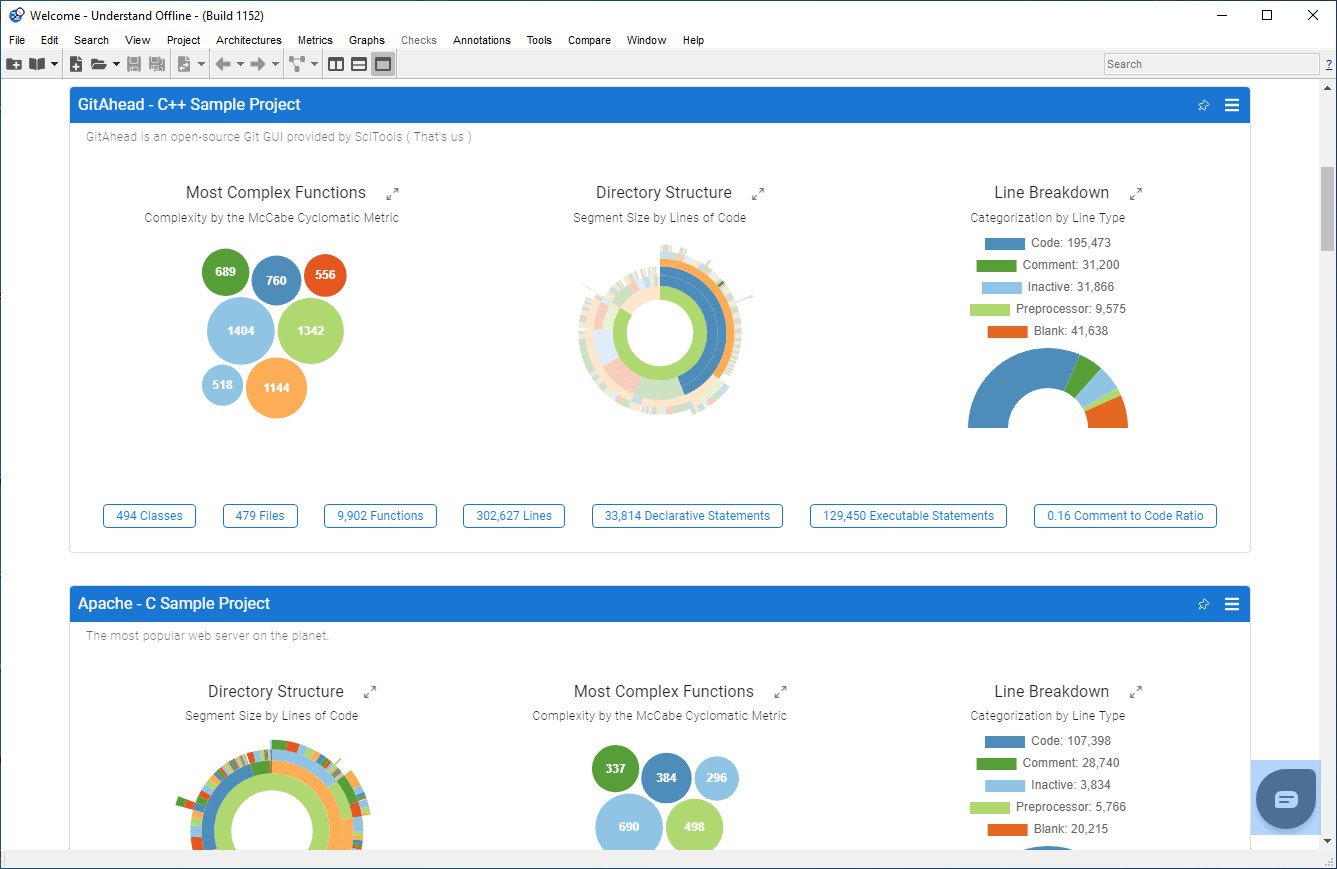
Analyze dependencies between modules, classes, functions, and custom architectures. Make informed decisions regarding refactoring, optimization, and overall code organization by using Understand's dependency graph and other features.

Code navigation
Quickly and efficiently move through your codebase. With features like cross-references and call trees, developers can easily locate and understand specific sections of code, improving productivity and troubleshooting.

Organize with Architectures
Rearrange your code into logical groupings, providing a structured view that allows for easy navigation and better understanding of relationships between components. Manage large codebases efficiently and streamline your development process.

Dependency analysis
Analyze dependencies between modules, classes, functions, and custom architectures. Make informed decisions regarding refactoring, optimization, and overall code organization.

Visualize with graphs
View dependency, butterfly, data flow, called by graphs and more. Customize the style of your graphs, use plugins to design your own unique graphs, or export and highlight graphs to collaborate with your team.

Compliance validation
Enforce internal coding standards and prove compliance with external standards using CodeCheck. With extensive pre-defined code checks and the ability to write your own checks, ensure the correctness of your code and maintain compliance with ease.

Measure your code with Metrics
Understand has hundreds of cross-language industry standard software metrics built in, or use our API to create your own metrics. Metrics can be displayed visually and exported to share with your team.

Integrate your workflow with APIs
Benefit from extensive Python and Perl APIs that enable automation, custom reporting, and the development of specialized tools. Leverage the power of Understand to enhance your existing development workflows and unlock new possibilities.

Extend your reach with plugins
An extensive library of user submitted plugins lets you tailor Understand to your specific needs. Custom graphs, metrics, architectures and reports gives you unlimited options.

Seamless code editing
Our user-friendly and productive environment gives efficient editing capabilities, language support, powerful search and navigation tools, and seamless integration with other code analysis features.

Sync notes directly to your code
Annotations enhance your code documentation and collaboration. Add comments, requirements, reminders, and documentation to specific code sections, ensuring important information is easily accessible and synchronized.

Search your code
Search by entity kind, metric values, and in fields (comments, strings, identifiers). Find and replace code or automatically refactor.

Identify changes with ease
Effortlessly find and analyze differences between code versions, track changes across commits, and view detailed metrics and graphs that highlight modifications.


HOMEPAGE:
Код:
https://scitools.com/

FREE DOWNLOAD LINKS:

Код:
https://rapidgator.net/file/80f5592b9cc192184fd1e78dbb8ccc9e/Scientific_Toolworks_Understand_7.2_Build_1241.rar

Код:
https://nitroflare.com/view/B238D90EAD903DE/Scientific_Toolworks_Understand_7.2_Build_1241.rar
 
f14a567b85ebcc28f4ffeec6b79db144.jpg


SoftPerfect NetWorx 25.12 Multilingual | Size: 17.77 MB
Language: English


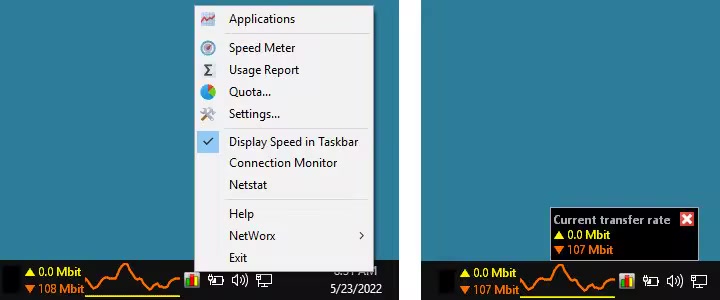
NetWorx is a simple yet versatile tool that helps you monitor your Internet connection. It can collect usage data, monitor connection quality and measure the speed of your Internet. It can also assist in identifying possible sources of network problems, ensuring that you do not exceed your ISP usage limits and tracking down suspicious network activity.

NetWorx allows you to monitor a local network adapter or your router, or track the applications on your computer that access the Internet. Collected historical usage statistics are organised into daily, weekly and monthly reports. Real time connection usage is represented by an elegant and highly customisable graph, accompanied by a list of applications accessing the Internet.
Built-in connection Speed Test can run on demand or on a schedule, so you can see if you are getting the promised speeds from your provider. In addition, there is a Connection Monitor that tracks downtime and monitors your ping time throughout the day. Both these features allow you to make sure you are getting a quality Internet connection.

Key features
- Historical usage reports by day, week and month.
- Close supervision of uploads and downloads in real time.
- Monitoring the applications accessing the Internet.
- Support of local network adapters and remote SNMP and UPnP devices.
- Configurable actions when the network activity exceeds a certain level.
- Speed Meter for testing Internet connection speed.
- Connection Monitor for regular connection status checks.

With NetWorx you can
- Find out and monitor how fast your Internet connection is and how much data you consume.
- Verify whether your ISP charges your Internet usage fairly.
- Detect a suspicious network activity on your computer.
- Monitor connection quality by tracking downtime and ping.
- Be notified about excessive Internet usage.


HOMEPAGE:
Код:
https://www.softperfect.com/

FREE DOWNLOAD LINKS:

Код:
https://rapidgator.net/file/85282585412dfabb0bbbb5017e742917/SoftPerfect_NetWorx_25.12_Multilingual.rar

Код:
https://nitroflare.com/view/C8016C1C380C781/SoftPerfect_NetWorx_25.12_Multilingual.rar
 
0cc1526fd319976ff474a8eccfa77954.png


StartCleaner 1.0.5 | Size: 2.91 MB
Language: English


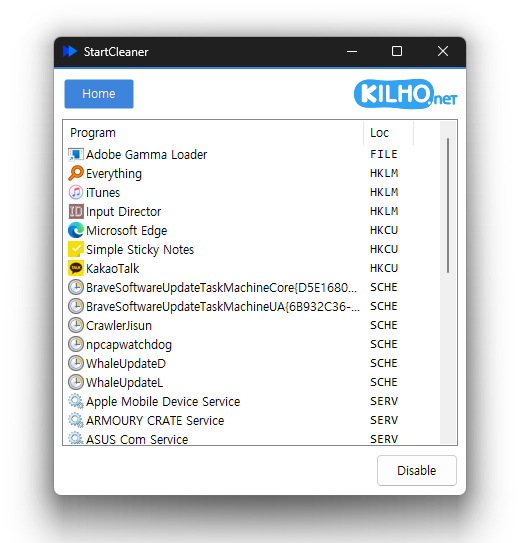
StartCleaner helps you effectively manage the programs that launch automatically on startup. With its user-friendly interface, StartCleaner enables you to quickly review, enable, or disable these startup applications, potentially improving your system's boot time and overall performance. Streamlining the startup process ensures that your device runs smoothly and efficiently from the moment you power it on.

StartCleaner for Simple Startup Management
StartCleaner provides a simple solution for managing your system startup processes. It offers unified control over startup folders, allowing you to easily add, remove, or disable programs that launch when your computer starts.
StartCleaner also provides access to the task scheduler, enabling you to configure the timing and conditions under which specific tasks are executed at startup. Furthermore, it incorporates system service management, allowing you to control which services run during startup to enhance your system's speed and efficiency.
Using StartCleaner
To remove a startup item, select the one you wish to disable and then click the "Disable" button. This process is quick and easy.
StartCleaner offers a unique approach to managing your settings by allowing you to disable them instead of permanently deleting them. This feature provides a safe and reversible way to customize your experience, ensuring that you can experiment with different configurations without the fear of losing essential settings. Whether you're trying to enhance performance or streamline functionality, StartCleaner empowers you to take control of your system with confidence, knowing that you can easily restore any disabled settings if needed.
Geek Verdict
Unlock your device's full potential with StartCleaner. You can effortlessly personalize and enhance your startup experience and enjoy a potentially smoother, lightning-fast boot process tailored just for you.

HOMEPAGE:
Код:
https://global.kilho.net/

FREE DOWNLOAD LINKS:

Код:
https://rapidgator.net/file/09e590346621457399e60ed847378f13/StartCleaner_1.0.5.zip

Код:
https://nitroflare.com/view/B3E4D41113944FA/StartCleaner_1.0.5.zip
 
29ef2ef1d382aa7e88c1afe492c3c6fb.jpg


System Info 18.43 | Size: 2.46 MB
Language: English


A simple piece of software that displays various information about your system, including your machine's hardware, operating system, and more.

Knowing more about your system can be helpful in some instances, and while that is child's play to a more experienced user, someone less knowledgeable may have difficulty finding all the information they need.
Having everything be presented in a single interface, where you can then copy and share that data elsewhere, can end up being convenient to a casual user. That is what System Information does: it provides you with various data about your system, including its hardware specifications, operating system, network, and more, without requiring an installation
The app offers a no-nonsense option for anyone who's interested in finding out more about their computer. While a specialized tool is likely to provide you with more exhaustive data, this program's simplicity is also an asset as it makes it especially useful for someone not all that acquainted with their machine.
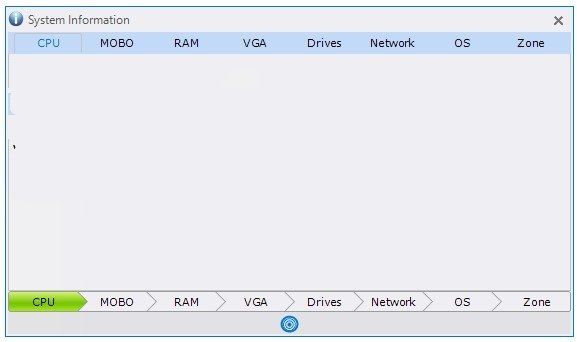
At first, you'll be shown some details about your CPU, motherboard, memory, and graphics card. A bit of a missed opportunity is not including temperatures for those respective hardware components, but seeing as the tool is aimed at a general audience, that's somewhat understandable.
Users can also view the drives and network adapters of their computer through the utility. Some quick data about your OS and time zone is also available.
A feature some users will appreciate is the ability to copy your information within a few clicks. Simply go to the tab you wish to copy, press the blue icon at the bottom of the interface, then click the green Clipboard Copy icon to the left. Alternatively, you can opt to have the program save all your data to a text file for an even easier time.
System Information is an ultimately simple tool that can help display some details about your computer. It doesn't particularly do anything more than that, which is why more experienced users might want to look elsewhere instead.

Whats New
Updates: official site does not provide any info about changes in this version

HOMEPAGE:
Код:
https://www.omidsoft.com/index.html

FREE DOWNLOAD LINKS:

Код:
https://rapidgator.net/file/d0951f833d51b4b7566013d85a3d371c/System_Info_18.43.rar

Код:
https://nitroflare.com/view/11189BA32E725B1/System_Info_18.43.rar
 
0395aaf94151034d03bdfa85770f4500.jpg


Tenorshare 4DDiG 10.6.7.16 Multilingual | Size: 112.34 MB
Language: English


All-in-One Solution to Perform Data Recovery and Video Repair. Recover data from laptop/PC, internal & external drive, USB flash disk, etc. Recover 1000+ file types including photos, videos, documents, and audio. Recover files lost due to accidental deletion, formatting, lost partition, corruption, crashed system, virus-attack, and so on.

Deleted Files Recovery
Accidentally deleted important files such as photos, videos and documents? Emptied recycle bin unconsciously and then found that the files were of high importance to you? 4DDiG will be there to help.

Formatted Drive Recovery
It's easy to format HDD, SSD, hard drive, SD card, and USB stick accidentally then data loss happens. Take it easy. With 4DDiG Windows Data Recovery, recovering data from formatted drive is no more a headache.

Lost Partition Recovery
You may be denied access to some locations or files due to mistakenly partition, deleted partition, repartition, or table loss. Here only professional data recovery software like 4DDiG will get you out of these problems.

External Device Recovery
External storage devices are good in the point of data saving. But data loss will also make you crazy when the devices are damaged, corrupted. No matter what kind of device you have, 4DDiG makes it possible to get lost data back with highest recovery rate.

Crashed Computer Recovery
You may easily meet computer crash with black or blue screen and then data loss. With 4DDiG, you can create bootable drive to boot up crashed computer and access data without any technical knowledge.

Raw File Recovery
RAW drives means RAW file system that you can not access the data without the help of data recovery software. Don't worry, 4DDiG will recover files from any RAW drives.

1000+ Data Types You Can Recover
You can recover various data types from this powerful Windows data recovery tool. No matter what you have lost, 4DDiG is capable of restoring lost files without hassle, file types including images, videos, music files, email, office documents, and compressing files.

Photo
JPG/JPEG, TIFF/TIF, PNG, BMP, GIF, PSD, WEBP, CRW, RGB, CR2, NEF, ORF, SR2, MRW, DCR, WMF, RAW, SWF, SVG, RAF, DNG, ERF, ICO, DSC, etc.

Video
AVI, MOV, MP4, M4V, 3GP, 3G2, WMV, MKV, ASF, FLV, FLA, AMV, F4V, SWF, MPG, RM/RMVB, MPEG, TS, VOB, MTS, DV, etc.

Audio
MP3, AIF/AIFF, M4A, WMA, WAW, APE, MID/MIDI, VQF, OGG, AAC, WAV, FLAC, DTS, and other audio formats.

Office Document
DOC/DOCX, XLS/XLSX, PPT/PPTX, CWK, HTML/HTM, INDD, EPS, RTF, , PDF, CHM, CSV, TXT, DOTM, THMX, and so on.

Email & Archive
MSG, PST, OST, EML, EMLX, MBOX, etc.
7Z, WAR, ZIP, EXE, 7zip, BZ2, ISO, IMG, TAR, GZ, TAZ, etc.

Others
ASPX, CGI, ELM, IGY, IQY, JSP, LDB, MHT, MHTML, PHP, and more.

Whats New official site does not provide any info about changes in this version.

HOMEPAGE:
Код:
https://www.tenorshare.com

FREE DOWNLOAD LINKS:

Код:
https://rapidgator.net/file/54e183b5af22a5767380bc36550a2c33/Tenorshare_4DDiG_10.6.7.16_Multilingual.rar

Код:
https://nitroflare.com/view/078F7FBBBB18C2D/Tenorshare_4DDiG_10.6.7.16_Multilingual.rar
 
6fc49d716ec8de5c1750c247a5f7ddd3.jpg


Terragen Professional 4.8.64 (x64) | Size: 20.19 MB
Language: English


Terragen™ is a powerful solution for rendering and animating realistic natural environments. Create entire worlds from your imagination, or import real world terrain datasets and use Terragen 4 to create the most realistic visualisations possible. You control the weather, landscape, rivers, lakes and oceans, suns, moons and stars. With Terragen 4 you have complete control over the shader networks used for terrains, textures, micropolygon displacements, clouds and object distributions. You can reorganise the planetary shading pipeline to suit your goals. Place grass and trees wherever you want, as well as other objects in native TGO or OBJ format that you have modeled in third party software.

Here are some key features of "Terragen"
Cutting-edge adaptive subdivision renderer.
Modular, plugin-based architecture.
Render entire planets, sweeping vistas, tiny rock gardens, or anything in between.
Import 3D objects for rendering. Export high resolution objects.
Render millions of boulders or trees using "instancing".
Add multiple heightfields to your scene. Use procedural terrains that can span an entire planet.
Apply almost "infinite" fractal detail to terrain and other objects.
Overhanging terrain using procedural displacements, image-based displacements, or imported geometry.
Volumetric clouds or fast "2.5D" clouds.
Production quality anti-aliasing and motion blur.
Node graph editor for ultimate control over shaders and textures.


HOMEPAGE:
Код:
https://planetside.co.uk

FREE DOWNLOAD LINKS:

Код:
https://rapidgator.net/file/fffe090a53ab353bb887f5469c2b6e1b/Terragen_Professional_4.8.64_x64.rar

Код:
https://nitroflare.com/view/936A9F297314B29/Terragen_Professional_4.8.64_x64.rar
 
Назад
Сверху Снизу