All Emperor2011's Software in one thread !! (updated daily)

cc76f70bf4cd4375f0d759d0bc011aad.png


Directory Opus 13.20 (x64) Multilingual | Size: 27.91 MB
Language: English


Are you frustrated by the limitations of Windows Explorer? Directory Opus provides a complete Explorer Replacement with far more power and functionality than any other file manager available today.

Just some of the features include
- Single or dual pane file display and folder trees
- Tabbed interface let you keep multiple folders open and switch quickly between them
- Unique Explorer Replacement mode provides a full replacement for Windows Explorer
- Quickly filter, sort, group and search your folders
- Color-code your files, assign status icons, star ratings, tags and descriptions
- View images, documents and more. Image marking lets you sort your photos quickly and easily
- Batch renaming including easy-to-use keyboard macros
- View and edit file metadata
- Support for FTP and archive formats like Zip, 7Zip and RAR
- Built-in tools including synchronize and duplicate file finder
- Calculate folder sizes and print or export folder listings
- Queue multiple file copies for improved performance
- Fully configurable user interfaccolors, fonts, toolbars, keyboard hotkeys, and a full scripting interface let you tailor Opus exactly to suit your needs
- Efficient, multi-threaded, modern design. Supports the latest 4K monitors. Available in both 32 and 64 bit versions.

What makes Opus unique?

Built for speed
Opus is written in native C++ multi-threaded code; compiled for the latest 64 bit CPUs, with high performance our number one design principle.

Fully configurable
Change the colors. Change the fonts. Change the toolbars and menus. Set up hotkeys. Opus adapts to how you want to use it.

Makes file management a breeze
Powerful searching, sorting, grouping, labelling and tagging features let you take control of your files like never before.

Endlessly extensible
Work with third-party tools as easily as with the built-in features. A full scripting interface, including scriptable dialogs, means your imagination is really the only limit.

Replace Windows Explorer and don't look back
Our unique Explorer Replacement mode provides a full replacement for Windows Explorer.
Single or dual pane file display and folder trees
Tabbed interface let you keep multiple folders open and switch quickly between them
Integrated viewer, metadata editor and utility panel
Built-in tools including synchronize and duplicate file finder
Leverage indexed search engines like Windows Search and Everything


HOMEPAGE:
Код:
https://www.gpsoft.com.au/

FREE DOWNLOAD LINKS:

Код:
https://rapidgator.net/file/2d25344b77f5586b03a8bbba6476d8e2/Directory_Opus_13.20_x64_Multilingual.rar

Код:
https://nitroflare.com/view/AAF776BBBB5DCD8/Directory_Opus_13.20_x64_Multilingual.rar
 
61760dfafdb06264e330b0c13e498194.jpg


Disk Pulse 17.5.24 | Size: 57.42 MB
Language: English


DiskPulse is a real-time disk change monitoring solution allowing one to monitor one or more disks or directories, save reports and disk change monitoring statistics, export detected changes to a centralized SQL database, execute custom commands and send E-Mail notifications when unauthorized changes are detected in critical system files.

DiskPulse Main GUI Application
The DiskPulse GUI application provides the user with the ability to start/stop disk change monitoring operations, review detected file system changes and export reports.

Disk Change Monitoring Filters
The bottom part of the DiskPulse GUI application includes the 'Categories' pane, which is capable of categorizing detected file system changes by the file type, size, extension, user name, etc. and allows one to filter changes by one or more change categories.

Disk Change Monitoring Statistics
The pie charts dialog is capable of showing numbers of changed files and the amount of changed disk space per extension, change type, file size and file type. In addition, the user is provided with the ability to copy the chart image to the clipboard allowing one to easily integrate DiskPulse charts into presentations and documents.

Disk Change Monitoring Directories
The profile dialog's 'Monitor' tab allows one to specify one or more disks or directories that should be monitored. All the specified directories will be monitored recursively including all subdirectories.

Disk Change Monitoring Events
The profile dialog's 'Events' tab allows one to select one or more file system event types that should be monitored.

Disk Change Monitoring Rules
The profile dialog's 'Rules' tab provides the user with the ability to limit a disk change monitoring operation to one or more specific file types.

Disk Change Monitoring Actions and E-Mail Notifications
The profile dialog's 'Advanced' tab allows one to automatically save reports, submit changes to a database, send E-Mail notifications and/or execute custom commands when a disk change monitoring operation will detect a specified number of changes.

Search File System Changes
The search dialog allows one to search disk changes by the file name, location, modification date, category, file size, file owner, etc. in all disk change monitoring reports stored in an SQL database.

DiskPulse Disk Change Monitor Server
DiskPulse Server is a server-based product version, which runs in the background as a service and allows one to perform multiple, parallel disk change monitoring operations, send E-Mail notifications, save reports, export detected changes to a centralized SQL database, send error messages to the system event log and/or execute custom user commands when a user-specified number of changes detected.

DiskPulse Enterprise
DiskPulse Enterprise can be used as a centralized reports database server capable of receiving disk change monitoring reports from multiple production servers. DiskPulse Enterprise allows one to define a centralized set of report analysis rules, which are automatically applied to disk change monitoring reports received from production servers, detect critical file system changes and send E-Mail notifications.


HOMEPAGE:
Код:
https://www.diskpulse.com/

FREE DOWNLOAD LINKS:

Код:
https://rapidgator.net/file/bdedd8dc1829bba0e8d527befc2c92a6/Disk_Pulse_17.5.24.rar

Код:
https://nitroflare.com/view/848CEF91BB6E16A/Disk_Pulse_17.5.24.rar
 
d98d5769db9393ea1b62e21fd52adff8.png


DiskDigger 2.0.13.4139 Multilingual | Size: 3.85 MB
Language: English


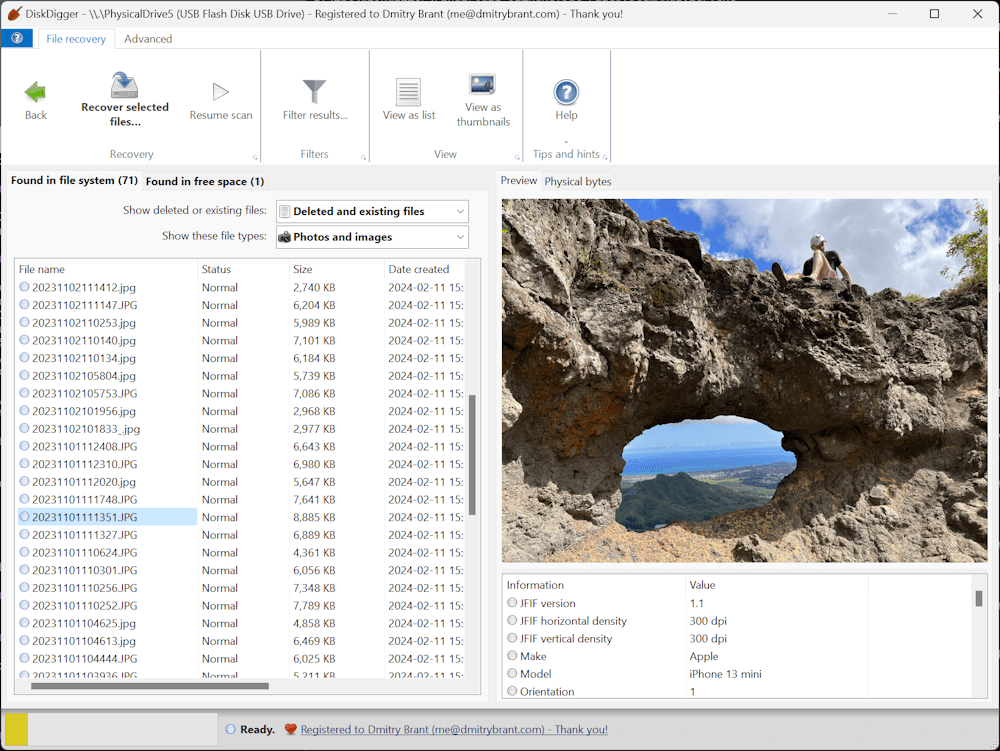
DiskDigger® is a tool that undeletes and recovers lost files from your hard drive, memory cards, USB flash drives - you name it! Whether you accidentally deleted some documents or photos from your computer, reformatted your camera's memory card, or want to see what files are lurking on an old USB drive, DiskDigger is here for you. See the complete list of features to learn more.

DiskDigger can recover deleted files from most types of media that your computer can read: hard disks, USB flash drives, memory cards, CDs, DVDs, and even floppy disks. (Note: DiskDigger cannot recover data directly from Android or iOS devices plugged into a USB port on your PC. To recover data from an Android device, please use the DiskDigger app for Android. And if your Android device uses a microSD card for storing the data, please remove the card and connect it directly to your PC using a card reader, so that you can scan it directly using DiskDigger for Windows.)

Main features
Simple and intuitive interface, to help you find exactly the files you're looking for, as easily as possible.
Works in Windows 11, Windows 10, Windows 8, Windows 7, Windows Vista, and Windows XP. Both 32-bit and 64-bit versions of Windows are supported.

View recoverable files as a list, or as thumbnail previews.
Thumbnails will show previews of photos and image files, album art from MP3 and WMA files, icons from executable files, and any other image that can represent a file.

Highlighting a recoverable file brings up a full preview of the file (insofar as possible). For photos and images, it will show the image (with pan and zoom). For document files, it will show a text-only preview of the document. For certain audio files, it will allow you to play back the sound.

Previews of JPG and TIFF files will show EXIF information (camera model, date taken, sensor settings, etc.).
Previews of MP3 files will show ID3 information (artist, album, genre, etc.).
Previews of ZIP files will show a list of files contained in the archive.

Advanced features
Scan virtual disk image files
E01 and EWF files (Expert Witness Format)
VMDK files (VMware disk image)
VHD and VHDX files (Microsoft Virtual Hard Disk)
VDI files (VirtualBox disk image)
QCOW2 disk images
Direct binary disk images (acquired with dd or similar tools)


HOMEPAGE:
Код:
https://diskdigger.org/

FREE DOWNLOAD LINKS:

Код:
https://rapidgator.net/file/9d6194f512634fa1241c8f5608caa01f/DiskDigger_2.0.13.4139_Multilingual.rar

Код:
https://nitroflare.com/view/4D8A1FBA1B3A644/DiskDigger_2.0.13.4139_Multilingual.rar
 
8c56bc83e312d72539e2136de688a154.jpg


DtSearch Desktop Engine 2025.02 Build 8845 | Size: 319.61 MB
Language: English


DtSearch Desktop provides instant searching of desktop-accessible files. dtSearch can instantly search terabytes of text because it builds a search index that stores the location of words in documents. Indexing is easy - simply select folders or entire drives to index and dtSearch does the rest. Once dtSearch has built an index, it can automatically update it using the Windows Task Scheduler to reflect additions, deletions and modifications to your document collection. Updating an index is even faster, since dtSearch will check each file, and only reindex files that have been added or changed.

The dtSearch indexer automatically recognizes and supports all popular file formats, and never alters original files. The dtSearch product line can instantly search terabytes of text across a desktop, network, Internet or Intranet site. dtSearch products also serve as tools for publishing, with instant text searching, large document collections to Web sites or CD/DVDs.

Features
• A scrolling word list, for instant feedback as you type in a search.
• A look-up word feature, detailing the effect of fuzzy, phonic, wildcard, stemming and thesaurus search options.
• Browse and customize thesaurus options.
• A field button, showing all indexed document fields.
• A search history display.
• Search reports, showing hits in retrieved documents, along with the requested amount of context.
• Clipboard options, file launching, and other tools for working with retrieved data.
• Exporting of search results in various data formats, for easy use with other programs.
• Special forensic indexing and searching tools

DtSearch Engine Text Retrieval Engine lets developers quickly add dtSearch's proven, "industrial-strength" text search and retrieval to applications. The dtSearch Engine is in use in hundreds of commercial applications. See Case Studies & 3rd Party Solutions for over a hundred developer case studies. Typical uses of the dtSearch Engine include: publishing and searching database-driven Web sites, incorporation into information management applications, searching of technical documentation, incorporation into forensics applications, email filtering usage, and incorporation into a broad range of vertical-market applications (legal, medical, financial, recruiting and staffing, etc.). The dtSearch product line can instantly search terabytes of text across a desktop, network, Internet or Intranet site. dtSearch products also serve as tools for publishing, with instant text searching, large document collections to Web sites or CD/DVDs.

Features
• The dtSearch Engine provides developer access to indexed, unindexed, full-text and fielded data search options, including support for hundreds of international languages through Unicode
• The dtSearch Engine also provides developer access to dtSearch's integrated file parser and file format support
• File format support includes dtSearch's WYSIWYG hit highlighted search display of web-ready files
• File format support includes proprietary built-in HTML converters for non-web-ready files (like OpenOffice and MS Office documents)
• Developer file format support also works in connection with distributed or federated searching, including integrated relevancy ranking and hit-highlighted display of local and remote content
• The dtSearch Engine for Win & .NET supports C++, Java and .NET
• For example, the dtSearch Engine for Win & .NET includes a choice of an ADO.NET API, a Java API, a C++ API and a COM API for indexing and searching SQL-type databases, along with associated BLOB data
• The dtSearch Engine also supports search filters and other data classification options
• A .NET Spider API makes the full dtSearch Spider functionality accessible to developers
• The dtSearch Engine for Linux provides C++ and Java APIs to developers


HOMEPAGE:
Код:
https://www.dtsearch.com/

FREE DOWNLOAD LINKS:

Код:
https://rapidgator.net/file/d2505c02408ac6cc3f0976ec88a139ff/DtSearch_Desktop_Engine_2025.02_Build_8845.rar

Код:
https://nitroflare.com/view/328416CDCB1D5FD/DtSearch_Desktop_Engine_2025.02_Build_8845.rar
 
5571cc2f86e40dbc6d9a12a0c3febbda.jpg


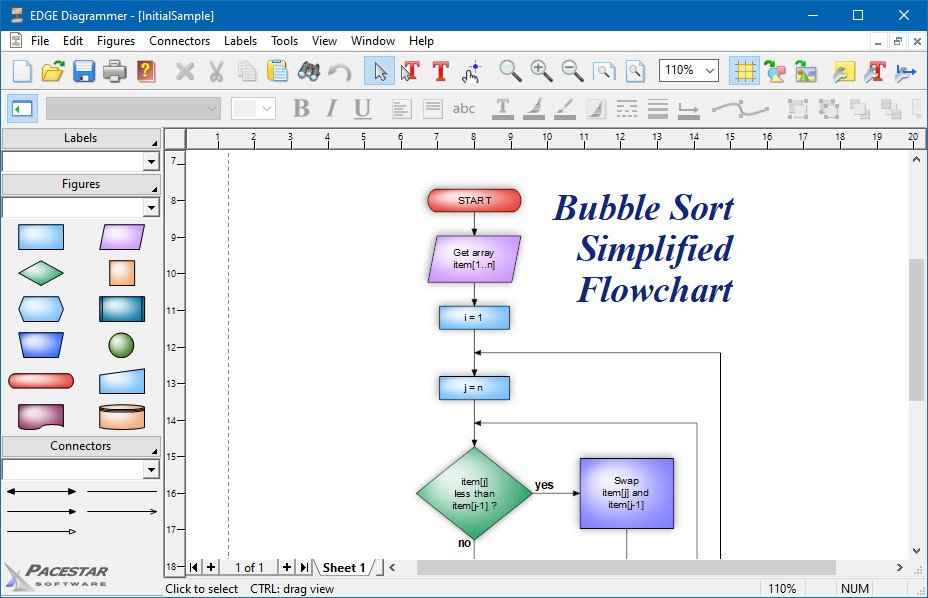
EDGE Diagrammer 7.48.2218 | Size: 7.78 MB
Language: English


EDGE Diagrammer is our most versatile diagramming tool. Create a wide variety of technical, presentation, and design diagrams efficiently and with the highest quality results. EDGE Diagrammer is all you need for block diagrams, flowcharts, org charts, family trees, data flow diagrams and more. Free extension packs are available to provide support for many different diagramming methodologies. EDGE Diagrammer is the one-product solution for all your block and flow diagramming needs.

EDGE lets you define "styles" using hundreds of predefined drag-and-drop shapes and arrowheads. Save your styles in diagram templates to establish your own diagramming methods. EDGE Diagrammer comes with complete flowcharting templates, network diagramming templates, block diagrams, org charts, and more to get you started.
The program's workspace is especially designed for your ease, comfort, productivity, and enjoyment. Simple but old-style powerful toolbars and menus keep the most frequent tasks handy. Objects most common to a specific type of diagram are available with one click from the style bar on the left of the screen. And the screen itself shows you just what you need, exactly as it will print.
EDGE Diagrammer can create flowcharts and similar diagrams with minimal effort. As you draw your diagram, EDGE Diagrammer connects lines to figures and attaches labels to lines. It remembers these relationships and adjusts automatically when you move objects around. It can also adjust the size of a shape when you add text to it.
Includes pre-defined shapes and symbols organized in the Figure Symbol Gallery and several pre-defined diagram templates.
Support image raster (PNG, JPG, BMP, TIF, GIF) and vector format (WMF, EMF)
While direct PDF output is not supported, you can produce PDF files using a PDF printer driver.


HOMEPAGE:
Код:
https://www.pacestar.com/

FREE DOWNLOAD LINKS:

Код:
https://rapidgator.net/file/401cfdff2c21e2507bd7d59ddb36f2d2/EDGE_Diagrammer_7.48.2218.rar

Код:
https://nitroflare.com/view/D70DD33A25D8D28/EDGE_Diagrammer_7.48.2218.rar
 
76f7893188c2f9a9f5680e8444ed61ca.jpg


Emurasoft EmEditor Professional 25.4.3 (x64) Multilingual | Size: 73.69 MB
Language: English


EmEditor Professionaprofessional version of the powerful text editor for programmers, Web developers and ordinary users with the illumination of syntax and Unicode support. Editor features such as search and replace in files using regular expressions, auto-detection coding, highlighting the links and email addresses, block selection mode, configure the button bar, menu, font and color elements. For each language, you can create a separate configuration. The program also has the support of powerful macros written in javascript or VBScript, allowing you to capture virtually any action, used often or occasionally.

This editor is an ideal tool for editing HTML, PHP, JSP and XML files. When you specify a web browser as an external application, you will be able to view HTML files during editing. Supports syntax highlighting ASP, C, CSS, HTML, Java, javascript, JSP, Pascal (Delphi), Perl, Python, PHP, SQL, VBScript and other programming languages, function Drag and Drop, opening files size up to 248 GB the possibility of connecting additional external applications and plug-ins. In addition, the program allows to work with macros written in javascript or VBScript, and based on the Windows Scripting Host (WSH) engine, allows you to automate virtually any action. Adjustable backlight HTML and scripting languages makes it easy to detect spelling errors and typos.

Features
- Support for file sizes up to 248 GB
- Edit binary files
- Optimized search and relocation
- Improved design plug-ins
- Ability to display panel functions
- Optimized speed when each row has a greater length
- Auto-panning by clicking the mouse wheel
- Supports Drag and drop
- Specify the temporary folder in the program settings
- Import INI files in the registry
- Unicode
- Syntax highlighting for ASP, C, CSS, HTML, javascript, JSP, Pascal, Perl, Python, PHP, SQL, VBScript and other
- User-friendly interface with customizable toolbar

EmEditor Professional Features List
- Large File Support
- Unicode Support
- Macros
- Vertical Selection Editing
- Tabbed Windows, Drag and Drop
- Lightweight Design
- Regular Expressions
- Binary Editing
- Crash Recovery
- Grab Text


HOMEPAGE:
Код:
https://www.emeditor.com/

FREE DOWNLOAD LINKS:

Код:
https://rapidgator.net/file/028cf5b8b2794ec56512fcbc69746b63/Emurasoft_EmEditor_Professional_25.4.3_x64_Multilingual.rar

Код:
https://nitroflare.com/view/4FDDEE6B23AFF5B/Emurasoft_EmEditor_Professional_25.4.3_x64_Multilingual.rar
 
3d3804eac910b43bd7ccf8f3414012f5.jpg


FRITZ 20.6 Multilingual | Size: 1.6 GB
Language: English


FRITZ 20 is more than just a chess engine - it is a training revolution for ambitious players and professionals. Whether you are taking your first steps into the world of serious chess training, or already playing at tournament level, FRITZ 20 will help you train more efficiently, intelligently and individually than ever before.

New: playing style simulation at the highest level
FRITZ 20 analyses your next opponent - and plays like them! Use the style analysis in ChessBase 18 to configure whether Fritz should play aggressively, riskily, positionally or or exchange-oriented. This allows you to train specifically for your next game - realistically and practically.

Compete against legends
Compete against the strategies of the greatest players in history: Morphy, Lasker, Capablanca, Tal, Fischer, Karpov - with ELO ratings tailored to you, but in their authentic style. The unique style engine simulates their playing style as convincingly as only FRITZ can. New: the additional playing styles 'Hypermodern' and 'Romantic'.

Play betteeven under time pressure
Perfect your reflexes with the new Bullet Training mode: configure the time limit exactly, and learn to keep your nerves under pressure - ideal for blitz and bullet players on online platforms.

AI that understands chess - and speaks
Experience a new dimension of interaction with AI chat and voice output: polished commentary, amusing analyses and subtle hints - spoken in natural language if desired. Fritz commentary at its best. Even stronger. Even more beautiful. Even more direct.

Highlights in Fritz 20
- Fritz with 3,580 ELO - world-class level
- Capablanca, Tal, Kasparov Master as virtual opponents
- Opponent simulation via ChessBase 18 Style Report
- Manual opponent configuration
- New playing styles: 'Romantic' and 'Hypermodern'
- Bullet training, AI chat, new 3D graphics, game controller support, new achievements

Whats New
Updates: official site does not provide any info about changes in this version

HOMEPAGE:
Код:
https://shop.chessbase.com/

FREE DOWNLOAD LINKS:

Код:
https://rapidgator.net/file/14fca6752f601085dad432768d3e7e53/FRITZ_20.6_Multilingual.rar

Код:
https://nitroflare.com/view/F68C66ACF9121F9/FRITZ_20.6_Multilingual.rar
 
782bbc29855c7f411f12eec67187e110.jpg


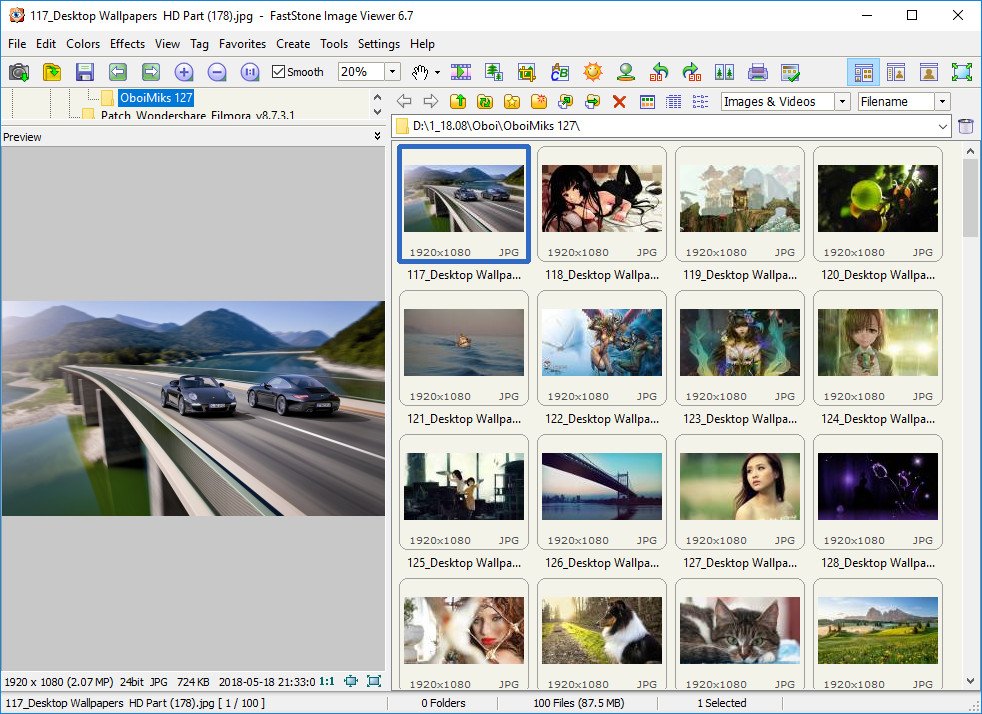
FastStone Image Viewer 8.3 Corporate Multilingual | Size: 8.65 MB
Language: English


FastStone Image Viewer is a fast, stable, user-friendly image browser, converter and editor. It has a nice array of features that include image viewing, management, comparison, red-eye removal, emailing, resizing, cropping and color adjustments. Its innovative but intuitive full-screen mode provides quick access to EXIF information, thumbnail browser and major functionalities via hidden toolbars that pop up when your mouse touches the four edges of the screen. Other features include a high quality magnifier and a musical slideshow with 150+ transitional effects, as well as lossless JPEG transitions, drop shadow effects, image annotation, scanner support, histogram and much more. It supports all major graphic formats (BMP, JPEG, JPEG 2000, animated GIF, PNG, PCX, TIFF, WMF, ICO and TGA) and popular digital camera RAW formats (CRW, CR2, NEF, PEF, RAF, MRW, ORF, SRF and DNG).

Features
Image browser and viewer with a familiar Windows Explorer-like user interface
True Full Screen viewer with convenient image zoom support and unique fly-out menu panels
Crystal-clear and customizable one-click image magnifier
Powerful image editing tools: Resize/resample, rotate/flip, crop, sharpen/blur, adjust lighting/colors/curves/levels etc.
Eleven re-sampling algorithms to choose from when resizing images
Image color effects: gray scale, sepia, negative, Red/Green/Blue adjustment
Image special effects: drop shadow, framing, bump map, sketch, oil painting, lens
Draw texts, lines, highlights, rectangles, ovals and callout objects on images
Clone Stamp and Healing Brush
Superior Red-Eye effect removal/reduction with completely natural looking end result
Multi-level Undo/Redo capability
Single click to switch between best fit and actual size mode
Image management, including file tagging and drag-and-drop to copy/move/re-arrange files
Histogram display with color counter feature
Compare images side-by-side (up to 4 at a time) to easily cull those forgettable shots
Image EXIF metadata support (plus comment editing for JPEGs)
Configurable batch processing to convert/rename large or small collections of images
Slideshow creation with 150+ transition effects and music support (MP3, WMA, WAV...)
Create efficient image attachments for emailing to family and friends
Print images with full page-layout control
Create fully configurable contact sheets
Create memorable artistic image montages from your family photos for personalized desktop wallpapers (Wallpaper Anywhere)
Acquire images from scanner. Support batch scanning to PDF, TIFF, JPEG and PNG
Versatile screen capture capability
Powerful Save As interface to compare image quality and control generated file size
Run favorite external editors with one keystroke from within Image Viewer
Offer portable version of the program which can be run from a removable storage device
Configurable mouse wheel support
Support themes (bright, gray and dark)
Support dual-monitor configurations
Support touch interface (tap, swipe, pinch)
Support dual instances
Play video and audio files (Third party codecs may be required for old versions of Windows)
And much more...


HOMEPAGE:
Код:
https://www.faststone.org

FREE DOWNLOAD LINKS:

Код:
https://rapidgator.net/file/b3a760cb1ca9ab5efe352375125348f3/FastStone_Image_Viewer_8.3_Corporate_Multilingual.rar

Код:
https://nitroflare.com/view/395724EC2560F94/FastStone_Image_Viewer_8.3_Corporate_Multilingual.rar
 
60ee5342ff589a50d611ec4f7f6ec45e.jpg


Filezo 6.0.11 | Size: 130.5 MB
Language: English


Filezo instantly finds any file, folder or app on your Windows PC at a lightning speed. Type few keystrokes and launch! That's it! Filezo's smart search ensures meaningful & clutter-free results. This app makes your computing life joyful by stealing away tedious clicks. Saves enormous time and effort!

- Quickly access any document, folder, or program on Windows in less than 5 seconds! May it be on your local hard drive, cloud drive or a network drive.
- Tag files and folders to group them logically and access them even faster. Supports hierarchical tags and color coding.

Avoid every day's unnoticed stress resulting from
- Finding scattered files
- Navigating through deep folders
- Accessing slow network paths
- Searching cluttered Windows desktop

- Filezo integrates with the Windows File open/save window, allowing you to directly pick any file/folder from Filezo.
- Filezo has an inbuilt file previewer to quickly take a glance at the document, picture, audio or video file.
- Filezo automatically tracks your recently accessed and recently downloaded files. It makes launching even faster.
- And there is a lot more.

Saves a lot of time
Instantly launch any doc, folder or app with very few keystrokes.

Avoids outdated ways of accessing folders
Filezo avoids tedious navigation of folders. No need to access deep folder trees & menus to launch any document, folder or program. Just type & go!

Made even easier
Assign tags to files & folders. Group them based on projects. Access them in a single click. Assign tags directly from within Windows File Explorer.

Transfer or share tags with others
Tagged files can be copied to other locations, network drives. Plus, you can share your tagged files with other Filezo users.

There is nothing to learn
Filezo is simple & works out of the box. You don't need to configure your favorite files or folders. Just install & see the magic.

Best on top
Automatically tracks the files and folders that are more important to you. Recently downloaded and recently accessed files are listed first. It makes launching easier.

Bypass your file manager
Perform frequent file operations such as copying, deleting, renaming files without launching your file manager app.

Add a personal note to any file or folder
Add a text note to any file or folder. Locate them quickly by searching inside the notes.

Access remote folders like local
Automatically lists the network folders that you access. Launching a network folder any level deep takes less than 3 seconds.

Does more than just launching
Pick and attach a file to email using drag & drop, use inbuilt previewer to quickly compare documents, pictures, audio or video files.

Best Features
- Automatically knows your favorite files & folders
- Tag files and folders
- Annotate files and folders
- Preview several file types
- Select files faster in File open/save window
- Innovative ways of copying files
- Effortlessly launch any file or folder

System Requirements
Filezo runs on Windows 11 & Windows 10 (32-bit and 64-bit)

FREE DOWNLOAD LINKS:

Код:
https://rapidgator.net/file/8a57fa8e751998a6f5d8412464fb60ff/Filezo_6.0.11.rar

Код:
https://nitroflare.com/view/7E3E537AB9ECA65/Filezo_6.0.11.rar
 
f9fa28f0bf35f9dc72a2245f41feafc7.png


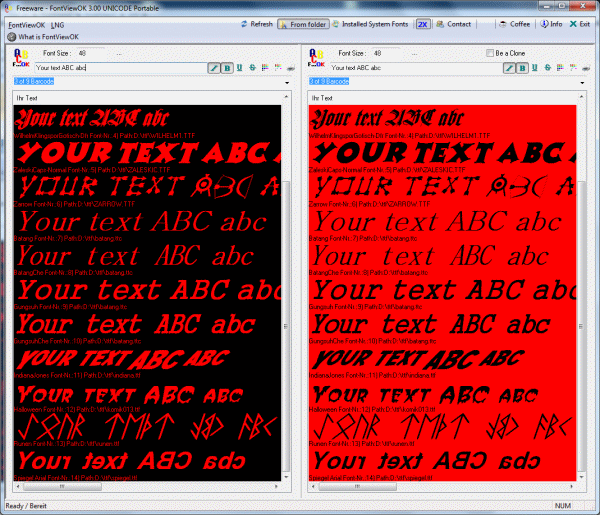
FontViewOK 9.19 Multilingual | Size: 679.04 KB
Language: English


FontViewOK creates a quick visual overview of all installed fonts. The deployment is so simple a help file is not required. It features quick overview of all fonts, printing with print preview function, changeable font size, style and color, and an installation of FontViewOK is not required. It features quick overview and comparisons of all fonts, printing with print preview function, changeable font size, style and color, list all fonts from a specific folder, and dual font preview for quick comparisons of fonts.

Features
# Quick overview and comparisons of all fonts.
# Printing with print preview function
# Changeable font size, style and color
# List all fonts from a specific folder
# Dual font preview for quick comparisons of fonts.
# Multilingual

HOMEPAGE:
Код:
https://www.softwareok.com

FREE DOWNLOAD LINKS:

Код:
https://rapidgator.net/file/fe6397bbfc32ff8a6aceaec8df48f36f/FontViewOK_9.19_Multilingual.rar

Код:
https://nitroflare.com/view/CFF96074CE4C8C4/FontViewOK_9.19_Multilingual.rar
 
897dfba287cc2820730655a954816801.jpg


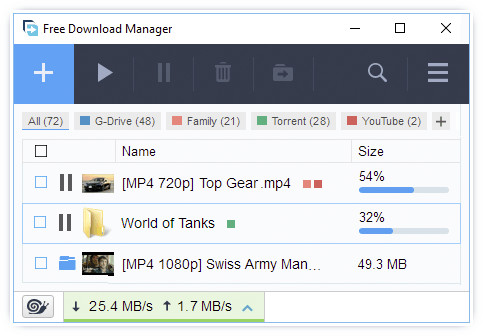
Free Download Manager 6.31.0.6549 (x64) Multilingual | Size: 47.89 MB
Language: English


Manage and schedule all of your download sessions with ease by taking advantage of this fully featured and powerful software application. Download managers are no longer a novelty for power PC users, since they can make the difference between waiting minutes or whole hours for a download to complete, as well as resuming it when the connection breaks down. Among these tools, Free Download Manager is one of the best when it comes to both cost and efficiency.

Schedule your download processes
Download managers have developed a lot, so that most of them rely on basically the same set of features, so the main differences between these programs have come down to the interface and the way they interact with browsers.
Its interface is well organized and structured, so less experienced users will be able to find their way around it without any hassle, while experts can configure it as they see fit.

Easily convert media files
One of the features that sets Free Download Manager apart from other similar software is the fact that it contains a media convertealthough it supports only common formats (AVI, FLV, WMV, MEPG, MP4 and MP3), it does come in handy to be able to encode a video within the same app used for downloading it.

Personalize connection and post-process settings
Furthermore, users can also extract the contents of the archives they download within the app or even perform a virus check using the antivirus solution installed on the computer. Users who rely on dial-up connection can choose to automatically 'hang up' after a download has completed, thus keeping their costs at a minimum.


HOMEPAGE:
Код:
https://www.freedownloadmanager.org/

FREE DOWNLOAD LINKS:

Код:
https://rapidgator.net/file/521fd211d35c402d4526607f77934813/Free_Download_Manager_6.31.0.6549_x64_Multilingual.rar

Код:
https://nitroflare.com/view/C247F939E99569B/Free_Download_Manager_6.31.0.6549_x64_Multilingual.rar
 
ff1af65817b7c05cdc99d829acb612ee.jpg


IDimager Photo Supreme 2025.3.3.8136 (x64) Multilingual | Size: 115.78 MB
Language: English


The Ultimate Digital Asset Management Solution. Whether you're a professional photographer, a creative team, or someone who simply loves capturing memories, Photo Supreme is here to transform the way you manage your photos. Organize, find, and share your images with ease using our powerful and intuitive Digital Asset Management (DAM) software.

Why Photo Supreme?
Organize with ease
Say goodbye to cluttered folders and lost files. Photo Supreme provides advanced tools to categorize, tag, and manage your images efficiently. Whether you're managing thousands or hundreds of thousands of photos, our software keeps you organized, allowing you to focus on what truly matters: your creativity.

Find what you need, fast!
Never waste time searching for the right photo again. With powerful search capabilities, including metadata filtering, facial recognition, and keyword tagging, Photo Supreme makes finding your images a breeze. Get instant access to the photos you need, whenever you need them.

Collaborate Seamlessly
For creative teams and businesses, Photo Supreme offers a server-based solution that enables multiple users to work together effortlessly. Assign roles, manage permissions, and collaborate in real-time, ensuring everyone stays in sync. Whether you're in the same office or across the globe, your team can stay connected and productive.

Connecting your data
Experience seamless data integration with Photo Supreme, built to support industry-leading metadata standards. Ensure accurate and consistent data exchange across software for improved interoperability. With flexible, standards-compliant metadata, adapt to evolving needs and enable streamlined operations. Reliable, standards-driven interoperability.

Cross-Platform compatibility
Photo Supreme is designed to work seamlessly on both macOS and Windows, making it the perfect choice for diverse teams and environments. Whether you're using a desktop, laptop, or server, our software fits right into your workflow.

Highlights
Advanced search capabilities
Find your perfect image quickly with Photo Supreme's advanced search features. Utilize deep text and tag searches, duplicate detection, similarity analysis, dynamic search combinations, and advanced filtering to effortlessly locate and manage your photos.

Get organized
Organize your images with Photo Supreme's portfolio albums and dynamic collections. Create and manage albums for static groupings, or use dynamic collections based on rule-based criteria for smart, automated grouping. Enjoy streamlined photo management with intuitive access and efficient organization tailored to your needs.

Keyword tagging
Streamline your workflow with Photo Supreme's keywording, catalog labeling, face tagging and geotagging. Automatically maintain metadata while tagging, organizing, and mapping your images for quick, intuitive retrieval and efficient management.

Image Attachments
Keep your images organized by linking related files, documents, or websites that provide additional context and information, ensuring everything is seamlessly connected and easily accessible.

Import & ingest images
Streamline your image import with Photo Supreme. Customize naming conventions, apply metadata, and set stacking and versioning rules. All while effortlessly copying files to fit your workflow.

Metadata standards
Photo Supreme embraces the principle: 'Your data is Your data.' It supports IPTC, Exif, XMP, and MWG metadata standards, ensuring seamless interoperability with other software. Enjoy the freedom to move your data with your evolving needs.

Text Expansion
Boost your productivity with Photo Supreme's Text Expansion feature. Simply type a short abbreviation to automatically expand it into longer text or predefined phrases, reducing repetitive typing and streamlining your workflow.

Artificial Intelligence
Photo Supreme provides robust face detection and recognition locally, eliminating the need for online connections and ensuring your privacy. For image analysis you can use OpenAI (the engine behind ChatGPT) or a locally installed Ollama to describe and keyword images. For additional AI features, you can choose Google Vision integration for object detection, text recognition, and landmark identification.

Multi-tab browsing
Photo Supreme's multi-tab browsing lets you manage multiple photo sets simultaneously, using less memory and boosting efficiency.

Stacking and Multi Version Control
Automatically or manually create stacks and version sets using customizable matching rules, making it easier to find and manage your images.

Tethering Folder
Tethered Folders automatically imports and displays photos as soon as they're taken, streamlining your workflow and saving you time.


HOMEPAGE:
Код:
https://www.idimager.com/

FREE DOWNLOAD LINKS:

Код:
https://rapidgator.net/file/72fe9133aed020e51fc8d7d829c380a3/IDimager_Photo_Supreme_2025.3.3.8136_x64_Multilingual.rar

Код:
https://nitroflare.com/view/669EB477349C00B/IDimager_Photo_Supreme_2025.3.3.8136_x64_Multilingual.rar
 
0e33f1a124a0895dfea58ae34413061a.png


IP-Toolbox 5.8.8 | Size: 18.62 MB
Language: English


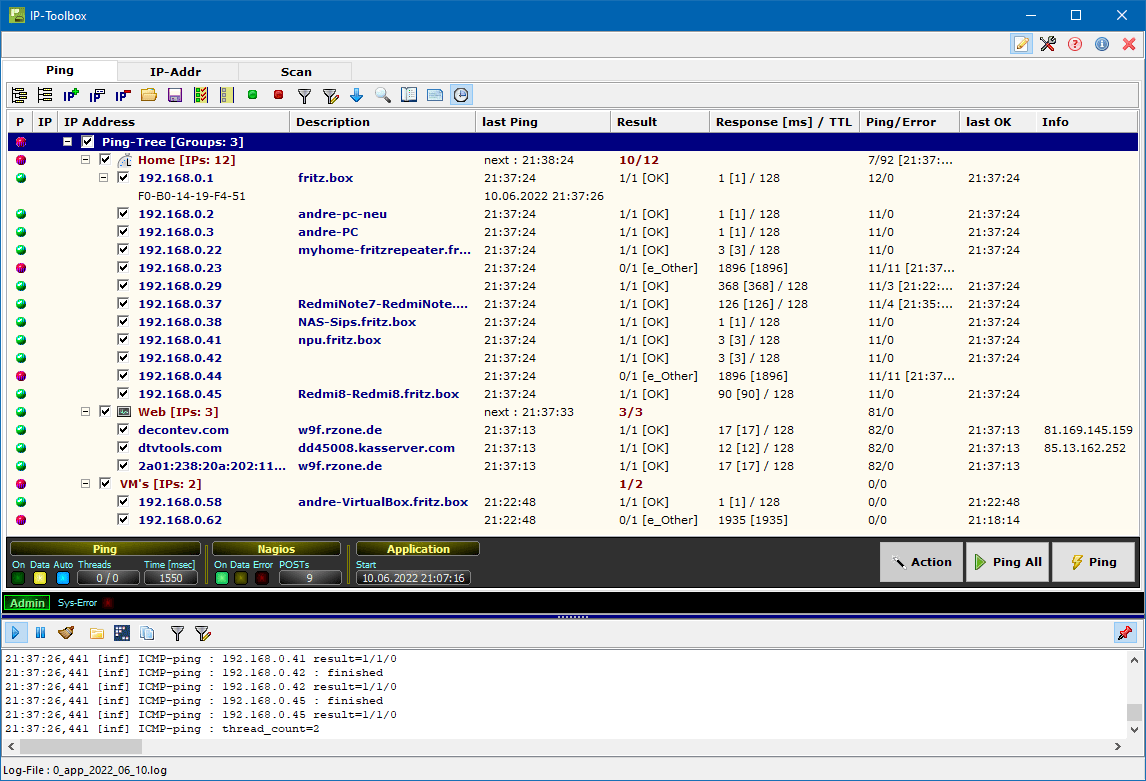
Included in IP-Tool are IP-client, IP-Msg Library, Ip-Proxy Setup, IP-Proxy, IP-Rack, IP-Server, and IP-Toolbox. Set up various IP-related jobs through modern UI. You can ICMP Ping for an unlimited number of destinations, perform additional checks (IP-Ping) via TCP, UDP, or HTTP, monitor groups or single IPs, add/remove IP addresses temporarily or permanently, perform network segment scanning via ARP, and much more. There is support for IPv4, IPv6, and URI.

Once downloaded, IP-Tools places a folder on your desktop containing the apps. Each can be deployed from there and used to set up your desired job. For instance, IP-Proxy works via the Command Line and provides one or more receivers on one leg and one or more senders on the other. This app can implement message traffic between protocols and/or applications. IP-Proxy supports the following protocols and applications both on the receiver and sender side
IP UDP, TCP
unicast, multicast
Client, Server
serial communication (RS232,RS485)
IPC - Interprocess Communication
simplex, duplex
IP-Server/IP-Client Features
supporting several protocol standards
TCP, UDP, FTP, TFTP, HTTP
serial communication (RS232, RS485)
send/receive messages
file player
definition of keep-alive messages
message sequences
autoresponder via the definition of rules
data pre- and post-processing by own defined data processors
If you are looking for a precompiled set of apps to perform various networking jobs through easy-to-navigate interfaces, then IP-Tools may be a perfect choice.

Whats New
official site does not provide any info about changes in this version

HOMEPAGE:
Код:
https://decontev.com

FREE DOWNLOAD LINKS:

Код:
https://rapidgator.net/file/565eb7478c971cbc42856fbd70ad6634/IP-Toolbox_5.8.8.rar

Код:
https://nitroflare.com/view/D7ECC839C1FDB07/IP-Toolbox_5.8.8.rar
 
ea6eb916b640d43f2ff085425c536f7c.jpg


InnoExtractor 2026 v11.3.0.161 Ultra Multilingual | Size: 19.92 MB
Language: English


InnoExtractor is a powerful application that helps you to unpack Inno Setup installers using InnoUnp technology. With InnoExtractor you can explore the internal structure and content of the installer and you can to extract them to a local folder or a portable devices, without having to run the setup.

Features
Simple and friendly GUI.
Open installers into the application with only drag and drop executables from Windows Explorer.
Explore the internal content (files and more) of the installer.
Extract the embedded files and script to a local folder, to a zip package or to a self-extracting module (portable).
Decompiles the "CompiledCode.bin" file of the Installer to get the assembly code, corresponding to the "Code" script section (for advanced users only).
Open internal files of the installer into the same application.
Perform file searches by keyword.
Input panel, that allows you to enter a valid password to extract encrypted installers.
Properties panel to see advanced information about the installer.
History for recently opened installer.
Other miscellaneous options.
Support older and latest versions of Inno Setup.
Support older and latest versions of InnoUnp.
Application available in multiple languages.
Designed for Windows 11, Windows 10; Windows 8.1; Windows 8; Windows 7; Windows Vista; Windows XP; Windows 2000.
Full Unicode support.
Much more.

What's new
official site does not provide any info about changes in this version.

HOMEPAGE:
Код:
https://www.havysoft.cl/

FREE DOWNLOAD LINKS:

Код:
https://rapidgator.net/file/3786e36b3b0d36d71f922f9051f40739/InnoExtractor_2026_v11.3.0.161_Ultra_Multilingual.rar

Код:
https://nitroflare.com/view/201A4868335D79F/InnoExtractor_2026_v11.3.0.161_Ultra_Multilingual.rar
 
0bf7dc99f37ce6b2091db0a2273a910a.jpg


LastPass Password Manager 5.3.0 Multilingual | Size: 167.41 MB
Language: English


LastPass Password Manager is a convenient program to help you keep all of your log-in information secure without having to memorize all of it. You can use LastPass to automatically log in to any site once you've entered the information once, so you'll never have to worry about forgetting your password again.

Browser integration: LastPass integrates with Chrome, Firefox, Internet Explorer, Safari, and more, so you can continue to use your favorite browser and still get all of the benefits from this app. You can choose to install only plug-ins for specific browsers, or you can use the universal installer, which will work on most major browsers and is the easiest option for novice users.

Nice interface: This app has a streamlined interface that makes the process of storing, accessing, and managing your log-ins a snap. Once you're logged in to the app, a button will pop up each time you enter log-in information for another site. Just click this button to add that log-in to the Vault, and you'll be able to manage it from there going forward.

The feature set of the basic version includes
unlimited storage of passwords and secure notes
automatic backup and synching for one device
automated filling of login credentials and forms
Security Challenge password audit
Multi factor authentication and one time passwords

New in v4.0
New: LastPass 4.0 has received a completely new interface password vault, expand the menu browser and web stores. The new design includes enhanced web icons, simplified navigation and a deep tone;
NEW: Switch between viewing the grid and list the repository for easy management of user data. The grid used larger tiles for easy detection of a specific object, and the list of icons used less. The two viewing modes allow you to edit, share, move, and delete objects;
New: The Clearinghouse provides a convenient platform to manage all the objects that you have shared, and shared with you, including shared folders. The new component is available on the left navigation menu of storage;
NEW: including emergency accesa new feature that allows you to transfer family or authorized persons access to storage in the event of unforeseen circumstances. The new feature is available on the left navigation menu of storage;
NEW: Multiple Choice in LastPass vault. Users can now move, delete, or share by several objects in the repository.


HOMEPAGE:
Код:
https://lastpass.com

FREE DOWNLOAD LINKS:

Код:
https://rapidgator.net/file/2bc9698ef1535a0d1cae7a09db9c6d59/LastPass_Password_Manager_5.3.0_Multilingual.rar

Код:
https://nitroflare.com/view/6F8092A12881829/LastPass_Password_Manager_5.3.0_Multilingual.rar
 
6350b803ed061dcc1296d2dc02a23890.jpg


Luma Luma Plugin 1.0.1 | Size: 720.82 MB
Language: English


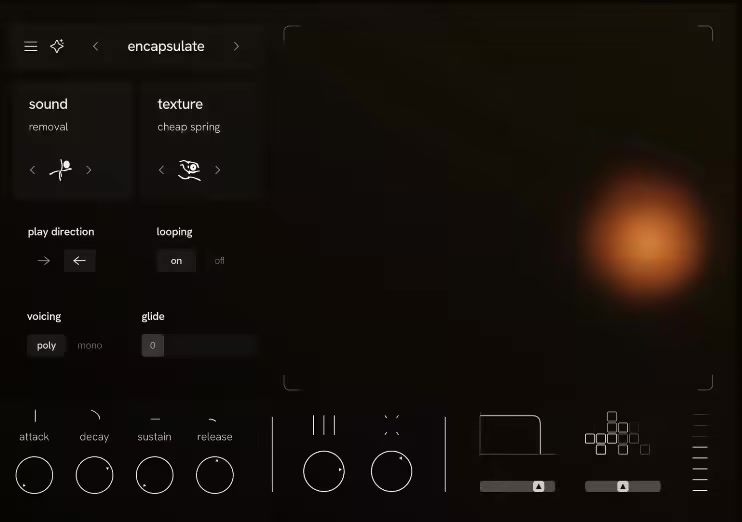
Luma brings together a library of thoughtfully designed sound sources and texture layers in a fluid, intuitive way.

Focus on the aspects of sound design that matter with Luma's hand-picked controls
- Volume envelope.
- Variance.
- Disturbance.
- Sample rate.
- Spectral gate.

Access an expanding library of over 200 expertly crafted presets designed to spark creativity the moment you open the plugin.

Whats New
Updates: official site does not provide any info about changes in this version

HOMEPAGE:
Код:
https://www.lumaplugin.com/

FREE DOWNLOAD LINKS:

Код:
https://rapidgator.net/file/21161b6587aaff7989dbb2cae93701b4/Luma_Luma_Plugin_1.0.1.rar

Код:
https://nitroflare.com/view/6EAA73956D80779/Luma_Luma_Plugin_1.0.1.rar
 
a4873363d6ba20b7adfbe8af0121b1d7.jpg


MadCap Flare 2025 R2 v21.1.9396.41248 (x64) | Size: 1.18 GB
Language: English


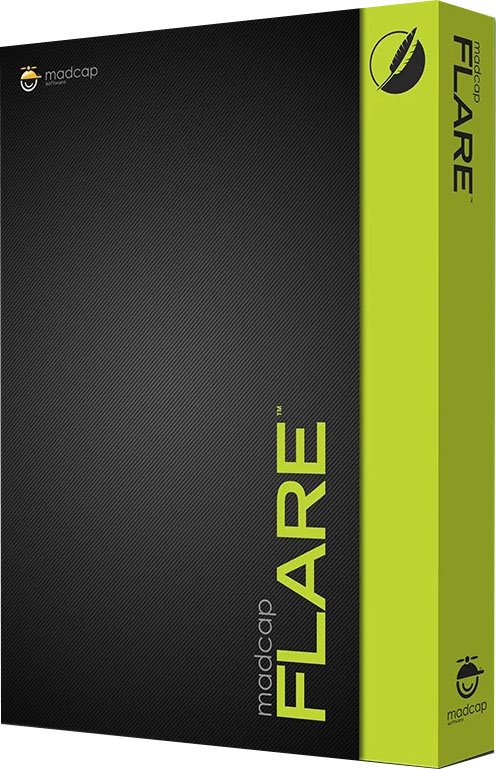
Manage Your Entire Content Development Workflow with MadCap Flare. From importing and content creation, to subject matter expert contribution and review, to multi-channel publishing, translation and integrated cloud-based workflows, MadCap Flare is unmatched in its power, versatility, and ability to scale for any size team or organization.

Easy Content Import
Flare offers the easiest and most advanced import of legacy content in the industry including support for a wide range of file types using an easy drag and drop workflow. Migrate your legacy content - such as Microsoft® Word and Excel, Atlassian Confluence®, Adobe® RoboHelp® and FrameMaker®, DITA, Author-It®, and more - using our patented WYSIWYG XML Editor to author content in a familiar visual user interface. Plus, step-by-step import wizards offer advanced options to customize your import for added control to re-use your legacy content.

Advanced Content Authoring
A completely customizable interface makes it easy to create technical documentation, interactive eLearning courses, learning & development programs and much more.

Create Interactive eLearning Courses and Quizzes
Maximize content reuse, reduce costs and improve collaboration between technical authoring and learning & development teams.

Topic-based Authoring and the Building Blocks of Content Development
Content in MadCap Flare is organized differently than other applications like Microsoft® Word. Instead your content is stored in topics and other files such as images and videos.

Micro Content Authoring to Improve Search, Feed Chatbots
Micro content is what it sounds like-short, concise information that stands alone, maximizes and expands re-use of content beyond topic-based authoring, and is easily consumable by machine learning and AI applications. All micro content in Flare (new or existing) is tagged with unique XML extensions, making the content easy identifiable and ingested by machine ready and AI applications appropriately. Leverage micro content for use in your output and applications.

Use Pre-built Project Templates to Create Professional Print, Online and Mobile Content in Minutes
With dozens of pre-installed project templates-and a growing library of new modern responsive top navigation templates-you can publish gorgeous web and print-based outputs in minutes. Create stunning, professionally designed print brochures and books, interactive eLearning courses, online Help systems, knowledge bases, self-service support sites, eBooks, user manuals, and more without the need for any additional CSS development or creative resources.

Single-source Images and Videos with Capture and Mimic
Maximize content reuse by applying the same rules used for text to movies, callouts and images to your projects. By adding variables to callouts and images, there's no need to recapture or reinsert images into your documentation when text or version changes are a requirement.

Streamlined Team Collaboration, Including Contribution and Review in the Cloud
With a streamlined approach to team collaboration, Flare provides workflows designed to make your content development smooth and efficient.

Multi-language Authoring, Translation and Publishing, Including Bi-directional Support
Deliver good documentation to your global users with Flare, with support for multi-language authoring, translation and publishing. Flare supports Unicode language characters, double-byte Asian languages and Eastern European languages, as well as bi-directional language authoring and publishing including Hebrew, Arabic and Persian.

Publish Fully Responsive HTML5 Websites, PDFs, and More
Ensure your content is accessible to your end users, wherever they are, and however they prefer to consume your content.

Find and Fix Issues with Powerful Project Analysis and Reporting
MadCap Flare offers powerful project analysis and reporting that can help find and fix issues with your projects. Run tests before you publish to find critical technical issues, such as broken links, duplicate stylesheets, missing images and more.

Micro Content and Data Analytics Are Changing the Content Development Game
How can you make sure you are giving your end users the information they need and want the most? By combining micro content from MadCap Flare and data analytics from MadCap Central, you can improve your content quality and ensure your users are finding the most relevant and accurate content they need quickly and easily.


HOMEPAGE:
Код:
https://www.madcapsoftware.com/products/flare/

FREE DOWNLOAD LINKS:

Код:
https://rapidgator.net/file/1c79189eec8af0e9d58554e791b97f37/x64_96.41248.rar

Код:
https://nitroflare.com/view/31FE04CE6EB7758/x64_96.41248.rar
 
853c7235f3dece68e33a21c1e7338d6d.jpg


MaxCut Business Edition 2.9.6.1 Multilingual | Size: 45.94 MB
Language: English


Create accurate cutting diagrams and costing estimates for the wood, cabinetry and metalwork industry. It's easy! You input the sizes and materials, MaxCut does the rest! Produce optimized cutting diagrams, generate cost estimates, purchase orders and labelit's just one click away.

Intuitive design quickly gets you up and running
Running the application brings up a pretty clean and polished interface that quickly gets you up and running. Most of the space represents the edit area, with major functions being cleverly stored in tabs. Right from the start, you are taken through a series of steps in order to configure default layout values, object positioning on the sheet and a few more technical aspects.

Set up items and customer database
To make it easier later on, you can take your time and set up some more aspects, such as company, provider and customer details, as well as configuring the objects and materials you work with. Contact details are easily filled in by writing down related details. There's also the possibility to configure currency details so if you handle transactions you only need to select work items from the lists you create.

Create and preview cutting patterns
The input items tab can be populated with three types of entries, namely sheets, edges and hardware components. Creation windows are easy to understand and equipped with a real time updating preview of your item, which comes in handy since you get to work with numerical values for size and other details. All of them are displayed in a list along with related info. You can arrange them as you see fit, and even run an optimization tool based on the settings you managed with the initial wizard. For a better preview, accessing the optimization sheet visually displays a representation of your project with cutting patterns emphasized and accompanied by necessary size specifications, materials and more.

Analyze statistics and export data files
Nearly all types of data you add can be saved to file for further processing. Some degree of flexibility is provided, because you can directly print the design, or save TXT, CSV or XLS lists. You can also analyze financial impact, with a summary displaying pie charts with the amount and distribution of used materials and items. Cost is displayed, with a total amount under the currency symbol you specified.

Whats New
official site does not provide any info about changes in this version.

HOMEPAGE:
Код:
https://www.maxcutsoftware.com/

FREE DOWNLOAD LINKS:

Код:
https://rapidgator.net/file/05771540af7755ad99b392f5a46e1644/MaxCut_Business_Edition_2.9.6.1_Multilingual.rar

Код:
https://nitroflare.com/view/0BE7D4710B4BD11/MaxCut_Business_Edition_2.9.6.1_Multilingual.rar
 
9f0f2ee8c9e957d836ca84d41904c7e9.png


MedCalc 23.4.2 Multilingual | Size: 139.79 MB
Language: English


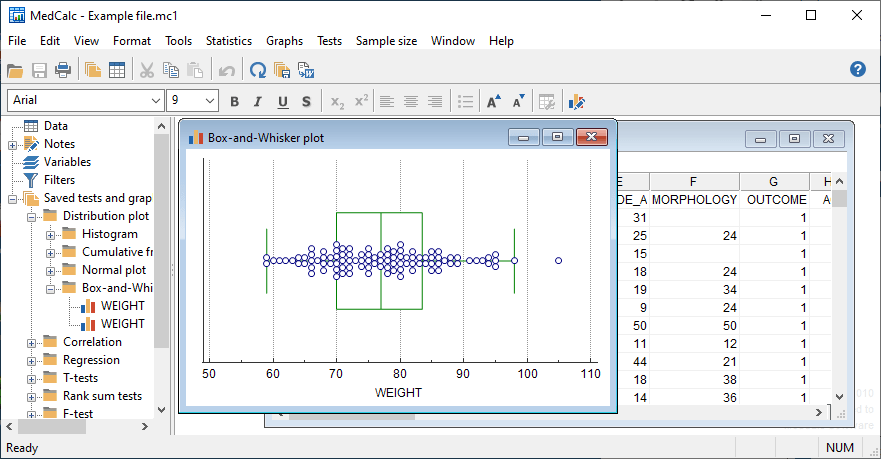
Statistical software for biomedical research with a rich set of functions, graph types and an advanced module for performing ROC graph analysis. MedCalc is designed to meet the requirements of biomedical researchers with respect to the statistical analysis of large datasets. It provides the necessary tools and features for performing Receiver Operating Characteristic curve analysis, data plotting, Bablok and Deming regression and more.

With an integrated spreadsheet with over 100,000 rows, MedCalc is capable of reading and displaying detailed data imported from Excel, SPSS, Dbase, Lotus or extracted from SYLK, DIF or text files. The information can be easily sorted, filtered or edited.
The built-in data browser offers a comfortable means of easily managing data, variables, notes, texts and graphs, while the array of supported graphs and diagrams (scatter plots, method comparison graphs, graphs for subgroups or for up to 24 continuous variables, survival curves, serial measurement, standardized mean plots and many more) make it perfect for analyzing trends and comparing information.
One of the most important features of MedCalc is related to its ROC curve analysis capabilities. It can generate the ROC curve graph with 95% confidence bounds, calculate specificity, sensitivity, predictive values for all the thresholds, likelihood ratios, generate conclusive plots and determine the size of an area under the ROC graph. Up to 6 ROC curves can be compared, calculating the differences between the areas, the standard errors, P-values and more.
MedCalc is capable of handling missing data, creating subgroups, calculating percentile ranks and power transformation. It features outlier detection, correlation and regression tools, Bland & Altman plotting, while also enabling you to run Anova, variance ratio, mean, propertion, Chi-Square, Fisher and T-tests.
A summary of the statistical report can be easily generated and data can be placed and viewed side-by-side thanks to the multiple comparison graphs function.
MedCalc requires at least basic statistics knowledge in order to get the most out of its potential. Its extensive array of features make it a must-have tool for running method comparison studies and analyzing biomedical data.


System requirements: Windows Vista, Windows 7, 8, 8.1, 10 or 11; or Windows Server 2008 or more recent (all 32-bit and 64-bit versions supported).

HOMEPAGE:
Код:
https://www.medcalc.org/

FREE DOWNLOAD LINKS:

Код:
https://rapidgator.net/file/71d91a2dc27d4f8aa9bbf79b2a1bd62c/MedCalc_23.4.2_Multilingual.rar

Код:
https://nitroflare.com/view/078924FA94EED3C/MedCalc_23.4.2_Multilingual.rar
 
90f94c6ed1827a2bdf80d69df77dfd29.jpg


MusConv Lifetime 4.10.436 | Size: 98.32 MB
Language: English


Switching from one music streaming service to another does not necessarily mean you have to start over with everything. Understandably, one of the main issues concerning just about anyone looking to make the switch to Google Play Music from, let's say Spotify, is finding a way of migrating your playlists.

A simple Google search will most probably reveal various tutorials on how to achieve this, but the most straightforward solution is provided by apps such as STAMP or the likes of MusConv here.
Helps you transfer playlists across some of the most popular music streaming services
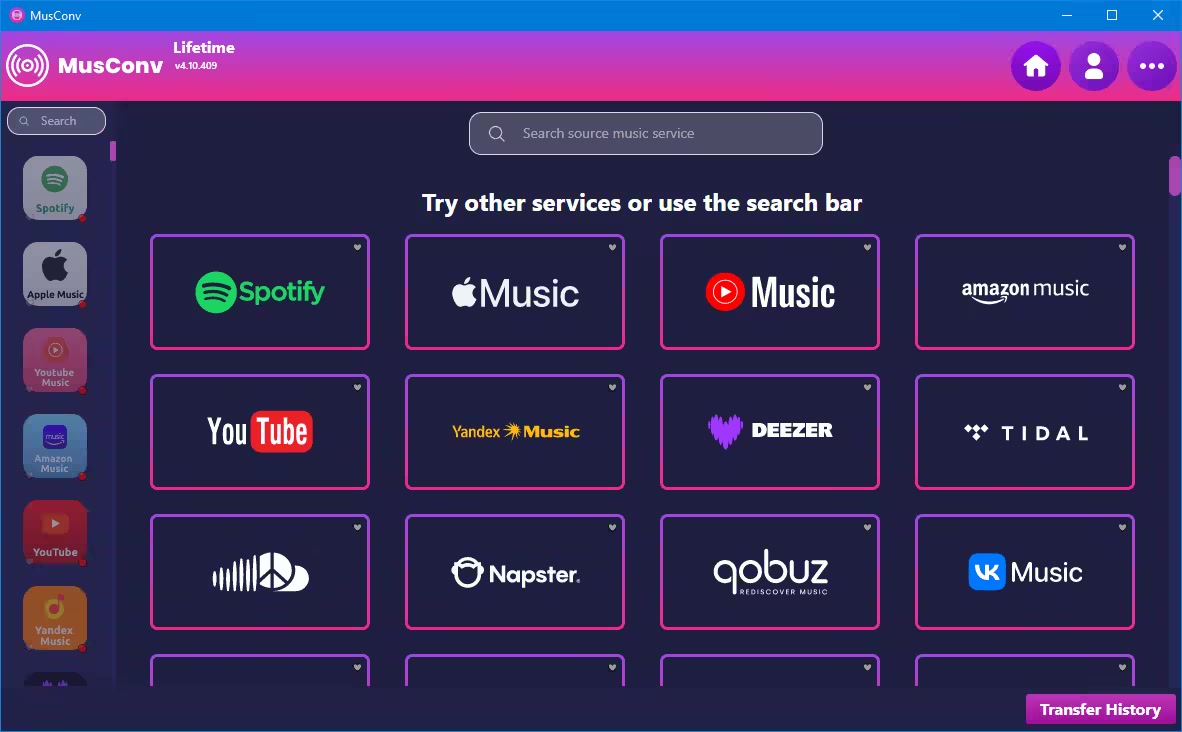
In just a few words, MusConv provides you with a hassle-free way of transferring your tracks and playlists across some of the most important music streaming services namely Spotify, Google Play Music, and Apple Music.
Getting started with the app is hardly challenging since it does not even require installation. However, it does require an active Internet connection, a valid subscription on all the involved music streaming services, as well as a MusConv account.
Straightforward functionality and unassuming looks
As one can expect, the functionality is as straightforward as they come. Just select one of the three provided services after you have successfully logged in, choose the playlist you want to migrate and hit the TRANSFER button from the lower part of the main window.
Please note that the application also allows you to individually export your playlists as CSV files.
One of the few solutions for migrating your playlists across music streaming platforms
All in all, MusConv is a very nifty application that definitely comes in handy for anyone looking to migrate playlists from one to another music streaming service and is sure to give STAMP (the other alternative for migrating music streaming playlists) a solid run for its money.

What's new
• official site does not provide any info about changes in this version

HOMEPAGE:
Код:
https://musconv.com/

FREE DOWNLOAD LINKS:

Код:
https://rapidgator.net/file/a36cb3d468b3d347237ef5462378e4a4/MusConv_Lifetime_4.10.436.rar

Код:
https://nitroflare.com/view/E0FD7A0DD3EEB0A/MusConv_Lifetime_4.10.436.rar
 
Назад
Сверху Снизу