







All Emperor2011's Software in one thread !! (updated daily)

6857b3af3726f9410e329e189f7e8da0.jpg


Network Notepad Enterprise 1.1.26 (x64) | Size: 6.5 MB
Language: English
​
Network Notepad is a software tool that was built in order to help you design network diagrams and save them for further analysis and safekeeping.

Network Notepad Enterprise Edition Features:
The Enterprise Edition has all the features of the Professional Edition plus new controls aimed at users who need the option of collaborating on diagrams stored on a shared drive (For more information see here), plus a 64 bit option which overcomes memory limitations to allow a 4x larger page size.
Compatibility - It's a major rewrite using Microsoft .NET, so it offers better compatibility and stability with the latest Windows operating systems compared to the freeware edition.
Zoom - Work with and edit diagrams at any zoom level.
Resolution - Draft, Fine and Superfine modes for improved graphics and printing.
Rotate - Rotate text and rotate objects to any angle. Drag-and-Rotate.
Workspace - Supports larger workspace bitmap / larger diagrams.
Multi-page diagrams - Add as many pages to a diagram/ document as you wish and access the pages instantly using the onscreen page tabs.
Custom shapes - Create your own customizable shapes inside of Network Notepad Professional Edition.

Grouping and Locking - Combine two or more objects to make composite objects.
Auto-align links - Can be enabled for a link style or for an individual link so that connection alignment is maintained horizontally and vertically.
Library Search - Find objects in all of your libraries using keywords. Save the result as a new library.
Enhanced Link Styles - New lightning and curve link styles.
Template Diagrams - When you start a new diagram, select from the list of templates to set the page size, orientation, link styles, and any default drawing such as a title block and border.
Unlimited user-defined function "buttons" and an unilimited number of toolsets.
Print Preview.

System Requirements:
Windows 10 64-bit, .Net Framework v4.X

HOMEPAGE:
Код:
https://www.networknotepad.com/

FREE DOWNLOAD LINKS:​

Код:
https://rapidgator.net/file/f56df475fdc1ff1807dcf0ca815a0fa2/Network_Notepad_Enterprise_1.1.26_x64.rar
 
_4672dbb9002a038a4d5c2a50340c4d15.jpeg


OCCT 17.2.3 (x64) Multilingual | Size: 175.97 MB
Language: English
​
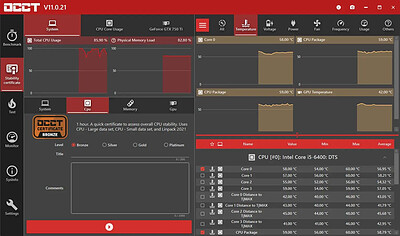
OCCT is the most popular all-in-one stability check & stress test tool available. OCCT is great at generating heavy loads on your components ( CPU, GPU, Memory, GPU Memory & Power supply ) , and aims at detecting hardware errors or stability issues faster than anything else. A monitoring engine is also embedded, to ease diagnostic and see how your computer reacts under heavy load using graphs.

6 TESTS
OCCT includes 6 different tests : OCCT and Linpack for your CPU, Memory for testing system RAM, 3D and VRAM for your Graphic card, and Power to stress your power supply. You can even monitor your PC while using an external app to generate reports using the Monitoring-only test !

MONITORING
OCCT will monitor your computer's reading and present you real-time graphs showing you temperatures, voltages, fan speed, frequencies, component usage, and power consumption during your tests. We are using the AWESOME engine from HwInfo !

BUILT-IN PROTECTION FOR YOUR COMPUTER
Worried about frying your components ? Turn the maximum temperature threshold in OCCT's options ! Should a component reach this critical temperature during a test, OCCT will stop itself immediately.

TEST REPORT
At the end of a test, you will be able to save a full graphical report of what happened during the test, for diagnostic purposes.

HOMEPAGE:
Код:
https://www.ocbase.com/

FREE DOWNLOAD LINKS:​

Код:
https://rapidgator.net/file/90b975099f528bd8ef936f7dbdc725c5/OCCT_17.2.3_x64_Multilingual.rar
 
19c647dd9aaeaa5cf3be49e03d11d5c4.png


PicPick Professional 7.7 Multilingual | Size: 100.84 MB
Language: English
​
PicPick is an all-in-one software for software developers, graphic designers and home user. It has an intuitive interface and simple, elegant operation. After starting the software, you simply select one of the tool from the PicPick Tools trayicon menu when you want. It features a powerful capture tool, image editor, color picker, color palette, pixel ruler, protractor, crosshair, whiteboard and etc.

Features

Capture anything
Take screenshots of an entire screen, an active window, the scrolling windows and any specific region of your desktop, etc.

Edit your images
Annotate and highlight your images: text, arrows, shapes and more with the built-in image editor that includes the latest Ribbon style menu.

Enhance with effects
Easily add effects to your images: drop shadows, frames, watermarks, mosaic, motion blur, brightness control and more.

Share everywhere
Save, share, or send your images via Web, email, ftp, Dropbox, Google Drive, SkyDrive, Box, Evernote, Facebook, Twitter and more.

Graphic Accessories
Variety of graphic design accessories including color picker, color palette, pixel ruler, protractor, crosshair, magnifier, whiteboard.

Customizable setting
With highly advanced settings, you can customize hotkeys, file naming, image quality, and many other options that fits your needs.

Operating System: Windows 11, 10, 8.1, 8, 7, Vista and XP including both 32-bit and 64-bit versions.

HOMEPAGE:
Код:
https://picpick.app/en/

FREE DOWNLOAD LINKS:​

Код:
https://rapidgator.net/file/f264dc4bd40fd4d14d77c9de97a8ffd4/PicPick_Professional_7.7_Multilingual.rar
 
e2c5e1dae28740e20a450320eff0fca9.jpg


Remo Recover Windows 6.1.0.16 | Size: 105.32 MB
Language: English
​
Remo Recover (Windows) is the best solution to recover your deleted or lost data in an easy way. Data lost due to emptying Recycle Bin, formatting, corrupt partitions, accidental deletion using Shift + Delete keys or due to any other reason will be recovered. With its friendly interface, even a non-tech savvy user can recover data without any hindrances.

Remo Data Recovery software is designed with strong scanning mechanisms that helps in restoring data lost even in complex data loss situations like improper partitioning, unbootable drives, after OS reinstallation etc. You might have lost your text documents, spreadsheets, PowerPoint presentations, pictures, videos, RAW images, PDFs, EXE files etc., the software restored them all back, and actually it can restore more than 300 types of files.

Key Features:
- Deleted file recovery, even after using "Shift+Del"
- Recover files Emptied from recycle bin
- Choose and recover variety of files using Raw search
- Recover professional RAW Photo files
- Recover photos, videos and music files
- Create disk images to skip bad sectors
- Recover data from disk images created using Remo Recover

- Recover data after Windows Re-Installation
- Add new file types for recovery using Raw Signature Search
- Recover data from accidentally formatted, re-formatted partitions
- Recover data from lost / deleted partitions
- Recover data from re-partitioned drives

Benefits of Remo Data Recovery Software:
- Quick and easy recovery of all sorts of data in simple steps
- Scans complete drive in few minutes to recover deleted / lost data
- Recovers files bypassing Windows recycle bin when they exceed in size as compared to the recycle bin, files deleted using Shift + Delete or when deleted from Windows command prompt as well
- Rescue files from formatted partitions, even after re-installing Windows OS
- Complete hard drive data recovery when drive is crashed or does not boot
- Gets data back from partitions, which are either deleted, lost, inaccessible or missing due to partitioning errors
- Recover deleted files, data from formatted partitions and deleted / corrupt partitions from a RAID0, RAID1 and RAID5 array
- Ability to identify all file types including office files, photos, audio, video and other important file types on the basis of their unique signatures and recovers them using signature search with ease
- Recovered data can be sorted on the basis of name, date, size and file type
- Recover data from hard drives (SATA / SCSI / IDE etc.), flash memory cards (SD, XD, MMC, Memory Stick etc.), USB external drives, FireWire Drives
- Supports recovery of data from FAT16, FAT32, NTFS, NTFS5, ExtFAT formatted partitions/drives
- You can resume the recovery / saving process any time using "Save Scan Information" feature, this ensures that you need not to rescan your drive to locate lost data
- Create Disk Images to bypass bad sectors, you can later recover data from these disk images

Operating System Supported:
Windows 11/10/8/7
Windows Server 2022/2019/2016/2012

HOMEPAGE:
Код:
https://www.remosoftware.com

FREE DOWNLOAD LINKS:​

Код:
https://rapidgator.net/file/af48955fcd00b37cda0a8f8079e288a0/Remo_Recover_Windows_6.1.0.16.zip
 
c24de39f9f130b27f5009431d5047c3a.jpg


Rons WebLynx Pro 2026.11.21.1213 | Size: 16.76 MB
Language: English
​
Rons WebLynx is a Windows desktop application, for organizing and managing bookmarks. Bookmarks are stored in WebLynx documents on the local computer, so are not 'shared' in the cloud and do not rely on third party storage.

Ideal for research, marketing, or just organizing a lot (1000's) of links. Nowadays, almost everyone can do with a good bookmark manager as the internet has become part of our daily lives - you typically don't realize you need a bookmark manager until you start using one.

WebLynx combines power, elegance and ease of use, and is full of features like automatic link checking to make it a great tool for anyone who uses the Internet.

Clear and Easy to Manage
Links are organized using well known folder and tag concepts, and have additional Views to quickly check new, broken and duplicate links (and more).
Searches can be done in folders, or across tabs, or both, and folders and tags can be collected into Groups to create custom views.

Loads of Ways to get Links IN
Getting links into WebLynx could not be simpler:
Import your browser bookmarks.
Drag and drop anything - selected text from you browser or a file or directory from your computer.
Use the import to find links from pretty much anywhere including Outlook, Word documents, 'Outertech Linkman' or even entire websites.
Paste, or finally, just enter by hand.
The built in browsing/reading panels add convenience when checking links, and all of this is clearly presented in a logical way.

Loads of Ways to get Links OUT
Export links with their tags and folders, or export the link Content (reading view).
Export to File or Clipboard, in the following formats HTML, XML, Linker Exchange or Content.

Power and Automation
WebLynx is about automation power.
Aside from the automatic checks that are done on all links periodically, any number of selected links can be re-checked, cleaned and organized. Folders and tags have options like 'Merge' or 'Remove Empty'.
Groups show collections of folders and tags, and Automatic filing performs movement or removal of links based on configurable rules.

RSS Reader Included
RSS feeds are automatically extracted from linked web pages, and listed in the Link Information panel. To make things even easier the 'Page with Feed' View shows all pages that contain feeds.
Feeds can be added to any folder as an Active Folder, then merged into one or more feed 'In-boxes' using Groups.

Browser Integration
Use the Web Browser integration available for Google Chrome, Edge, Brave and Firefox to send links directly into WebLynx so your browsing is not disturbed by switching to another application.
Links come into WebLynx in a place called the 'Landing Zone', which is a side panel shared between all open WebLynx windows, so that links can be filed appropriately.

Operating System Support:
Windows 11
Windows 10 (x32 and x64)
Windows 8/8.1 (x32 and x64)
Windows 7 (x32 and x64)
Windows Vista (x32 and x64)

HOMEPAGE:
Код:
https://www.ronsplace.ca/Products/RonsWebLynx

FREE DOWNLOAD LINKS:​

Код:
https://rapidgator.net/file/9ba78ad547ba220afe6561719b0c28bc/1213_26.11.21.rar
 

311152b6e76b3dbed5f9c6736db1252a.png


SoftPerfect Cache Relocator 26.11 Multilingual | Size: 4.16 MB
Language: English
​
Internet browsers intensively use a folder on your hard disk for temporary data - browser cache. There are various reasons why some users want to relocate this folder. For example, moving the cache to a RAM disk can speed up browsing, offload the HDD, or reduce the wear-and-tear of the SSD.

SoftPerfect Cache Relocator is a quick and easy way to move your browser cache. This utility is intended to be used in conjunction with SoftPerfect RAM Disk, which offers all the benefits of creating disks in RAM: increase in computer performance, mitigation of the physical disk's wear-and-tear, and reduction of file system fragmentation.

Key features
Simple interface, easy to use.
Portable application, no installation required.
Absolutely free.

System Requirements: Windows 11, Windows 10, 8 , 7

HOMEPAGE:
Код:
https://www.softperfect.com/

FREE DOWNLOAD LINKS:​

Код:
https://rapidgator.net/file/c66836b8b90a56fd1f77044431919cd6/SoftPerfect_Cache_Relocator_26.11_Multilingual.zip
 
31b6da4ea45a77ce32c0d1ff836687d3.jpg


SoftPerfect NetWorx 26.11 Multilingual | Size: 14.95 MB
Language: English
​
NetWorx is a simple yet versatile tool that helps you monitor your Internet connection. It can collect usage data, monitor connection quality and measure the speed of your Internet. It can also assist in identifying possible sources of network problems, ensuring that you do not exceed your ISP usage limits and tracking down suspicious network activity.

NetWorx allows you to monitor a local network adapter or your router, or track the applications on your computer that access the Internet. Collected historical usage statistics are organised into daily, weekly and monthly reports. Real time connection usage is represented by an elegant and highly customisable graph, accompanied by a list of applications accessing the Internet.

Built-in connection Speed Test can run on demand or on a schedule, so you can see if you are getting the promised speeds from your provider. In addition, there is a Connection Monitor that tracks downtime and monitors your ping time throughout the day. Both these features allow you to make sure you are getting a quality Internet connection.

Key features:
Historical usage reports by day, week and month.
Close supervision of uploads and downloads in real time.
Monitoring the applications accessing the Internet.
Support of local network adapters and remote SNMP and UPnP devices.
Configurable actions when the network activity exceeds a certain level.
Speed Meter for testing Internet connection speed.
Connection Monitor for regular connection status checks.

With NetWorx you can:
Find out and monitor how fast your Internet connection is and how much data you consume.
Verify whether your ISP charges your Internet usage fairly.
Detect a suspicious network activity on your computer.
Monitor connection quality by tracking downtime and ping.
Be notified about excessive Internet usage.

Supported platforms:
Windows 7 through Windows 11, Windows Server 2008 R2 through 2022
HOMEPAGE:
Код:
https://www.softperfect.com/products/networx/

FREE DOWNLOAD LINKS:​

Код:
https://rapidgator.net/file/fd55c3ea526984594f2b4bf8d1c7ee64/SoftPerfect_NetWorx_26.11_Multilingual.rar
 
08a951e0dcfa30a2d6e6232b0d29657d.jpg


SoftPerfect WiFi Guard 26.11 Multilingual | Size: 20.09 MB
Language: English
​
SoftPerfect WiFi Guard is an essential tool for everyone running a small wireless network and striving to keep it safe and secure. Generally, modern Wi-Fi networks are well protected, but there are a number of weaknesses that can compromise your Wi-Fi password; this includes vulnerabilities in encryption and brute force attacks. As a result, someone can gain unauthorised access to your Internet connection and LAN and exploit them while staying unnoticed.

Perhaps, you can say: "No big deal, I have unlimited Internet traffic!", but what about someone reading your personal emails, stealing private information or breaking the law online while using your Internet connection?

Here comes our little application: it will alert you if your network is used without your knowledge. WiFi Guard is a specialised network scanner that runs through your network at set intervals and reports immediately if it has found any new, unknown or unrecognised connected devices that could possibly belong to an intruder.

Key features:
Pings computers and other network devices and displays those alive.
Detects firewalled computers that do not respond to ping.
Scans your network at a specified interval.
Immediately alerts you if an unknown device is found.

Supported platforms:
Windows XP through Windows 10,
Windows Server 2003 through 2016
32-bit and 64-bit

HOMEPAGE:
Код:
https://www.softperfect.com/

FREE DOWNLOAD LINKS:​

Код:
https://rapidgator.net/file/bf432e19cddb152cb7f6a8d3b6ba3548/SoftPerfect_WiFi_Guard_26.11_Multilingual.rar
 
9d90803ca561e940c077bd983edaa25b.png


SpeedyFox 3.0.3.204 | Size: 9.76 MB
Language: English
​
SpeedyFox is a brand new small utility that allows you to boost Firefox, Skype, Chrome, Thunderbird in a single click absolutely for free! Firefox (and sometimes it's add-ons) uses SQLITE databases to store lots of its settings. By the time the databases grow and Firefox starts working slowly. It will take a lot of time to load during startup, the overall speed will be effected, and browsing Histories will be too slow. This is very common problem and it occurs largely because of fragmentation of databases. SpeedyFox compacts those databases without loosing any data. Databases are optimized to operate faster and are decreased in size. After you optimize your Firefox, Skype, Chrome, Thunderbird with this tool, you will get a fresh newly-installed feel because the speed indeed gets considerably faster.

You will get up 3 times faster startup speed, browsing history will become faster, and performing operations with cookies will be quicker than before.

Once installed, SpeedyFox automatically detects your Firefox's default profile. If you have more than one profile, you can select the one you want to optimize from the drop-down menu. If you have portable version of Firefox, choose your profile path manually by selecting "Custom." profile. All you have to do is hit the Speed Up Firefox button.

The optimization process can take anywhere from 5 minutes to an hour depending on how large your databases are. The whole optimization process is safe as it does not effect your history, bookmarks, passwords, etc.

System Requirements: Windows 11, Windows 10, 8 , 7

HOMEPAGE:
Код:
https://crystalidea.com/

FREE DOWNLOAD LINKS:​

Код:
https://rapidgator.net/file/72b6ce26ea1919a9c7f042d3c01a70a6/SpeedyFox_3.0.3.204.rar
 
_ef85a80456fe1675af63a7ce752a57eb.jpeg


Stardock Fences 7.0 (x64) Multilingual | Size: 18.99 MB
Language: English
​
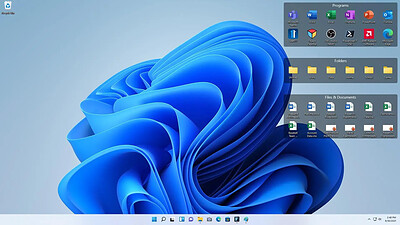
Automatically organize your desktop shortcuts and icons with Fences!

Key Features
NEW! Use fences on modern, high DPI monitors.
Create shaded areas to organize your desktop.
NEW! Blur the wallpaper behind fences on Windows 10.
NEW! Roll up fences to the Title-bar for cleaner desktops.
Double click the desktop to hide or show icons.
Define rules to organize your desktop icons.
Swipe between multiple pages of fences.
Create a desktop portal from any folder.
NEW! Navigate the folder structure from within the fence.
NEW! Windows 10 compatibility.

Features
Fences helps you organize your PC by automatically placing your shortcuts and icons into resizable shaded areas on your desktop called fences. Its many customization features are what make Fences the world's most popular Windows desktop enhancement.

Organize
Roll up Fences
Eliminate clutter from your desktop - but keep your Fences where it's easy to find them - with our roll up feature. Double-clicking on a Fence's title-bar will cause the rest of the Fence to "roll up" into it, saving you valuable space. To reveal your fence, you can move your mouse over the title-bar or double-click it again to view the title and all of its icons as normal.

Desktop Pages
Create multiple pages of fences on your desktop and quickly swipe between them. To change to a different desktop page, just take your mouse cursor to the edge of your screen and click and drag. Then a new page of fences will be displayed. This feature provides greater control over how you can organize favorite programs, documents, websites and more.

Desktop Quick-hide
Instantly clean up your desktop. Double-click any blank space on your desktop and your icons will fade out. Double-click again and they will return. You can even pick icons and individual fences to exclude.

Control
Automatic desktop organization
Define rules for how your icons are arranged on your desktop and Fences will automatically sort new icons into the fences you have chosen based on your rules.

Folder portals
Fences can act as a portal to any folder on your PC. For example, your documents or pictures folders can be mirrored onto your desktop as a fence enabling quick access to their contents without adding clutter to your desktop.

Customize your Fences
Quickly personalize the labels, background colors and transparency of your fences from the easy to use configuration menu.

Operating System: Windows 7, 8/8.1, 10 (64-bit only)

HOMEPAGE:
Код:
https://www.stardock.com/products/fences/

FREE DOWNLOAD LINKS:​

Код:
https://rapidgator.net/file/8fc1cfb2218d459b8f787e489ca6aa2c/Stardock_Fences_7.0_x64_Multilingual.rar
 
_65d5ce376c02c76175b249cafdc75816.jpeg


StartAllBack 3.9.29.5431 Multilingual | Size: 2.11 MB
Language: English
​
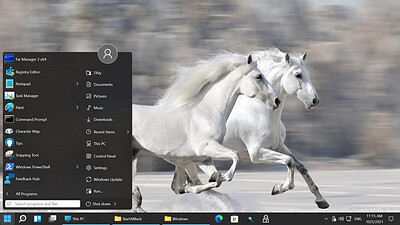
Introducing StartAllBack: Windows 11 from better timeline, Embrace, enhance, unsweep classic UI from under the rug.

Restore and improve taskbar
Show labels on task icons
Adjust icon size and margins
Move taskbar to top, left or right edges
Drag and drop stuff onto taskbar
Center task icons but keep Start button on the left
Split into segments, use dynamic translucency
Separate corner icons with Windows 7/10 UI

Restore and improve File Explorer UI
Ribbon and Command Bar revamped with translucent effects
Details pane on bottom
Old search box (the one which works)
Dark mode support for more dialogs

Restore and improve context menus
All new look with rounded acrylic menus
Fast and responsive taskbar menus
New fonts, better touch support

Restore and improve start menu
Launch apps and go to system places in one click
Navigate dropdown menus like a boss
Enjoy fast and reliable search

Finally, lightweight styling and UI consistency
Enjoy Windows 7, Windows 10 and third-party taskbar and start menu styles
Fix UI inconsistencies in Win32 apps
Don't be blue: recolor UI in all windows apps
Negative resource usage: fewer RAM used, fewer processes started

OS: Windows 11

HOMEPAGE:
Код:
https://www.startallback.com/

FREE DOWNLOAD LINKS:​

Код:
https://rapidgator.net/file/014cc9f44ae78ffea5e43c00e2658f09/StartAllBack_3.9.29.5431_Multilingual.rar
 
16c3092275add28b7ec23c812d2b62d4.jpg


Syncovery Premium 12.9.9.102 (x64) Multilingual | Size: 92.57 MB
Language: English
​
Create your first sync or backup job step by step, with explanations of the main settings you need to make. Each job (or profile) works with two paths - source and destination, or just the left and right path (since profiles can be 2-way copy tasks also).

Extremely Fast Scanning
Syncovery's multi-threaded folder listing algorithm provides an unparalleled speed, and easily handles millions of files and huge numbers of folders. Even more speed can be gained with our Destination File List Cache and Remote Service features.

Block Level Copying
This will help you save bandwidth as well as backup space. Syncovery can detect changed blocks in large files, and copy only these. The detection works by keeping checksums in a database, or with the help of the Syncovery Remote Service, or by using our revolutionary File System Monitoring Service (the File Sytem Monitoring Service is Windows only).

Real-Time Synchronization
Real-Time Synchronization will make sure that changes are synced quickly. Syncovery listens to file system events and quickly performs the appropriate actions. For cloud servers, it can use polling to detect changes. These features are available on Windows and macOS only.

SmartTracking
The SmartTracking sync mode is frequently used in two-way sync jobs. It can detect moved files, deleted files, and conflicts (files changed on both sides).

Versioning
Syncovery allows you to keep multiple versions of modified files, allowing you to restore your files from an earlier date. The restore date can be chosen for individual files or multiple files, in our Restore Wizard.

File Server Migration
Syncovery's advanced NTFS copying features, high speed, and scaleability enable you to perform large-scale migrations. Read our new, comprehensive Server Migration Guide.

Advanced Mode
Keep Everything Under Control
Advanced Mode allows you to unleash Syncovery's full potential. The Profile Overview shows your jobs (or profiles), their last and next run times, and the last result or current progress. You can easily create, edit, and run profiles. Syncovery offers various ways to start profiles. These are available when right-clicking a profile:

Attended Mode
This mode has detailed progress dialogs, and shows the Sync Preview for you to confirm before proceding to the copying phase. It may also show additional confirmation dialogs according to your settings.

Unattended Mode
Unattended Mode also shows detailed progress dialogs, but does not show a Sync Preview and won't ask any further questions. Some confirmations must be given beforehand, in the profile settings (for example, to delete files).

Run in Background
Running a job in the background is the most unobtrusive way to run a profile. You will see basic progress information in the Profile Overview, but no extra dialogs. This is how the scheduler runs profiles. You can still see detailed progress info by right-clicking the job that's already running and choosing "Show Detailed Progress".

Background With Preview
This new feature in Syncovery 9 has proven to be extremely useful. You won't see detailed progress dialog, and the job doesn't block the Syncovery GUI. You can run multiple jobs simultaneously, and check the Sync Preview for each profile when it's ready. After confirming the preview dialog, the job goes into the background again.

System Requirements:
All versions of Windows since Windows Vista and Windows Server 2008 are fully supported, including Windows 10/11 and Server 2019-2025 and all other versions and editions of Windows that have a graphical user interface.

HOMEPAGE:
Код:
https://www.syncovery.com/

FREE DOWNLOAD LINKS:​

Код:
https://rapidgator.net/file/dbbd5488142163e1545109d63dcac385/Syncovery_Premium_12.9.9.102_x64_Multilingual.zip
 
fa86e69604c755f9bfc1acfddb835a18.jpg


Tangible Software Solutions 11.2026 (x64) | Size: 191.21 MB
Language: English
​
The Most Accurate and Reliable Source Code Converters, Convert between VB.NET, C#, Java, C++, & Python, while saving countless hours of painstaking work and valuable time.

Key Benefits:
Saves valuable time
Accurate and comprehensive
Safe - your code never leaves your machine
Responsive customer support
Numerous conversion and formatting options
Easy to use
Excellent tools for learning new languages
Tens of thousands of lines converted per minute

Include:
Tangible.Software.Solutions.CPlusPlus.to.CSharp.Converter.Premium.Edition.v22.6.10.x64-DVT
Tangible.Software.Solutions.CPlusPlus.to.Java.Converter.Premium.Edition.v22.6.6.x64-DVT
Tangible.Software.Solutions.CPlusPlus.to.Python.Converter.Premium.Edition.v22.6.10.x64-DVT
Tangible.Software.Solutions.CPlusPlus.to.VB.Converter.Premium.Edition.v22.6.6.x64-DVT
Tangible.Software.Solutions.CSharp.to.CPlusPlus.Converter.Premium.Edition.v22.6.6.x64-DVT
Tangible.Software.Solutions.CSharp.to.Java.Converter.Premium.Edition.v22.6.3.x64-DVT
Tangible.Software.Solutions.CSharp.to.Python.Converter.Premium.Edition.v22.6.10.x64-DVT
Tangible.Software.Solutions.Instant.CSharp.Premium.Edition.v22.5.27.x64-DVT
Tangible.Software.Solutions.Instant.VB.Premium.Edition.v22.6.11.x64-DVT
Tangible.Software.Solutions.Java.to.CPlusPlus.Converter.Premium.Edition.v22.6.6.x64-DVT
Tangible.Software.Solutions.Java.to.CSharp.Converter.Premium.Edition.v22.6.10.x64-DVT
Tangible.Software.Solutions.Java.to.Python.Converter.Premium.Edition.v22.6.10.x64-DVT
Tangible.Software.Solutions.Java.to.VB.Converter.Premium.Edition.v22.5.31.x64-DVT
Tangible.Software.Solutions.VB.to.CPlusPlus.Converter.Premium.Edition.v22.6.6.x64-DVT

HOMEPAGE:
Код:
https://www.tangiblesoftwaresolutions.com/

FREE DOWNLOAD LINKS:​

Код:
https://rapidgator.net/file/0c6627a35b92a58c4fd8f9191b409b3a/Tangible_Software_Solutions_11.2026_x64.rar
 

a8bac4cc09c6e74126df902a6803d4ba.png


Telegram Desktop 7.4.6 | Size: 125.59 MB
Language: English
​
Telegram Desktop is a powerful, cross-platform messenger app that enables you to get in touch with other users without worrying about data interception and stealing. Focusing on security, it encrypts all conversations and shared files and stores them in the cloud, allowing fast synchronizations and quick access to the message database from anywhere in the world.

A more secure alternative to other messaging apps
Deploying versions for all major mobile platforms like Android, iOS (known as Telegram Messenger) and Windows Phone, but also desktop operating systems (Windows, Mac OSX and Linux), Telegram Desktop becomes a good alternative to other more popular messaging programs, such as WhatsApp, currently available exclusively on mobile platforms.
As mentioned above, the plus it brings is improved security, putting privacy above everything else. Messages you send via Telegram Desktop are automatically encrypted before they are stored online.

Send broadcasts and share files
Telegram Desktop features an intuitive interface that encases a list of your contacts and displays the conversation with each. In order to create your account, you will be prompted to enter your name and provide a valid mobile phone number, which is used for generating a security code.
Users can create groups comprising up to 200 contacts and broadcast messages to a maximum of 100 people that are using Telegram, regardless of the platform of their choice.

The application features desktop notifications for incoming messages and supports file and photo sending, ensuring compatibility with any format, be it documents, archives, music files or pictures. And like in any messaging application out there, conversations can be enriched using various funny emoticons.
A secure and user-friendly messaging app
Relying on the advanced security protocols, Telegram Desktop delivers a messaging application that is worth trying, at least.
Not only that your messages are protected at all times, but you can easily access them from any mobile or desktop device, no matter where you are.

System Requirements: Windows 11, Windows 10, 8 , 7

FREE DOWNLOAD LINKS:​

Код:
https://rapidgator.net/file/dcf57207ad54c5cb3144fcfee9aa3337/Telegram_Desktop_7.4.6.rar
 
f5981fba9091b12a2219dde11f762ca5.jpg


TurboVNC 3.3.2 (x64) | Size: 41.12 MB
Language: English
​
Turbo Internet helps you to use your internet connection in full potential.Turbo Internet Accelerator is the best and the only way to speed up online video streaming. You can download videos from YouTube or any other websites.Turbo Internet's download manager is the fastest and the easiest download manager ever.

Features:
- Optimizes internet connection for each web-site
- 100% Compatible with all known 32bit web browsers
- Works with iTunes, Steam etc.
- Bandwidth Management
- Speeds up online videos faster than ever
- Works with all online video web sites
- Speeds up all downloads from Internet (web)
- Multi Language support
- High speed download manager
- Auto save watched videos (musics/images) while you watch them
- Download videos from YouTube, Vimeo or any other websites
- Download multiple files at the same time, pause and resume
- Bookmark any website or share them on Facebook
- Monitor monthly bandwidth usage

- Download files from Rapidshare, Hotfile and etc. (Web-Site authorization)
- Supports Windows XP, Vista, 7 (32bit & 64bit)
- User Friendly, Easy to understand
- Certified for Microsoft Windows 7 Logo Program

OS : Win XP/2000/Vista/Win 7
Language : English

HOMEPAGE:
Код:
http://www.turbointernet.com

FREE DOWNLOAD LINKS:​

Код:
https://rapidgator.net/file/97d91e009c57183180a8b15166bc7310/TurboVNC_3.3.2_x64.rar
 
Назад
Сверху Снизу