All Emperor2011's Software in one thread !! (updated daily)

cc1d00c7ffb295e63c69833fd3614c46.png


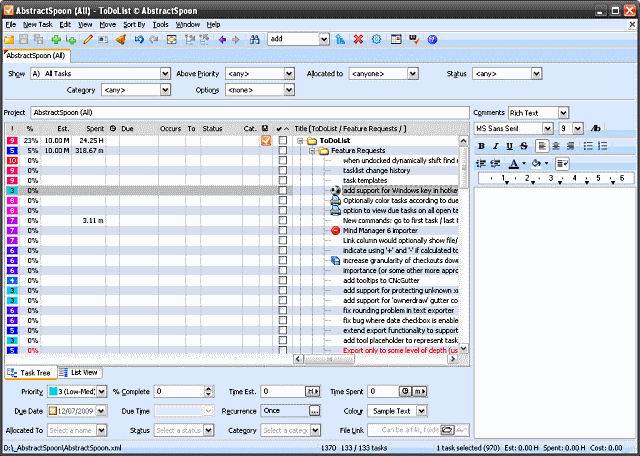
ToDoList 9.2.0 | Size: 11.88 MB
Language: English

ToDoList is an easy to use, yet complex to-do list manager that enables you to organize and track general or project related tasks. It supports multiple levels of sub-tasks along with notes (plain or rich text), task icons, file links, time tracking, task reminders and more. The program is highly customizable and offers advanced configuration options that make it suitable for multi-user team projects with support for source control as well as general GTD usage. Other features include import/export, integrated backup, due task alerts, customizable interface and much more.

Features
Task icons (Edit > Other Task Attributes > Set Task Icon)
Time component added to Start dates
Restored preference to control refiltering when editing (mainly to fix a specific bug)
Numbered bullets added to Rich Edit comments
Simple theming (4 sample themes included in the Resources folder)
Separate preference for hiding Start time
Added preference to control maximum width of column

System Requirements: Windows 11, Windows 10, 8 , 7

FREE DOWNLOAD LINKS:

Код:
https://rapidgator.net/file/f8d80f48f9eed454f69661e73d797afb/ToDoList_9.2.0.zip

Код:
https://nitroflare.com/view/ABD28B2627E9FDD/ToDoList_9.2.0.zip
 
91092e8ca9b93ee230224b0023420353.jpg


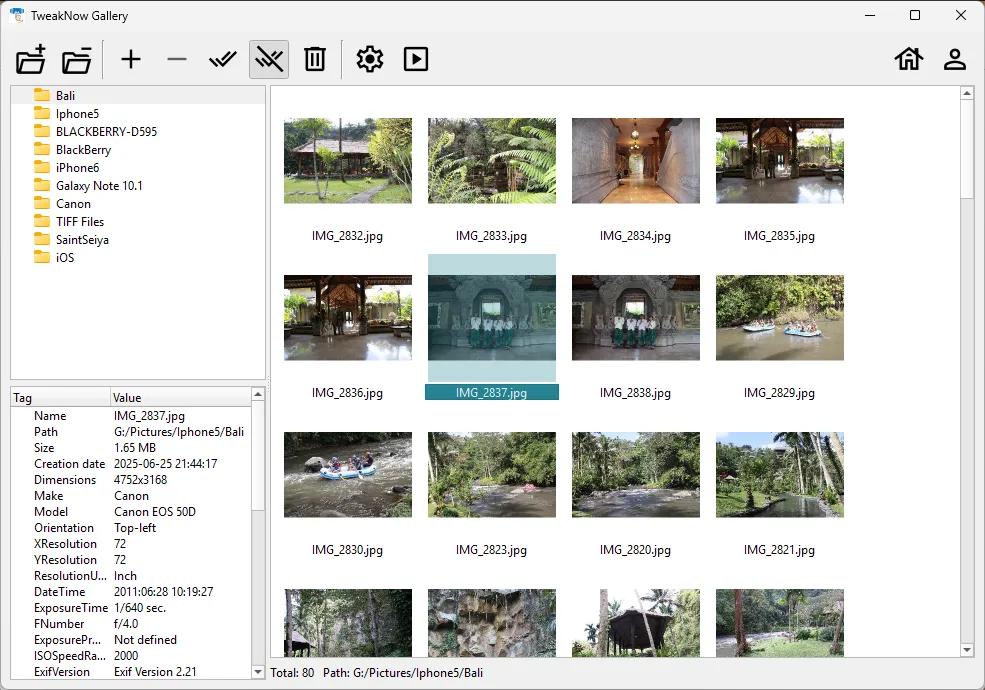
TweakNow Gallery 1.3.1 | Size: 22.96 MB
Language: English

TweakNow Gallery is built for anyone tired of sluggish photo viewers and cluttered folders. Engineered for raw speed and efficiency, it serves as a lightweight, powerful command center for your entire digital image collection. Whether you are managing thousands of loose files or decades of high-resolution family memories, TweakNow Gallery makes organization feel instantaneous.

- Lightning-Fast Performance
Scroll through massive image directories smoothly. Our multi-threaded rendering engine generates thumbnails in real-time without locking up your UI or hogging system resources.

- Slideshows
With a single click, launch a customizable slideshow to showcase your photos.

- Image Converter
Need to change file types for a project? Quickly convert your images between popular formats (like JPEG, PNG, WEBP, and BMP) with built-in processing tools.

- Clean, Modern Interface
Designed to stay out of your way, the UI focuses on your content, making organization intuitive and distraction-free.

HOMEPAGE:
Код:
https://www.tweaknow.com/gallery.php

FREE DOWNLOAD LINKS:

Код:
https://rapidgator.net/file/af5fa505374ebfc2bf4b1b309f4d0b5d/TweakNow_Gallery_1.3.1.rar

Код:
https://nitroflare.com/view/9967CD8508ED597/TweakNow_Gallery_1.3.1.rar
 
9f39d744255cd2eddb1f8aa0992573b5.png


TwinMesh 2026 v11.0.7.0 (x64) | Size: 246.74 MB
Language: English

TwinMesh™ is a standalone mesh generator complementing Simcenter STAR-CCM+. Together, TwinMesh™ and Simcenter STAR-CCM+ enable users to perform robust and efficient CFD modeling of rotating PD machines, such as scroll and screw compressors, blowers, vane, lobe, and gear pumps, as well as vacuum and progressive cavity pumps. TwinMesh™ creates high-quality hexahedral numerical meshes for rotating PD machine tool chambers and enables a fully automated simulation setup workflow within Simcenter STAR-CCM+.

Advantages

Enables CFD simulation for rotary PD machines
Prevents interpolation errors using mesh deformation method
Enables use of all physics data and features available in Simcenter STAR-CCM+
Delivers reliable CFD results in short computation times
Helps reduce costs, shorten development time, and drive innovation

Featured Features

High-quality hexahedral lattice cells discretize working chambers and gaps

TwinMesh automatically generates high-quality hexahedral meshes for rotating work chambers of rotary positive-motion machines, such as screw, spiral, vane, and gear machines. When combined with Simcenter STAR-CCM+, this enables reliable and accurate CFD modeling.

Automatic generation of hexagonal mesh for all rotor positions before simulation

All necessary meshes for discretization are generated automatically. Furthermore, the numerical quality of all meshes can be checked before modeling.

Fully automated setup creation for Simcenter STAR-CCM+

In addition to automatic mesh generation and mesh import processing during simulation runtime, TwinMesh also exports a complete, ready-to-run setup for Simcenter STAR-CCM+. A demonstration of the workflow is provided on this offer page.

System Requirements: Windows Windows 11, 10

FREE DOWNLOAD LINKS:

Код:
https://rapidgator.net/file/7f5d957fa2fa1ff709a0a16faf28e2ca/TwinMesh_2026_v11.0.7.0_x64.rar

Код:
https://nitroflare.com/view/556DE511E8E9457/TwinMesh_2026_v11.0.7.0_x64.rar
 
76982dc09d7793162bb080c02c94d1d5.jpg


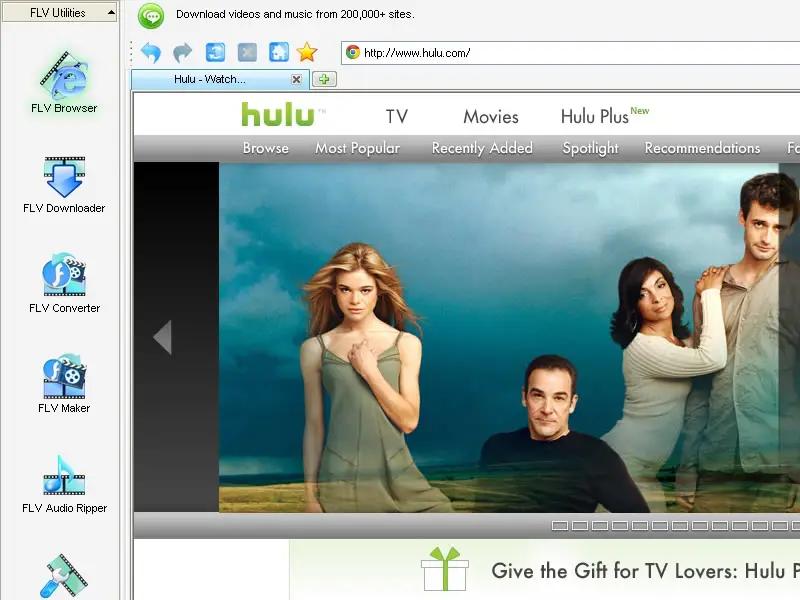
Vdigger GetFLV 32.2606.19 Multilingual | Size: 257.26 MB
Language: English

GetFLV - The best web video downloader for Windows.

Grab Web Video URL flawlessly
Simply launch the FLV browser, and visit your favorite video site. Select and play a video, and click "download" to save it to your local disk.

Download Web Video flawlessly
GetFLV dramatically reduces the download time of Web Videos. The program splits the file into sections, and downloads multiple sections simultaneously, efficiently.

Convert Any Web Videos
GetFLV can repair damaged Flash movies. The built-in FLV Fixer and MetaData Injector will analyze and repair Flash files that won't play properly.

Convert other videos to Flash
GetFLV can convert any of these popular video formats into Flash files. It supports almost all types of video formats such as AVI, WMV, MOV, ASF, MP4, 3GP and etc.

Operating System: Windows 7, 8/8.1, 10, 11

Language: Multilingual

HOMEPAGE:
Код:
https://vdigger.com/

FREE DOWNLOAD LINKS:

Код:
https://rapidgator.net/file/c03badda3c5d787002820dd35d1027f4/Vdigger_GetFLV_32.2606.19_Multilingual.rar

Код:
https://nitroflare.com/view/9DA91E10C489A2C/Vdigger_GetFLV_32.2606.19_Multilingual.rar
 
afd42eecd99916abd595a8fc7c5d4f06.jpg


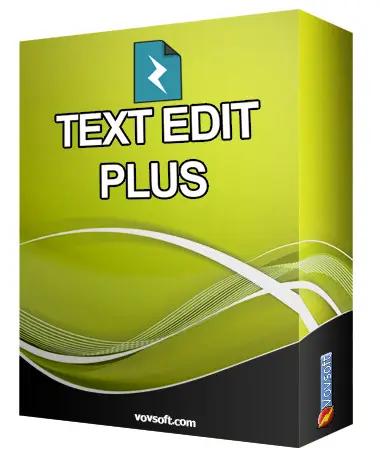
VovSoft Text Edit Plus 16.5 Multilingual | Size: 6.89 MB
Language: English

Text Edit Plus is a simple but powerful plain text editor with helpful features. It is a lightweight tool that enables users to easily create new text documents or modify existing ones. The application is designed as an alternative to Notepad, by offering a wider set of features.

The software is a general-purpose editor and useful for anyone who regularly works with text documents. Its analysis module can be valuable when quick statistics on text documents are needed. The ability to compute word frequencies can allow users to easily spot and quantify repetitions.

Text Edit Plus comes with a clean and simple interface that newcomers will find very easy to grasp. The application can load text files, such as TXTs, CSVs and HTMLs. It provides an arsenal of features for text manipulation. A lot of quick-edit functions can prove invaluable when small fine-tunes are needed.

Operating System: Windows 11/10/8.1/8/7/Vista/XP (32-bit and 64-bit)

HOMEPAGE:
Код:
https://vovsoft.com/

FREE DOWNLOAD LINKS:

Код:
https://rapidgator.net/file/6bf9cd4404090f150c54a02576834547/VovSoft_Text_Edit_Plus_16.5_Multilingual.rar

Код:
https://nitroflare.com/view/04EFDE32FBA6849/VovSoft_Text_Edit_Plus_16.5_Multilingual.rar
 
4fc5ee226831f828f1f1de7244efc7b5.jpg


Drive SnapShot 1.51.0.1811 WinPE | Size: 463.5 MB
Language: English

Drive Snapshot creates an exact Disk Image of your system into a file, including the operating system, installed programs, your data and all security attributes - while windows is running and you continue to work. Drive Snapshot it allows you to backup your partition or your hard disk drive and it also can create a disk image of your system. If disaster strikes (a virus, trojan, or hard disk crash), a complete and exact restauration of your system will be possible in only few minutes. The image file can be mounted as a virtual drive, so you can easily restore (or use) single files or directories, using the Windows Explorer, or other program.

Here are some key features of "Drive Snapshot":
• Create Disk Image Backups, while running Windows
• There is no restart (to DOS) necessary. Never.
• Continue your work, while the Backup is in progress
• The new Snapshot technology ensures, that all data are consistent, and reflect the PC's data at the start of backup. There are no difficulties with opened files. Never.
• This enables a very fast and easy way to backup servers and other computers, that must run 24 hours a day.

• Easy Use and Restore of single Files or directories
• Drive Snapshot creates a virtual drive, containing all your drives data. You may use, compare, or restore these files directly from the Disk Image file.
• This works with any program of your choice, including (of course) the Windows Explorer
• Complete Restore of a disk in case of Disaster
• If a disk is restored to it's original state, it will be exactly the same as at the time of Backup - byte for byte.
• Restoring a system partition will require DOS; other drives can be restored using Windows
• Compatible to all Windows file systems (FAT16, FAT32, NTFS)
• Compatible to all Windows RAID Methods
• Very easy and comprehensive command line interface
• This makes automation of regular tasks a breeze.

System requirements:
Windows 2000, XP, Vista, 7, 8, 8.1, 10, 11, 2003 Server, 2008, 2008 R2, 2012, 2016, 2019, 2022, PE, Windows-X64
3 MB disk space + space to save the disk images.
32MB RAM if active, 0 MB if not active.
You need administrative rights to execute Drive Snapshot

HOMEPAGE:
Код:
http://www.drivesnapshot.de/

FREE DOWNLOAD LINKS:

Код:
https://rapidgator.net/file/2c56e9d4deb7edaf49d4c37f0046a65a/Drive_SnapShot_1.51.0.1811_WinPE.rar

Код:
https://nitroflare.com/view/D13081D1246740E/Drive_SnapShot_1.51.0.1811_WinPE.rar
 
7f84848dec817adce18627e4870a9b39.jpg


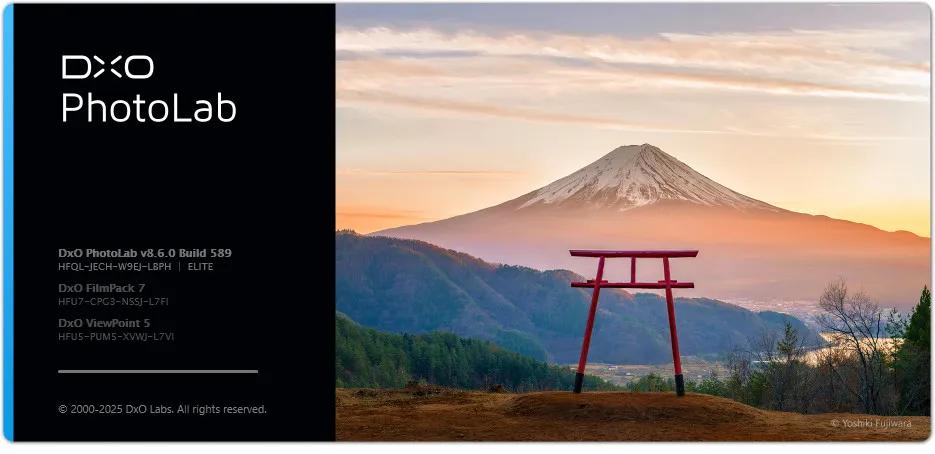
DxO PhotoLab 8.7.0.601 (x64) Elite Multilingual | Size: 1.35 GB
Language: English

DxO PhotoLab 8 - RAW photo editing at its finest. The complete workflow for passionate photographers.

Unbeatable noise reduction and detail extraction
Cleaner and more detailed images than you ever thought possible.
Our DeepPRIME XD2s technology is at the cutting edge of machine learning. Get unbelievable image quality that's real, and make even previous generation cameras look amazing.

The answer to lens softness
Superior science for sharper images
Don't settle for second best. Use lab-grade lens profiles that sharpen images exactly where needed, now with an improved algorithm for even less fringing and artifacts.

Effortless local adjustments
Fast, intelligent, precise: Exclusive U Point™ technology.
Local adjustments shouldn't be complicated. U PointTM keeps it simple with tools that give instant, intuitive results with absolute control.

Breathtaking color at every step
From calibration to creative tools and everything in between.
Embrace colors with total accuracy. Enjoy tools that will unleash your creativity.

What's new DxO PhotoLab 8:
Enjoy a host of upgrades including new tools and an improved workflow.

Image correction & enhancement
DxO's pioneering Optics Modules are renowned for giving photographers the best possible performance from their gear, and are applied automatically depending on metadata. Lens softness adjustments are tailored according to the idiosyncrasies of individual lenses. They don't simply sharpen uniformly across the entire image like in other software.

Groundbreaking denoising technologies
Noise reduction powered by machine learning. DeepPRIME, DeepPRIME XD, and DeepPRIME XD2s eliminate noise, recover detail, and improve color reproduction. Two legacy technologies - PRIME and High Quality - are included when speed is crucial. Choose the automatic settings or dial them in manually. Use the new large live preview magnifier to see the impact of denoising - plus all of your other edits.

Color rendering and fidelity
Extra-wide gamut working color space (DxO Wide Gamut) ensures accurate rendering throughout the workflow. Soft Proofing mode ensures accurate colors when preparing files for print or display. Simulate ink and paper via ICC profiles. Create calibrated color profiles using industry-standard color charts to ensure precision.

Control exposure, contrast, color & tonality
Use ColorWheel to manipulate colors and customize color channels. Adjust Exposure compensation, edit the Tone Curve (enhanced in v8), tweak Contrast and Microcontrast. Plus White Balance with color picker, Color Accentuation to set saturation/vibrancy, Black-and-white palette with channel mixer, and Selective Tone for greater control over tonal ranges.

Color rendering
As well as DxO's camera-calibrated profiles and classic film renderings, import and apply DCP profiles, or apply color rendering from your camera. Start your editing process with DxO Styles to open up new creative possibilities.

Smart, automated tools
DxO PhotoLab contains two innovative tools to speed up your editing: DxO Smart Lighting quickly balances brightness levels between shadows and highlights. DxO Clearview Plus reduces atmospheric haze and enhances local contrast.

LUTs
Import and apply LUTs to open up endless creative color options. Choose from 32 pre-installed LUTs and set intensity.

Presets and toning
Create and share presets. Duplicate, rename, import/export presets, and organize into folders. Edit existing presets and create partial presets. Use the Style / Toning palette to apply Simple Toning (e.g., Sepia) and access Split Toning by installing DxO FilmPack.

ReTouch tool
More than just a cloning/healing tool, rotate, scale, and mirror the source area for absolute control. Edit the shape of the area to be retouched using a brush/eraser. Switch between Clone/Repair modes. Remove unwanted elements with automatic source selection (or set manually).

Crop, horizon & perspective tools

Adjust the horizon and crop images using a common or custom ratio - all automatically or manually. Adjust perspective distortion with dedicated tools: force parallels, rectangle, or 8-point guides.

Local Adjustment tools
U Point™ technology features Control Points and Control Lines for intelligent masks without the need for complex layers. Use Brush, Gradient, Eraser, and Auto Mask tools. Create complex adjustments using Hue Masks (new in v8). Toggle visibility and set opacity of masks, and duplicate/invert mask content. Set Control Point/Control Line sensitivity according to Luminance or Chrominance.

Available corrections
The corrections available as local adjustments include

- Exposure, Contrast, Microcontrast
- Highlights, Midtones, Shadows, Blacks
- Hue, Saturation, Luminance (via ColorWheel)
- Vibrancy, Saturation, Hue, Sharpness, Blur
- White Balance and Tint (RAW only)

Advanced History & Quick Compare
Advanced History palette provides a full editing history including specific values and changes. Grouped corrections can be expanded when applying presets in order to track individual changes. Quick Compare Mode puts your edit alongside the original image with a vertical or horizontal split. You can compare your current image with output versions and virtual copies, or choose a reference image (new in v8).

Virtual Copies

Create Virtual Copies for multiple variations of an image without copying the RAW file. Compare quickly with the original image, and selectively copy/paste settings between images.

Customizable workspaces
Highly customizable workspace: reposition/hide panels, collapse/expand palettes, and use a search field to quickly find tools. Add your most-used tools to a favorites palette, or create custom palettes. Filter displayed corrections by category. Display only the tools actively making changes to an image. Use multiple monitors and palettes. Place the grid view navigator on a second display.

Histogram
Display RGB, individual colors, and luminosity channels. Indicate where highlights and/or shadows have been clipped. Display the RGB value of an individual pixel.

Powerful functionality, catalog-free
Don't import images; simply browse your disk and edit your images on the fly. Select/search/filter photos with ease. Apply star ratings, color tags, pick/reject images, and choose from a range of criteria when searching, including color tags. For faster searching, simply direct PhotoLab to index specific folders.

Metadata management
Add and manage keywords, create keyword hierarchies, drag/drop keywords to organize them in a tree view list. Import and manage Exif and IPTC metadata, and selectively copy/paste metadata from one image to multiple others. Synchronize metadata changes with third-party applications.

Projects & other organizational tools
Create Projects to gather selections of images, independent of their folder. Create groups of Projects and drag/drop to organize virtual collections. Batch rename files, adjust capture time, drag files to folders to copy/move them, and sort/select files according to flexible options.

Customizable export settings
Choose the size/location of files, set up custom export presets, create multiple parallel exports, and apply original or custom ICC profile, sRGB, or Adobe RGB profiles. Right-click to export to a specific application. Send images directly to other applications. With Nik Collection installed, you have direct access to all plugins.

Watermarks
Create your own watermarks. Use both text and images together, adjust the size, opacity, blend modes, and save as presets.

Recommended System Configuration:
Intel® Core™ processor or AMD Ryzen™ with 8 cores
16 GB RAM
4 GB available disk space
1920 x 1080 display
Microsoft® Windows® 10 version 22H2 or 11 version 22H2 (64-bit)
For DeepPRIME, DeepPRIME XD and DeepPRIME XD2s
o NVIDIA RTX™ 2080, AMD Radeon™ RX 6700 with latest drivers with 8GB of VRAM

HOMEPAGE:
Код:
http://www.dxo.com/

FREE DOWNLOAD LINKS:

Код:
https://rapidgator.net/file/8d3fe5d0fd9989b7ff48785d356662fc/DxO_PhotoLab_8.7.0.601_x64_Elite_Multilingual.rar

Код:
https://nitroflare.com/view/22079959F7980DD/DxO_PhotoLab_8.7.0.601_x64_Elite_Multilingual.rar

 

58e391cc30d0dd2aff15779f4ea68788.png


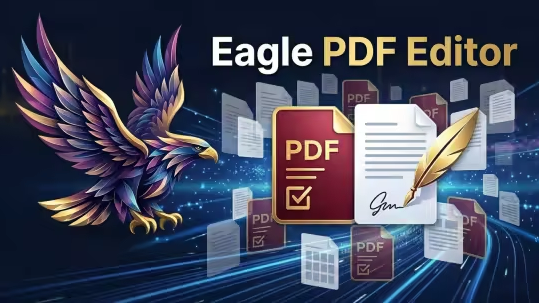
Eagle PDF Editor 1.5.0 | Size: 533.02 MB
Language: English

The complete PDF toolkit. View, annotate, merge, split, encrypt, sign, and create PDFs with 20+ templates. Built-in AI assistant and OCR text recognition. Fill forms, add watermarks, convert to images, and more - all in a sleek dark interface.

PDF Viewer
Fast, high-quality PDF rendering with smooth scrolling, zoom controls, page navigation, and a modern dark-themed interface.

Annotations & Markup
Highlight text, add sticky notes, draw freehand, insert text boxes, and use shapes like rectangles, circles, arrows, and lines.

Merge PDFs
Combine multiple PDF files into a single document. Drag and drop files to merge contracts, reports, and presentations effortlessly.

Split PDFs
Extract specific pages or split a large PDF into smaller files. Select page ranges or split by every N pages for easy sharing.

Encrypt & Protect
Password-protect your PDFs with AES encryption. Set document permissions to control printing, editing, and copying of sensitive content.

Digital Signatures
Draw, type, or upload your signature and place it anywhere on the document. Sign contracts, forms, and agreements instantly.

Create PDFs
Create new blank PDF documents in A4, Letter, Legal, or custom sizes with portrait and landscape orientation. Start from scratch or from templates.

20+ Templates
Choose from over 20 professionally designed templates including invoices, contracts, reports, letters, resumes, and business forms.

AI Assistant
Built-in AI assistant to summarize documents, extract key information, answer questions about your PDF content, and generate text.

OCR Text Recognition
Extract text from scanned documents and images using optical character recognition. Convert image-based PDFs into searchable, selectable text.

Page Management
Thumbnail sidebar for quick navigation. Reorder, insert, delete, and rotate pages. Extract single pages or ranges with full control.

Images & Stamps
Insert images, logos, and custom stamps onto any page. Add watermarks and overlay content for professional document branding.

Convert & Export
Export PDF pages as high-quality images (PNG, JPEG). Convert documents between formats for compatibility with any workflow.

Form Filling
Fill out interactive PDF forms with text fields, checkboxes, and dropdowns. Complete tax forms, applications, and surveys digitally.

Search & Find
Instantly search for text across your entire document. Find and navigate to specific words, phrases, or content with keyboard shortcuts.

Print & Batch Print
Print PDFs with full control over page range, scaling, orientation, and paper size. Batch print multiple documents in one go.

Bookmarks & Links
Add, edit, and navigate bookmarks for quick access to sections. Insert hyperlinks to URLs or internal pages within your document.

Side-by-Side Compare
Open and compare two PDF documents side by side. Review changes, verify revisions, and cross-reference content simultaneously.

Dark Mode Interface
Modern dark-themed UI designed to reduce eye strain during long editing sessions. Clean, distraction-free workspace for maximum productivity.

System Requirements
- Windows 10 (19041.0+) or Windows 11
- 4 GB RAM (8 GB recommended)
- x64 architecture

FREE DOWNLOAD LINKS:

Код:
https://rapidgator.net/file/8fca9338c2b936a6bf06f3d6c7fb01c8/Eagle_PDF_Editor_1.5.0.rar

Код:
https://nitroflare.com/view/01F17F1EE979EE4/Eagle_PDF_Editor_1.5.0.rar
 
bafa6a2f9f1b0c92477d57c2d620163b.jpg


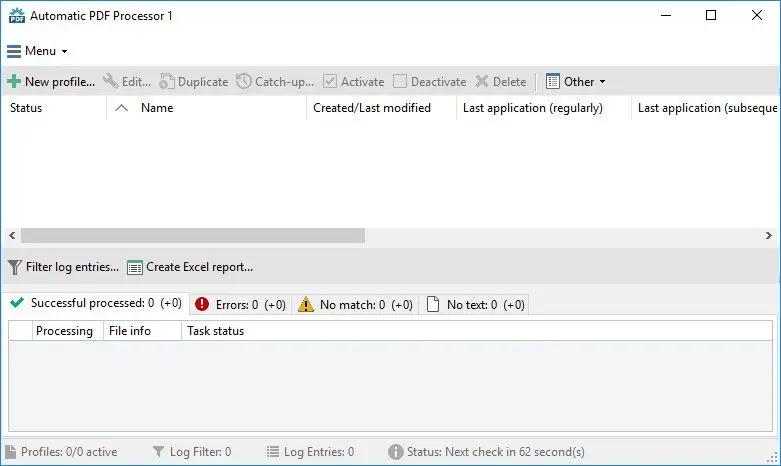
Gillmeister Automatic PDF Processor 2.4.1 | Size: 226.63 MB
Language: English

With Automatic PDF Processor, PDF files can be processed automatically. Any number of folders can be monitored in order to automatically print, rename or move incoming PDF files to dynamically named folders. Numerous metadata of the PDF document can be used in addition to the content, for example to include invoice information in the file path. The PDF files to be processed can be narrowed down with various profile-specific filters - the document text, PDF metadata and general file information are available as filters.

Extraction of data from the text of PDF files is optional. An unlimited number of extraction rules can be created within a profile. The extracted data can be used (after optional validation and formatting) for naming folders or the file name, and can be saved as an extract in a CSV file. Another task that can be automated with the Automatic PDF Processor is the extraction of attachments from PDF files, for example to save ZUGFeRD XML files, XRechnung attachments or similar as part of a PDF invoice in the same folder.

Features:
Print, rename, move, or copy PDF files automatically
Store embedded PDF attachments in any folder for archiving
Extract textual data from PDF documents automatically and save them as CSV file
Monitor any number of folders (hot folder monitoring)
Create individual rules for different tasks
Filter by document text, file date, attachment name or count, title .
Create the storage location (storage folder) dynamically from PDF document properties or based on content
Get informed about different processing statuses by email
Limit the automatic processing of PDF files to certain days and times, for example to print only during office hours
Combine a scan and OCR process with subsequent automatic naming by the Automatic Email Processor in order to be able to file older PDF documents in a structured way as well
Perform subsequent actions e.g., start a program with the path of the saved PDF file or PDF attachment as parameter
Process all already existing PDF files of a folder (with user-defined criteria)
Sort PDF - files automatically or have them moved to another folder and subfolder created dynamically from file properties
Send an Excel report with overview and detailed information on a regular basis

System requirements:
Microsoft Windows 10, 8, 7 or Server (32-bit or 64-bit version)

Language: English

HOMEPAGE:
Код:
https://www.gillmeister-software.com/

FREE DOWNLOAD LINKS:

Код:
https://rapidgator.net/file/512494764de4f9126dd7669a9f372c3d/Gillmeister_Automatic_PDF_Processor_2.4.1.rar

Код:
https://nitroflare.com/view/5122048891B26B2/Gillmeister_Automatic_PDF_Processor_2.4.1.rar
 
83c4e2037e2fab0721fc57998f0ea83e.jpg


Mercurial Tones Bundle 2026.06 | Size: 52.51 MB
Language: English

Precision Tools for Modern Producers. Bus Compressor & Tube Saturation. Three compressor characters, a pre-stage tube, and RSX™ reactive saturation - a complete glue and color workstation built around the way real records sound.

Vanguard
Bus Compressor & Tube Saturation
Three compressor characters, a pre-stage tube, and RSX™ reactive saturation - a complete glue and color workstation built around the way real records sound.

Manta
Advanced Delay Workstation
Nine delay modes, spectral ducking, and a full post-FX studio - a complete delay workstation built from the ground up for modern production.

Yasha
Spatial Chorus
Two stereo characters, three dimension modes, and transient-preserving Punch - analog-modeled spatial chorus rebuilt from the ground up for modern production.

Scepter
Referencing & Analysis
Five specialized views for spectral analysis, reference matching, bass monitoring, oscilloscope, and loudness metering - in one plugin.

Dagon
Resonance & Volume Suppression
Smart resonance control and transparent volume suppression. Dagon pulls harsh, ringing, and runaway-loud parts down without flattening the track, reducing only what is actually a problem.

Included plugins:
Dagon v1.0.4
Manta v1.1.2
Scepter v1.2.1
Vanguard v1.0.3
Yasha v1.1

HOMEPAGE:
Код:
https://shop.mercurialtones.com/

FREE DOWNLOAD LINKS:

Код:
https://rapidgator.net/file/f874e49ea451e6a867c02f7866f041ba/Mercurial_Tones_Bundle_2026.06.rar

Код:
https://nitroflare.com/view/99BD7B59F0F81D1/Mercurial_Tones_Bundle_2026.06.rar
 
422db6a83cfdbf89e8bb0ddca08829b9.jpg


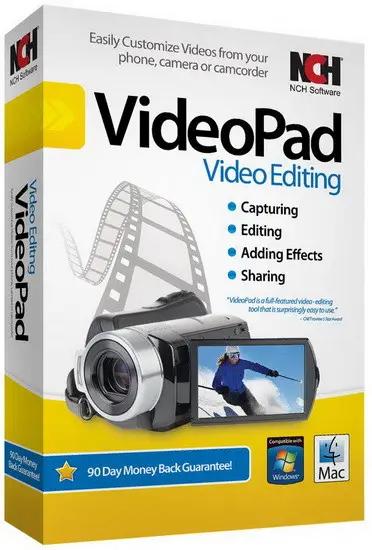
NCH VideoPad Pro 18.36 (x64) Beta | Size: 16.01 MB
Language: English

Working with video files, especially editing them, is a task that requires a specialized application that can provide all the tools one needs. Among the software applications of this kind you can find VideoPad Video Editor. The interface of this utility is divided into several parts (e.g. Media List, Effects, Transitions, Files, Clips, Video Track, Audio Track, Overlay Track), which may make everything seem a little hard to operate. You can capture video from a camcorder or another device like a webcam or a TV capture card, and once you have added files and sequence clips to the queue, you can start editing them.

Stunning Transition Effects:
Choose from a range of fade transitions to give
your movie that professional touch.
Preview the effects in real time.
Customize the duration of the effect.

Amazing Audio Tools:
Import and mix music tracks like a pro.
Make your own custom movie soundtrack.
Record your own narrations with the click of a button.
Import pre-recorded narrations, sound effects or music.

Complete Video Optimization:
Fine tune brightness, saturation and color for your video.
Add photos and digital images with a click of a button.
Apply effects like black & white, sepia tone and negative.
Add text captions to your movie.

Share With Your Family and Friends:
Burn to DVD and watch in your living room on your TV.
Save for Youtube and share online with friends.
Save to PSP, iPod, iPhone or 3GP mobile phone.
Save to your PC as a high-quality digital movie.

Input Formats:
Video: avi, mpeg, wmv, divX, Xvid, mpeg1, mpeg2, mpeg4, mp4, mov, asf, vob, ogm, .3gp, H.264, RM and many more.
Image: bmp, gif, jpg, jif, jiff, jpeg, exif, png, tif

Output Formats:
Disc export: DVD, CD, Blu-ray Discs, HD-DVD
Video export: avi, wmv, asf, mpg, 3gp, mp4, mov, iPod, iPhone, PSP, Mobile Phone, Pocket PC

Operating System: Windows 11, 10, XP, Vista, 7, 8 and 8.1

HOMEPAGE:
Код:
https://www.nchsoftware.com/

FREE DOWNLOAD LINKS:

Код:
https://rapidgator.net/file/8b347707b5111e937f372f02808a7f17/NCH_VideoPad_Pro_18.36_x64_Beta.rar

Код:
https://nitroflare.com/view/F8F55ED7876692D/NCH_VideoPad_Pro_18.36_x64_Beta.rar
 
1e6743588282cbde35fc3e3ae5851d42.jpg


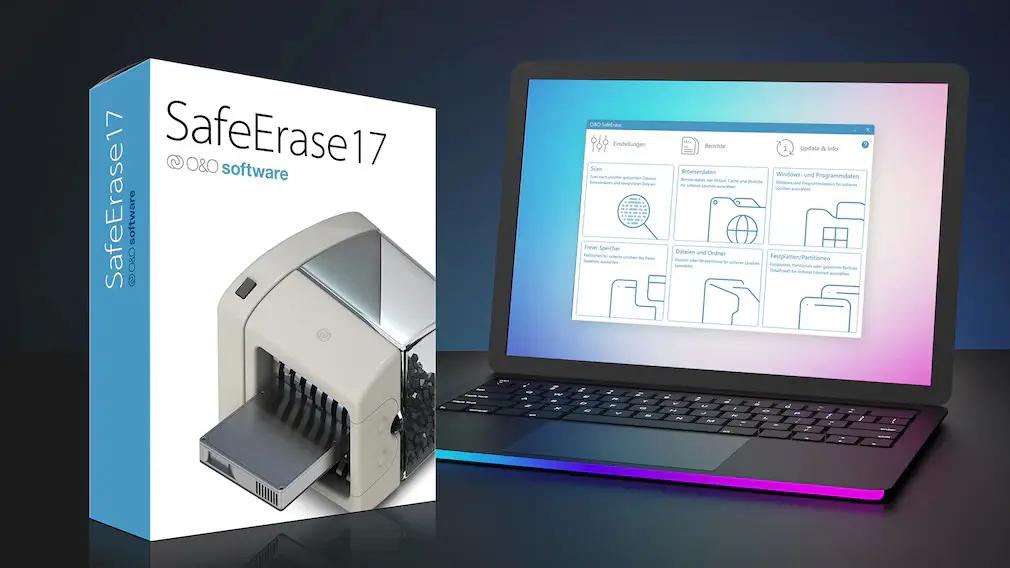
O&O SafeErase Professional 21.3.26142 Multilingual | Size: 68.06 MB
Language: English

Your personal photos and confidential documents can easily fall into the wrong hands when you sell, give away or dispose of your old PC or hard drives. Identity theft is now a widespread security threat. This is because clicking on "Delete" does not mean your files are permanently deleted. Even formatting the hard disk is not enough to permanently delete data. O&O SafeErase permanently deletes your confidential files using recognized methods so that a recovery is never possible, not even when using the best file recovery software.

There is a good chance your personal photos or business data will easily fall into the wrong hands whenever you want to sell, give away or dispose of your old computer. This is because clicking on "Delete" doesn't automatically mean your data is irrevocably destroyed. Even formatting the hard disk is not enough to completely destroy your data. O&O SafeErase allows you to permanently delete your data using recognized methods so that a recovery is never possible, not even when using specialized software.

New and enhanced functions
Thanks to extensive optimization of the entire program, O&O SafeErase now starts considerably faster than any previous version. Information about drives is accessed as soon as the system starts and this accelerates booting significantly. In addition to many minor enhancements, O&O SafeErase includes an analytical tool that scans your computer for temporary and unsafely deleted files. With just a few clicks, you can clean your computer so that unauthorized parties never have a chance to spy out old files for possible misuse. SSDs can also be detected, and deletions made on them will be done sparing resources.

Internet security

When surfing the Internet, your browser usually stores Internet files unnoticed on your hard drive. These files can provide information about websites you've visited or the passwords you've entered. It makes no difference whether it involves cookies, data entered on forms, or browsing history - O&O SafeErase lists all the information saved for each browser you use, and you can then delete them individually or together. Once deleted, nobody will be able to detect your Internet traces and your online accounts are protected from data thieves or hackers. Version 17 supports Microsoft Edge, the successor to Internet Explorer, as well as Internet Explorer, Google Chrome and Firefox.

Safe erase your entire computer
Deleting the entire computer allows you to permanently delete all confidential files before you dispose of, sell, or give your computer away. All files, settings, applications and the operating system itself are deleted so that a file recovery is impossible. You can be sure that nobody will ever restore your confidential information and misuse it, protecting yourself against identity theft. With O&O SafeErase you can even delete your entire computer without a start medium (e.g. a Boot CD).

Six deletion methods for maximum security
O&O SafeErase allows you to choose from among six different deletion methods. The methods of deletion differ in the number of runs and the type of overwriting process. These methods ensure maximum security, whatever your requirements. In addition to standardized deletion methods of the U.S. Department of Defense (DoD) and the German Federal Office for Information Security (BSI) you can also select a complex mathematical method (the Gutmann method), which complies with the highest security levels. In this scientifically approved method of data deletion, corresponding areas of the hard disk are overwritten 35 times using precisely defined rules along with fixed and random values. In this way, O&O SafeErase exceeds even the requirements of the DoD and the BSI. Quick deletion can also be made by just overwriting data with zeros.

SolidErase
As of version 12.3, O&O SafeErase includes the feature SolidErase, which was developed especially for the deletion of SSDs. SolidErase uses resources sparingly and thoroughly so that the data is not recoverable and the SSD is exposed to the least possible strain.

Product features:
"Instant Erase": Selecting files over the context menu prompts a mini-dialog from where deletion can immediately take place
Permanent deletion of files, folders, Memory cards and USB sticks
Delete an entire computer, no boot medium necessary
Delete internet traces and temporary program files
Six methods to permanently delete confidential data
Detailed reports as proof of deletion
Analysis tool to search for unsafe deleted files
Adapted deletion method for SSDs (Solid State Disks) with SolidErase
Enhanced report and activity management
.Net Framework 4.7.1

Operating System: Windows 11, 10, 8.1, 8, 64-bit versions

HOMEPAGE:
Код:
https://www.oo-software.com/

FREE DOWNLOAD LINKS:

Код:
https://rapidgator.net/file/025b7f5ecd2f0c32ce66791eff881caf/OO_SafeErase_Professional_21.3.26142_Multilingual.rar
Код:
https://nitroflare.com/view/1169FBFD61CFE0D/OO_SafeErase_Professional_21.3.26142_Multilingual.rar
 
d809af9bbaaec50864712291d20ce0d7.jpg


Paradox Converter 4.86 | Size: 6.01 MB
Language: English

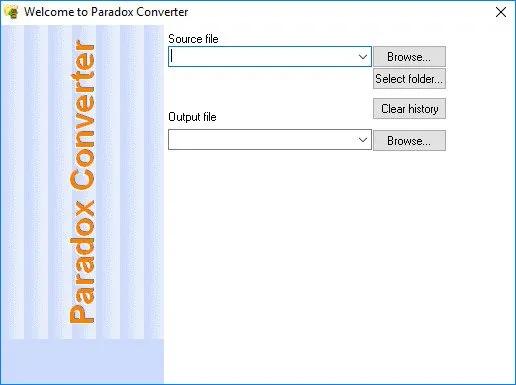
Paradox Converter allows you convert Paradox files (DB files) to DBF, Excel(XLS, XLSX), CSV, SQL (MySQL, SQL Server, Oracle), TXT, XML, RTF, XML and HTML.

Batch Processing

So, you have more than one Paradox database to convert? Look no further, as Paradox Converter does the job quickly and silently. With the support for multiple databases to process, Paradox Converter is capable of converting dozens or even hundreds of DB files in 100% automatic mode. No questions asked, no harm done, the program intelligently transforms all your databases to the selected format or formats.

Ingenious Flexibility
For more complex tasks more advanced methods are required. Paradox Converter offers command line support for scheduled conversion of databases, complex filters for partial transferring of data to new formats and flexible sorting for custom presentation of data.

Paradox Converter does not require external drivers for connection to databases (ODBC, BDE). Paradox Converter runs on all versions of Windows from XP through Windows 7/8/10 and Server Editions (32/64-bit)

Key Features
Convert Paradox to DBF (dBase III/IV, Visual Foxpro)
Convert Paradox to SQL
Convert Paradox to XLS
Convert Paradox to XLSX
Convert Paradox to CSV
Convert Paradox to XML
Convert Paradox to TXT
Convert Paradox to HTML
Full command line support

HOMEPAGE:
Код:
https://www.dbf2002.com/

FREE DOWNLOAD LINKS:

Код:
https://rapidgator.net/file/3c3b28e8da053f6e29c319a0f5074486/Paradox_Converter_4.86.rar

Код:
https://nitroflare.com/view/2C91091E2CF83DB/Paradox_Converter_4.86.rar
 
11a4d9a2dd390022bab18ea1cf3e59b3.jpg


Photo Organizer AI Premium 5.1.7 | Size: 425.34 MB
Language: English

Organize Scattered Photos into Proper Event Albums. Tame the chaos in your directories. Photo Organizer AI automatically clusters random, unstructured files into clean, chronologically matched event albums while sorting out duplicates and low-quality photos.

Supercharged Culling & Organization
A high-performance workspace designed specifically for professional photographers and digital collectors.

AI Subject & Scene Classification
Automatically tag subjects and classify scenes like mountains, water, rain, document, and documents using embedded local ONNX classifiers.

Blur & Focus Inspection
Detect blurry, grainy, out-of-focus photos, and red eyes automatically. Slide to cull items beneath your customized quality threshold.

DirectML GPU Acceleration
Unchain the power of your graphics hardware. Runs all deep learning culling networks locally using DirectML with stunning frame speeds.

Virtual Event Albums
Group similar chronological events together dynamically. Split, merge, paste, and organize virtual albums without altering physical folders.

Identical & Near-Duplicates
Scan for files with identical image checksums or extremely high visual similarities, and group them so you can retain the best frame.

100% Local & Private
Zero cloud uploads. All analysis, photo scanning, duplicate detection, and file management happen entirely on your computer, keeping your photos secure.

Turn Scattered Photos into Proper Event Albums Today
Save hours of manual sorting and culling. Let local AI group your random scattered pictures into clean, beautifully structured event albums automatically.

System Requirements
Windows 10 and 11 (64-bit)

HOMEPAGE:
Код:
https://aipo.bytecar.in

FREE DOWNLOAD LINKS:

Код:
https://rapidgator.net/file/445b4aba6bfe482cb9243ba71f00d97f/Photo_Organizer_AI_Premium_5.1.7.rar

Код:
https://nitroflare.com/view/FE75B83FD6F175A/Photo_Organizer_AI_Premium_5.1.7.rar
 
aa4db3744c72ee81f839f7015852668c.jpg


Recuva 1.55.133 (x64) Multilingual | Size: 64.81 MB
Language: English

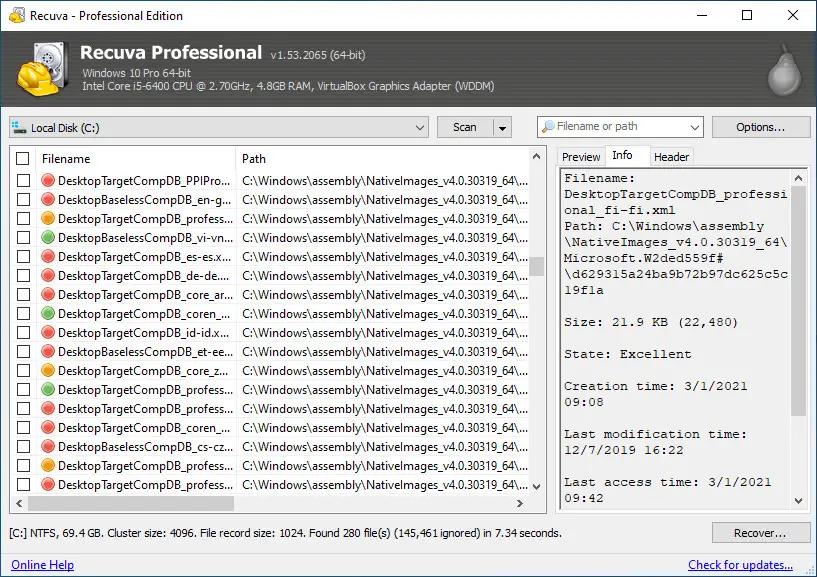
Accidentally deleted an important file? Lost files after a computer crash? No problem - Recuva recovers files from your Windows computer, recycle bin, digital camera card, or MP3 player!

Superior file recovery
Recuva can recover pictures, music, documents, videos, emails or any other file type you've lost. And it can recover from any rewriteable media you have: memory cards, external hard drives, USB sticks and more!

Recovery from damaged disks
Unlike most file recovery tools, Recuva can recover files from damaged or newly formatted drives. Greater flexibility means greater chance of recovery.

Deep scan for buried files
For those hard to find files, Recuva has an advanced deep scan mode that scours your drives to find any traces of files you have deleted.

Securely delete files
Sometimes you want a file gone for good. Recuva's secure overwrite feature uses industry- and military-standard deletion techniques to make sure your files stay erased.

System Requirements:
Windows 11, 10, 8.1, 7, Vista and XP. Including both 32-bit and 64-bit versions, but not RT tablet editions.

HOMEPAGE:
Код:
https://www.ccleaner.com/

FREE DOWNLOAD LINKS:

Код:
https://rapidgator.net/file/6db1f98b502c7bf17769defa6c8e47c8/Recuva_1.55.133_x64_Multilingual.rar
Код:
https://nitroflare.com/view/07834A12BE473F6/Recuva_1.55.133_x64_Multilingual.rar
 

a61531e3472e7c6bf702c31f538232f1.png


Retouch4me Mattifier 1.019 | Size: 55.65 MB
Language: English

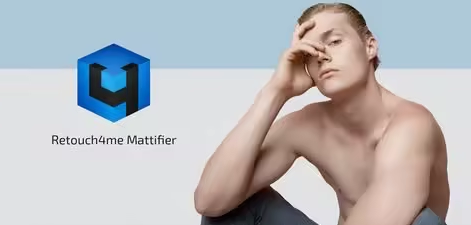
Mattifier. Tones down highlights on skin. Retouch4me Mattifier automatically spots shiny skin areas on the face and fixes them. Retouch4me Mattifier automatically spots shiny skin areas on the face and fixes them. Retouch4me Mattifier is ideal for photography done with a flash - in the studio, in the night time or in clubs - the plugin will remove the shine on the face!

Forget about shiny and oily skin in the photo
Retouch4me Mattifier automatically spots shiny skin areas on the face and fixes them.

Works like matting facial wipes
Retouch4me Mattifier is ideal for photography done with a flash - in the studio, in the night time or in clubs - the plugin will remove the shine on the face!

Result in one click
Retouch4me Mattifier works perfectly on group shots. You don't need to manually select faces in the photo before editing. Just imagine how much time you would spend processing large volumes of such photos by hand!

System Requirements
Windows 7 (x64), Windows 10 (x64), Windows 11

Hardware
- at least 6 Gb of RAM
- 64-bit (x64) processor, 1.2 GHz or faster
- PC: GPU with 4GB RAM or Intel CPU with OpenCL 1.1 support

Retouch4me works as an Adobe Photoshop plug-in
It can also be used as a standalone app or an external editor in Adobe Photoshop

Incl. Stand-alone and Plug-in for Photoshop

FREE DOWNLOAD LINKS:

Код:
https://rapidgator.net/file/90dc1fd895d301f486adb134e254364f/Retouch4me_Mattifier_1.019.rar

Код:
https://nitroflare.com/view/F60257103F4D5D3/Retouch4me_Mattifier_1.019.rar
 
1c26d57d4c31360b3a5c86ddb2e96e76.png


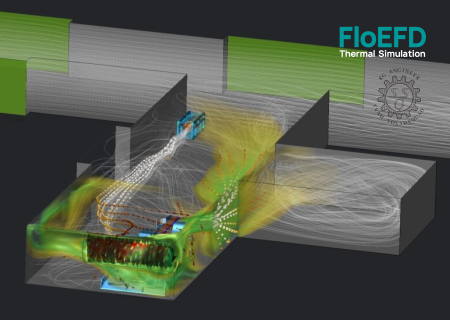
Siemens Simcenter FloEFD 2606.0.0 v7194 Standalone (x64) | Size: 7.95 GB
Language: English

FloEFD Standalone version does not require pre-installed CAD systems, is based on advanced Computational Fluid Dynamics (CFD) technology and allows you to analyze a wide range of complex problems,

including
• Analysis of hydro-aerodynamics and heat transfer of two- and three-dimensional models
• Analysis of external and internal flow flows
• Analysis of steady and unsteady flow
• Flow of incompressible liquid and compressible gas, including combustible mixtures, at subsonic, transonic, supersonic and hypersonic flow regimes
• Condensation of water vapor
• Calculation of relative humidity in gas flows
• Flow in non-Newtonian fluids (laminar flow only)
• Flow in compressible fluid (fluid density depends on pressure)
• Flows in real gases
• Analysis of laminar, turbulent and unsteady flows
• Analysis of vortex flows and fans
• Analysis of flows with solid inclusions

• Analysis of heat transfer inside and between fluids and solids
• Analysis of heat transfer inside solids in the absence of a flow
• Calculation of thermal contact resistance
• Calculation of electrical contact resistance
• Thermoelectric coolers
• Radiative heat transfer
• Joule heating
• Flows with gravity effects (also known as the buoyancy effect)
• Porous media
• Heat pipes
• Heat transfer in printed circuit boards
• Heat transfer in perforated plates
• Aerosol flow
• Accounting for the roughness of bodies during flow •
Accounting for tangential motion of walls (displacement and rotation)
• Flow in rotating devices
• Cavitation in liquid flows
• Combustion in gas mixtures

System requirements
minimal
Operating System: Windows 10 Pro (64-bit)
Processor: 4-core Intel/AMD (x86-64)
Memory (RAM): 16 GB
Graphics Card: OpenGL 3.3 compatible

recommended
Operating System: Windows 11 Pro/Enterprise (64-bit)
Processor: 8+ cores (Intel Core i9/Xeon or AMD Ryzen 9/Threadripper)
Memory (RAM): 32 GB to 64 GB+ (High RAM is critical for complex meshes)
Graphics Card: NVIDIA RTX / Quadro or AMD Radeon Pro

- Localized languages: French, German, Japanese, Korean, Simplified Chinese, Russian

HOMEPAGE:
Код:
http://www.plm.automation.siemens.com

FREE DOWNLOAD LINKS:

Код:
https://rapidgator.net/file/c71266fbc9a15462e18d3f8bd068ae57/Siemens.Simcenter.FloEFD.2606.0.0.v7194.Standalone..Win64-SSQ..part01.rar
https://rapidgator.net/file/5a6e8d8547ee0b042b1feed336906c45/Siemens.Simcenter.FloEFD.2606.0.0.v7194.Standalone..Win64-SSQ..part02.rar
https://rapidgator.net/file/9768d2ee5e6e15be341191e0031608e2/Siemens.Simcenter.FloEFD.2606.0.0.v7194.Standalone..Win64-SSQ..part03.rar
https://rapidgator.net/file/65ecf7ce5c08a3c3c00e257eb1a68589/Siemens.Simcenter.FloEFD.2606.0.0.v7194.Standalone..Win64-SSQ..part04.rar
https://rapidgator.net/file/b19c9c13af9c8087bc869f9108cb2548/Siemens.Simcenter.FloEFD.2606.0.0.v7194.Standalone..Win64-SSQ..part05.rar
https://rapidgator.net/file/d3358a73f5004b4d917c45be68354a90/Siemens.Simcenter.FloEFD.2606.0.0.v7194.Standalone..Win64-SSQ..part06.rar
https://rapidgator.net/file/be70e215ea147102c71804d39d2326a9/Siemens.Simcenter.FloEFD.2606.0.0.v7194.Standalone..Win64-SSQ..part07.rar
https://rapidgator.net/file/0e3a2f71fb72a9203aec1a40212f6aaf/Siemens.Simcenter.FloEFD.2606.0.0.v7194.Standalone..Win64-SSQ..part08.rar

Код:
https://nitroflare.com/view/CC0FFA9BF77A374/Siemens.Simcenter.FloEFD.2606.0.0.v7194.Standalone..Win64-SSQ..part01.rar
https://nitroflare.com/view/BC9AF2E5ED20009/Siemens.Simcenter.FloEFD.2606.0.0.v7194.Standalone..Win64-SSQ..part02.rar
https://nitroflare.com/view/013CA929B231CE5/Siemens.Simcenter.FloEFD.2606.0.0.v7194.Standalone..Win64-SSQ..part03.rar
https://nitroflare.com/view/871EA01F628BC3C/Siemens.Simcenter.FloEFD.2606.0.0.v7194.Standalone..Win64-SSQ..part04.rar
https://nitroflare.com/view/5DE3CB091DF186F/Siemens.Simcenter.FloEFD.2606.0.0.v7194.Standalone..Win64-SSQ..part05.rar
https://nitroflare.com/view/1FCDB19D1D4312C/Siemens.Simcenter.FloEFD.2606.0.0.v7194.Standalone..Win64-SSQ..part06.rar
https://nitroflare.com/view/D8A645EB3752A69/Siemens.Simcenter.FloEFD.2606.0.0.v7194.Standalone..Win64-SSQ..part07.rar
https://nitroflare.com/view/F7117141A9CEF15/Siemens.Simcenter.FloEFD.2606.0.0.v7194.Standalone..Win64-SSQ..part08.rar
 
f160721bc03a6adc05bb3a0949aa4d6a.png


Siemens Simcenter FloEFD 2606.0.0 v7194 for CATIA V5 (x64) | Size: 830.78 MB
Language: English

FloEFD for CATIA V5 is an application for simulating flow and heat transfer in liquids and gases in the DS CATIA V5 environment.FloEFD is fully integrated into the DS CATIA V5 environment and uses solvers based on computational fluid dynamics (CFD) technology.

Main advantages

Working directly with the model in the DS CATIA V5 environment

There is no need to convert geometry to another format, which often leads to a loss of quality. The task of calculating hydrogasdynamics and heat transfer is fully synchronized with the model at any time .
Minimization of efforts, and as a result, errors in the process of synchronizing the assigned hydrogasdynamic problem and the model.
Automatic detection of changes in the model.

There is no need to "manually" construct the geometry describing the area occupied by the liquid/gas

Automatic detection of the area occupied by liquid/gas.

The same graphical controls are used as in other DS CATIA V5 modules

Very easy to learn
Easy to use
Uses the DS CATIA V5 model element tree.

Intuitive and fully interactive.
Use model elements selected in the graphics window/model tree when creating a project/processing results.
Visualization of calculation results as static and animated images directly in the graphics window.
Support for exporting results to MS Excel and Word. The ability to play and record animations.
Support for multi-configuration models.
For effective multi-parameter research, the following features are implemented: the ability to clone projects and automatically launch a series of calculations.

Automated to reduce the number of cases where analysis of the setup and calculation results requires the involvement of specialists in the field of fluid dynamics and heat transfer

Reliable and fully automatic computational grid generator.
Unique turbulence and boundary layer model is used
. Automatic control of solution convergence.

Reliable and accurate numerical methods and physical models

Large set of physical models
Accurate solution
Possibility of calculating very complex structures and physical phenomena.

Computational Fluid Dynamics (CFD) allows you to analyze a wide range of complex problems, including
• Analysis of hydro-aerodynamics and heat transfer of two- and three-dimensional models
• Analysis of external and internal flow
• Analysis of steady-state and unsteady flow
• Flow of incompressible liquid and compressible gas, including combustible mixtures, at subsonic,

Transonic, Supersonic, and Hypersonic Flow Regimes
• Water Vapor Condensation
• Calculation of Relative Humidity in Gas Flows
• Non-Newtonian Fluid Flow (laminar flow only)
• Compressible Fluid Flow (fluid density depends on pressure)
• Real Gas Flows
• Laminar, Turbulent, and Unsteady Flow Analysis
• Vortex and Fan Analysis
• Analysis of Flows with Solids
• Analysis of Heat Transfer within and between Liquids and Solids
• Analysis of Heat Transfer within Solids in the Absence of a Washover
• Calculation of Thermal Contact Resistance
• Calculation of Electrical Contact Resistance
• Thermoelectric Coolers
• Radiative Heat Transfer
• Joule Heating
• Flows with Gravity Effects (also known as Buoyancy Effect)
• Porous Media
• Heat Pipes
• Heat Transfer in Printed Circuit Boards
• Heat Transfer in Perforated Plates
• Aerosol Flow
• Taking into account the roughness of bodies during flow
• Taking into account the tangential movement of walls (displacement and rotation)
• Flow in rotating devices
• Cavitation in liquid flows
• Combustion in gas mixtures

System requirements
minimal
Operating System: Windows 10 Pro (64-bit)
Processor: 4-core Intel/AMD (x86-64)
Memory (RAM): 16 GB
Graphics Card: OpenGL 3.3 compatible

recommended
Operating System: Windows 11 Pro/Enterprise (64-bit)
Processor: 8+ cores (Intel Core i9/Xeon or AMD Ryzen 9/Threadripper)
Memory (RAM): 32 GB to 64 GB+ (High RAM is critical for complex meshes)
Graphics Card: NVIDIA RTX / Quadro or AMD Radeon Pro
- Localized languages: French, German, Japanese, Korean, Simplified Chinese, Russian

HOMEPAGE:
Код:
http://www.plm.automation.siemens.com

FREE DOWNLOAD LINKS:

Код:
https://rapidgator.net/file/75132162bb24f0e582a5f95242128eec/Siemens_Simcenter_FloEFD_2606.0.0_v7194_for_CATIA_V5_x64.rar

Код:
https://nitroflare.com/view/8FA7678E4D3873E/Siemens_Simcenter_FloEFD_2606.0.0_v7194_for_CATIA_V5_x64.rar
 
48b6b54289c77f3b52eadf82224e0494.png


Siemens Simcenter FloEFD 2606.0.0 v7194 for PTC Creo (x64) | Size: 783.41 MB
Language: English

FloEFD for PTC Creo is an application for simulating flow and heat transfer in liquids and gases in the PTC Creo Parametric environment. FloEFD is fully integrated into the PTC Creo DS environment and uses solvers based on computational fluid dynamics (CFD) technology.

Main advantages

Working directly with the model in the PTC Creo environment

There is no need to convert geometry to another format, which often leads to a loss of quality. The task of calculating hydrogasdynamics and heat transfer is fully synchronized with the model at any time .
Minimization of efforts, and as a result, errors in the process of synchronizing the assigned hydrogasdynamic problem and the model.
Automatic detection of changes in the model.

There is no need to "manually" construct the geometry describing the area occupied by the liquid/gas

Automatic detection of the area occupied by liquid/gas.

Uses the same graphical controls as other PTC Creo modules

Very easy to learn
Easy to use
Uses the PTC Creo model element tree.

Intuitive and fully interactive.
Use model elements selected in the graphics window/model tree when creating a project/processing results.
Visualization of calculation results as static and animated images directly in the graphics window.
Support for exporting results to MS Excel and Word. The ability to play and record animations.
Support for multi-configuration models.
For effective multi-parameter research, the following features are implemented: the ability to clone projects and automatically launch a series of calculations.

Automated to reduce the number of cases where analysis of the setup and calculation results requires the involvement of specialists in the field of fluid dynamics and heat transfer

Reliable and fully automatic computational grid generator.
Unique turbulence and boundary layer model is used
. Automatic control of solution convergence.

Reliable and accurate numerical methods and physical models

Large set of physical models
Accurate solution
Possibility of calculating very complex structures and physical phenomena.

Computational Fluid Dynamics (CFD) allows you to analyze a wide range of complex problems, including
• Analysis of hydro-aerodynamics and heat transfer of two- and three-dimensional models
• Analysis of external and internal flow
• Analysis of steady-state and unsteady flow
• Flow of incompressible liquid and compressible gas, including combustible mixtures, at subsonic,

Transonic, Supersonic, and Hypersonic Flow Regimes
• Water Vapor Condensation
• Calculation of Relative Humidity in Gas Flows
• Non-Newtonian Fluid Flow (laminar flow only)
• Compressible Fluid Flow (fluid density depends on pressure)
• Real Gas Flows
• Laminar, Turbulent, and Unsteady Flow Analysis
• Vortex and Fan Analysis
• Analysis of Flows with Solids
• Analysis of Heat Transfer within and between Liquids and Solids
• Analysis of Heat Transfer within Solids in the Absence of a Washover
• Calculation of Thermal Contact Resistance
• Calculation of Electrical Contact Resistance
• Thermoelectric Coolers
• Radiative Heat Transfer
• Joule Heating
• Flows with Gravity Effects (also known as Buoyancy Effect)
• Porous Media
• Heat Pipes
• Heat Transfer in Printed Circuit Boards
• Heat Transfer in Perforated Plates
• Aerosol Flow
• Taking into account the roughness of bodies during flow
• Taking into account the tangential movement of walls (displacement and rotation)
• Flow in rotating devices
• Cavitation in liquid flows
• Combustion in gas mixtures

System Requirements
minimal
Operating System: Windows 10 Pro (64-bit)
Processor: 4-core Intel/AMD (x86-64)
Memory (RAM): 16 GB
Graphics Card: OpenGL 3.3 compatible

recomended
Operating System: Windows 11 Pro/Enterprise (64-bit)
Processor: 8+ cores (Intel Core i9/Xeon or AMD Ryzen 9/Threadripper)
Memory (RAM): 32 GB to 64 GB+ (High RAM is critical for complex meshes)
Graphics Card: NVIDIA RTX / Quadro or AMD Radeon Pro
- Localized languages: French, German, Japanese, Korean, Simplified Chinese, Russian

Сreo Parametric v3 - v13.4

HOMEPAGE:
Код:
http://www.plm.automation.siemens.com

FREE DOWNLOAD LINKS:

Код:
https://rapidgator.net/file/7e47aa5e686000f66878183e2d44a6b8/Siemens_Simcenter_FloEFD_2606.0.0_v7194_for_PTC_Creo_x64.rar

Код:
https://nitroflare.com/view/D2914E8A8A828F8/Siemens_Simcenter_FloEFD_2606.0.0_v7194_for_PTC_Creo_x64.rar
 
a7cb4024e125d72b95a6516f8f41a38f.png


Siemens Simcenter FloEFD 2606.0.0 v7194 for Siemens NX / Simcenter3D (x64) | Size: 799.7 MB
Language: English

FloEFD for Siemens NX / Simcenter3D is an application for simulating flow and heat transfer in liquids and gases in the Siemens NX / Simcenter3D environment. FloEFD is fully integrated into the Siemens NX / Simcenter3D environment and uses solvers based on computational fluid dynamics (CFD) technology.

Key Benefits

Working directly with the model in the Siemens NX / Simcenter3D environment

There is no need to convert geometry to another format, which often leads to a loss of quality. The task of calculating hydrogasdynamics and heat transfer is fully synchronized with the model at any time .
Minimization of efforts, and as a result, errors in the process of synchronizing the assigned hydrogasdynamic problem and the model.
Automatic detection of changes in the model.

There is no need to "manually" construct the geometry describing the area occupied by the liquid/gas

Automatic detection of the area occupied by liquid/gas.

The same graphical controls are used as in other Siemens NX / Simcenter3D modules

Very easy to learn
Easy to use
Uses the Siemens NX / Simcenter3D model element tree.

Intuitive and fully interactive.
Use model elements selected in the graphics window/model tree when creating a project/processing results.
Visualization of calculation results as static and animated images directly in the graphics window.
Support for exporting results to MS Excel and Word. The ability to play and record animations.
Support for multi-configuration models.
For effective multi-parameter research, the following features are implemented: the ability to clone projects and automatically launch a series of calculations.

Automated to reduce the number of cases where analysis of the setup and calculation results requires the involvement of specialists in the field of fluid dynamics and heat transfer

Reliable and fully automatic computational grid generator.
Unique turbulence and boundary layer model is used
. Automatic control of solution convergence.

Reliable and accurate numerical methods and physical models

Large set of physical models
Accurate solution
Possibility of calculating very complex structures and physical phenomena.

Computational Fluid Dynamics (CFD) allows you to analyze a wide range of complex problems, including
• Analysis of hydro-aerodynamics and heat transfer of two- and three-dimensional models
• Analysis of external and internal flow
• Analysis of steady-state and unsteady flow
• Flow of incompressible liquid and compressible gas, including combustible mixtures, at subsonic,

Transonic, Supersonic, and Hypersonic Flow Regimes
• Water Vapor Condensation
• Calculation of Relative Humidity in Gas Flows
• Non-Newtonian Fluid Flow (laminar flow only)
• Compressible Fluid Flow (fluid density depends on pressure)
• Real Gas Flows
• Laminar, Turbulent, and Unsteady Flow Analysis
• Vortex and Fan Analysis
• Analysis of Flows with Solids
• Analysis of Heat Transfer within and between Liquids and Solids
• Analysis of Heat Transfer within Solids in the Absence of a Washover
• Calculation of Thermal Contact Resistance
• Calculation of Electrical Contact Resistance
• Thermoelectric Coolers
• Radiative Heat Transfer
• Joule Heating
• Flows with Gravity Effects (also known as Buoyancy Effect)
• Porous Media
• Heat Pipes
• Heat Transfer in Printed Circuit Boards
• Heat Transfer in Perforated Plates
• Aerosol Flow
• Taking into account the roughness of bodies during flow
• Taking into account the tangential movement of walls (displacement and rotation)
• Flow in rotating devices
• Cavitation in liquid flows
• Combustion in gas mixtures

What's New
official site does not provide any info about changes in this version.

System requirements
minimal
Operating System: Windows 10 Pro (64-bit)
Processor: 4-core Intel/AMD (x86-64)
Memory (RAM): 16 GB
Graphics Card: OpenGL 3.3 compatible

recommended
Operating System: Windows 11 Pro/Enterprise (64-bit)
Processor: 8+ cores (Intel Core i9/Xeon or AMD Ryzen 9/Threadripper)
Memory (RAM): 32 GB to 64 GB+ (High RAM is critical for complex meshes)
Graphics Card: NVIDIA RTX / Quadro or AMD Radeon Pro
- Localized languages: French, German, Japanese, Korean, Simplified Chinese, Russian

HOMEPAGE:
Код:
http://www.plm.automation.siemens.com

FREE DOWNLOAD LINKS:

Код:
https://rapidgator.net/file/603f5e6c6a26540c366ef9dc6bb158e5/Siemens_Simcenter_FloEFD_2606.0.0_v7194_for_Siemens_NX__Simcenter3D_x64.rar

Код:
https://nitroflare.com/view/78004E718D86DF4/Siemens_Simcenter_FloEFD_2606.0.0_v7194_for_Siemens_NX__Simcenter3D_x64.rar
 
Назад
Сверху Снизу