All Emperor2011's Software in one thread !! (updated daily)

61584f766c355cc6c3709ddace23365b.jpg


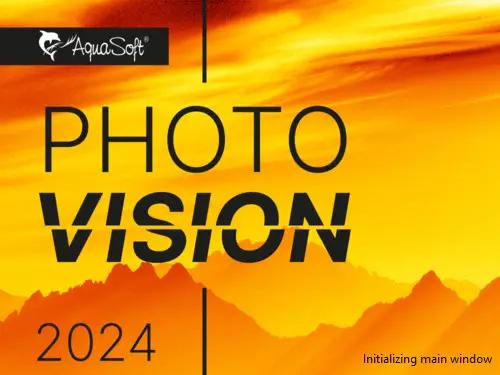
AquaSoft Photo Vision 17.2.04 (x64) Multilingual | Size: 718.5 MB
Language: English


We have long overtaken the topic of photo presentation. For years, our programs have been able to do much more than the name SlideShow could express. Along with the new version 16, the new name was changed to AquaSoft Vision. Vision is thus the direct successor to the popular AquaSoft slide show program. AquaSoft SlideShow Premium becomes AquaSoft Photo Vision.

Experience your photo moments with family and friends. Transform photos, videos, text and music into a fascinating movie experience and share your memories in brilliant quality. Your photos for amazement - You have not seen your pictures this beautiful. Always put the right cut in the scene and make sure you have appropriate aperture for Wow effects. Of course, with your videos as well.

Image presentations with transitions and camera pans
- Hundreds of transitions, finely adjustable (for example duration, direction, animation, etc.)
- Use transitions as fade-ins and fade-outs
- Images in perfect quality - no pixel gets wasted.
- Display images full size or as collage
- Select the image section using a camera pan and zoom.

Animated routes by land, water and air
Show where you were. Not only will you remember your holiday destination better, but your viewers can also make a real reference to your travel itinerary by showing them the way on the map.

- Map Wizard for retrieving maps in all zoom levels from the Internet
- Various map styles such as road map or satellite image
- Describe any path with a "Running line"
- Can be combined with vehicle graphics (custom graphics can be used)
- Animation is created live, instantly playable, and can be customized at any time
- Use your own maps
- Photos, texts and videos can be displayed on maps

Your pictures come alive
Do images always have to be rigid? Not only to give boredom no chance, but above all to be able to deal with your motifs exactly, you use a wide range of animations. Whether subtle or direct, humorous or playful - a plethora of opportunities

- Images, text, videos: you can move and rotate everything along paths. This is how you create your own animations.
- You can animate camera pans. Thus, e.g. a "Ken Burns" effect or zooming to specific image details are possible.
- A powerful particle system allows you to have a wide range of animations: from the smoke of a steam locomotive to subtle moving background, rain or gently trickling snow.
- Use a curve to determine the transparency for each element of your project.

Picture in Picture
Collages bring even more life into your presentation. You combine several images, place them on backgrounds or decorate them. Now, if you animate collages as a whole as well as their individual components, you'll have your own animation studio.

- Create collages with any number of tracks in the Timeline
- Picture in Picture effects
- Timeline can be structured with chapters and collages, so that complex animations remain clear
- A number of immediately usable design elements are available, such as, e.g., forms or even speech bubbles.

Everything under control
There has to be tidiness, and large projects can not be realized without it. Organize your show in chapters and manage multi-hour slideshows with thousands of pictures.

- Project can be divided into chapters and sub-chapters so that you can comfortably denote your vacation with "Getting there", "Day 1", "Day 2", etc. Finished chapters can simply be collapsed.
- Storyboard view for easy viewing and sorting of images
- No limitation for the maximum number of images or duration of the project
- Archiving of the entire project, including all materials used (images, videos, music, fonts, etc.), so that you can have a project that can be completely edited after years.

Effect kit for your ideas
Would you like to give your images and videos a little boost, sometimes? A huge flexible effect palette is ready for you to realize your ideas.

- Live effects that affect even animated content and videos, e.g. masks, blur, soft shadows, color corrections, sepia, displacement mapping, halftone effects, mosaic, etc.
- Object effects that automatically animate or arrange your images, e.g. a transition using a soft "Ken Burns" effect, or a scroll in a filmstrip
- Other effects like "old film", camera shake, etc.
- Image effects like frames and shapes

Image and video editing
Almost every image and especially video material needs some adaptation. With video editing functions and image corrections, you bring your material into the right shape.

- Non-destructive image processing allows image corrections without changing your original images.
- Various processing possibilities, from cropping over color correction to rotation
- Effect system to create complex effects by yourself How about a picture that gently reflects downwards?
- Videocut: split, crop, truncate your videos
- Video speed can be changed (for example, for slow motion or time lapse)

Your message will come across
A word says more than a thousand pictures? You know the saying for sure. Titles and credits as well as picture captions and texts provide for a better understanding, wit and just look good.

- Adding captions/titles to images
- Free text formatting, such as color, size, font, orientation
- Various formatting possible within a text (Rich Text)
- Text animations for fading in and out, even single letters
- Text effects such as shadow and outline
- Using placeholders for inserting image information, such as e.g. the recording date
- Automatically adjusts font size to accommodate available space
- Credits as in the movies

All doors are open to you
Reach everyone! No matter which device or medium, the versatile output options offer the suitable for every purpose and also for further processing.

- Burn to Blu-ray and DVD
- Upload directly to YouTube and Vimeo
- Export as video file in all popular formats: MP4, WMV, MPG, etc.
- Export as animated GIF or as a sequence of images
- Export including player software for (also interactive) presentation on PC
- Multiple projects with menu for PC and DVD player

Presentations in no time
You want to create a slideshow suited to a topic in just a few minutes? Use intelligent templates that automatically arrange and animate everything.

- Automatically created animations from your images, videos and texts
- Combine templates with your own ideas
- Many topics available: birthday, wedding, holiday, school, Christmas, silent film, etc.
- Neutral animations are available too
- Templates are used at runtime, so the content - i.e. your pictures, videos and texts - can be adapted and is interchangeable and extendable at any time.

AquaSoft Photo Vision
- Shows with transitions and music
- Image and video animations with 3D rotation, zoom, panning, and effects
- Video and Image editing
- Versatile & freely customizable text
- Timeline with an unlimited number of tracks
- Burn to Blu-ray, AVCHD disc, and DVD
- Video export as MP4, M2TS, MOV, MKV, AVI, WebM, animated GIF, and as single frames
- Archive a project (incl. all necessary files)

System Requirements:
- Operating Systems: Windows 11, Windows 10 64-bit only
- Processor: multi-core processor recommended
- Graphics card: DirectX 9c, min. 1Gb memory
- RAM: 4 GB

HOMEPAGE:
Код:
https://www.aquasoft.net/

FREE DOWNLOAD LINKS:

Код:
https://rapidgator.net/file/e5f9670f187d4568726379e2b683edb5/AquaSoft_Photo_Vision_17.2.04_x64_Multilingual.rar

Код:
https://nitroflare.com/view/9789EEA33E3CEA1/AquaSoft_Photo_Vision_17.2.04_x64_Multilingual.rar
 
b4dfb76ebb4c03c4059635765974ae03.jpg


AquaSoft Stages 17.2.04 (x64) Multilingual | Size: 725.29 MB
Language: English


Behind every image is a story, a message that you want to deliver impressively to your audience. Develop your idea, build the framework of your movie, and reach your goal with the tools in AquaSoft Stages.

Keyframes
Let your inner control freak run wild! Effects, sound, images/video, and animations are displayed on separate keyframes in the timeline. This allows you to control, second-precise, exactly how each element in your movie should move, sound, or look.

Live Preview
As you make changes to your project, adding movement, particles, or other effects, the result will be shown immediately in the layout designer.
Allowing you to see just how every effect has changed your project/images without needing to constantly playback.

360 degree rotation
In Stages you can rotate your images, videos, and titles the full 360 degrees. This looks especially great combined with animated camera pans as well as to create Prezi like shows or rotate titles, making your videos stand out from the crowd.

Sync your audio
With the help of tools like the playhead and Timeline markers, you can easily sync your audio to your images. The playhead gives you a frame-by-frame view of your images and video, while the Timeline markers allow you to mark the changes in audio tone, resulting in crescendos at just the right moment.

PROFOUND AND COMPLEX ANIMATIONS
You are the playwright, screenwriter, and director of your film project. You have an eye for detail and precision is important. Sound and pictures should flow together, so that in the end only your movie is in focus. With AquaSoft Stages you can realize your vision.

Unlimited number of tracks
Combine as many videos, photos, captions, and sounds as you like. You can apply effects to every track.

Dynamic Masks
Fade out image areas and modify selected segments over time.

More than just collages
Achieve a lively interplay of all elements by matching effects precisely to your videos and pictures.

System Requirements:
Operating systems: Windows 11 and 10 with 64-bit
Processor: Multi-core processor recommended
Graphics card: at least 1 GB graphics memory, DirectX 9c
RAM: 4 GB

HOMEPAGE:
Код:
https://www.aquasoft.net/

FREE DOWNLOAD LINKS:

Код:
https://rapidgator.net/file/057693383414ebb62c5afc67d7d5b56d/AquaSoft_Stages_17.2.04_x64_Multilingual.rar

Код:
https://nitroflare.com/view/A90305D0E0B4716/AquaSoft_Stages_17.2.04_x64_Multilingual.rar
 
ba6755a4602621044ab72ab4a7ed52e7.jpg


AquaSoft Video Vision 17.2.04 (x64) Multilingual | Size: 721.77 MB
Language: English


We have long overtaken the topic of photo presentation. For years, our programs have been able to do much more than the name SlideShow could express. Along with the new version 13, the new name was changed to AquaSoft Vision. Vision is thus the direct successor to the popular AquaSoft slide show program. AquaSoft SlideShow Ultimate becomes AquaSoft Video Vision

Experience your photo moments with family and friends. Transform photos, videos, text and music into a fascinating movie experience and share your memories in brilliant quality. Your photos for amazement - You have not seen your pictures this beautiful. Always put the right cut in the scene and make sure you have appropriate aperture for Wow effects. Of course, with your videos as well.

Image presentations with transitions and camera pans
- Hundreds of transitions, finely adjustable (for example duration, direction, animation, etc.)
- Use transitions as fade-ins and fade-outs
- Images in perfect quality - no pixel gets wasted.
- Display images full size or as collage
- Select the image section using a camera pan and zoom.

Animated routes by land, water and air
Show where you were. Not only will you remember your holiday destination better, but your viewers can also make a real reference to your travel itinerary by showing them the way on the map.

- Map Wizard for retrieving maps in all zoom levels from the Internet
- Various map styles such as road map or satellite image
- Describe any path with a "Running line"
- Can be combined with vehicle graphics (custom graphics can be used)
- Animation is created live, instantly playable, and can be customized at any time
- Use your own maps
- Photos, texts and videos can be displayed on maps

Your pictures come alive
Do images always have to be rigid? Not only to give boredom no chance, but above all to be able to deal with your motifs exactly, you use a wide range of animations. Whether subtle or direct, humorous or playful - a plethora of opportunities

- Images, text, videos: you can move and rotate everything along paths. This is how you create your own animations.
- You can animate camera pans. Thus, e.g. a "Ken Burns" effect or zooming to specific image details are possible.
- A powerful particle system allows you to have a wide range of animations: from the smoke of a steam locomotive to subtle moving background, rain or gently trickling snow.
- Use a curve to determine the transparency for each element of your project.

Picture in Picture
Collages bring even more life into your presentation. You combine several images, place them on backgrounds or decorate them. Now, if you animate collages as a whole as well as their individual components, you'll have your own animation studio.

- Create collages with any number of tracks in the Timeline
- Picture in Picture effects
- Timeline can be structured with chapters and collages, so that complex animations remain clear
- A number of immediately usable design elements are available, such as, e.g., forms or even speech bubbles.

Everything under control
There has to be tidiness, and large projects can not be realized without it. Organize your show in chapters and manage multi-hour slideshows with thousands of pictures.

- Project can be divided into chapters and sub-chapters so that you can comfortably denote your vacation with "Getting there", "Day 1", "Day 2", etc. Finished chapters can simply be collapsed.
- Storyboard view for easy viewing and sorting of images
- No limitation for the maximum number of images or duration of the project
- Archiving of the entire project, including all materials used (images, videos, music, fonts, etc.), so that you can have a project that can be completely edited after years.

Effect kit for your ideas
Would you like to give your images and videos a little boost, sometimes? A huge flexible effect palette is ready for you to realize your ideas.

- Live effects that affect even animated content and videos, e.g. masks, blur, soft shadows, color corrections, sepia, displacement mapping, halftone effects, mosaic, etc.
- Object effects that automatically animate or arrange your images, e.g. a transition using a soft "Ken Burns" effect, or a scroll in a filmstrip
- Other effects like "old film", camera shake, etc.
- Image effects like frames and shapes

Image and video editing
Almost every image and especially video material needs some adaptation. With video editing functions and image corrections, you bring your material into the right shape.

- Non-destructive image processing allows image corrections without changing your original images.
- Various processing possibilities, from cropping over color correction to rotation
- Effect system to create complex effects by yourself How about a picture that gently reflects downwards?
- Videocut: split, crop, truncate your videos
- Video speed can be changed (for example, for slow motion or time lapse)

Your message will come across
A word says more than a thousand pictures? You know the saying for sure. Titles and credits as well as picture captions and texts provide for a better understanding, wit and just look good.

- Adding captions/titles to images
- Free text formatting, such as color, size, font, orientation
- Various formatting possible within a text (Rich Text)
- Text animations for fading in and out, even single letters
- Text effects such as shadow and outline
- Using placeholders for inserting image information, such as e.g. the recording date
- Automatically adjusts font size to accommodate available space
- Credits as in the movies

All doors are open to you
Reach everyone! No matter which device or medium, the versatile output options offer the suitable for every purpose and also for further processing.

- Burn to Blu-ray and DVD
- Upload directly to YouTube and Vimeo
- Export as video file in all popular formats: MP4, WMV, MPG, etc.
- Export as animated GIF or as a sequence of images
- Export including player software for (also interactive) presentation on PC
- Multiple projects with menu for PC and DVD player

Presentations in no time
You want to create a slideshow suited to a topic in just a few minutes? Use intelligent templates that automatically arrange and animate everything.

- Automatically created animations from your images, videos and texts
- Combine templates with your own ideas
- Many topics available: birthday, wedding, holiday, school, Christmas, silent film, etc.
- Neutral animations are available too
- Templates are used at runtime, so the content - i.e. your pictures, videos and texts - can be adapted and is interchangeable and extendable at any time.

System Requirements:
- Operating Systems: Windows 11, Windows 10 64-bit only
- Processor: multi-core processor recommended
- Graphics card: DirectX 9c, min. 1Gb memory
- RAM: 4 GB

HOMEPAGE:
Код:
http://www.aquasoft.net/

FREE DOWNLOAD LINKS:

Код:
https://rapidgator.net/file/4133a5e419e45eb4a8a7d204e9de5e6f/AquaSoft_Video_Vision_17.2.04_x64_Multilingual.rar
Код:
https://nitroflare.com/view/4919D20CFAF4638/AquaSoft_Video_Vision_17.2.04_x64_Multilingual.rar
 
2fce2793b267ad3cb2a9e07b9595f47f.jpg


BETA-CAE Systems 2025.2.1 (x64) | Size: 2.3 GB
Language: English


BETA is now part of Cadence announces the release of the 25.1.4 for ANSA, EPILYSIS, META, KOMVOS, SPDRM, ANSERS and FATIQ, with critical bug fixes and selected implementations.

What's new in BETA CAE Systems 25.1.4
Known issues resolved in ANSA

GUI
- Screen display would fluctuate in delay upon mouse click, while space mouse was active.
CAD Import / Export
- Several issues would be encountered upon translation of CATIA V4 models.
Modular Run Management
- External connectors would disappear when replacing a simulation model from DM in a simulation run.
Data Management-
- When importing a Library Item and a PrePostUploadMainFileScriptFunction was set in ANSA.defaults file, the ANSA_BATCH license would not be released, unless exiting ANSA.
Shell Meshing
- ANSA would terminate unexpectedly when running check for Solid Cracks.
- ANSA would exit abnormally, in case of applying "Grids > Align" function to target Plotel entities.
Volume Meshing
- Manual execution of the Volume Mesh function multiple times would lead to ANSA termination.
- Focusing on Structured Meshing, MAP window did not behave consistently after pressing "Back" to deselect entities.
LS-DYNA
- Unexpected termination would occur when reading *PARAMETER_LOCAL entries and the Include file name containing the parameter was too long.
- Moreover, partially encrypted materials would be erroneously output.
Abaqus
- ANSA would cease operating when Contact entities used in the respective assistant were defined on Properties with long names.
Optistruct
- ANSA would exit abnormally when copying PTFORCES using the Transform function.

Known issues resolved in META

GUI
- Syncing windows were not operating smoothly along with space mouse navigation actions.
LS-DYNA
- Abrupt software termination would occur when time history results were to be read and abstat_cpm results were included in the same directory.
- Geometry was not read properly when the DEFINE_TRANSFORMATION keyword was used.
- In addition, D3ZCF files were not input correctly.
Pam-Crash
- Reading Pam-Crash results from files compressed with FEMZIP version 16.28 would occasionally lead to abnormal termination, when SELOUT was involved.
Abaqus
- Unexpected termination would occur upon reading results on integration points.
- Centroid value was incorrectly computed when scalar results for CPE8 elements were read using the IntPnt option.
- Reading results using the "Layer" option did not work properly.
Ansys
- ANSA would cease operating when deformation was loaded using displacements values, stored in single-precision format.
Moldex3D
- Results from Moldex3D 2025R could not be successfully read.
FEMZIP
- META would terminate unexpectedly when loading an ERF file compressed with FEMZIP version 16.28.
Optistruct
- Wrong result values were read from Optistruct .pch files for TRIA elements.

BETA CAE Systems is an engineering software company committed to the development of best-in-class CAE software systems that meet the requirements of all simulation disciplines. Amongst the company's products, the ANSA pre-processor and the µETA post-processor, hold a worldwide leading position, in many sectors, including the automotive, railway vehicles, aerospace, motorsports, chemical processes engineering, energy, electronics, heavy machinery, power tools, and biomedical.
ANSA is an advanced multidisciplinary CAE pre-processing tool that provides all the required functionality for full-model build up, from CAD data to ready-to-run solver input file, in a single integrated environment. ANSA is the users' preference due to its wide range of features and tools that meet their needs. The list of productive and versatile features is long and the alternative tasks and processes to be completed using them are countless.
META is a thriving multi-purpose post-processor that meets the diverce needs of various CAE disciplines for processing solver results until a complete reporting. It owes its success to its impressive performance, innovative features and capabilities of interaction between animations, plots, videos, reports and other objects. Offered in a package with ANSA or as a single product, META with its high performance and level of automation and customization, eliminates the need for use of any other post processing tool. Porting product data and meta-data from diverse CAD systems to CAE pre-processing is a challenging task that requires advanced and configurable tools.
CAD to ANSA Translators provide an advanced solution to efficiently translate CAD data to ANSA format. The translators make it possible to access geometry and meta data (part number, material, gage, part location in assembly, etc.) from the CAD files. The translators can either be setup to run as a stand alone batch operation from the command line, or for a large number of jobs can be driven through the provided GUI to manage the settings and monitor the translation progress.

Cadence is a pivotal leader in electronic systems design, building upon more than 30 years of computational software expertise. For 10 years in a row, Fortune magazine has named Cadence one of the 100 Best Companies to Work For.
Cadence Design Systems, Inc. announced it has completed its previously announced acquisition of BETA CAE Systems International AG, a leading provider of multi-domain, engineering simulation solutions. BETA CAE accelerates Cadence's Intelligent System Design strategy by expanding its multiphysics system analysis suite with highly complementary products, enabling Cadence to offer a more comprehensive portfolio to its customers. BETA CAE has a very strong footprint in the automotive vertical sector and at leading companies in the aerospace, industrial and healthcare industries.


HOMEPAGE:
Код:
http://www.beta-cae.com

FREE DOWNLOAD LINKS:

Код:
https://rapidgator.net/file/29e1d0e43be96bf2fa7d3c55976d9916/BETA.CAE.Systems.2025.2.1.Win64-SSQ..part1.rar
https://rapidgator.net/file/ddcce1706dffd149bb9712c44aeddf6d/BETA.CAE.Systems.2025.2.1.Win64-SSQ..part2.rar
https://rapidgator.net/file/568c45de61da8ef79655e41dfd122330/BETA.CAE.Systems.2025.2.1.Win64-SSQ..part3.rar

Код:
https://nitroflare.com/view/636DFD2B3C6258E/BETA.CAE.Systems.2025.2.1.Win64-SSQ..part1.rar
https://nitroflare.com/view/90A0FF117927E4F/BETA.CAE.Systems.2025.2.1.Win64-SSQ..part2.rar
https://nitroflare.com/view/A0B64D2B4B4CFEB/BETA.CAE.Systems.2025.2.1.Win64-SSQ..part3.rar
 
2e279af659a17b5bfc52ae48d9d256b6.jpg


Face Sorter Pro Ultimate 3.0.8 | Size: 1.86 GB
Language: English


Sort thousands of photos by who's in them - automatically. Point it at your unsorted photo library, train it with a few photos per person, and let the AI handle the rest. Weddings, family reunions, years of phone photos - organized in minutes. Powered by Lemwil Vision - our proprietary computer vision engine, trained in-house from the ground up.

- 100% offline - your photos never leave your device
- GPU accelerated - NVIDIA RTX 30, 40, and 50 series
- CPU fallback - works on any Windows PC
- Handles 300,000+ photos without breaking a sweat
- 30+ formats - JPEG, HEIC, RAW, PNG, and more
- Smart features - Auto-Learn, Group Sorting, Duplicate Finder, AI Enhance

Our Story
Face Sorter Pro started with a simple problem - thousands of unsorted family photos and no good way to organize them. Every solution we found was either cloud-based, subscription-locked, or just not accurate enough. So we built our own. What started as a side project turned into a full AI-powered photo sorting engine, trained in-house on our own hardware. No shortcuts. No borrowed AI. Just software that works.

Our Technology
Face Sorter Pro Ultimate is powered by Lemwil Vision - our proprietary computer vision engine. We don't rely on third-party AI models. Every model is designed, trained, and optimized in-house on our own multi-GPU AI server. The result: faster, more accurate face detection built specifically for sorting real-world photo libraries.

SORT THOUSANDS OF PHOTOS IN MINUTES - GPU OR CPU.
Face Sorter Pro Ultimate is the high-performance photo organizer built for serious users, photographers, archivists, and professionals who manage massive libraries (50,000-300,000+ images) - and want results fast.

NOW WITH FULL CPU SUPPORT
No NVIDIA GPU? No problem. The new CPU edition delivers the same features, same accuracy, and same sorting power on any Windows PC. GPU owners get maximum speed with CUDA acceleration. Everyone gets pro-level results. Stress-tested on 304,000+ photos. Zero crashes. Near-zero false positives.

GPU ACCELERATION
Automatically detects and uses your NVIDIA GPU (RTX 3080+ recommended) to sort photos up to 10x faster than CPU tools. Tested and proven on 300,000+ image libraries across RTX 3080, 4090, and 5080 hardware.

CPU MODE
Runs on any Windows PC with no GPU required. Same features, same accuracy - just takes longer on large libraries. Perfect for laptops, office PCs, and non-NVIDIA systems.

TRIPLE VERIFICATION ENGINE - Three layers of AI matching eliminate false positives
- Layer 1: Neural network encoding match (finds candidates)
- Layer 2: Centroid verification (rejects strangers)
- Layer 3: Facial geometry check (catches family member lookalikes)
- This is why accuracy is near-perfect - even on 300K+ libraries.

SMART AUTO-GROUP SORTING (NEW!)
Automatically creates folders for every combination of people found. Alice + Bob photo → "Alice + Bob" folder. Alice alone → "Alice" folder. Your entire library organized in one pass - no duplicates, no manual work.

STRICT GROUP MODE
Find ONLY photos where specific people appear together. Check "Mom + Dad + Baby" → only saves photos with all three present. Perfect for events, holidays, and family albums.

INDIVIDUAL SORT
Each person gets their own complete folder with every photo they appear in.

ULTIMATE CNN + HYBRID DETECTION
The GPU-powered CNN engine finds faces others miss: side profiles, shadows, partial occlusions, and more. The Hybrid Engine blends CNN, HOG, and MediaPipe for superior results on difficult images.

INTELLIGENT AUTO-ROTATE SCAN
Sideways or upside-down photos? The app auto-rotates and re-scans until every face is detected - no manual fixes needed.

KING OF THE HILL (SMART DUPLICATE CLEANER)
When duplicates are found, it keeps the highest-resolution version and moves lower-quality copies to a "Duplicates" folder. Saves space without losing your best shots.

DUPLICATE FINDER MODE
Dedicated mode scans for near-identical images using perceptual hashing, keeps the best version, and organizes the rest.

COPY OR MOVE OPERATION
- Copy Mode: Safely duplicates to organized folders (originals untouched)
- Move Mode: Cleans source drives by relocating files

100% PRIVATE & FULLY LOCAL
No cloud. No uploads. No APIs. No tracking. No internet required. Everything processes on your hardware - your photos never leave your computer.

System Requirements
- GPU Version: NVIDIA GPU with CUDA support (RTX 3080+ recommended for best performance)
- CPU Version: Any Windows 10/11 PC - Intel or AMD, no GPU required
- RAM: 8 GB minimum, 16 GB+ recommended for large libraries

HOMEPAGE:
Код:
https://lemwil.com/software

FREE DOWNLOAD LINKS:

Код:
https://rapidgator.net/file/ea624466d9852ef04337d41b811d4c6b/Face_Sorter_Pro_Ultimate_3.0.8.rar

Код:
https://nitroflare.com/view/D232B07CB275C64/Face_Sorter_Pro_Ultimate_3.0.8.rar
 
c376bfdbf002fa345c70170618873a6c.jpg


SoftMaker FlexiPDF Professional 2025.418.0425 Multilingual | Size: 635.84 MB
Language: English


Have you ever wanted to edit the text of a PDF? Insert or replace images in a PDF file? Do you want to use the scanner to read pages and convert them into editable documents? With FlexiPDF, you can! Creating, editing and commenting in PDF files is just as quick and easy as exporting them for further editing in TextMaker or Microsoft Word.The FlexiPDF printer driver creates high-quality PDF files from inside any Windows program. In FlexiPDF Professional and NX Universal, built-in automatic character recognition (OCR) converts pages from the scanner into editable and searchable PDFs.

Edit
Edit PDFs - as with a word processor
Insert pictures and drawings
Add, reorder and delete pages
Convert scans into editable PDFs (OCR)

Prepare
Comments and remarks
Track changes
Fill interactive and static forms
Create interactive forms
PDF comparison feature

Export
Export for editing in TextMaker or Microsoft Word
Export to various picture formats
Export to the e-book format
HTML export
Snapshot feature: mark an area of the PDF file and paste it as an image into other programs

New features
Completely new ribbon interface
Optional dark mode
Automatic translation of entire pages into numerous languages
Export to PDF/A for long-term archiving
Digitally sign PDF files

System requirements
Windows 7, 8, 10, 11 and Windows Server starting with 2008 R2

HOMEPAGE:
Код:
http://www.softmaker.com/en/

FREE DOWNLOAD LINKS:

Код:
https://rapidgator.net/file/63609da6b355386704e076ebdda250f2/SoftMaker_FlexiPDF_Professional_2025.418.0425_Multilingual.rar

Код:
https://nitroflare.com/view/68B024BC3BCDAE1/SoftMaker_FlexiPDF_Professional_2025.418.0425_Multilingual.rar
 
6bd03f35b38231c42787dfc8bbe7b7eb.jpg


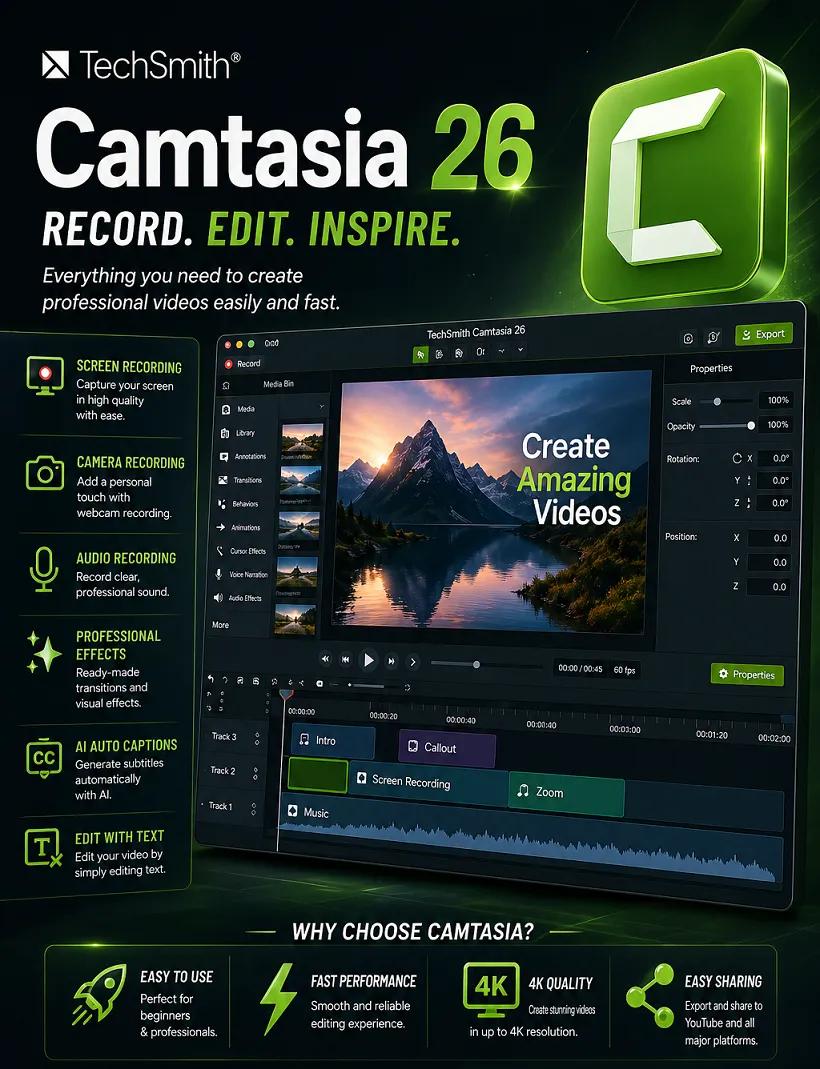
TechSmith Camtasia 26.1.1.16676 (x64) Multilingual | Size: 308.79 MB
Language: English


Start Creating Amazing Videos Today. Make professional-quality videos quickly and easily with Camtasia. Record your screen or upload an existing video, then bring the "Wow!" with effects, music, and much more.

Video software that works for you
Whether you make videos for marketing and sales, internal training, customer success, virtual or in-person learning, demonstrations, social media, or pretty much anything else, Camtasia helps make your vision a reality.

Inspire, educate, and excite your audience
We know that creating videos may seem like a daunting task, especially if you don't have any experience. That's why we created Camtasia - your all-in-one screen recorder and video editing solution. In virtually no time, you can create awesome videos that truly connect with your audience.

Educate
Sharing your knowledge has never been easier! Start by uploading a presentation or existing footage, then capture your screen, camera, and microphone to craft a pro-quality video that makes complex ideas simple, demonstrates a new process, trains people on a new skill, and much more.

Inspire
Ready to "WOW!" your audiences? Camtasia has everything you need to create incredible videos in record time. Easily add pop and pizazz to your videos with effects, transitions, music, and more. Best of all, they're incredibly easy to find, use, and customize, leaving you more time to create.

Excite
Keep your audience focused on the action with text, shapes, animations, and more. Zoom in to highlight details. Draw attention with a customized cursor. Add effects to transition ideas or just add some extra flair. The options are as limitless as your imagination!

Complete video projects up to 40% faster
A great video starts with great audio - and great audio starts with Audiate. Edit your voice over just like text and generate captions automatically. Plus, instantly remove hesitations and all those "ums" and "uhs." You can even edit your video as you edit your audio.

You can with Camtasia
Your video, your way. Camtasia's intuitive interface and drag-and-drop features help anyone create professional-quality video.

The world's most powerful screen recorder
Leave boring screen recordings behind. In addition to high-resolution screen capture, Camtasia records your microphone, system audio, camera, and cursor so you can edit them separately or all at once. Your editing will be faster and easier and the results will be incredible.

Camera
Capture your camera as you record to add personality to your videos. Position your camera video anywhere on the canvas.

Microphone
Great audio is an essential element to your video. Camtasia makes it easy to capture your microphone for crystal-clear voice over.

System Audio
Need to share the sounds generated by your software or computer? Now your viewers can hear what you hear.

Cursor Data
Your mouse cursor can help highlight important features or UX elements. Capture this data to make it easier to edit later.

Make your creative spark a wildfire
Sometimes, getting started on a new video can be intimidating. Fortunately, Camtasia offers hundreds of templates, assets, and text effects to help kindle your creative spark. Making professional looking videos has never been easier!

HOMEPAGE:
Код:
http://www.techsmith.com

FREE DOWNLOAD LINKS:

Код:
https://rapidgator.net/file/fc464d93ec24e6a8012e542698767f82/TechSmith_Camtasia_26.1.1.16676_x64_Multilingual.rar

Код:
https://nitroflare.com/view/5EC06857E35AF07/TechSmith_Camtasia_26.1.1.16676_x64_Multilingual.rar
 

4b987841e92c87d0b6cd6fda1274430e.png


Windows 11 Basic 23H2 Build 22631.6936 Preactivated AnkhTech | Size: 1.55 GB
WPE+ Bootable | Language: English


Introducing Windows 11 Basic 25H2 Modified ISO with a Multi functional/Multi Purpose Boot, provided for very low specs, old hardware. Looks original and native by Microsoft, but very very much faster, performance, speed and stability over the top. It also includes Multi Functional Powerful Boot with professionals programs to help you take and restore backups, test your PC/Laptop Hardware, do disk management tasks, manage your files before installing the windows.

Minimal amount of UWP Apps
- Snipping tool
- Calculator
- Camera
- NotepadPaint
- Photos
- Microsoft Store
- Voice Recorder
- Alarms & Clock

Tweaks
- Reserved Storage disabled
- Fast Startup enabled
- Reduce shutdown time
- Hibernation Disabled
- Dark Theme Enabled by Default

Enabled
- Direct Play
- Legacy Components
- Net framework 3.5 installed

Other features
- System is Stripped down
- Built on Windows 11 25H2 Pro
- No Requirements
- Native Windows 11 Interface
- Sharing files functional
- Printing Functional
- Bitlocker Functional
- Microsoft Store Functional
- Microsoft Games added (Spider solitaire , Minesweeper , etc..)
Footprint after installation : 7.0 GB (Before Compact)
the System is not Compact, you Compact it Using the CMD on Desktop to Lower the Footprint size

Note
AnkhTech uses boot from Windows 7 for their WinPE. If you want to install it on Virtual PC, just choose Windows 7 in the very beginning.

What's New
Updated To Lastest Version

AnkhTech Windows Boot v7 Used

FREE DOWNLOAD LINKS:

Код:
https://rapidgator.net/file/cb08b5d7de6bd46a03bf092320e8e305/Windows_11_Basic_23H2_Build_22631.6936_Preactivated_AnkhTech.rar

Код:
https://nitroflare.com/view/5F9126CE456E732/Windows_11_Basic_23H2_Build_22631.6936_Preactivated_AnkhTech.rar
 
Назад
Сверху Снизу