







All mitsumi'1s Applications !! (updated daily)

6c2bc0cea4d2cac9aed393432e4084ae.jpg


Sante DICOM Editor 10.5.1 | Size: 144.97 MB
Language: English


Sante DICOM Editor is a professional DICOM editor, viewer, anonymizer, converter, dicomizer, PACS client, mini PACS server, patient CD/DVD burner (with viewer) and much more.

The unique viewer
Sante DICOM Editor is not a "yet another DICOM viewer" constructed with freely available libraries such as dcmtk, itk and vtk, like hundreds of other DICOM viewers which differ from each other only in the appearance, menus, panels and dialog boxes. It is a unique program with unique capabilities, designed and developed in-house by us, from the ground up, with the most advanced programming tools and it is the result of research and development on DICOM imaging of the last two decades.

The powerful editor
Sante DICOM Editor is the industry-leading post processing application for DICOM file editing, conversion and handling, it is used by almost all the large corporations and medical equipment manufacturers, and it is the DICOM editor of choice of the greatest universities and hospitals of the world. Among others, it lets the user to edit and modify DICOM files, to add and remove attributes, and even edit and modify sequence attributes.

Features and benefits:
Powerful DICOM workstation, viewer and editor
Perpetual license that never expires.
Free updates and free technical support for product's lifetime
PACS client that supports all the DICOM network services (C-FIND SCU/SCP, C-MOVE SCU/SCP, C-STORE SCU/SCP, C-GET SCU/SCP, C-ECHO SCU/SCP)
It can be used as a mini PACS server as well
(the number of stored patients/studies depends on disk size only)
Command line switches for integration with PACS servers (learn more.)
Support of all charsets (latin, chinese, japanese, korean, cyrillic, arabic, greek, turkish, etc.)
Compatible with all modalities (CT, MR, NM, US, XA, MG, CR etc.), all manufacturers and all DICOM 3.0 and NEMA 2 file types.
Editing and modification of DICOM files (even of sequence attributes)
Simultaneous editing of all DICOM files of a series/study
DICOMDIR editor
Dual monitor support (new in version 6, learn more.)
Structured Report support (new in version 6.3)
Presentation State file editor
Structured Report file editor
Printing to DICOM printers and Windows printers
DICOM to DICOM conversion, DICOM file modification (transfer syntax, image width and height, color depth, frame insertion, removal, sorting, etc.)
Built-in Anonymizer, burned-in annotations removal (Patient data de-identification, suitable as well for avoiding issues with the GDPR regulation 2016/679 of EU)
Built-in Dicomizer: DICOM file creation from video files (avi, wmv) and plain image formats (jpeg, jpeg2000, tiff, bmp, and png)
Ultrasound region calibration module support (calibrated Ultrasound measurements)
Merging of DICOM files
Creation of DICOM CD/DVD disks with viewer
Support of Epson and Primera CD/DVD Disk Publishers (robots)
Contrast Agent Probe

Comparison with Sante DICOM Viewer Pro:
Sante DICOM Editor has all the features of Sante DICOM Viewer Pro plus:
DICOM file editor
Batch modification of headers of DICOM files (insert/modify/delete fields), with use of templates
DICOM to DICOM Converter and DICOM file modification (transfer syntax, image width and height, color depth, frame insertion, removal, sorting, etc.)
Built-in Anonymizer with use of templates (user can define extra fields for anonymizing, and its values, e.g. blank or a specified term like "anonymized")
Built-in Dicomizer: DICOM file creation from any video source and simple image formats (jpeg, jpeg2000, tiff, bmp and png)
Single multi-frame DICOM file creation from multiple DICOM files of the same series
Splitting of a multi-frame DICOM file to multiple single frame DICOM files
Batch conversion of old NEMA 2 or non-Part 10 files to DICOM 3 Part 10 files
Batch conversion of DICOM 3 files to NEMA 2 format
Batch conversion of non-compressed DICOM files to compressed (JPEG, JPEG Lossless)
Batch conversion of compressed DICOM files to a non-compressed DICOM format
Batch anonymizing with use of templates (user can define extra fields for anonymizing and its values, e.g. blank or a specified term like "anonymized")
Batch conversion of simple images (jpeg, tiff, bitmap, gif, png) to single frame or multi-frame DICOM files, with use of templates
Batch conversion of movies (avi files) to multi-frame DICOM files, with use of templates
Contrast Agent Probe
Curved Multi-planar Reconstruction (Curved MPR)

Minimum Requirements:
Windows 11/10/8.1/8/7/Vista or Windows Server 2019/2016/2012/2008 (the program is not compatible with Windows XP or earlier)
Intel Core i3 1.3GHz or greater
4 GB memory or more
Monitor that supports resolution 1366x768 or above, and true color (16M Colors)

HOMEPAGE: Code:
Код:
https://www.santesoft.com/


DOWNLOAD LINKS:


Код:
https://rapidgator.net/file/acfa8539d0d1a37efe8b203824810344/Sante_DICOM_Editor_10.5.1.rar.html

Код:
https://clicknupload.click/75tspa7f53h8/Sante_DICOM_Editor_10.5.1.rar
 
c7cada0c080e2c04a0eaca01ae93ba00.jpg


Sante DICOM Viewer Pro 14.5.1 | Size: 142.1 MB
Language: English


is the most known of our products and one of the most popular DICOM viewers worldwide, with thousands of satisfied users. Sante DICOM Viewer Pro is a viewer, converter, anonymizer for DICOM files, a DICOM CD/DVD burner, a PACS client/mini server, and much more.

Retrieve, view, store, archive, manage and burn medical images
Sante DICOM Viewer Pro is a professional DICOM viewer, anonymizer, converter, PACS client, mini PACS server, patient CD/DVD burner (with viewer) and much more.

The unique viewer
Sante DICOM Viewer Pro is not a "yet another DICOM viewer" constructed with freely available libraries such as dcmtk, itk and vtk, like hundreds of other DICOM viewers which differ from each other only in the appearance, menus, panels and dialog boxes. It is a unique program with unique capabilities, designed and developed in-house by us, from the ground up, with the most advanced programming tools and it is the result of research and development on DICOM imaging of the last two decades. Sante DICOM Viewer Pro has been developed since 1999 and it is one of the most popular professional DICOM viewers worldwide.

Features and benefits
Powerful DICOM workstation and viewer
Perpetual license that never expires.
Free updates and free technical support for product's lifetime
PACS client that supports all the DICOM network services (C-FIND SCU/SCP, C-MOVE SCU/SCP, C-STORE SCU/SCP, C-GET SCU/SCP, C-ECHO SCU/SCP)
It can be used as a mini PACS server as well
(the number of stored patients/studies depends on disk size only)
Command line switches for integration with PACS servers (learn more.)
Easy to use with native Windows "look and feel"
Support of all charsets (latin, chinese, japanese, korean, cyrillic, arabic, greek, turkish, etc.)
On-line, case sensitive help
Compatible with all modalities (CT, MR, NM, US, XA, MG, CR etc.), all manufacturers and all DICOM 3.0 and NEMA 2 file types.
Supports also jpeg, jpeg2000, tiff, png, and bitmap image formats
Dual monitor support (new in version 10, learn more.)
Structured Report support (new in version 10.3)
Built-in DICOM File Editor
Built-in DICOM Multi-File Editor
Full support of DICOMDIRs (view, open, create, edit, image/series selection for viewing or/and for transferring in another folder)
Built-in Anonymizer (Patient data de-identification, suitable as well for avoiding issues with the GDPR regulation 2016/679 of EU)
Scout image/localizer support
Support for Overlays
Study comparison side-by-side
Printing to DICOM printers and Windows printers
Creation of DICOM CD/DVD disks with viewer
Support of Epson and Primera CD/DVD Disk Publishers (robots)
Advanced ROI selection tools (free hand, magic wand, eye-dropper, rectangle, circle, ellipse, polygon)
Statistical analysis of ROIs (pixel count, min value, max value, mean value, standard deviation, area, volume)
Synchronized frame view between the series
Synchronized level-window between the series
Synchronized field of view between the series
Measurement tools (distance, angle, cobb angle, polyline, area, volume)
Ultrasound region calibration module support (calibrated Ultrasound measurements)
Annotation texts and arrows
Interpolated (smooth) zoom and advanced zoom tools (e.g. zoom dynamic, zoom window)
Comparison of DICOM files tag by tag
Built-in Hexadecimal File Editor
Built-in Hexadecimal DICOM Viewer
File searching with criteria (patient name, study ID etc.), within hard disk's or CD's folders
File searching by tag's existence and/or tag's value, within hard disk's or CD's folders
External DICOM dictionary support
Image orientation (flip, rotate)
Image and canvas resizing
Image processing filters (blur, sharpening, convolution masks, min mask, max mask, median mask etc.)
Subtraction filter for DSA
Video (wmv) creation with or without annotations
Batch convert to image formats (JPEG, TIFF, BMP, PNG, etc.)
Batch anonymizing, with ability of burned-in annotations removal
Export DICOM Headers to text files
Orthogonal Multi-planar Reconstruction (MPR)
Easy to use with native Windows "look and feel"

Minimum Requirements:
Windows 11/10/8.1/8/7/Vista or Windows Server 2019/2016/2012/2008 (the program is not compatible with Windows XP or earlier)
Intel Core i3 1.3GHz or greater
4 GB memory or more
Monitor that supports resolution 1366x768 or above, and true color (16M Colors)

HOMEPAGE: Code:
Код:
https://www.santesoft.com/


DOWNLOAD LINKS:


Код:
https://rapidgator.net/file/ec1bf47d86672b8cee0cdc805f70233f/Sante_DICOM_Viewer_Pro_14.5.1.rar.html

Код:
https://clicknupload.click/v4s17drqwoqg/Sante_DICOM_Viewer_Pro_14.5.1.rar
 
8847972f57030af318106bf07ddbc36c.jpg


Scale Photo Up 2.0.20 | Size: 1.56 GB
Language: English


Scale Photo Up - Transform Blurry into Brilliant with AI-Powered Upscaling! Tired of pixelated, low-res footage holding back your creativity? Say goodbye to grainy memories and hello to Scale Photo Up - the game-changing AI software that doubles resolution, enhances details, and smooths out imperfections in images and videos with stunning clarity!

Upscale by 2X - Without Losing Quality!
Turn blurry, low-resolution photos and videos into sharp, high-definition masterpieces. Perfect for breathing new life into old family albums, vintage films, or social media clips.

Unlock Forgotten Content
Discover a treasure trove of previously "unusable" footage-classic movies, archived vlogs, or nostalgic home videos-now crystal clear and ready for modern storytelling.

AI That Reads Between the Pixels
Our advanced neural networks don't just stretch pixels-they intelligently reconstruct missing details, reduce noise, and smooth edges for a natural, ultra-clean finish.

Future-Proof Your Content
In a world where 4K and 8K dominate, don't let low-res hold you back. Remaster old footage to meet today's standards and keep your audience engaged.

Endless Possibilities for Creators
- Remaster Old Films & TV Clips - Give classic scenes a modern HD upgrade for reaction videos, supercuts, or tributes.
- Restore Family Memories - Turn faded, pixelated photos and home videos into vibrant keepsakes.
- Enhance Social Media Gold - Upscale viral but low-quality clips for reposting, memes, or remixes.
- Improve Thumbnails & B-Roll - Make every frame look professional, even if the source wasn't.

"Scale Photo Up" isn't just an enhancer-it's a time machine for your content. Whether you're a filmmaker, YouTuber, TikToker, or just someone who cherishes memories, stop letting low resolution limit what you can create.

System Requirements
Windows 10 version 17763.0 or higher

* NOTE: Software offers standalone operation with no cloud dependency. For optimal performance, an NVIDIA GPU is strongly recommended-enabling significantly faster processing, especially for video processing. While the software remains fully functional on CPU-only systems, processing speeds may vary based on hardware capabilities

HOMEPAGE: Code:
Код:
https://apps.microsoft.com/detail/9n50n7n5w9pj


DOWNLOAD LINKS:


Код:
https://rapidgator.net/file/f82469c784ec78357d3a90f53f295419/Scale_Photo_Up_2.0.20.rar.html

Код:
https://clicknupload.click/jezt6u9kd9l2/Scale_Photo_Up_2.0.20.rar
 
e73235bc669d04a17b8605f21430699f.png


Secret Disk Professional 2026 v329 Multilingual | Size: 3.77 MB
Language: English


Secret Disk can create additional disk on your PC, which can be invisible and locked with a password within one second. You can make your private files and folders invisible and protected. You don't need to format your hard disk or make any changes to boot sector.

Our program will create new disk automatically very quickly. You can make this disk invisible, including all contents, and protect it with a password. You can store any files and folders on the disk. Secret disk works as usual hard disk and compatible with any other programs which you have installed. You can have more than one secret disk and you can also choose disk letter.

In case of power outage or fatal error of OS Windows your secret disk will be locked and become invisible automatically. It happens automatically because information are stored in the virtual memory. Secret Disk does not encrypt any files, it just limits access to your files (you can use password). Software ties virtual disk to your files. This will provide you enough security to hide your files from any person.

Creates additional hidden disk protected with a password
Additional Secret Disk Secret Disk can create additional disk on your PC, which can be invisible and locked with a password within one second. You can make your private files and folders invisible and protected.

Additional Secret Disk
Secret Disk can create additional disk on your PC, which can be invisible and locked with a password within one second. You can make your private files and folders invisible and protected.

Easy And Fast Creation
You don't need to format your hard disk or make any changes to boot sector. Our software will create new disk automatically very quickly. You can make this disk invisible, including all contents, and protect it with a password. You can store any files and folders on the disk. Secret disk works as usual hard disk and compatible with any other software which you have installed. You can have more than one secret disk and you can also choose disk letter.

Clever in Any Situation
In case of power outage or fatal error of OS Windows your secret disk will be locked and become invisible automatically. It happens automatically because information are stored in the virtual memory. Secret Disk does not encrypt any files, it just limits access to your files (you can use password). Software ties virtual disk to your files. This will provide you enough security to hide your files from any person.

Operating System: Windows 7, 8, 10, 11

HOMEPAGE: Code:
Код:
https://privacyroot.com/


DOWNLOAD LINKS:


Код:
https://rapidgator.net/file/a6ddbb427917e074696ebde5e6b12f19/Secret_Disk_Professional_2026_v329_Multilingual.rar.html

Код:
https://clicknupload.click/n51r0hf9af6e/Secret_Disk_Professional_2026_v329_Multilingual.rar
 
5b614473f33c26bcae72cd8afbeb2d4e.png


Secure Delete Professional 2026 v226 Multilingual | Size: 3.22 MB
Language: English


This is very simple but very effective tool to securely erase files and folders. After using this tool selected files and folders will not be available for recovery. We have attached several security options so you can choose level of security that you need (this reflects to the speed of processing).

Convenient interface
You can use this application in 3 ways. First, you can drag and drop files or folders which you want to securely delete to the main window of the software. Second, you can choose needed files or folders by clicking "Add files" link. Or, the third way, you can click any file or folder in Windows Explorer and in the popup menu choose "Send to" and choose "Secure Deleter". That's easy!

Security guaranteed
Don't think that simple interface means lack of quality. No, not in this case. Simple interface was made for newbie users. But inside there are many powerful algorithms for data destruction. Even newbie user can be sure that by using this simple tool he/she will get maximum security.

Operating System: Windows® 10, Windows® 8 / 8.1, Windows® 7

HOMEPAGE: Code:
Код:
https://privacyroot.com/


DOWNLOAD LINKS:


Код:
https://rapidgator.net/file/023c90c846a5098d50dd0ec3c71b6a39/Secure_Delete_Professional_2026_v226_Multilingual.rar.html

Код:
https://clicknupload.click/fk5bo0ritmgk/Secure_Delete_Professional_2026_v226_Multilingual.rar
 
2a1ee96ac972f89416eb5a7b7d5606fd.webp

Free Download Sequence Generator Pro 4.5.0.1663 (x86/x64) | 66 / 66.1 MB
Sequence Generator Pro is an advanced astrophotography image capture and automation application designed to coordinate cameras, telescopes, filters, focus controllers, and other imaging equipment. Its powerful sequencing engine allows users to create complex capture routines, automate equipment operations, and manage long imaging sessions with minimal manual intervention.
Built for astrophotographers who want to spend less time managing equipment and more time capturing the night sky, Sequence Generator Pro combines automated focusing, meridian flips, target centering, mosaic planning, and calibration frame capture in one comprehensive workflow.


Software Overview
Sequence Generator Pro provides flexible sequencing tools for planning and executing astrophotography sessions. Users can combine multiple targets and capture events into customized sequences, including light, dark, bias, and flat frames. Additional events can pause a sequence or park the telescope mount when required.
The equipment profile manager stores configuration settings for different mounts, telescopes, and filter sets. These profiles can be reused when creating new sequences, reducing repetitive setup work across imaging sessions.
The application also includes automated focusing and mount control features. Its autofocus routines use focusing metrics to maintain accurate focus during a session, while automated meridian flips allow imaging to continue after the telescope crosses the meridian.

Key Features
  • Powerful sequencing engine for coordinating complex astrophotography capture sessions.
  • Equipment control for supported CCD cameras, Canon DSLR cameras, color filters, focus controllers, and telescopes.
  • Create customized capture sequences containing light, dark, bias, and flat frames.
  • Add pause and mount parking events to automated sequences.
  • Equipment profiles for storing settings across different mounts, telescopes, and filter configurations.
  • Reuse existing equipment profiles when creating new imaging sequences.
  • Automated focusing with focus metrics designed for deep-sky imaging.
  • Maintain focus during imaging sessions as temperatures change.
  • Automated meridian flips with guiding control, mount repositioning, target centering, and imaging resumption.
  • Flexible focusing rules based on time, frame intervals, temperature changes, or filter changes.
  • Support in-sequence autofocus routines and manual focusing pauses.
  • Automatic target centering using a reference image.
  • Center on specific areas of an existing captured image.
  • Create complex mosaic capture sequences using the optional Framing and Mosaic Wizard add-on.
  • Plan camera framing by downloading target images, adjusting camera rotation, and selecting the desired imaging area.
  • Calibration wizard for determining suitable flat-frame exposure times.
  • Flats wizard for automatically adding flat calibration frames to capture sequences.
  • Dithering between frames with support for PHD, Astroart, and MetaGuide autoguiders.
  • Frame and focus routines with support for subframes and high-speed cameras.
  • Customizable interface with draggable, dockable, and floating modules.
  • More than a dozen configurable interface modules, including PHD graphing, image pan and zoom, and TEC control.
  • User-defined camera TEC cooldown and warm-up routines.
  • Between-frame temperature compensation.
  • Create flat-frame sequences from existing light-frame sequences.
  • Detailed documentation and instructional videos.

Automated Astrophotography Workflow

Sequence Generator Pro helps automate many of the repetitive operations involved in astrophotography. Its sequencing engine coordinates capture events and equipment settings, while autofocus and temperature-based focusing rules help maintain image sharpness throughout a session.
The automated meridian flip feature manages the transition across the meridian by stopping guiding, repositioning the mount, centering the target, restarting guiding, and continuing the sequence. This allows imaging sessions to proceed without requiring manual intervention during the flip.

Target Framing and Mosaic Planning

The target centering tools make it easier to return to a specific imaging position, particularly during multi-night projects or after meridian flips. Users can select a reference image and instruct the mount to center on the desired target or a specific area within an existing image.
For larger imaging projects, the optional Framing and Mosaic Wizard add-on provides tools for planning mosaic layouts. Users can download a target image, adjust the camera angle, select the desired region, and generate a corresponding capture sequence.

System Requirements
  • Operating System: Windows 8, Windows 10, or Windows 11.
  • Available Architectures: 32-bit (x86) and 64-bit (x64).

Home Page

Код:
https://www.sequencegeneratorpro.com/

Product Information
  • Software Name: Sequence Generator Pro
  • Version: 4.5.0.1663
  • Platform: Windows
  • Architecture: x86 / x64
  • Interface Language: English
  • License Type: Full Version
  • File Size: 66 / 66.1 MB
Rapidgator
Код:
https://rapidgator.net/file/82d8b87b8bb9abc4e3ff5392161e6f10/1i29g.Main.Sequence.Software.Sequence.Generator.Pro.v4.5.0.1663.Incl.KeymakerCORE.rar.html
https://rapidgator.net/file/abd3c71179fb5b20825913562da14f5a/1i29g.Main.Sequence.Software.Sequence.Generator.Pro.v4.5.0.1663.x64.Incl.KeymakerCORE.rar.html

Код:
https://clicknupload.click/n68wv9wkt2cm/1i29g.Main.Sequence.Software.Sequence.Generator.Pro.v4.5.0.1663.Incl.KeymakerCORE.rar
https://clicknupload.click/2jv46cw182rk/1i29g.Main.Sequence.Software.Sequence.Generator.Pro.v4.5.0.1663.x64.Incl.KeymakerCORE.rar
 
9446d1a797452cbc355e91a6aa1ae23c.jpg


SoftMaker Office NX Universal rev S1506.1102 Multilingual | Size: 494.16 MB
Language: English


SoftMaker Office NX makes your office work on different operating systems child's play - regardless of whether you use Windows, Mac, Linux, iOS or Android. Use the full range of functions of a modern Office suite on any device and benefit from its outstanding compatibility with Microsoft Office documents wherever you are. SoftMaker Office NX is the best GDPR-compliant alternative to Microsoft Office.

Write: TextMaker
TextMaker lets you create documents of any size in next to no time - whether it's a flyer, brochure, business letter or complete academic paper. Thanks to its native use of the DOCX file format, your documents are compatible with Microsoft Word.

Calculate: PlanMaker
PlanMaker enables you to easily create calculations, worksheets and charts of any complexity - from a simple timetable to the complete financial planning of your company. Thanks to its native use of the XLSX file format, you can directly edit Microsoft Excel files.

Present: Presentations
Create impressive slide shows with Presentations. Thanks to breathtaking animations and slide transitions, you are well-prepared for every presentation. As Presentations uses the PPTX file format natively, document exchange with PowerPoint is completely seamless.

System Requirements: Windows 11, 10, 8, 7 and Windows Server as of 2008 R2

HOMEPAGE: Code:
Код:
http://www.softmaker.com


DOWNLOAD LINKS:


Код:
https://rapidgator.net/file/ef781e569a241fba5dccc5a1e2489be5/SoftMaker_Office_NX_Universal_rev_S1506.1102_Multilingual.rar.html

Код:
https://clicknupload.click/8mbp2inz09v1/SoftMaker_Office_NX_Universal_rev_S1506.1102_Multilingual.rar
 
9e88491329be1f1fd572556f3c457d08.jpg


Spybot Anti-Beacon 6.9 | Size: 28.29 MB
Language: English


Spybot Anti-Beacon for Windows 10 is a small utility designed to block and stop the various tracking (aka telemetry) issues that come with Windows 10.
Seeing the bunch of incomplete or broken scripts to disable tracking in Windows 10, and the tools that install adware or worse in exchange for their function, we wrapped disabling tracking up in a small tool that's free and clean. Might or might not become part of the next Spybot, since it's similar to immunization, but it's needed now, and it's still work in progress as more and more information evolves.

Spybot Anti-Beacon for Windows will disable the following
Telemetry Hosts
Telemetry Services
Consumer Experience Improvements Program
Application Impact Telemetry
Steps Recorder Wi-Fi Sense
Apps using advertising ID
P2P Windows Updates outside local network.

System Requirements: Windows 11, Windows 10

HOMEPAGE: Code:
Код:
https://www.safer-networking.org/


DOWNLOAD LINKS:


Код:
https://rapidgator.net/file/6b5869972e3d0f4cb45abb6c3a99a1dc/Spybot_Anti-Beacon_6.9.rar.html

Код:
https://clicknupload.click/5bp6ttxgxcrw/Spybot_Anti-Beacon_6.9.rar
 
417e4ee3145b58dfe65959c7e1a388f2.png


Steinberg SpectraLayers Pro 13.0.40 (x64) Multilingual | Size: 4.1 GB
Language: English


SpectraLayers delivers audio empowerment by showing sounds as visual objects. You can explore, reach in, take and transform, working wonders on tasks ranging from repairing and restoring audio to freeform sound design. Unmatched selection tools developed over many years are now joined by new artificial intelligence-driven audio extraction and repair processes, making this the most significant version of SpectraLayers yet.

Artificial Intelligence. Sensory Integration.
Looking at audio on a spectrograph display is one thing, but the ability to easily touch, sculpt and shape what you see is what sets SpectraLayers apart. And now you have a skilled, highly trained AI partner that can sense patterns, perform operations and speed you on your way to perfect audio.

A foundation for AI-enhanced processing
The manual selection tools in SpectraLayers allow everything from broad brush editing to microscopic intervention. AI-assisted processes bring even more speed and precision, making the SpectraLayers tool set and layers-based workflow more powerful and flexible than ever.

From pure science to free improvisation
Use AI speed and precision to split a sample into layers and create freeform mixes. Automatically unmix tracks into stems, and stems into component parts. Quickly identify, isolate, and work on the tone, transients and noise signatures of extracted instruments. Do you make experimental music? Get granular and mold sound with surgical precision in SpectraLayers. It's a freeform music creation tool. a genuine musical instrument.

Repair and restore
Find and erase errors and unwanted sounds, reduce noise, repair clips, remove clicks, tame transients and much more - manually or automatically - with the new AI-assisted processes in SpectraLayers. Work with speed and precision, and enjoy the satisfaction as you routinely salvage tracks and perform audio enhancements in ways you never thought possible.

The ARA era
Today's audio production platforms need to work in both the waveform and spectral domains. What engineers want is serious application power, coupled with the flexibility to deliver the best in creative options, accessibility and workflow. Thanks to advanced ARA 2 technology, which is designed to build bridges between audio editing applications, SpectraLayers can be launched inside Nuendo, Cubase and a host of applications from other developers to provide comprehensive, non-destructive visual editing right on the DAW timeline.

Audio refabrication
Use high-precision tools to make super-detailed audio selections on the spectral display. Extract this material to independent layers for processing, in SpectraLayers or anywhere in the DAW ecosystem. Mix and render, or keep your edits preserved on the DAW timeline. With ARA 2 support, you can launch SpectraLayers directly into the Cubase/Nuendo waveform display window for the ultimate in real-time program integration.

Your personal pathway
SpectraLayers delivers AI-assisted spectral editing capabilities and seamless DAW integration. The entry-level Elements edition can perform precise error correction and includes automatic noise and hum reduction processes, as well as selected AI-assisted processes including vocal unmixing. The Pro edition features more comprehensive tools, along with the most sophisticated AI implementation. Now with second-generation AI and enhanced ARA 2 support, SpectraLayers is a standalone powerhouse and a superb extension for Cubase and Nuendo, bringing SpectraLayers magic directly into the DAW timeline.

HOMEPAGE: Code:
Код:
https://new.steinberg.net/


DOWNLOAD LINKS:


Код:
https://rapidgator.net/file/200f02070156af696a98697ff26c0019/Steinberg.SpectraLayers.Pro.v13.0.40..part1.rar.html
https://rapidgator.net/file/70e0049cc5725789deea10b76f8f9b9d/Steinberg.SpectraLayers.Pro.v13.0.40..part2.rar.html
https://rapidgator.net/file/2a9b4e9ea5f4b10ec8fa3a96102b763e/Steinberg.SpectraLayers.Pro.v13.0.40..part3.rar.html
https://rapidgator.net/file/663ddd77cc02cb9464f928f144e724d1/Steinberg.SpectraLayers.Pro.v13.0.40..part4.rar.html
https://rapidgator.net/file/ead51bb04a63c27050e4ed61e8ca7f4a/Steinberg.SpectraLayers.Pro.v13.0.40..part5.rar.html

Код:
https://clicknupload.click/n2kv5voies0z/Steinberg.SpectraLayers.Pro.v13.0.40..part1.rar
https://clicknupload.click/9xdotzylmo74/Steinberg.SpectraLayers.Pro.v13.0.40..part2.rar
https://clicknupload.click/4w6vk6kqmonp/Steinberg.SpectraLayers.Pro.v13.0.40..part3.rar
https://clicknupload.click/n7bbb9bos1ea/Steinberg.SpectraLayers.Pro.v13.0.40..part4.rar
https://clicknupload.click/smjprojfycjb/Steinberg.SpectraLayers.Pro.v13.0.40..part5.rar
 
03f540ee031c9947a1439ed6bcc74fb7.webp

Free Download Synopsys Verdi vY-2026.03 | 23.8 GB
Synopsys Verdi vY-2026.03 is an advanced electronic design automation (EDA) platform for debugging, analyzing, and managing the verification of complex digital designs. It provides engineers with comprehensive tools to understand design behavior, investigate simulation results, automate repetitive debugging tasks, and work across complicated verification environments.


Software Overview

Synopsys Verdi combines design understanding, simulation debug, and verification management in an integrated environment. Its connection to the Fast Signal Database (FSDB) enables engineers to examine simulation waveforms and investigate signal behavior throughout the design and verification process.
The platform supports verification planning, regression execution, and coverage analysis, helping teams manage simulation activities and evaluate verification progress. Its debugging capabilities provide visibility into different stages of digital design workflows, while integrated AI technology assists with automating time-consuming tasks and navigating complex design environments.
Verdi also includes search capabilities that help engineers explore unfamiliar designs by locating module instances, signal references, source-code text, logs, and documentation.

Key Features

  • Advanced Design Debugging: Investigate complex digital design behavior and identify issues across design and verification workflows.
  • Design Understanding: Explore unfamiliar designs and navigate complex design structures more efficiently.
  • FSDB Integration: Connect to the Fast Signal Database for examining simulation data and signal behavior.
  • Verification Management: Support verification planning, simulation regression execution, and coverage analysis.
  • Simulation Debug: Analyze simulation results to gain insight into design behavior and verification activities.
  • AI-Assisted Debugging: Use integrated AI technology to automate difficult and repetitive debugging tasks.
  • Instance Search: Locate design instances when the corresponding module name is known.
  • Signal Search: Find signal instances and references throughout design source code.
  • Text-Based Search: Perform string-based searches across design files, similar to conventional grep functionality.
  • Unified Search: Search across logs, source code, and documentation through a single search workflow.
  • Complex Environment Navigation: Work across diverse design and verification environments using integrated debugging and search tools.

Why Choose Synopsys Verdi?

Synopsys Verdi provides a unified environment for engineers working with complex digital designs and semiconductor verification. By combining design exploration, waveform-related debugging, regression management, coverage analysis, and AI-assisted automation, it helps streamline investigation and verification workflows. Its search tools are particularly useful when working with unfamiliar designs or tracking information across large collections of source files and simulation logs.

System Requirements

  • Operating System: Linux
  • Architecture: x86_64

Home Page

Код:
https://www.synopsys.com/

Product Information

  • Software Name: Synopsys Verdi
  • Version: vY-2026.03
  • Release Year: 2026
  • Platform: Linux
  • Architecture: x86_64
  • Interface Language: English
  • License Type: Full Version
  • File Size: 23.8 GB

verdi_supp_vY-2026.03_aarch64.spf.part00
verdi_supp_vY-2026.03_aarch64.spf.part01
verdi_supp_vY-2026.03_common.spf
verdi_supp_vY-2026.03_linux64.spf.part00
verdi_supp_vY-2026.03_linux64.spf.part01
verdi_supp_vY-2026.03_linux64.spf.part02
verdi_supp_vY-2026.03_linux.spf.part00
verdi_supp_vY-2026.03_linux.spf.part01
verdi_vY-2026.03_aarch64.spf.part00
verdi_vY-2026.03_aarch64.spf.part01
verdi_vY-2026.03_common.spf
verdi_vY-2026.03_linux64.spf.part00
verdi_vY-2026.03_linux64.spf.part01
verdi_vY-2026.03_linux64.spf.part02
verdi_vY-2026.03_linux64.spf.part03
verdi_vY-2026.03_linux.spf.part00
verdi_vY-2026.03_linux.spf.part01
af470ebe19e528df9351bf7b74b2d62e.webp


Rapidgator
Код:
https://rapidgator.net/file/258ffd28c176e4643eea62357df412b2/ph0ez.Synopsys_Verdi_vY_2026_03.part1.rar.html
https://rapidgator.net/file/492f0e6720139847c111da078af2946a/ph0ez.Synopsys_Verdi_vY_2026_03.part2.rar.html
https://rapidgator.net/file/083bb604e67a575585610cc331b16084/ph0ez.Synopsys_Verdi_vY_2026_03.part3.rar.html
https://rapidgator.net/file/ea2104f0f448205f8a257dbfae30e85c/ph0ez.Synopsys_Verdi_vY_2026_03.part4.rar.html
https://rapidgator.net/file/1429a08b67b12ab4212e5ab223f2f907/ph0ez.Synopsys_Verdi_vY_2026_03.part5.rar.html

Код:
https://clicknupload.click/519ninufmol9/ph0ez.Synopsys_Verdi_vY_2026_03.part1.rar
https://clicknupload.click/l0daq9tefv29/ph0ez.Synopsys_Verdi_vY_2026_03.part2.rar
https://clicknupload.click/bxvrp7cpsi7r/ph0ez.Synopsys_Verdi_vY_2026_03.part3.rar
https://clicknupload.click/volhej08yyhs/ph0ez.Synopsys_Verdi_vY_2026_03.part4.rar
https://clicknupload.click/juusvq0patcl/ph0ez.Synopsys_Verdi_vY_2026_03.part5.rar
 
3d54c9c5a06c3d9cc768333ba7d237f2.jpg


SysNucleus WebHarvy 8.5.0.258 | Size: 176.98 MB
Language: English


WebHarvy can easily extract Text, HTML, Images, URLs & Emails from websites, and save the extracted content in various formats.

Easy Web Scraping
Web Scraping is easy with WebHarvy's point and click interface. There is absolutely no need to write any code or scripts to scrape data. You will be using WebHarvy's inbuilt browser to load websites and you can select the data to be extracted with mouse clicks. It is that easy!

Intelligent pattern detection
WebHarvy automatically identifies patterns of data occurring in web pages. So if you need to scrape a list of items (name, address, email, price etc.) from a web page, you need not do any additional configuration. If data repeats, WebHarvy will scrape it automatically.

Save to file or database
You can save the data extracted from websites in a variety of formats. The current version of WebHarvy Web Scraping Software allows you to save the extracted data as an Excel, XML, CSV, JSON or TSV file. You can also export the scraped data to an SQL database.

Crawl multiple pages
Often websites display data such as product listings or search results in multiple pages. WebHarvy can automatically crawl and extract data from multiple pages. Just point out the 'link to load the next page' and WebHarvy Web Scraper will automatically scrape data from all pages.

Submit Keywords
Scrape data by automatically submitting a list of input keywords to search forms. Any number of input keywords can be submitted to multiple input text fields to perform search. Data from search results for all combinations of input keywords can be extracted.

Safeguard Privacy
To scrape anonymously and to prevent the web scraping software from being blocked by web servers, you have the option to access target websites via proxy servers or VPN. Either a single proxy server address or a list of proxy server addresses may be used.

Operating System: Windows 7, 8/8.1, 10, 11

HOMEPAGE: Code:
Код:
https://www.webharvy.com/


DOWNLOAD LINKS:


Код:
https://rapidgator.net/file/ec2e389707e23df860b145e49777a340/SysNucleus_WebHarvy_8.5.0.258.rar.html

Код:
https://clicknupload.click/ryw6hddjzqnt/SysNucleus_WebHarvy_8.5.0.258.rar
 
61141982f2f612940d57d9c047436c04.png


TidyWindow 5.5.4 | Size: 114.4 MB
Language: English


TidyWindow is a Windows desktop assistant that automates developer machine setup, cleanup, diagnostics, package installs, registry tuning, and driver updates -- powered by a WPF shell and resilient PowerShell 7 automation in the background.

Key Capabilities
Essentials repair center (docs/essentials.md): Queue curated automations for networking, Defender, printing, and Windows Update issues. Each task supports dry-run previews, sequential execution, restore-point creation, and detailed transcripts.
Multi-phase cleanup (docs/cleanup.md): Discover clutter with a fast preview, vet selections with risk signals and lock inspection, then delete via recycle-bin-first workflows or schedule recurring sweeps with conservative defaults.
Registry optimizer (docs/registry-optimizer.md): Stage preset or custom tweaks with automatic JSON restore points, 30-second rollback countdowns, baseline tracking, and preset customization alerts.
Install & maintain software (docs/install-hub.md, docs/maintenance.md): Drive winget, Scoop, and Chocolatey flows from a single queue, including automation to keep curated bundles current.
PathPilot & process intelligence (docs/pathpilot.md, docs/known-processes.md): Manage PATH edits safely, monitor running processes, and escalate Threat Watch findings with remediation guidance.
Startup controller (docs/startup-controller.md): Inventory Run/RunOnce, Startup folders, logon tasks, and services with Task-Manager-accurate enabled/disabled states, reversible backups, delay actions, and safety guardrails.
PulseGuard observability (docs/activity-log.md, docs/settings.md): Turn significant Activity Log events into actionable notifications, high-friction prompts, and searchable transcripts while respecting notification preferences.

Safety Systems
Restore-point enforcement: Registry Optimizer, Essentials repairs, and other high-risk flows create restore points on demand and prune older snapshots to stay within disk budgets.
Cleanup guardrails: Protected roots, skip-recent filters, recycle-bin preference, lock inspection, and permission-repair fallbacks prevent accidental data loss.
Sequential automation queues: Essentials and Maintenance flows run one script at a time with cancellation hooks, deterministic logging, and retry policies.
PulseGuard notification gating: Notifications, action alerts, and success digests respect user toggles (CanAdjustPulseGuardNotifications), window focus, and cooldown windows before surfacing prompts.
Activity Log + transcripts: Every automation writes structured entries plus JSON/Markdown reports for audits, with direct "View log" actions in PulseGuard toasts.
PathPilot safeguards: PATH mutations run through validation, diff previews, and rollback checkpoints before touching environment state.

System Requirements : Windows 10,11

HOMEPAGE: Code:
Код:
https://github.com/Cosmos-0118/TidyWindow


DOWNLOAD LINKS:


Код:
https://rapidgator.net/file/69a02a1887e36b77f59f232d0485c383/TidyWindow_5.5.4.rar.html

Код:
https://clicknupload.click/uuwk6zk7bmof/TidyWindow_5.5.4.rar
 
_d3ff53bf1e024153d8e767d6b3711542.jpeg


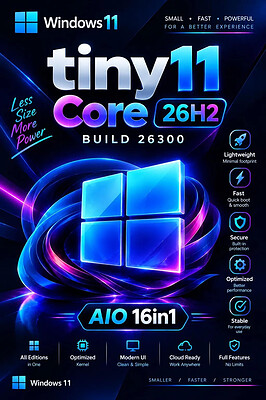
tiny11 Core 26H2 Build 26300.9818 Multilingual Preactivated | Size: 3.64 GB
No TPM | Languages: Arabic,English,German,Greek,French,Spanish,Italian,Portuguese-Portuguese,Portuguese-Brazil,Turkish,Dutch,Czech,Norwegian


Windows 11 version 26H2 also known as the Windows 11 2026 Update,is built on the same servicing foundation as recent Windows 11 releases. It delivers the latest Windows innovations with a streamlined update experience designed to minimize disruption and help you stay secure, productive, and up to date.

For many eligible devices, moving to version 26H2 is as simple as installing a small enablement package, with a minimal download size, quick installation, and a single restart. Version 26H2 enables most of the features that were introduced in monthly updates for Windows 11, version 25H2.

What's new in Windows 11, version 26H2
Windows 11, version 26H2 is the next annual feature update for Windows 11. It builds on the same servicing foundation as Windows 11, versions 25H2 and 24H2, helping organizations adopt the latest release with minimal disruption. Devices running eligible versions of Windows 11 can move to version 26H2 through a small enablement package rather than a full operating system upgrade.

Because Windows 11, versions 26H2, 25H2, and 24H2 share a common servicing branch, many new features and improvements have already been delivered through monthly servicing updates. Version 26H2 enables selected features and resets the support lifecycle for the new release.

Servicing and deployment
Windows 11, version 26H2 provides a familiar update experience

Delivered as an enablement package for eligible devices running Windows 11, versions 25H2 and 24H2.
Fast installation with a single restart in most scenarios.
Reduced validation effort because supported versions share the same underlying platform.
Consistent management, security, and update experiences across supported releases.
Features enabled by default in version 26H2
For commercial organizations, Windows 11, version 26H2 enables capabilities that were introduced previously but controlled through temporary commercial controls.

Windows settings backup
Windows settings backup is now enabled by default for eligible commercial devices. This helps organizations preserve supported Windows settings and Microsoft Store app lists for recovery and device replacement scenarios. Existing administrator-configured policies continue to be honored.

App-specific actions from the taskbar
Windows 11, version 26H2 enables app-specific taskbar actions by default for commercial devices. Users can thus access common actions directly from taskbar experiences.

File Explorer enhancements
Several File Explorer improvements that were previously under temporary commercial controls are enabled by default in Windows 11, version 26H2. These enhancements focus on improving navigation and usability within File Explorer.

What is removed
- Clipchamp
- News
- Weather
- Xbox (although Xbox Identity provider is still here, so it should be possible to be reinstalled with no issues)
- GetHelp
- GetStarted
- Office Hub
- Solitaire
- PeopleApp- PowerAutomate
- ToDo
- Alarms
- Mail and Calendar
- Feedback Hub
- Maps
- Sound Recorder
- Your Phone
- Media Player
- QuickAssist
- Internet Explorer
- Tablet PC Math
- Edge
- OneDrive

For tiny11 core
- all of the above +
- Windows Component Store (WinSxS)
- Windows Defender (only disabled, can be enabled back if needed)
- Windows Update (Windows Update wouldn't work anyway without WinSxS, so enabling it would only put the system in a state where it would try to update but fail spectacularily)
- WinRE

System Requirements
Processor: 2 gigahertz (GHz) or faster.
RAM: 2 gigabyte (GB).
Free space on hard disk: 11 gigabytes (GB).
Graphics card: DirectX 9 graphics device or a newer version.
Additional requirements to use certain features.
To use touch you need a tablet or monitor that supports multitouch.
To access the Windows store to download and run apps, you need an active Internet connection and a screen resolution of at least 1024 x 768 pixels

HOMEPAGE: Code:
Код:
https://www.microsoft.com


DOWNLOAD LINKS:


Код:
https://rapidgator.net/file/49d078fb1178f5b1eae5ddd06552b190/tiny11.Core.26300.9818..part1.rar.html
https://rapidgator.net/file/4141e7d7373d73d8222930e8326be099/tiny11.Core.26300.9818..part2.rar.html
https://rapidgator.net/file/1665df427896c406eabe9872418cf7dc/tiny11.Core.26300.9818..part3.rar.html
https://rapidgator.net/file/6e3fa148da60381f89ae6e9ab550fc05/tiny11.Core.26300.9818..part4.rar.html

Код:
https://clicknupload.click/lz8626gvwvzj/tiny11.Core.26300.9818..part1.rar
https://clicknupload.click/4kvfxcqj42g4/tiny11.Core.26300.9818..part2.rar
https://clicknupload.click/5ow2574buplz/tiny11.Core.26300.9818..part3.rar
https://clicknupload.click/loknzbw0phxr/tiny11.Core.26300.9818..part4.rar
 
9dafc1131e5d46921fe777c7a29bba0d.png


Vivaldi v8.3.4191.30 + Mail + VPN | Size: 152.66 MB
Language: English


Superior Internet/Web Browser plus these features: e-mail, VPN, calendar, contacts, notes, translator.

Vivaldi is Chromium-based. Chromium is the source code of "Google Chrome Browser". But Vivaldi doesn't have any of the negative characteristics of Google Chrome.

You can use the Chrome extensions/add-ons on Vivaldi. Take a look at the extensions available in the 'Chrome Web Store'.

→Vivaldi Mail compared to other e-mail clients. →New:Now Proton VPN, the best VPN service, is integrated into Vivaldi.

We're building the most feature-packed, customizable browser out there.

Built-in features: e-mail client, calendar, contacts, feed reader, webpage translation (108 languages), screen capture (incl. full-page screenshots), ad/tracker blocker, ...

***

Now with Vivaldi Mail
Vivaldi Mail, Calendar, and Feed Reader have arrived, built right into your favorite browser.

Vivaldi Mail makes it easy to manage e-mails from multiple accounts, mailing lists and feeds in a unified inbox.

Stress less, celebrate more! Because your e-mails and schedules are now better organized and in safe hands with Vivaldi Mail.

Vivaldi Mail is our ode to the original, simple, and reliable form of communication. And we hope you will enjoy using it as much as we have enjoyed building it for you.

Enable Vivaldi Mail via "Settings → General → Productivity features → Enable Mail, Calendar and Feeds".

***

Features
• Tab Management
Unique features give you full control of how you group and display browser tabs.

• Customization
Tweak and tune every part of the browser to create your own unique experience.

• User Interface
An adaptive interface lets you adjust the position, size and appearance of the browser's UI elements.

• Navigation
Get to where you're going faster with fully configurable Search options, custom shortcuts and a Bookmark manager fit for power users.

• Privacy and Security
Vivaldi is built with privacy as a priority and gives you full control of settings critical to keeping your data safe.

• Tools
An arsenal of built-in tools like Notes, Image Properties and more give you advanced functionality without sacrificing performance.

• Mouse and Keyboard
Use custom Keyboard Shortcuts, Mouse Gestures or the command line control of Quick Commands. The choice is at your fingertips.

System requirements: Windows 7, 8.1, 10, 11


DOWNLOAD LINKS:


Код:
https://rapidgator.net/file/15172e7611a1ccc5763581fc750c144a/Vivaldi_v8.3.4191.30___Mail___VPN.rar.html

Код:
https://clicknupload.click/vnzvmf4lzwh9/Vivaldi_v8.3.4191.30___Mail___VPN.rar
 
722bc9b1d27858a5d7e6030451f68827.webp

Free Download WindowManager 10.27.4 | 1.3 MB

WindowManager is a Windows utility designed to improve desktop workflow by remembering and restoring the position and size of application windows. It ensures that programs, dialogs, and File Explorer windows open exactly where you want them, eliminating the need to repeatedly rearrange your workspace between sessions.

The software allows users to define custom rules for individual windows, including fixed positions and dimensions. It can also perform advanced actions when a window opens, such as sending keystrokes, entering text, clicking mouse buttons, launching additional programs, or minimizing windows to the system tray.


Software Overview

WindowManager provides comprehensive control over how application windows behave on the Windows desktop. Users can configure individual rules to move, resize, activate, or close windows automatically, as well as create multiple profiles for different working environments.

It also supports multi-monitor setups and enhances the virtual desktop functionality available in Windows 10 and Windows 11. Features such as hotkey-based desktop switching and individual desktop icons help users organize their workspace more efficiently.

Key Features

  • Remember and automatically restore the position and size of program windows.
  • Support application windows, File Explorer windows, dialogs, and other window types.
  • Create custom rules for moving, resizing, activating, or closing windows.
  • Lock window positions and dimensions to keep applications in consistent locations.
  • Perform advanced actions, including typing text, sending keystrokes, and clicking mouse buttons.
  • Launch additional programs when specified windows are opened.
  • Minimize most windows to the system tray.
  • Support multi-monitor configurations.
  • Create and manage multiple workspace profiles.
  • Use a powerful trigger system for automatic profile switching.
  • Switch virtual desktops using hotkeys.
  • Assign individual desktop icons through enhanced virtual desktop support.
  • Configure hotkeys for convenient window management.
  • Provide a workspace-saving workflow, including support for Excel users.
  • Customize window handling rules and behavior.
  • Support silent installation and uninstallation for mass deployment.

Why Choose WindowManager?

WindowManager is useful for users who regularly work with multiple applications, monitors, or virtual desktops. By automatically restoring window layouts and applying custom rules, it reduces repetitive desktop organization tasks and helps maintain a consistent working environment.

System Requirements

  • Operating System: Windows Vista / 7 / 8 / 10 / 11
  • Windows Server
  • Architecture: 32-bit and 64-bit

Home Page

Код:
https://www.desksoft.com/

Product Information

Software Name: WindowManager
Version: 10.27.4
Interface Language: Not specified
License Type: Full Version
File Size: 1.3 MB

Rapidgator
Код:
https://rapidgator.net/file/a0b31bfa29a410670ab44dc475aac6a4/kwk5b.WindowManager.10.27.4.rar.html

Код:
https://clicknupload.click/6wuou5c5nwex/kwk5b.WindowManager.10.27.4.rar
 
f0b7d1b55dff283be8c54eacc2dab6ec.png


XnViewMP 1.12.3 (x64) Multilingual | Size: 68.77 MB
Language: English


XnView MP is the enhanced version of XnView Classic. It is a powerful cross-platform media browser, viewer and converter. Compatible with more than 500 formats.

Unrivaled Compatibility
XnView MP supports more than 500 image formats (including Multipage and animated still formats APNG, TIFF, GIF, ICO, etc..) and export to about 70 different file formats.

Batch Conversion
XnView MP comes with an easy to use yet powerful batch conversion module. This same module also powers XnConvert

And much more.
Virtually all of standard XnView's much loved features have been preserved in XnView MP and many features have actually been tweaked and enhanced.

Operating System: Windows 7, 8/8.1, 10

HOMEPAGE: Code:
Код:
https://www.xnview.com/


DOWNLOAD LINKS:


Код:
https://rapidgator.net/file/5176be7a48d9ed16f558b3e36912b812/XnViewMP_1.12.3_x64_Multilingual.rar.html

Код:
https://clicknupload.click/xooli61gr7em/XnViewMP_1.12.3_x64_Multilingual.rar
 
0dc42a8f9fc746fc5f47341107b4d91b.jpg


YT Downloader 10.7.2 (x64) | Size: 163.48 MB
Language: English


YT Downloader (ex YTD Youtube Downloader) is a simple and easy-to-use video download application. It helps you to download and convert videos from YouTube and hundreds of other video sites. YT Downloader increases your download speeds by up to 500%.

Features
YT Downloader is the easiest and the fastest way to download and convert videos from YouTube and other video sites.

Download videos from YouTube and hundreds of video sites
YT Downloader can download videos from YouTube, Facebook, Dailymotion, Vimeo, Metacafe, and hundreds of other video sites. After downloading your video files, you'll be able to watch them smoothly using any media player, even if you don't have internet access.

Accelerate your downloads
YT Downloader features an advanced download acceleration engine that lets you download videos 500% faster than normal speed.

Download 4K, 2K, HD 1080p and 720p videos from YouTube
You can also download 3D videos from YouTube if they are available.

YouTube to MP3
YT Downloader allows you to download only audio stream from YouTube, and save it as MP3. You don't need to download the entire video file. The audio stream is small, you can download it within seconds.

Download whole playlist from YouTube
Just enter a YouTube playlist ID, YT Downloader will download all or selected videos in the playlist from YouTube for you.

Support drag-and-drop
You can directly drag and drop video link from your browser to the drop box or program window to start a download. You don't even need to copy and paste video URL.

Download multiple videos at a time
YT Downloader supports simultaneous downloads. It allows you to download more than one video at same time and safe time.

Pause and resume downloads
You can pause, resume, or cancel your downloads if you need more connection to perform other important tasks.

Preview videos while downloading
While downloading, you can click the Preview button to play incomplete video and make sure the content you are downloading is really the content of your choice.

Video and audio converter
YT Downloader is also a powerful video/audio converter. It can convert local video/audio files to any format you wish so that they are playable everywhere.

Video to MP3
YT Downloader allows you to extract audio streams from videos and save them as mp3, wav, wma, ac3, ringtone, or other audio format.

Support all popular video and audio formats
YT Downloader allows you to save downloaded videos in any format for any device, so you can watch them smoothly on your PC, iPhone, iPad, Android phone, and other device.

Ready-made presets
YT Downloader provides ready-made presets for all video and audio formats. You can also custom output video/audio format settings.

iTunes compatible
Optionally, YT Downloader can add downloaded video/music to your iTunes library automatically, so you can easily synchronize your videos and music to your iPhone, iPad, iPod.

Media Player
YT Downloader includes a simple and easy-to-use media player. If your Windows Media Player cannot play your video/audio files, you may try our Media Player.

Operating System: Windows 11/10/8/7/Vista/XP/2000

HOMEPAGE: Code:
Код:
http://www.ytdapp.com/


DOWNLOAD LINKS:


Код:
https://rapidgator.net/file/758a547ec45c57ed40cac27dd58bb9de/YT_Downloader_10.7.2_x64.rar.html

Код:
https://clicknupload.click/sb68vwufxgdw/YT_Downloader_10.7.2_x64.rar
 
Назад
Сверху Снизу