All mitsumi'1s Applications !! (updated daily)

a51c513c19bee10072ced41449e7adb6.webp

Free Download Coolutils Total Excel Converter 7.1.0.166 Multilingual | 116.6 Mb
Coolutils Total Excel Converter is a document conversion utility designed for working with spreadsheets and tabular data. It supports Excel files as well as a range of spreadsheet and database-related formats, allowing users to convert source documents into numerous editable, document, web, and data formats.
The software is designed for batch conversion and preserves the layout of the original spreadsheet when generating files in another format. It can also process individual worksheets separately, making it practical when different sheets need to be distributed as separate documents.
Total Excel Converter also provides options for PDF output, including user permissions that can restrict modification or copying. Its format support includes conversion between OpenOffice spreadsheets and Microsoft Excel documents, helping users work with files created by different spreadsheet applications.


Software Overview
Total Excel Converter provides a centralized way to convert spreadsheets and tabular files between a wide range of formats. Supported input formats include Excel, Excel 2007, XLSM, XLT, XLTM, ODS, XML, SQL, WK2, WKS, WAB, DBF, TEX, and DIF.
Output options include DOC, DOCX, PDF, HTML, Access, TXT, ODT, ODS, XML, SQL, CSV, Lotus, DBF, TEX, DIFF, SYLK, and LaTeX. The broad format selection allows converted data to be prepared for document editing, web publishing, database workflows, or further spreadsheet processing.

Key Features
  • Converts Excel and other supported spreadsheet and tabular formats.
  • Processes Excel 2007, XLSM, XLT, XLTM, ODS, XML, SQL, WK2, WKS, WAB, DBF, TEX, and DIF files.
  • Exports spreadsheets to DOC, DOCX, PDF, HTML, Access, TXT, ODT, ODS, XML, SQL, CSV, Lotus, DBF, TEX, DIFF, SYLK, and LaTeX.
  • Preserves the source document layout during conversion.
  • Allows individual worksheets to be converted into separate files.
  • Provides user permission settings when converting Excel documents to PDF.
  • Supports conversion of OpenOffice ODS files to Microsoft XLS documents.

Why Choose Total Excel Converter
Total Excel Converter is useful for users who regularly need to transform spreadsheets into different document or data formats. Its batch conversion workflow reduces the need to process files individually when handling larger collections of tabular documents.
The ability to preserve spreadsheet layout, separate worksheets into individual files, and apply PDF permissions provides additional control over how converted documents are prepared and distributed.

System Requirements
Operating System:Windows 2000/2003/Vista/7/8/10/11

Home Page

Код:
http://www.coolutils.com/

Product Information
  • Software Name: Coolutils Total Excel Converter
  • Version: 7.1.0.166
  • Languages: Multilingual
  • License type: Full Version
  • File Size: 116.6 Mb
Rapidgator
Код:
https://rapidgator.net/file/f15f3ecdd582851f46195d4e7f861be2/es8r4.Coolutils.Total.Excel.Converter.7.1.0.166.Multilingual.rar.html

Код:
https://nitroflare.com/view/113995EEA84DCAA/es8r4.Coolutils.Total.Excel.Converter.7.1.0.166.Multilingual.rar
 
77bd19d1bce6d7e8333d106cd795f190.webp

Free Download CoolUtils Total Image Converter 8.5.0.347 Multilingual | 70.5 Mb
CoolUtils Total Image Converter is an image conversion and processing utility for converting pictures between a wide range of formats. It can also resize, crop, rotate, watermark, frame, and batch-process images, making it suitable for preparing photographs and graphics for different applications.
The software supports common image formats as well as RAW camera files and several less frequently used formats. Batch processing allows multiple images to be handled in one operation, while options for color-space conversion, resizing, cropping, and rotation provide control over the resulting files.
Total Image Converter also includes PDF conversion features, a built-in preview panel, command-line support, and an SDK option for server-based processing without a graphical interface. These functions make it suitable for both routine desktop image preparation and more automated conversion workflows.


Software Overview
Total Image Converter supports a broad selection of input and output image formats, including TIFF, JPEG, JPEG2000, RAW, PNG, BMP, ICO, PSD, TGA, PCX, PCD, and other image file types. Supported RAW formats include CRW, CR2, NEF, PEF, RAF, X3F, RAW, BAY, ORF, NRW, SRF, and MRW.
Images can be converted in batches while applying operations such as resizing, cropping, rotation, framing, and watermarking. The software also provides options for specifying the output color space, including CMYK-to-RGB conversion, and can combine images from folders as part of batch processing.

Key Features
  • Converts images between a wide range of supported formats.
  • Supports TIFF, JPEG, JPEG2000, RAW, PNG, BMP, ICO, PSD, TGA, PCX, PCD, and other image types.
  • Processes multiple images in batch operations.
  • Resizes, crops, and rotates images.
  • Supports CMYK-to-RGB color conversion and output color-space selection.
  • Adds text watermarks, logos, comments, or dates to images.
  • Adds frames to images during batch processing.
  • Supports PDF, TIFF, BMP, PNG, JPEG, JPEG2000, ICO, GIF, PCX, TGA, PXM, PS, and PCL as output formats.
  • Provides support for additional image formats such as PALM, PICT, XPM, and FIX.
  • Includes support for numerous RAW camera photo formats.
  • Provides a Preview panel for viewing files at full size.
  • Allows text watermarks to be placed in the header or footer of output files.
  • Supports PDF permissions, password protection, and digital signatures when creating PDF files.
  • Provides command-line operation for automated conversion tasks.
  • Includes Total Image ConverterX SDK for server-side use without a graphical interface.

Why Choose Total Image Converter
Total Image Converter is designed for users who need more than basic image format conversion. Its combination of batch processing and image preparation tools makes it useful for resizing photographs, changing formats, preparing web images, adding watermarks, and processing collections of files.
Support for RAW camera images and less common formats extends its usefulness when working with files from different sources. Command-line operation and the Total Image ConverterX SDK also provide options for integrating image conversion into automated or server-based workflows.

System Requirements
Operating System: Windows platform

Home Page

Код:
https://www.coolutils.com/TotalImageConverter

Product Information
  • Software Name: CoolUtils Total Image Converter
  • Version: 8.5.0.347
  • Languages: Multilingual
  • License type: Full Version
  • File Size: 70.5 Mb
Rapidgator
Код:
https://rapidgator.net/file/c06596b6680bf2fb5ca705176dde7aa1/i8x2f.CoolUtils.Total.Image.Converter.8.5.0.347.Multilingual.rar.html

Код:
https://nitroflare.com/view/EB3FCB0A960510C/i8x2f.CoolUtils.Total.Image.Converter.8.5.0.347.Multilingual.rar
 
8b8f98a1d2ab1e9136177051ce16bfcf.webp

Free Download Coolutils Total PDF Converter 6.5.0.204 (x64) Multilingual | 268.5 Mb
Coolutils Total PDF Converter is a batch document conversion utility for transforming PDF files into editable documents, spreadsheets, web pages, text files, images, and archival formats. It also handles several related formats, including PS, EPS, PRN, XPS, and OXPS, providing a practical workflow for users who need to process collections of documents.
The software combines a graphical interface with command-line operation for automated processing. It is designed to retain the original document layout during conversion and can perform additional tasks such as combining PDF files, adding pagination, applying text or image watermarks, and extracting images from PDF documents.
Total PDF Converter can also create PDF/A files in batch and convert PostScript documents to PDF. Its support for multi-byte languages makes it suitable for PDF documents containing text from a wide range of writing systems.


Software Overview
Total PDF Converter supports conversion from PDF to DOC, RTF, TIFF, XLS, HTML, EPS, PS, TXT, CSV, PDF/A, and image formats. It can also process PS, EPS, PRN, XPS, and OXPS files, including conversion of PostScript documents to PDF.
Batch processing allows multiple documents to be converted in a single operation. Additional document-processing options include combining PDFs, adding page numbers, applying text or image watermarks, and extracting embedded images from PDF files.
The software does not require Adobe Acrobat for its conversion tasks. Command-line support is available for automated operation, while ActiveX and Server versions provide additional deployment options.

Key Features
  • Converts PDF files to DOC, RTF, TIFF, XLS, HTML, EPS, PS, TXT, CSV, PDF/A, and image formats.
  • Processes PS, EPS, PRN, XPS, and OXPS files.
  • Converts PostScript documents to PDF.
  • Creates PDF/A files in batch.
  • Supports batch PDF conversion.
  • Combines multiple PDF files.
  • Adds pagination to converted documents.
  • Applies text or image watermarks.
  • Extracts images from PDF files.
  • Supports documents containing multi-byte languages.
  • Preserves the original document layout during conversion.
  • Provides command-line support for automated processing.
  • Includes ActiveX and Server versions.

Why Choose Total PDF Converter
Total PDF Converter is suitable for users who regularly need to convert or reorganize PDF documents in batches. Its range of output formats covers common office, spreadsheet, web, text, image, and archival workflows.
The combination of batch conversion, layout preservation, PDF management features, and command-line support makes the software useful for both interactive desktop tasks and automated document-processing environments.

System Requirements
Operating System:Windows 2000/2003/Vista/7/8/10/11

Home Page

Код:
https://www.coolutils.com/

Product Information
  • Software Name: Coolutils Total PDF Converter
  • Version: 6.5.0.204
  • Architecture: x64
  • Languages: Multilingual
  • License type: Full Version
  • File Size: 268.5 Mb
Rapidgator
Код:
https://rapidgator.net/file/994c2739d48d3a5879111e82746ae9f0/pazsc.Coolutils.Total.PDF.Converter.6.5.0.204.x64.Multilingual.rar.html

Код:
https://nitroflare.com/view/05E234F46C0BAA7/pazsc.Coolutils.Total.PDF.Converter.6.5.0.204.x64.Multilingual.rar
 
b707f01aaaacd037b5117e1659dddad1.jpg


CyberLink PhotoDirector Ultra 2027 v18.0.0828.0 | Size: 2.45 GB
Language: English


Premium photo editing software for creative professionals. Create your masterpiece today. Capture. Edit. Retouch. Photo Editing, Now With AI. Split and combine color layers and reveal infinite variations around one theme. Enhance or totally replace the sky. Animate, blend, position, relight, and re-align.

Glitch Effect
Split and combine color layers and reveal infinite variations around one theme.

AI Sky Replacement
Enhance or totally replace the sky. Animate, blend, position, relight, and re-align.

Show Your True Colors
Customize colors with precision tools to edit the world the way you imagined.

Illuminate Photos
Create dreamy effects with Bokeh. Add natural glows, sparkles, or intense bursts of light.

Photo Editing Made Easier With AI
Automatically remove unwanted objects or people for a perfect shot, every time.

Precision Layer Editing
Layer, shape, and blend to create artistic scenes.

Immaculate Photo Retouching
From touch-ups to a complete overhaul, look flawless in every snap.

RAW Power
Support for all professional file formats, and the most popular cameras.

System Requirements
- Microsoft Windows 11, 10, 8/8.1, 7 (64 bit OS only)
- Intel Core™ i-series or AMD Phenom® II and above
- 128 MB VGA VRAM or higher
- 4GB memory required (For AI style transfer, 8GB or above recommended)
- 2GB space required
- 1024 x 768, 16-bit color or above

Supported Languages
- English
- French
- German
- Italian
- Spanish (European)
- Chinese Simplified
- Chinese Traditional
- Japanese
- Korean
- Dutch

HOMEPAGE: Code:
Код:
https://www.cyberlink.com


DOWNLOAD LINKS:


Код:
https://rapidgator.net/file/02222c0399a44dac75e04cf385a9d96f/AI.Modules.18.0.0828.0..rar.html
https://rapidgator.net/file/dbe5f9bd6f4fc1abc34b7018b720787b/PhotoDirector.18.0.0828.0..rar.html

Код:
https://nitroflare.com/view/FEEECC966CA11FB/AI.Modules.18.0.0828.0..rar
https://nitroflare.com/view/94A436F1F439CFF/PhotoDirector.18.0.0828.0..rar
 
431a86d548f8c0f045495a4f3980f9a0.webp

Free Download CyberLink PhotoDirector Ultra 2027 v18.0.0828.0 (x64) Multilingual | 2.44 GB (in total)
CyberLink PhotoDirector Ultra is a comprehensive photo editing application designed for creative professionals and users who need advanced tools for enhancing, retouching, and transforming digital images. It combines conventional editing capabilities with AI-assisted features for tasks such as object removal, sky replacement, and creative image effects.
The application provides tools for color adjustment, layer-based editing, photo retouching, lighting effects, and RAW image processing. Its editing features are designed to give users precise control over individual elements while supporting more extensive creative compositions.


Software Overview

CyberLink PhotoDirector Ultra provides a broad set of image editing and retouching tools for creating and refining photographs. Users can manipulate colors, work with layers and shapes, adjust lighting, and apply creative effects such as Bokeh, glows, sparkles, and light bursts.
AI-assisted functions help simplify several editing tasks, including removing unwanted objects or people and modifying skies. The software also supports professional image formats and RAW files from popular camera systems.

Key Features

  • Glitch Effect: Split and combine color layers to create variations around a single visual theme.
  • AI Sky Replacement: Enhance or replace skies and adjust elements through animation, blending, positioning, relighting, and realignment.
  • Precision Color Editing: Customize image colors using dedicated precision tools.
  • Lighting Effects: Add Bokeh effects, natural glows, sparkles, and stronger bursts of light.
  • AI Object Removal: Automatically remove unwanted objects or people from photographs.
  • Precision Layer Editing: Layer, shape, and blend elements to build artistic compositions.
  • Photo Retouching: Perform basic touch-ups or more extensive image adjustments.
  • RAW Support: Work with professional file formats and RAW images from popular cameras.

Why Choose CyberLink PhotoDirector Ultra

CyberLink PhotoDirector Ultra combines detailed photo editing controls with AI-assisted features that can simplify common retouching and image enhancement tasks. Its range of layer, color, lighting, and retouching tools supports both precise corrections and creative image manipulation.
Support for RAW files and professional image formats also makes the software suitable for workflows involving photographs captured with a wide range of cameras.

System Requirements

  • Microsoft Windows 11, 10, 8/8.1, 7 (64 bit OS only)
  • Intel Core™ i-series or AMD Phenom® II and above
  • 128 MB VGA VRAM or higher
  • 4GB memory required (For AI style transfer, 8GB or above recommended)
  • 2GB space required
  • 1024 x 768, 16-bit color or above

Home Page

Код:
https://www.cyberlink.com

Product Information

  • Software Name: CyberLink PhotoDirector Ultra
  • Version: 18.0.0828.0
  • Architecture: x64
  • Languages: English, French, German, Italian, Spanish (European), Chinese Simplified, Chinese Traditional, Japanese, Korean, Dutch
  • License type: Full Version
  • File Size: 2.44 GB (in total)
Rapidgator
Код:
https://rapidgator.net/file/a462fa697c6d681d9f8981d7a5151998/9xg9n.AI.Modules.18.0.0828.0.rar.html
https://rapidgator.net/file/2924da61acebef6197fbc36301d4d196/9xg9n.PhotoDirector.18.0.0828.0.rar.html

Код:
https://nitroflare.com/view/786AAC8A50D8F37/9xg9n.AI.Modules.18.0.0828.0.rar
https://nitroflare.com/view/E02DFF3925D8B2E/9xg9n.PhotoDirector.18.0.0828.0.rar
 
_74966481aeeb6ebb85a6faa075ce7336.jpeg


CyberLink PowerDirector Ultimate 2027 v25.0.0828.0 | Size: 767.66 MB
Language: English


Award-winning video editing software for professional creators. Create. Edit. Share. Video editing, made for everyone. No experience necessary. Do more, faster with customizable templates. Discover and create attention-grabbing video intros alongside our community of creatives.

Mask & Blend
Layer, shape, and blend to create artistic scenes.

Keyframing
Bring dynamism and energy to your videos with smooth animated effects.

Green Screen
Remove backgrounds and create Hollywood-style special effects.

Motion Tracking
Add text and graphics that follow the motion of objects to elevate your footage.

Let AI Do the Heavy Lifting
Simplify your creative workflow with AI-you'll be amazed at how quickly you finish your projects.

Limitless Possibilities, Right at Your Fingertips
Bring your imagination to life with our wide array of tools to help customize your projects.

LUTs & Color Match
Match color to quickly balance or change the aesthetic of your videos.

Shape Designer
Design all kinds of shapes with auto-fit text and keyframe controls.

Smart Background Music
Automatically tailor background music to fit the length of your footage.

Stream, Create, and Share to Any Platform
Create unique videos worth sharing using stunning video templates, an immersive stock media library, and a powerful live stream and recording studio to captivate and wow your audience.

Move, Capture, Edit, Go!
Create videos that bring back the intensity and adrenaline captured with your action camera, with editing features designed specifically for sports enthusiasts.

Action Cam
- Video Stabilizer
- Lens Correction
- Video Speed Controls
- Zoom and Pan Effects

Multi-Video Tools
- Video Collage Designer
- MultiCam Designer

Speed-Up Your Workflow
With Tools Designed to Simplify Editing

Customized Hotkeys
Use hotkeys to quickly navigate the timeline using a combination of mouse & keyboard.

Undock Media Library & Timeline
Control the look and feel of PowerDirector's interface for a personalized video editing experience.

Nested Projects
Add and edit multiple projects simultaneously in your timeline.

Video Pre-cut
Save pre-cut clips in your library to reuse throughout your projects.

Audio Ducking
Automatically lower the volume of background audio as a narrator begins a voice-over.

Voice-over Recording
Record audio directly into your project to create your next podcast or tutorial video.

Minimum System Requirements

Operating System
Microsoft Windows 11, 10 (64 bit OS only, Windows 11 Arm64 is supported)

Processor (CPU)
- Intel® Core™ i-series (6th generation) and above.
- Intel Haswell (4th generation) processor: Core i7-4770 (only Core and Xeon branded), and above required for AI features.
- AMD Ryzen-series and above
- AMD Phenom® II and above
- AMD A8-7670K and above, AMD Ryzen™ 3 1200 and above required for AI features.
- Qualcomm Snapdragon® 8cx Gen 3
- Qualcomm Snapdragon® X Elite

Graphics Processor (GPU)
- Standard Video: 128 MB VGA VRAM or higher.
- 360-video: DirectX 11 compatible.
- AI Plugin: 2 GB VGA VRAM or higher.
- NVIDIA Audio/Video Denoise and Room Echo Removal: NVIDIA GeForce RTX 2060, NVIDIA Quadro RTX 3000, NVIDIA TITAN RTX, or higher.

Other Requirements
- Memory: 8GB required (16GB or above recommended).
- Hard Disk Space: 7GB
- Burning Device: Burning drive is required for disc burning purpose.
- Sound Card: Windows compatible sound card is required.
- Screen Resolution: 1024 x 768, 16-bit color or above.

Language Support
- English
- French
- German
- Italian
- Spanish (European)
- Chinese Simplified
- Chinese Traditional
- Japanese
- Korean
- Dutch
- Portuguese (Brazilian)

HOMEPAGE: Code:
Код:
https://www.cyberlink.com


DOWNLOAD LINKS:


Код:
https://rapidgator.net/file/602372731986e590a541b97b4ec5bc5e/CyberLink_PowerDirector_Ultimate_2027_v25.0.0828.0.rar.html

Код:
https://nitroflare.com/view/0DF435953686245/CyberLink_PowerDirector_Ultimate_2027_v25.0.0828.0.rar
 
a2f4c382a692bf37e6ba51b178a9294b.webp

Free Download CyberLink PowerDirector Ultimate 2027 v25.0.0828.0 (x64) Multilingual | 767 MB
CyberLink PowerDirector Ultimate is a professional video editing application designed to help creators produce, edit, enhance, and share video content. It combines timeline-based editing tools with effects, compositing features, motion tracking, color adjustment, audio controls, and AI-assisted functions.
The software supports both straightforward editing and more advanced production workflows. Customizable templates, a stock media library, live streaming and recording capabilities, and specialized action camera tools provide additional options for creating different types of video projects.


Software Overview

CyberLink PowerDirector Ultimate provides a broad collection of tools for editing and refining video footage. Users can work with masks and blended layers, animate effects through keyframes, remove backgrounds with green-screen tools, and attach text or graphics to moving subjects using motion tracking.
Additional tools support color matching, shape creation, background music adjustment, project organization, and audio recording. Action camera features include stabilization, lens correction, speed controls, and zoom and pan effects, while multi-video tools provide dedicated options for video collages and multicamera projects.

Key Features

  • Mask & Blend: Layer, shape, and blend visual elements to create customized compositions.
  • Keyframing: Animate effects and create controlled movement throughout a video.
  • Green Screen: Remove backgrounds and create composited scenes.
  • Motion Tracking: Attach text and graphics to moving objects in footage.
  • AI-Assisted Editing: Use AI features to simplify selected video editing tasks.
  • LUTs & Color Match: Balance footage or modify its visual appearance through color tools.
  • Shape Designer: Create shapes with auto-fit text and keyframe controls.
  • Smart Background Music: Automatically adjust background music to match the duration of video footage.
  • Video Templates & Stock Media: Use video templates and stock media for project creation.
  • Live Streaming & Recording: Create, record, and share video content through integrated streaming and recording tools.
  • Action Cam Tools: Stabilize footage, correct lenses, control video speed, and apply zoom and pan effects.
  • Multi-Video Tools: Create video collages and work with multicamera footage.
  • Customized Hotkeys: Use keyboard shortcuts to navigate the timeline efficiently.
  • Undock Media Library & Timeline: Customize the arrangement of the editing interface.
  • Nested Projects: Add and edit multiple projects within the timeline.
  • Video Pre-cut: Save pre-cut clips in the media library for reuse.
  • Audio Ducking: Automatically reduce background audio when narration begins.
  • Voice-over Recording: Record audio directly into video projects.

Why Choose CyberLink PowerDirector Ultimate

CyberLink PowerDirector Ultimate combines core video editing tools with features for compositing, animation, motion tracking, color correction, and audio production. This makes it suitable for workflows ranging from straightforward video projects to more detailed timeline-based editing.
Its specialized action camera and multicamera tools, together with customizable interface controls and project-management features, provide additional flexibility for creators working with different types of footage.

System Requirements

Operating System

Microsoft Windows 11, 10 (64 bit OS only, Windows 11 Arm64 is supported)

Processor (CPU)

  • Intel® Core™ i-series (6th generation) and above.
  • Intel Haswell (4th generation) processor: Core i7-4770 (only Core and Xeon branded), and above required for AI features.
  • AMD Ryzen-series and above
  • AMD Phenom® II and above
  • AMD A8-7670K and above, AMD Ryzen™ 3 1200 and above required for AI features.
  • Qualcomm Snapdragon® 8cx Gen 3
  • Qualcomm Snapdragon® X Elite

Graphics Processor (GPU)

  • Standard Video: 128 MB VGA VRAM or higher.
  • 360-Video: DirectX 11 compatible.
  • AI Plugin: 2 GB VGA VRAM or higher.
  • NVIDIA Audio/Video Denoise and Room Echo Removal: NVIDIA GeForce RTX 2060, NVIDIA Quadro RTX 3000, NVIDIA TITAN RTX, or higher.

Other Requirements

  • Memory: 8GB required (16GB or above recommended).
  • Hard Disk Space: 7GB
  • Burning Device: Burning drive is required for disc burning purpose.
  • Sound Card: Windows compatible sound card is required.
  • Screen Resolution: 1024 x 768, 16-bit color or above.

Home Page

Код:
https://www.cyberlink.com

Product Information

  • Software Name: CyberLink PowerDirector Ultimate
  • Version: 25.0.0828.0
  • Architecture: x64
  • Languages: English, French, German, Italian, Spanish (European), Chinese Simplified, Chinese Traditional, Japanese, Korean, Dutch, Portuguese (Brazilian)
  • License type: Full Version
  • File Size: 767 MB


Rapidgator
Код:
https://rapidgator.net/file/0150f806855edbdf59a1867156683039/5zcnf.CyberLink.PowerDirector.Ultimate.2027.v25.0.0828.0.rar.html

Код:
https://nitroflare.com/view/7E148A26E07C60F/5zcnf.CyberLink.PowerDirector.Ultimate.2027.v25.0.0828.0.rar
 
239f4b9e32eb861b1bfdf6029e829f11.jpg


DxO PhotoLab 10.0.1.153 (x64) Elite Multilingual | Size: 377.17 MB
Language: English


DxO PhotoLab 10 delivers the ultimate RAW editing experience, combining world-leading image science with powerful, intuitive tools.

A workflow designed for photographers
From first import to final export, DxO PhotoLab 10 is designed to keep you focused on the image, not the software. Intelligent automation, responsive tools, and a streamlined editing experience help photographers work faster without sacrificing precision.

Features:

Industry-leading RAW processing
DxO PhotoLab delivers exceptional image quality from the very beginning of the editing process. Advanced RAW processing technologies reduce noise, recover fine detail, and preserve natural color and texture, even in challenging low-light conditions.

DeepPRIME noise reduction
DeepPRIME 3 and DeepPRIME XD3 use advanced machine learning to reduce noise, recover detail, and improve color accuracy directly during RAW conversion. Supported Bayer and X-Trans sensors benefit from exceptional low-light performance while preserving fine textures and natural rendering. Choose automatic settings or fine-tune manually using a large live preview magnifier or 100% zoom.

Lens Sharpness Optimization
Lens Sharpness Optimization automatically adjusts sharpening according to the optical characteristics of each lens. Rather than applying uniform sharpening across the entire image, DxO PhotoLab tailors corrections using DxO Modules for more natural detail and improved edge definition.

DxO optical corrections
DxO Modules automatically apply precise corrections for distortion, vignetting, chromatic aberration, and lens softness based on your camera and lens combination. Thousands of camera-lens combinations have been measured and calibrated in DxO's laboratory to ensure highly accurate corrections.

Color rendering and fidelity
DxO Wide Gamut ensures accurate color throughout the editing workflow. Use Soft Proofing to simulate print and display output using ICC profiles, or create calibrated color profiles with industry-standard color charts for precise color reproduction.

Smart Lighting and ClearView Plus
DxO Smart Lighting balances highlights and shadows to preserve detail across the tonal range. ClearView Plus reduces atmospheric haze while improving local contrast for cleaner, more defined images.

Discover what's new in version 10
Explore the latest additions to DxO PhotoLab 10, from depth-aware masking and advanced color grading to expanded AI-powered local adjustments.

Depth Masks
Target adjustments based on distance from the camera. Create precise foreground, midground, and background selections in seconds, opening up entirely new ways to shape depth and atmosphere.

Color Grading
Fine-tune color with exceptional precision using an intuitive new grading tool. Lock colors together to make coordinated adjustments while preserving the relationships between shadows, midtones, and highlights.

Smarter local adjustments
Select every person in a scene with a single click, target individual facial features, and work more naturally with new Control Brush and elliptical U Point selections.

SYSTEM REQUIREMENTS:

Minimum system configuration:
• Intel® Core™ 10000 series or Intel® Core™ Ultra 7 165H or AMD Ryzen™ with 4 cores
• 16 GB RAM
• 30 GB available disk space
• 1280 x 768 display
• Microsoft® Windows® 10 version 22H2
• Microsoft® Windows® 11 version 24H2 (For AI masks feature)
• For AI Features:
o NVIDIA RTX™ 3000 with 8GB of VRAM with latest drivers
o AMD Radeon RX6000 series with 8GB of VRAM with latest drivers
o Intel ARC with 8GB of VRAM with latest drivers
o Intel® AI Boost for Core™ Ultra

Recommended system configuration:
• Intel® Core™ 10000 series or Intel® Core™ Ultra 7 165H or AMD Ryzen™ with 8 cores
• 32 GB RAM
• 50 GB available disk space
• 1920 x 1080 display
• Microsoft® Windows® 11 version 24H2
• For AI Features:
o NVIDIA RTX™ 4060 Ti 16 GB with latest drivers
o AMD Radeon™ RX 7800 XT 16 GB with latest drivers.

HOMEPAGE: Code:
Код:
https://www.dxo.com/


DOWNLOAD LINKS:


Код:
https://rapidgator.net/file/3209641c3ca3b66e462588fea0d0d418/DxO_PhotoLab_10.0.1.153_x64_Elite_Multilingual.rar.html

Код:
https://nitroflare.com/view/E0FCCFE1A403C31/DxO_PhotoLab_10.0.1.153_x64_Elite_Multilingual.rar
 
d71e43b47313bd10778c824b617dfe2c.webp

Free Download Fast Video Cataloger 10.1.0 (x64) | 132.1 Mb
Fast Video Cataloger is a video cataloging utility designed to organize digital video collections and make individual clips easier to locate. It automatically indexes video files, allowing users to search, browse, and play content without manually checking large numbers of files.
The software is useful for anyone managing extensive video archives, particularly when finding a specific scene would otherwise require reviewing multiple files. Search tools help locate footage based on indexed content, while video thumbnails provide a visual way to navigate through recordings.
Fast Video Cataloger also allows users to enrich videos and individual scenes with metadata, images, and keywords. This provides additional information for organizing and identifying footage within a larger archive.


Software Overview
Fast Video Cataloger creates an indexed catalog of digital video files so that clips can be searched and browsed from a centralized interface. Instead of opening videos individually, users can locate relevant footage through the catalog and access the corresponding scene.
Visual browsing is supported through video thumbnails, making it easier to review archived material and identify the desired section of a recording. Metadata, images, and keywords can also be associated with videos and scenes to improve organization.

Key Features
  • Automatically indexes video files for cataloging and searching.
  • Searches digital video collections for specific footage.
  • Provides browsing and playback of cataloged video files.
  • Uses video thumbnails to help locate specific scenes.
  • Supports visual browsing of archived videos.
  • Allows metadata to be added to videos and scenes.
  • Supports images and keywords for enriching catalog entries.

Why Choose Fast Video Cataloger
Fast Video Cataloger is designed for users who need to manage and search through sizable video archives efficiently. Automatic indexing reduces the need to manually inspect individual files when looking for particular footage.
Its combination of searchable catalogs, visual thumbnails, playback, and metadata tools provides a practical way to organize video collections and identify specific scenes.

System Requirements
Operating System:Windows 7, 8/8.1, 10 (64-bit only)

Home Page

Код:
https://videocataloger.com/

Product Information
  • Software Name: Fast Video Cataloger
  • Version: 10.1.0
  • Architecture: x64
  • Languages: English
  • License type: Full Version
  • File Size: 132.1 Mb
Rapidgator
Код:
https://rapidgator.net/file/fcb35d9327f5cd8caef42245cb31acd5/fvp2b.Fast.Video.Cataloger.10.1.0.x64.rar.html

Код:
https://nitroflare.com/view/660E6DD45D76057/fvp2b.Fast.Video.Cataloger.10.1.0.x64.rar
 
_d101a09c2176da69461c30bf9d922684.jpeg


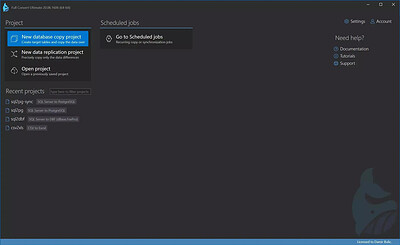
Full Convert Ultimate 26.09.1696 (x64) | Size: 215.57 MB
Language: English


The easiest way to copy your data to another database. We support all popular databases - ancient, modern, file-based, relational, on-premise, cloud databases.

Save time
Our software is battle-tested and highly optimized.

Remove risk
Considering rolling out your own scripts? That's a significant risk of data errors and omissions. Developer time is expensive - use our expertise instead.

Get your job done
Having been on the market since 2004, Full Convert boasts a wealth of highly specialized knowledge that has been incorporated into its remarkably efficient and user-friendly software.

Customize for your needs
Transform the naming, override the data types, cherry-pick what you want to migrate, and much more.

Schedule and run automatically
Copy everything over night, every night. Or, synchronize the changes every 15 minutes. Compare data between source and target tables whenever you wish.

Features
If you're looking for exhaustive list of features in the application, here you go.
Over 40 database engines supported directly with no drivers needed
If we don't support your database directly, we provide ODBC connection you can use
There is no limit to the database and table size. Billions of records supported.
Automatic data type translation to the closest match in the target database
Automatic optimal load mode determined for each table
Customizable data type mapping rules
Customizable schema mapping rules
Customizable casing for tables and columns
Six different logs - summary, errors, warnings, whole SQL, failed SQL, JSON
Custom script and system commands can be run before or after the conversion
Both 32- and 64-bit version applications included
Dedicated console application included
Email notification on conversion in console mode
Table mapping validation
Powerful per-table mapping overriding per-project settings
Custom WHERE expressions to filter the range of data copied
Recreate target tables from scratch or copy the data into existing ones
Automatic translation of common default value expressions
Automatic detection of incompatible default expressions
Quick table de/selection with instant filter and toggle
Built-in scheduler for recurring conversions
Built-in target database browser
Full Unicode support for international character sets
Support for additional enterprise-class databases
Data comparison between the source and the target database
Sophisticated visualization of differences between compared tables
One-way synchronization of data for all tables with primary or unique key defined
Ability to set a custom row comparison key with automatic uniqueness checking
Full support for multi-column row keys
Easy verification of data copied during a standard conversion

HOMEPAGE: Code:
Код:
https://www.fullconvert.com/overview


DOWNLOAD LINKS:


Код:
https://rapidgator.net/file/d883a0faccfa1ad21980ee12530f30f0/Full_Convert_Ultimate_26.09.1696_x64.rar.html

Код:
https://nitroflare.com/view/C63B890FFDC058D/Full_Convert_Ultimate_26.09.1696_x64.rar
 
3814aecef12a8f593426ee1d45d995c1.webp

Free Download Gillmeister Automatic PDF Processor 2.9.1 | 226.4 Mb
Gillmeister Automatic PDF Processor is an automation utility for processing PDF files based on user-defined rules. It can monitor multiple folders and automatically print, rename, move, or copy incoming PDF documents according to their content, metadata, file information, and other criteria.
The software is designed for document-processing workflows where incoming PDFs need to be classified and stored without manual intervention. PDF properties and extracted text can be used to create folder paths and file names dynamically, while profile-specific filters determine which documents should be processed by each rule.
Automatic PDF Processor can also extract data from PDF text and embedded attachments. Extracted information can be validated, formatted, used for document organization, or saved to CSV files. Additional automation options include email notifications, scheduled processing, subsequent program execution, and periodic Excel reports.


Software Overview
Automatic PDF Processor uses monitored folders, also known as hot folders, to detect PDF files and apply predefined processing rules. Users can create individual profiles for different tasks and filter documents using criteria such as document text, PDF metadata, file dates, attachment names or counts, and titles.
The application can dynamically determine storage folders from PDF properties or document content. It can also process existing PDFs in a folder according to user-defined criteria, making it suitable for organizing both newly received and previously stored documents.
Text extraction is optional, with support for creating an unlimited number of extraction rules within a profile. Extracted values can be validated and formatted before being used for file names or folder paths, or exported as CSV data. Embedded PDF attachments can likewise be extracted and stored in designated folders.

Key Features
  • Automatically prints, renames, moves, or copies PDF files.
  • Monitors multiple folders for incoming PDF documents.
  • Creates individual processing rules for different tasks.
  • Filters PDFs using document text, metadata, file dates, attachment names or counts, titles, and other file information.
  • Creates storage folders dynamically from PDF properties or document content.
  • Extracts textual data from PDF documents automatically.
  • Supports unlimited extraction rules within a processing profile.
  • Validates and formats extracted data before using it for file names or folder paths.
  • Exports extracted PDF data to CSV files.
  • Extracts embedded PDF attachments and saves them to selected folders.
  • Sends email notifications about different processing statuses.
  • Restricts automatic processing to selected days and times.
  • Processes existing PDF files according to user-defined criteria.
  • Sorts PDF files automatically into dynamically created folders and subfolders.
  • Runs subsequent programs using the saved PDF or attachment path as a parameter.
  • Supports workflows combining scanning and OCR with subsequent automated document naming.
  • Sends regular Excel reports containing overview and detailed processing information.

Why Choose Automatic PDF Processor
Automatic PDF Processor is suited to businesses and users who handle recurring PDF-based document workflows. Its rule-based processing can reduce manual file handling by automatically determining what should happen to documents as they arrive in monitored folders.
The combination of text extraction, metadata filtering, dynamic folder creation, attachment extraction, notifications, and scheduled processing provides flexibility for structured PDF archiving and document management workflows.

System Requirements
Microsoft Windows 11, 10, 8, 7 or Server (32-bit or 64-bit version)

Home Page

Код:
https://www.gillmeister-software.com/

Product Information
  • Software Name: Gillmeister Automatic PDF Processor
  • Version: 2.9.1
  • Languages: English
  • License type: Full Version
  • File Size: 226.4 Mb
Rapidgator
Код:
https://rapidgator.net/file/f4c5f59b1f1e6c335700da80ae7f29ed/x0mwf.Gillmeister.Automatic.PDF.Processor.2.9.1.rar.html

Код:
https://nitroflare.com/view/F3012A066FD133A/x0mwf.Gillmeister.Automatic.PDF.Processor.2.9.1.rar
 
aa91a83cab0c84b8fc3da10c86fec06d.jpg


GstarCAD Mechanical 2027 Build 20260721 (x64) | Size: 538.38 MB
Language: English


Covering all fields of mechanical design, GstarCAD Mechanical is professional designing and drawing software specially built for manufacturing. No matter what kind of design task you are facing, GstarCAD Mechanical helps to complete your ideas perfectly.

Applicable Industry:
GstarCAD Mechanical serves makers and suppliers of a wide range of manufacturing industries: automobile, electronic and electrical appliances, shipbuilding, aviation and aerospace, equipment, etc, used in daily work by mechanical engineers, mechanical designers, draftsmen, engineering manager, shopfloor workers, quality inspectors, etc.

GstarCAD + Mechanical CAD application tools
-GstarCAD Mechanical includes all the functionality of GstarCAD, plus professional tools to help accelerate your mechanical design works.
-Full data compatibility with ACM
-Fully compatible with ACM, directly open, edit and save ACM drawings.
-Intelligent functionality, simple design
-More than 100 simple and practical designing and drawing tools, plus standardized and intelligent design environment to cut down repetitive works and make your design simple.
-Customizable software configuration
-Customize standards, mechanical symbols, dimensions, features, etc. to build own drawing templates, automate common mechanical drawing tasks to fit with your personal working habits.

System Requirements:
OS:Windows 7 SP1 / Windows 8.1 / Windows 10, 11 (x64)
CPU:64-bit(x64) processor
Memory:64-bit 4GB recommended or higher)
Display:1024 * 768 VGA with True Color (minimum)
Space:1GB free hard disk available or higher(3GB recommended or higher)

HOMEPAGE: Code:
Код:
https://www.gstarcad.net/


DOWNLOAD LINKS:


Код:
https://rapidgator.net/file/c466737a6b66adeea564d8764ab86ccb/x64_20260721.rar.html

Код:
https://nitroflare.com/view/F427EC32D11D469/x64_20260721.rar
 
a7924afbbb66ed86ab3cdef47c6b53d7.jpg


HSX FotoTensor 1.0.20 | Size: 12.48 GB
Language: English


AI portrait and image generation with face enhancement. A Windows AI image studio that generates photos from text prompts and enhances portraits using face processing - all on your own hardware. Your prompts, face photos, and generated images never leave your device.

What HSX FotoTensor does
- Text-to-image generation running entirely on your hardware
- Face-aware portrait enhancement and processing
- Always-on content safety - explicit prompts blocked outright
- Local library index with voluntary report-only feedback

Who it is for
HSX FotoTensor is built for creators who want generative tooling on their own GPU, with no API keys, no queue and nothing metered per use.

It sits in the AI tools part of the catalogue, and your photographs never leave the machine to be processed. There is no server behind HSX FotoTensor to send them to.

Local-first, by design
Plenty of the alternatives send your photographs to a server to be handled. HSX FotoTensor does not. Processing runs on your CPU or GPU, and the photographs you open stay where you put them. The application keeps working with the network switched off.

That is not a setting you enable, it is how HSX FotoTensor is built, which is why there is no account to create and no subscription to lapse. It does ask for a graphics card with at least 6 GB of dedicated memory, because the work it would otherwise send to a server happens on that card instead. Full detail is in the HSX FotoTensor privacy policy.

System Requirements
- Windows 10, Windows 11
- 6 GB+ dedicated VRAM

HOMEPAGE: Code:
Код:
https://hasnainstudiox.com/apps/hsx-fototensor.html


DOWNLOAD LINKS:


Код:
https://rapidgator.net/file/93418609997623daad2d49a868e2e628/HSX.FotoTensor.1.0.20..part1.rar.html
https://rapidgator.net/file/1a6c8b3650d0dfd925c582217b6fe6a3/HSX.FotoTensor.1.0.20..part2.rar.html
https://rapidgator.net/file/ec756e6a888d0cce7772933c9f0831c9/HSX.FotoTensor.1.0.20..part3.rar.html
https://rapidgator.net/file/9e527a953d1bdb101b2a11cf78e05e99/HSX.FotoTensor.1.0.20..part4.rar.html

Код:
https://nitroflare.com/view/C1BDB4B8BB1461D/HSX.FotoTensor.1.0.20..part1.rar
https://nitroflare.com/view/2055C418F0A569F/HSX.FotoTensor.1.0.20..part2.rar
https://nitroflare.com/view/DDE9E40276CBFD8/HSX.FotoTensor.1.0.20..part3.rar
https://nitroflare.com/view/5684D2812954A97/HSX.FotoTensor.1.0.20..part4.rar
 
11d9cdf9e05858093cbc120bb20e71df.jpg


HSX InfiniteGen Studio 1.0.7 | Size: 4.09 GB
Language: English


Unlimited on-device AI image and clip creation. A local-first creative engine for Windows. HSX InfiniteGen Studio generates images and clips on your own graphics card, keeps a local library of everything you make, and never sends a prompt or frame off the device.

What HSX InfiniteGen Studio does
- Image and clip generation on your own GPU
- Local library index with thumbnails, no cloud sync
- Output folder, theme and accent under your control
- No telemetry, no account, no server of any kind

Who it is for
HSX InfiniteGen Studio is built for creators who want generative tooling on their own GPU, with no API keys, no queue and nothing metered per use.

It sits in the AI tools part of the catalogue, and your photographs never leave the machine to be processed. There is no server behind HSX InfiniteGen Studio to send them to.

Local-first, by design
Plenty of the alternatives send your photographs to a server to be handled. HSX InfiniteGen Studio does not. Processing runs on your CPU or GPU, and the photographs you open stay where you put them. The application keeps working with the network switched off.

That is not a setting you enable, it is how HSX InfiniteGen Studio is built, which is why there is no account to create and no subscription to lapse. It does ask for a graphics card with at least 4 GB of dedicated memory, because the work it would otherwise send to a server happens on that card instead. Full detail is in the HSX InfiniteGen Studio privacy policy.

System Requirements
- Windows 10, Windows 11
- 4 GB+ dedicated VRAM

HOMEPAGE: Code:
Код:
https://hasnainstudiox.com/apps/hsx-infinitegen-studio.html


DOWNLOAD LINKS:


Код:
https://rapidgator.net/file/65e0283f826b5b643303f5030e6c0324/HSX_InfiniteGen_Studio_1.0.7.part1.rar.html
https://rapidgator.net/file/430591d8ce4878ec398e41e35e998b16/HSX_InfiniteGen_Studio_1.0.7.part2.rar.html
https://rapidgator.net/file/8260f122033337069738aea4cbd14c40/HSX_InfiniteGen_Studio_1.0.7.part3.rar.html

Код:
https://nitroflare.com/view/971600F7B60E9F7/HSX_InfiniteGen_Studio_1.0.7.part1.rar
https://nitroflare.com/view/25B1A70C659D842/HSX_InfiniteGen_Studio_1.0.7.part2.rar
https://nitroflare.com/view/6DD17F25E3A850A/HSX_InfiniteGen_Studio_1.0.7.part3.rar
 
12c86e47cb84e80b8d82bbb861fab946.jpg


HSX Nostalgicel 1.0.0 | Size: 3.44 GB
Language: English


Restore the soul of classic anime, offline. A local-first retro anime image generator for Windows. Work in eight authentic anime eras with five layered preset looks, describe what you want in plain words while the app supplies the trigger words for you, or turn a photograph you already have into cel-shaded artwork. Framing, lighting and mood are controls rather than prompt syntax, and every frame is rendered on your own graphics card.

What HSX Nostalgicel does
- Eight authentic retro anime eras with five layered preset looks
- Plain words, no prompt jargon - trigger words supplied automatically
- Turn any photograph into cel-shaded artwork
- Framing, lighting and mood controls

Who it is for
HSX Nostalgicel is built for creators who want generative tooling on their own GPU, with no API keys, no queue and nothing metered per use.

It sits in the AI tools part of the catalogue, and your photographs never leave the machine to be processed. There is no server behind HSX Nostalgicel to send them to.

Local-first, by design
Plenty of the alternatives send your photographs to a server to be handled. HSX Nostalgicel does not. Processing runs on your CPU or GPU, and the photographs you open stay where you put them. The application keeps working with the network switched off.

That is not a setting you enable, it is how HSX Nostalgicel is built, which is why there is no account to create and no subscription to lapse. Full detail is in the HSX Nostalgicel privacy policy.

System Requirements
- Windows 10, Windows 11
- 4 GB+ dedicated VRAM

HOMEPAGE: Code:
Код:
https://hasnainstudiox.com/apps/hsx-nostalgicel.html


DOWNLOAD LINKS:


Код:
https://rapidgator.net/file/4a8e08262d0dbbeb771251566b5ec5df/HSX_Nostalgicel_1.0.0.part1.rar.html
https://rapidgator.net/file/38f8a8ffbc18ec3383e573a4cd946d24/HSX_Nostalgicel_1.0.0.part2.rar.html

Код:
https://nitroflare.com/view/CB23A56C6AE8E10/HSX_Nostalgicel_1.0.0.part1.rar
https://nitroflare.com/view/DE761B23300F7B0/HSX_Nostalgicel_1.0.0.part2.rar
 
5bc9f607ce9c7d84e8b33c6d05f43d8b.jpg


HSX StudioFlow 1.5.0 | Size: 4.79 GB
Language: English


Local AI image studio powered by your own GPU. A local AI image studio for Windows with GPU-accelerated generation. Create, upscale, and batch-export images entirely on your own hardware - no cloud upload, no API keys, no subscription.

What HSX StudioFlow does
- GPU-accelerated AI image generation on your own hardware
- Upscale and enhance existing images locally
- Batch export with custom naming templates
- No API keys, no internet connection required

Who it is for
HSX StudioFlow is built for creators who want generative tooling on their own GPU, with no API keys, no queue and nothing metered per use.

It sits in the AI tools part of the catalogue, and your photographs never leave the machine to be processed. There is no server behind HSX StudioFlow to send them to.

Local-first, by design
Plenty of the alternatives send your photographs to a server to be handled. HSX StudioFlow does not. Processing runs on your CPU or GPU, and the photographs you open stay where you put them. The application keeps working with the network switched off.

That is not a setting you enable, it is how HSX StudioFlow is built, which is why there is no account to create and no subscription to lapse. It does ask for a graphics card with at least 4 GB of dedicated memory, because the work it would otherwise send to a server happens on that card instead. Full detail is in the HSX StudioFlow privacy policy.

System Requirements
- Windows 10, Windows 11
- 4 GB+ dedicated VRAM

HOMEPAGE: Code:
Код:
https://hasnainstudiox.com/apps/hsx-studioflow.html


DOWNLOAD LINKS:


Код:
https://rapidgator.net/file/b7ad69e38d1df237f3354b8f815c799e/HSX_StudioFlow_1.5.0.part1.rar.html
https://rapidgator.net/file/c4a47b7c76f276aa5a0843d44425077d/HSX_StudioFlow_1.5.0.part2.rar.html
https://rapidgator.net/file/1a7a98f11a75d3c5e2d54d0a2189ec25/HSX_StudioFlow_1.5.0.part3.rar.html

Код:
https://nitroflare.com/view/A69F7AAA4800E9E/HSX_StudioFlow_1.5.0.part1.rar
https://nitroflare.com/view/1A8E384BF708229/HSX_StudioFlow_1.5.0.part2.rar
https://nitroflare.com/view/B9992AB63394AF6/HSX_StudioFlow_1.5.0.part3.rar
 
Назад
Сверху Снизу