All mitsumi'1s Applications !! (updated daily)

3fbfee9a3797a8721813a39fc1c4f44f.webp

TechSmith Snagit 2026.2.0 Multilingual Fast Links | macOS | 196 mb
TechSmith Snagit is a powerful screen capture and recording tool that makes it easier than ever to collect and share information. With intuitive editing features and access to a library of templates, anyone can transform simple captures into professional-quality images, GIFs, and videos.


Share information like never before
Snagit lets vou quickly capture vour screen and camera at the same time and instantly share your video anywhere. Give status updates, deliver feedback, or demonstrate a process without a meeting, call, or long email.
Bring your ideas to life
Adding context to your screen captures is a breeze with Snagit's full suite of easy-to-use editing tools. Redact sensitive information, rearrange objects, and even draw on your screen while you record a video.
Work and share from anywhere
Snagit's cloud librarv helps vou keep vour captures organized and accessible from multiple devices. Instantly share your images, videos, and GIFs via the apps you already use every day.
Key Features:
Screen Draw
Picture-in-Picture video
One-click share a link
Create video from images
Encourage team conversation
Compatibility: macOS 15.0 or later

Rapidgator
Код:
https://rapidgator.net/file/9a017fe4b57249922b6b340caa581ab6/2mt5j.TechSmith.Snagit.2026.2.0.dmg.html

Код:
https://nitroflare.com/view/5A11B00D92C3880/2mt5j.TechSmith.Snagit.2026.2.0.dmg
 
a281a106738555f7edab0d04596caa6e.jpg


Capture One Pro / Enterprise 16.8.0.3565 (x64) Multilingual | Size: 1.52 GB
Language: English


Capture One - powerful photo editing on desktop. Superior image quality and true-to-life colors thanks to tailored profiles for nearly 600 camera models and lenses. Lightning-fast tethered shooting and precise photo editing tools. An interface you can personalize for a faster workflow.

True-to-life colors and superb image quality
Get incredible color accuracy and image quality right from the start. Our powerful RAW converter is customized for nearly?600 camera profiles?and over 700 lenses. Thanks to this, our true-to-life color processing?gives you even more vibrant images - so you can spend less time tweaking and deliver even better results.

Lightning-fast tethered shooting
Shoot directly into your computer with lightning-fast tethering for a quick and more efficient workflow. Get a full screen view of your images within seconds, letting you quality control shots in the moment with teams or clients and make the changes you need on set right then and there. With Live View, you can see what your camera sees from your screen, have full control of your camera settings from your computer, and organize images immediately from the get-go.

Get even more space to create with no cords holding you back with Wireless Tethering - available for select Canon and Nikon cameras.

Work quicker with speedy tools
Cull quickly by browsing images with zero delay. Easily choose your top selects by getting an overview of similar shots that are automatically grouped together. Edit with tools that do the work for you. Features like Smart Adjustments let you cut down on editing time with AI-driven adjustments that give you a similar look across photos shot under different lighting conditions by auto adjusting Exposure and White Balance specific to each photo.

Make rapid changes and set your own shortcut keys with Speed Edit, meaning you never need to take your eyes off your image to adjust sliders, letting you edit a single image or make batch edits even faster.

Collaborate quickly with clients around the world
Remote collaboration is made easier with Capture One Live, our timesaving collab tool that lets you get instant feedback from teams and clients anywhere. By sharing images from your photoshoot with a simple link, they can view, comment, rate, and color tag photos directly on any device without needing to download a single file - no third-party software or emailing large files back and forth needed.

The power of Capture One for a studio photographer
Lagos-born, Atlanta-based photographer Daniella Almona works to highlight blackness in all forms in her work. Playing with highly saturated tones in backdrops, clothes, and make-up to bring out her subjects' features, Capture One Pro is key to Daniella's workflow, including her culling and editing processes, control of color, and more.

New in Capture One Pro

Faster Culling
Cull your images even faster. Rate and tag images directly in the importer or using the dedicated cull view once your images are already in Capture One Pro. Get an easier overview of similar images with automatic group view, letting you choose your top selects even quicker. Plus, instant browsing allows you to click through your images with zero delay.

Smart Adjustments
Reduce editing time massively with Smart Adjustments. Get a similar look across photos that are shot under different lighting conditions by automatically adjusting Exposure and White Balance - optimized for portraits, weddings, or other jobs featuring people.

Layers In Styles
Have more control over editing and full flexibility over your Style workflow with the ability to include Layers in Styles. Apply your edits to multiple Layers from a single Style, allowing for easy opacity control and versatility. Save your own Styles with Layers in them or get layered versions of Capture One Style Packs.

Change Capture Time
Ensure accurate order of photos for easier culling by changing capture time. When shooting with two or more cameras that are out of sync or capture time is set to the wrong time zone, easily adjust the time on each image so they appear chronologically. Culling is made easier by being presented with all images from certain moments or similar shots in the right order.

Variants in Albums
Easily sort different variants of the same image into separate albums, allowing for more efficient photo organization.

Microsoft Windows minimum requirements:
Intel Core i3 (1st generation) or AMD Jaguar Family
8 GB of RAM
10 GB of free hard disk space
Calibrated monitor with 1280x800, 24-bit resolution at 96dpi
Windows 10 64-bit (builds from 1607 to 22H2) or Windows 11

HOMEPAGE: Code:
Код:
https://www.captureone.com/


DOWNLOAD LINKS:


Код:
https://rapidgator.net/file/71283dac4bdf1fe910ae9066cbd5b44d/Capture_One_Pro__Enterprise_16.8.0.3565_x64_Multilingual.rar.html

Код:
https://nitroflare.com/view/DBB54D87B7C4503/Capture_One_Pro__Enterprise_16.8.0.3565_x64_Multilingual.rar
 
5f8080609ecf5c802b0385ffda8f8634.webp

Capture One Pro / Enterprise 16.8.0.3565 (x64) Multilingual Portable Fast Links | 3.5 GB
Capture One - powerful photo editing on desktop. Superior image quality and true-to-life colors thanks to tailored profiles for nearly 600 camera models and lenses. Lightning-fast tethered shooting and precise photo editing tools. An interface you can personalize for a faster workflow.


True-to-life colors and superb image quality
Get incredible color accuracy and image quality right from the start. Our powerful RAW converter is customized for nearly?600 camera profiles?and over 700 lenses. Thanks to this, our true-to-life color processing?gives you even more vibrant images - so you can spend less time tweaking and deliver even better results.
Lightning-fast tethered shooting
Shoot directly into your computer with lightning-fast tethering for a quick and more efficient workflow. Get a full screen view of your images within seconds, letting you quality control shots in the moment with teams or clients and make the changes you need on set right then and there. With Live View, you can see what your camera sees from your screen, have full control of your camera settings from your computer, and organize images immediately from the get-go.
Get even more space to create with no cords holding you back with Wireless Tethering - available for select Canon and Nikon cameras.
Work quicker with speedy tools
Cull quickly by browsing images with zero delay. Easily choose your top selects by getting an overview of similar shots that are automatically grouped together. Edit with tools that do the work for you. Features like Smart Adjustments let you cut down on editing time with AI-driven adjustments that give you a similar look across photos shot under different lighting conditions by auto adjusting Exposure and White Balance specific to each photo.
Make rapid changes and set your own shortcut keys with Speed Edit, meaning you never need to take your eyes off your image to adjust sliders, letting you edit a single image or make batch edits even faster.
Collaborate quickly with clients around the world
Remote collaboration is made easier with Capture One Live, our timesaving collab tool that lets you get instant feedback from teams and clients anywhere. By sharing images from your photoshoot with a simple link, they can view, comment, rate, and color tag photos directly on any device without needing to download a single file - no third-party software or emailing large files back and forth needed.
The power of Capture One for a studio photographer
Lagos-born, Atlanta-based photographer Daniella Almona works to highlight blackness in all forms in her work. Playing with highly saturated tones in backdrops, clothes, and make-up to bring out her subjects' features, Capture One Pro is key to Daniella's workflow, including her culling and editing processes, control of color, and more.
New in Capture One Pro
Faster Culling
Cull your images even faster. Rate and tag images directly in the importer or using the dedicated cull view once your images are already in Capture One Pro. Get an easier overview of similar images with automatic group view, letting you choose your top selects even quicker. Plus, instant browsing allows you to click through your images with zero delay.
Smart Adjustments
Reduce editing time massively with Smart Adjustments. Get a similar look across photos that are shot under different lighting conditions by automatically adjusting Exposure and White Balance - optimized for portraits, weddings, or other jobs featuring people.
Layers In Styles
Have more control over editing and full flexibility over your Style workflow with the ability to include Layers in Styles. Apply your edits to multiple Layers from a single Style, allowing for easy opacity control and versatility. Save your own Styles with Layers in them or get layered versions of Capture One Style Packs.
Change Capture Time
Ensure accurate order of photos for easier culling by changing capture time. When shooting with two or more cameras that are out of sync or capture time is set to the wrong time zone, easily adjust the time on each image so they appear chronologically. Culling is made easier by being presented with all images from certain moments or similar shots in the right order.
Variants in Albums
Easily sort different variants of the same image into separate albums, allowing for more efficient photo organization.
Microsoft Windows minimum requirements:
Intel Core i3 (1st generation) or AMD Jaguar Family
8 GB of RAM
10 GB of free hard disk space
Calibrated monitor with 1280x800, 24-bit resolution at 96dpi
Windows 10 64-bit (builds from 1607 to 22H2) or Windows 11
Home Page-
Код:
https://www.captureone.com/

Rapidgator
Код:
https://rapidgator.net/file/a84d91ae27a90431ccf9318927a158d7/62942.Capture.One.Pro..Enterprise.16.8.0.3565.Portable.rar.html

Код:
https://nitroflare.com/view/D0AFF647133B72C/62942.Capture.One.Pro..Enterprise.16.8.0.3565.Portable.rar
 
694f3428eaa477e617f63683996edacd.jpg


Chaos Corona 15 for 3ds Max (x64) | Size: 1.1 GB
WiN x64 | 3ds Max 2018 - 2027 | Language: English


Unmatched photorealism with Chaos Corona. Create stunning architectural visualization effortlessly. Be an artist, not a technician, and achieve photorealism with ease.

Learn Corona in a day, fall in love with it in two.
Less technical setup. More creative momentum.
Beautiful renders from the start
Smart defaults that keep you moving
An intuitive, artist-friendly workflow
Powerful tools like Gaussian splats, Tile Map, procedural clouds, Scatter, and LightMix
Interactive rendering for fast creative decisions

Polish your renders to perfection. Because "good enough" doesn't cut it.
Achieve lighting and realism that feel natural.
Physically accurate CPU rendering for interior, exterior, and product visualization
Industry-standard PBR materials
Precise camera controls and advanced lighting
Built-in post-processing tools
Realistic caustics for convincing reflections and refractions.

Everything you need to build lifelike scenes faster.
Build emotion, realism, and storytelling into every frame.
20,000+ high-quality Chaos Cosmos assets and beautiful HDRI skies
3,100+ ultra-realistic, editable scanned materials
Advanced scattering to populate your scenes in an instant
Animated people, crowds, and traffic with Anima
Cinematic animations and fly-throughs

AI that supports your creative flow.
From concept to final polish - AI when you need it, control when it matters.
Generate concepts, styles, and material variations from VFB shots
Turn any real-world surface photo into a PBR material.
Enhance people, foliage, terrains and large surfaces automatically
Create instant animations from still images
Upscale 2x or 4x and refine in one click

Real-time meets photoreal.
Strike the perfect balance between speed and quality at every stage of your project.
Explore your scene in real-time with Corona to Chaos Vantage Live Link
Get immediate feedback on lighting, materials, and compositions
Navigate complex scenes smoothly in real time
Speed up reviews, iterations, and approvals

What's New
Updates: official site does not provide any info about changes in this version.

System Requirements
Windows: 64-bit Microsoft Windows 10 or newer
Installation requires administrator privileges

HOMEPAGE: Code:
Код:
https://corona-renderer.com/


DOWNLOAD LINKS:


Код:
https://rapidgator.net/file/e9d19d78876c03304d5579688e655cbb/Chaos_Corona_15_for_3ds_Max_x64.rar.html

Код:
https://nitroflare.com/view/E266D6B95AE63BC/Chaos_Corona_15_for_3ds_Max_x64.rar
 
b071b147ea3000f91cd93d2f81a0c108.jpg


Chaos Corona 15 for Cinema 4D (x64) | Size: 1013.07 MB
Language: English


Unmatched photorealism with Chaos Corona. Create stunning architectural visualization effortlessly. Be an artist, not a technician, and achieve photorealism with ease.

Learn Corona in a day, fall in love with it in two.
Less technical setup. More creative momentum.
Beautiful renders from the start
Smart defaults that keep you moving
An intuitive, artist-friendly workflow
Powerful tools like Gaussian splats, Tile Map, procedural clouds, Scatter, and LightMix
Interactive rendering for fast creative decisions

Polish your renders to perfection. Because "good enough" doesn't cut it.
Achieve lighting and realism that feel natural.
Physically accurate CPU rendering for interior, exterior, and product visualization
Industry-standard PBR materials
Precise camera controls and advanced lighting
Built-in post-processing tools
Realistic caustics for convincing reflections and refractions.

Everything you need to build lifelike scenes faster.
Build emotion, realism, and storytelling into every frame.
20,000+ high-quality Chaos Cosmos assets and beautiful HDRI skies
3,100+ ultra-realistic, editable scanned materials
Advanced scattering to populate your scenes in an instant
Animated people, crowds, and traffic with Anima
Cinematic animations and fly-throughs

AI that supports your creative flow.
From concept to final polish - AI when you need it, control when it matters.
Generate concepts, styles, and material variations from VFB shots
Turn any real-world surface photo into a PBR material.
Enhance people, foliage, terrains and large surfaces automatically
Create instant animations from still images
Upscale 2x or 4x and refine in one click

Real-time meets photoreal.
Strike the perfect balance between speed and quality at every stage of your project.
Explore your scene in real-time with Corona to Chaos Vantage Live Link
Get immediate feedback on lighting, materials, and compositions
Navigate complex scenes smoothly in real time
Speed up reviews, iterations, and approvals

What's New
Updates: official site does not provide any info about changes in this version.

System Requirements
Windows: 64-bit Microsoft Windows 10 or newer
Installation requires administrator privileges

HOMEPAGE: Code:
Код:
https://corona-renderer.com/


DOWNLOAD LINKS:


Код:
https://rapidgator.net/file/d631f08ec39b4dd3e7769dccdd3a0329/Chaos_Corona_15_for_Cinema_4D_x64.rar.html

Код:
https://nitroflare.com/view/CA0603C475AA507/Chaos_Corona_15_for_Cinema_4D_x64.rar
 
e5875897ae42b3007e1f2ec56b4babca.jpg


Chaos Enscape 4.18.1.1579 (x64) | Size: 767.89 MB
Language: English

[/center]

The real-time technology visualizes your project as a fully rendered 3D walkthrough that can be navigated and explored from every angle. You can follow every update to your plan instantly thanks to the bi-directional geometry exchange between your CAD or BIM program and the renderer. Use NVIDIA Deep Learning Super Sampling support to improve performance in walkthroughs.

Virtual reality
Explore your design in the compelling realism of virtual reality. Connect a VR headset like the Meta Quest 3 or HTC Vive Pro 2, and get ready to walk or fly through your project. You won't believe the extraordinary experience it will evoke.

NVIDIA Denoiser
Boost the quality of your walkthroughs and capture exports with the advanced denoising solution powered by NVIDIA ReLAX denoiser. Enjoy sharpness and clarity in enclosed interior spaces with minimal direct light, particularly on glossy or metallic surfaces.

V-Ray scene exporter
Transfer key data from Enscape to V-Ray and other design applications, including 3ds Max and Cinema 4D with .vrscene files. From early design to final production, avoid duplication of work and collaborate better with project stakeholders.

Chaos AI Enhancer
This functionality leverages AI to improve Enscape assets, specifically people and vegetation assets. Simply focus on designing and let AI elevate your visuals. Easily upload, enhance, and share images via Chaos Cloud while continuing to work in Enscape, saving time and maintaining productivity.
Get professional-level quality images without interruptions or performance loss to your Enscape workflow.
Share elevated visualizations to get your design intent across faster.

Integrated Graphics Support
Enscape can now be used on Windows computers with Intel and AMD iGPUs (integrated graphics processing units), as it is accessible to more than just computers with separate physical GPUs. This is great if you're budget-constrained or can't purchase a machine without a dedicated GPU.
Use Enscape while working on-site or while traveling
Enjoy a more flexible and cost-effective way of visualizing

Chaos Cloud
This integration lets you perform every step of the design review process on Chaos Cloud. Upload panoramas and renders, and make annotations directly on your visualizations with markup tools. You can also assign floor plans and use a mini-map to assist with tour navigation.
Easily collaborate with your team and peers in one place
Let clients explore designs with advanced virtual tours

Site context
Eliminate the lengthy processes of modeling topography and importing geometry with the Site Context mode. See what your building will look like on-site and make better decisions with real-world context added.

Material library
Access more than 425 predefined high-quality materials in the Enscape Material Library. Communicate your design aesthetic and improve the realism of any scene with little effort.

Asset library
Our ever-expanding Asset Library will help you to fill your scene with life and make it even more realistic. Browse through just a small selection of our collection, so you can get a feel for the available models. We're always adding more.

Clouds
Get wind of Enscape's cloud settings: adjust the cloud density and variety to perfect the ambiance and feel of your scene. Depending on your defined parameters, the rendering will appear brighter or darker, and the clouds thicker or thinner. Adjust the time of day to see the clouds travel across the dynamic Enscape sky.

White mode
Start with a clean slate: if you want your audience to focus on the architecture rather than materials or colors, switch on White Mode. All colors are set to white, while other parameters like glossiness and bump are maintained to preserve the natural appearance of the scene.

The Enscape plug-in is provided for the following host applications:
Revit 2022, 2023, 2024, and 2025
SketchUp 2022, 2023 and 2024
Rhino 7.0 and 8.3 (or later)
Archicad 25, 26, 27 and 28
Vectorworks 2022, 2023 (Service Pack 1 or later), 2024 and 2025

System Requirements:
Operating system: Windows 10 or higher
Graphics card: NVIDIA or AMD dedicated GPU with 4GB VRAM that supports Vulkan 1.1
NVIDIA GeForce GTX 900 series / Quadro M series and newer
AMD Radeon RX 400 series / equivalent Radeon Pro series and newer
VRAM: 4GB VRAM
Unsupported hardware: Radeon 6000 mobile GPU's
Intel Integrated Graphics onboard GPU's SLI

HOMEPAGE: Code:
Код:
https://enscape3d.com/


DOWNLOAD LINKS:

Код:
https://rapidgator.net/file/5edb9595e55684e5e669549276a81918/Chaos_Enscape_4.18.1.1579_x64.rar.html

Код:
https://nitroflare.com/view/5AE443C0D3BED41/Chaos_Enscape_4.18.1.1579_x64.rar
 
8f19209c258bbdb8ba173dfcc0f9b3a4.jpg


Chaos Envision 1.6.0 | Size: 1.41 GB
Language: English

[/center]

Immersive architectural experiences. Real-time 3D assembly, photorealism, and animations.

Let your design speak for itself with Chaos Envision.
For architects and archviz specialists who want to elevate their design effortlessly.

Scene scaling
As a standalone tool, Envision goes beyond the common CAD limitations and makes it possible to create detail-heavy scenes without compromising on performance or quality.

Robust assembly
Combine scene elements from various 3D creation tools with no data prep or loss.

Real-time realism
Dive into intricate, high-complexity designs with fast performance and visual fidelity.

Creative flexibility
Adjust any aspect of your project without needing to pre-separate objects - data is imported at the object level of granularity.

Cinematic storytelling
Communicate architectural intent and captivate stakeholders with interactive, cinematic, and emotionally compelling visual stories that are intuitive, easy and fast to create.

Advanced animations
From moving objects on paths to showing construction phasing, design variations and cinematic flyovers.

Immersive environments
Adjusting time of day, cloud appearance and haze sets the mood, while animated vegetation and wind effects create a lively feel of the environment.

4D humans and crowds
Bring designs to life with crowds of animated humans - thanks to the direct integration of the Anima engine.

High-end visual realism
Powered by a high-fidelity ray tracing engine, Envision supports trillions of polygons in real-time, allowing users to populate their scenes with high-quality assets.

100% ray-tracing
High-end visual fidelity in both real-time and offline output.

Cosmos library
Render-ready assets, recognized for their rich geometry, advanced materials, dynamic lighting, and lifelike entourage.

AI enhancements
Enhance vegetation and human figures with AI-driven textures, lighting, and clarity.

Design exploration
Research lighting scenarios, materials, and entourage options and see them demonstrated through animated transitions between design variations.

Unlimited variations
Create variations of any adjustable object, material, light, or asset of your scene and explore design options.

Interactive walkthroughs
Seamlessly animate between variations to create immersive walkthroughs and over-the-shoulder presentations.

Intuitive visual presets
One-click effects like rounded corners, translucency, strands, and displacement elevate realism and enhance the natural look of your scenes.

Ecosystem
Seamlessly integrated with the Chaos ecosystem, Envision works with Enscape and V-Ray, offering a natural continuation to their workflows for fluid data exchange and streamlined collaboration.

Easy coordination (.vrscene)
Leveraging the .vrscene format, Envision loads scene data instantly and supports all assets and materials coming from the creation tools.

Non-destructive workflow
Design iterations do not restart the visualization process and minimize repetitive artist work.

Continuous design
Visualization stays up to date even as design evolves thanks to advanced file linking.

HOMEPAGE: Code:
Код:
https://www.chaos.com/envision


DOWNLOAD LINKS:

Код:
https://rapidgator.net/file/f0519b21a8e69700c76920f5181506f6/Chaos_Envision_1.6.0.rar.html

Код:
https://nitroflare.com/view/5D35A0776734C68/Chaos_Envision_1.6.0.rar
 
03dabce3e529181355e9102473ec7cad.jpg


Chaos V-Ray 7.40.00 for Rhinoceros | Size: 1.2 GB
Language: English

[/center]

V-Ray® for Rhino is a 3D rendering software that combines real-time and photoreal rendering into one complete suite of visualization tools. From architecture to product design, it's everything you need to bring your next design project to life.

Why choose V-Ray for rendering in Rhino?

V-Ray and Enscape compatibility
You can now open your real-time Enscape scenes directly in V-Ray to continue building on your work to take it to the highest possible level of photorealism. Your department can now experience a fast and easy end to end design process.

Visualize in real-time.
New in V-Ray 5, V-Ray Vision gives you a live real-time view as you build your model, apply materials, and light your Rhino and Grasshopper designs. Now you can visualize any project in real-time while you design. You can also package your V-Ray Vision result for others to experience just like you did in Rhino.

Turn your vision into reality.
With photorealistic lights, cameras, and materials, Rhino rendering with V-Ray is as real as it gets. Communicate and collaborate with confidence, knowing that your designs look just right.

Go beyond rendering.
Introducing all-new tools that let you fine-tune and finish your renders without needing an extra app. Composite render layers, make color corrections, and instantly adjust lighting in the new V-Ray Frame Buffer.

levate your designs.
Choose from a collection of smart assets - including high-quality models of plants, people, vehicles and furniture - and give your project real-world context. The all-new Chaos® Cosmos asset browser lets you easily place render-ready 3D content right into your Rhino scene.

Seamless Grasshopper integration.
Visualize your parametric designs on the fly. V-Ray for Grasshopper comes with V-Ray for Rhino and includes a collection of nodes to support V-Ray geometry, lighting, materials, rendering, and animation.

System Requirements:

Minimum:
Rhinoceros 6
Windows® 10
Only IPv4 is supported, IPv6 is currently not supported
8 GB RAM
Intel 64, AMD64 or compatible processor with SSE4.2 support

Recommended:
Windows® 10
IPv4
16 GB RAM or more
Intel 64, AMD64 or compatible processor with SSE4.2 support. Larger cache memory, higher memory bandwidth and more cores are better.

HOMEPAGE: Code:
Код:
https://www.chaosgroup.com/


DOWNLOAD LINKS:

Код:
https://rapidgator.net/file/1999d370c50030d2b7991fc4f5030d47/Chaos_V-Ray_7.40.00_for_Rhinoceros.rar.html

Код:
https://nitroflare.com/view/3DE10B6F4721D93/Chaos_V-Ray_7.40.00_for_Rhinoceros.rar
 
6bea7bc77fffe70d2611b101ade0e26f.jpg


Chaos V-Ray 7.40.00 for SketchUp | Size: 1.21 GB
Language: English

[/center]

V-Ray® for SketchUp is a 3D rendering software that combines real-time and photorealistic rendering - all in SketchUp. From beginner to pro, Chaos® V-Ray has all the tools you need to create stunning architectural renders and animations.

Why choose V-Ray for rendering in SketchUp?
V-Ray and Enscape compatibility.
You can now open your real-time Enscape scenes directly in V-Ray to continue building on your work to take it to the highest possible level of photorealism. Your department can now experience a fast and easy end to end design process.

See your designs in real-time.
Seeing your Sketchup designs in real-time has never been easier. Now with V-Ray Vision, you can visualize your designs in real-time while you work in SketchUp. Move around your model, apply materials, set up lights and cameras - all in a live real-time view of your scene. You can also package your V-Ray Vision result for others to experience just like you did in SketchUp.

Create photorealistic renders.
With true-to-life lights, cameras, and materials, rendering with V-Ray is as real as it gets. For any project, you can see exactly how it will look. It's as close you can come to the real thing before it's built.

Bring your scenes to life.
Employ our curated collection of smart assets - including high-quality models of furniture, accessories, vegetation and people - and stage your project with just a few clicks. The all-new Chaos Cosmos asset browser lets you easily drop render-ready 3D content right into your SketchUp scene.

Get a headstart on your next project.
V-Ray comes with hundreds of ready-to-render materials that you can apply to any scene and access to an extensive library of video tutorials, free technical support, and helpful forums. V-Ray has one of the largest visualization communities, with a world of community-created content that's readily available.

V-Ray is the ultimate power-up for SketchUp.
V-Ray and SketchUp are the perfect team. SketchUp is the world's most widely used 3D modeling software for architecture and design. And V-Ray is the world's #1 rendering software for architectural visualization. The two together are the perfect combo to take your designs to the next level.

HOMEPAGE: Code:
Код:
https://www.chaosgroup.com/


DOWNLOAD LINKS:

Код:
https://rapidgator.net/file/3bd49ab6e0d04dea59a0a3dbded0635f/Chaos_V-Ray_7.40.00_for_SketchUp.rar.html

Код:
https://nitroflare.com/view/A9CB6A3153CA7E7/Chaos_V-Ray_7.40.00_for_SketchUp.rar
 
7f92b3941f4ffc8412d6792ca25f7d6f.png


Chaos V-Ray 7 Update 4 (Build 7.40.00) for 3ds Max (x64) | Size: 8.51 GB
WiN x64 | 3ds Max 2022 - 2027 | Language: English

[/center]

The world's most complete 3D rendering software for high-end visualization and production. V-Ray® for 3ds Max is a production-proven rendering software. Known for its versatility and ability to handle any type of project - from massive, dynamic scenes having thousands of lights to a sublime still life - it is the go-to solution for artists and designers across 3D industries.

Why choose V-Ray for rendering in 3ds Max?
ScanlineVFX © Twentieth Century Fox
Emmy and Academy Award-winning rendering technology for any project.
For truly photorealistic renders, you want a raytracer that's built for quality, optimized for speed, and ready to scale. V-Ray gives you the power to work with lightning-fast interactive and heavyweight production rendering-all while getting the most from your CPU and GPU hardware.

Uniform
Built to handle your toughest scenes.
When you're working with the biggest scene you've ever seen, you need a renderer that won't let you down. Billions of polygons? Thousands of lights? V-Ray can handle it all. Render anything and everything with V-Ray. Adaptive Lights, Proxy Objects, Distributed Rendering - an arsenal of production-proven features when you need them.

Post-process your renders without the need of a separate tool.
V-Ray equips you with a complete set of lighting, shading, and rendering tools-all integrated with 3ds Max. The redesigned V-Ray Frame buffer with light mixing and layered compositing means you only need to use one tool for more than just rendering - no need to go back and forth between different apps.

See what's new >
Neoscape
Create interactive experiences in real-time - in a 100% raytraced environment.
Present your ideas in 100% ray-traced quality without the need of extra optimizations and conversions. Make project changes directly in 3ds Max and validate your designs on the spot.

Den Brooks
Work seamlessly with other software.
V-Ray is compatible with all the most popular 3ds Max plugins - Substance, Forest Pack, Railclone, Ornatrix, Tyflow, Phoenix, and more. V-Ray is also the perfect fit for any pipeline with support for open standards such as Alembic, OSL, OpenColorIO, and now ACEScg. Plus, it works seamlessly with data from other Chaos products like Enscape.

System Requirements
Windows: 64-bit Microsoft Windows 10 or newer
Installation requires administrator privileges


DOWNLOAD LINKS:

Код:
https://rapidgator.net/file/0f7a50e0ddb3444f65429047b4f09119/Chaos_V_Ray_7_Update_4_Build_7.40.00_for_3ds_Max_2022.rar.html
https://rapidgator.net/file/ed83610b9c19968fb60bf4d86498a3d0/Chaos_V_Ray_7_Update_4_Build_7.40.00_for_3ds_Max_2023.rar.html
https://rapidgator.net/file/688905a6b28dbdddd3fa881f6542431a/Chaos_V_Ray_7_Update_4_Build_7.40.00_for_3ds_Max_2024.rar.html
https://rapidgator.net/file/378d1f109a78f75d789de14207f4516b/Chaos_V_Ray_7_Update_4_Build_7.40.00_for_3ds_Max_2025.rar.html
https://rapidgator.net/file/2f51cc4b50159cf506a0146f8cfbefac/Chaos_V_Ray_7_Update_4_Build_7.40.00_for_3ds_Max_2026.rar.html
https://rapidgator.net/file/b1a51bc15a22af286be3fd1a93a54e55/Chaos_V_Ray_7_Update_4_Build_7.40.00_for_3ds_Max_2027.rar.html

Код:
https://nitroflare.com/view/18C4EC444469AB1/Chaos_V_Ray_7_Update_4_Build_7.40.00_for_3ds_Max_2022.rar
https://nitroflare.com/view/AB4CB835852FF28/Chaos_V_Ray_7_Update_4_Build_7.40.00_for_3ds_Max_2023.rar
https://nitroflare.com/view/E690F43814FDD98/Chaos_V_Ray_7_Update_4_Build_7.40.00_for_3ds_Max_2024.rar
https://nitroflare.com/view/A8ABC647F6B1B64/Chaos_V_Ray_7_Update_4_Build_7.40.00_for_3ds_Max_2025.rar
https://nitroflare.com/view/27FD2649E61AFAF/Chaos_V_Ray_7_Update_4_Build_7.40.00_for_3ds_Max_2026.rar
https://nitroflare.com/view/8754AD456A7F1C0/Chaos_V_Ray_7_Update_4_Build_7.40.00_for_3ds_Max_2027.rar
 
c617a1c55b7760b4f9af387baa72f7cd.webp

COAA PlaneDescriptionter 6.7.5.4 | 7.7 Mb
PlaneDescriptionter receives and decodes live digital position reports from aircraft and Descriptions them on a chart. Using PlaneDescriptionter, you can see a radar-like display of all those aircraft around you that are transmitting the appropriate digital messages including ACARS, ADS-B and HFDL.
[/center]

PlaneDescriptionter - Features
The animated screen grab from PlaneDescriptionter (left) was kindly provided by John Locker.
Message display
PlaneDescriptionter shows a table display of messages received and decoded from live aircraft transmissions.
Data saving
PlaneDescriptionter archives all the digital data that it receives and decodes to a log file.
Chart display
PlaneDescriptionter Descriptions aircraft positions, altitudes and times decoded from the message traffic that it receives. These include embedded position reports, AMDAR reports and ADS reports contained in ACARS messages, ADS-B position reports received by the Kinetic SBS1™ or AirNav System RadarBox™ Mode-S receivers, and position reports on HF using Charles Brain's PC-HFDL software. The Description can be superimposed on a suitable aeronatical chart that you have prepared, or PlaneDescriptionter can download satellite imagery and Description the aircraft symbols on that. Where altitude information is available (eg Mode-S messages), you can select the data by altitude band to distinguish low level and high level traffic.
Google Earth server
If you are receiving Mode-S ADS-B position reports, PlaneDescriptionter can interface to Google Earth to display aircraft positions over the Google Earth base map. It can even give you a dynamic real-time view from the flight deck of an aircraft that you designate.
Direction finding
PlaneDescriptionter can determine and display the direction of any transmission using a simple passive antenna switch. This allows aircraft to be located even if they are not equipped with ACARS or Mode-S/ADS-B.
Operating System:Windows Vista, 7, 8/8.1, 10, 11
Home Page-

Rapidgator
Код:
https://rapidgator.net/file/eb6e704f3f78565315e00cd3fbd6a4ea/x8kez.COAA.PlaneDescriptionter.6.7.5.4.rar.html

Код:
https://nitroflare.com/view/E838B0EA351B76B/x8kez.COAA.PlaneDescriptionter.6.7.5.4.rar
 
2c7fc922e1e9efe6d33e901b814261b5.jpg


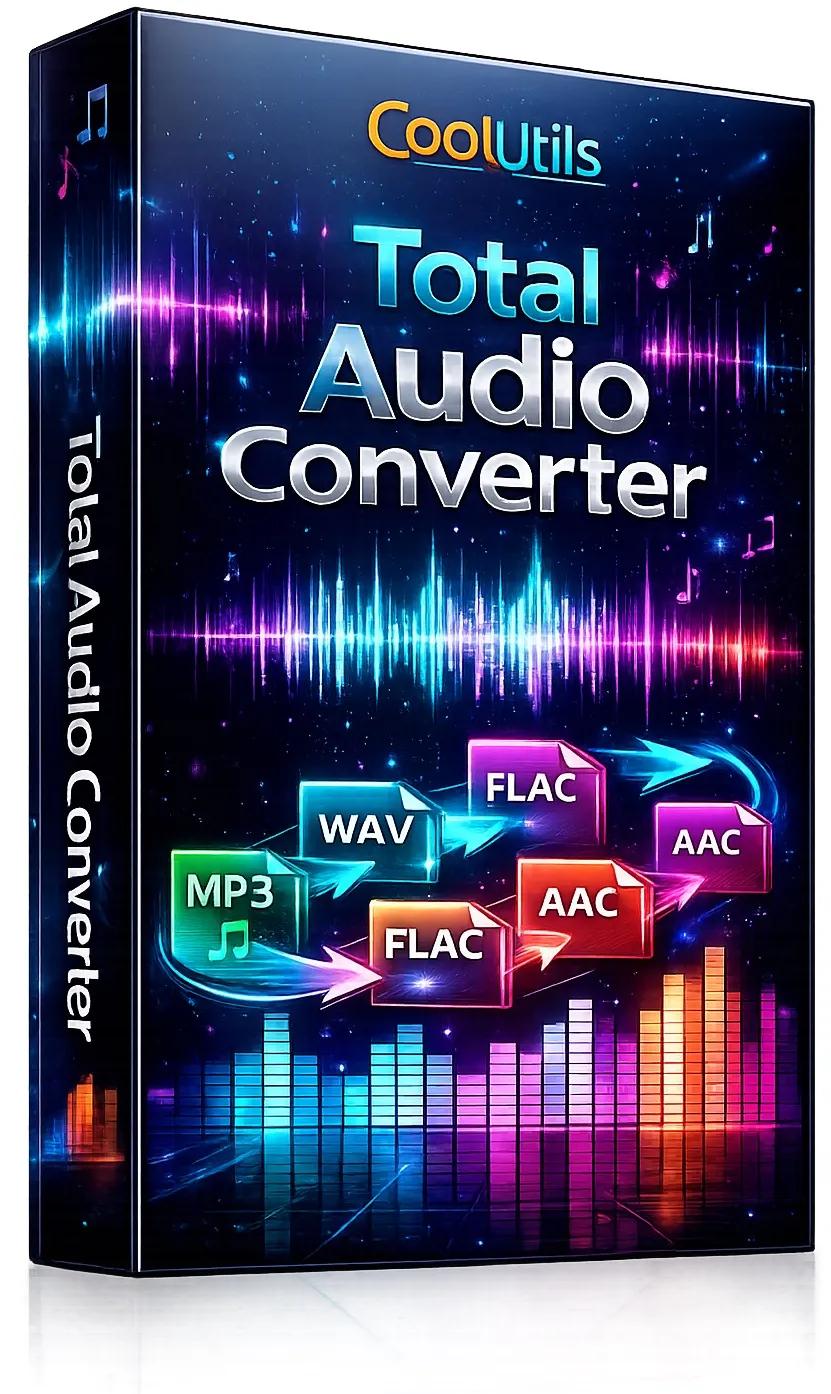
CoolUtils Total Audio Converter 6.1.0.290 Multilingual Portable | Size: 79.46 MB
Language: English

[/center]

Total Audio Converter - is a unique converter that allows you to convert audio files of different extensions. Among them are MP3, WAV, RMVB, MIDI, AMR, FLAC and M4A. The program interface is quite easy and convenient . Thanks to the TreeView, you can view the complete list of files and folders in which they are contained in a directory tree . The main window of Total Audio Converter has several control panels , with which you can choose the size and source settings . The program supports batch conversion. Necessary for everyone who loves music . With it you can easily convert almost any tracks in WAV, MP3, OGG, WMA, APE, FLAC, MP4, AAC, MPC.

The program supports ID3 Tags and CUE files , convert audio tracks without creating an intermediate WAV file that runs in batch mode, a high-speed operation , at the end of the process allows you to play the file , and the availability of clear dvupanelnogo Russian-language interface to the window mate, provide easy and exciting process.
If desired, the program will find the name and fill the tags of tracks from the Internet CDDB database . All you need to do is select the source file (or files ) and press the button with the final format . To convert files , you can run a program or use the Explorer. Simply select the file to your desktop , open the menu by pressing the right mouse button and click Sonvert to. This is possible thanks to the fact that Total Audio Converter integrates into Windows. Use the program, even without running it!
Of the key features of the converter can be noted integration with iTunes, thanks to which you can automatically add the converted file to the library program. Apart from the fact , Total Audio Converter allows you to merge all files in one album and set the sample rate . And that's not all , with the application you can rip audio CD, download videos from YouTube and view detailed technical data on the track.
Despite the huge number of features , with its main task Total Audio Converter also handles "a great success ". In the process of converting an application very efficiently uses system resources without reducing their productivity too .

Features
- Converts almost all audio formats: MP3, RAX, WAV, OGG, CDA, APE, MPC, WMA, FLAC, AAC, MP4, TTA, OFR, SPX, WV, MOD, AMR, Opus, MIDI, VQF.
- Changes bitrate or frequency
- Converts many files in batches
- Converts music from YouTube
- Converts music from SoundCloud
- Has a high quality engine
- Has integrated audio CD ripper
- Can be run via command line
- Direct conversion without temporary files
- Built-in audio player
- Integrates into Windows right-click menu
- Very user-friendly
- NIST Converter
- AU Converter
- MAT5 Converter
- PAF Converter
- TTA Converter
- AUD Converter
- VOX Converter
- XM Converter

HOMEPAGE: Code:
Код:
https://www.coolutils.com/TotalAudioConverter


DOWNLOAD LINKS:

Код:
https://rapidgator.net/file/b79e454d9905fb556856821e8b82213b/CoolUtils_Total_Audio_Converter_6.1.0.290_Multilingual_Portable.rar.html

Код:
https://nitroflare.com/view/5A1DEE2B59FFBA4/CoolUtils_Total_Audio_Converter_6.1.0.290_Multilingual_Portable.rar
 
776fffa2393df727becd844c3120ed5f.webp

CPUID HWMonitor Pro 1.58 + Portable Fast Links | 4.7/2.2 Mb
HWMonitor Pro is a simple, yet powerful hardware monitoring software solution that displays in the main window the system temperature, voltage, fan speed and many other important factors and variables of your computer. Because of its expanded tree view, you can easily monitor each parameter. For example, you have the possibility to view and track the CPU core temperatures, while analyzing other details such as the assembly temperatures of the main hard drive.
[/center]

One special feature that makes the application to get outside the box is the ability to add monitored values to the system tray, which can be performed from the right-click menu. Therefore, each time a value will change, you will surely get notified. What's more interesting about HWMonitor Pro is that you can easily connect to a specific IP address or another network through a simple TCP / IP connection, so you can watch the sensors of one or several distant computers.
HWMonitor Pro comes with a user-friendly interface and enables you to automatically create graphs for each logged session and save them as bitmap files, as well as to save the monitoring and the SMBus data. The application handles the most common sensor chips and tracks only the components that have compatible sensors, depending on your brand and model of motherboard, processor, keyboard etc. In addition, it can read modern CPU core thermal sensors and access the main health sensors on your system.
As it would be expected from this utility, it uses few resources, so it doesn't burden the overall performance of the computer, nor interfere with other programs' functionality.
Operating System: Windows 7, 8/8.1, 10, 11
Home Page -
Код:
http://www.cpuid.com/

Rapidgator
Код:
https://rapidgator.net/file/c720cdaa85e25d05a13beef8f3ad52ff/b32ei.CPUID.HWMonitor.Pro.1.58.Portable.rar.html
https://rapidgator.net/file/7716e7dff3646e77ae32352c7c613618/b32ei.HWMonitorPro1.zip.html

Код:
https://nitroflare.com/view/72A79E1756B157A/b32ei.CPUID.HWMonitor.Pro.1.58.Portable.rar
https://nitroflare.com/view/6955D901368A05B/b32ei.HWMonitorPro1.zip
 
a4eedf3fd5bb9ddfd0faf197e48d5460.webp

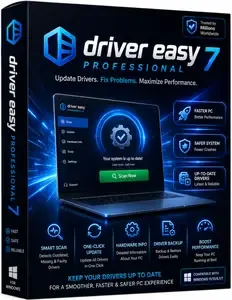
Driver Easy Professional 7.1.2.0 Multilingual + Portable Fast Links | 9.8/5.6 Mb
Driver Easy is such a practical tool that helps you solve the driver problem easily. It can auto-detect and download the latest suitable hardware drivers for your computer by just several clicks. With the friendly user interface, Driver Easy is quite easy to use that you can completely download all latest device drivers within 3 clicks.
[/center]

Driver Easy Features
Your One-Stop Driver Solution
Driver Easy is design for quickly and easy to identify unknown device's drivers, and keep your driver in latest version. Much more, we have implement driver backup, driver restore, and driver uninstall feature, to ensure your driver secure and safe.
Smart "Auto-Installation"
This smart feature is our Industry first technology! It enable user to install the driver automatically ,even help you extract, analyze & install it. What you need to do is to click your mouse once or twice.
Detect Unknown Device Driver
Driver Easy has a huge online database, which include over 100,000,000 hardware device's driver, with it revolutionary driver detect engine, it help you download the unknown device driver, help you fix the driver issue.
Keep Existing Driver Up-to-Date
With our daily update driver database, your system will improve the performance, fix the blue screen problem, add more enhance feature by install the latest drivers.
Backup & Restore Drivers
Do not worry about it if you lost the driver disc, Driver Easy can backup the driver your current installed, you can restore it after system reload. This is an benefit feature if you not sure are the new driver compatible your system or not, you can backup existing driver, and roll-back it later.
Uninstall Removed Hardware Driver
When you replace the graphic card, do you know Windows still keep your old one driver, and will launch it each time, when Windows start up. This will case the system slowing boot up, and may case some system conflict. Driver Easy allow you uninstall the removed hardware, to clean up your system.
Home Page -
Код:
http://www.drivereasy.com/

Rapidgator
Код:
https://rapidgator.net/file/1390d75384bdf07f067ecf94bce60096/qn60h.Driver.Easy.Professional.7.1.2.0.rar.html
https://rapidgator.net/file/8acae868a684d876319353df5179e886/qn60h.DriverEasyPortable7.1.2.rar.html

Код:
https://nitroflare.com/view/3DABF2603B92ECE/qn60h.Driver.Easy.Professional.7.1.2.0.rar
https://nitroflare.com/view/A453FDC33DDB427/qn60h.DriverEasyPortable7.1.2.rar
 
197ab2b8efc5684e3d3a31faf066b6d4.webp

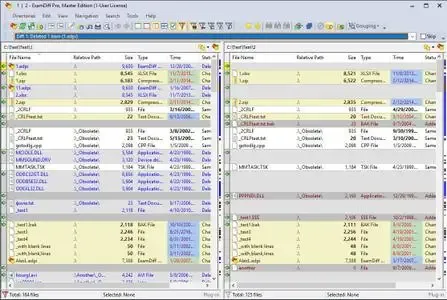
ExamDiff Pro Master Edition 17.0.1 Portable Fast Links | 28.6 Mb
ExamDiff Pro is a powerful yet intuitive and easy to use visual file and directory comparison tool for Windows. It features unique functionality that distinguishes ExamDiff Pro from other comparison programs. If you've been frustrated with other comparison utilities, you will find that ExamDiff Pro offers a much more efficient and user-friendly way to compare files and folders.
[/center]

For developers
track changes in files and folders
perform code reviews
easily merge different versions of files using two- and three-way diff and merge.
share HTML and printed difference reports with your colleagues
compare a local website to an FTP server (using the FTP plug-in)
ignore programming language comments to focus only on the most important aspects of your source code
visualize different aspects of code through syntax highlighting
compare executable files (DLLs, EXEs, etc.) using built-in binary comparison
For regular computer users
quickly navigate through differences
synchronize files and directories between your PC and external media
create directory snapshots for future comparison and archiving
quickly find and undo mistakes by comparing files with previous versions
easily drag and drop files and directories
compare from Windows Explorer using the built-in Shell extension
For testers
validate test results by comparing them with a baseline
save test comparison results into reports
For writers
edit your documents within the comparison window using the built-in text editor
use synchronized word wrap to compare document paragraphs
compare Word, Excel, and PDF documents using plug-ins
Operating System:Windows XP, 2003, Vista, 7, 2008, 8, 2012, 8.1, 2012 R2, 10, 2016.
Home Page -
Код:
https://www.prestosoft.com/

Rapidgator
Код:
https://rapidgator.net/file/032864f4f35413607c2715aa85b40bbd/kq7i8.ExamDiff.Pro.Master.Edition.17.0.1.Portable.rar.html

Код:
https://nitroflare.com/view/CC790D98E9BDB09/kq7i8.ExamDiff.Pro.Master.Edition.17.0.1.Portable.rar
 
314e96800c4919124a07d1778e6fdcca.webp

FastStone Image Viewer 8.4 Corporate Multilingual + Portable Fast Links | 12.1/13.1 Mb
FastStone Image Viewer is a fast, stable, user-friendly image browser, converter and editor. It has a nice array of features that include image viewing, management, comparison, red-eye removal, emailing, resizing, cropping and color adjustments. Its innovative but intuitive full-screen mode provides quick access to EXIF information, thumbnail browser and major functionalities via hidden toolbars that pop up when your mouse touches the four edges of the screen.
[/center]

Other features include a high quality magnifier and a musical slideshow with 150+ transitional effects, as well as lossless JPEG transitions, drop shadow effects, image annotation, scanner support, histogram and much more. It supports all major graphic formats (BMP, JPEG, JPEG 2000, animated GIF, PNG, PCX, PSD, EPS, TIFF, WMF, ICO, CUR and TGA) and popular digital camera RAW formats (CR2, CR3, CRW, NEF, NRW, PEF, RAF, RWL, MRW, ORF, SRW, X3F, ARW, SR2, SRF, RW2 and DNG).
Features:
Image browser and viewer with a familiar Windows Explorer-like user interface
True Full Screen viewer with convenient image zoom support and unique fly-out menu panels
Crystal-clear and customizable one-click image magnifier
Powerful image editing tools: Resize/resample, rotate/flip, crop, sharpen/blur, adjust lighting/colors/curves/levels etc.
Eleven re-sampling algorithms to choose from when resizing images
Image color effects: gray scale, sepia, negative, Red/Green/Blue adjustment
Image special effects: drop shadow, framing, bump map, sketch, oil painting, lens
Draw texts, lines, highlights, rectangles, ovals and callout objects on images
Clone Stamp and Healing Brush
Superior Red-Eye effect removal/reduction with completely natural looking end result
Multi-level Undo/Redo capability
Single click to switch between best fit and actual size mode
Image management, including file tagging and drag-and-drop to copy/move/re-arrange files
Histogram display with color counter feature
Compare images side-by-side (up to 4 at a time) to easily cull those forgettable shots
Image EXIF metadata support (plus comment editing for JPEGs)
Configurable batch processing to convert/rename large or small collections of images
Slideshow creation with 150+ transition effects and music support (MP3, WMA, WAV.)
Create efficient image attachments for emailing to family and friends
Print images with full page-layout control
Create fully configurable contact sheets
Create memorable artistic image montages from your family photos for personalized desktop wallpapers (Wallpaper Anywhere)
Acquire images from scanner. Support batch scanning to PDF, TIFF, JPEG and PNG
Versatile screen capture capability
Powerful Save As interface to compare image quality and control generated ✅File Size
Run favorite external editors with one keystroke from within Image Viewer
Offer portable version of the program which can be run from a removable storage device
Configurable mouse wheel support
Support themes (bright, gray and dark)
Support dual-monitor configurations
Support touch interface (tap, swipe, pinch)
Support dual instances
Play video and audio files (Third party codecs may be required for old versions of Windows)
And much more.
Operating System: Windows XP, Vista, 7, 8/8.1, 10
Home Page -
Код:
http://www.faststone.org/

Rapidgator
Код:
https://rapidgator.net/file/f1a8fc7da4411edec7653882e4f76632/tzhaz.FastStoneImageViewer8.rar.html
https://rapidgator.net/file/1fbd2e3bcf052b4e0dc13b5cda14e923/tzhaz.FSViewerPortable8.4.rar.html

Код:
https://nitroflare.com/view/EF0EF9D95192911/tzhaz.FastStoneImageViewer8.rar
https://nitroflare.com/view/70B972027D5821F/tzhaz.FSViewerPortable8.4.rar

 
744542678d8a9e12b4837b9259ad8fd6.png


CyberLink AudioDirector Ultra 2026 v16.5.6525.0 | Size: 139.81 MB
Language: English

[/center]

Your One Stop Shop for Mixing, Editing, and Mastering Your Tracks. Create the Perfect Recording Environment. Let powerful AI tools create the perfect recording environment anywhere. Remove wind gusts, reverb, and echo from audio clips intelligently so dialogue and ambient sounds are clearly heard.

Extract Vocals Out of Any Audio Track
Separate vocals from your favorite songs or add your own background tracks to your projects.

Achieve Crystal Clear Speech
Restore and fine tune speech in your video and audio projects and create unmatched clarity, even in loud, or noisy environments.

Clean Up Your Audio
Apply a range of restoration tools to get crisp, clear, distraction-free vocals. No noise, hiss, hum and distortion.

Restoration Tools
- Contour Dialogue
- Plosive Removal
- Reduce Noise
- Remove clicks, pops, crackles
- Distortion Removal
- Hiss & Hum Removal

Create Perfect Podcasts and Voiceovers
Produce error-free podcasts and voiceovers with a full-bodied, balanced sound.

Studio Quality Tools to Guide Your Workflow
Enhance the speed and quality of your production. Combine multiple effects, record from multiple channels, and apply your core sound to all your audio files at the same time.

Integrated with PowerDirector.
Export your entire audio project from AudioDirector, directly into PowerDirector. Your project edits will automatically synchronize perfectly between the two apps.

Operating System
- Microsoft Windows 11, 10, 8/8.1, 7 (64-bit OS only)
- Microsoft Windows 10 or above is required to use AI features

Processor (CPU)

Intel
- Intel Core™ i-series and above
- Haswell (4th generation) processor: Core i7-4770 (only Core and Xeon branded), and above required for AI features

AMD
- AMD Phenom® II and above
- AMD A8-7670K and above, AMD Ryzen 3 1200 and above required for AI features

Graphics Processor (GPU)
- 128 MB VGA VRAM or higher
- AI Plugin: 2 GBH VA VRAM or higher

Memory
4 GB required (8 GB or above recommended)

Hard Disk Space
1 GB required

Sound Card
Windows compatible sound card is required

Screen Resolution
1024 x 768, 16-bit color or above

Language Support
- English
- French
- German
- Italian
- Spanish (European)
- Chinese Simplified
- Chinese Traditional
- Japanese
- Korean

HOMEPAGE: Code:
Код:
https://www.cyberlink.com


DOWNLOAD LINKS:

Код:
https://rapidgator.net/file/d3afdde9f6117c5edef66245e7e2392e/CyberLink_AudioDirector_Ultra_2026_v16.5.6525.0.rar.html

Код:
https://nitroflare.com/view/1F07477B129F6F1/CyberLink_AudioDirector_Ultra_2026_v16.5.6525.0.rar
 
c5869e57877740c72ea370546d6e616f.jpg


CyberLink PowerDirector Ultimate 2026 v24.5.1727.1 | Size: 703.73 MB
Language: English

[/center]

Award-winning video editing software for professional creators. Create. Edit. Share. Video editing, made for everyone. No experience necessary. Do more, faster with customizable templates. Discover and create attention-grabbing video intros alongside our community of creatives.

Mask & Blend
Layer, shape, and blend to create artistic scenes.

Keyframing
Bring dynamism and energy to your videos with smooth animated effects.

Green Screen
Remove backgrounds and create Hollywood-style special effects.

Motion Tracking
Add text and graphics that follow the motion of objects to elevate your footage.

Let AI Do the Heavy Lifting
Simplify your creative workflow with AI-you'll be amazed at how quickly you finish your projects.

Limitless Possibilities, Right at Your Fingertips
Bring your imagination to life with our wide array of tools to help customize your projects.

LUTs & Color Match
Match color to quickly balance or change the aesthetic of your videos.

Shape Designer
Design all kinds of shapes with auto-fit text and keyframe controls.

Smart Background Music
Automatically tailor background music to fit the length of your footage.

Stream, Create, and Share to Any Platform
Create unique videos worth sharing using stunning video templates, an immersive stock media library, and a powerful live stream and recording studio to captivate and wow your audience.

Move, Capture, Edit, Go!
Create videos that bring back the intensity and adrenaline captured with your action camera, with editing features designed specifically for sports enthusiasts.

Action Cam
- Video Stabilizer
- Lens Correction
- Video Speed Controls
- Zoom and Pan Effects

Multi-Video Tools
- Video Collage Designer
- MultiCam Designer

Speed-Up Your Workflow
With Tools Designed to Simplify Editing

Customized Hotkeys
Use hotkeys to quickly navigate the timeline using a combination of mouse & keyboard.

Undock Media Library & Timeline
Control the look and feel of PowerDirector's interface for a personalized video editing experience.

Nested Projects
Add and edit multiple projects simultaneously in your timeline.

Video Pre-cut
Save pre-cut clips in your library to reuse throughout your projects.

Audio Ducking
Automatically lower the volume of background audio as a narrator begins a voice-over.

Voice-over Recording
Record audio directly into your project to create your next podcast or tutorial video.

Operating System
- Microsoft Windows 11, 10, 8/8.1, 7 (64 bit OS only)
- Windows 10 or above is required to use AI tools and features

Processor (CPU)

Intel
- Intel Core™ i-series and above
- Haswell (4th generation) processor: Core i7-4770 (only Core and Xeon branded), and above required for AI features.

AMD
- AMD Phenom® II and above
- AMD A8-7670K and above, AMD Ryzen™ 3 1200 and above required for AI features.

Graphics Processor (GPU)
- Standard Video: 128 MB VGA VRAM or higher
- 360-video: DirectX 11 compatible

Memory
4GB required (6GB or above recommended)

Hard Disk Space
7 GB required

Burning Device
Burning drive is required for disc burning purpose

Sound Card
Windows compatible sound card is required

Screen Resolution
1024 x 768, 16-bit color or above

Language Support
- English
- French
- German
- Italian
- Spanish (European)
- Chinese Simplified
- Chinese Traditional
- Japanese
- Korean
- Dutch

HOMEPAGE: Code:
Код:
https://www.cyberlink.com


DOWNLOAD LINKS:

Код:
https://rapidgator.net/file/e7a3a065b74e07351818f2f407bfb24b/CyberLink_PowerDirector_Ultimate_2026_v24.5.1727.1.rar.html

Код:
https://nitroflare.com/view/BF7C63D742B186A/CyberLink_PowerDirector_Ultimate_2026_v24.5.1727.1.rar
 
2544465acf389c7469a67800d7114231.png


Disney Mickey's Typing Adventure Gold 3.2 | Size: 384.51 MB
Language: English

[/center]

Kids are Taught to Type on an Exciting Adventure in Typelandia! Recommended for Ages 5 to 8. Disney Mickey's Typing Adventure Gold is the most advanced Typing Program available. It presents Disney's Typing Adventure in full-screen size and rich color with beautiful animations for the optimum typing experience for kids. No other Typing tutorial is more motivating while educating the learner.

Kids go on an exciting adventure in Typelandia with Mickey Mouse and Friends. They begin their adventure in the Village where they discover a mysterious enchantment has befallen Typelandia. Kids must learn all the keys on the keyboard as they travel through Typelandia to free Mickey's friends from the enchantment. The first stop is the garden where they discover Daisy transformed into a shrub. By learning to master the first set of keys, a, s, l, and ; they will help free her. To do so, they take a typing lesson, complete a challenge, and reinforce their new skills by playing a game. Upon passing a test, Daisy is free and back to herself!

Mickey's Typing Adventure is packed with so much fun and motivation, kids forget they are learning to type. "Boring" is not a word you'll hear as kids continue their Adventure in each charming location, including The Cottage, The Wishing Well, The Big Tree, The Mine, and finally the Palace! Mickey's Typing Adventure is the perfect typing solution for parents, too, as kids will not need help as they are guided step-by-step by the Shop Keeper who travels with them in a crystal ball. He helps kids progress through the Adventure using just the keys they have learned.

Packed with Motivation
Kids are motivated to learn new keys, pass typing tests and complete challenges to free Mickey and his friends from the enchantment. After completing typing activities throughout Typelandia, the ultimate reward is reaching the Palace. Once at the Palace, kids discover what caused the enchantment and Mickey and his friends are free! The Palace is a fun place with more adventures, activities, and challenging games - complete with a colorful Fair!

Exciting Places to Visit
Kids can take a break from their typing adventure at any time to explore Typelandia. The Arcade in the Village has an awesome game room where kids can choose to play any of Typelandia's games - except the exciting bonus games only available in the Palace Arcade. They must reach the Palace to play those games. Kids can choose to take more lessons or challenges in the Village Academy, and they can practice their skills by typing excerpts from favorite Disney stories like Rapunzel, Cinderella and more!

Adventurer Tools
Typelandia has several Adventurer tools to help kids to find their way around. In the Olde Village Shop, they can take a tour to learn everything about Typelandia! The Map helps kids see where they are on their Typelandia Adventure, where they are going next, and what keys they will learn. Kids can display a variety of graphs in the Saved Results area to see their performance on all their typing activities; lessons, challenges, stories and even games. They can see their progress and the keys on the keyboard they need to practice.

Hours of Fun
Typelandia has unique games to keep kids interested in learning. Games encourage repetition which builds finger-to-key memory. Before they know it, they are well on their way to becoming Touch Typists! Games can be played in a wide variety of ways; at varying levels of difficulty to keep kids interested in continuing to the next level. Games can be played with just the keys they have learned so far, or with all the keys on the keyboard.

Adventure Settings
There are a lot of choices on Typelandia. Kids can select a Typing Plan that fits their skill level - there are 11 unique plans! They set their goal word per minute, which can be adjusted, if needed, at any time.
- May include unspecified updates, enhancements, or bug fixes.

System Requirements:
• Microsoft® Windows® 10, Windows 8, or Windows 7
• 700MB Hard Drive Space
• DVD-ROM Drive
• 1280 x 720 16-Bit or Higher Display Recommended
• 16-Bit Sound Card
• Speakers or Headphones • Mouse

HOMEPAGE: Code:
Код:
http://www.individualsoftware.com


DOWNLOAD LINKS:

Код:
https://rapidgator.net/file/43e207fbddd615efacba43780179e1e6/Disney_Mickeys_Typing_Adventure_Gold_3.2.rar.html

Код:
https://nitroflare.com/view/8858214A33087BE/Disney_Mickeys_Typing_Adventure_Gold_3.2.rar
 
1f65e9e4b9ffb9a62db173442325f151.jpg


DVD-Cloner XR 22.40.0.1495 (x64) Multilingual | Size: 72.45 MB
Language: English

[/center]

This XceedRead™-powered DVD/Blu-ray/UHD copy software enables you to make perfect 1:1 copy of your favorite videos across all generations of optical drives. DVD-Cloner XR represents the pinnacle of optical media technology, where revolutionary XceedRead™ innovation harmonizes with decades of DVD-Cloner heritage. Our groundbreaking cross-generation stable read engine breathes new life into aging optical drives, ensuring your vintage hardware can flawlessly read today's latest releases while preserving yesterday's treasured classics.

The integrated AI upscaler using the free OpenCloner AI Upscaler transforms DVD-to-MKV conversion into an art form, intelligently enhancing visual quality to honor your collection's true potential. Wrapped in stunning XceedRead™ aesthetics, every interface element reflects the fusion of cutting-edge technology with respectful homage to physical media culture. Enhanced with superior error correction and expanded movie support, DVD-Cloner XR stands as your collection's faithful guardian. Receive Netflix Video Downloader as our gift to you (1-year plan, $79.99 value), bridging physical and streaming worlds. Fully compatible with Windows 11, this isn't just software evolution-it's the preservation of optical media's soul in digital form.

ntroducing DVD-Cloner XR: Where XceedRead™ Revolution Meets Time-Tested Excellence

For our cherished existing DVD-Cloner customers, remember that upgrading to DVD-Cloner XR celebrates both innovation and loyalty. Our longer-term upgrade add-ons not only offer exceptional value but ensure you're always equipped with the most advanced optical media technology while honoring the heritage that brought us together. Your collection deserves nothing less than revolutionary XceedRead™ protection.

Revolutionary XceedRead™ Innovations:

XceedRead™ Cross-Generation Engine: Experience our groundbreaking technology that revitalizes aging optical drives, ensuring flawless compatibility between vintage hardware and brand-new discs-bridging decades of optical media evolution.

AI-Powered Visual Enhancement: Transform your cherished DVD collection with integrated AI upscaler functionality using the free OpenCloner AI Upscaler during DVD-to-MKV conversion, delivering intelligent visual enhancement that honors each disc's true potential.

Heritage-Inspired XceedRead™ Design: Immerse yourself in stunning new aesthetics that celebrate both cutting-edge technology and the timeless beauty of physical media collection, creating software that feels like home to disc enthusiasts.

Superior XceedRead™ Burning Engine: Experience enhanced error correction and smoother playback on legacy players through our advanced burning technology, ensuring your preserved media plays flawlessly across all generations of hardware.

Minimum configuration:
Intel Core2
2GB of RAM
50GB free hard disk space (NTFS partition)
Windows 7
A DVD or Blu-ray disc drive

HOMEPAGE: Code:
Код:
https://www.dvd-cloner.com/dvd-cloner/


DOWNLOAD LINKS:

Код:
https://rapidgator.net/file/b0d05118834e12d411a9869a301525d6/DVD-Cloner_XR_22.40.0.1495_x64_Multilingual.zip.html

Код:
https://nitroflare.com/view/513C233D05A1AD0/DVD-Cloner_XR_22.40.0.1495_x64_Multilingual.zip
 
Назад
Сверху Снизу