All mitsumi'1s Applications !! (updated daily)

ead766e3632d8d352c857f911336704e.webp

MiniTool ShadowMaker 4.8.1 | 304 Mb
MiniTool ShadowMaker brings easy file backup, system backup and disk/partition backup to Windows users. It comes with clear interface and works fast. In addition, this data backup software offers full, differential, incremental and scheduled backups that really make it easy to customize your backup plan.


Features
To ensure data security, this Windows backup software puts forward file backup, system backup, and disk/partition backup in case of any accidents. Besides, the WinPE bootable rescue media helps get operating system back to its prior state even it fails to boot.
File/Folder Sync
File and Folder Sync feature can help to synchronize files and folders to other locations so that users can effectively keep their data safe.
File/Folder Backup
For those who pay great attention to some files or folders, File Backup is absolutely the best way to keep them safe.
System Backup
Operating system can crash by serious virus invasion or after an unstable Windows update. Regular system backup keeps your PC running after restore.
Disk/Partition Backup
When lots of important files are saved on the same location, it is better to create a disk/partition backup image in this case.
Disk Clone disk clone
MiniTool ShadowMaker offers Disk Clone feature to copy basic disk and dynamic disk within only a few clicks. In addition, Disk Clone makes sense when it comes to upgrading HDD to SSD.
Quick Disaster Recovery
Compared with the products of the same kind, MiniTool ShadowMaker takes less time for disaster recovery, allowing you to restore systems, disks, partitions or files to previous state immediately. With WinPE bootable media builder, MiniTool ShadowMaker is able to restore computer from backup image files in the following situations
Blue screen error
Ransomware attack
Hard drive failure
System crash
Natural disaster
Human error
System Requirements:
Processor Pentium 1 GHz
1GB RAM for 32-bit OS
2GB RAM for 64-bit OS
1.5 GB free disk space
Supported Operating Systems:
Windows 11 (all editions)
Windows 10 (all editions)
Windows 8 (all editions)
Windows 7 (all editions)
Windows XP (all editions)
Windows Server 2019
Windows Server 2016
Windows Server 2012/2012 R2
Windows Server 2008/2008 R2
Windows Server 2003/2003 R2
Edition:Pro, Pro Ultimate, Business, Business Deluxe
Home Page-
Код:
https://www.minitool.com/

Rapidgator
Код:
https://rapidgator.net/file/7b4d3c6120cf5c956a97bcecbc211ac8/fqpfa.MiniTool.ShadowMaker.4.8.1.rar.html

Код:
https://nitroflare.com/view/6EE0B6DBBC47D14/fqpfa.MiniTool.ShadowMaker.4.8.1.rar
 
4da7063f7aaf85d2916e39745d953a7e.webp

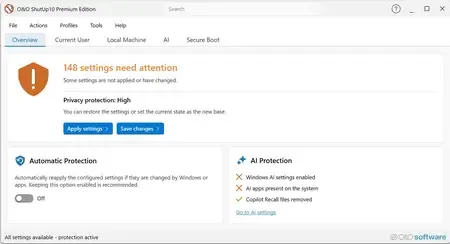
O&O ShutUp10 Premium Edition 3.0.1076 Multilingual Fast Links | 60.1 Mb
Protect your privacy in Windows 11 & 10 - permanently and fully automatically! Windows updates no longer destroy your privacy settings. With every new Windows version, Microsoft changes settings. Disabled features are switched back on, and Microsoft adds new ways to collect data about you. For you, this means that the privacy settings you configured once must be checked, adjusted and reset according to your wishes on a regular basis. O&O ShutUp10 Premium does this work for you automatically!


You set your desired privacy settings just once - or use our recommended settings with a single click. O&O ShutUp10 Premium then continuously monitors your selected settings and automatically restores them - even after Windows updates or system changes. You have full control over what your Windows is allowed to reveal about you!
Powerful data protection for Windows-automatic, transparent, and durable
O&O ShutUp10 Premium gives you back control over the privacy and system settings of Windows - and ensures that this control is maintained permanently. Instead of having to check again after every Windows update which settings have been changed, set your desired data protection requirements once. O&O ShutUp10 Premium then continuously monitors them and automatically restores them when Windows changes them.
Reliable data protection is crucial, especially in companies, for the self-employed and on professionally used PCs. Windows is constantly evolving, new features are added, and existing settings can be adjusted through updates or policy changes. O&O ShutUp10 Premium significantly reduces this effort and ensures that defined data protection standards are permanently adhered to.
The following feature list shows how O&O ShutUp10 Premium combines data protection management, automation, transparency and central control - for Windows systems that are not only protected once, but work permanently according to your specifications.
Privacy Control for Windows 11 & 10
- Management of around 300 privacy and system settings
- How Windows disables unwanted data collection
- Control over telemetry, diagnostics, app access, and system services
- Understandable recommendations for each setting
- Quickly apply recommended data protection configurations
Permanently protect your settings
- Continuous monitoring of the selected privacy settings
- Automatic recovery after Windows updates
- Protection against unintentional reset caused by system changes
- Reapply defined settings without manual intervention
- Ideal for companies that want to enforce data protection policies on a permanent basis
Automatic reapplication after Windows updates
- Microsoft can use updates to change existing privacy settings or add new options
- O&O ShutUp10 Premium detects relevant changes and restores the desired settings
- Data protection remains in place even after feature updates and system changes
- Reduces manual checking effort for administrators and users
- Ensures consistently consistent privacy settings on Windows systems
Central data protection guidelines for companies
- Uniform data protection configurations for Windows workstations
- Profile-based management of desired settings
- Export and import of defined configurations
- Support in the implementation of internal data protection regulations
- Suitable for SMBs, organizations, and managed IT environments
Client/Service Architecture
- Continuous monitoring via a robust background component
- Automatic enforcement of defined settings during operation
- Separation between user interface and technical background service
- Reliable application of the specifications even without constant user interaction
- Designed for professional use on managed systems
No end-user administrator privileges required
- Data protection requirements can be implemented without users needing permanent administrator rights
- More safety in daily operations
- Less support effort due to controlled assignment of rights
- Better suited for professional and managed Windows environments
- Increases comfort and safety at the same time
Profiles and policy management
- Creation of your own data protection profiles
- Key Requirements for Recurring Configurations
- Quickly apply defined settings on Windows systems
- Profile Editor for Structured Management
- Ideal for uniform data protection standards in the company
Protection against new Windows features
- Regular adaptation to new versions of Windows
- Consideration of new data protection options
- Protection against Microsoft features that have been enabled after the fact
- Support in disabling unwanted AI features
- Removal or disabling of Copilot and Recall-related features
One-click recommended settings
- Predefined recommended privacy settings
- Rapid activation of sensible protective measures
- Can undo recommended settings
- Suitable for quick initial configurations
- Transparent control over every single change
System protection and recovery
- Creating System Restore Points Before Changes
- Restoration of previous system states possible
- More security when adjusting sensitive Windows settings
- Reduces the risk of unwanted side effects
- Suitable for traceable and controlled system adjustments
Transparency and control
- No changes without defined specifications
- Clear representation of the impact of each setting
- Recommendation levels for better classification
- Editing mode for advanced users
- Full control over which features are enabled or disabled
Notifications and traceability
- About automatically reapplied settings
- Transparent feedback on changes by Windows
- Better overview of protection status
- Traceable automatic corrections
- Supports administrators and users in daily operations
Premium comfort in the background
- Automated enforcement of selected privacy settings
- Background monitoring without constant manual control
- Less effort after Windows updates
- Permanent compliance with desired data protection requirements
- More convenience, more automation and reliable data protection
For private users and companies
- Ideal for users who want to protect their privacy permanently
- Suitable for the self-employed, small businesses and managed workplaces
- Supports uniform data protection standards on Windows systems
- Reduces manual rework after updates
- Ensures that selected settings remain permanently
Set once. Permanently protected.
- Set your desired privacy settings once
- Automatic recovery from changes by Windows
- Protection against unintentional reactivation of unwanted functions
- More safety and less effort in everyday life
- Your privacy remains protected even when Windows changes
Home Page -
Код:
https://www.oo-software.com/en/ooshutup10premium

Rapidgator
Код:
https://rapidgator.net/file/11c1ac78ed0dcd10ffc019c4dc069d80/lw74j.OO.ShutUp10.Premium.Edition.3.0.1076.Multilingual.rar.html

Код:
https://nitroflare.com/view/702AC87F572A2E3/lw74j.OO.ShutUp10.Premium.Edition.3.0.1076.Multilingual.rar

 
9b6042c6ad80ce15522783910d727853.webp

Pano2VR Pro 8.0 (x64) Multilingual | Windows x64 | File size: 265 MB
Pano2VR allows you to publish your panoramic images within minutes. No matter what type of project you're working on, whether, a gigapixel panorama or virtual tours with hundreds of nodes, Pano2VR will help you to quickly get your project up and running on the desktop as well as mobile devices.


Improve your images.
Sometimes panoramas are not level and have unwanted tripods.it happens. Straightening the horizon and removing the tripod from the panorama can be accomplished with a few simple clicks.
Build a Virtual Tour.
No matter how large the tour, Pano2VR Pro can help you quickly and easily put it together with automatic linking, filtering, master node editing and a built-in Tour Map.
Enhance the experience.
Add interactive elements like hotspots, directional sound and video to your panoramas. Use the powerful Skin Editor to design custom buttons and controllers - all of which can be made responsive so the design fits to any screen. No coding required. We promise!
Seamlessly change projections.
Easily reproject spherical panoramas during viewing or open a panorama from a little planet view to a rectilinear view on opening or create a standard format video that moves through different projections.
Reveal the highlights.
Guide viewers by creating an animation path through your panoramas or tour to show off the best areas. At any time, the viewer can interact and explore further. You can even export this walk-through as a video file.
Contribute to Google Street View.
Pano2VR offers an easy way to add and edit existing panoramas and tours to Google Street View. Once you've connected your account, you will see all tours and panoramas that you've uploaded to Google Street View. You can continue to add to your gallery or even download the existing images.
Show your work.
Export your panoramas as HTML5, Flash or QuickTime VR formats or use our handy plugins to post them directly to your Wordpress, Joomla or Drupal site. Pano2VR will also help you to transform your images into different projections for printing.

Код:
https://ggnome.com/doc/pano2vr/whats-new/

System Requirements:Windows 10 (1809 or later) / Windows 11 21H2 - x64
Homepage:
Код:
https://ggnome.com/


Rapidgator
Код:
https://rapidgator.net/file/809dd3e1cf6c4dfaa924627ff5a480e7/udawg.Pano2VR.Pro.8.0.x64.rar.html

Код:
https://nitroflare.com/view/5FCD995915DC0B5/udawg.Pano2VR.Pro.8.0.x64.rar
 
13931964736f3702b9f9b4c6cf9fb51a.webp

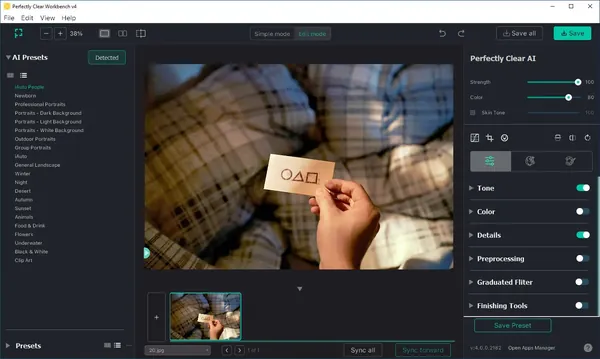
Perfectly Clear WorkBench 5.1.0.3218 (x64) Multilingual Fast Links | 262 Mb
Perfectly Clear Workbench is an application that uses Athentech's Perfectly Clear image correction libraries and is made available to demonstrate the capabilities of the Perfectly Clear processing libraries, face detection library and to allow a quick export of the processing settings for use.


One of the key features in Workbench is the ability to "export to API" when saving a Preset. This allows you to make image corrections in Workbench and tune the settings to match your style and correction needs. Then, you can quickly export these settings to a text file - ready to be copy / pasted into your source code with our image correction SDK.
What's New in Perfectly Clear WorkBench:
1. Beautiful new interface
2. New image correction tools:
a. Preprocessing section for Input Looks and "Image Ambulance" for manual exposure corrections
b. "Face Aware" exposure for more accurate auto-exposure corrections in portraits and group photos
c. Black Point tool to deepen blacks
d. New Color Vibrancy tool to complement our previous "Vibrancy" control (now renamed to Color Restoration)
e. Sky and Foliage enhancements
3. Existing tools have been improved:
a. Added strength sliders to Light Diffusion and Vibrancy for better control
b. Better 'color pickers' for Skin Tone and Blush adjustments
4. Manually identify faces that are not detected automatically
5. One-click to zoom to individual faces
6. Modify facial regions to provide the best corrections
7. Histogram
8. Much improved preset management
Supported Image Formats:
Perfectly Clear requires RGB-formatted images in either 8 or 16-bit color depth. Any image file that Photoshop or Lightroom can open and convert to this format may be used in Perfectly Clear. Monochrome and CMYK images must be converted to RGB before using Perfectly Clear. RAW files must be opened through Adobe Camera RAW and loaded into Photoshop to be accessible to Perfectly Clear.
System Requirements:
- Windows 10 and 11 (64-bit only)
- 4 GB RAM or more
Home Page -
Код:
https://eyeq.photos/

Rapidgator
Код:
https://rapidgator.net/file/5ecd5e7f18e1277708f2445b934cfdd4/ovwgm.Perfectly_Clear_WorkBench_5.1.0.3218.rar.html

Код:
https://nitroflare.com/view/749EE8C056746ED/ovwgm.Perfectly_Clear_WorkBench_5.1.0.3218.rar
 
4adb9c0e89bf60529b83d4e07bcc01b0.webp

PSPaudioware PSP auralComp v2.0.2 | 45 MB
One Immersive Comp To Rule Therm All
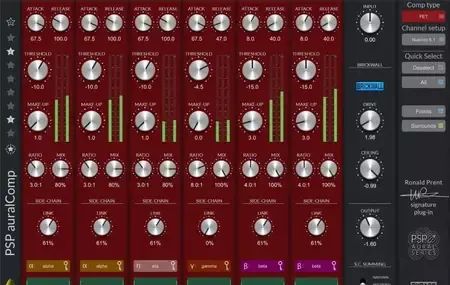
PSP auralComp is a multi-channel compressor and limiter designed from the ground up to be powerful, simple, and flexible for all kinds of surround and immersive audio applications.


PSP auralComp v. 2.0.0 introduces four compression types - Opto (default), FET, VCA, and OldTimer - giving you the flexibility to choose the compression style that best suits your material.
Powerful: PSP auralComp is the first in a series of plug-ins created in partnership with acclaimed immersive audio pioneer Ronald Prent, whose credits include Depeche Mode, Helloween, Manowar, Iron Maiden, Rammstein, Def Leppard, Richie Hawtin, Celine Dion, Simple Minds, and many others. Ronald has extensive experience designing and tuning analog multi-channel dynamics processors and mixing/mastering consoles, and he has brought this expertise to the development of PSP auralComp
Simple: PSP auralComp provides up to 16 channels of compression per multi-channel input bus, each with intuitive controls and clear metering. Channels can be easily grouped, allowing you to adjust multiple channels simultaneously with minimal effort.
Flexible: With a wide range of Quick Select configurations, PSP auralComp supports immersive formats from 5.1 up to 9.1.6 with a single click. PSP auralComp also offers Mid-Side processing for stereo tracks and includes an output brick-wall limiter for precise peak control.
We believe PSP auralComp sets a new standard for multi-channel compression and limiting. Once you've used it on your most demanding immersive projects, we're confident you'll agree.
Selectable speaker configurations, ranging from stereo to M-S to 9.1.6.
Eight individual side chain submixes with advanced side chain filtering.
4 compression types: Opto, FET, VCA, OldTimer.
Output brick wall limiter.
Compact yet straightforward graphical user interface.
Advanced linking mechanism.
Home Page-
Код:
https://www.pspaudioware.com/products/psp-auralcomp

Rapidgator
Код:
https://rapidgator.net/file/13da7f29b0ddfa70fa32f0083fda0ab4/736qm.PSPaudioware.PSP.auralComp.v2.0.2.rar.html

Код:
https://nitroflare.com/view/04212DD833A94FC/736qm.PSPaudioware.PSP.auralComp.v2.0.2.rar
 
3c3fd361103e36bfa64540846b61bcc4.webp

PSPaudioware PSP BussPressor v2.1.0 | 50 MB
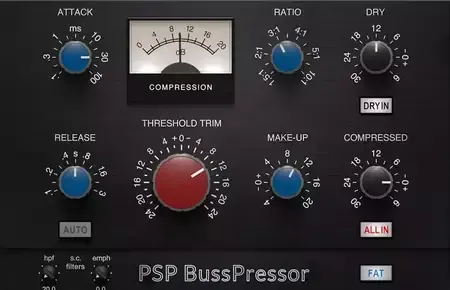
PSP BussPressor is a compressor optimized for group and master buss processing. It combines the sound of classic VCA compression with wide tuning capabilities, while it's extra controls allow you to adjust a side chain high pass filter or apply parallel compression with ease.


PSP BussPressor is part of our series of Zero Latency Processing plug-ins; making it ideal for situations such as live monitoring, live broadcast production, and managing levels while tracking.
Home Page-
Код:
https://www.pspaudioware.com/products/psp-busspressor

Rapidgator
Код:
https://rapidgator.net/file/90092efabf4025e9ee099f12c1a1b412/2uiht.PSPaudioware.PSP.BussPressor.v2.1.0.rar.html

Код:
https://nitroflare.com/view/57AF97F5CCD5836/2uiht.PSPaudioware.PSP.BussPressor.v2.1.0.rar
 
b5d112a0126bef54fef1e7eff82ef160.webp

Pulsar Modular P21 Atlas v1.0.0 | 38 MB
Atlas delivers coherence. Loud, without the peaks being flattened.
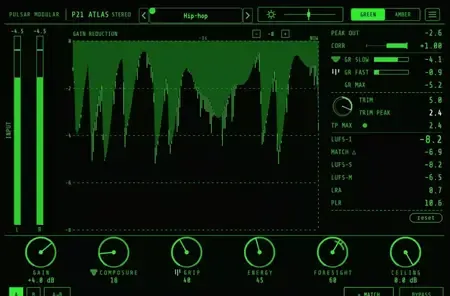
A master-bus stabilization limiter, not a peak-catcher. The engine holds the program coherent across its full length, so elements stay where the mix put them. Nothing jumps. Nothing drifts. The frame holds. Stereo through 9.1.6, the program lands as one statement.


Three consequences engineers value.
Atlas does not reveal itself by adding a sound. It reveals itself by holding the program together. A mix made from stems recorded in different rooms presents as one performance in one space. A film scored from library cues, dialogue, and sound design lands as one continuous world.
01 · MICRO TIMING
Transients land where the mix put them.
Kick and bass arrive together when they are supposed to. Vocal consonants stay attached to their vowels. The pocket the recording captured is the pocket you hear. The dynamic relationships the recording captured are preserved.
02 · EXPANDED HEADROOM
Loud, without flattened peaks.
The program is delivered loud, but the peaks have not been flattened. Loudness arrives without compression character. Atlas leaves the program with headroom intact, ready for a dedicated clipper downstream if clipping character is wanted.
03 · SILENCE STAYS SILENT
Quiet passages remain quiet.
Conventional limiters lift the noise floor between vocal phrases, between drum hits, after a cymbal decays. Atlas does not. The breathing engineers learn to tolerate on conventional compressors is simply not present.
Home Page-
Код:
https://www.pulsarmodular.com/product/p21-atlas/

Rapidgator
Код:
https://rapidgator.net/file/2b6f7fb843e9545b3c78a4a7a168562b/j4cfv.Pulsar.Modular.P21.Atlas.v1.0.0.rar.html

Код:
https://nitroflare.com/view/AD70358ED177B10/j4cfv.Pulsar.Modular.P21.Atlas.v1.0.0.rar
 
f9fb9418d977af85813458939828b416.webp

Pulsar Modular Zorba v1.0.7 | 47 MB
The Tyrant - Forty years of analog DNA. One instrument.
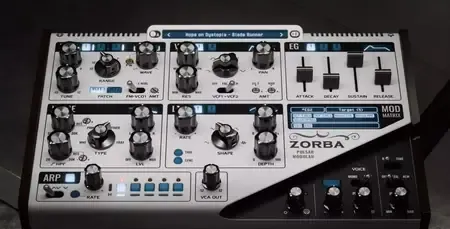
Built on the Pulsar Modular P900 analog heritage, Zorba can be a Juno on your first patch, a Jupiter on your second, and something neither could have imagined on your third.


01 · Three Voices
Two morphing primaries. One dedicated sub.
VCO1 and VCO2 share a single morph knob that slides continuously between saw, square, triangle, and sine. VCO3 is a fully independent sub oscillator reaching one octave below the main pair, with its own tune, gain, and filter routing.
02 · Two Filters, Four Modes
904-F State Variable. Singing through four zones.
Two independent filters based on the 904-F State Variable design. Low-pass, band-pass, high-pass, notch, each with a resonance curve that passes through clean, self-oscillation, transformer saturation, and the Black Hole rebirth zone.
03 · 174 Routes
A mod matrix that connects almost anything.
Ten sources reach 38 unique targets across the synthesizer. Every route has its own depth. Multiple sources can share a target and combine. No slot limits, no setup fee for getting started, the defaults make Zorba musical the moment a key is pressed.
Home Page-
Код:
https://www.pulsarmodular.com/product/zorba/

Rapidgator
Код:
https://rapidgator.net/file/0de44e7c456ab573914c896165c45b17/ee3no.Pulsar.Modular.Zorba.v1.0.7.rar.html

Код:
https://nitroflare.com/view/8E6D141700ED9D7/ee3no.Pulsar.Modular.Zorba.v1.0.7.rar
 
24269238b6b91eb0b393454ffde18366.jpg


qBittorrent 5.2.1 (x64) | Size: 41.08 MB
Language: English


qBittorrent is a multi-platform Bittorrent client developed in C++/Qt4. The qBittorrent project aims to provide a Free Software alternative to µtorrent. Its main features are its integrated search engine (allows searching for torrent from the main torrent Web sites simultaneously in a transparent fashion), its support for l'UPnP/NAT-PMP, Bittorrent protocol encryption (Azureus-compatible), Peer Exchange (PeX) compatible with µTorrent, IP filtering (eMule-like "ipfilter.dat" or PeerGuardian filters), Torrents (and the files they contain) prioritizing, remote control through a secure Web User Interface.

Features
•Polished familiar user interface
•Integrated search engine (adding new sites is not currently supported)
•All Bittorrent extensions: DHT, Peer Exchange, Full encryption, Magnet/BitComet URIs, etc
•Remote control through a Web user interface
•Advanced control over trackers, peers and torrents (queueing and prioritizing)
•UPnP / NAT-PMP port forwarding support
•Available in ~25 languages (Unicode support)
•Torrent creation tool
•Advanced RSS support with download filters (inc. regex)
•Bandwidth scheduler
•IP Filtering (eMule and PeerGuardian compatible)
•IPv6 compliant


DOWNLOAD LINKS:


Код:
https://rapidgator.net/file/df35d4fef6a9c232b6d962922586013e/qBittorrent_5.2.1_x64.rar.html

Код:
https://nitroflare.com/view/C7B91C49B8E45CA/qBittorrent_5.2.1_x64.rar
 
f22a3b0da3b2b3f9a57b1b3b7e95167d.webp

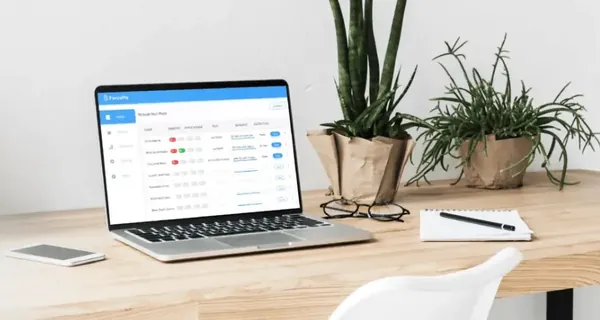
Reclaim Time FocusMe 7.7.4.2 (x64) | 50.58 Mb
Take Back Control of Your Time. Conquer digital distractions with the world's most powerful focus software. FocusMe blocks distractions, reveals your online habits and helps you build the routines that make deep work possible.


How FocusMe Works
In a world of highly addictive websites and apps, FocusMe studies your digital patterns and reveals your online behavior. Where your attention drifts, when you work best and what needs stronger boundaries. Your AI Coach is an optional feature which then turns those insights into practical recommendations for blocking plans and focus routines, which you can immediately apply using the tools built directly into FocusMe.
The app runs in the background limiting exposure to distractions, setting screen time limits and scheduling focused work sessions. These are fully customizable to your daily schedule. If you want extra accountability, you can lock your set-up using Force Mode. With built-in Pomodoro timers, break reminders and real-time progress tracking, FocusMe becomes your digital productivity coach.
Home Page-
Код:
https://focusme.com/

Rapidgator
Код:
https://rapidgator.net/file/e6fc6ea8576c7bc775cf0c908561b3f8/tovov.ReclaimTimeFocusMe7.7.4.2.zip.html

Код:
https://nitroflare.com/view/7301D8CE0BE5AF9/tovov.ReclaimTimeFocusMe7.7.4.2.zip
 
a3561c430adb7287dd471e9b8aac6baf.jpg


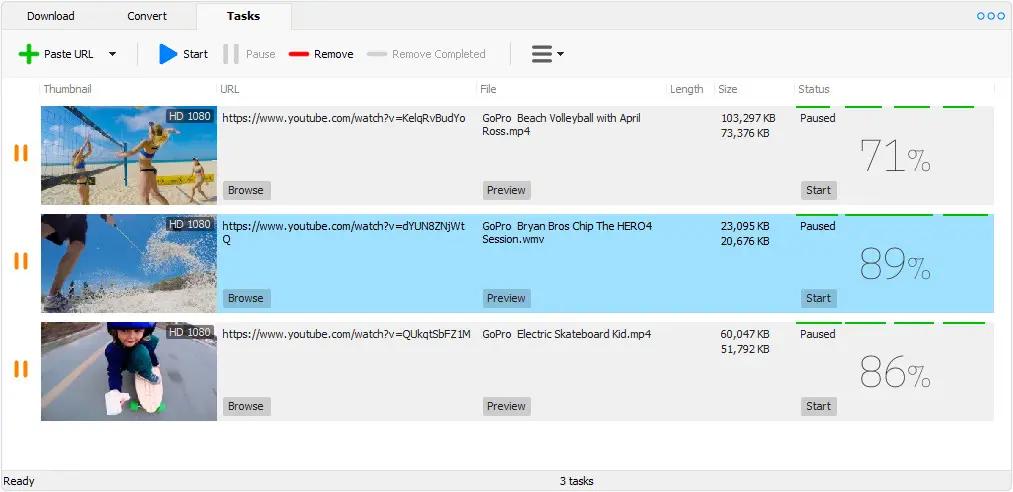
Robin YouTube Video Downloader Pro 7.3.10 (x64) | Size: 73.84 MB
Language: English


YouTube Video Downloader Pro is a professional Windows app for downloading and converting videos from YouTube, Facebook, Dailymotion, and thousands of other video sharing sites. It accelerates your downloads by up to 5 times. YouTube Video Downloader Pro allows you to download multiple videos at a time. It also allows you to pause, resume, and cancel downloads at anytime.

Easy-to-use
Just copy and paste video URL to start download. You can also directly drag and drop video link/URL from your browser to the Drop Box to add a download. YouTube Video Downloader Pro can download UHD 4K, QHD 2K, FHD 1080p, HD 720p, and 3D videos from YouTube if they are available. YouTube Video Downloader Pro allows you to download only audio stream from YouTube, without downloading the entire video file.

Playlist download
Just enter a YouTube playlist ID, YouTube Video Downloader Pro will download all or selected videos in the playlist from YouTube for you.

Speed up your downloads
YouTube Video Downloader Pro features an advanced download acceleration engine that lets you download videos up to 5 times faster than normal speed.
YouTube Video Downloader Pro allows you to download multiple videos at a time. It also allows you to pause, resume, and cancel downloads at anytime.
While downloading, you can click "Preview" button to play incomplete video and make sure it is really the video of your choice.

Convert to any format for any device
YouTube Video Downloader Pro can automatically convert downloaded file to any format for any device. It supports MP4, FLV, WMV, MOV, AVI, MPG, VOB, WEBM, DVD, VCD, and many other formats.
YouTube Video Downloader Pro can also extract audio stream from video, and save it as MP3, WAV, WMA, AC3, AAC, OGG, FLAC, MP2, or any other audio format.

iTunes compatible
Optionally, YouTube Video Downloader Pro can automatically add downloaded video/music files to your iTunes library, so you can easily synchronize your videos and music to your iPhone, iPad, iPod, etc.

Operating System: Windows 11/10/8/7/Vista/XP/2000

HOMEPAGE: Code:
Код:
http://www.youtubevideodownloaderpro.com/


DOWNLOAD LINKS:


Код:
https://rapidgator.net/file/c5466175b83e7e6026e8c1506cde9939/Robin_YouTube_Video_Downloader_Pro_7.3.10_x64.rar.html

Код:
https://nitroflare.com/view/B32B6F9C00D231F/Robin_YouTube_Video_Downloader_Pro_7.3.10_x64.rar
 
be84a0288072fb864b6a0c3c88649eb8.jpg


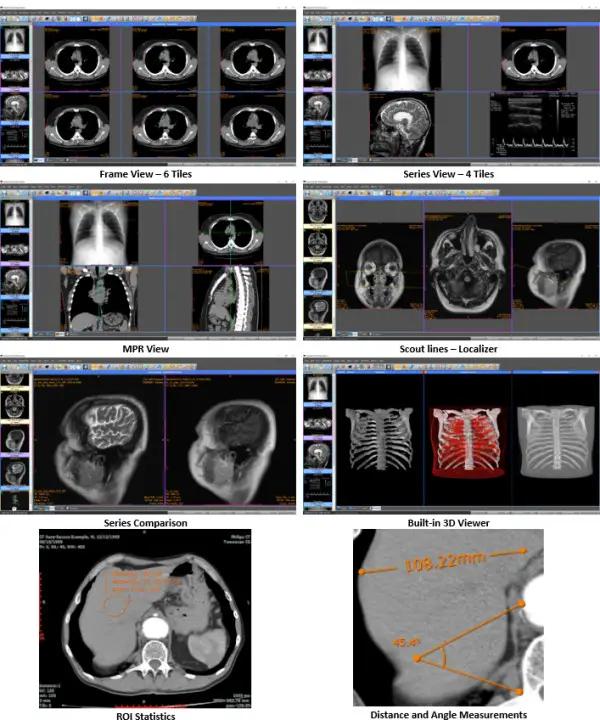
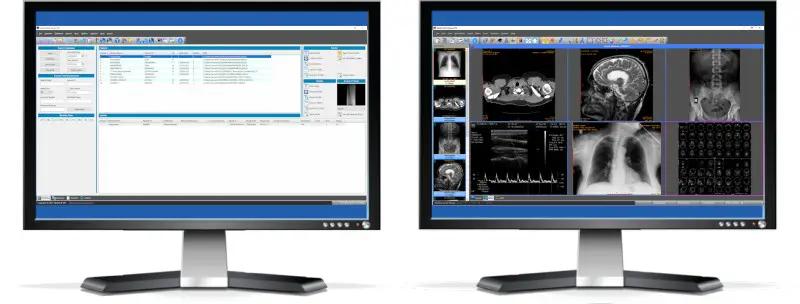
Sante PACS Server 4.5 | Size: 225.38 MB
Language: English


Sante PACS Server is a DICOM 3.0 compliant PACS server, a Modality Worklist server, an HTTP (web) server for DICOM files and a CD/DVD Burning and Printing server that offers high performance and reliability at an affordable price. It provides connectivity to all DICOM modalities (CT, MR, US, CR, NM, XA, MG, DX etc.). Reviewing the DICOM images can be done using the Sante PACS Viewer (the Built-in full-featured DICOM viewer of the system). The built-in web server can be used as a free cloud server for DICOM files!

The Database module
The program uses the Postgres SQL server for database management and offers storage of unlimited number of patients/studies/series/images (it depends only on hard disk size).

The DICOM Server module
The built-in DICOM server supports all the DICOM network services (C-FIND SCU/SCP, C-MOVE SCU/SCP, C-STORE SCU/SCP, C-GET SCU/SCP, C-ECHO SCU/SCP), it is compatible with all the modalities (CT, MR, NM, US, XA, MG, CR, DX etc.), all manufacturers and all DICOM 3.0 and NEMA 2 file types. Moreover, it supports unlimited number of connections with unlimited number of DICOM nodes and DICOM clients.

The Worklist Server module
The built-in Worklist server module can receive via HL7 communication messages the patients demographics and scheduling information of exams that are stored in a HIS/RIS system (Hospital Information System / Radiology Information System) and transfer them to any modality/medical scanner via DICOM communication protocols (C-FIND).

The Web Server module
The Web Server module lets remote users of the system to connect with it, query and retrieve studies that have been stored in the database of the DICOM Server. The Web Server module, for these connections, uses the HTTP ot HTTPS protocol of the internet and the remote user must use a web browser like Edge, Chrome or Mozilla to query and retrieve studies. The web server supports SSL secure connections. This module lets the user to connect, query, retrieve and review DICOM studies stored in the system from anywhere in the world and it can be used as a free cloud server!

Minimum Requirements:
Windows Server 2019/2016/2012/2008 or Windows 11/10/8.1/8/7/Vista 64-bit
Intel Core i3 1.3GHz or greater
4 GB memory or more
Graphics card with 512 MB memory
Monitor that supports resolution 1366x768 or above, and true color (16M Colors)
Pointer device (Mouse)
500MB free space on hard disk

HOMEPAGE: Code:
Код:
https://www.santesoft.com/


DOWNLOAD LINKS:


Код:
https://rapidgator.net/file/cb42219ef9c4c19e6c7c9e52ee7816c5/Sante_PACS_Server_4.5.rar.html

Код:
https://nitroflare.com/view/92AA3A246D41EC8/Sante_PACS_Server_4.5.rar
 
b89d01088ab116e6d244a52d8c66283e.jpg


Sante PACS Server PG 4.5 | Size: 535.18 MB
Language: English


Sante PACS Server PG is a DICOM 3.0 compliant PACS server, a Modality Worklist server, an HTTP (web) server for DICOM files and a CD/DVD Burning and Printing server that offers high performance and reliability at an affordable price. It provides connectivity to all DICOM modalities (CT, MR, US, CR, NM, XA, MG, DX etc.). Reviewing the DICOM images can be done using the Sante PACS Viewer (the Built-in full-featured DICOM viewer of the system). The built-in web server can be used as a free cloud server for DICOM files!

The Database module
The program uses the Postgres SQL server for database management and offers storage of unlimited number of patients/studies/series/images (it depends only on hard disk size).

The DICOM Server module
The built-in DICOM server supports all the DICOM network services (C-FIND SCU/SCP, C-MOVE SCU/SCP, C-STORE SCU/SCP, C-GET SCU/SCP, C-ECHO SCU/SCP), it is compatible with all the modalities (CT, MR, NM, US, XA, MG, CR, DX etc.), all manufacturers and all DICOM 3.0 and NEMA 2 file types. Moreover, it supports unlimited number of connections with unlimited number of DICOM nodes and DICOM clients.

The Worklist Server module
The built-in Worklist server module can receive via HL7 communication messages the patients demographics and scheduling information of exams that are stored in a HIS/RIS system (Hospital Information System / Radiology Information System) and transfer them to any modality/medical scanner via DICOM communication protocols (C-FIND).

The Worklist Server module
The built-in Worklist server module can receive via HL7 communication messages the patients demographics and scheduling information of exams that are stored in a HIS/RIS system (Hospital Information System / Radiology Information System) and transfer them to any modality/medical scanner via DICOM communication protocols (C-FIND).

Minimum Requirements:
Windows Server 2019/2016/2012/2008 or Windows 11/10/8.1/8/7/Vista 64-bit
Intel Core i3 1.3GHz or greater
4 GB memory or more
Graphics card with 512 MB memory
Monitor that supports resolution 1366x768 or above, and true color (16M Colors)
Pointer device (Mouse)
500MB free space on hard disk

HOMEPAGE: Code:
Код:
https://www.santesoft.com/


DOWNLOAD LINKS:


Код:
https://rapidgator.net/file/8fd8ee1110da64d67afb5bc0fea74b1b/Sante_PACS_Server_PG_4.5.rar.html

Код:
https://nitroflare.com/view/FBD85E5B2E71922/Sante_PACS_Server_PG_4.5.rar
 
db23ef95d197e90efbb1566041ec86e2.jpg


ShareMouse Enterprise 7.0.25 | Size: 9.71 MB
Language: English


The software "ShareMouse" lets you control multiple computers from a single mouse and keyboard. Move the mouse to the monitor of the computer you wish to control and the pointer magically jumps to that computer. Any mouse and keyboard input is transmitted to the corresponding computer.

Similar to a network KVM, ShareMouse transmits mouse movements and clicks through the local LAN. All traffic can be password-protected and AES encrypted.
To switch between computers, there is no additional hardware or press of a button required.
Similar to a keyboard switch, you can seamlessly operate multiple computers on your desk from any mouse and keyboard.

Drag & Drop Files between Windows
Transferring files between two computers has never been easier:
Simply drag & drop files between computers. No need to set up file shares or configure cross-platform network protocols.

Clipboard Sharing
ShareMouse can share the clipboard between multiple computers.
Copy any formatted text or files into the clipboard and paste it any other computer with a single key press.

Windows and Mac Cross-Platform Solution
ShareMouse allows you to control a Mac from a PC.
It also works the other way round and you can control a PC from a Mac.

A whole new Synergy
ShareMouse can sync several events and actions between computers:
Lock/unlock multiple computers simultaneously.
Synchronize screen savers on multiple computers.
Remote log-in on a Windows PC after cold start.

System Requirements:
ShareMouse works with any mix of Microsoft Windows 10/11
A minimum of two computers is required.
Each computer must have its own monitor.
All computers must be connected in the local network.

HOMEPAGE: Code:
Код:
https://www.sharemouse.com/


DOWNLOAD LINKS:


Код:
https://rapidgator.net/file/95a6bca9ee3993a9b3336e4df095e1c4/ShareMouse_Enterprise_7.0.25.rar.html

Код:
https://nitroflare.com/view/0D8F15F0B9623BC/ShareMouse_Enterprise_7.0.25.rar
 
58bdfa34c80827e91febcf600081e199.png


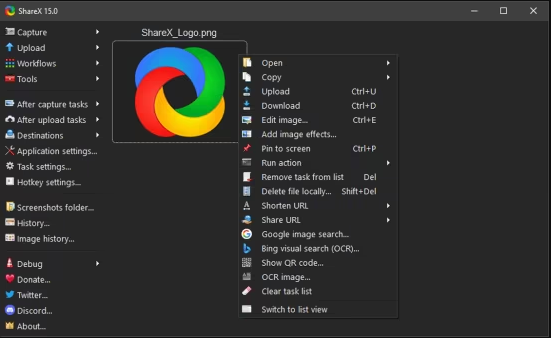
ShareX v20.2.0 | Size: 119.94 MB
Language: English


Screenshots and screenrecorder utility.

ShareX can be used to capture full screen or partial screenshots, such as rectangle capture, window capture and scrolling capture as well as being able to record video using FFmpeg. Captured screenshots can be annotated and edited using the built-in ShareX image editor or modified using image effects and watermarks.

After capture, a screenshot can be autonomously exported as an image file, e-mail attachment, exported to a printer, to the clipboard, or uploaded to a remote host such as many popular image hosting services.

System requirements: Windows 10 (64-bit), Windows 11


DOWNLOAD LINKS:


Код:
https://rapidgator.net/file/fa630a3bc0a3634e01de1bf8b89d9271/ShareX_v20.2.0_.rar.html

Код:
https://nitroflare.com/view/55A6DCF769278E0/ShareX_v20.2.0_.rar
 
9cc2656b7b0efc3738f60eaa24052c6d.webp

Software Ideas Modeler Ultimate 15.40 | 26 Mb
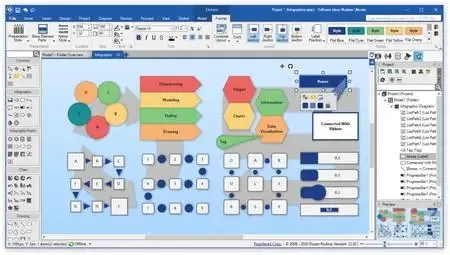
Software Ideas Modeler is a smart CASE tool and diagram software that supports UML, SysML, ERD, BPMN, ArchiMate, flowcharts, user stories, wireframing.


What can Software Ideas Modeler help me with?
Software Ideas Modeler is an essential tool in software engineering. It is a feature-rich CASE tool that can help you with software design using various diagram notations and modeling tools. Try our UML modeler, ERD designer, flowchart maker, wireframing tools, or BPMN editor for free. The diagramming modules are optimized for particular tasks in the specific domain.
Software architecture
Tools for UML diagrams, Layer diagrams, Flowcharts, and Data Flow Diagrams and others help you design your software or its crucial parts properly. Documentation and glossary modules in our CASE tool allow you to communicate your design effectively.
Requirement capture
Professionally process the user requirements using Advanced Use Case analysis or User Stories depending on your preference.
Software analysis & source code generation
Turn code to diagrams using the code analytic tools for many popular programming languages. Generate source code scaffold and code parts using source code generators, also using custom code templates.
Wireframing and UX design
The design user interface of your application using User Interface, Web Page, and Mobile App diagrams. Describe the behavior and dynamics of your design in Screen Flow diagrams.
Database design
Use E-R diagrams to describe data entities and the relationship between them. ERD tool helps you with the generation of creation and change scripts in SQL.
Business process modeling
You can describe your business processes and capture the work methods easily with BPMN and CMMN diagram tools. DMN diagrams help you with the definition of repeatable decisions.
Home Page-
Код:
https://www.softwareideas.net/

Rapidgator
Код:
https://rapidgator.net/file/338e9413f4b6f19d9f93674932d5aa77/tgfny.Software.Ideas.Modeler.Ultimate.15.40.rar.html

Код:
https://nitroflare.com/view/8FEBD3FEA7FA16D/tgfny.Software.Ideas.Modeler.Ultimate.15.40.rar
 
816153a9c4723cabd90f3fd03761caaf.webp

Starus File Recovery 7.3 Multilingual All Editions | 75 Mb
Recover deleted files and folders in a snap! The latest version of Starus File Recovery is the quickest file recovery tool on the market. Featuring new and improved disk analysis algorithms, Starus File Recovery can analyze your disk in just a few seconds. Featuring the familiar look and feel of Windows Explorer, Starus File Recovery will let you browse disks and folders while displaying any deleted files discovered.


Quick and Slow Modes
While having deleted files back in a few seconds is nice, it's not always possible. Files located on formatted, inaccessible, corrupted or badly damaged disks just don't come as easy. For tough scenarios, Starus File Recovery features a comprehensive "slow" mode, performing a complete scan of the entire disk surface in order to locate and recover every little bit of usable information. But don't you worry, the "slow" mode works completely automatically and does not require anything but a bit of your patience. In its "slow" mode, Starus File Recovery can successfully restore information from deleted partitions, corrupted and repartitioned disks.
Data Recovery for Everyone
Starus File Recovery is easy to use for the novices while advanced enough to interest data recovery professionals.
Fully Guided Wizards
Featuring a fully guided, step-by-step deleted file recovery wizard, Starus File Recovery helps selecting the right mode and configuring the settings in fully visual mode. The wizard guides users through in few easy steps.
Look and Feel of Windows Explorer
Starus File Recovery looks and feels just like Windows Explorer. Anyone familiar with how Windows handles files and folders will feel immediately at home with Starus File Recovery. Imagine browsing your disk in a familiar way and seeing all the deleted files and folders in real time.
Pre-Recovery Preview
A fully visual pre-recovery preview is supported for hundreds of file formats. All popular image formats, music, most types of videos, office documents, spreadsheets and presentations, ZIP and RAR archives, emails and attachments can be previewed before undeleting.
System requirements:
Starus File Recovery works in all versions of Windows up to the latest Windows 7 and Windows 2008 Server, and supports all Windows file systems including FAT, FAT32, NTFS, and NTFS5. The latest version can recover files compressed with corresponding NTFS attributes.
Home Page-
Код:
https://www.starusrecovery.com/

Rapidgator
Код:
https://rapidgator.net/file/b7541b0a3cc8cb7e96ab5dfbe14e6afc/xc77p.Starus.File.Recovery.7.3.Multilingual.rar.html

Код:
https://nitroflare.com/view/4C1387AA27231CF/xc77p.Starus.File.Recovery.7.3.Multilingual.rar
 
60cb1db8d8c76b401da1140ae4bc2e02.jpg


TablePlus 7.1.0 | Size: 94.12 MB
Language: English


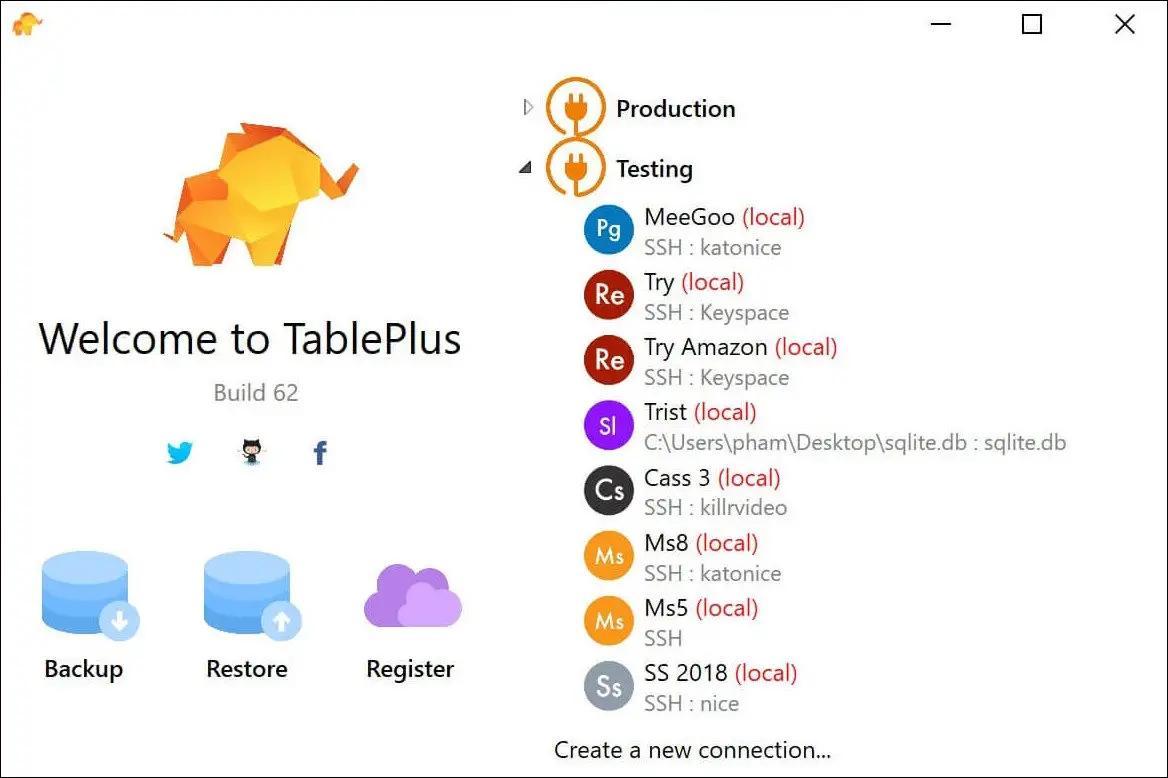
Modern, native, and friendly GUI tool for relational databases: MySQL, PostgreSQL, SQLite & more.

Native, lightweight and fast
With native build, simple design and powerful features, TablePlus makes database management easier, faster & more efficient for you.

Native, fast & secured
Query, edit and manage your databases easily with a native app that can run fast like a Lambo. It takes only half a second to get up and running.

Multi tabs & code review
Quickly get a snapshot of your database with multi-tab and multi-window view, as well as stay in control of what you have changed on your database with Code Review.

Built-in SSH
You don't need to install any SSH client in order to connect to the server. SSH is a part of TablePlus.

An intuitive GUI client
Browse, query, edit your data and database structure in a simple and clean spreadsheet-like editor.

Operating System: Windows 7, 8/8.1, 10

HOMEPAGE: Code:
Код:
https://tableplus.com/


DOWNLOAD LINKS:


Код:
https://rapidgator.net/file/e40b5056d981d41bee3186efa99f2e98/TablePlus_7.1.0.zip.html

Код:
https://nitroflare.com/view/473BF2A65ECC064/TablePlus_7.1.0.zip
 
bacc10a06636d0863f05b921c7e80fb1.jpg


TeamViewer Free 15.78.3 Multilingual | Size: 153.78 MB
Language: English


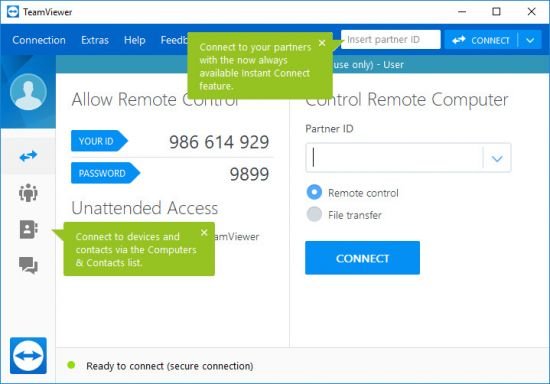
TeamViewer is a simple and fast solution for remote control, desktop sharing and file transfer that works behind any firewall and NAT proxy. To connect to another computer just run TeamViewer on both machines without the need of an installation procedure. With the first start automatic partner IDs are generated on both computers. Enter your partner's ID into TeamViewer and the connection is established immediately. With many thousand users worldwide TeamViewer is a standard tool to give support and assistance to people in remote locations. The software can also be used for presentations, where you can show your own desktop to a partner. This application also is VNC compatible and offers secure, encrypted data transfer with maximum security.

TeamViewer establishes connections to any PC all around the world within just a few seconds. You can remote control your partner's PC as if you were sitting in right front of it. TeamViewer is completely free for private use.

Features
• One solution for everything. While most competitors offer different packages for remote support, remote administration, training and sales (and also charge for them.) The application is the one-stop solution for everything you need: includes all modules in one simple and very affordable package.
• Remote administration of unattended servers. TeamViewer can also be used to control unattended computers and servers. Installation as a system service even allows remote reboot and reconnect.
• File transfer. TeamViewer comes with integrated file transfer that allows you to copy files and folders from and to a remote partner - which also works behind firewalls
• Highest security standard. TeamViewer is a very secure solution. All versions feature completely secure data channels with key exchange and RC4 session encoding, the same security standard used byhttps/SSL.
• No installation required. To install TeamViewer no admin rights are required. Just run the software and off you go.
• High performance with international router network. Optimized for connections over LANs AND the Internet, TeamViewer features automatic bandwidth-based quality selection for optimized use on any connection.
TeamViewer uses an extended international server network with server locations in many countries all over the world, so no matter where you are located we will make sure that a high-security, high-performance router near your home destination will ensure great performance.
• Remote support without installation. With TeamViewer you can remotely control any PC anywhere on the Internet. No installation is required, just run the application on both sides and connect - even through tight firewalls.
• Remote presentation of products, solutions and services. The second TeamViewer mode allows you to present your desktop to a partner. Show your demos, products and presentations over the Internet within seconds - live from your screen.
• Works behind firewalls. The major difficulties in using remote control software are firewalls and blocked ports, as well as NAT routing for local IP addresses. If you use TeamViewer you don't have to worry about firewalls: TeamViewer will find a route to your partner.
• Flexible use for a variety of applications. TeamViewer lets you connect to your partners in many different ways: You can either view or control your partner's desktop in order to do online-support; You can transmit your screen to your partners for presentation purposes - You may even change directions during a session for high fidelity teamwork!

System Requirements: Windows 11, Windows 10, 8 , 7


DOWNLOAD LINKS:


Код:
https://rapidgator.net/file/5510c912515339a49cf81ab31c7ee717/TeamViewer_Free_15.78.3_Multilingual.rar.html

Код:
https://nitroflare.com/view/1A4BB0034CDBE39/TeamViewer_Free_15.78.3_Multilingual.rar
 
534f80a80584248879c2cb87c30c26ce.jpg


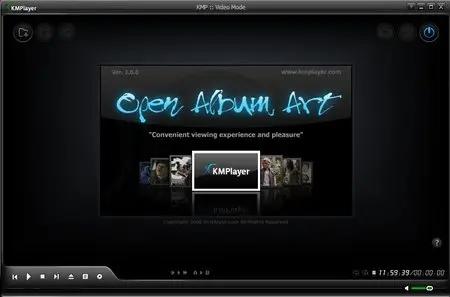
The KMPlayer 2026.5.26.13 (x64) Multilingual | Size: 57.43 MB
Language: English


KMPLAYER is a korean movie and audio player that supports a wide range of codecs and file formats. It has full VCD/DVD playback functionality.

Supported Files or Devices:

- HTTP Streaming(AVI etc including none-streaming media)
- Directshow playback (avi, mkv etc)
- Real Engine + Directshow (needs Real Player or Alternative)
- QuickTime Engine + Directshow (needs QuickTime player or Alternative)
- Mplayer Engine Support
- Winamp Input Plugin(decoder) Support
- Compressed Audio Album Support(zip, rar)
- Audio CD(2000, XP only / Win9x-Support by winamp plugin)
- Video CD/SVCD/XCD : CDXA Format (2000, XP only)
- DVD playback
- DTS Wave and AC3 files
- WDM device support like TV or Camera
- CD Image File (BIN/ISO/IMG/NRG) ; NRG needs mplayer.dll
- Shoutcast (Including NSV)
- AAC, OGG parser/decoder
- Shockwave Flash/FLC/FLI
- Ape/MPC/Flac/Module etc
- Various Image files like png, gif etc
- Incomplete/Damaged AVI file (Skip Damaged Frames)
- Locked Media Files while downloading or sharing

Built-in Codec/Filters:

Video Codec:


- MPEG4 (Divx/Xvid : ffmpeg/xvid)
- MPEG1/2 (ffmpeg/libmpeg)
- etc (ffmpeg)
- AC3/DTS/LPCM/MPG/MP3/OGG/AAC/WMA
- 2Ch to Multi Channel expansion

External Codec:

- Media Priority to Connect among Directshow, Real, QT, Winamp and Mplayer

- Custom Filter Manager
- System Filter Manger

Plugins:

- Winamp Input Plugins
- Winamp DSP Plugins (Can Stack)
- Winamp Visual Plugins (Can Stack)
- Winamp General Plugins (Media Library etc Support)
- KMP Video Plugins by SDK (Can Stack)
- DScaler Filter Support (Can Stack)

HOMEPAGE: Code:
Код:
http://www.kmplayer.com/


DOWNLOAD LINKS:


Код:
https://rapidgator.net/file/96105847b3329b147604bb3b3af6ee31/The_KMPlayer_2026.5.26.13_x64_Multilingual.rar.html

Код:
https://nitroflare.com/view/E4F47BC8C897754/The_KMPlayer_2026.5.26.13_x64_Multilingual.rar
 
Назад
Сверху Снизу