All mitsumi'1s Applications !! (updated daily)

974e1ff83f29c18f61dd32d237ba2f69.png


VovSoft AI Requester 4.4.0 | Size: 5.4 MB
Language: English


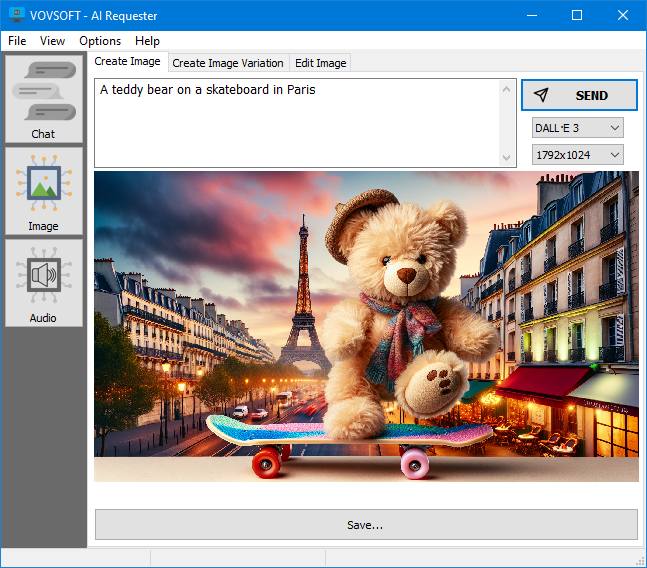
Vovsoft AI Requester is a program that can connect to OpenAI API with ease. The software provides a reliable and easy-to-use interface that seamlessly integrates with the latest AI technologies, including GPT-3.5, GPT-4 and DALL-E.

Chat with Artificial Intelligence
The software is designed to be user-friendly and intuitive, allowing even non-technical users to easily connect to OpenAI API and start chatting right away. Just like ChatGPT, you can connect to the OpenAI platform and start chatting with powerful AI bots that are capable of providing intelligent responses to a wide range of queries and questions.

Additionally, you can easily set the behavior of the assistant using the dedicated checkbox under the "Send" button. For example, enter prompt "You are Elon Musk". From now on, all your questions will be answered as if the artificial intelligence is Elon Musk.

Text-to-Image Generation
You can input textual descriptions or prompts and generate corresponding high-quality images. The software leverages the state-of-the-art image synthesis capabilities of DALL-E, allowing you to bring your ideas to life with stunning visuals. The software supports 1024x1024, 512x512, and 256x256 images in PNG format.

Create Image: Creates an image given a text prompt.
Create Image Variations: Creates a variation of a given image.
Edit Image: Creates an edited or extended image given an original image and a prompt. The original image must be a PNG file with transparency channel.

Operating System: Windows 11, Windows 10, Windows 8/8.1, Windows 7 (32-bit & 64-bit)

HOMEPAGE:
Код:
https://vovsoft.com/software/ai-requester/


DOWNLOAD LINKS:


Код:
https://rapidgator.net/file/111247b3df608e7caf0ec44d33faf0d7/VovSoft_AI_Requester_4.4.0.rar.html

Код:
https://nitroflare.com/view/62858DB2C7C12FF/VovSoft_AI_Requester_4.4.0.rar
 
7c5dcd2936510698ee4a99a5f427525d.jpg


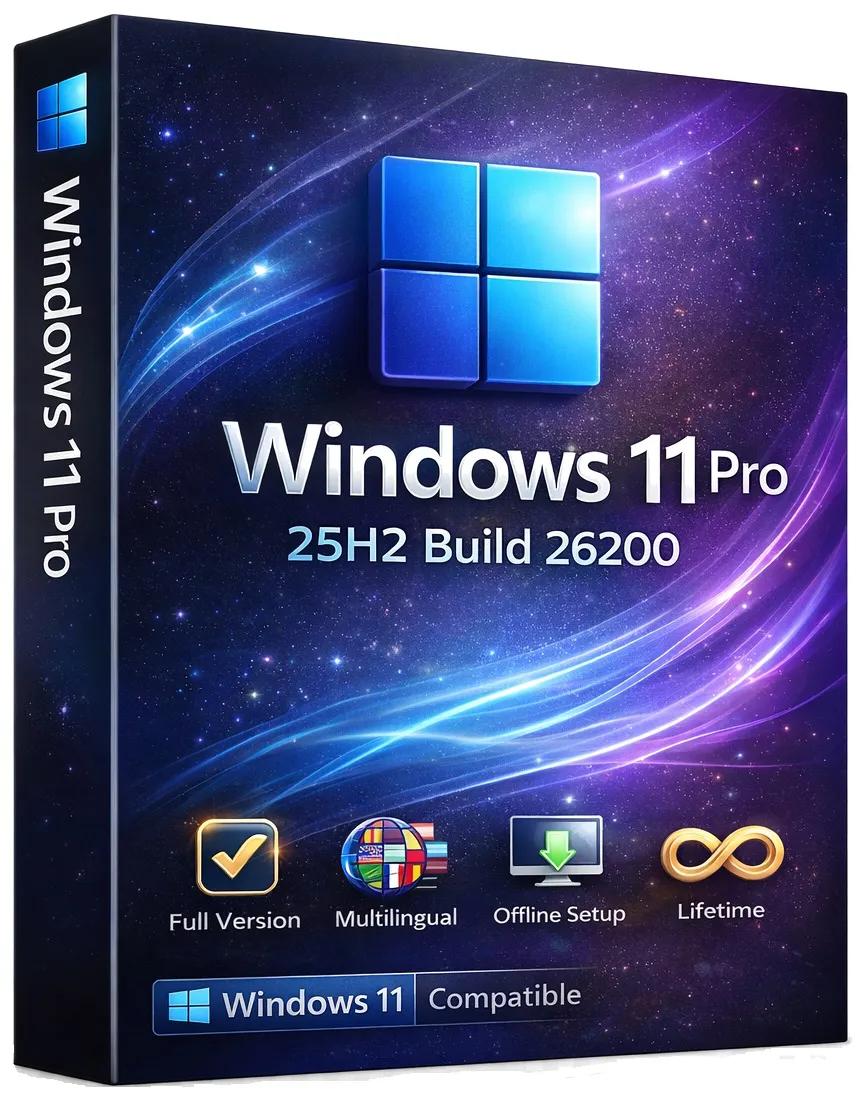
Windows 11 Pro 25H2 Build 26200.8328 (No TPM Required) Preactivated Multilingual | Size: 6.66 GB

Languages: Arabic,English,German,Greek,French,Spanish,Italian,Portuguese-Portuguese,Portuguese-Brazil,Turkish,Dutch,Czech,Norwegian


Windows 11, version 25H2 is an enablement update that builds on the features of 24H2 by enabling new, "continuous innovation" features, rather than introducing entirely new features itself. Key updates include a Braille Viewer for the Narrator, improvements to Click-to-Do (including a new "Convert to Table" feature), support for plug-in credential managers for passkeys, and enhancements to the mobile device companion experience. Microsoft is also implementing IT admin-focused features like the ability to remove pre-installed Store apps and a new Quick Machine Recovery system to reduce downtime.

For Users

Accessibility
The Narrator now includes a Braille Viewer, allowing users to see the braille equivalent of on-screen text on a refreshable braille display.

Passkeys
Users can now utilize plug-in credential managers for setting up and using passkeys, offering improved security and management.

Time & Language
Ported settings from the Control Panel to the Settings app, including configuring additional clocks and changing the NTP time server.

Mobile Experience
The mobile device companion has a new, more accessible layout to view calls, messages, photos, and more from your phone.

Click-to-Do
New AI features for Click-to-Do are included, such as a new "Convert to Table" capability for converting text to an Excel table and more flexible selection methods.

For IT Administrators
Quick Machine Recovery
This new feature in the recovery system aims to reduce downtime and simplifies the process for recovering a system, according to PCMag.

Removable Apps
IT admins can now remove certain pre-installed Microsoft Store apps via Group Policy or MDM CSP on Enterprise/EDU devices.

Feature Removals
25H2 removes older components like PowerShell 2.0 and WMIC for greater security and efficiency.

System Requirements
Processor: 2 gigahertz (GHz) or faster.
RAM: 2 gigabyte (GB).
Free space on hard disk: 40 gigabytes (GB).
Graphics card: DirectX 9 graphics device or a newer version.
Additional requirements to use certain features.
To use touch you need a tablet or monitor that supports multitouch.
To access the Windows store to download and run apps, you need an active Internet connection and a screen resolution of at least 1024 x 768 pixels

HOMEPAGE:
Код:
https://microsoft.com


DOWNLOAD LINKS:

Код:
https://rapidgator.net/file/04cfaf3e7d63fd5372b24610d0502ef8/Win.11.Pro.26200.8328..part1.rar.html
https://rapidgator.net/file/4a0f26a104dc2109d715749746e1fe60/Win.11.Pro.26200.8328..part2.rar.html
https://rapidgator.net/file/6686fae68d32b6bb51d855bf2dfdc756/Win.11.Pro.26200.8328..part3.rar.html
https://rapidgator.net/file/74cd26409c68c47cd4809bfc8d14c9d7/Win.11.Pro.26200.8328..part4.rar.html
https://rapidgator.net/file/b06db0147aa25f6f777cd7164109598e/Win.11.Pro.26200.8328..part5.rar.html
https://rapidgator.net/file/6b08da27382ef0c1753bf3c8967b1229/Win.11.Pro.26200.8328..part6.rar.html
https://rapidgator.net/file/16f1a1fe059dc95c929128e249821dc0/Win.11.Pro.26200.8328..part7.rar.html

Код:
https://nitroflare.com/view/2EB3FB8391C24E5/Win.11.Pro.26200.8328..part1.rar
https://nitroflare.com/view/2B37692F5C83C7D/Win.11.Pro.26200.8328..part2.rar

https://nitroflare.com/view/9940BFD20B9C0F1/Win.11.Pro.26200.8328..part3.rar
https://nitroflare.com/view/FE67722C42F5B85/Win.11.Pro.26200.8328..part4.rar
https://nitroflare.com/view/188B9294158D86F/Win.11.Pro.26200.8328..part5.rar
https://nitroflare.com/view/88F998D76376C37/Win.11.Pro.26200.8328..part6.rar
https://nitroflare.com/view/D2999EDF6B4A3CF/Win.11.Pro.26200.8328..part7.rar
 
6be04cc8fe7375fd29102495e401b9e1.jpg

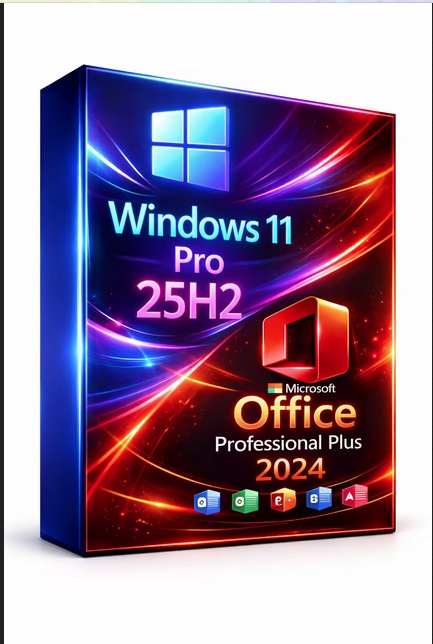
Windows 11 Pro 25h2 Build 26200.8328 (no Tpm Required) With Office 2024 Pro Plus Multilingual Preactivated
Windows (x64) | Languages:Arabic,English,German,Greek,French,Spanish,Italian,Portuguese-Portuguese,Portuguese-Brazil,Turkish,Dutch,Czech,Norwegian | File Size: 9.49 GB


Windows 11, version 25H2 is an enablement update that builds on the features of 24H2 by enabling new, "continuous innovation" features, rather than introducing entirely new features itself. Key updates include a Braille Viewer for the Narrator, improvements to Click-to-Do (including a new "Convert to Table" feature), support for plug-in credential managers for passkeys, and enhancements to the mobile device companion experience. Microsoft is also implementing IT admin-focused features like the ability to remove pre-installed Store apps and a new Quick Machine Recovery system to reduce downtime.
For Users
Accessibility
The Narrator now includes a Braille Viewer, allowing users to see the braille equivalent of on-screen text on a refreshable braille display.
Passkeys
Users can now utilize plug-in credential managers for setting up and using passkeys, offering improved security and management.
Time & Language
Ported settings from the Control Panel to the Settings app, including configuring additional clocks and changing the NTP time server.
Mobile Experience
The mobile device companion has a new, more accessible layout to view calls, messages, photos, and more from your phone.
Click-to-Do
New AI features for Click-to-Do are included, such as a new "Convert to Table" capability for converting text to an Excel table and more flexible selection methods.
For IT Administrators
Quick Machine Recovery
This new feature in the recovery system aims to reduce downtime and simplifies the process for recovering a system, according to PCMag.
Removable Apps
IT admins can now remove certain pre-installed Microsoft Store apps via Group Policy or MDM CSP on Enterprise/EDU devices.
Feature Removals
25H2 removes older components like PowerShell 2.0 and WMIC for greater security and efficiency.
Whats New
Update windows to 25H2 Build 26200.8328
Update Office to v2604 Build 19929.20136

System Requirements For Windows 11
Processor: 2 gigahertz (GHz) or faster.
RAM: 2 gigabyte (GB).
Free space on hard disk: 40 gigabytes (GB).
Graphics card: DirectX 9 graphics device or a newer version.
Additional requirements to use certain features.
To use touch you need a tablet or monitor that supports multitouch.
To access the Windows store to download and run apps, you need an active Internet connection and a screen resolution of at least 1024 x 768 pixels

download
Код:
https://rapidgator.net/file/2cb52219289b1e0dddce6329b554fa6b/Win.11.Pro.26200.8328.Office.iso..part5.rar.html
https://rapidgator.net/file/8d3e20b0ce81dac3115bc5a09dd8f458/Win.11.Pro.26200.8328.Office.iso..part4.rar.html
https://rapidgator.net/file/c6eee0b27854ed756447622447d64211/Win.11.Pro.26200.8328.Office.iso..part3.rar.html
https://rapidgator.net/file/5816fa4ac2778667d6fd6472fc239461/Win.11.Pro.26200.8328.Office.iso..part2.rar.html
https://rapidgator.net/file/f3da37807021de02a3e74354f64ff129/Win.11.Pro.26200.8328.Office.iso..part1.rar.html

Код:
https://nitroflare.com/view/27750B5665018DB/Win.11.Pro.26200.8328.Office.iso..part5.rar
https://nitroflare.com/view/B622337A3FEA707/Win.11.Pro.26200.8328.Office.iso..part4.rar
https://nitroflare.com/view/DBC97A3A5C7B402/Win.11.Pro.26200.8328.Office.iso..part3.rar
https://nitroflare.com/view/8915DCB947C0617/Win.11.Pro.26200.8328.Office.iso..part2.rar
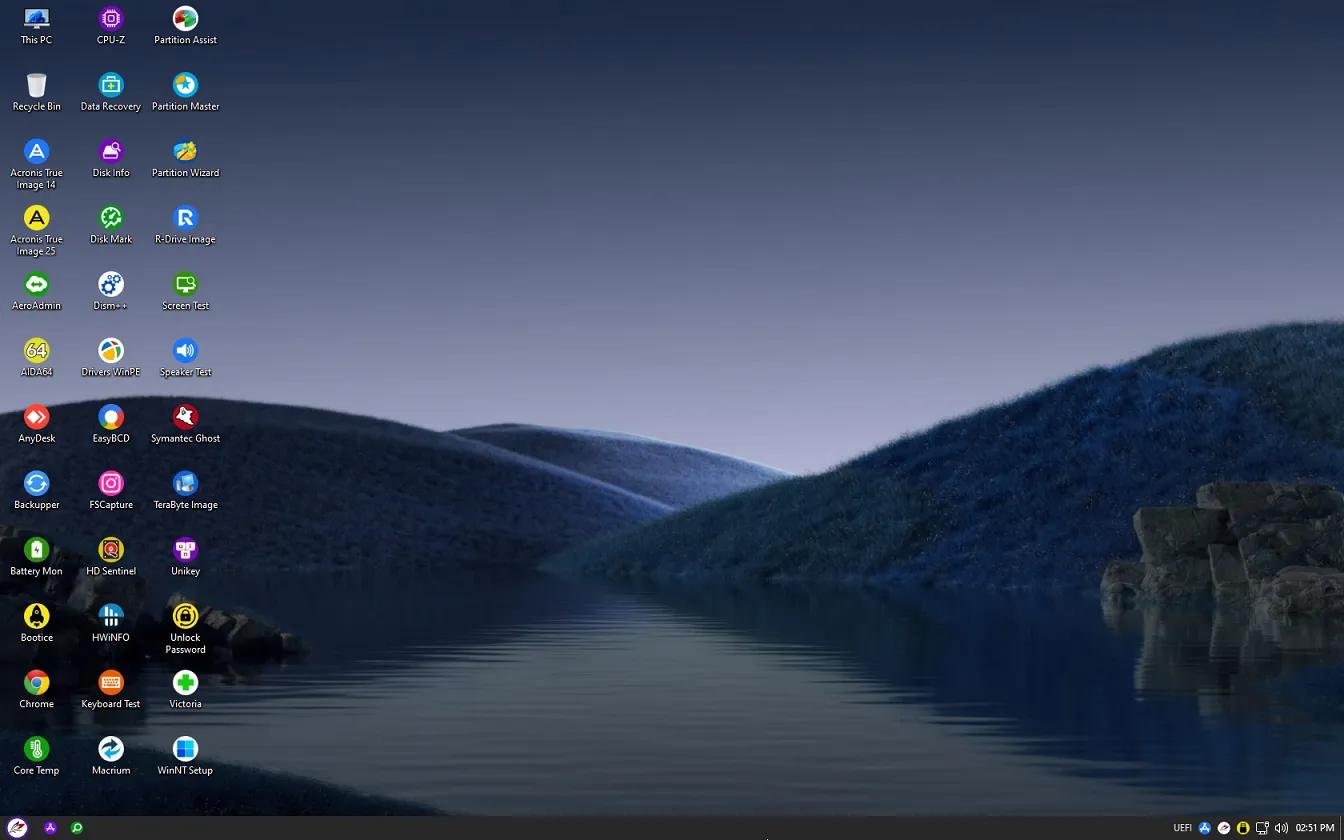
https://nitroflare.com/view/D94BE4125955349/Win.11.Pro.26200.8328.Office.iso..part1.rar
 
bb8bc1769252941fa5a3ab3736220feb.jpg


Wise Program Uninstaller 3.2.9.275 Multilingual | Size: 10.8 MB
Language: English


Wise Program Uninstaller helps you uninstall your unwanted programs or forcibly uninstall the program you can't uninstall by Windows or other programs. Moreover, it also can remove the residual entries which may drive you mad. Wise Program Uninstaller can search out more leftovers after you uninstall an unwanted program and then it can provide a deeper and more thorough removal of the residual entries of the uninstalled program. This point has been verified by comparisons with Windows and other similar programs. Sometimes, you are annoyed by some stubborn programs or entries which can't be uninstalled/removed or completely uninstalled/removed by common uninstall or safe uninstall. But Forced Uninstall of Wise Wise Program Uninstaller could uninstall/remove them easily and cheerfully.

Ensures Clean and Thorough Software Uninstalling
Wise Program Uninstaller is the perfect solution for uninstalling Windows software, allowing you to uninstall programs quickly and completely using its simple and user-friendly interface. The built-in scan engine will scan and delete all the left associated files, folders and registry items after the de-installation, making sure the software is completely removed from your computer.

Forced Uninstall removes any stubborn software
For some stubborn software or software with a broken uninstaller, they can't be uninstalled by conventional means. The 'Forced Uninstall' option of Wise Program comes in handy. It scans your system for all the files and registries, that are associated with this software and deletes them thoroughly, just like you have never installed the software.

Finds the Software You Want to Uninstall Fast
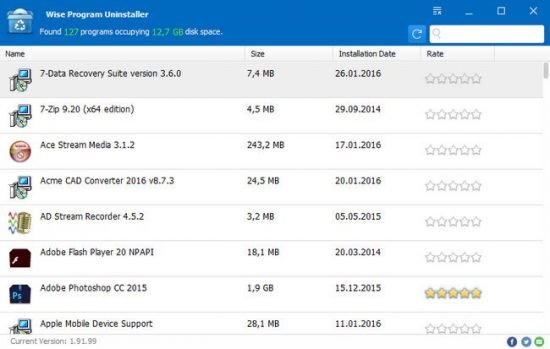
Featuring an intuitive and modern interface, Wise Program Uninstaller also allows you to organize applications according to name, size, date and review to find the software you want to uninstall very fast. Or you can type in the name to find the software right away.

Context Menu Option makes software Uninstall more efficient
You can add 'Uninstall with Wise Program Uninstaller' option to context menu in settings, then you can uninstall software by right-clicking its icon without opening Wise Program Uninstaller.

Completely Free and Perfectly Compatible with Almost All Windows Versions
Wise Program Uninstaller is freeware that allows you to completely uninstall programs (64 and 32-bit) installed on your system. It has been developed and fully tested to work great on Windows 8&8.1 and other Windows operating systems, from Windows XP and up. No matter what you own - a desktop or a laptop.

System Requirements: Windows 11, 10, 8/8.1, 7 (both 32-bit and 64-bit)


DOWNLOAD LINKS:


Код:
https://rapidgator.net/file/a07ba17aedaffae04f4248f2aaeb02ff/Wise_Program_Uninstaller_3.2.9.275_Multilingual.rar.html

Код:
https://nitroflare.com/view/3D955460414C068/Wise_Program_Uninstaller_3.2.9.275_Multilingual.rar
 
98cb94b13473d6490ad764ca0fd5a11f.jpg


XML Blueprint 22.20260509 Multilingual

File size: 79 MB


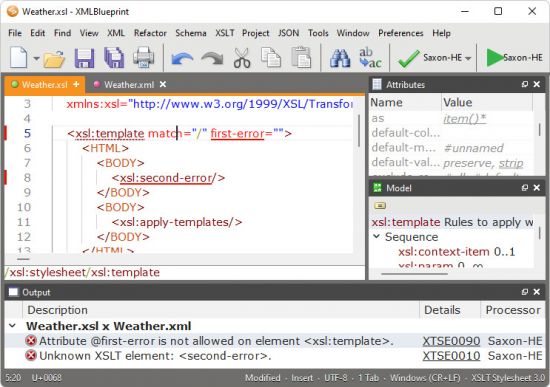
The smart XML Editor in XMLBlueprint has full support for DTD, Relax NG, Schematron, XSD, XSLT (1.0, 2.0, 3.0) and XPath (1.0, 2.0, 3.1). Its unique combination of just the right features and an affordable price for both professionals as well as home users makes it the smart choice for all your XML-related work. With XMLBlueprint you can edit and validate very large XML files (1GByte and larger). With its intuitive user interface, XMLBlueprint makes XML editing fast and easy. XMLBlueprint is the best choice for professional XML developers and home users alike.

XML Validator
The XML Editor automatically validates XML files against XSD, DTD, Relax NG Schema, and Schematron. All files are automatically validated as-you-type. XMLBlueprint provides wizards to associate your XML Document with a DTD, Relax NG schema or XSD. Supported Processors: Xerces, MSXML and Jing.

XML Catalogs
XML Catalogs lets you redirect schemas on the Internet to your local computer, which makes validating your XML files much faster and more reliable.

XML Tag Completion
Context-Sensitive XML Helpers, or IntelliSense, based on XSD, DTD, and Relax NG Schema, for element names, attribute names and attribute values. Closing tags are automatically added. Annotations are read from the XML Schema and presented as tooltips, to provide context sensitive help.

XML Refactoring
XMLBlueprint has an extensive range of XML editing features, such as: XML Refactoring helps you change the structure of your xml documents. Sometimes a simple find/replace of text is not powerful enough to make subtle changes in your XML Document. For instance, if want to change all "p" elements into "div" elements you cannot globally replace "p" into "div" because this would also change text such as "simple" into "simdivle". Nor could you change "p" into "div" because then the "/p" would still remain. It's much faster to use the XML editor's refactoring functions for this type of changes.

XML Formatter
The XML Formatter lets you indent text, split long lines, remove whitespace, handle empty elements, format attributes. You can specify how XMLBlueprint should format your xml file. For instance, what to do with empty elements and where to place attributes and text. XMLBlueprint correctly handles whitespace (the xml:space attribute), and you can override this behavior for specific elements.

XML Generator
XML Generator to generate sample XML based on XSD, DTD, or Relax NG Schema. You can specify if you want XMLBlueprint to generate optional elements, optional attributes, attribute values, etc. XSD Generator to generate XSD, DTD, or Relax NG Schema from multiple sample XML files. Convert CSV to XML and Convert Excel to XML. Once you have created your scenario you can run it from the command line. To run conversions on a regular basis, you can use Windows' Task Scheduler. Schema Viewer.

XML Folding
To simplify working with large XML Documents, XMLBlueprint provides XML Folding.

Non-English Languages
XMLBlueprint supports languages such as French, Russian, Japanese, and Chinese.

FTPS, SFTP, and WebDAV
With XMLBlueprint you can edit files stored on a remote FTPS server, SFTP server or WebDAV server.

Large Files
XMLBlueprint is optimized for large files, up to 1GByte and larger. Even large files are open quickly without losing any of the XML features.

Outline View
The Outline View shows all XML elements and attributes. The outline is updated in real time as you type. Selecting an XML element in the outline automatically selects the corresponding XML in the editor.

Jump to element definition in XML Schema
While editing your XML file you can jump directly to the corresponding element definition in the associated XML Schema.

Breadcrumbs
The breadcrumbs tool displays the path from the root of your xml file to the current xml node.

Additional Features
Folding simplifies working with large XML documents.
Syntax Coloring is supported for XML documents, but also for HTML, CSS, Java and jаvascript files. You can customize the text colors and the background colors.

Whats New

System Requirements
Windows 11 (64-bit), Windows 10 (64-bit).
200 MB free disk space.
64 MB RAM.


HOMEPAGE


Код:
https://www.xmlblueprint.com/


DOWNLOAD

Код:
https://rapidgator.net/file/a31184fb458f26481c7fbdcaa541213a/XMLBlueprint22..rar.html

Код:
https://nitroflare.com/view/77E9A1E7A5168D5/XMLBlueprint22..rar
 
Назад
Сверху Снизу