All mitsumi'1s Applications !! (updated daily)

5e419ada62b054102acc555f015c8307.jpg


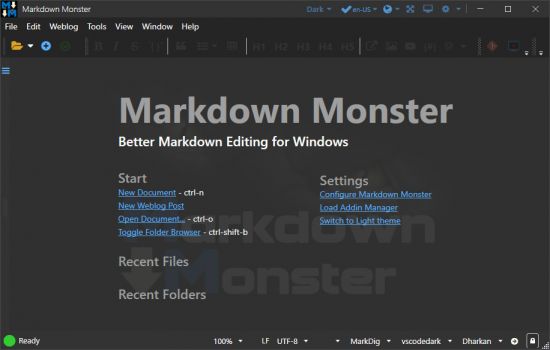
Markdown Monster 4.1.8.3

File size: 19.9 MB


Markdown Monster is a Markdown editor and viewer that lets you edit Markdown with syntax highlighting and fast text entry. A collapsible, synced, live preview lets you see your output as you type or scroll. Easily embed images, links, emojis and code using Markdown text or use our gentle UI helpers that simplify many operations with a couple of keystrokes. Paste images from the clipboard or drag and drop from Explorer or our built-in folder browser. Inline spell-checking and word counts keep your content streamlined unobtrusively.

You can export your Markdown to HTML or PDF by saving to disk or by copying Markdown selections as HTML directly to the clipboard. The HTML preview can display syntax colored code snippets for most common coding languages, and can easily be customized with HTML and CSS template to match your own sites. You can choose from a light and dark app theme, and choose individual editor and preview themes that are fully customizable. You can even use Vim or EMacs type conventions. Other convenience features let you browse for and select files in the built-in folder browser, use the document outline to jump through sections in your Markdown, or shell out to Explorer, Terminal or your favorite Git client. It's all about convenience - everything is at your finger tips, but it's out of your way until you need it.

Markdown Editing and Weblog Publishing for Windows
Syntax colored Markdown
Live HTML preview
Inline spell checking
Embed images, links and emoji
Paste images from Clipboard
Capture & embed screen shots
Save to Html and PDF
Weblog publishing and editing
HTML to Markdown conversion
Editor and preview themes
Git Integration
Document Outline
Template text expansion
.NET scripting & addins


HOMEPAGE


Код:
https://markdownmonster.west-wind.com/


DOWNLOAD

Код:
https://rapidgator.net/file/6542a2c58a0fd7504fc7043cf2d2646a/Markdown_Monster_4.1.8.3..rar.html

Код:
https://nitroflare.com/view/5CF09A24CCF807C/Markdown_Monster_4.1.8.3..rar
 
4da5181c5f072431fd1822efc23c7924.jpg


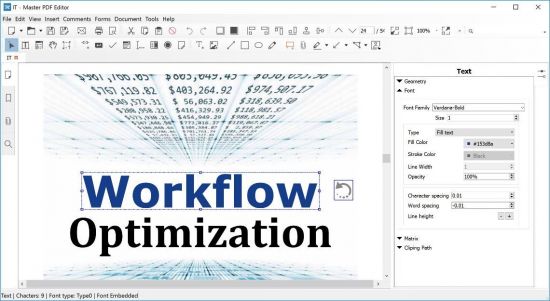
Master PDF Editor 5.9.97 Multilingual

Windows x64 | File size: 143.79 MB


Our robust and rich set of features includes the full support of PDF and XPS files, import/export PDF pages into JPG, TIFF, PNG, or BMP formats, converting XPS into PDF and vice versa, and 128 bit encryption. You can also add various controls such as buttons, text fields, checkboxes and more, as well as implement event handlers for predefined user actions such as pressing, clicking, hovering, and scrolling. Powerful commenting tools like Sticky Note and Stamp, as well as enhanced editing capabilities packed in the StrikeOut, Underline, and Highlight functions will make your work easier than ever.

Master PDF Editor - Features
• Edit PDF text, images and pages with full editing features
• Create new PDF or edit existing ones.
• Add and/or edit bookmarks in PDF files.
• Encrypt and/or protect PDF files using 128 bit encryption.
• Convert XPS files into PDF.
• Add PDF controls (like buttons, checkboxes, lists, etc.) into your PDFs.
• Import/export PDF pages into common graphical formats including BMP, JPG, PNG, and TIFF.
• Split and merge PDF files.
• jаvascript support.
• Dynamic XFA form support.
• Validation Forms and Calculate Values.
• Adding a digital signature and Signing PDF Documents.
• Fast and simple PDF forms fill out.
• Changing font attributes (size, family, color etc).

What's new

OS: Windows 7, 8, 10 and 11 (x64 only)


HOMEPAGE


Код:
https://code-industry.net/


DOWNLOAD

Код:
https://rapidgator.net/file/89e3b9d807f44e59ab9e08def373d45c/Master.PDF.Editor.5.9.97_x64.rar.html

Код:
https://nitroflare.com/view/0DA3EE471C9FFC6/Master.PDF.Editor.5.9.97_x64.rar
 
af56418e66b8f5d0a9ffb9b81c0f6956.jpg


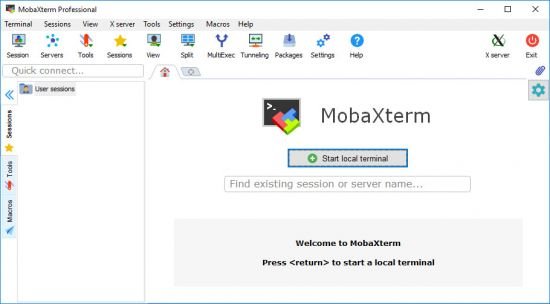
MobaXterm 26.1

File size: 29.4 MB


MobaXterm is your ultimate toolbox for remote computing. In a single Windows application, it provides loads of functions that are tailored for programmers, webmasters, IT administrators and pretty much all users who need to handle their remote jobs in a more simple fashion.

Key features
Embedded X server
Fully configured Xserver based on X.org

Easy DISPLAY exportation
DISPLAY is exported from remote Unix to local Windows

X11-Forwarding capability
Your remote display uses SSH for secure transport

Tabbed terminal with SSH
Based on PuTTY/MinTTY with antialiased fonts and macro support

Many Unix/Linux commands on Windows
Includes basic Cygwin commands (bash, grep, awk, sed, rsync,...)

Add-ons and plugins
You can extend MobaXterm capabilities with plugins

Versatile session manager
All your network tools in one app: Rdp, Vnc, Ssh, Mosh, X11, ...

Portable and light application
MobaXterm has been packaged as a single executable which does not require admin rights and which you can start from an USB stick

Professional application
MobaXterm Professional has been designed for security and stability for very challenging people

Edidions: Professional, Personal, Educational


HOMEPAGE


Код:
https://mobaxterm.mobatek.net/


DOWNLOAD

Код:
https://rapidgator.net/file/de4b5537eb24e241ade5f5ae9c8df81c/MobaXterm26..rar.html

Код:
https://nitroflare.com/view/71E48A57428839E/MobaXterm26..rar
 
16115ce8aaf3ba2325524ada94bf3672.jpg


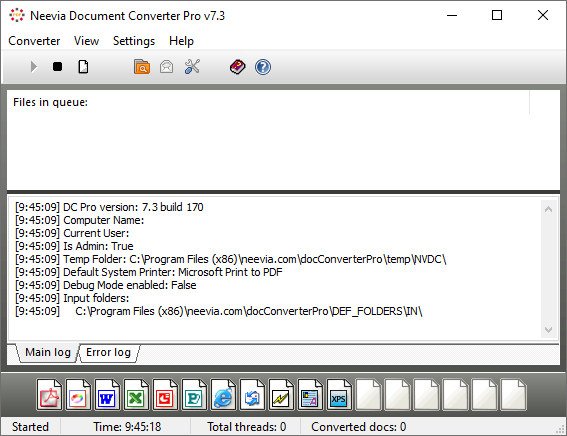
Neevia Document Converter Pro 7.7.0.285

File size: 57.43 MB


Neevia Document Converter Pro is a software product that dynamically converts Microsoft Office 2007/2010/2013/2016/2019/365, WordPerfect, HTML, AutoCAD DWG/DWF, EML, MSG, PostScript and many other document types to PDF, PDF/A, PostScript, JPEG, TIFF, PNG, PCX, BMP. It operates in both a batch mode via directory or email scanning and in direct mode via a COM object or .NET component. Document Converter can be configured to recognize text - this is known as OCR - for the converting Image and PDF files and comes with support for printing the input files directly to a physical printer instead of converting them to PDF or Image.

With clustering support and multi-threaded conversion Neevia Document Converter Pro is the only document conversion software that offers 100% conversion stability.
Document Converter Pro is easy to install and is used by companies in the legal, pharmaceutical, insurance and in many other areas that generate voluminous documents. The goal of Neevia Document Converter Pro is to help your company create one PDF/Image standard that can be integrated into your workflow with ease and affordability.

KEY FEATURES
• Unlimited number of conversions;
• Multi-threaded conversion;
• Multiple input folders, each with its own configuration;
• Conversion scheduler;
• Monitor and convert files from multiple eMail accounts;
• Failover and high performance clustering support - more info;
• Support for recognizing text - known as OCR;
• No Adobe software required;
• Support for over 300 file types;
• Convert HTML files with support for CSS, SSL, Java and Flash images;
• Convert MS Word hyperlinks/headings to pdf links/bookmarks;
• Convert MS Word form fields into PDF form fields;
• Font embedding, resolution, compression and multi-language support;
• 128/256 bits PDF encryption; Encrypt existing PDF files;
• Convert MS Excel hyperlinks/headings to pdf links/bookmarks;
• Convert MS Powerpoint hyperlinks/headings to pdf links/bookmarks;
• PDF merge and split functionality;
• Add watermark and stationery - unicode fully supported; Stamp existing PDF files;
• COM object and .NET component included for on the fly conversion;
• Run as a Windows service;
• Convert to PDF, PostScript, TIFF (including Class F), BMP, PNG, PCX, JPEG;


HOMEPAGE


Код:
https://neevia.com/


DOWNLOAD

Код:
https://rapidgator.net/file/1d617480ffcd9285dc1584faab27279b/Document.Converter.Pro.7.7.0.285.rar.html

Код:
https://nitroflare.com/view/E6FEC822BF3F782/Document.Converter.Pro.7.7.0.285.rar
 
eb13290d9896f5401fd1ac04d872f8d6.jpg


pdfFactory Pro 9.24 Multilingual

File size: 28.2 MB


pdfFactory offers award-winning PDF creation features at an affordable price. pdfFactory Pro has all the features of pdfFactory and adds bookmarks, job ordering, letterheads and automated email functions. Only pdfFactory allows printing to paper or PDF without printing twice. Acrobat is not needed for printing. Increases the convenience of document delivery by having a single PDF that contains material from different sources. Just keep printing documents to pdfFactory and they will automatically be combined. Allows quick, accurate previewing of the PDF, including up to 400% zoom, without saving the file first and without opening Acrobat.

Features
- Create PDF or print to paper
- Combines multiple documents into a single PDF
- Preview
- Protect your PDFs
- Font embedding
- Page insertion and deletion
- Send via email
- AutoSave
- Live URL Links
- Easy server deployment
- Create PDFs on letterhead
- Add page numbering, headers, footers, watermarks
- Bookmarks and Table of Contents
- Integrated Jobs Tab
- Custom Drivers
- Set Initial Acrobat Display Properties


HOMEPAGE


Код:
https://fineprint.com/


DOWNLOAD

Код:
https://rapidgator.net/file/5e244806177063771d186f4ecc634aff/pdfFactoryPro9..rar.html

Код:
https://nitroflare.com/view/49EB811D9BF63B1/pdfFactoryPro9..rar
 
8e49462b849470d1b9e8d180e919dd2d.png


Reg Organizer 9.91 (x64)

File size: 34 MB


Reg Organizer is a feature-rich application designed to edit, clean and maintain registry, fix errors in the system, and improve computer performance. The deep registry search feature lets you find all registry keys related to a specific application. The program helps you to edit registry files (.reg) and view their content directly from Windows Explorer. There is also a built-in application uninstaller, allowing you to uninstall redundant applications from the system completely. Another set of features will be useful to administrators, as well as ordinary users.

Main Features
Registry editor for viewing and editing the system registry, manipulating the registry keys and values, exporting, importing, copying them, etc.
The registry cleaner of Reg Organizer can detect many types of registry errors. These include searching the registry for invalid references to files, folders and DLLs; invalid uninstallation data; finding obsolete and invalid file extensions and other issues. Reg Organizer can repair many of these registry problems.
Registry search feature can find all keys related to a certain application and delete them, if necessary. This feature can be useful if you manually delete some application that has no uninstall feature. In this case its keys can be left in the registry interfering with the normal operation of other programs. Reg Organizer provides the deepest search and can often find even those keys, that wouldn't be identified by other similar programs.
Defragmenting and compressing the registry: Increase the performance of the registry and consequently the overall performance of your system.
Ablilty to change many undocumented Windows settings (tweaks). In particular, it can accelerate the work of your system by sending the system a command to increase cache memory size or by unloading unused libraries, etc.
Ability to get information about any selected registry key and monitor changes of the specific keys.
Preview of the registry files (*.reg) before adding their contents to the system registry. The files can be viewed directly from Windows Explorer. Reg Organizer presents the file contents in the tree-like form, helping to visualize all keys that will be imported into the registry.
Functional registry file editor, allowing you to edit keys and values, add and delete data containing in the .reg files.
Provide quick access to all of the programs that are automatically started when you turn on or logon to your computer. Using Reg Organizer, you can inspect, edit, or disable such programs.
Registry search and replace mode offers you a variety of options for searching the registry and replacing the records matching the specified criteria.
Built-in software uninstaller. It can take snapshots before and after application installs and eradicate ALL system changes made by an app like it was never installed. Besides, this feature can be used for displaying changes made by the application to each of the system components.
Disk Cleanup tool lets you automatically remove unnecessary files from the hard drive of your computer, and to search for and fix invalid shortcuts.


HOMEPAGE


Код:
https://www.chemtable.com/


DOWNLOAD

Код:
https://rapidgator.net/file/8f5df9e15a6145f38c9e11b80382d7c3/Reg_Organizer_9.91..rar.html

Код:
https://nitroflare.com/view/544C01362F55614/Reg_Organizer_9.91..rar
 
5ef450923fdcd88d60a5217841ed630e.jpg


RS Browser Forensics 4.1 Multilingual

Windows x86/x64 | FIle size: 34.18 MB


Analyzing the user's online activities? Attempting to recover data from incognito/private browsing sessions? Require access to the user's online accounts and social networks? RS Browser Forensics helps extract existing and deleted records and traces left by the users' browsing activities.

Helps recovering information about the user's online activities. The tool can extract existing and deleted browsing history records from most common Web browsers, access stored passwords and recover bookmarks and favourites.
Even if the browsing cache was cleared or the browsing session occurred in Incognito mode, RS Browser Forensics may still be able to locate traces of the user's online activities. The tool can recover deleted data by analysing the hard drive in low-level mode, automatically discovering all Web browsers currently installed and previously used on the computer.

Web Browsing Analytics
In addition to extracting and recovering information, RS Browser Forensics comes with a powerful analytic module. You will gain access to the user's complete browsing history in a convenient timeline, track their use of social networks and online accounts, and access their saved passwords.
RS Browser Forensics helps identify online resources, social networks, chats and forums frequented by the user by laying them out in a convenient timeline. You will be able to investigate the user's online activities during a specified period of time, analyse their search queries, translation history, sent and received messages, page transitions, and much more.

Low-Level Disk Access
Quick pre-recovery preview allows viewing the content of recoverable files in live mode, allowing to quickly locate the exact document, picture or archive to recover. You don't have to purchase the full version or actually recover a file to have a peek. Just complete a disk scan and click on a file to see its live pre-recovery preview!

Comprehensive recovery and analysis of deleted data
RS Browser Forensics analyzes the disk in low level, allowing extracting browsing data after the browser cache was cleared. In addition, the low-level data recovery engine helps obtain information occurred during InPrivate/Incognito browsing sessions.

Access to saved forms and passwords
The tool extracts passwords and filled form data stored by all supported Web browsers including addresses, nicknames, logins and passwords that were used to sign in to social networks, chats, forums and other types of online resources.

Timeline
The Timeline offers a highly convenient way of analysing the user's online activities by congregating data extracted from all supported Web browsers and placing records on a single timeline. The user's search requests, opened Web pages, sign ins, messages sent and received as well as many other activities can be quickly analysed.

Incognito mode support
Depending on the Web browser, private (incognito) sessions may or may not leave visible traces on the hard drive. RS Browser Forensics will analyse the disk in low level to extract the bits and pieces left after a private browsing session, recover deleted files and place activities onto the timeline.

Support for multiple Web browsers
RS Browser Forensics supports all popular Web browsers including Chrome, Mozilla FireFox, Opera, Yandex.Browser, UC Browser and many others.

What's new
• official site does not provide any info about changes in this version

Editions: Unlimited / Commercial / Office / Home


HOMEPAGE


Код:
https://recoverhdd.com/


DOWNLOAD

Код:
https://rapidgator.net/file/94477dbc081dd89f189298214253da5b/RS.Browser.Forensics.4.1.rar.html

Код:
https://nitroflare.com/view/1E99AE623891EB0/RS.Browser.Forensics.4.1.rar
 
1c2ce79a06e679a40148236245b411bb.jpg


RS Data Recovery 5.0 Multilingual

Windows x86/x64 | File size: 227.35 MB


RS Data Recovery makes data recovery easy for everyone. Combining two useful tools in one convenient package, RS Data Recovery can undelete all types of data while offering dedicated support for picture recovery. RS Data Recovery is extremely easy to use by using a convenient step-by-step wizard. The available pre-recovery preview instantly displays deleted files and documents, allowing you to estimate whether or not a particular document or picture is worth recovering.

Data Recovery and Picture Restoration at a Discount
RS Data Recovery combines the functionality of two separate tools, RS File Recovery and RS Photo Recovery. By including two tools in one convenient package, RS Data Recovery is offered at a 20% discount compared to purchasing the two products separately.

Recover Files from Formatted and Repartitioned Drives
RS Data Recovery offers a highly sophisticated deep scan algorithm for locating and recovering files stored on corrupted and reformatted disks, deleted partitions and failed memory cards. In deep scan mode, RS Data Recovery will read the entire disk surface and match information it reads against a built-in database of known file formats. If a known type of file is detected, the algorithm analyzes its header and correctly determines the exact location and length of the file. When using deep scan, RS Data Recovery can successfully recover files no other tool can even see.

Recover Deleted Pictures
RS Data Recovery can recover lost and deleted pictures, producing viewable and editable images from empty memory cards. The data recovery tool supports pictures and RAW files in a wide range of photographic formats, including *.cr2, *.crw, *.jpeg, *.jpg, *.psd, *.cdr, *.bmp, *.raw, *.tiff, *.tif ,*.nef, *.pef, *.x3f and so on.

Instant Preview
RS Data Recovery comes equipped with pre-recovery preview to display the content of supported documents and pictures before they are being recovered.

Recover Files from All Kinds of Storage Media
The data recovery utility supports all models of hard drives made by different manufacturers. We tested a wide range of SSD disks, USB drives, and pretty much every type of memory card (click here to access the full list of supported memory cards).

Safer Recovery with Virtual Drive Images
The data recovery utility has an option to recover data from virtual drive images instead of the real disk. By recovering data from a bit-precise snapshot of a disk instead of the real, physical device, RS Data Recovery offers an additional protection against accidents.

CD/DVD and FTP Support
Recoverable information should always go onto another drive. If you're short of a spare disk, you can upload the files being recovered to a network location over an FTP protocol, or burn them to a CD or DVD media.

Features at a Glance
• Recovers deleted files and folders;
• Recovers lost and deleted digital pictures;
• Offers two tools in one discounted package;
• Recovers information cleared off the Recycle Bin or deleted with "Shift"+"Del";
• Restores information from formatted and repartitioned disks;
• Recovers files from corrupted or deleted FAT and NTFS partitions;
• Recovers from physical drives and virtual drive images;
• Pre-recovery preview quickly views images and documents;
• Can store recoverable files to another drive letter, burn to a CD/DVD, or upload them onto an FTP server.

Deleted Digital Picture Recovery
RS File Recovery recovers deleted picture files in the following formats
*.CR2, *.CRW, *.JPEG, *.JPG, *.PSD, *.CDR, *.BMP, *.RAW, *.TIFF, *.TIF ,*.NEF, *.PEF, *.X3F
Lossless JPEG recovery (jpg, jfif, jpeg formats)

Supported Storage Media
RS Data Recovery supports all types of fixed and removable storage media. The data recovery tool has been successfully tested with the following devices
• Desktop and laptop hard drives of all makes and models;
• SSD drives including those with TRIM support;
• USB sticks and removable solid-state drives;
• Memory cards including SD, SDHC, SDXC, Compact Flash, Memory Stick, xD, MMC, regardless of make and capacity;
• Most digital compact cameras and media players connected via a USB cord.

Recoverable Files
RS Data Recovery can recover all types of files and folders, including compressed and encrypted. In addition, advanced recovery mode powered by the deep scan algorithm is available for certain types of files
• Recovers Microsoft Office documents: Word (*.doc, .docx, *.rtf etc.), Excel(*.xls, .xlsx etc.), PowerPoint (*.ppt);
• Recovers Adobe Reader(*.pdf), databases and email databases (*.pst *.dbf, *.mdb, *.1cd, *.mdf);
• Recovers digital pictures in all popular formats including *.cr2, *.crw, *.jpeg, *.jpg, *.psd, *.cdr, *.bmp, *.raw;
• Recovers audio and video files (*.avi, *.dat, *.mkv, *.mov, *.mpg, *.vob, *.wmv, *.m4p, *.mp3, *.wav, *.wma, etc.;

File Systems
The data recovery utility supports all Windows file systems including exFAT, FAT 16, FAT 32, NTFS, NTFS 4, and NTFS5.

What's new
• official site does not provide any info about changes in this version

Editions: Unlimited / Commercial / Office / Home


HOMEPAGE


Код:
https://recoverhdd.com/


DOWNLOAD

Код:
https://rapidgator.net/file/22df20b37942a1d532d8a701f7f5f794/RS.Data.Recovery.5.0.rar.html

Код:
https://nitroflare.com/view/6D72CD2E192039D/RS.Data.Recovery.5.0.rar

 
2b4d2af0add1a5d416e0db59cec862b4.jpg


RS File Recovery 7.2 Multilingual

Windows x86/x64 | File size: 73.98 MB


Deleted a bunch of files from the .hard disk or lost information after a memory card failure? Want your documents, compressed archives or digital pictures back? Looking for a tool to recover files from a repartitioned disk? Formatted a hard drive or memory card and want your files back? Something really important stored on a drive that turned unreadable? No worries, your files are not gone forever. Chances are that your files are sitting safely exactly where they used to be.

ou simply need a way to get them back. Today's data recovery technologies have drastically evolved. With modern file recovery utilities you can even recover everything from a crashed hard drive that's been repartitioned and formatted afterwards, let alone simple cases such as formatted memory cards or deleting a bunch of files from the Recycle Bin.
RS File Recovery is a modern file recovery utility using highly sophisticated algorithms to locate and recover your files and folders. You can use this file recovery utility to undelete a single file or a bunch of folders, recover information from corrupted and formatted disks and memory cards.

Its simple, step-by-step wizard and instant pre-recovery preview allow anyone feel immediately comfortable using RS File Recovery.

RS File Recovery Features
- Recovers files deleted directly or removed from the"Recycle Bin";
- Recovers information from formatted hard disks and deleted FAT and NTFS partitions;
- Recovers data from hard drives or all makes and models, USB flash drives, and all types of memory cards including full-size and micro SD, SDHC, SDXC, Compact Flash, Memory Stick, MMC, and xD.
- Recovers data from hard drives or all makes and models, USB flash drives, and all types of memory

What's new
• official site does not provide any info about changes in this version

Edition: Unlimited / Commercial / Office / Home


HOMEPAGE


Код:
https://recoverhdd.com/


DOWNLOAD

Код:
https://rapidgator.net/file/b878f34182e4ceacd4689b105a61a758/RS.File.Recovery.7.2.rar.html

Код:
https://nitroflare.com/view/7F0971564B7D8D9/RS.File.Recovery.7.2.rar
 
fe4815c0d430f0ed182bce1ff9b76a0d.jpg


RS Office Recovery 5.0 Multilingual

Windows x86/x64 | File size: 28.47 MB


Deleted an important document or wiped a flash drive clean? Cleared Recycle Bin, partitioned the hard drive or formatted the disk by accident? Have an unreadable device or a disk with corrupted file system? RS Office Recovery helps get your documents and spreadsheets back regardless of which exact problem caused the loss of data! Designed to handle the toughest cases of data loss, RS Office Recovery can help you get Word, Excel, OpenOffice and other types of documents back in some of the worst-case scenarios. Supporting healthy, damaged, formatted, repartitioned and plain unreliable storage media, RS Office Recovery can recover documents even if Windows cannot access the disk or open the device.

Featuring two recovery modes, Quick and Comprehensive, RS Office Recovery can be used to undelete a recently deleted document in minutes or to thoroughly analyze the entire content of the device in order to reliably extract documents that are still available.
RS Office Recovery offers fully automated operation. The built-in pre-recovery preview allows viewing documents you are about to recover. The pre-recovery integrity check ensures that only complete, healthy documents make it to the recovery list, reducing visual clutter and speeding up the recovery in case you have hundreds or thousands of documents to recover.
RS Office Recovery Features
- Recovers files in Microsoft Office (Word, Excel), Adobe PDF and OpenOffice (ODT, ODS) formats;
- Recovers documents from healthy, damaged, formatted and repartitioned FAT and NTFS disks;
- Quick Recovery gives positive results in a matter of minutes, while Comprehensive Recovery performs the most thorough analysis in tough cases;
- Supports all types of storage media including hard drives, SSD, memory cards and USB drives.

What's new
• official site does not provide any info about changes in this version

Editions: Unlimited / Commercial / Office / Home


HOMEPAGE


Код:
https://recoverhdd.com/


DOWNLOAD

Код:
https://rapidgator.net/file/de6915fb5e21bc34019720e2f8744b02/RS.Office.Recovery.5.0.rar.html

Код:
https://nitroflare.com/view/212BDABFB7A427B/RS.Office.Recovery.5.0.rar
 
2116d47c185497dac07825c004c32cbb.jpg


RS Partition Recovery 5.2 Multilingual

Windwos x86/x64 | File size: 73.9 MB


Formatted a hard disk, SSD drive or USB flash drive? Erased a memory card but forgot to back up information? Repartitioned a hard drive by mistake? Want to recover information from a deleted or formatted volume? Want all your files and folders back? RS Partition Recovery helps you restore corrupted drives and files fast and easy!

RS Partition Recovery can restore the original structure of your hard drive after accidental formatting or repartitioning, recovering all information stored on the affected drive. The complete data recovery is available to even complete novices thanks to sophisticated algorithms combined with highly intuitive and fully guided user interface. The Quick Recovery mode will recover recently deleted files and repair minor damage in no time. Sophisticated algorithms available in the Deep Scan mode will thoroughly analyze the entire content of the storage media sector by sector, performing the complete recovery of all information located on badly damaged, corrupted and repartitioned hard drives. In this mode, RS Partition Recovery will help you rebuild the original partition structure from the scratch.
Using RS Partition Recovery is genuinely easy. Explorer-like user interface with step-by-step wizard will make you feel at home just moments after you start using the tool. The entire process of data recovery is completely automated. Just specify the disk to recover and point to a place to keep your recovered files, and RS Partition Recovery will do the rest automatically.
RS Partition Recovery Features
- Recovers data from all types of magnetic and solid-state hard drives regardless of their size or brand;
- Recovers information from USB flash drives, memory cards and other types of storage media;
- Recovers data from formatted and repartitioned disks, damaged and corrupted volumes;
- Reconstructs badly damaged disk structures, allows recovering information from repartitioned and inaccessible disks;
- Compatible with all versions of Windows and most popular file systems;

What's new
• official site does not provide any info about changes in this version

Editions: Unlimited / Commercial / Office / Home


HOMEPAGE


Код:
https://recoverhdd.com/


DOWNLOAD

Код:
https://rapidgator.net/file/d24512ea1ca870a9502e693d9f475d5f/RS.Partition.Recovery.5.2.rar.html

Код:
https://nitroflare.com/view/1F8357F39F5B02B/RS.Partition.Recovery.5.2.rar
 
cd219c009d9cb2b47c305f9f692cdbd8.jpg


RS Photo Recovery 7.0 Multilingual

Windows x86/x64 | File size: 66.25 MB


Lost the entire content of a memory card after a shooting session? Deleted important photo albums? Lost a bunch of photos after a disk or memory card failure? Files lost after emptying the Recycle Bin or deleted with "Shift"+"Del"? Looking for a way to recover data lost after a virus attack, power failure, or hard drive corruption?

Recover your favorite images in minutes with RS Photo Recovery! This picture recovery tool offers quick, safe and intuitive recovery of digital photos with full pre-recovery preview, RAW support and universal storage media compatibility. RS Photo Recovery offers a quick and easy solution for your image restoration needs. Equipped with powerful undelete and recovery algorithms, this photo recovery utility can reliably recover files stored on formatted, corrupted and unreadable memory cards, repartitioned disks and deleted partitions.
Supporting a wide range of image formats, this photo recovery utility can locate, recover or undelete all popular photographic formats and RAW files produced by digital cameras manufactured by Canon, Nikon, Olympus, Panasonic, Pentax, SONY, and many others.
RS Photo Recovery Features
- Recovers lost and deleted digital pictures in all popular formats;
- Supports all popular formats and RAW files produced by Canon, Nikon, Olympus, Pentax, SONY cameras;
- Recovers all kinds of memory cards including SD, SDHC, SDXC, Compact Flash, Memory Stick etc.;
- Recovers images from all types of hard disks and SSD drives regardless of make and model;
- Recovers photos from deleted and formatted FAT and NTFS partitions;

What's new
• official site does not provide any info about changes in this version

Edition: Unlimited / Commercial / Office / Home


HOMEPAGE


Код:
https://recoverhdd.com/


DOWNLOAD

Код:
https://rapidgator.net/file/b9e55018a9c0523656cfd713d5623b83/RS.Photo.Recovery.7.0.rar.html

Код:
https://nitroflare.com/view/B5E1DCACDA54E0B/RS.Photo.Recovery.7.0.rar
 
6e972b852f8e25e39a9f44a29cb8b6d4.jpg


RS RAID Retrieve 2.9 Multilingual

Windows x86/x64 | File size: 72.73 MB


Data stored on a broken NAS unit or RAID array with a failed controller can be difficult to recover - but not if you use RS RAID Retrieve! The tool can automatically repair many types of RAID arrays, allowing to recover files and folders from multi-disk volumes without the original RAID controller. Whether your disks were installed in a NAS unit, in a computer with a hardware RAID controller, or managed with mdadm in a Linux box, RS RAID Retrieve can reassemble and repair the storage spaces and recover your files and folders in just a few clicks.

Features
• Automatically detects and reassembles multi-disk volumes;
• Detects and rebuilds corrupted RAID arrays created in Windows, Linux and NAS devices;
• Supports RAID 0, RAID 1, RAID 4, RAID 5, and RAID 6;
• Supports RAID 1E, RAID 5E, RAID 5EE and composite arrays such as RAID 01, RAID 10, RAID 50, and RAID 60;
• Mounts multi-disk storage spaces even if the original RAID controller is unavailable;
• Recovers files and folders from healthy and corrupted multi-disk arrays;
• Recognizes most common file systems including NTFS, ReFS, FAT, exFAT, APFS, HFS+, Ext2/3/4, XFS, ReiserFS, and UFS 1/2;
• Automatically detects disk order and RAID parameters;
• Advanced manual mode offers fully manual or semi-automatic operation;
• Partial data recovery from RAID 5 and RAID 6 arrays crashed beyond fault tolerance threshold;
• Recovers data from single-disk volumes and JBOD arrays;
• Avoids array rebuild and resilvering for mirrored and checksum arrays;

What's new
• official site does not provide any info about changes in this version

Editions: Unlimited / Commercial / Office / Home


HOMEPAGE


Код:
https://recoverhdd.com/


DOWNLOAD

Код:
https://rapidgator.net/file/ecc7e39ebb25213791c6799761f04763/RS.RAID.Retrieve.2.9.rar.html

Код:
https://nitroflare.com/view/76AD584A1FF46F0/RS.RAID.Retrieve.2.9.rar
 
2ec16faad5ccb8f4bf2b8e993149379c.jpg


Screenpresso Pro 2.2.5 Multilingual

File size: 46.2 MB


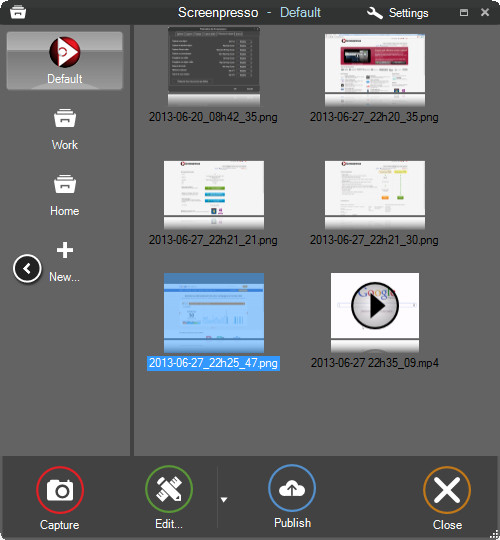
Screenpresso overrides the Print Screen key and makes it easy to take the best screen captures in a few seconds. It is a light-weight Windows software giving a wonderful look to your screenshots.

Features
Capture windows and region
Capture part of the screen or a specific window with the same shortcut. Simple.

Portable application
No need to install the application, you can run it directly after download.

Screenshots history
Don't bother to save screenshots on your drive, Screenpresso does it for you. Practical.

Attach screenshots to emails
Drag and drop screenshots from the history directly to your favorite email editor. Webmails like GMail are also taken into account! Swift.

Built-in image editor
Crop, spotlight an area or comment parts of a captured image. Efficient.

Capture scrolling part
Can't fit it on the screen ? Make a unique image thanks to the stitching mechanism. Smart.

Add effects
Look like a pro. Add drop shadow, rounded corners, reflection and more. Sleek.

Resize bunch of images
Need to export images or create thumbnails at a specific size, one click.

Share screenshots
Easily share your screenshots via Twitter, Facebook, G-Mail, Evernote, Flickr or FTP.

Great support
Simply send an e-mail to support team. It will always quickly respond.


HOMEPAGE


Код:
https://www.screenpresso.com/


DOWNLOAD

Код:
https://rapidgator.net/file/726be406439b7104a54cf9a49b3557b0/ScreenpressoPro2..rar.html

Код:
https://nitroflare.com/view/FAB4DFFA13133AC/ScreenpressoPro2..rar
 
51dfb0e1084d6e0f3096bec43aae07f6.png


SmartFTP Enterprise 10.0.3315 (x64) Multilingual

File size: 10.7 MB


SmartFTP is an FTP (File Transfer Protocol), FTPS, SFTP, WebDAV, Amazon S3, Backblaze B2, Google Drive, OneDrive, SSH, Terminal client. It allows you to transfer files between your local computer and a server on the Internet. With its many basic and advanced Features SmartFTP also offers secure, reliable and efficient transfers that make it a powerful tool.

The program can also use secure file transfer protocols such as FTPS, SFTP or SSH. Secure connections are more reliable and protect the data from unauthorized access by encrypting the information. The program allows you to quickly choose the connection type, to enter the credentials for the FTP server and to browse its content.

Transfer files with ease
Thumbnail view is available and comes in handy as it allows you to preview the images from a remote folder. The preview feature is also available for other file types such as those that include text or code (HTML or CSS). You can edit the file directly on the server without transferring it to the local folder.

To transfer files to and from the server you can simply drag and drop the files from the desktop into the program's window. The Scheduler enables you to create one-time or repeated actions that will transfer files between the computer and the FTP server. It is a good option to automatically update the content of the server with the files that are created locally.

Powerful and straightforward FTP client
You can use the program to compare two folders side by side and quickly synchronize their content by transferring files between them. The folders can be from the same connection, the local hard drive or from different FTP servers as the program allows you to open multiple FTP connections simultaneously. If there are problems with your Internet connection, the application can automatically reconnect and resume the broken transfers so you can rest assured that your files reached their destination. To check the integrity of the transfer the program uses a CRC algorithm to calculate the hash value of the file and compare it with the original.

The interface of the program is easy to use and displays the connections in separate tabs so you can use your desktop space efficiently. You can work on multiple projects at the same time as the tabbed interface can be used for both remote and local folders. Whether you need to transfer some files from a FTP server or publish a website SmartFTP is a reliable, feature-packed program that you should try.


HOMEPAGE


Код:
https://www.smartftp.com/en-us/


DOWNLOAD

Код:
https://rapidgator.net/file/8b38c6ee1fd945c42eabb6a2884ea9dd/SmartFTP_Enterprise_10.0.3315.rar.html

Код:
https://nitroflare.com/view/8586FD92FD4A67B/SmartFTP_Enterprise_10.0.3315.rar
 
a03040eae2e220dda6e1c49205bff27b.avif


Symless Synergy Business 3.5.1 (x64)

File size: 164.7 MB


Control other computers on your local network with a single mouse and keyboard. Use the keyboard and mouse of one computer to control nearby computers. Copy and paste between all of your computers with shared clipboard.


HOMEPAGE


Код:
https://symless.com/synergy


DOWNLOAD

Код:
https://rapidgator.net/file/9b3d39fb398fdd69734bf95b85c1ca6d/Symless.Synergy.Business.v3.5.1.Win.x64.Incl.Keyfilemaker-BTCR.rar.html

Код:
https://nitroflare.com/view/B73DDC32A08476B/Symless.Synergy.Business.v3.5.1.Win.x64.Incl.Keyfilemaker-BTCR.rar
 
7d80666dc5a4e784ff1f23285a69cc50.png


SysTools OST Splitter 8.0

File size: 27 MB


OST Splitter Tool is an Application that can easily split oversized Outlook OST Files into Smaller sized PST files. The installation of Outlook on the computer is mandatory in order to use this tool to divide large OST files.

Split oversized OST file into multiple parts by Date, Size, Year, Folder, Email ID, Category
Option to Repair Corrupted Outlook OST files before splitting
Allows user to split OST files without any file size limit into UNICODE PST file
Option to Add Single / Multiple Files or Add Folder or Search Files
Tool provides option to break OST data items like emails, contacts, etc
Allows splitting newly created OST file & archive OST file
Outlook Installation is Not Required to divide OST file which is huge in size


HOMEPAGE


Код:
https://www.systoolsgroup.com/ost/splitter/


DOWNLOAD

Код:
https://rapidgator.net/file/802f25960a371837bce646e915d3c3fb/SysTools_OST_Splitter_8.0..rar.html

Код:
https://nitroflare.com/view/86DBB8D950729F6/SysTools_OST_Splitter_8.0..rar
 
9d7dfe2492eff2477a84e7b5d205684e.avif


Topaz Video 1.2.1 Final / 1.2.2 RC

File size: 298.4/197 MB


Ultra smooth. Ultra sharp. Ultra steady. Topaz Video is a professional, AI-powered video enhancement software that lets you denoise low-light footage, recover and upscale old archival videos to 4K, restore focus, and adjust frame rate by creating new frames out of thin air. Available on Mac and Windows.

Trusted by major film studios and creative pros everywhere.
Denoise with cinema-level detail. Create new frames with frame interpolation. And stabilize the camera after the moment has already passed.

Filmmakers & Editors
Restore, upscale, and refine footage for professional post-production workflows.

Archivists & Historians
Preserve and modernize archival film, VHS, and historical footage with clarity.

Creators & Influencers
Enhance social media videos with sharper detail, higher resolution, and smoother motion.

Hobbyists & Enthusiasts
Improve old family videos and personal projects to look like they were shot today


HOMEPAGE


Код:
https://www.topazlabs.com/topaz-video


DOWNLOAD

Код:
https://rapidgator.net/file/9175b92d6887ed488a30bb7dfd35b899/TopazVideo-1.2.1..rar.html
https://rapidgator.net/file/9c37b0c0d65421769feb6807dc999a80/Topaz.Video.Enterprise.v1.2.2..rar.html

Код:
https://nitroflare.com/view/958CF57AD7FD4D4/TopazVideo-1.2.1..rar
https://nitroflare.com/view/65462601FC5EA3D/Topaz.Video.Enterprise.v1.2.2..rar
 
5338cff4486d7fa42a0e19ad6dee7cfc.jpg


TreeSize Professional 9.7.2.2203 Multilingual

Windows x64 | File size: 63.87 MB


TreeSize Professional is a powerful and flexible hard disk space manager for all windows. Find out which folders are the largest on your drives and recover megabytes on your disks. TreeSize Professional shows you the size, allocated and wasted space, the number of files, 3D charts, the last access date, the file owner and permissions, the NTFS compression rate and much more information for several folders or drives you choose. It also lets you search drives, entire servers or the entire network for old, big, temporary and duplicate files. The search results can be moved, deleted or exported. The application has an intuitive Explorer-like user interface, it is fast and multi-threaded and supports Unicode and scheduled scans. You can print detailed reports or export the collected data to Excel and to an HTML, XML or text file. TreeSize Professional can be started from the context menu of every folder or drive.

Why TreeSize Professional
- Manage and clean up disk space efficiently
- Visualize disk usage
- Detailed analysis, right down to the lowest directory levels
- Find and remove redundant files
- Numerous export and reporting options
- The versatile duplicate file search

Manage disk space and scan your hard disks
Find out which folders are the largest on your drives and recover precious disk space. Use TreeSize as a hard disk cleanup tool: find space hogs and remove them. Graphical analyses provide a quick visualization of disk space usage. TreeSize Professional shows you folder size and allocated disk space as well as owner and permissions, the last access date, the NTFS compression rate, and much more information for selected folders or drives.

Search for Redundant Files
The integrated versatile file search helps you find old, big, temporary, and duplicate files on drives, entire servers or the entire network. Search results can be moved, deleted or exported to a ZIP file.

Print, Export, or Compare Results
You can print detailed reports and charts or export the collected data to many different formats such as XML, XLS, TXT, CSV and many more. Compare XML reports or take shapshots of your disk space usage to track its development over time.
The application has an intuitive Explorer-like user interface and supports drag and drop operations. It is fast, multi-threaded, and supports Unicode- and NTFS-specific features. TreeSize Professional can be started from the context menu of every folder or drive.

Efficient Disk Space Management from all perspectives
- See the size of all folders including their subfolders and break it down to the file level.
- Visualize disk usage in the pie or bar chart.
- Tree maps visualize hierarchies and sizes of subfolders in the selected directory.
- Detailed view with single files and additional information (e.g. date of last access).
- Statistics about file types and file owners for every branch.
- Filter the file system tree on the left by a certain user or file type.
- See a list of the 100 largest files.
- Distribution of occupied disk space by file age.
- Scan FTP, WebDAV, and SharePoint servers.
- Disk Space Management on smartphones and mobile devices.

Versatile File Search
- Integrated file search.
- Fully customizable file search.
- Archive, copy, or move the results of the TreeSize File Search, for instance lar, old, or temporary files or files of a certain type.
- Search multiple drives, whole servers and even your entire network neighborhood.
- Search results can be exported, moved, deleted or passed to any executable file or script.
- TreeSize offers a powerful duplicate file search, optionally with MD5 or SHA256 checksums. TreeSize also enables you to easily deduplicate files using hardlinks.

Exporting and Reporting
- TreeSize enables you to export scan results (showing the directory structure) to many different formats such as Excel, XML, HTML, text/CSV file, clipboard, or email.
- Export a list of all files in the scanned folder and its subfolders, for example for use in a database.

Track Growth
- Save the data to an XML file and load it again later.
- See which folders have grown: Compare a saved XML file to a current version of the file system branch, TreeSize Professional displays the difference between the two scans.
- Take snapshots of the current state of disk space usage and compare them with snapshots Windows takes automatically.

Customized Analyses & Views
- Configure displayed columns for the details view, Excel export, text file and printed reports.
- Include and exclude certain files or folders in your scans.

Scheduled Scans
- Command line options allow automatic and scheduled scans of your hard disk (e.g. overnight) and generating reports.
- Comfortable interface simplifies creation and editing of scheduled scans and exports as Windows tasks.

High Performance thanks to Multithreading
- Browse the results during scanning.
- Scan and view several folders at the same time.
- Automatic adjustment of the number of threads that are used for a scan.

Full NTFS Support
- Unicode file and folder names are supported.
- File based NTFS compression.
- Hardlinks and Alternate Data Streams (ADS).
- File paths longer than 255 characters will be found and processed correctly.
- Analyse NTFS permissions.

Perfect Integration with the Windows Explorer
- Explorer context menu supported inside the TreeSize window.
- TreeSize Professional can be started from within the Windows Explorer.
- Drag and Drop is enabled.
- On a Windows Core Server TreeSize can serve as a graphical user interface.

Full Network Support
- TreeSize Professional offers full support for network drives and scans UNC paths like Servershare.


HOMEPAGE


Код:
https://www.jam-software.com/


DOWNLOAD

Код:
https://rapidgator.net/file/a9ee493b3ba3a8285abf268f4860ecd6/TreeSize.Professional.9.7.2.2203_x64.rar.html

Код:
https://nitroflare.com/view/F4D2D3BDDF5331E/TreeSize.Professional.9.7.2.2203_x64.rar
 
477b1a2b0529fa1d3e04b0174b19d5d6.avif


UPDF 2.2 (x64) Multilingual

File size: 225.2 MB


An all-in-one AI PDF editor on Windows that allows you to efficiently and easily edit, annotate, summarize, translate, and convert PDFs.

Editing PDF on PC is as Easy as in Word
UPDF for Windows is an easy-to-use Windows PDF software! Enjoy powerful editing tools for text, images, links, and more in your PDF. Customize backgrounds, watermarks, and page sizes with simplicity like in Word.

Analyze PDFs with 10X Efficiency
Upload a PDF with 100+ pages to get lightning-fast summaries, precise translations, in-depth explanations, and engaging conversations from your documents. Experience a new era of efficiency and accuracy with AI in this PDF editor software for Windows!

Read and Annotate, All in UPDF on Windows
UPDF for Windows offers diverse page display modes and scaling options for an optimal reading experience. Utilize its practical annotation toolkit, including sticky notes, stickers, stamps, highlighters, underlines, and more, to enhance your PDF review.

PDF Conversion. So Fast, So Accurate, So Easy
UPDF PDF editor for Windows offers a complete solution for transforming documents across formats. It provides 7 methods to create PDFs and supports converting PDF to 14 formats.

Digitize Paperwork for Better Collaboration
This PDF editor for PC can help you create fillable forms, share for collaborative filling, embed signatures, and enhance your PDF capabilities. Experience a seamless and customizable PDF journey that boosts versatility for improved collaboration


HOMEPAGE


Код:
https://updf.com/updf/


DOWNLOAD

Код:
https://rapidgator.net/file/f32ee185a1ae620c04dbc8d0db339409/UPDF2..rar.html

Код:
https://nitroflare.com/view/DCBE85AE9052489/UPDF2..rar
 
Назад
Сверху Снизу