All mitsumi'1s Applications !! (updated daily)

b9ea41e169b6b1dabf90c17f80ebfaf6.webp

VideoForge AI Pro 1.0.3 | 547 MB
VideoForge AI Pro - AI video upscaling to 4K - pro features, fully offline. VideoForge AI Pro is the professional solution for AI-based video upscaling on Windows. Batch queue, multiple models, ProRes output - all directly on your GPU, no cloud, no subscription.


- Batch queue: process multiple videos in sequence
- Photo/Realistic + Anime/Illustration model selectable
- Output: 4K / 1080p / 720p / Custom - H.265, H.264, ProRes
- Denoise filter · audio preserved in full
- 100% offline · AMD, NVIDIA, Intel (Vulkan/GPU)
BATCH QUEUE
Drop multiple videos and process them all in one run. Each file shows live status: Queued → Processing → Done . Perfect for processing complete Seedance or Kling projects in one go - start it before bed, wake up to 4K.
TWO AI MODELS
- Photo / Realistic - optimized for cinematic footage, people, real-world scenes
- Anime / Illustration - optimized for animated content, stylized AI art, illustrations
FLEXIBLE OUTPUT RESOLUTION
- 4K Native - full Real-ESRGAN 4x output
- FHD 1080p - 1920x1080 (landscape) or 1080x1920 (portrait)
- HD 720p - ideal for social media drafts and previews
- Custom - enter any width x height you need
PROFESSIONAL OUTPUT FORMATS
- H.265 (HEVC) - maximum quality, smallest file
- H.264 (AVC) - broadest compatibility
- ProRes 422 (.mov) - professional quality for DaVinci Resolve, Adobe Premiere, and Final Cut Pro
DENOISE FILTER
Optional hqdn3d pre-filter reduces noise in source footage before AI upscaling - useful for lower-quality source clips.
SAVE AI CREDITS - SCALE PROFESSIONALLY
Generate at 480p, upscale to 4K for free. Why pay 3x more per clip in Seedance when VideoForge AI Pro handles the quality overnight?
System Requirements
- Windows 10 (1809) and Windows 11
- GPU-accelerated - AMD, NVIDIA, Intel all supported
Home Page -
Код:
https://beckhusen-ai.com/software

Rapidgator
Код:
https://rapidgator.net/file/43bb68bea962770db24ddccf09335df5/uxrn1.VideoForge.AI.Pro.1.0.3.rar.html

Код:
https://nitroflare.com/view/F1935FEBF80D048/uxrn1.VideoForge.AI.Pro.1.0.3.rar
 
6e8e662e63893b08409f352902c8998b.jpg


Vdigger GetFLV 32.2606.01 Multilingual | Size: 257.26 MB
Language: English


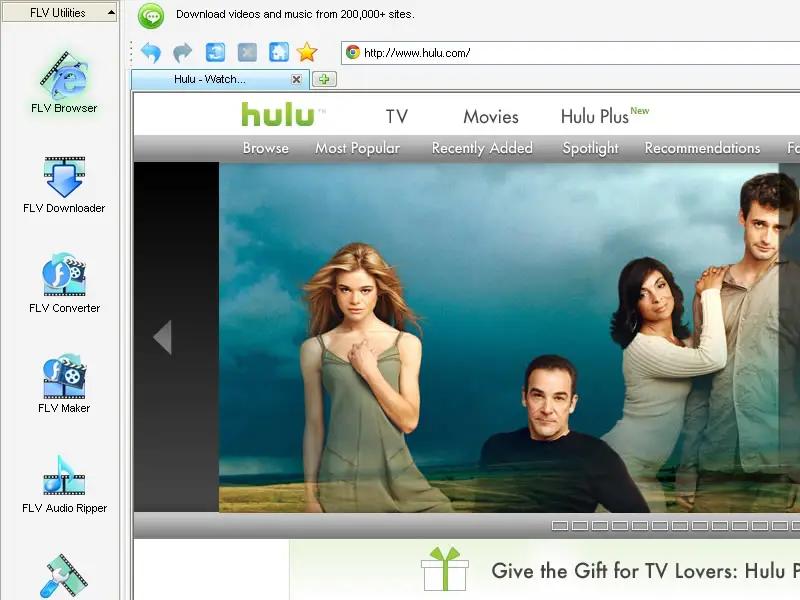
GetFLV - The best web video downloader for Windows.

Grab Web Video URL flawlessly
Simply launch the FLV browser, and visit your favorite video site. Select and play a video, and click "download" to save it to your local disk.

Download Web Video flawlessly
GetFLV dramatically reduces the download time of Web Videos. The program splits the file into sections, and downloads multiple sections simultaneously, efficiently.

Convert Any Web Videos
GetFLV can repair damaged Flash movies. The built-in FLV Fixer and MetaData Injector will analyze and repair Flash files that won't play properly.

Convert other videos to Flash
GetFLV can convert any of these popular video formats into Flash files. It supports almost all types of video formats such as AVI, WMV, MOV, ASF, MP4, 3GP and etc.

Operating System: Windows 7, 8/8.1, 10, 11

HOMEPAGE: Code:
Код:
https://about.vdigger.com/


DOWNLOAD LINKS:


Код:
https://rapidgator.net/file/77091feb46010ceea69936397f3b64ad/Vdigger_GetFLV_32.2606.01_Multilingual.rar.html

Код:
https://nitroflare.com/view/B5AAB7A4F2CA03B/Vdigger_GetFLV_32.2606.01_Multilingual.rar
 
73686bb98878d2b4b857ec2466ca14c0.jpg


USB Flash Security Free 5.1.1.30 | Size: 7.93 MB
Language: English


USB Flash Security 2.1.1 | 1.08 MB
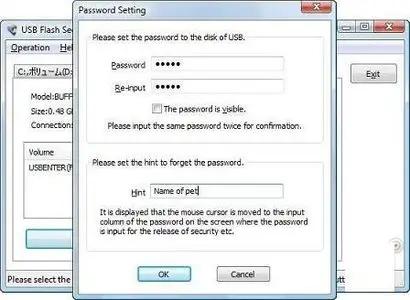
The USB Flash Security application was designed to be a security software that will protect the data of USB flash drive by a password.

NOTE:
Install "USB Flash Security" to USB flash memory
The security release tool will be installed in USB flash memory. So a PC that

"USB Flash Security" is not installed in it can also release the security.
USB flash memory is locked by a password.

A password is necessary to access the "protected area", when "USB Flash Security" is installed to USB flash memory.

Self-locking
Unplug the USB flash memory from PC, it can be locked by a password automatically.

It will be the same transfer speed after installing "USB Flash Security". Files in the USB flash memory will not be coded, so the speed of read and write will not be influenced by installing "USB Flash Security".

The tool to release security by input a password is called "Release tool" in the following sentences.

"USB Flash Security" makes the following two areas in USB flash drive.
(1)Small area about 0.5MB to save "Release tool"
There is no room to save the other file in this small area.
The area to save "release tool" is 0.5M Byte that is 1/2000 of capacity of a 1GB USB flash memory.
It can be access without password, when the USB flash memory is inserted into PC.

Data in this area is not protected, so we call the area "Unprotected Area"
in the following sentences.

(2)Area to save data that you want to protect
This area is all of the USB flash memory except the "Unprotected Area".Password is necessary to access this area. This area is protected by a password, so we call it "Protected Area".

"Protected Area" will be formatted by FAT, when install "USB Flash Security".
If you want to format USB flash memory by FAT32, please release security then format it by the Windows format. "USB Flash Security" will not be deleted by FAT32 format.

What's New:-
· Change the function that recovery can be used in a USB hard disk.
· Change unprotected area that files can not be created or copied in it.

Download:

HOMEPAGE: Code:
Код:
http://www.kashu-sd.co.jp/en/


DOWNLOAD LINKS:


Код:
https://rapidgator.net/file/42c6050cafaec70ca8d4e7570a322222/USB_Flash_Security_Free_5.1.1.30.zip.html

Код:
https://nitroflare.com/view/9BE521A8704B958/USB_Flash_Security_Free_5.1.1.30.zip
 
d829f14553fc2d41e1372cca4e595719.webp

Total Commander 11.58 RC2 Multilingual Fast Links | 11 Mb
Total Commander (former Wincmd) is a file manager for Windows similar to the Windows Explorer. But Total Commander uses a different approach: it has two fixed windows side by side like a well-known file manager for DOS.


Features:
Two file windows side by side
Multiple language and Unicode support
Enhanced search function
Compare files (now with editor) / synchronize directories
Quick View panel with bitmap display
ZIP, ARJ, LZH, RAR, UC2, TAR, GZ, CAB, ACE archive handling + plugins
Built-in FTP client with FXP (server to server) and HTTP proxy support
Parallel port link, multi-rename tool
Tabbed interface, regular expressions, history+favorites buttons
Thumbnails view, custom columns, enhanced search
Compare editor, cursor in lister, separate trees, logging, enhanced overwrite dialog etc.
Unicode names almost everywhere, long names (259 characters), password manager for ftp and plugins, synchronize empty dirs, 64 bit context menu, quick file filter (Ctrl+S)
New: USB port connection via special direct transfer cable, partial branch view (Ctrl+Shift+B), and many imporvements to ftp, synchronizing and other functions
And many more!
Operating System:
32-bit version only (Windows 95 up to Windows 11, runs on 32-bit AND 64-bit machines!)
64-bit version only (Windows XP up to Windows 11, runs ONLY on 64-bit machines!)
Home Page -

Rapidgator
Код:
https://rapidgator.net/file/91567dcbe57daf1a7f302c7e30cfae29/1zo3z.Total.Commander.11.58.RC2.Multilingual.zip.html

Код:
https://nitroflare.com/view/A91C52FE1686EAD/1zo3z.Total.Commander.11.58.RC2.Multilingual.zip
 
e8b6c857faf3442e4d6d1cacb4983083.jpg


Toontrack Superior Drummer 3.4.4 Update | Size: 585.78 MB
Language: English


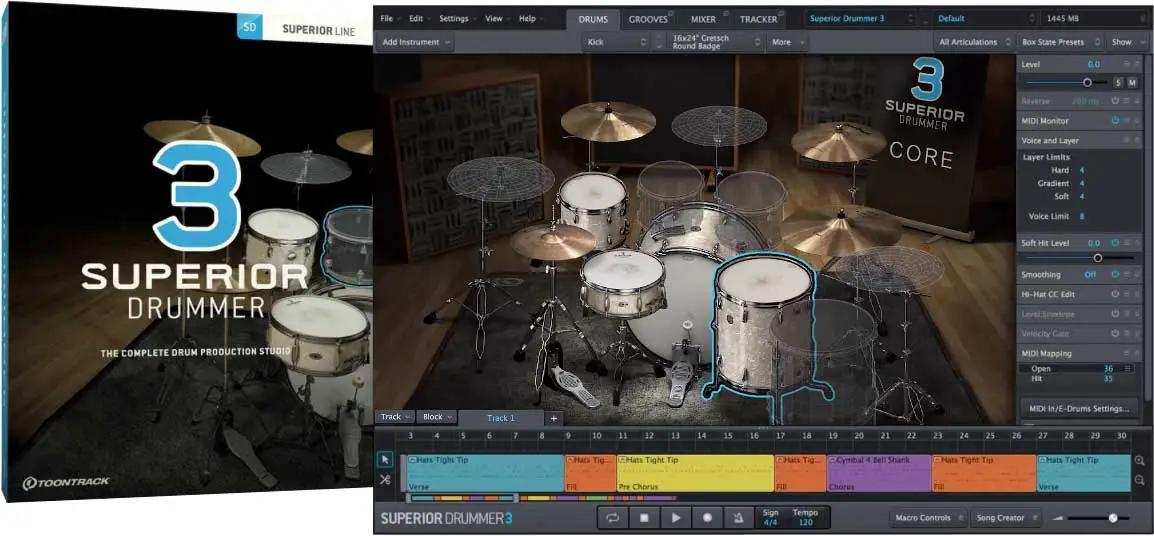
Building on the legacy of its predecessor, Superior Drummer 3 was redesigned from the ground up to introduce a completely new and improved workflow, countless added features and an unequalled amount of raw sound material. With Superior Drummer 3, you are in total control. Welcome to the future of drum production.

The idea with Superior Drummer 3 is to let you step into a virtual studio with the best possible raw material and mix options at your disposal to create drum sounds in an environment where only your imagination sets the limits. Combining the creative power of the sounds, the ambiences and the extensive set of features, Superior Drummer 3 is more than just a drum sampler - it's a bottomless well of creativity. It bridges the gap between acoustic and electronic and lets you venture off into completely new sonic landscapes. This is the definitive tool for percussive sound design.

HOMEPAGE: Code:
Код:
https://www.toontrack.com/


DOWNLOAD LINKS:


Код:
https://rapidgator.net/file/51e50caf2a107108e997da23dac73323/Toontrack_Superior_Drummer_3.4.4_Update.rar.html

Код:
https://nitroflare.com/view/F3C532912B4B987/Toontrack_Superior_Drummer_3.4.4_Update.rar
 
35bb7df4141c2ef18f2fb1df992355a1.webp

SysGauge 12.9.18 All Editions | 55.3 Mb
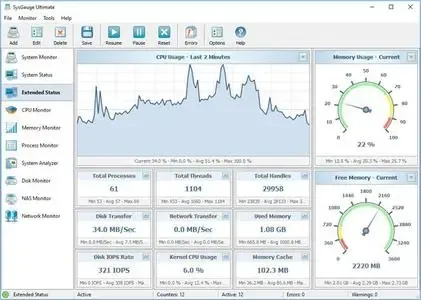
SysGauge is a system and performance monitoring utility allowing one to monitor the CPU usage, memory usage, network transfer rate, operating system performance, the status and resource usage of running processes, file system performance, USB performance, disk space usage, disk read activity, disk write activity, disk read transfer rate, disk write transfer rate, disk read IOPS and disk write IOPS for individual logical disks or all physical disks installed in the computer.


SysGauge Main GUI Application
The main SysGauge GUI application allows one to configure a number of system and performance monitoring counters, display system monitoring charts, analyze the current system status, save various types of system monitoring reports and configure sound and E-Mail notifications.
SysGauge System Monitor
The 'System Monitor' GUI module allows one to perform various types of system monitoring operations using one or more pre-defined or user-custom system monitoring profiles. The system monitor provides the ability to add, edit or delete system monitoring counters, save various types of system monitoring reports, configure monitoring rules, actions and error E-Mail notifications.
Add Counter Dialog
The 'Add Counter' dialog provides the ability to add the CPU usage counters, memory usage counters, disk activity counters, network activity counters, USB activity counters, operating system status counters, file system counters and running processes counters.
SysGauge CPU Monitor
The 'CPU Monitor' GUI module is a dedicated CPU monitoring GUI module showing the total CPU usage, user CPU usage, kernel CPU usage, CPU interrupt time, CPU interrupt rate, the current CPU frequency, the C1 low-power state, C2 low-power state and C3 low-power state.
SysGauge Memory Monitor
The 'Memory Monitor' GUI module is a dedicated memory monitoring module showing the memory usage, the amount of free memory, the amount of used memory, the size of the memory cache, the cache peak size, the cache fault rate, the page file usage, the page file peak usage and the page fault rate.
SysGauge Process Monitor
The 'Process Monitor' GUI module is a dedicated process monitoring module showing the list of currently running processes and displaying for each process the process CPU usage, the memory usage, the number of threads, the number of handles, the number of process instances, the process data transfer rate, the process read transfer rate, the process write transfer rate, the process page fault rate and the amount of non-paged memory allocated by each running process.
Supported Operating Systems:
Windows XP, Vista, 7, 8, 8.1, 10, 11 Server 2003, 2008, 2008 R2, 2012, 2012 R2, 2016, 2019, 2022, 2025
Home Page -

Rapidgator
Код:
https://rapidgator.net/file/3d98f7f0f95b3a586e395566af63a9f5/2odsw.SysGauge.12.9.18.rar.html

Код:
https://nitroflare.com/view/F886113B74796D1/2odsw.SysGauge.12.9.18.rar
 
b063e6f0fb302c5f2e77ba5d18c800f7.webp

Speedy Duplicate Finder 1.5.9 | 71 Mb
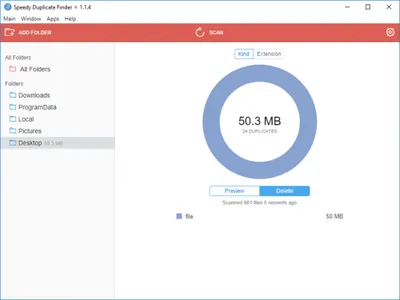
Speedy Duplicate Finder - Find and remove duplicate files and free up disk space easily. Duplicates could become a considerable source of annoyances, especially if you have failed to address the issue for a large period of time. Fortunately, however, there are applications that could look into the problem and make sure there are no repercussions whatsoever, and one of them is Speedy Duplicate Finder.


Blazingly Fast
Scanning 10,000 files takes less than half a second!
Disk Support
You can search for duplicates not only in folders but on entire disk!
Smart Filters
Easily filter group of duplicates by Kind, by Extension or by Size
Intuitively Simple
It is so simple as 1 2 3. For all ages and for all users.
Requirements:Windows® 10, Windows® 8/8.1, Windows® 7 and below.
Home Page-
Код:
https://qiplex.com

Rapidgator
Код:
https://rapidgator.net/file/a370cca372d8fef5a68810ddff13d2b7/4pkft.Speedy.Duplicate.Finder.1.5.9.rar.html

Код:
https://nitroflare.com/view/B8541C003749CF6/4pkft.Speedy.Duplicate.Finder.1.5.9.rar
 
f03149be842b2a56c760cd9dc3ea99f3.webp

Snap Video Translator 1.1.1 | 395 MB
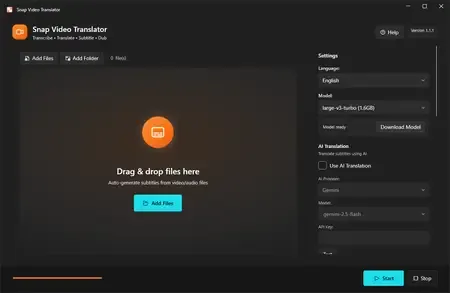
Snap Video Translator brings every step of localizing a video into a single Windows app. Load a video and it takes you straight through transcription, AI translation, and either subtitle burn-in or an AI voice-over.


Transcription (runs locally)
Runs OpenAI Whisper on your own PC. Choose from small / medium / large-v3-turbo / large-v3 to balance speed and accuracy. Your audio is never sent to an external server for transcription.
AI translation
Works with AI services such as Gemini, OpenAI, and Claude, or with an OpenAI-compatible local LLM. Produces natural translations of your video's content.
Subtitle burn-in
Adjust font size, text color, outline, and position, then burn subtitles directly into the video.
AI dubbing
Converts the translation into speech and generates a voice-over in 7 languages (Japanese, English, Chinese, Korean, French, German, Spanish). Mix it with the original audio or replace it.
Subtitle file export
Export subtitle files in SRT / VTT format.
Review & edit mode
Check the subtitle text on screen before burn-in and edit it if needed.
Batch processing
Process multiple videos at once.
Who it's for
- Video creators who want to reach viewers in other languages
- Education and training teams localizing lectures and tutorials
- Companies localizing internal videos
Before you start
- Transcription runs locally with Whisper; your audio is not sent anywhere.
- Using a cloud AI service for translation requires that service's API key. You can also use an OpenAI-compatible local LLM.
- AI translation and AI dubbing require an internet connection (no API key is needed for dubbing).
- Subtitles and dubbed audio are AI-generated. Please review the output before public or business use.
- FFmpeg is bundled as the video processing engine.
System Requirements
Windows 10 version 19041.0 or higher (64-bit)
* Japanese / English UI, selected automatically.
Home Page -
Код:
https://apps.microsoft.com/detail/9n66p79hm5lb

Rapidgator
Код:
https://rapidgator.net/file/c761a0df5250729d942df995ffa029ee/si3z9.Snap.Video.Translator.1.1.1.rar.html

Код:
https://nitroflare.com/view/69B8C4BDFEB615A/si3z9.Snap.Video.Translator.1.1.1.rar
 
2890fb4d634c71b750a7de94759acf13.webp

Smart File Renamer 1.6.9 | 86 MB
Smart File Renamer - Rename files and folders easily and flexibly! Smart File Renamer is a lightweight, yet powerful tool designed to provide you a complete solution for batch renaming your files. Simply specify the desired rules and add necessary filters and the app can rename more than one thousand files at a time in a single go.


Intuitively Simple
It is so simple as 1 2 3. For all ages and for all users.
Blazingly Fast
Bulk rename of 1000 files takes less than a second!
Batch Renaming
Rename many files at once without limits!
Smart Rules
Apply as many renaming rules as you want in a chain!
Custom Filters
Easily filter and rename files in different folders!
Folders Support
Rename not only files but folders as well!
Photo Metadata
Rename photos based on EXIF photo metadata
Audio Tags
Rename files based on ID3 audio tags
RegEx Rename
Create flexible rename patterns with RegEx
Live Preview
Preview new names before actual renaming.
External Drives
Rename files on external USB drives easily!
Always Reversible
You can undo renamed files to previous state anytime!
Requirements:Windows® 10, Windows® 8/8.1, Windows® 7 and below.
Home Page -
Код:
https://qiplex.com/software/smart-file-renamer/

Rapidgator
Код:
https://rapidgator.net/file/47079b312e0a9a9264026a5c360cb4fa/64yzi.Smart.File.Renamer.1.6.9.rar.html

Код:
https://nitroflare.com/view/9B61FEA191D02EF/64yzi.Smart.File.Renamer.1.6.9.rar
 
f29382c33aa106f734b5e2d3c471aa6d.webp

R-Studio Agent 9.5 Build 1700 | 3.1 Mb
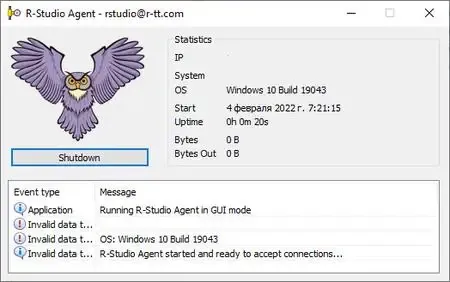
R-Studio Agent is a handy and reliable utility that works together with R-Studio and creates remote connections over the network in order to recover files. The principle of R-Studio Agent is very simple: it runs on the victim computer (the one that you'd like to recover files from), while R-Studio is deployed on another computer and perform the actual recovery.


R-Studio Agent is installed on computers where files are to be recovered over network. It may be remotely installed on a computer runs WinNT/2000/XP/2003/Vista/2008/Windows 7/8/8.1/10/11 from a computer also running WinNT/2000/XP/2003/Vista/2008/Windows 7/8/8.1/10/11. In this case, the administrator must have administrative privileges on the remote computer.R-Studio Agent supports the TCP/IP protocol and any protocol supported in Microsoft Network.
Home Page -

Rapidgator
Код:
https://rapidgator.net/file/69f313951adfe740e40e4595f4ec2f7b/45z20.RStudio.Agent.9.5.Build.1700.rar.html

Код:
https://nitroflare.com/view/A0791CC085D1AAA/45z20.RStudio.Agent.9.5.Build.1700.rar
 
85aaea44d974f2718994fbc5eae2ac55.webp

R-Studio 9.5 Build 191802 Technician (x64) Multilingual WinPE | 135 Mb
Empowered by the new unique data recovery technologies, R-Studio is the most comprehensive data recovery solution for recovery files from NTFS, NTFS5, ReFS, FAT12/16/32, exFAT, HFS/HFS+ and APFS (Macintosh), Little and Big Endian variants of UFS1/UFS2 (FreeBSD/OpenBSD/NetBSD/Solaris) and Ext2/Ext3/Ext4 FS (Linux) partitions. It also uses raw file recovery (scan for known file types) for heavily damaged or unknown file systems. It functions on local and network disks, even if such partitions are formatted, damaged or deleted. Flexible parameter settings give you absolute control over data recovery.


R-Studio utilities recover files:
Deleted without Recycle Bin, or when Recycle Bin has been emptied;
Removed by virus attack or power failure;
After the partition with the files was reformatted, even for different file system;
Recovering data if: VIRUS has invaded; FAT is damaged; MBR is destroyed; FDISK or other disk utilities have been run;
When the partition structure on a hard disk was changed or damaged;
Data recovery on damaged or deleted partitions;
From hard disk with bad sectors;
Support for:
Basic(MBR), GPT, BSD(UNIX), APM(Apple partition map) partitions layout schemes;
Dynamic volumes, Windows Storage Spaces (Windows 2000-2022/8.1/10/11);
Apple software RAIDs, CoreStorage, File Vault, and Fusion Drive;
Linux Logical Volume Manager (LVM/LVM2) and mdadm RAIDs;
R-Studio can automatically recognize and assemble the components of these disk managers even if their databases are slightly damaged. Their components with severe corrupted databases can be added manually.
Advanced data recovery algorithm:
to increase the quality of file recovery when the file system is not damaged;
to recover files that are not recognized in file system metadata and not found during a disk scanning procedure;
to fast search for lost partitions;
to recover files from devices with unknown file systems, including HD, CD, DVD, floppy disk, Compact-Flash Card, USB drive, ZIP drive, Memory Sticks and other removable media.
Support for specific file system features:
Recognitions of localized names;
NTFS encrypted files, NTFS alternative data streams, NTFS data deduplication, NTFS LogFile, NTFS Symbolic Links & Directory Junctions;
ReFS: symbolic links, directory junctions, deduplication;
HFS+ journal processing, HFS+ extended attributes, HFS+ compressed files;
Advanced APFS recovery: support for encryption;
Ext2/Ext3/Ext4 FS/UFS journal processing and extended attributes;
Recovery of names and paths for files deleted to Recycle Bin and Trash.
In-depth file analysis:
Extended file search and mask capabilities;
Estimation of chances for successful file recovery;
Verbose file information. Even more extensive file information in the Technician version: specific file system info, overlapping files, disk regions, etc;
File recovery lists for mass file recovery. File recovery lists with extensive file information in the Technician version.
System Requirements:
An Intel-compatible platform running Windows 11/10/8.1/8/7/Vista/XP/2000 Windows Server 2022/2019/2016/2012/2008/2003.
At least 256 MB of RAM, a mouse, and enough disk space for recovered files, image files, etc.
The administrative privileges are required to install and run R-Studio utilities.
A network connection for data recovering over network.
Home Page -

Rapidgator
Код:
https://rapidgator.net/file/932e20affc04b37530da5256ed264c57/gowx9.RStudio.9.5.Build.191802.Technician.x64.Multilingual.WinPE.iso.html

Код:
https://nitroflare.com/view/2ED511641DE36A0/gowx9.RStudio.9.5.Build.191802.Technician.x64.Multilingual.WinPE.iso
 
85aaea44d974f2718994fbc5eae2ac55.webp

R-Studio 9.5 Build 191802 Network / Technician Multilingual Fast Links | 135 Mb
Empowered by the new unique data recovery technologies, R-Studio is the most comprehensive data recovery solution for recovery files from NTFS, NTFS5, ReFS, FAT12/16/32, exFAT, HFS/HFS+ and APFS (Macintosh), Little and Big Endian variants of UFS1/UFS2 (FreeBSD/OpenBSD/NetBSD/Solaris) and Ext2/Ext3/Ext4 FS (Linux) partitions. It also uses raw file recovery (scan for known file types) for heavily damaged or unknown file systems. It functions on local and network disks, even if such partitions are formatted, damaged or deleted. Flexible parameter settings give you absolute control over data recovery.


R-Studio utilities recover files:
Deleted without Recycle Bin, or when Recycle Bin has been emptied;
Removed by virus attack or power failure;
After the partition with the files was reformatted, even for different file system;
Recovering data if: VIRUS has invaded; FAT is damaged; MBR is destroyed; FDISK or other disk utilities have been run;
When the partition structure on a hard disk was changed or damaged;
Data recovery on damaged or deleted partitions;
From hard disk with bad sectors;
Support for:
Basic(MBR), GPT, BSD(UNIX), APM(Apple partition map) partitions layout schemes;
Dynamic volumes, Windows Storage Spaces (Windows 2000-2022/8.1/10/11);
Apple software RAIDs, CoreStorage, File Vault, and Fusion Drive;
Linux Logical Volume Manager (LVM/LVM2) and mdadm RAIDs;
R-Studio can automatically recognize and assemble the components of these disk managers even if their databases are slightly damaged. Their components with severe corrupted databases can be added manually.
Advanced data recovery algorithm:
to increase the quality of file recovery when the file system is not damaged;
to recover files that are not recognized in file system metadata and not found during a disk scanning procedure;
to fast search for lost partitions;
to recover files from devices with unknown file systems, including HD, CD, DVD, floppy disk, Compact-Flash Card, USB drive, ZIP drive, Memory Sticks and other removable media.
Support for specific file system features:
Recognitions of localized names;
NTFS encrypted files, NTFS alternative data streams, NTFS data deduplication, NTFS LogFile, NTFS Symbolic Links & Directory Junctions;
ReFS: symbolic links, directory junctions, deduplication;
HFS+ journal processing, HFS+ extended attributes, HFS+ compressed files;
Advanced APFS recovery: support for encryption;
Ext2/Ext3/Ext4 FS/UFS journal processing and extended attributes;
Recovery of names and paths for files deleted to Recycle Bin and Trash.
In-depth file analysis:
Extended file search and mask capabilities;
Estimation of chances for successful file recovery;
Verbose file information. Even more extensive file information in the Technician version: specific file system info, overlapping files, disk regions, etc;
File recovery lists for mass file recovery. File recovery lists with extensive file information in the Technician version.
System Requirements:
An Intel-compatible platform running Windows 11/10/8.1/8/7/Vista/XP/2000 Windows Server 2022/2019/2016/2012/2008/2003.
At least 256 MB of RAM, a mouse, and enough disk space for recovered files, image files, etc.
The administrative privileges are required to install and run R-Studio utilities.
A network connection for data recovering over network.
Home Page -

Rapidgator
Код:
https://rapidgator.net/file/f963ab513c8fe7200a92a9a6cf91766f/4bawz.RStudio.9.5.Build.191802.Network..Technician.Multilingual.rar.html

Код:
https://nitroflare.com/view/AE8F4E82F824CD0/4bawz.RStudio.9.5.Build.191802.Network..Technician.Multilingual.rar
 
3af34bf553192af04d22a8015b329127.jpg


Adobe Camera Raw 18.3.2 (x64) | Size: 1.71 GB
Language: English


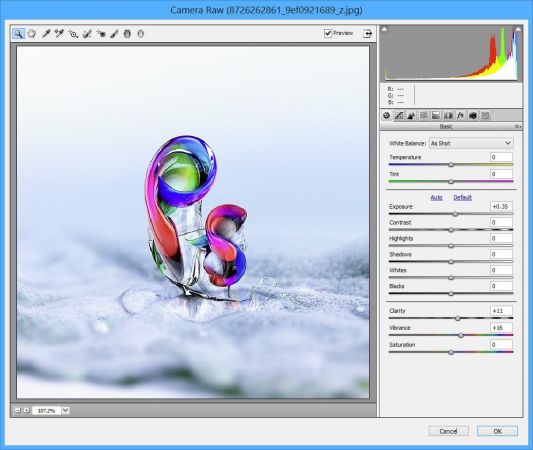
Adobe Camera Raw is a must-have powerful Adobe Photoshop plugin that provides fast access to the RAW image formats. The Adobe Camera RAW converter functionality in Adobe Photoshop software provides fast and easy access to the raw image formats produced by many leading professional and midrange digital cameras. By working with these "digital negatives," you can achieve the results you want with greater artistic control and flexibility while still maintaining the original RAW files. The Photoshop Camera Raw plug-in became the latest must-have tool for professional photographers when it was released in February 2003. Adobe Photoshop Lightroom software is built upon the same powerful raw processing technology that is available in the Adobe Camera Raw plug-in.

Photoshop is more than a feature-packed graphic processor and editor, as its functions can be constantly expanded due to third-party extensions. Such an addon is Camera Raw, an Adobe product that is meant to allow everyone to use Photoshop for processing raw formats, including DNG.

Due to this extension, users can not only edit raw images, but they can also convert them to other formats that are widely supported by other apps. Photographers finally get the possibility to work directly on their shots, thus making sure the original capture is not distorted in any way.

One can apply artistic effects to their photographs, or perform basic editing, such as crop, cut, rotate or tilt, depending on the result they want to obtain.

Furthermore, Adobe Camera Raw supports a wide range of cameras, to allow as many people as possible to process their raw images with ease, regardless if they use Cannon, Kodak, Olympus, Konica Minolta, Samsung, Ricoh, Leaf, Contax, Hasselblad, Panasonic, Sony, Sigma, Casio, Leica, Nikon, Fujifilm, Pentax or Mamiya cameras.

In addition, Adobe Camera Raw is not meant to be exclusively used with highly professional digital cameras, as the shots taken with midrange ones can also be processed.

Adobe Camera Raw comes with a downside, it cannot be integrated into any version of Photoshop one might choose - each version can only be installed onto a certain Photoshop edition, so users need to check the compatibility before downloading and installing this graphic plugin.

System Requirements: Windows 11/10


DOWNLOAD LINKS:


Код:
https://rapidgator.net/file/68cfe4e2cdda98facdc83d99a588855d/Adobe_Camera_Raw_18.3.2_x64.rar.html

Код:
https://nitroflare.com/view/2D538C99C244CE6/Adobe_Camera_Raw_18.3.2_x64.rar
 
c0528e94cb6b8d00c2ec26dd564c2e5c.png


Adobe DNG Converter 18.3.2 (x64) | Size: 1.69 GB
Language: English


Digital Negative (DNG) is an openly published raw file specification that stores the "raw" pixel data captured by the digital camera sensor before it has been converted to JPEG or TIFF along with standard EXIF metadata, date, time, camera used, and camera settings. This format is freely available for other software and hardware vendors to support.

What is the Adobe (DNG) Converter?
The Adobe DNG Converter enables you to easily convert camera-specific raw files from the supported cameras listed below to a more universal DNG raw file.

What is a "raw" file?
A raw file contains the "raw" data captured by the digital camera sensor before it has been converted to JPEG or TIFF. Cameras that create JPEG or TIFF files process (and in the case of JPEG files, compress) the sensor data.When working with raw files, the file is not compressed or processed in the camera-instead, our software gives the user complete control over the conversion settings. For example, white balance is not applied to the raw file but is stored with the file so the software can default to the originally intended setting. Other information contained in a DNG file includes standard EXIF metadata (just like in JPEG files), date, time, camera used, and camera settings.

Benefits of raw files
Some of the benefits of shooting raw include
Smaller files than uncompressed TIFF
Does not have the artifacts of compressed JPEGs
Many key camera parameters, such as white balance, can be modified even after the image is captured
You have complete control over conversion settings rather than letting the camera decide
Access to 16-bit data for greater detail and fidelity
Flexibility of converting a single file using multiple conversion settings

What's New
official site does not provide any info about changes in this version.

System Requirements: Windows 11/10


DOWNLOAD LINKS:


Код:
https://rapidgator.net/file/3ff897ecc578d6f7f4a4b09c85a26bac/Adobe_DNG_Converter_18.3.2_x64.rar.html

Код:
https://nitroflare.com/view/5DB161F8BC67E11/Adobe_DNG_Converter_18.3.2_x64.rar
 
b432d217d5cda176d4c1a082f9518c62.webp

Allround Automations Plyxon 2.0.0.910 | 80 Mb
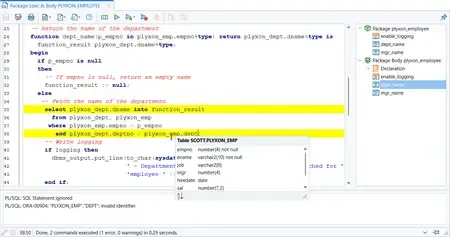
Plyxon is a brand new, lightweight, easy-to-use, multi-threaded, high-performance Oracle PL/SQL Development tool for Windows, macOS and Linux. It is a native Oracle Client tool that is easy to install and that does not require any additional third-party software. Plyxon is designed from the ground up with our 30+ years of Oracle experience.


Powerful PL/SQL Editor
With its Syntax Highlighting, Object Descriptions, Code Assistant, Code Contents, Hyperlink Navigation, Macro Library and many other sophisticated features, the PL/SQL editor will even appeal to the most demanding user.
Integrated Debugger
The integrated debugger offers all features you could wish for: Step In, Step Over, Step Out, Run Until Exception, Breakpoints, View Variables, View Call Stack, and so on. You can debug any program unit without making any modification to it, including triggers and object types.
AI Assistant
The AI Assistant allows you to leverage the power of the most popular AI Systems to create, modify or analyze your SQL and PL/SQL code at minimal costs. All you need to do is supply an authorization key for your AI account, after which you can immediately make use of te predefined AI Functions in PL/SQL Developer. You can also create your own AI Functions for specific tasks.
With the predefined AI Functions you can create, modify, finish, fix or optimize SQL or PL/SQL code. You can also let the AI System comment, review or explain code, or you can ask general questions about code.
PL/SQL Beautifier
The PL/SQL Beautifier allows you to format your SQL and PL/SQL code through a user-defined set of rules. Your code can automatically be beautified when you compile, save, or open a file. This feature will increase your coding productivity and will improve the readability of your PL/SQL code if you are working in large project teams.
Home Page-
Код:
https://www.allroundautomations.com/products/plyxon/

Rapidgator
Код:
https://rapidgator.net/file/45594d214ab32e88b30dc3acf28f20dd/xoot1.Allround.Automations.Plyxon.2.0.0.910.rar.html

Код:
https://nitroflare.com/view/333EA5397A1810D/xoot1.Allround.Automations.Plyxon.2.0.0.910.rar
 
2a057af0079e861c54b687dcdda6e3cf.webp

COAA PlaneDescriptionter 6.7.5.7 | 6.5 Mb
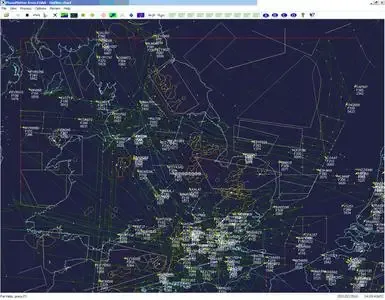
PlaneDescriptionter receives and decodes live digital position reports from aircraft and Descriptions them on a chart. Using PlaneDescriptionter, you can see a radar-like display of all those aircraft around you that are transmitting the appropriate digital messages including ACARS, ADS-B and HFDL.


PlanePlotter - Features
The animated screen grab from PlanePlotter (left) was kindly provided by John Locker.
Message display
PlanePlotter shows a table display of messages received and decoded from live aircraft transmissions.
Data saving
PlanePlotter archives all the digital data that it receives and decodes to a log file.
Chart display
PlanePlotter plots aircraft positions, altitudes and times decoded from the message traffic that it receives. These include embedded position reports, AMDAR reports and ADS reports contained in ACARS messages, ADS-B position reports received by the Kinetic SBS1™ or AirNav System RadarBox™ Mode-S receivers, and position reports on HF using Charles Brain's PC-HFDL software. The plot can be superimposed on a suitable aeronatical chart that you have prepared, or PlanePlotter can download satellite imagery and plot the aircraft symbols on that. Where altitude information is available (eg Mode-S messages), you can select the data by altitude band to distinguish low level and high level traffic.
Google Earth server
If you are receiving Mode-S ADS-B position reports, PlanePlotter can interface to Google Earth to display aircraft positions over the Google Earth base map. It can even give you a dynamic real-time view from the flight deck of an aircraft that you designate.
Direction finding
PlanePlotter can determine and display the direction of any transmission using a simple passive antenna switch. This allows aircraft to be located even if they are not equipped with ACARS or Mode-S/ADS-B.
Operating System: Windows Vista, 7, 8/8.1, 10, 11
Home Page -

Rapidgator
Код:
https://rapidgator.net/file/df283cb01882931c0e2c945e094b2368/zntqe.COAA.PlaneDescriptionter.6.7.5.7.rar.html

Код:
https://nitroflare.com/view/52C3080D79D1783/zntqe.COAA.PlaneDescriptionter.6.7.5.7.rar
 
cfcf6fa2e604b6feb410814712b855a0.jpg


Coolmuster Screen Recorder 1.1.68 Multilingual | Size: 45.41 MB
Language: English


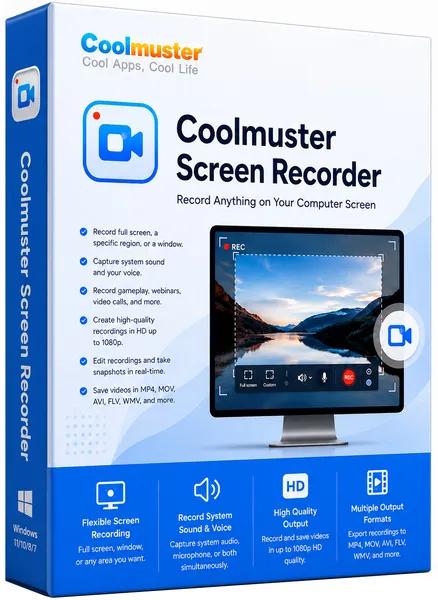
Coolmuster Screen Recorder is a lightweight, 2-in-1 Windows software designed for private, high-definition screen recording and screenshot capturing. It allows users to record full screens, specific application windows, or custom regions directly to their local drive in HD MP4 format.

2-in-1 Screen Recording & Capture for Windows
- Record full screen or custom regions and save videos as MP4 in HD quality.
- Capture system audio, microphone, or neither while recording your screen.
- No time limit, no watermark after registration, lossless image quality, lightweight and lag-free.
- Screenshots full screen or region, edit with shapes/text, save as PNG/JPEG/BMP.
- Keep everything private with 100% local processing - no uploads, no cloud, no external servers.

Why Should You Choose Coolmuster Screen Recorder?

Record Video in HD Quality - Full Screen or Any Region
Capture your entire desktop or just a custom area. Save as MP4 in crystal-clear HD quality - no watermark after registration, no time limit, and no lag

- Smart Area Selector: Drag to select any region with real-time pixel dimensions - get exactly what you need without extra editing.
- Flexible Recording Modes: Record full screen, a specific app window, or a custom region. Unlimited recording sessions.
- Lightweight & Reliable: Smooth high-resolution recording with minimal system impact - even on modest hardware.

Choose Your Audio Source - System Sound or Mic
Decide which audio to include. Record either system sound (game, video playback) or your voice - never both, for clean and focused audio

- Single-Source Audio: Pick system sound only for gameplay captures, or microphone only for voiceover tutorials. No interference.
- Flexible Options: Also choose no audio at all for silent demos or privacy-sensitive recordings.

Take & Edit Screenshotss - Full Screen or Custom Region
Capture anything on your screen and enhance it instantly. Save as PNG, JPEG, or BMP - all with lossless quality

- Easy Screenshots Capture: Grab full screen or drag a custom region. Real-time pixel dimensions help you frame perfectly.
- Built-in Editing Tools: Add boxes, circles, arrows, lines, or text to highlight key areas before saving.
- Multiple Formats: Export as PNG, JPG/JPEG, or BMP - whatever suits your workflow.

100% Private - Local Processing, No Uploads
Everything stays on your computer. Your recordings, screenshots, and data never leave your device - no cloud, no external servers

- Local-Only Processing: All recording and editing happens directly on your Windows PC. Total privacy guaranteed.
- Full Ownership: You keep complete control of every file from start to finish. No third-party access, no unexpected sharing.
- One-Click Simplicity: Start or stop recording with a single click. A handy toolbar keeps controls accessible without interrupting your work.

System Requirements: Windows 11/10/8/7 (x64 bit only)


DOWNLOAD LINKS:


Код:
https://rapidgator.net/file/9c1ba67d70c758889d2d5fc6f96ab4c5/Coolmuster_Screen_Recorder_1.1.68_Multilingual.rar.html

Код:
https://nitroflare.com/view/ECAEB095B081F90/Coolmuster_Screen_Recorder_1.1.68_Multilingual.rar
 
cfcf6fa2e604b6feb410814712b855a0.jpg


Coolmuster Screen Recorder 1.1.68 Multilingual | Size: 45.41 MB
Language: English


Coolmuster Screen Recorder is a lightweight, 2-in-1 Windows software designed for private, high-definition screen recording and screenshot capturing. It allows users to record full screens, specific application windows, or custom regions directly to their local drive in HD MP4 format.

2-in-1 Screen Recording & Capture for Windows
- Record full screen or custom regions and save videos as MP4 in HD quality.
- Capture system audio, microphone, or neither while recording your screen.
- No time limit, no watermark after registration, lossless image quality, lightweight and lag-free.
- Screenshots full screen or region, edit with shapes/text, save as PNG/JPEG/BMP.
- Keep everything private with 100% local processing - no uploads, no cloud, no external servers.

Why Should You Choose Coolmuster Screen Recorder?

Record Video in HD Quality - Full Screen or Any Region
Capture your entire desktop or just a custom area. Save as MP4 in crystal-clear HD quality - no watermark after registration, no time limit, and no lag

- Smart Area Selector: Drag to select any region with real-time pixel dimensions - get exactly what you need without extra editing.
- Flexible Recording Modes: Record full screen, a specific app window, or a custom region. Unlimited recording sessions.
- Lightweight & Reliable: Smooth high-resolution recording with minimal system impact - even on modest hardware.

Choose Your Audio Source - System Sound or Mic
Decide which audio to include. Record either system sound (game, video playback) or your voice - never both, for clean and focused audio

- Single-Source Audio: Pick system sound only for gameplay captures, or microphone only for voiceover tutorials. No interference.
- Flexible Options: Also choose no audio at all for silent demos or privacy-sensitive recordings.

Take & Edit Screenshotss - Full Screen or Custom Region
Capture anything on your screen and enhance it instantly. Save as PNG, JPEG, or BMP - all with lossless quality

- Easy Screenshots Capture: Grab full screen or drag a custom region. Real-time pixel dimensions help you frame perfectly.
- Built-in Editing Tools: Add boxes, circles, arrows, lines, or text to highlight key areas before saving.
- Multiple Formats: Export as PNG, JPG/JPEG, or BMP - whatever suits your workflow.

100% Private - Local Processing, No Uploads
Everything stays on your computer. Your recordings, screenshots, and data never leave your device - no cloud, no external servers

- Local-Only Processing: All recording and editing happens directly on your Windows PC. Total privacy guaranteed.
- Full Ownership: You keep complete control of every file from start to finish. No third-party access, no unexpected sharing.
- One-Click Simplicity: Start or stop recording with a single click. A handy toolbar keeps controls accessible without interrupting your work.

System Requirements: Windows 11/10/8/7 (x64 bit only)


DOWNLOAD LINKS:


Код:
https://rapidgator.net/file/9c1ba67d70c758889d2d5fc6f96ab4c5/Coolmuster_Screen_Recorder_1.1.68_Multilingual.rar.html

Код:
https://nitroflare.com/view/ECAEB095B081F90/Coolmuster_Screen_Recorder_1.1.68_Multilingual.rar
 
6fbb8fa405f6f3c37281caf78ea4f2e9.webp

Doc Converter Pro 4.0 Business | 57.3 Mb
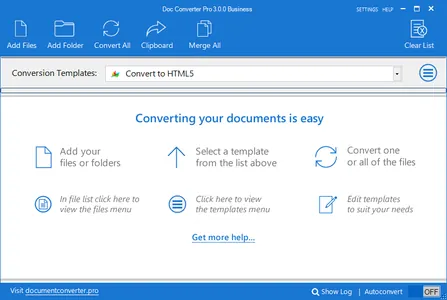
Doc Converter Pro is the easy way for you to convert your documents to different formats. You can convert Word (DOCX or DOC) to HTML, Word to PDF, PDF to HTML and more.


The full list of formats we support is:
Word to HTML
Word to PDF
PDF to HTML
PDF to Word
Open doc to HTML
Open doc to PDF
PDF to plain text
Word to plain text
Requirements: Windows 7 SP1 or newer, Microsoft .NET 4.6 framework (Installed by default on latest Windows 10).
Home Page -
Код:
https://documentconverter.pro/batch-convert-pdf-word-html/

Rapidgator
Код:
https://rapidgator.net/file/9eb3ceeda687b4bea95150d19cd38a55/trb3s.Doc.Converter.Pro.4.0.Business.rar.html

Код:
https://nitroflare.com/view/BF7CD64C3195E95/trb3s.Doc.Converter.Pro.4.0.Business.rar
 
6c873bcc276b827eb36bf54ba043492f.webp

EDGE Diagrammer 7.53.2223 | 11.5 Mb
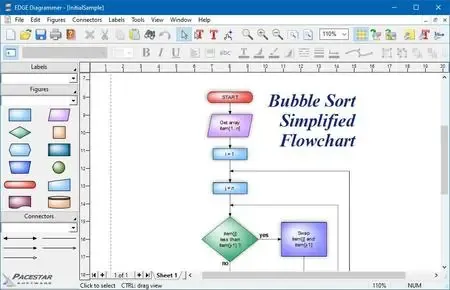
EDGE Diagrammer is our most versatile diagramming tool. Create a wide variety of technical, presentation, and design diagrams efficiently and with the highest quality results. EDGE Diagrammer is all you need for block diagrams, flowcharts, org charts, family trees, data flow diagrams and more. Free extension packs are available to provide support for many different diagramming methodologies. EDGE Diagrammer is the one-product solution for all your block and flow diagramming needs.


EDGE lets you define "styles" using hundreds of predefined drag-and-drop shapes and arrowheads. Save your styles in diagram templates to establish your own diagramming methods. EDGE Diagrammer comes with complete flowcharting templates, network diagramming templates, block diagrams, org charts, and more to get you started.
The program's workspace is especially designed for your ease, comfort, productivity, and enjoyment. Simple but old-style powerful toolbars and menus keep the most frequent tasks handy. Objects most common to a specific type of diagram are available with one click from the style bar on the left of the screen. And the screen itself shows you just what you need, exactly as it will print.
EDGE Diagrammer can create flowcharts and similar diagrams with minimal effort. As you draw your diagram, EDGE Diagrammer connects lines to figures and attaches labels to lines. It remembers these relationships and adjusts automatically when you move objects around. It can also adjust the size of a shape when you add text to it.
Includes pre-defined shapes and symbols organized in the Figure Symbol Gallery and several pre-defined diagram templates.
Support image raster (PNG, JPG, BMP, TIF, GIF) and vector format (WMF, EMF)
While direct PDF output is not supported, you can produce PDF files using a PDF printer driver.
Home Page -
Rapidgator
Код:
https://rapidgator.net/file/609b458186083444277aeb1d5db1910c/1wdi1.EDGE.Diagrammer.7.53.2223.rar.html

Код:
https://nitroflare.com/view/5603768C35F2AFD/1wdi1.EDGE.Diagrammer.7.53.2223.rar
 
Назад
Сверху Снизу